
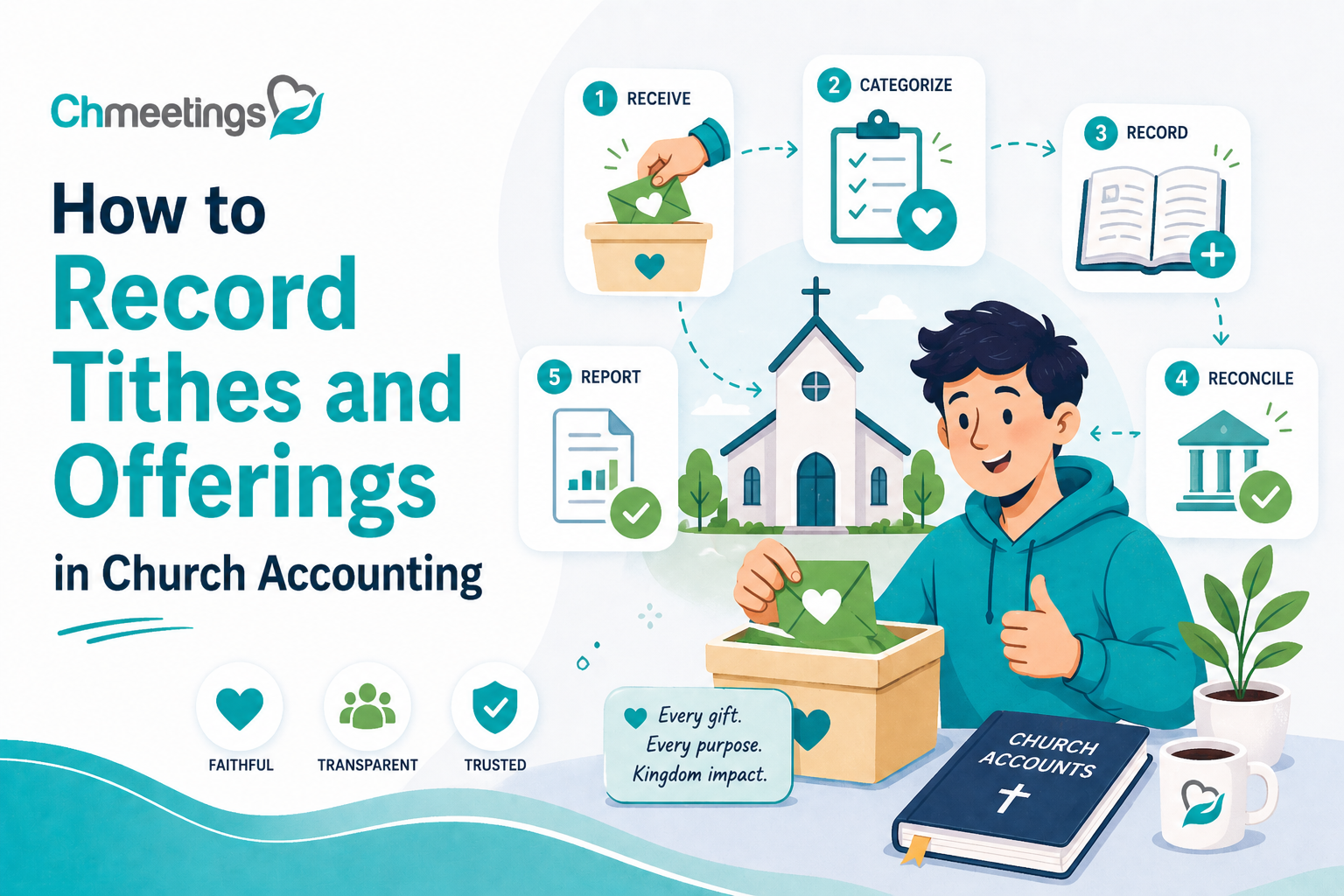

Why Record Tithes And Offerings?
Legal Requirements And Accountability
Churches must follow local laws for charitable organizations, including proper record keeping for donations, issuing receipts, and retaining records for audits. Accurate records protect leaders and volunteers from questions about where money went, and they simplify year-end reporting for donors and authorities. Good documentation also makes it easier to respond to donor inquiries and official requests without scrambling.
Promote Stewardship And Transparency
Recording gifts shows donors how resources are used, which encourages faithful stewardship. When giving is tracked by fund, campaign, or project, leaders can share clear updates, showing progress and outcomes instead of vague promises. That clarity helps people give with confidence and invites congregational ownership of ministry goals.
Strengthen Donor Relations And Trust
Donors want confirmation that their gifts were received and used as intended. Timely receipts, accurate contribution statements, and easy answers about restricted funds build trust. Consistent record keeping also enables personalized thank yous and stewardship follow up, which deepens relationships and often increases long term support.
What Should You Track For Each Gift?
Essential Fields To Capture

Capture the who, what, when, and where for every contribution. At minimum record:
- Donor name and contact info
- Date of gift
- Amount
- Payment method, cash or electronic
- Fund or designation
- Receipt issued yes or no
These fields let you produce statements, reconcile accounts, and follow up when needed.
Track Pledges Versus Actual Gifts
Pledges are promises, gifts are cash or cleared electronic transfers. Record them separately so you can compare commitments against fulfillment. Track pledge start and end dates, scheduled amounts, and actual payments applied. That makes budgeting realistic and helps leaders decide whether to launch new initiatives or adjust plans.
Record Fund Designations And Restrictions
Note donor intent clearly, whether for general fund, missions, building, scholarships, or a named restriction. If a donor changes their mind, document the change and any approvals. Properly tagging funds prevents accidental spending, supports fiduciary responsibility, and allows you to report on program-specific impact.
How To Record Cash Collections
Prepare An Offering Count Sheet
Before counting, have a standardized count sheet with columns for giver name if known, envelope number, currency breakdown, and fund codes. Use a simple template so counters capture the same information every week. A clear sheet speeds reconciliation and reduces disputes later.
Use Dual Control And Chain Of Custody

Always have two unrelated counters present, and sign the count sheet at each step. Record who handled cash at each transfer point, from counting to deposit preparation. That chain of custody deters errors and prevents allegations of mishandling.
Secure Deposits And Bank Handling
Keep cash in a locked safe or secure bag until deposit. Make bank deposits promptly, ideally same day or next business day. Prepare a deposit slip that matches the count sheet, and have two people accompany or verify the bank handoff when possible. Keep scanned deposit receipts with giving records for audit trails.
How To Record Online Giving
Reconcile Provider Reports With Deposits
Compare the online giving provider report to actual bank deposits every time funds arrive. Look for timing differences and batching that explain discrepancies. Reconciliation should show gross donations, fees withheld, and net deposit for each deposit date.
Account For Processing Fees And Net Gifts
Record both the gross gift amount and the processing fee so statements and fund balances remain accurate. Some churches credit donors with the gross amount while showing fees as separate expense lines. Whichever method you choose, be consistent and document the approach for finance reviews and donor questions.
Import Transactions Into Your System
Automate where you can. Export CSV or use an integration to bring provider transactions into your church management software, then match each transaction to donor records and funds. Automated imports reduce manual entry errors, speed reconciliation, and free staff for ministry work. If you use a church management app, set up mapping rules for funds and fees so imported records land in the right place.
How To Use Church Management Software
Set Up Contribution Types And Funds
Create a clear chart of contribution types before you enter anything. Define funds for general giving, missions, building, scholarships, and any campaign or restricted fund. Use consistent naming so reports and donor statements match. Add a short code for each fund to speed entry and reduce mistakes.
Assign a default contribution type for common gifts, but let counters or data entry staff change it when donors specify a restriction. Use tags or custom fields to capture pledge IDs, project codes, or campaign names so gifts can be grouped later. Give finance volunteers limited access to enter and edit contributions, and reserve approval rights for one or two staff leaders.
If you use ChMeetings church management software, map those funds and contribution types in the app up front, import your chart of accounts if possible, and test with a few sample gifts. That small setup work prevents a lot of cleanup later.
Automate Recurring Gifts And Receipts
Offer donors an easy way to set up recurring gifts, weekly or monthly. Let them choose payment method and schedule, and clearly show how to edit or cancel online. Automate email receipts for each payment, and include fund designation and transaction ID so donors can track gifts.
Set up notifications for failed payments, expired cards, or bank rejections, and provide simple instructions for donors to update their information. When recurring gifts are tied to pledges, configure auto-apply rules so payments reduce the right pledge balance. Automating these steps reduces manual entry and improves donor retention.
Integrate With Accounting And Banking
Decide how giving data flows to your accounting system, chart of accounts, and bank statements. Use direct integrations where available, or export standardized CSV files that match your ledger. Keep separate accounts for restricted funds, and make fees and refunds visible so fund balances remain accurate.
Connect bank feeds to speed reconciliation, and create clear mappings for gross gifts, processing fees, and net deposits. Limit who can change integration settings, and keep an audit trail for any manual exports or imports. That protects accuracy and simplifies month end close.
How To Create Batches And Reconcile
Build, Close, And Post Contribution Batches

Create a batch for each deposit date or service, include all counted cash, checks, and applied online gifts. Review the batch for correct fund allocation, pledge application, and proper donor matches. Have two people sign off on the final count and the deposit slip before you close the batch.
If you use ChMeetings church management app it can auto-collect online gifts into batches and let you attach scanned deposit slips and signoff notes. After closing, post the batch to your ledger so the finance team can reconcile and leadership can see accurate fund totals.
Reconcile Batches To Bank Statements
Match each closed batch to the bank deposit on the statement, checking gross, fees, and net amounts. Note timing differences, like weekend deposits or batch delays, and document why a deposit date differs from a giving date. Mark deposits as cleared once they appear on the bank statement.
When totals don’t match, trace each transaction back to the original contribution record and the payment provider report. Keep scanned bank deposit receipts with the batch record so auditors and staff can verify deposits quickly.
Correct Batch Errors And Adjustments
When a misapplied gift or math error appears, do not delete original records. Create a correcting entry that preserves the original gift and explains the change. Use adjustments to move gifts between funds, reassign to the correct donor, or reverse duplicate entries.
Require a supervisor to approve refunds, reversals, or journal entries, and record who approved them. Keep notes and attach any supporting documents so your audit trail stays intact and donor statements remain defensible.
How To Issue Receipts And Statements
Provide Tax Acknowledgements For Donors
Issue a receipt for each significant gift that includes donor name, date, amount, and statement that no goods or services were exchanged, when applicable. For noncash donations, include a brief description of the item and remind donors to get an independent valuation when required by law.
Electronic receipts are acceptable in most jurisdictions, so deliver them promptly by email and keep copies in the donor record. Add the transaction ID and fund designation to every acknowledgement so donors can reconcile their own records.
Generate Year End Giving Statements
Run a year end giving report that lists each gift by date, amount, and fund, plus a year total. Confirm donor names, mailing addresses, and email addresses before sending statements. Provide both a printable PDF and an emailed version, and allow donors to request an amended statement if there was an error.
Publish a short note with the statement that explains your church policy on fees, refunds, and pledge credits so donors understand the totals they see.
Offer Individual Tithe Record Sheets
Keep a simple, printable tithe record sheet for donors who request an ongoing giving summary. Include date, fund, amount, payment method, and running year-to-date totals. Offer a quick one-page option for walk-in requests and a more detailed export for those needing full transaction history.
Enable self-service when possible, so donors can download their giving history from the member portal or mobile app. That reduces staff time and gives donors immediate access when they need records for taxes or personal accounting.
What Reports And Metrics To Monitor
Weekly And Monthly Giving Summaries
Track gross receipts, processing fees, net deposits, and totals by fund each week and month. Compare current periods to the same period last year and to your budget so leadership sees trends, not surprises. Flag large single gifts and deposits that may affect cashflow.
ChMeetings church management software dashboards can surface these summaries automatically, but build a habit of reviewing them with your finance team so small variances don’t become big problems.
Donor Retention And Giving Trends
Monitor the number of recurring donors, retention rate, new donor acquisition, and lapsed donors. Watch average gift size and giving frequency by cohort, so you know whether stewardship efforts are keeping pace. Segment reports by fund, campus, or campaign to see where engagement is rising or falling.
Use these insights to plan follow up, stewardship campaigns, or pastoral outreach aimed at reengaging lapsed givers.
Fund Balances And Restricted Funds
Report current balances for each fund, showing restricted gifts, committed but unspent funds, and available cash. Reconcile restricted fund balances monthly to ensure spending aligns with donor intent. Present leaders with clear balances so program teams know what budget they can actually spend.
If transfers between funds are needed, route them through an approval process and update statements so transparency stays intact. Accurate fund reporting protects donor trust and supports responsible ministry growth.
What Common Mistakes To Avoid
Mixing Restricted And Unrestricted Funds
Confusing restricted gifts with general funds erodes donor trust and creates reporting headaches. Always tag the fund at receipt and verify the tag during counting and entry, so money intended for missions or a building campaign never gets spent on day to day operations. If a donor changes a restriction, document the request and get a board or finance committee sign off before reclassifying the gift.
Skipping Regular Reconciliations
Waiting until year end to reconcile deposits, fees, and batches hides small errors that grow into big problems. Reconcile bank deposits to contribution batches weekly or monthly, and resolve mismatches immediately. Keep scanned deposit slips and payment provider reports attached to each batch so tracing discrepancies is fast.
Weak Internal Controls And Volunteer Training
Relying on a single volunteer or poor handoff procedures invites mistakes and risk. Use dual control for counts, limit edit rights in your system, and require supervisory approval for refunds and journal entries. Train volunteers on the why and the how, not just the forms, so they understand controls protect the church and its ministry.
How To Build A Recordkeeping Playbook
Define Roles And Approval Limits
Write clear role descriptions for counters, data entry, approvers, and the finance lead. List who can void transactions, approve refunds, or move funds, and set dollar thresholds that require higher approval. Put those limits in your playbook so new volunteers know decisions they can make without asking every time.
Create A Monthly Closing Checklist
A short, repeatable checklist keeps month end from becoming a scramble. Include steps like close and post batches, reconcile bank deposits, review restricted fund balances, clear outstanding pledge items, and archive supporting documents. Keep the checklist visible in your shared drive so everyone follows the same sequence.
Train Volunteers And Staff Procedures
Make training part of onboarding, not an afterthought. Run a focused session on the playbook, walk through a mock offering count, and show how to pull a reconciliation report. Keep one-page guides for common tasks and record short videos for volunteers who prefer visual instruction.
What Templates And Tools To Use
Free Spreadsheet And PDF Templates
Start with standardized templates to capture consistent data, like count sheets, deposit logs, and donor receipt forms. Use simple column headings that match your database fields so importing is straightforward. Save PDF versions of receipts and store them with each donor record for audit readiness.
Offering Count Sheet And Form Examples
A good count sheet lists fund codes, cash and check subtotals, envelope numbers, and counters’ signatures. Include a short chain of custody section showing who transported the deposit and when. For online gifts, use a report that shows provider reference, donor, fund, gross amount, fee, and net deposit.
Compare Spreadsheets Versus Software
Spreadsheets are fine for very small churches, but they require manual reconciliation and are prone to versioning mistakes. A church management app automates importing, batching, receipt delivery, and reporting, so finance teams spend less time fixing errors and more time on stewardship. If you plan to grow or want fewer manual steps, migrating to software pays for itself in time saved and fewer mistakes. If you use a church management app like ChMeetings, map your spreadsheet columns to the app fields and test with a few weeks of data before switching fully.
How To Handle Special Situations
Record In Kind And Noncash Gifts
Log a description, estimated value, donor name, date, and any appraisal required for tax purposes. Record noncash gifts separately from cash giving so you can produce accurate statements and meet legal requirements. If the church accepts inventory items, set a policy for when and how to sell, use, or decline items.
Process Refunds And Corrections
Never delete the original entry. Create a reversal or refund transaction that references the original record and note the reason and approver. For simple reallocations between funds, use an adjustment entry with documentation and supervisory approval so audits show intent and authority.
Manage Memorials And Restricted Donations
Treat memorials and named gifts as restricted funds, with clear guidance on acceptable uses and a record of donor intent. If the memorial fund is to support a recurring expense, set a policy for payout rates or timelines. For long term or large restricted gifts, document approvals from leadership and include reporting expectations back to donors.
How To Keep Records Secure And Compliant
Good records protect donors, leaders, and the ministry. Security and compliance are about people, processes, and technology working together so records are accurate, private, and retrievable when you need them.
Data Privacy And Access Controls
Limit who can see giving records, give each user only the rights they need, and remove access when volunteers leave. Use role based permissions for counters, data entry, approvers, and finance leads. Require unique logins, enforce strong passwords, and enable multi factor authentication where possible. Encrypt donor data at rest and in transit, and keep copies of sensitive documents in a secured location, physical or digital. Train volunteers on privacy basics, including never emailing unencrypted spreadsheets with donor details. Finally, collect only the data you need, and document donor consent for any communications you send.
Retention Schedules And Audit Trails

Create a written retention policy that names document types and how long each is kept. Typical categories to include are: contribution records, deposit slips, bank statements, payroll records, tax filings, and capital asset documents. Keep an immutable audit trail for edits and approvals, showing who changed a record, when, and why. For cash handling, preserve signed count sheets, deposit receipts, and the chain of custody notes. Back up records off site and test restores regularly so an audit or loss doesn’t become a crisis.
Compliance With Tax Rules And Audits
Compliance rules vary by country and state, so consult your accountant or legal advisor, but always keep clear donation acknowledgements that show donor name, date, amount, and whether goods or services were provided. Keep supporting documents for noncash gifts and large donations, and retain payroll and payroll tax filings for the legally required period. Prepare an audit packet with bank statements, deposit slips, batch reports, pledge schedules, board minutes that approve restricted spending, and donor receipts. If an audit arrives, respond promptly, provide organized files, and use your retention policy and audit trails to show you followed consistent procedures.
FAQs
Can I Use A Free Excel Spreadsheet?
Yes, for very small churches a spreadsheet can work, but it’s fragile. Spreadsheets are prone to version conflicts, accidental deletions, and weak access controls. If you start with a spreadsheet, enforce a single master file, keep regular backups, restrict edit access, and map columns to your database fields so migrating later is easier. Plan to move to a more integrated system as giving or membership grows.
Where Can I Find A Record Sheet PDF?
Many denominations and nonprofit accounting organizations publish free templates. You can also export a PDF from your church’s existing templates or create one from a spreadsheet. Search for “offering count sheet template PDF” or “donor receipt template PDF,” or ask your regional church office for a sample you can adapt.
How Do I Create An Individual Tithe Record Sheet?
Include donor name, contact, date, payment method, fund/designation, amount, running year to date total, and a column for receipt/reference number. Add a small notes area for pledge links or restrictions. Make the layout printable and machine readable so entries can be scanned or entered into your database quickly.
Are There Free Church Tithe Software Options?
Yes, some church management vendors offer free tiers for very small congregations. Free plans often limit user seats or people counts, and may charge processing fees for online giving. When evaluating free options, compare giving features, security, reporting, and whether you can export data easily if you decide to change platforms.
How Do I Build A Church Offering Count Sheet Template?
Include columns for fund codes, envelope or donor number, cash breakdown by currency and coin, check totals, subtotal by fund, counter initials, and a final deposit summary section. Add a chain of custody area that records who counted, who transported the deposit, and who verified the bank receipt. Keep one line for deposit slip or bank reference so you can match the bank statement later.
What Records Should I Keep For Tax Purposes?
Keep donor receipts, contribution ledgers, deposit slips, bank statements, canceled checks or electronic payment confirmations, payroll records, payroll tax returns, invoices, expense receipts, and copies of filed tax returns and Form 990 or equivalent. Retain board minutes for decisions about restricted funds or major disbursements. Check with your accountant for jurisdiction specific requirements.
How Long Should Churches Keep Giving Records?
Rules vary, but a practical guideline is: keep routine financial records and donation acknowledgements for at least seven years, payroll records for at least four to seven years, and permanent records like articles of incorporation, property deeds, and filed tax returns indefinitely. Always follow local law and your accountant’s advice, and document your retention schedule so everyone follows it consistently.
How Should I Record Online Giving Fees?
Record the gross gift amount as the donor’s contribution and record the processing fee as an expense or contra revenue, depending on your accounting practice. Show the donor the gross amount on their receipt if you credit donors with the full gift, and note the fee separately on internal reports so fund balances remain transparent. Be consistent, document the method in your playbook, and map gross and fee fields when importing transactions so reconciliation is straightforward.





