

What Is a Church Communication System?
Definition And Core Purpose

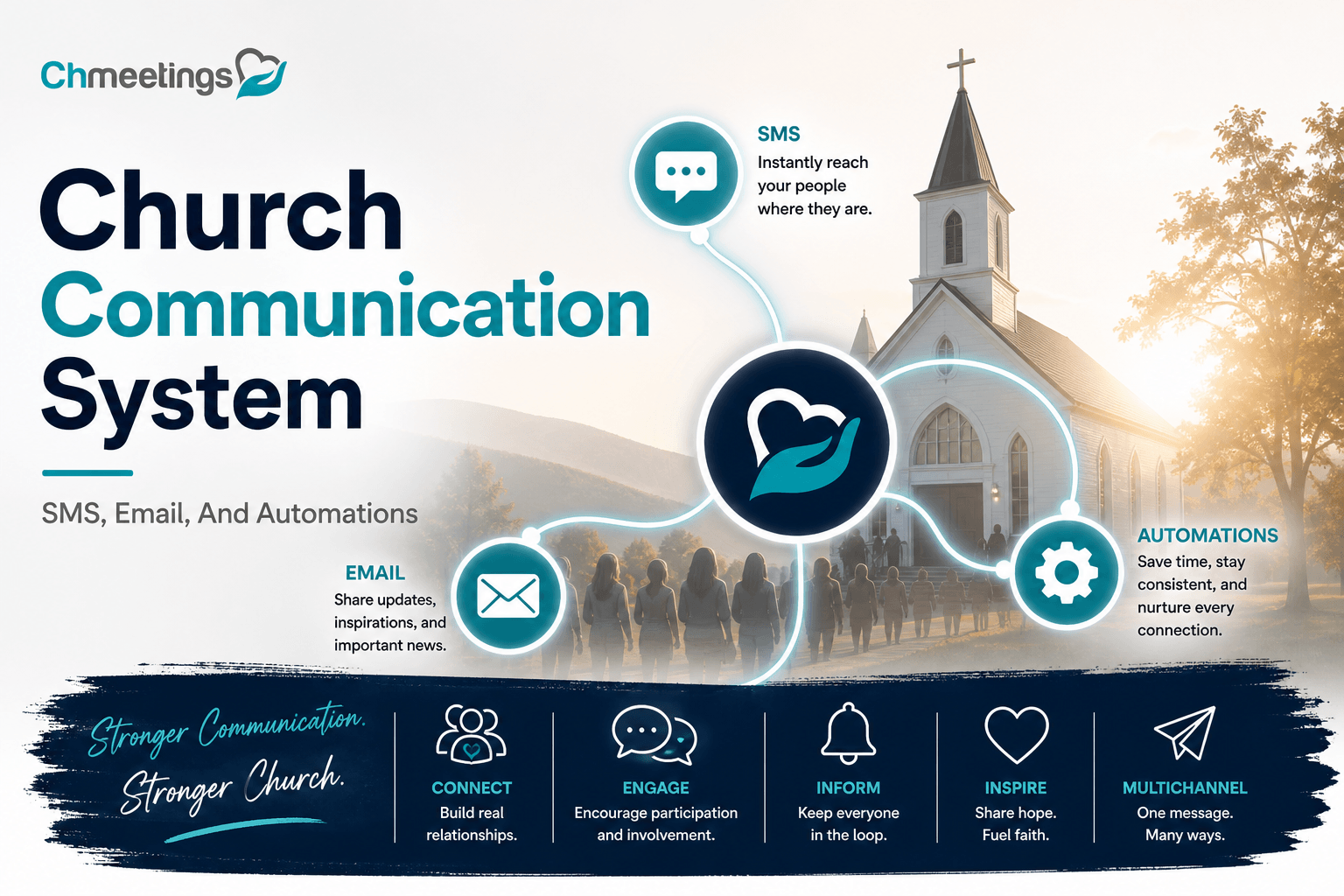
A church communication system is the collection of tools, channels, and rules a church uses to share information and stay connected with people. It includes contact records, message templates, schedules, and the way teams coordinate announcements. Its core purpose is simple, get the right message to the right people at the right time, so ministry, care, and outreach actually happen. When a system is intentional, follow up, event turnout, and volunteer coordination stop being chaotic and become repeatable.
Who Uses It In Your Church

Pastors and ministry leaders use the system to send teaching updates, event invites, and pastoral care notes. Administrators and office staff manage contact data, giving records, and bulk communications. Volunteers and small group leaders rely on it to get schedules, check-in lists, and reminders. Tech teams and worship leaders use it for service alerts and last-minute changes. A good system empowers every one of these roles without forcing everyone into spreadsheets.

Unify Messaging To Grow Engagement
Benefits For Attendance And Connection
Consistent messaging reduces missed events and no shows, plain and simple. When people get clear, timely reminders they plan to attend, and when follow up is personal they feel seen. That drives repeat attendance, deeper small group participation, and more reliable volunteer teams. Unified messaging also keeps pastoral care responsive, since the team can spot attendance drops and respond quickly.
Real Church Examples And Outcomes
A weekend service team used segmented reminders and saw first-time guest return rates rise within two months. A youth ministry that centralized texts and emails cut admin time in half, freeing leaders to focus on discipleship. Another church layered service alerts, online signups, and volunteer confirmations, which removed last-minute chaos and improved worship flow. These outcomes aren’t about tech for tech’s sake, they’re about making ministry scalable and dependable.

Core Features Every Church Admin Needs
Centralized Contact Management
All communication starts with accurate people data, not scattered spreadsheets. Centralized contact management keeps profiles, family links, tags, custom fields, and communication history in one place. That lets you segment by attendance, involvement, pastor note, or giving level, so messages are relevant. A church management app can automate syncing between groups, events, and your communication channels, which saves hours each week.
Email Campaigns And Templates
Email remains the backbone for longer content, event details, and donation appeals. Templates speed creation and keep messaging on brand and on message. Look for scheduling, A/B testing, and basic analytics so you can see open and click trends and refine what works. Automated follow ups for registrants and first-time guests turn one message into ongoing relationships.
SMS Tools And Keyword Shortcodes
Texting gets attention fast, use it for appointment reminders, urgent service changes, and quick RSVPs. Keyword shortcodes let visitors opt in at events or on cards, instantly capturing consent and linking them to a profile. Choose two-way SMS capabilities when you want real responses, and keep messages short, clear, and action-oriented. Track opt outs and message history so your team stays compliant and respectful.
Mobile App And Push Notifications
A mobile app centralizes calendars, giving, check-in, and messages into one interface people use regularly. Push notifications cut through inbox clutter for urgent updates and time-sensitive reminders. Make sure the app supports segmented pushes so you can notify volunteers separately from the whole church. Branded apps also reinforce identity and make it easier for members to engage with ministry tools.
Five Communication Channels To Use
Email Best Practices For Ministries
Write with a single clear purpose, subject lines that tell the benefit, and a single call to action. Segment your lists so parents, volunteers, and donors get different content. Keep templates mobile friendly, and include alt text for images. Schedule follow ups automatically for people who clicked or signed up, so interest turns into involvement.
Texting Strategy And Consent Steps
Get explicit consent before texting, record the opt in source, and offer clear opt out instructions in every message. Use keywords at events and on welcome cards to capture numbers legally and quickly. Limit texts to urgent or high-value items, and keep messages under 160 characters when possible. Log replies in the person’s profile so conversations are visible to pastors and care teams.
Social Media And Website Coordination
Treat social media and your website as announcement partners, not separate islands. Post service times, sermon highlights, and event pages on the site, then use social posts to drive traffic. Keep branding and messaging consistent, and calendar links in bios so people can register quickly. Sync event changes across all platforms the moment details change, to avoid confusion.
Digital Bulletins And Service Alerts
Digital bulletins replace paper with searchable, linkable content that’s easy to update. Embed registration links, giving links, and volunteer signups directly in bulletins. For service alerts, use push notifications and SMS together, so people who miss one channel still get the message. Archive bulletins on the site for anyone who missed the service.
In Person Touchpoints And Follow Up
In person interactions are highest value, they convert curiosity into commitment. Train greeters to capture info and follow up within 48 hours, preferably with a personalized email or text. Use name tags, welcome cards, and QR codes to bridge physical visits to your communication system. Then route follow up tasks to small group leaders or staff through automated workflows, so next steps actually happen.

Build Automations That Save Hours
Automations take repetitive follow up off your plate so staff and volunteers actually do ministry instead of admin. Set up a few reliable workflows and you’ll see response rates go up while time spent on basic tasks goes down.
High Impact Automations To Start
- Welcome sequence for first-time guests, immediate text plus two follow up emails over two weeks. Personal, short, and action oriented.
- Event registration confirmations, calendar invites, and pre-service reminders, all sent automatically when someone signs up.
- Volunteer confirmations and shift reminders, with automatic substitute offers if someone declines.
- Receipt and donation follow ups, including recurring giving reminders and yearly contribution statements.
- Attendance alerts for people missing multiple weeks, routed to a care team for personal outreach. Each one turns manual steps into predictable ministry moments.
Triggers For New Guests And Volunteers
Use simple triggers to start the right workflow the moment someone engages.
- New profile created or web form submitted, trigger welcome text and staff task.
- First check in at a service, trigger guest follow up and a pastor note.
- Volunteer interest form completed, trigger onboarding sequence and background check reminder.
- Tag or custom field added, trigger targeted nurture for a specific ministry. These triggers make sure nobody falls through the cracks, and that follow up happens while curiosity is fresh.
Scheduling, Drip Sequences, And Tests
Schedule messages with intent, not frequency. Start with a clear timeline, for example immediate welcome text, day 1 email, day 7 invite to a next step. Build drip sequences that escalate from information to invitation to personal contact. Always test automations before activating them.
- Run a pilot group, check merge tags and links, confirm unsubscribes work.
- Validate SMS length, opt in records, and deliverability.
- Use internal test profiles and a volunteer test group so you catch errors without sending a public message. A good automation builder in your church management app will let you preview messages, view trigger history, and iterate quickly.
Personalize Outreach To Increase Retention
People stick around when outreach feels like care, not broadcast. Personalization is the difference between an email that gets deleted and a conversation that begins.
Segment By Life Stage And Involvement
Segment by obvious life stages and by how people participate.
- Life stages: visitor, new member, family with kids, student, senior.
- Involvement: volunteer role, small group member, giving band, ministry leader. Send content that matches where someone is in their journey. Parents get child check-in info. New members get next step invitations. Longtime volunteers get appreciation and leadership invites.
Use Tags, Custom Fields, And Merge Tags
Tags and custom fields store the specifics that make personalization possible. Track things like baptism date, preferred service time, children’s ages, or ministry interests. Then use merge tags to pull those details into messages.
- Examples: Hi {{FirstName}}, your child {{ChildName}} is all set for Sunday at {{ServiceTime}}.
- Keep tag usage consistent, document tag definitions, and prune tags yearly so segmentation stays clean. Merge tags cut editing time and make messages feel one to one.
Sample Personalized Message Templates
Below are short templates you can drop into automations. Replace merge tags with your system’s syntax.
- Welcome text: Hi {{FirstName}}, thanks for visiting today. Would you like a quick call from our welcome team this week?
- New volunteer confirmation: Thanks {{FirstName}}. You’re scheduled for {{Role}} on {{Date}} at {{Time}}. Reply YES to confirm or NO to swap.
- Parent event reminder: Hey {{FirstName}}, reminder: Kids Check In for {{EventName}} opens at {{CheckInTime}}. Bring a photo ID for drop off.
- Care follow up: Hi {{FirstName}}, we noticed you missed the last few services. Is there anything we can pray about or help with this week? Short, specific, and tied to a next step works best.

Managing Volunteers Without Chaos
Volunteers are ministry lifeblood. Managing them with clear workflows and reliable tools keeps teams healthy and services running smoothly.
Scheduling And Shift Confirmation Workflows
Automate scheduling so shifts are visible and confirmations are simple.
- Publish schedules with automatic assignment notices and calendar invites.
- Send a confirmation request 72 hours before a shift, then a reminder 24 hours before.
- Auto-release unconfirmed slots and offer them to the substitute pool. This reduces last-minute scrambling and keeps expectations clear.
Two Way Messaging And Last Minute Changes
Two way messaging cuts confusion. Let volunteers confirm, swap, and ask questions by reply.
- Keep conversation history attached to each volunteer profile so leaders see past messages.
- Use group channels for role-wide announcements and individual messages for sensitive asks.
- For last minute changes, send high-priority SMS plus push notification, followed by a roster update in the scheduling tool. Consistency in channels and templates helps volunteers know exactly how to respond.
Volunteer Onboarding And Training Sequences
Make onboarding predictable, not ad hoc.
- Start with a welcome message, required forms, and a scheduled background check if needed.
- Deliver role-specific training videos, checklists, and a short quiz or acknowledgement.
- Pair each new volunteer with a mentor for their first two shifts, and schedule a 30-day check in. Automated reminders for incomplete steps keep onboarding moving without manual nagging.
Promote Events And Track Attendance
Events are both outreach and discipleship. Promote them well and track who shows up so follow up is timely and smart.
Event Pages, Registration, And Reminders
Create clear event pages with logistics, expectations, and registration options.
- Include capacity limits, paid ticketing if needed, and waitlist logic.
- Send immediate confirmations with calendar invites and what to bring.
- Layer reminders, for example 7 days, 48 hours, and 2 hours before, using email for details and SMS for day-of nudges. Segmentation matters, invite parents differently than general attendees, and send volunteer-specific directions to those serving.
Check In Options And Attendance Reporting
Offer multiple check in choices to suit your context and speed up entry.
- QR check in, kiosk stations, child check in stations, and manual entry in an app.
- Capture first-time guest flags and link check ins to profiles automatically.
- Produce reports that show attendance trends, first-time guest return rates, and volunteer reliability. Good attendance data turns guesswork into targeted pastoral care and smarter planning.
Post Event Nurture And Follow Ups
The work after an event is where relationships deepen.
- Send a thank you with highlights, photos, and a short survey within 24 hours.
- Follow up no-shows with a personal invite or phone call to learn why they missed it.
- Add engaged attendees to relevant groups or next-step workflows, like follow up classes or small groups. Automate the obvious touches, and reserve personal outreach for high-impact or pastoral moments.
(Note: a church management app with integrated events, check in, and automation tools will make all of this far easier to run and report on.)
Simplify Giving And Donor Communication
Embedding Giving Links And Receipts
Put giving where people already interact, on event pages, email footers, and mobile app screens. Use persistent giving links and QR codes that open a prefilled donation form, so the friction from intention to gift shrinks. Automate immediate receipts, include gift details and tax language, and attach a thank you note or short video when appropriate. Confirmations should write back to the person’s profile so finance and pastoral teams see donation history without manual entry.
Stewardship Campaigns And Segmented Appeals
Design appeals around relationships, not mass lists. Segment by giving history, engagement level, and life stage, then tailor asks and timelines. Run short pilot appeals to a representative segment, measure response, then scale what works. Use pledge tracking and recurring gift options to convert one-time donors into steady supporters, and schedule personalized stewardship touches for mid and major donors so stewardship feels pastoral, not transactional.
Donation Reporting For Finance Teams
Give finance teams clear, exportable reports: daily batching, reconciled bank deposits, and gift-level detail for audits and statements. Include gift source, campaign tag, payment method, and donor contact in exports so accountants don’t hand-match records. Automate year-end contribution statements and provide a way to correct or reassign gifts with an audit trail. When finance and ministry share the same clean data, stewardship stays credible and reconciliation stops being a time sink.
Integrate Apps, Website, And Tools
Priority Integrations For Every Church
Connect your website forms, payment processor, calendar, and accounting software first, those move the most data. Link social ads and landing pages to registration flows so new contacts flow straight into your people database. Sync volunteer scheduling tools and worship planning so rosters and communications are always current. Integration reduces repeated typing and keeps ministry work focused on people, not file transfers.
Zapier, API, And Low Code Syncs
Use Zapier or the platform API for quick, reliable automations between systems, like adding new form submissions to a people list. Prefer webhooks for real time triggers and incremental syncs for larger data moves. Map fields deliberately, test sample records, and plan how to handle duplicates before you flip the switch. Low code platforms let smaller teams build useful flows without waiting on IT, but still treat error logs and retry rules as non negotiable.
Keeping Member Records Accurate And Safe
Set strict rules for duplicate detection, address validation, and a single source of truth for primary contact details. Apply role based permissions so only authorized staff can edit financial or sensitive pastoral notes. Keep audit logs, require consent records for messaging channels, and back up exports regularly. If your platform is GDPR compliant and hosted securely, you still must train users in good data hygiene, because tools protect data only when people use them responsibly.
Track Metrics That Drive Growth
Weekly KPIs To Monitor
Track a short list every week, not a long spreadsheet. Good KPIs: weekend attendance, first time guests, giving total and new donors, volunteer fill rate, and response rate to key messages. Watch trends, not day to day noise. Share a one page snapshot with staff so everyone knows whether outreach, follow up, or operations need attention.
Campaign Reporting And A B Testing
Report campaigns by reach, open or view rate, click to registration, and final conversion, so you can compare email, SMS, and app push on the same scale. Run A B tests on subject lines, send times, and calls to action, but test one variable at a time. Ensure sample sizes are meaningful before drawing conclusions, and keep a test calendar so experiments don’t overlap or fatigue the same audience.
Building An Engagement Scorecard
Create a simple scorecard that weights actions like attendance, small group membership, volunteer service, and recent giving. Assign points and bucket people into cold, warm, and engaged groups for targeted outreach. Use the scorecard to prioritize pastoral calls and to measure the impact of follow up sequences over 90 days. A numeric view helps teams act quickly, without guessing who needs attention.
Implement The System In 8 Weeks
8 Week Rollout Checklist
Week 1, clarify goals, pick core integrations, and assign roles. Week 2, clean and dedupe member data, document tag and field definitions. Week 3, connect payment processors, website forms, and calendar. Week 4, migrate events and volunteer schedules, test check in. Week 5, build key automations, welcome flows, and giving receipts. Week 6, pilot with a single ministry, collect feedback, fix issues. Week 7, train staff and volunteer champions, run live tests. Week 8, go church wide, monitor KPIs, and schedule a 30 day review. Keep the scope tight so momentum doesn’t stall.
Training Plan For Staff And Volunteers
Run short role based sessions, 60 minutes max, focused on daily tasks and common mistakes. Create quick reference guides and 3 to 5 minute video clips for important processes like check in, giving reconciliation, and message templates. Appoint two super users as go to support, and host weekly office hours during the first month. Reward adoption with small wins, like faster scheduling or fewer duplicate tickets, so training time pays back immediately.
Avoiding Common Setup Mistakes
Don’t import messy spreadsheets and hope it will fix itself. Clean names, emails, and phone formats first, decide how to handle duplicates, and document tag rules before you build segments. Don’t automate without testing merge tags and links. Get clear consent records for SMS, or you’ll face compliance headaches. Finally, limit who can edit financial and pastoral fields, and plan for ongoing data maintenance so the system stays useful, not noisy.
- If you pick a church management solution, check that it supports these integrations, automations, and security controls so your rollout goes smoothly.
Compare Pricing And Top Text Platforms
Free Options And Pricing Models
Free texting options exist, but they come with trade offs. Volunteer-run reply threads, WhatsApp groups, or Google Voice let you send messages without a monthly bill, but they’re manual, lack reporting, and can put pastor or volunteer numbers on public display. Church-focused free plans from some church management apps give a safer alternative, they include contact sync, limited SMS credits, and basic automations so you can start without risking compliance or data chaos.
Paid pricing generally falls into a few models:
- Pay as you go, you buy credits and each outbound SMS consumes one credit. Good for very small or irregular use.
- Flat monthly with a message allowance or unlimited messages. Predictable for regular weekly messaging and volunteer coordination.
- Per-contact or per-seat pricing, where cost rises with the number of people you manage or the number of users on the account.
Expect extra fees for shortcodes, local toll free numbers, MMS, or 10DLC registration in the US. Carrier and compliance fees are often passed through by providers, so factor those into your budget.
When you compare options, look beyond headline price. Check whether contact data syncs two way, whether replies are saved to profiles, whether opt ins are logged, and how easy it is to build automations. Those features directly affect how much staff time you’ll spend.
Clearstream Versus Text In Church
Both platforms serve churches, but they take slightly different approaches. Think of the comparison as fit, not winner take all.
- Ease of use. Clearstream aims for very simple workflows, quick keyword setup, and straightforward campaign creation. Text In Church offers richer tooling around follow up sequences and deeper congregational workflows.
- Integrations. Each platform connects to popular church tools to varying degrees, which matters if you need contact sync and message history to write back into your people database. Confirm the specific integrations before you commit.
- Messaging features. Both support two way SMS, keywords, and scheduled sends. Differences show up in templates, drip capabilities, and whether replies attach to individual profiles automatically.
- Support and onboarding. Churches need fast, friendly help. Check demo responsiveness, training resources, and whether onboarding includes consent and compliance guidance.
- Pricing structure. One may favor pay as you go, the other monthly plans with bundles. Compare the math for your expected volume rather than the sticker price.
Try a short pilot on both with a real volunteer group or guest workflow. That will reveal which one fits your team and communication habits.
When To Choose Dedicated SMS Versus ChMS
Pick a dedicated SMS platform when you need advanced marketing features, heavy volume blasting, or integrations with marketing stacks outside church systems. Those platforms shine when you need sophisticated A/B testing, complex campaign funnels, or carrier-level deliverability optimization.
Choose an integrated church management app with built-in SMS when you want messaging that’s tightly tied to people data, events, and giving. Integrated SMS keeps opt in records, message history, and replies on each person’s profile, which makes follow up pastoral and audits painless. It also saves you duplicate work, and automations trigger directly from registrations and check ins.
If you want a single place to run events, track giving, manage volunteers, and keep communication history clean, a church management app with SMS built in is often the best long-term value. A hybrid approach works too, use a dedicated SMS provider for large broadcast campaigns and your church management app for pastoral, event, and volunteer messaging. If you’re evaluating options, test how easily your chosen platforms exchange contact data and consent records before committing.
FAQs
What Are The Best Free Church Communication Apps?
Best depends on need. For conversational groups and small teams, WhatsApp, Telegram, or a Facebook Group work and cost nothing. For broadcast messages and basic contact tracking, look for a church management app free tier that includes SMS credits or limited messaging, because it keeps records and automations in one place. Avoid relying on volunteers’ personal phones for ongoing church communications.
Can I Send Free Church Text Messaging?
You can send texts for free in limited, informal ways, but not reliably or legally at scale. Carrier networks charge for SMS, and platforms pass that cost on. Free trials and promotional credits help you test, but for consistent, compliant messaging expect to pay either per message or as part of a monthly plan.
How Much Does Text In Church Cost?
Prices change, and plans differ by message volume and features. Typical costs for church texting tools range from low monthly subscriptions for small teams to higher tiers for multi-site or enterprise needs, with extras for shortcodes, toll free numbers, or advanced automations. The safest route is to list your expected monthly messages and required integrations, then request a quote so you can compare apples to apples.
Does Clearstream Integrate With Church Software?
Many church texting platforms, including Clearstream, offer integrations with popular church tools or can connect via middleware like Zapier. Integration quality varies, so check whether the connector syncs opt ins, writes message history back to profiles, and supports two way messaging. Integration detail decides how clean your workflows will be.
Which Church Communication Software Is Best For Small Churches?
Small churches benefit most from simplicity, affordability, and built-in features. Choose software that gives contact sync, email, SMS, event tools, and giving in one place so you don’t juggle apps. A church management app with a free tier and low-cost paid plans is often the best starting point, because it keeps data clean and automations accessible without a big budget. If you want a specific feature to look for, pick a tool that logs consent and message history automatically.
How Do I Comply With SMS And Privacy Laws?
Follow a few core practices and you’ll cover most compliance needs.
- Get explicit opt in and record where and when it happened. Store that in the person’s profile.
- Include clear, easy opt out instructions in every broadcast. Honor opt outs immediately.
- Use dedicated church numbers or shortcodes, and register them where required, for example 10DLC in the US.
- Limit content to what people consented to receive, and avoid sensitive personal data in messages.
- Keep a privacy policy and communicate it, especially for online forms and keywords.
- For cross-border messaging, follow regional laws like GDPR in Europe and CASL in Canada, and seek legal guidance for complex cases.
An integrated church management app that logs consent and stores message history will make compliance and audits much easier.





