

What Is AI For Bible Study?
Practical Definition For Church Leaders

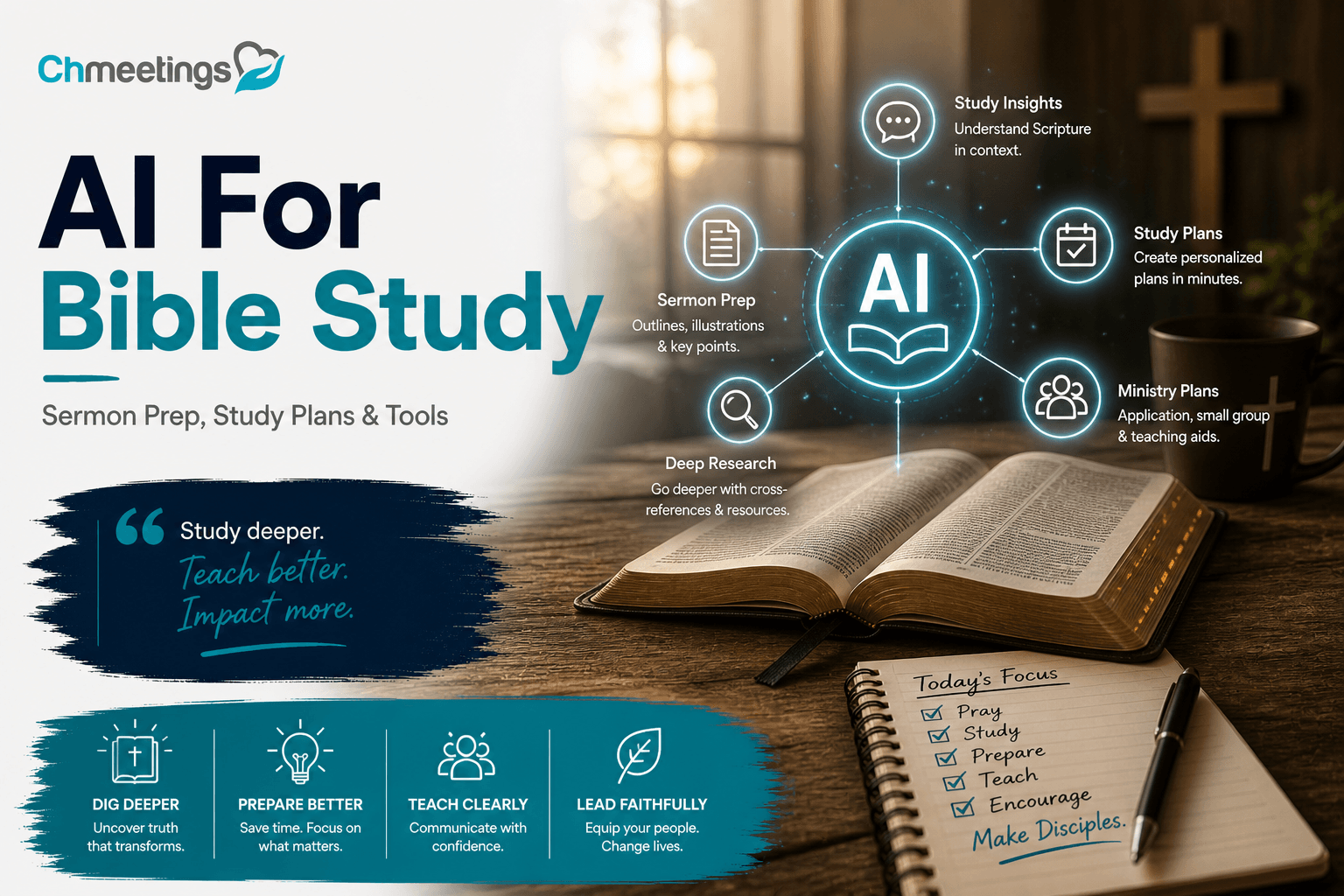
AI for Bible study means using machine learning and language tools to help find, summarize, and present biblical content quickly. For pastors and ministry leaders that looks like faster research, draft sermon material, tailored devotion plans, and study aids for small groups. It’s a productivity layer on top of traditional resources, not a replacement for pastoral judgment, theological training, or the Holy Spirit’s guidance. Use it to multiply preparation time and reach, while you keep final theological decisions and pastoral care in human hands.
Core Capabilities And Typical Limits

AI shines at searching large text sets, generating plain-language summaries, spotting thematic links, comparing translations, and drafting outlines or questions. It can format plans, adapt tone for different audiences, and automate routine follow up tasks. Typical limits include occasional factual errors or invented citations, shallow interaction with contested theology, and uneven handling of original-language nuance. AI also raises privacy and copyright concerns, so always verify results against trusted commentaries and primary sources before teaching.
How It Differs From Traditional Tools

Traditional tools like concordances, commentaries, and Bible software surface vetted resources and expert work. AI responds to natural language prompts, synthesizes across many sources, and creates custom outputs on demand. That means speed and personalization you don’t get from single-volume references, but it also means you need to check for accuracy and theological fit. Think of AI as a drafting partner that speeds work, while your trusted study tools and mentors remain the final check.
Speed Bible Research And Context
Locate Cross References And Parallels Fast
Tell AI a verse or theme and it can pull likely cross references, parallel passages, and thematic echoes across Scripture in seconds. That’s useful when you’re outlining a sermon and want supporting passages or when preparing a comparative Bible study. Always verify suggested links with a concordance or your preferred Bible software, since AI can miss context or propose weak parallels.
Summarize Historical And Cultural Background
AI can synthesize concise background on authorship, cultural setting, historical events, and first century practices that illuminate a passage. Use those summaries to orient your study, then dig into academic sources for contested points. Treat AI summaries as a quick briefing, not the final word on complex historical debates.
Compare Translations In Minutes

Ask AI to compare how several translations render a verse, and it will highlight differences in word choice, emphasis, and translation philosophy. That helps you spot interpretive choices that affect preaching or teaching. Follow up by checking original-language lexicons or trusted translations to confirm which reading best fits your message.
Prepare Sermons And Teaching Materials
Generate Sermon Outlines And Manuscripts
AI can draft sermon outlines, bulleted points, and full manuscript drafts keyed to a passage and desired length. Give it structure parameters, like time, number of points, and audience, and it’ll produce a usable first draft. Use that draft to save prep time, then revise for theological accuracy, local examples, and your preaching voice.
Find Illustrations And Application Points
Need a contemporary illustration or an application for daily life? AI can pull relevant anecdotes, modern analogies, or culturally current examples tied to your text. Vet illustrations for appropriateness, avoid overused clichés, and adapt them to reflect your congregation’s context and values. Strong applications tie doctrine to clear, doable next steps.
Edit Tone And Clarity For Congregations
AI can rewrite material to fit different reading levels, ages, or cultural tones, making sermons and handouts more accessible. Ask it to simplify language for kids, formalize for study groups, or make a message conversational for a video devotional. Always preserve your pastoral voice and double check that edits haven’t softened essential doctrine.
Design Personal Study Plans
Build Daily Devotion Schedules

AI can assemble daily devotion schedules that mix Scripture reading, reflection prompts, short prayers, and memory verses. You can request plans for 7, 30, or 90 days, themed around discipleship, prayer, or a book of the Bible. Use these as starter templates and tweak them for your congregation’s rhythm and calendar seasons like Advent or Lent.
Tailor Plans For Ages And Stages
Create variations for kids, teens, new believers, or leaders by asking AI to change length, activities, and depth. For children include simple questions and family activities, for teens add discussion prompts and service ideas, for leaders include study resources and leadership reflections. Tailored plans help move people from attendance to engagement.
Automate Reminders And Progress Tracking
Pair AI-generated plans with your church management app to send reminders, track who’s participating, and follow up with hosts or small group leaders. Your church management software can centralize signups, messaging, and attendance data so study leaders see progress at a glance. Keep member privacy in mind, and never feed sensitive personal data into public AI tools.
Lead Small Groups And Discipleship
AI helps small group leaders spend less time on prep and more time on pastoral care. Use it to sharpen questions, produce leader-facing materials, and run smooth hybrid meetings so volunteers can lead confidently.
Craft Discussion Questions That Engage
Ask AI to generate layered questions, starting with observation, moving to interpretation, then application. Tell it your passage, the group’s age or experience level, and how long you want discussion to run, and it will return 8 to 12 timed questions you can edit. Push it to suggest follow-up prompts for common sidetracks and to flag sensitive topics that may need pastoral follow-up. Always vet for theological fit and tweak wording so questions sound like your church.
Produce Leader Guides And Handouts
Use AI to create concise leader guides that include session goals, a timeline, facilitator tips, short background notes, suggested prayers, and a printable handout. Ask for a one-page leader cheat sheet and a separate two-sided handout for participants, then export to PDF for printing or emailing. Add bullet lists of expected answers and how to redirect conversation, so inexperienced volunteers can lead with confidence.
Facilitate Hybrid And Online Meetings
AI can prepare a meeting script that includes what to say on camera, breakout prompts, and timed cues for sharing and prayer. Generate captions and translated summaries to make online participants feel included, and auto-create the Zoom agenda so hosts can paste it into the meeting chat. After the session, ask AI to draft a short follow-up message to attendees with key takeaways and next steps.
Create Teaching Media And Outreach
AI speeds conversion from study content to shareable media, letting churches reach people where they are without hiring a designer. Use it to turn notes into slides, social posts, and accessible study PDFs.
Turn Study Notes Into Slides And Handouts
Paste your sermon or study notes and ask AI to produce slide headings, 6 to 9 bullet points per slide, and speaker notes for each slide. Request a branded template or simple color and font guidance to keep visuals consistent with your church. Export suggestions to PowerPoint or Google Slides, then swap in photos or licensed artwork before presenting.
Produce Social Posts And Sermon Graphics
Get short captions, scripture callouts, and image prompts for a designer or an app like Canva. Ask for versions sized for Instagram, Facebook, and stories, plus 15 to 30 second video script ideas for reels. Keep posts faithful to your theology, and review visuals for clarity before publishing.
Generate Transcripts, Captions, And Study PDFs
Use AI transcription tools to turn recorded talks into editable text, then generate time-stamped captions for videos and a formatted study PDF with discussion questions and scripture references. Include citation notes for any copyrighted translation and a short leader guide at the back. Offer the PDF through your event page or group chat so participants can download and re-read.
Choose The Right Tool For Your Church
Picking tools is about trust and fit, not hype. Balance privacy, cost, mobile access, and how a tool will plug into your existing workflows for scheduling, messaging, and follow-up.
Top Tools For Pastors And Small Groups
Look at three categories, then pick a primary and a secondary: conversational chatbots for drafting and editing, research engines for sourcing and citations, and media apps for slides and audio editing. Examples you might evaluate include ChatGPT or Microsoft Copilot for drafting, Perplexity or academic search tools for sourcing, and Canva or Descript for visuals and audio. Use Bible software like Logos, Accordance, or Olive Tree when you need deep exegesis and original-language tools.
Best Free, Mobile, And Android Options
Many tools offer usable free tiers, which is great for smaller churches: free ChatGPT access, Google Bard, YouVersion for reading plans, mobile Canva for graphics, and Otter for basic transcription. Check that the app has a solid Android version if your team uses Android devices, and test sharing workflows on mobile before rolling out to leaders.
When To Use Chatbots Versus Research Engines
Use chatbots to draft study guides, discussion prompts, and social captions, because they convert ideas into usable language fast. Use research engines when you need citations, direct quotes, or to check historical claims. If accuracy matters for doctrine or scholarly debate, treat chatbot output as a first draft and verify with trusted sources.
Quick Selection Criteria For Church Use
Prioritize these questions when choosing an AI tool:
- Does it protect member data and follow privacy rules?
- Is there a free trial or tier for volunteers?
- How easy is it for nontechnical leaders to use?
- Can it integrate with your event signups, messaging, and member lists?
- Does it produce exportable formats like PDF, PPTX, SRT, or common image files?
Pair AI tools with your church management app for signups, reminders, and follow-up so people actually show up and stay connected.
AI-Powered Study Workflow And Prompts
Think in cycles, not one-off tasks. A repeatable workflow saves time, helps volunteers lead consistently, and turns every session into an opportunity for follow-up and discipleship.
Step-By-Step Playbook For A Study Session

- Pick a passage and define the session goal.
- Run a quick AI briefing on background and theme.
- Generate 8 to 12 discussion questions and a one-page leader guide.
- Turn notes into slides and a printable handout.
- Schedule the meeting, send invites, and attach the handout.
- Run the session, record or transcribe it, then produce a short follow-up email with next steps.
Use AI at every step to draft content, then have a human check theology and tone.
Prompt Templates For Common Tasks
- Bible context briefing: “Summarize historical and cultural background for [book chapter and verse], in 5 short bullets for a small group leader.”
- Discussion questions: “Create 10 discussion questions on [verse], ordered from observation to application, include 3 follow-up prompts.”
- Leader guide: “Produce a one-page leader guide for a 60-minute session on [passage], include timeline, key points, and suggested prayers.”
- Slide deck starter: “Turn these notes into 8 slide titles with 3 bullets each, and one-sentence speaker notes.”
- Social caption: “Write a 30-word caption for Instagram about [sermon title], include one scripture reference and a call to action.”
Example Session With Timings And Outputs
60-minute small group example:
- 0-10 minutes, Welcome and icebreaker, output: welcome script and icebreaker question.
- 10-20 minutes, Read passage and quick context, output: 1-page context note and slide.
- 20-45 minutes, Guided discussion, output: printed question list and leader prompts.
- 45-55 minutes, Application and commitments, output: short personal application worksheet.
- 55-60 minutes, Prayer and next steps, output: follow-up email draft with resources and next meeting RSVP link.
Each output can be prepared by AI ahead of time, exported to PDF or slides, and distributed through your group chat or event page so leaders arrive ready to lead.
Ensure Accuracy, Ethics, And Privacy
Spotting Hallucinations And Errors
AI can sound confident while getting facts wrong. Watch for invented citations, mismatched verse references, or historical claims without sources. When you see a surprising claim, check it against a trusted Bible text, a respected commentary, or original-language tools. Ask the model for sources, then verify each source independently. Use prompts that request “source list with page or URL” and treat unresolved items as red flags. Keep a short habit: never teach or publish AI-generated scripture notes without a human verification pass.
Guarding Against Theological Bias
AI reflects the data it was trained on, which can introduce theological slants. Before using content in teaching, define your doctrinal boundaries, then test AI outputs against them. Create a simple rubric for reviewers, for example: orthodoxy, pastoral sensitivity, denominational fit, and pastoral application. Use reviewers from different backgrounds when a passage is contested. If an AI summary wanders into controversial interpretation, flag it for a theologian or senior pastor rather than trying to patch it on the fly.
Data Ownership And Bible Text Licenses
Not all Bible translations are equal legally. Public domain translations can be quoted freely. Modern translations usually require permission or limited quoting under license. If you feed copyrighted translations into a public AI prompt you might be violating terms, and AI outputs may reproduce restricted text. Use public-domain or properly licensed APIs for automated quoting, and include citation lines on any handout or PDF. When in doubt, link to the source instead of pasting long copyrighted passages, and keep records of any purchased API or text licenses.
Securing Member Information In Apps
Never paste personal data into a public AI chat. Names, health details, pastoral concerns, and small group member lists are sensitive. Use role-based access in your church management app to store notes and pastoral logs. If your platform is GDPR-compliant and hosted on secure cloud infrastructure, enable audit logs and two-factor authentication. For automated workflows, minimize exposed fields, use hashed IDs instead of full names when possible, and get clear consent for any communications generated by AI. If you use a specific church management software such as ChMeetings, configure permissions and review data retention settings before connecting any AI tools.
Integrate AI With Church Operations
Feed Study Content Into Church Software
Make study materials easy to find where people already interact. Export AI-generated leader guides, slides, and PDFs and attach them to the event page, group page, or resource library in your church management app. Use consistent file names and versioning so leaders always grab the latest draft. A church management software like ChMeetings can host files, send segmented notifications when a resource is published, and keep signups and materials in one place. Automating that step removes a common bottleneck for volunteer teams.
Use AI For Volunteer Training And Scheduling
Turn AI outputs into microtraining units volunteers can complete in 10 minutes. Create short role descriptions, quick how-to videos, and scenario-based quizzes for new leaders. Use your scheduling tool to assign training modules before someone serves, and link completion to calendar access. When building schedules, let AI suggest optimal team sizes and role rotations based on availability, then confirm with a human scheduler. Keep training evergreen so volunteers get practice without overloading leaders.
Automate Follow-Up And Small Group Workflows
AI can draft personalized follow-ups, but use automation to deliver them reliably. Create templates for post-session emails, prayer follow-ups, and next-step invites, then wire those into your event check-in and group attendance triggers. Connect outputs back to your church management system so messages, attendance, and pastoral notes are logged together. If you want one-touch automation, pick a platform with workflow triggers and webhooks, or use a tool that integrates securely with your app. Systems like ChMeetings can receive content and then trigger reminders, record responses, and keep leaders informed without extra manual work.
Measure Study Impact And Engagement
Metrics That Indicate Discipleship Growth
Numbers alone don’t equal discipleship, but some metrics point in the right direction. Track recurring attendance, serving involvement, baptism or membership steps, small group retention, and completion of spiritual disciplines like daily reading or prayer plans. Combine behavioral measures with qualitative signs, such as testimonies, observed life change in leaders’ notes, and increased volunteer initiative. Look for movement over time, not just single event spikes.
Tracking Attendance, Completion, And Feedback
Use simple methods that volunteers can maintain. QR check-ins, RSVP lists, or the app check-in capture attendance. Track completion of reading plans or study modules with checkboxes or short quizzes. Collect short feedback after each session, one or two questions that ask what they learned and what action they’ll take. Keep feedback anonymous when it encourages honesty, and use a mix of quantitative scores and a space for quick comments.
Using Data To Improve Future Resources
Turn what you learn into better content. If a study shows low completion but high attendance, shorten daily assignments or change format. If certain questions consistently spark deep discussion, build a follow-up series around that theme. Run simple A/B tests: try two versions of a handout with different question styles and compare engagement. Share results with volunteer teams so improvements are practical, not theoretical.
Checklist And Common Mistakes
Pre-Study Safety And Verification Checklist

- Verify scripture quotations and citations against a trusted Bible.
- Confirm translation licensing for any text you publish or distribute.
- Run AI summaries and applications through a theological reviewer.
- Remove personal identifying information before using AI tools.
- Secure final materials in your church management app and set access limits.
- Test links, downloads, and handouts on mobile before publishing.
- Get consent when collecting testimony or prayer requests for wider sharing.
Editing And Approval Workflow Template
- Draft content with AI, label version and timestamp.
- Initial editor checks for accuracy, tone, and copyright, then annotates needed changes.
- Theological reviewer or senior leader approves doctrinal and pastoral content.
- Volunteer leader reviews for practicality and local examples.
- Final sign-off, export to PDF or slide, then upload to your church resource area and schedule communication.
- Keep a revision log with who approved what and when, so you can trace decisions later.
Mistakes To Avoid With Overreliance On AI
Don’t let convenience replace discernment. Avoid teaching from AI drafts without human review. Don’t feed private member information into public models. Don’t treat AI as a theological authority or a replacement for pastoral care. Avoid one-person workflows where a single leader approves everything without accountability. And don’t stop training volunteers; AI should speed ministry, not deskill your teams.
FAQs
What Are The Best AI Tools For Bible Study?
The best tools depend on the task. For drafting and conversational help, models like ChatGPT or Microsoft Copilot are fast at outlines, questions, and tone edits. For source-backed research and citations try Perplexity or academic search tools. For deep exegesis and original-language work stick with dedicated Bible software such as Logos or Accordance. For media, slides, and audio use Canva, Descript, or Otter for transcription. Pick one primary tool for content creation and one for verification, then test them for mobile use, privacy, and how outputs export into your church workflows or file storage.
Are There Free AI Bible Study Apps?
Yes. Many useful options have free tiers: ChatGPT and Google Bard provide basic drafting and Q&A, YouVersion offers free reading plans, and mobile Canva and Otter have usable free plans for visuals and simple transcriptions. Free tools are great for small teams, but watch limits on usage, export formats, and privacy settings. If your church needs frequent or sensitive work, budget for paid tiers that include better data controls and larger quotas.
Can AI Replace Pastors Or Teachers?
No. AI can speed preparation, generate discussion guides, and offer illustrations, but it cannot provide pastoral presence, spiritual discernment, sacramental ministry, or relational care. Pastors and teachers bring theological judgment, accountability, and pastoral sensitivity that AI does not possess. Use AI to free leaders for the work only humans can do, like visiting the sick, counseling, discipling, and making doctrinal decisions.
How Can I Verify AI Bible Answers?
Always treat AI output as a starting point. Practical verification steps:
- Ask the model for specific sources and verse citations, then check each one independently.
- Compare the verse across translations and consult a trusted commentary or lexicon for contested points.
- Verify historical or cultural claims with academic resources or denominational guides.
- When in doubt, run the draft by a theological reviewer or senior pastor before teaching.
Watch for invented citations and overly confident language, and require at least two independent sources for any surprising claim.
Is Member Data Safe In AI Apps?
Member data safety depends on how you use the tool. Never paste names, health details, pastoral notes, or other identifying data into public chatbots. Prefer paid or enterprise AI services that offer data-use agreements, encryption, and clear retention policies. Keep sensitive records inside your church management app, not a public AI prompt; many church management apps provide role-based permissions, audit logs, and secure cloud hosting. If you plan to integrate AI workflows, document consent, limit exposed fields, and require two-factor access for leaders who handle personal information.





