
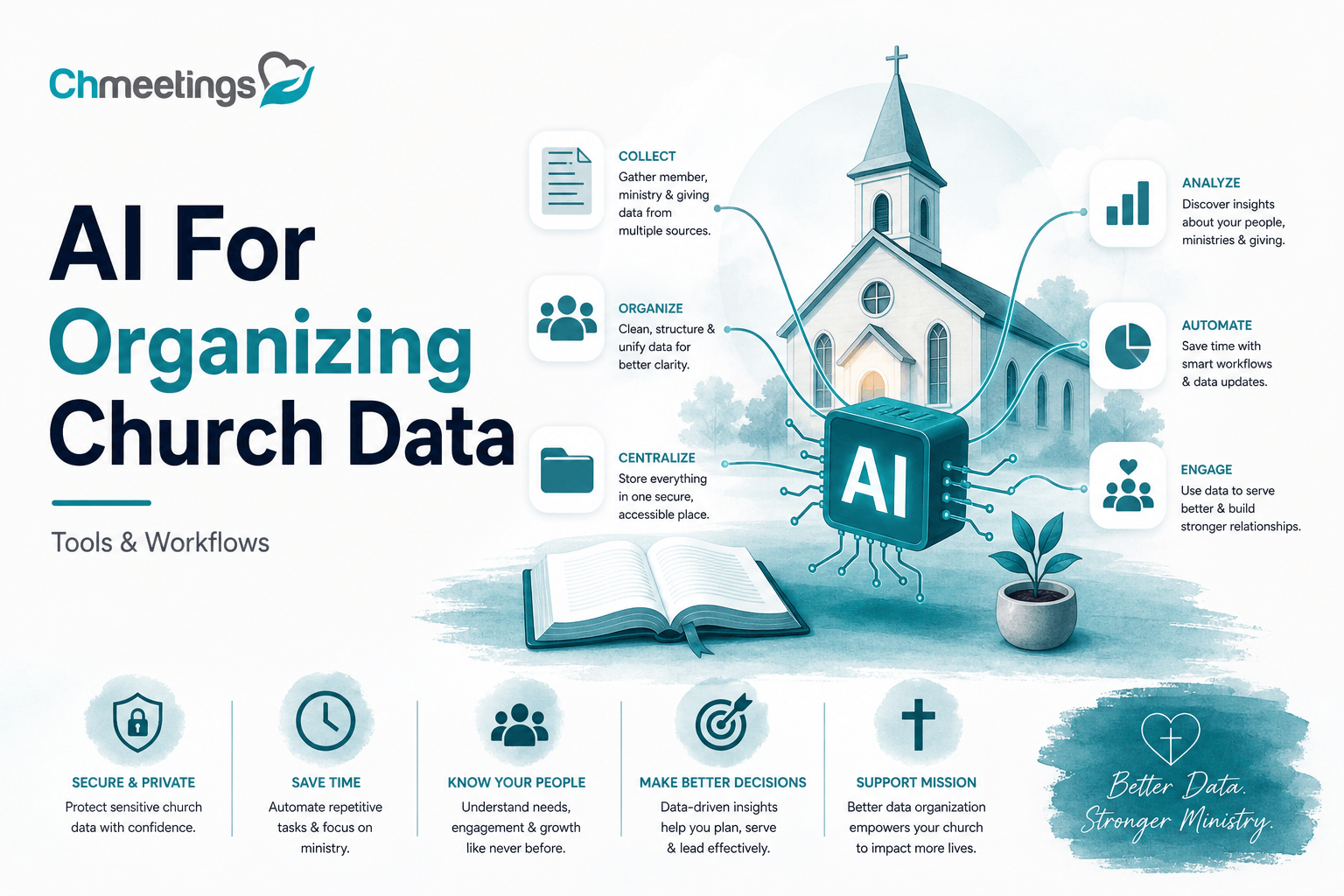

What Is AI For Organizing Church Data?

AI for organizing church data means using machine learning and automation tools to turn scattered member, event, giving, and media records into usable, actionable information for ministry. It’s not a mysterious black box. It’s a set of features that helps staff spend less time wrestling spreadsheets and more time caring for people.
AI helps with two broad goals. First, it reduces repetitive admin work so volunteers and staff can focus on pastoral care. Second, it surfaces patterns and predictions that inform outreach, follow up, and budgeting. When done right, AI makes a church’s backend work feel like a healthy nervous system, sending the right signals to leaders at the right time.
Define Practical Uses And Outcomes

Practical uses include cleaning and deduplicating member lists, enriching profiles with missing contact details, grouping people by likely spiritual needs, and predicting future giving trends. Outcomes you should expect are faster check-ins, fewer lost follow ups, clearer volunteer scheduling, and more reliable budgeting. On the ground that looks like fewer missed phone calls, fewer duplicate mailings, and smarter invitations to groups or next steps after someone visits.
AI should produce specific, measurable results. Examples:
- Reduce duplicate profiles by 80 percent after an initial cleanup.
- Improve first-time visitor follow up time from days to hours.
- Forecast giving for the next quarter with enough accuracy to inform staffing or program decisions.
AI helps scale pastoral care; it does not replace pastoral discretion. Use insights to guide action, not to automate every pastoral decision.
Distinguish Automation From Insights
Automation handles routine tasks; insights explain patterns and predict outcomes. Automation examples are auto-merging matching profiles, tagging attendees after an event, or sending a welcome message to new members. Those are rule-based, repeatable operations that save time.
Insights are the interpretive layer, like identifying families at risk of falling away, predicting which events will need more childcare based on past attendance, or flagging a likely drop in recurring donations. Insights require context, and they often suggest actions rather than execute them automatically.
Both matter. Automation reduces noise and keeps your records reliable. Insights turn reliable records into strategy. Keep a healthy balance, and always add a human review step for anything that affects care or finances.
Identify Every Church Data Source

Before you use AI, know where your data lives. A single church will typically draw from many places, and missing one source leads to blind spots in insights.
Member And Household Records
This is the core. Names, birthdays, relationships, phone numbers, emails, addresses, membership status, baptism info, and pastoral notes. Household connections matter because ministry is often delivered at the family level. Make sure relationships and emergency contacts are captured.
Attendance And Event Logs
Weekly service check-ins, small group attendance, event RSVPs and registrations, class participation, and volunteer shift check-ins. These logs show engagement rhythms, who’s dropping off, and where pastoral follow up matters.
Giving And Finance Records
Online giving, recurring donations, one-time gifts, pledge commitments, contribution statements, and offline gifts recorded at the office. Tying giving to profiles allows forecasting, recognizing stewardship patterns, and generating accurate statements.
Volunteer And Service Teams
Volunteer profiles, skills, certifications, clearance dates, shift histories, and role assignments. This data keeps children’s ministry safe, helps build teams, and improves scheduling by matching availability to needs.
Communications And Engagement Data
Email opens and clicks, SMS responses, push notification delivery, event reminder replies, and outreach history. This data shows what messaging works, who’s engaged, and which channels to use for urgent alerts.
Sermons, Teaching Notes, And Media
Recorded sermons, service plans, teaching outlines, song lists, and media assets. Tagging this content to topics, scripture, and series helps staff find resources, create discipleship tracks, and surface past messages for follow up.
External Data Sources And Imports
Background check results, school or municipal records for community outreach, integrations with payment processors, social media sign-ups, CSV imports from legacy systems, and diocesan or multi-site feeds. Treat external imports as special, verify their format, and track provenance so you know where each piece of data came from.
Prepare Your Data For AI
AI needs tidy input. Cleaning up data up front saves weeks of guessing, prevents bad recommendations, and protects vulnerable people.
Standardize Fields And Formats
Decide on canonical formats for phone numbers, dates, postal addresses, and name fields. Use consistent tags for groups and ministries. Standardization prevents the AI from treating the same thing as different items. For example, choose one phone format and apply it across the database so match algorithms work.
Merge Duplicate Profiles Cleanly
Duplicates are the most common problem. Use a combination of automated matching and manual review. Merge profiles in a way that preserves notes, historical attendance, giving records, and volunteer history. Keep a rollback plan in case a merge removes vital context.
Map Data To Use Cases
Before importing data into an AI workflow, map each field to the problem it solves. Who will use it, and for what? Example mappings:
- Phone, email, address -> follow up and emergency contact
- Attendance history -> engagement scoring
- Giving records -> stewardship forecasting
This mapping keeps the project focused and prevents indiscriminate data hoarding.
Label Sensitive Information
Mark fields that contain sensitive data, like medical needs, counseling notes, or background check outcomes. Restrict access, apply stronger encryption, and exclude these fields from broad analytics unless there is a clear, approved purpose. Respect privacy and legal obligations, and keep a simple consent record for how personal data may be used.
Core Features Every Church Admin Needs
When choosing AI tools or a church management app, prioritize features that address daily ministry realities. Here’s what makes a real difference.
Automatic Data Enrichment
Automatically fill missing contact data, append standardized addresses, and flag outdated details. Enrichment speeds outreach and reduces returned mail or undelivered messages. Look for tools that let you review suggested updates before applying them.
Smart Segmentation And Lists
AI-driven segmentation turns raw data into targeted lists, for example, new attenders who live nearby and volunteered once, or families with young children who haven’t returned in six weeks. Smart lists update dynamically so communication is timely and relevant.
Predictive Giving And Forecasting
Predict who is likely to give, who might lapse, and expected income for the next quarter, based on historical patterns. Use forecasts to plan staffing, facility costs, and outreach budgets. Always pair forecasts with a confidence level so leaders know how much to rely on the prediction.
Attendance Forecasting And Trends
Forecast attendance for upcoming services and events using historical data, weather patterns, and registration rates. This helps with seating, safety, volunteer needs, and hospitality planning. Trends also reveal ministry health over time, showing where to invest pastoral attention.
Searchable Sermon And Media Library
AI-powered search that recognizes themes, scripture references, and related topics makes sermon and media assets discoverable. Tagging and transcribing sermons accelerates small group planning, sermon series follow up, and visitor resources.
Audit Trails And Change Logs
Every change should be traceable. Audit trails show who updated a profile, when a merge happened, and what fields changed. Change logs are crucial for accountability, compliance, and recovering from mistakes. Make sure your system logs automated updates separately from human edits, so you can review AI actions.
Automate High-Impact Church Workflows
AI can take routine, time-consuming admin off your plate so staff and volunteers focus on people. The goal is simple, practical automation that preserves pastoral judgment while tightening follow-up and coordination.
Onboarding New Members Seamlessly
Use automation to turn a first visit into a warm, tracked relationship. When someone signs a connect card or registers online, auto-create a basic profile, add household links, apply tags like visitor or new member, and queue a pastor or volunteer for a personal follow up. Generate a welcome email or SMS with next steps, service times, and links to small groups. Keep a human review step for any pastoral outreach and respect preferences for contact methods and privacy.
Managing Volunteer Schedules Automatically
Let AI match availability, skills, and clearances to roles. Use rules that prioritize certifications, service history, and proximity. Automatically build rotas, send shift confirmations, and trigger reminders or substitution workflows when someone can’t make it. Record completed shifts back to profiles so service credit and training histories stay current. This reduces phone tag and missed coverage.
Personalizing Communications At Scale
Move beyond one-size-fits-all blasts. Use segmentation to send messages that reflect life stage, attendance patterns, and channel preference. AI can draft personalized subject lines and message bodies that feel human, but route high-sensitivity notes to staff for editing. Track open and response rates, then let the system suggest who needs a phone call versus an email. Keep a pastor’s voice in the most relational touches.
Streamlining Event Registration And Follow-Up
Make registrations frictionless, with auto-filled profiles, capacity limits, waitlists, and payment handling. Generate QR check-in codes and mark attendance back to household records. After the event, trigger tailored follow-ups, surveys, and next-step suggestions based on participation. That loop, from sign-up to follow-up, closes without extra spreadsheets.
Assisting Sermon Research And Prep
Use AI to search transcripts, surface relevant scriptures, pull cross-references, and suggest illustrations or discussion questions. Let it prepare a quick outline or a short sermon summary you can adapt. Always verify sources and theology before publishing. Treat AI as a research assistant, not an authority, and keep a copy of original sources and citations in your sermon notes.
Choose The Right AI Tools And Platforms
Not every tool fits every church. Pick software that matches your size, privacy needs, and how much automation you want. Look for systems that make member data usable, not scattered.
Criteria For Selecting Tools
Prioritize data privacy, integration options, audit trails, and ease of use. Ask how the vendor stores data, who can access it, and whether the tool logs automated changes. Check for role-based permissions, GDPR or local compliance, and simple export options so you retain control of your records.
ChatGPT, Claude, And Large Models
General LLMs are excellent for drafting emails, summarizing meeting notes, and generating lists or sermon prompts. They are flexible, but you must avoid pasting sensitive personal data into public prompts. Use API settings that limit retention when possible, and rely on internal controls for any member information you process.
Pulpit AI And Sermon-Focused Tools
These tools target preaching needs, offering scripture-aware searches, illustration libraries, and outline helpers. They speed preparation and help surface connections you might miss. Remember to vet theological suggestions and adapt any generated material to your congregation and doctrinal standards.
ChurchSocial AI And Community Platforms
Community platforms with AI features can help small groups, message moderation, and content scheduling. They keep conversations healthier and suggest engagement tactics. Make sure community identities map back to your master member list, so participation updates attendance and pastoral follow up.
Free Options For Pastors And Small Churches
There are capable free tiers and open tools for drafting content, basic automation, and experimentation. Free LLM access, spreadsheet automations, and low-cost integration tools let small teams test workflows before committing. If you use a church management app with a free plan, like a free tier for small congregations, you can often connect basic automations without extra cost.
Paid Solutions And Enterprise Platforms
Paid products bring stronger SLAs, enhanced security, larger quotas, and deeper integrations. Church-focused paid platforms may include audit logs, single sign-on, and onboarding support. For multi-site churches or dioceses, paid options reduce operational risk and free staff time with reliable automation and support.
Compare Tools: Free Versus Paid
Choosing between free and paid means weighing limits against needs. Both have a place in a healthy, scalable ministry.
Feature Tradeoffs And Limits
Free tools get you started, but expect caps on API calls, storage, and advanced features like role-based audit trails. Paid plans unlock automation complexity, faster support, higher throughput, and stronger compliance controls. If you need reliable syncing across systems or legal protections, paid is usually necessary.
Cost Examples And Budgeting
Costs vary widely. Small experiments can run on free or low-cost plans under $30 per month. Mid-level solutions, with more integrations and higher limits, often sit in the $50 to $300 per month range. Enterprise-grade platforms or custom integrations can cost more, depending on seats and implementation. Budget for training, a pilot period, and some buffer for unforeseen integration work.
When To Upgrade From Free Tools
Upgrade when you hit rate limits, need consistent data retention guarantees, require audit logs, or when multiple sites and staff need reliable support. Also move up if manual work returns because free tools lack needed automations or secure handling of sensitive fields.
Integrate AI With Your Church System
Connecting AI to your core systems makes insights actionable. Integration design determines whether automation helps or creates more cleanup work.
Native Integrations Versus Middleware
Native integrations, built into a church management app or platform, offer cleaner data mapping and fewer points of failure. Middleware like Zapier or Make gives flexibility and quick wins, but adds another layer to monitor. Prefer native connections for sensitive data and middleware for prototyping or cross-tool orchestration.
Real-Time Syncing Best Practices
Use webhooks for near real-time updates, set a single canonical source of truth for each data type, and batch noncritical writes to avoid API limits. Monitor sync logs, surface errors to admins, and reconcile nightly to catch mismatches. Small teams should start with hourly syncs, then move to real time as confidence grows.
Avoiding Duplicate Records Between Systems
Choose a stable unique identifier, normalize email and phone formats, and implement fuzzy matching rules for names and addresses. Run dry-run merges in a staging environment and log provenance so you can undo or review automated merges. Clear merge rules prevent lost notes and fractured histories.
Using Zapier, Make, Or Custom APIs
Zapier is great for simple point-to-point automations, like pushing form responses into your database. Make handles more complex branching logic and data transformations. Custom APIs are best when you need security, high volume, or custom business rules. Whatever path you choose, test with a small dataset, include idempotency or dedupe keys, and set alerts for failures so staff can intervene quickly.
Build A Step-By-Step Implementation Playbook
Run A Needs And Readiness Audit
Start with a short, practical audit so you know what to fix first. Look at these areas:
- Data sources, who owns them, and where gaps live, for example attendance, giving, and volunteer records.
- Current processes that are manual, repetitive, or error prone, like duplicate profiles or manual attendance entry.
- Technical readiness, including integrations, backups, and whether your internet and devices are reliable on site.
- Staff capacity and digital skills, who will manage the tool, who will review AI suggestions, and who’s the fallback when someone’s away.
Score each area 1 to 5 and rank opportunities by impact versus effort. That gives you a clear, defendable starting point.
Select A Small Pilot Use Case
Pick one narrow, high-value problem you can solve in 4 to 12 weeks. Good pilots:
- Clean up duplicate profiles for first-time visitor follow up.
- Automate new-member onboarding so a volunteer can handle outreach.
- Forecast giving for the next quarter for one program or fund.
Keep scope tight. Choose a real owner, a small test group, and a staging dataset if possible. Run the pilot inside your church management app or a sandbox so you don’t risk live data.
Define Success Metrics And Timeline
Make success measurable and timeboxed. For each pilot define:
- One primary metric, for example reduce duplicate profiles by 80 percent, or cut average first-visit follow-up time from 72 hours to 24 hours.
- Two supporting metrics, such as volunteer hours saved per week and data completeness percent.
- A timeline with milestones, for example week 1 data prep, week 2 model tuning, week 4 live trial, week 8 review.
Agree on an acceptable confidence level, how you’ll collect baseline data, and who signs off on “go/no-go” decisions.
Train Staff And Volunteer Champions
Training is not a single meeting. Set a rollout cadence:
- Quick kickoff, 60 minutes, to cover goals and show the workflow.
- Hands-on sessions, 30 to 60 minutes per role, focused on what each person will actually do.
- A champion or two, volunteers or staff who own day-to-day troubleshooting and act as evangelists.
Document simple SOPs, record short how-to videos, and create a one-page cheat sheet. Make sure champions know how to review AI suggestions, approve merges, and undo mistakes.
Scale, Monitor, And Iterate
If the pilot meets success criteria, scale intentionally:
- Phase rollouts by site, ministry, or dataset size, not all at once.
- Automate monitoring, track the chosen metrics daily or weekly, and surface exceptions to a human inbox.
- Schedule regular reviews, every 4 to 8 weeks, to tune rules and models, and to retire low-value automations.
Keep governance tight, document changes, and keep a rollback plan. Celebrate wins publicly so staff see the value and stay engaged.
Measure Impact With Key Metrics

Member Engagement And Retention Rates
Measure engagement with both activity and depth. Track:
- Active member rate, percent of profiles with at least one attendance or interaction in the last 90 days.
- Retention rate, percent of people who were active in one period and remained active in the next.
Use rolling 90-day windows to spot trends and trigger pastoral follow up when engagement drops.
Giving Growth And Donor Retention
Look beyond total dollars. Use these numbers:
- Giving growth, percent change in total donations for the period.
- Donor retention, percent of givers who gave this period and the prior comparable period.
Segment by recurring donors, new donors, and lapsed donors to shape stewardship strategy and stewardship follow up.
Time Saved On Admin Tasks
Quantify staff and volunteer time saved so leaders can reallocate effort toward ministry:
- Baseline current time on tasks, for example average weekly hours spent on data cleanup, check-ins, or manual reporting.
- Re-measure after automation, then calculate hours saved per week and translate to cost or program capacity.
Keep a short time-tracking form for two weeks before and two weeks after to get reliable numbers.
Data Quality And Completeness Scores
Make data quality visible with simple scores:
- Completeness percent, number of required fields filled divided by total required fields.
- Duplicate rate, duplicates found per 1,000 profiles.
- Validation error rate, percent of records that fail phone, email, or address validation.
Report these scores weekly while cleaning and monthly once you’re stable.
Survey Feedback From Staff And Congregation
Metrics need context. Run short surveys to capture sentiment:
- Staff survey, ask about time saved, confidence in data, and any new headaches.
- Congregation survey, ask whether communications feel timely and personal.
Use two or three focused questions and a free-text box. Pair survey results with hard metrics when deciding next steps.
Secure Data And Protect Privacy
Obtain Informed Consent Practices
Make consent explicit and auditable:
- Ask for consent when collecting contact details or sensitive info, explain what you’ll use it for.
- Record consent choices on profiles with timestamps, source, and scope, for example communications only, pastoral contact, or event photos.
- Provide simple, visible options to change preferences and to opt out.
Role-Based Access Controls
Limit access to what people actually need:
- Use least privilege, restrict sensitive fields like counseling notes or background checks to a few roles.
- Create role templates, for example admin, pastor, volunteer coordinator, data entry, each with documented permissions.
- Review roles quarterly and remove access for people who change jobs or leave.
Encrypt Data At Rest And Transit
Protect data technically and practically:
- Ensure your provider uses TLS for data in transit and strong encryption, AES-256 or equivalent, for data at rest.
- Manage keys securely and use multi-factor authentication for admin accounts.
- Keep backups encrypted and test restores regularly.
Comply With Relevant Regulations
Match your practices to real rules:
- Follow GDPR principles where applicable, keep a data processor register, honor access and deletion requests.
- Use PCI-compliant payment processors for online giving, and don’t store card details on your systems.
- Treat counseling or health notes like protected data, and consult legal counsel about HIPAA if your ministry collects health records.
Keep an audit trail of data access and changes, so you can demonstrate compliance when asked.
Avoid Common Implementation Mistakes
Don’t Rely Only On Automation
Automation is a tool, not a replacement for pastoral judgment. Always:
- Add a human review step for merges, sensitive tags, and financial actions.
- Set confidence thresholds where low-confidence suggestions go to a person.
- Use automation to assist, not to make final pastoral or financial decisions.
Prevent Poor Data Hygiene
Bad inputs bite back. Stop problems at the source:
- Use validation rules on forms, require key fields, and prevent free-text when a controlled list makes sense.
- Run scheduled dedupe and validation jobs, and assign an owner to review exceptions weekly.
- Train volunteers on good data entry habits, simple things like correct name order and street formats.
Keep Automations Simple At First
Start with one or two reliable automations:
- Choose workflows with clear, reversible outcomes, like tagging newcomers or sending a welcome message.
- Test with a subset, use dry runs, and log every automated action.
- Once stable, chain automations cautiously, and avoid complex branching until you have monitoring in place.
Manage Change And Staff Buy-In
Change fails when people aren’t on board. Build trust early:
- Involve staff and volunteers in pilot selection and testing.
- Share quick wins, like hours saved and easier follow up, not just features.
- Provide ongoing support, clear SOPs, and a visible feedback loop so staff see their input lead to improvements.
Templates, Prompts, And Checklists
Practical templates turn ideas into repeatable work. Use these to speed projects, reduce mistakes, and keep pastoral oversight where it matters.
Data Migration Checklist
- Inventory sources, note owners, and export formats for each system.
- Choose a canonical identifier, for example email or a generated UUID.
- Map fields from source to destination, mark required fields, and identify sensitive fields to exclude or encrypt.
- Run a sample export, clean formatting for phone, date, and address fields, then run dedupe logic on the sample.
- Create a staging environment and import a small batch, logging every change.
- Validate imported records against original samples, check relationships, attendance history, and giving links.
- Preserve original notes and timestamps, and keep provenance metadata for each imported record.
- Build a rollback plan and backup the target system before bulk import.
- Train a reviewer to audit merged profiles and sensitive fields after migration.
- Schedule a soft go-live, monitor for errors for 7 to 14 days, then run a full reconciliation and a post-migration report.
Onboarding Sequence Template
- Trigger: new visitor form or connect card entry.
- Immediate (within 30 minutes), automated: welcome SMS or email that thanks them, shares service times, and offers a quick next step link.
- Day 2, staff task: assign a volunteer or pastor to make a personal phone call, include a short calling script and log outcome in the profile.
- Day 7, automated: invite to next newcomers class or small group, include a link to RSVP and a form to select interests.
- Week 3, automated: send a brief survey about their first experience, capture follow-up needs.
- Week 4, staff task: pastoral check-in for families marked as interested in membership or baptism.
- Day 90, automated + staff: share a summary of their engagement, suggest next steps, and offer a sit-down with a pastor if they want deeper involvement.
- Tags and automation notes: add tags like newcomer, visited-1x, interested-in-kids, and route any high-sensitivity answers to staff only.
- Human review points: phone call logs, membership decisions, any request involving pastoral care or finances.
Volunteer Scheduling Template
- Intake: collect availability windows, role preferences, certifications, and blackout dates via a form that writes to the volunteer profile.
- Qualification rules: require valid certifications for roles, prioritize those with prior service history and proximity when ties occur.
- Assignment cadence: publish schedules two weeks in advance, send confirmation upon assignment, then a reminder 72 hours and 12 hours before a shift.
- Substitution workflow: allow volunteers to release a shift, trigger automated request to a priority substitution list, escalate to staff if no substitute within 24 hours.
- Check-in: QR or kiosk check-in records attendance back to the profile and marks hours served.
- No-show handling: automatic nudge to the volunteer, mark the shift as missed after 15 minutes, and flag repeated no-shows for coordinator follow-up.
- Feedback loop: after a service, send a quick feedback form to volunteers and log training needs automatically.
- Reporting: include monthly served hours per volunteer, certification expirations, and fill rates for each role.
AI Prompt Library For Pastors And Admins
Use clear, role-specific prompts and never paste private member data into public models. Replace names with placeholders when testing.
- Sermon research, short: “Summarize Luke 10:25-37 in 150 words, highlight practical application for a family audience, and suggest two contemporary illustrations.”
- Sermon outline, long: “Create a 20-minute sermon outline on grace using John 8, include three main points, two supporting scriptures, and a 3-minute application story.”
- Visitor follow-up message: “Write a warm SMS under 160 characters for a first-time visitor named [FirstName], inviting them to a newcomers lunch and including RSVP link.”
- Pastoral contact note summary: “Summarize these meeting notes into three bullet points with next steps, anonymize personal health details, and add suggested follow-up timing.”
- Data cleanup instruction for an admin: “List five rules to deduplicate profiles where phone numbers match but names differ, and include a step to preserve both note histories.”
- Segmentation query example: “Create a dynamic list of families with children under 10, who attended at least twice in the last 60 days and have not given in 12 months.”
- Volunteer matching prompt: “Given volunteers with tags ‘nursery-certified’ and ‘Saturdays-6pm’, suggest the top five matches for an upcoming nursery rota.”
Example Automation Recipes
Each recipe lists trigger, actions, human checks, and a simple success metric.
- New Visitor Welcome Flow
Trigger: new visitor form submitted.
Actions: create basic profile, add tag newcomer, send welcome email, queue a volunteer call.
Human check: volunteer must complete call and update profile within 48 hours.
Metric: time to first call under 48 hours for 90 percent of visitors. - Volunteer No-Show Replacement
Trigger: scheduled volunteer fails to check in.
Actions: send automatic release to substitution pool, notify coordinator if no volunteer accepts in 20 minutes, log incident.
Human check: coordinator reviews flagged incidents weekly.
Metric: shift fill rate above 95 percent. - Monthly Giving Forecast Report
Trigger: first day of month.
Actions: aggregate recurring gifts, run forecast model, generate report with confidence band, email finance lead.
Human check: finance lead reviews and adjusts budget assumptions.
Metric: forecast within 5 percent of actual monthly giving for three consecutive months. - Attendance Anomaly Alert
Trigger: a small group drops below 50 percent usual attendance for two weeks.
Actions: notify small group leader, create follow-up task, suggest outreach templates.
Human check: leader logs outreach outcome within 7 days.
Metric: re-engagement rate after outreach. - Sermon Asset Tagging
Trigger: new sermon upload.
Actions: transcribe audio, auto-tag scripture and themes, add to searchable media library.
Human check: worship pastor reviews tags before publishing.
Metric: search retrieval time reduced by 40 percent.
FAQs
What Free AI Options Exist For Pastors?
Free options let small teams experiment without cost. Common choices include the free tiers of ChatGPT and Google Bard, Microsoft Bing Chat for quick drafts, and open-source models available through Hugging Face or local setups for tech-savvy teams. Spreadsheet automation and basic Zapier free plans can handle lightweight workflows. Remember, free models may have usage limits and retention policies, so avoid pasting private member data into public prompts.
How Does AI Help Sermon Preparation?
AI speeds research and organization. It can summarize passages, suggest outlines, pull cross-references, draft discussion questions, and generate illustrative stories or historical context. It also transcribes and tags past sermons so you can find material faster. Always verify theological content, cite sources, and adapt any generated material to your church’s doctrine and voice.
Can AI Safely Predict Giving Trends?
Yes, with caution. Predictions work best on clean, representative data. Use aggregate models, include confidence ranges, and run predictions against historical periods to validate accuracy. Protect donor privacy by anonymizing records during model training and never use predictions as the sole basis for staffing or program cuts. Keep stewardship personal, and use AI as a forecasting aid, not a decision maker.
Which Tools Integrate With Church Management Software?
Most church management software connects with middleware like Zapier or Make, payment processors, email and SMS providers, calendar services, and transcription or LLM APIs. If your church uses a church management app like ChMeetings, check for native webhooks, built-in automation workflows, and supported third-party integrations before building custom bridges. Prefer native integrations for sensitive data and middleware for quick prototypes.
How Do We Train Staff To Use AI?
Train in small, role-focused steps. Start with a pilot, assign a champion, and run short hands-on sessions that focus on what each person will do. Provide SOPs, script templates, and a one-page privacy checklist that says what belongs in AI prompts and what does not. Schedule follow-ups, collect feedback, and keep governance simple, with clear review steps for merges, tags, and financial actions. Celebrate wins and iterate based on real use.





