

What Is Church Management Software?
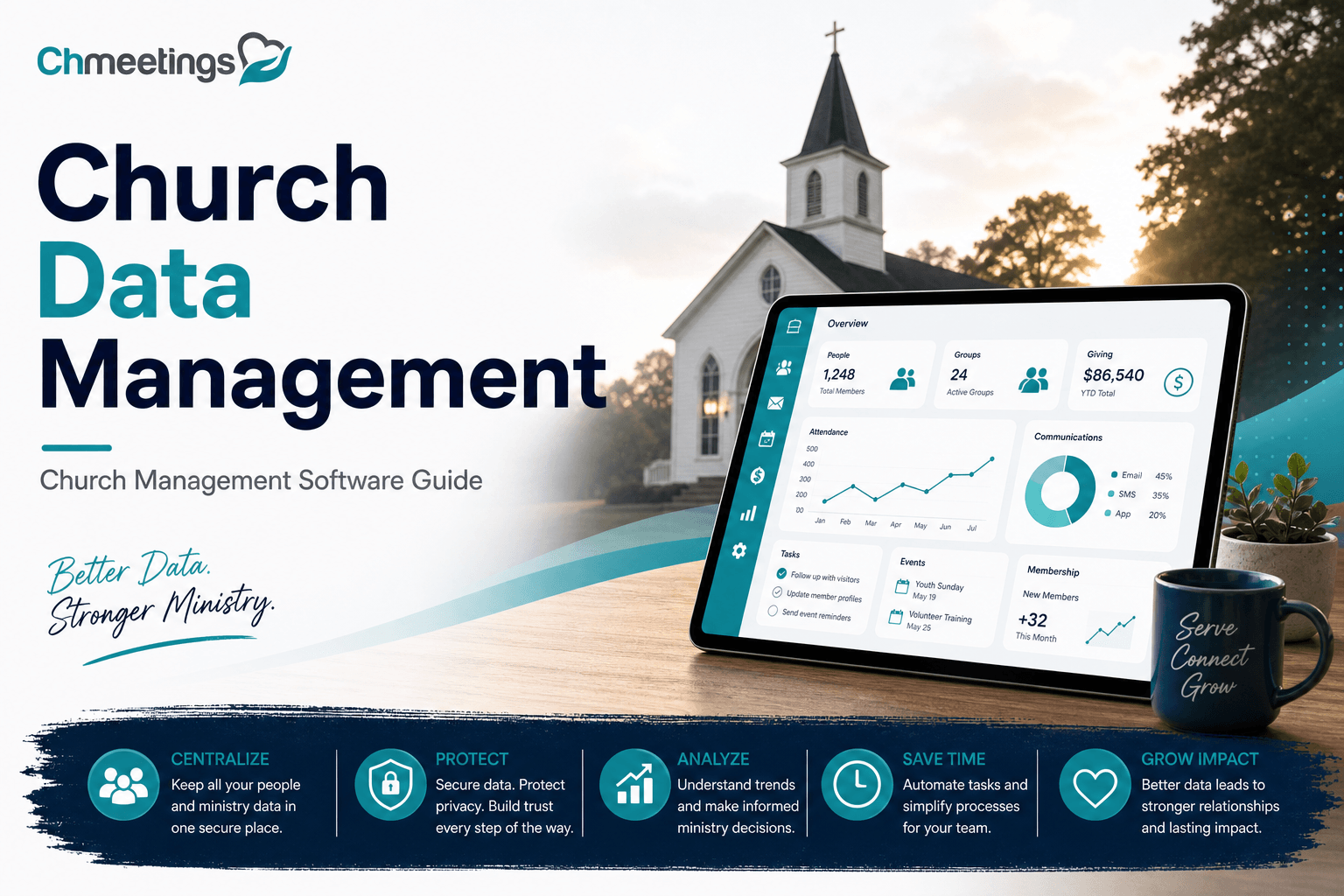
Church management software is a single place to store member profiles, track giving, run events, schedule volunteers, and communicate with people. It replaces scattered spreadsheets, separate email lists, and paper forms with one connected system that supports ministry, not just administration. When set up well, it turns routine tasks into reliable workflows so leaders can focus on pastoral care and growth.
Core Functions And Capabilities

- People and family records, with tags, groups, custom fields, notes, and photos for quick context.
- Giving and financial tracking, including recurring donations, pledges, contribution statements, and basic reporting.
- Events, registrations, check-in tools, and child check-in workflows to keep ministries safe and organized.
- Communication tools, email, SMS, and segmented messaging so outreach is targeted and measurable.
- Volunteer scheduling and worship planning to coordinate teams without last-minute phone trees.
- Custom forms and automation, to collect info and trigger follow-ups automatically.
- Reporting dashboards, exports, and multi-site management for churches with multiple locations.
- Mobile apps and member portals so people can update profiles, give, and register from their phones.
These capabilities let churches scale pastoral care, not just headcount.
Who Uses It In A Church
- Pastors use it for pastoral care lists, visit notes, and oversight of ministries.
- Administrators manage member records, reporting, and compliance.
- Volunteer coordinators schedule teams and track training or background checks.
- Children and youth leaders run check-in, attendance, and permission forms.
- Finance teams reconcile giving and produce year-end statements.
- Small group leaders and ministry volunteers access rosters and communication tools.
Access and tasks vary by role, so the software must let you assign permissions and keep sensitive data limited to those who need it.
Tangible Benefits For Ministries
- Faster follow-up, because leaders see attendance, giving, and involvement in one place.
- More reliable stewardship, from recurring gifts to accurate contribution statements.
- Higher volunteer retention, thanks to clear schedules and fewer last-minute surprises.
- Safer ministries, with secure child check-in and consolidated background information.
- Time saved on admin, freeing staff to invest in discipleship and outreach.
A church management app like ChMeetings makes these wins practical for churches of any size, turning backend reliability into front-line ministry growth.

Building A Clean Church Database
A clean database starts with rules and a routine. Clean data improves follow-up, reporting, and trust. These steps help you make data useful, not just stored.
Standardize Fields And Formats
Decide on required fields up front, and use consistent formatting. Examples:
- Split names into first, middle, last, and preferred name.
- Enforce phone and email formats, and store country codes separately if you work internationally.
- Use standardized address fields rather than free-form notes so mail merges work.
- Define date formats for birthdays, anniversaries, and event dates.
- Limit free-text fields for things you later want to filter, prefer dropdowns or multi-selects.
Document these standards in a simple data dictionary so volunteers enter info consistently.
Prevent And Merge Duplicates
Duplicates creep in from paper forms, weekend check-in, and imports. Stop them early:
- Use unique identifiers where possible, like email plus birthdate, or a household ID.
- Activate duplicate checks at data entry and during imports.
- Merge duplicates rather than delete, consolidating giving history, notes, and tags.
- Keep an audit trail so you can see who merged records and why.
Schedule a monthly duplicate sweep, and train volunteers to check before creating new profiles.
Enforce Data Quality Rules
Set rules the system enforces, not just guidelines people ignore:
- Make essential fields required for a profile to be active.
- Use validation for emails, phone numbers, and dates.
- Provide dropdown lists for common values to reduce typos.
- Automate reminders to fill missing fields, and flag profiles with low-quality data for review.
Assign a data steward who owns fixes and runs regular audits, so data cleanliness isn’t an optional task.
Segment Members For Outreach
Use groups, tags, giving history, attendance, and custom fields to build meaningful segments.
- Create segments for new visitors, recent givers, lapsed attendees, and volunteers.
- Keep segments practical, not tiny, so outreach stays manageable.
- Combine filters for targeted campaigns, for example parents of kids under 12 who attended an event in the last 60 days.
- Respect communication preferences and consent when building lists.
Good segmentation turns data into timely, pastoral conversations.

Migrating And Importing Records
Migration is more than moving files, it’s re-establishing trust in your data. Plan carefully and test often.
Pre-Migration Audit Checklist
Before you import, run this checklist:
- Inventory all current systems and export raw data backups.
- Identify required fields and optional fields you want to keep.
- Note special cases like family relationships, giving history, and event attendance.
- Clean obvious errors and remove inactive test records.
- Get stakeholder sign-off on scope and timing.
- Confirm legal and privacy obligations, and notify people if you’ll be handling sensitive data.
- Ensure you have a rollback plan if things go wrong.
Map Fields And Data Types
Create a clear field map so nothing gets lost:
- Map source columns to destination fields, noting data types like string, date, boolean, multi-select.
- Decide how to handle custom fields, photo files, and attached documents.
- Normalize names and split combined fields (for example split full name into components).
- Preserve relationships, mapping household IDs or family links so members stay grouped.
- Keep original IDs in a legacy ID field to trace back records if needed.
Avoid Common Migration Pitfalls
Watch for issues that routinely derail imports:
- Mismatched date and number formats that cause failures or shifted data.
- Loss of family and group relationships, leaving orphaned records.
- Duplicate creation when unique identifiers differ across systems.
- Truncated fields when target fields are shorter than source values.
- Skipping financial history or breaking contribution links.
Always run small test imports, validate results, and iterate before a full-scale move.
Verify And Reconcile After Import
After importing, verify everything with a reconciliation plan:
- Compare record counts and key totals against exports from the old system.
- Spot-check profiles across roles, families, and giving histories.
- Reconcile donation totals for a recent period to ensure financial data transferred correctly.
- Run duplicate and validation checks, then correct and re-import if necessary.
- Communicate changes to staff, provide quick training, and keep the original exports for a set retention period.
Securing Member Data And Compliance
Protecting people’s information is ministry integrity. Security is both technical and procedural.
Set Roles And Access Controls
Apply least privilege, give people only the access they need:
- Create role templates for administrators, pastors, volunteers, finance, and guest users.
- Restrict access to sensitive fields like contribution details and safeguarding notes.
- Require unique logins, avoid shared generic accounts, and enforce password policies.
- Log access and changes so you can audit who saw or edited records.
Review roles quarterly and revoke access when volunteers move on.
Payment Security And PCI Basics
Handling contributions safely avoids risk to the church and donors:
- Use hosted payment pages or tokenized processors so full card data never lands in your database.
- Ensure your provider is PCI compliant and limit who can view transaction summaries.
- Reconcile payments daily, and secure exports with encryption when needed.
- Train staff on phishing and safe handling of donor information.
A church management app that integrates PCI-compliant payment processing reduces exposure and simplifies reconciliation.
Privacy Policies And Consent Tracking
Respecting privacy builds trust and keeps you compliant:
- Publish a clear privacy policy explaining what you collect and why.
- Capture consent on forms, recording timestamps and the exact permissions granted.
- Honor communication preferences, and provide easy opt-out options.
- Implement retention policies, and be ready to respond to requests for access or deletion.
Keep consent logs tied to profiles so you can demonstrate compliance if asked.
Backup And Disaster Recovery
Prepare for hardware failures, human error, or security incidents:
- Maintain regular automated backups, with encryption at rest and in transit.
- Store backups offsite and test restores on a schedule to confirm recoverability.
- Define an incident response plan, including who contacts stakeholders and how you communicate outages.
- Keep versioned exports for financial reconciliation and legal needs.
- A working backup plan means ministry continues even when the unexpected happens.

Integrating Giving And Finance
Sync Donations With Records
Link every gift to a person or household so giving history becomes part of pastoral context, not a separate spreadsheet. When online gifts, recurring donations, or plate offerings are recorded, connect them to the right profile, tag donor types, and preserve note fields like fund designation or pledge purpose. This makes contribution statements accurate, lets staff see who gave recently, and supports meaningful stewardship conversations.
Connect To Accounting Software
Exporting raw transactions is fine for small churches, but syncing gives you speed and fewer errors. Map payment types and funds to your chart of accounts, push batches or individual transactions to your ledger, and automate fee and refund entries. If you use an accounting package, set up rules so deposits, merchant fees, and donors appear consistently. A church management app that integrates with accounting reduces manual work and keeps finance and ministry teams aligned.
Track Funds And Designations
Treat restricted gifts differently from general operating funds. Use funds or tags to separate missions, building, and special offerings at the point of giving. Track pledge commitments alongside actual payments so you can report on fulfillment. Build simple reports that show balances, available funds, and outstanding pledges, so leadership can make informed budgeting decisions without hunting for paperwork.
Reconciliation Best Practices
Reconcile giving weekly, not just at month end. Match batches to bank deposits, account for processing fees, and resolve mismatched entries immediately. Keep batch reference numbers, donor-level detail for audit support, and a clear approval trail for deposits and refunds. Run variance reports that compare bank totals with recorded contributions, and flag unexplained discrepancies for review. Regular reconciliation protects donor trust and keeps your finance process auditable.

Automating Workflows And Communications
Build Welcome And Follow-Up Flows
Automate the first steps when someone shows up or signs a form. Create a flow that captures a visitor, sends a welcome message, assigns a follow-up task to a leader, and schedules a check-in call two weeks later. Use branching logic, so people who respond positively get invited to a next-step class, while those who don’t receive a gentle reminder. Repeatable welcome flows help churches scale personal care without losing warmth.
Use Email And SMS Integrations
Combine email for longer content and SMS for quick, timely nudges. Use templates with merge fields so messages feel personal. Schedule announcements, confirmations, and last-minute updates, and track opens and replies to measure effectiveness. Always respect communication consent and include clear opt-out options. Integrations that handle both channels keep your outreach consistent and measurable.
Personalize Outreach With Tags
Tags let you send the right message to the right people. Tag visitors, volunteers, new givers, parents, and life-stage groups, then build automations that use those tags to tailor language and next steps. Personalization improves engagement because messages relate to a person’s actual involvement, not a generic list. Update tags automatically based on attendance, giving, or form responses to keep segments current.
Automate Volunteer Scheduling
Remove the back-and-forth by automating shift offers, confirmations, and reminders. Build a flow that publishes a schedule, notifies volunteers, lets them accept or decline, and assigns substitutes if needed. Tie accepted shifts to team calendars and send mobile notifications. Automation reduces no-shows and frees coordinators to focus on training and pastoral care.
Managing Volunteers And Check-Ins
Maintain Volunteer Profiles
Keep more than contact info. Record skills, training dates, background check status, preferred roles, and availability on each volunteer profile. Link profiles to teams and store notes about strengths or restrictions. Profiles that include qualifications and history make placement smarter and safer, and they simplify reporting when you need to show compliance.
Schedule And Send Reminders
Automate schedule distribution and reminder messages so volunteers arrive prepared. Send calendar invites, shift details, arrival instructions, and role checklists by email or SMS. Automate substitute requests when someone declines, and confirm changes automatically. Consistent reminders lower confusion and build reliability across teams.
Implement Safe Child Check-In
Use secure check-in processes with matching parent and child tags, unique pick-up codes, and time-stamped records. Capture health details, permission slips, and emergency contacts at check-in, and require photo ID or QR code for pick-up. Keep audit logs of check-ins and check-outs, and flag expired clearances or missing background checks before assigning volunteers. Safety systems protect families and give leaders confidence.
Report Volunteer Hours And Impact
Track hours automatically when volunteers check in or sign into shifts, and let coordinators edit entries for training or prep time. Produce reports by role, team, or program to recognize service, support grant applications, or meet compliance needs. Use impact summaries to show leadership and the congregation how volunteer time translates into ministry outcomes.
Tracking Engagement And Attendance
Capture Attendance Efficiently
Use QR check-in, kiosks, or mobile check-in to record attendance quickly and link it to profiles. Allow household check-in so kids and adults are grouped correctly. Capture reasons for absence or special notes when relevant. Efficient capture turns attendance from a manual chore into actionable data that informs pastoral care and follow-up.
Monitor Small Groups And Classes
Give group leaders an easy way to take attendance, note spiritual needs, and track next-step progress. Dashboards that show trends across groups help staff identify healthy leaders and groups that need support. Track attendance patterns by group type, location, and facilitator to spot growth opportunities and resource needs.
Design Membership Pathways
Define clear milestones for membership, baptism, serving, or leadership. Record progress on each profile and automate reminders for next steps, like completing a membership class or meeting with a pastor. Visible pathways help people move from newcomer to committed member, and they create accountability for discipleship and onboarding.
Use Data To Increase Retention
Turn attendance and giving patterns into early warning signals. Identify people who miss multiple weeks, drop giving, or stop attending small groups, then trigger a pastoral outreach workflow. Track outcomes of those contacts so you know which efforts bring people back. When data drives timely, personal follow-up, retention improves and pastoral care scales with grace.
Reporting, Dashboards, And Metrics
Good reporting turns raw records into ministry insight. The right dashboards let leaders spot trends, celebrate wins, and act fast when people drift away.
Key Metrics Every Church Should Track
- Attendance trends, by service, campus, and small group, week over week and month over month.
- New visitors and first-time attenders, with source of contact if available.
- Active member count, defined by your chosen engagement rules, not just profile totals.
- Giving totals, recurring donors, average gift, and donor retention rates.
- Pledge fulfillment and designated fund balances.
- Volunteer engagement, hours served, and shift fill rates.
- Event registrations, conversion rates, and no-show percentages.
- Follow-up tasks completed and pastoral outreach outcomes.
Pick 6 to 10 metrics and track them consistently. Too many metrics dilute focus.
Build Custom Dashboards
- Start with a question, not a chart. Ask what decision you want to make, then build the dashboard to answer it.
- Combine high-level KPIs with one or two drill-down widgets, for example weekly attendance plus attendee list for the last four Sundays.
- Use visual cues, like color or trend arrows, to show healthy or concerning movement.
- Create role-specific dashboards, one for pastors, one for finance, and one for volunteer coordinators.
- Limit dashboard widgets to what you review regularly, so it becomes a habit, not noise.
Schedule Reports And Exports
- Automate weekly and monthly reports to leadership and volunteers, delivered by email or saved to a shared folder.
- Schedule exports for finance, payroll, and archival purposes before month-end closes.
- Include context with each report, a short summary that highlights anomalies and recommended actions.
- Keep raw exports on a retention schedule, and encrypt sensitive CSVs where required.
Use Data For Budgeting Decisions
- Base budget proposals on three inputs, recent trends, pledged commitments, and known one-time items.
- Run scenario reports, for example 5 percent giving drop, to see staffing and program impacts.
- Track restricted fund balances separately so operational budgets reflect only available unrestricted funds.
- Use rolling 12-month giving trends to smooth seasonal swings and set realistic forecasts.
- Tie budget line items to measurable outcomes, like volunteer hours or small group growth, so finance supports mission, not activity.
Choosing The Right ChMS
Choosing church management software is strategic, not just transactional. The right tool supports ministry workflows, protects data, and grows with you.
Core Features Every Church Admin Needs
- Reliable people and household profiles with custom fields and relationship links.
- Giving and pledge tracking with donor statements and fund reporting.
- Events and registration tools with check-in and ticketing.
- Communication via email and SMS, with segmentation and consent tracking.
- Volunteer scheduling, shift confirmation, and hour tracking.
- Role-based access controls and audit logs for security.
- Reporting dashboards and exportable data for finance and leadership.
- Mobile access or a member portal for on-the-go interactions.
Pricing Models And Hidden Costs
- Watch for per-user pricing versus flat-fee models, both affect growth costs differently.
- Consider transaction fees for payment processing, and whether the platform includes a built-in gateway.
- Ask about mandatory setup, training, or data migration fees, and if there are limits on records or features.
- Check costs for optional modules like branded mobile apps, API access, or multi-site support.
- Factor in internal costs, time staff will spend learning and maintaining the system.
Free And Open Source Options
- Free tiers are great for very small churches, but confirm feature and data limits before committing.
- Open source can be flexible, but requires technical capacity to host, secure, and maintain.
- Consider total cost of ownership, including hosting, backups, security, and development support.
- For many churches, a supported cloud app provides predictable pricing, built-in security, and faster value.
Vendor Evaluation Checklist
- Security and compliance, including backups, encryption, and access controls.
- Feature fit, do core workflows match your real needs, not just flashy extras.
- Data migration support, can they preserve giving history and family relationships.
- Integration options, with accounting, payment processors, and email tools.
- Customer support quality and response SLAs, ideally rated by other churches.
- Training resources, documentation, and community or user groups.
- Roadmap transparency and update cadence, so you know the product will keep improving.
- Contract clarity, cancellation terms, and data export rights.
Use a scoring matrix to compare vendors objectively, and trial with real data and users.
Implementing And Driving Adoption
A roll-out succeeds when people understand the why, have clear steps, and get timely support. Plan for human change, not just data moves.
Implementation Timeline Playbook
- Week 0, project kickoff, define scope, stakeholders, and success criteria.
- Weeks 1 to 2, audit and clean source data, finalize field mapping.
- Weeks 3 to 4, test imports with a subset, validate giving and relationships.
- Week 5, full data migration and reconciliations.
- Week 6, configure roles, workflows, and automated communications.
- Weeks 7 to 8, pilot with a small team, gather feedback, fix gaps.
- Week 9, church-wide launch with support channels in place.
- Weeks 10 to 12, adoption follow-up, additional training, and KPI checks.
Adjust timing for church size and complexity, but keep short iterations and frequent feedback.
Create Data Governance Policies
- Define ownership, who is the data steward and who approves changes.
- Set rules for required fields, acceptable values, and naming conventions.
- Establish access levels for staff, volunteers, and external contractors.
- Specify retention schedules for donations, background checks, and audit logs.
- Record an incident response path for suspected breaches and data requests.
- Document policies plainly and make them available to anyone who touches data.
Staff Training And Role Guides
- Train by role, not by feature. Show finance how giving workflows map to ledger entries, show volunteers how to accept shifts.
- Use short, focused sessions, 30 to 60 minutes, with hands-on practice.
- Provide quick reference guides and short video clips for common tasks.
- Assign power users or champions for each ministry to first-line support peers.
- Schedule regular refreshers, and collect questions to update guides.
Measure Adoption And ROI
- Track logins, record updates, and completed workflows by role.
- Monitor reduction in manual tasks, for example time spent on statement preparation or scheduling.
- Compare pre- and post-implementation metrics, like donation reconciliation time, volunteer fill rates, or follow-up response times.
- Survey staff and leaders for qualitative ROI, asking what tasks are easier and what still frustrates them.
- Report adoption metrics to leadership monthly and use them to prioritize next improvements.
Templates, Checklists, And Playbooks
Practical templates save time and prevent mistakes. Use these as starting points, adapt them to your church size and policies.
Database Cleanup Checklist
- Remove test and duplicate profiles, merge giving history into the surviving record.
- Standardize name fields and split combined entries.
- Validate and normalize phone numbers and emails, add country codes if needed.
- Flag and archive inactive households older than your retention policy allows.
- Ensure key fields are populated: email, household ID, primary phone, and consent flags.
- Backup current database before any mass edits.
Migration Playbook Template
- Pre-migration, run inventory and define required fields.
- Map source to destination fields, document transformations.
- Export a sample data set and run a test import, fix errors.
- Migrate giving history in parallel, reconcile totals for a known period.
- Train pilot users and gather feedback, then perform final migration.
- Post-migration, reconcile counts, run duplicate checks, and lock legacy exports in storage.
Giving Reconciliation Template
- Daily, match payment processor batches to bank deposits and record fees.
- Weekly, verify donor-level transactions and resolve any unlinked gifts.
- Monthly, produce a reconciliation report that lists totals by fund and compares to bank statements.
- Record adjustments, refunds, and chargebacks with notes and approver initials.
- Maintain an audit folder with batch exports, deposit slips, and approval emails.
Volunteer Onboarding Template
- Step 1, collect profile information, availability, and role preferences.
- Step 2, confirm training completion, background checks, and certifications.
- Step 3, assign to a team, provide role-specific checklists and point of contact.
- Step 4, schedule first shift and automated reminders, confirm acceptance.
- Step 5, 30-day check-in to review fit and address questions.
- Keep documentation of approvals and training attached to the volunteer profile.
Sample Data Retention Policy
- Member profiles, retain active records while the person is engaged, archive after X years of inactivity.
- Giving records, retain full transactional data for Y years to meet accounting and legal needs.
- Background checks and safeguarding documents, retain for Z years post-service, then securely destroy.
- Communication consents, retain until revoked, record timestamps and original consent text.
- Exports and backups, keep encrypted backups for a defined period, then rotate and securely delete older copies.
- Define X, Y, and Z based on local laws and your denomination’s guidance, and publish the policy so staff and volunteers know what to expect.
Spreadsheets Versus Church Software
Spreadsheets can feel familiar and inexpensive, but they’re a stopgap. Church management requires more than lists, it needs relationships, security, and workflows that support pastoral care. Choosing between spreadsheets and a dedicated church management app is a decision about how you want ministry to scale, who keeps data accurate, and how much time staff spend on administration.
Limits Of Spreadsheet Management
- Single-user friction. Concurrent edits, version confusion, and overwritten files disrupt accuracy when more than one person touches data.
- Poor relationship mapping. Spreadsheets struggle to represent households, families, and linked giving histories without complex lookup formulas.
- Manual reconciliation. Giving, event registration, and attendance need matching, merging, and cross-checking that eats hours each week.
- Security risks. Sensitive fields, exports, and backups are often stored in unprotected drives or emailed around, increasing exposure and compliance risk.
- Limited automation. No built-in reminders, check-ins, or conditional follow-ups, so small pastoral tasks become manual workflows.
- Reporting weaknesses. Pivot tables can’t replace dashboards that show trends, drill down, and answer questions leadership actually asks.
When Spreadsheets Still Work
- Tiny congregations with very simple needs, one admin, and predictable, low-volume transactions.
- Short-term projects, like a single-event sign-up or a one-off mail merge, where a template is quicker than setup.
- Early planning and prototyping, to define fields and workflows before committing to a system.
- Situations with no budget for a subscription, provided you accept the time and security trade-offs.
When growth, multiple users, or safeguarding become priorities, spreadsheets stop being practical.
Cost And Scalability Comparison
Spreadsheets look free on the surface, but factor in staff time, error correction, reconciliation, and the risk of lost or exposed data. A subscription to a church management app converts hidden labor into features that save time, reduce risk, and deliver consistent workflows.
- Upfront cost: spreadsheets, zero software fees; software, monthly or annual fee.
- Hidden cost: spreadsheets cost hours each week for manual merges and reconciliations; software reduces that with automation and integrations.
- Scalability: spreadsheets get slower to manage as records grow; a cloud app scales to thousands of profiles, handles concurrent users, and supports multi-site setups.
- Security and compliance: paid platforms include encryption, backups, and PCI-compliant giving options that are costly to replicate on your own.
- Predictability: software costs are predictable and tied to growth, while spreadsheet overhead increases unpredictably with complexity.
If you need a concrete example, many cloud church management apps offer free starter tiers and affordable paid plans so small churches can begin securely and upgrade as they grow.
Real-World Example Scenarios
- One-person small church: A volunteer administrator uses spreadsheets for contact lists and manual giving logs. Short term it’s fine, but weekly reconciliation and missed follow-ups build up. Recommendation, keep spreadsheets for simple lists, then adopt a basic church management app when time spent on admin regularly exceeds a few hours per week.
- Growing multi-site church: Spreadsheets break relationships between campuses, volunteers, and giving. Teams overwrite each other and multiple versions exist. Recommendation, migrate to a cloud app that supports multi-site records, role permissions, and centralized reporting.
- Children’s ministry with check-in needs: Spreadsheets can’t produce unique pick-up codes, time-stamped check-ins, or link guardians and children reliably. Recommendation, move to a system with secure child check-in and audit logs to protect families and simplify pickup.
- Event-driven outreach: A weekend outreach generates hundreds of sign-ups, donations, and follow-up tasks. Spreadsheets become a bottleneck for registration, tickets, and reminders. Recommendation, use event registration tools in a church management app to automate confirmations, collect consent, and trigger follow-ups.
In each case, the rule of thumb is simple, if your processes require repeated manual work, multiple people, or any privacy controls, a church management app will save time and reduce risk.
FAQs
Is There Free Church Management Software?
Yes. Some vendors offer free tiers for very small churches, and open source options exist. Free plans often limit records, users, or features, so they’re great to start but may force a migration later. When evaluating free options, check data export ability, backup policies, and what features you’ll lose as you grow.
What Is Best For Small Churches?
Prioritize the basics: accurate people and household records, simple giving tracking, and a reliable way to communicate with consent. If budget is tight, start with a free plan from a reputable provider or a simple paid tier. Choose a system that lets you export data easily and upgrade without redoing work later.
Can I Use A Free Database Template?
You can, and templates are handy for prototyping. Be realistic about maintenance, validation, and backups. Templates don’t provide role-based access, audit logs, or PCI-compliant payments. If you begin with a template, keep it clean and plan a migration path to a supported app before you outgrow it.
How Much Does ChMS Typically Cost?
Pricing varies by vendor and model. Many cloud church management apps offer free tiers for very small rosters, then affordable monthly plans that scale with people or features. For example, one provider offers a free plan for up to 50 people and paid plans that start around a low monthly fee for growing churches, with full feature sets included on paid tiers. When comparing, ask about setup fees, transaction costs, limits on records, and whether all features are included or sold as add-ons.
Do Systems Integrate With Accounting?
Yes, most modern church management apps either export formatted batches for accounting or sync transactions directly. Integration options range from CSV exports to two-way syncs. Before committing, map your chart of accounts, verify fund codes transfer correctly, and confirm how fees and bank deposits appear in your ledger.
How Do I Secure Online Giving?
Use a PCI-compliant payment processor and hosted or tokenized payment flows so full card data never sits in your database. Limit who can view transaction details, enable two-factor authentication for admin accounts, and reconcile deposits daily. Make sure receipts are automatic and donor privacy is respected in communications.
How Long Does Implementation Take?
Typical implementations run from four to twelve weeks depending on size and complexity. A small church can be up and running in a few weeks, larger migrations with giving history and multiple campuses take longer. Break the work into short iterations, validate imports with test batches, and pilot with a small team before full launch.
What Metrics Should We Track?
Focus on a concise set that drives decisions, for example:
- Weekly attendance trends and new visitors.
- Active member count based on your engagement rules.
- Giving totals, recurring donors, and donor retention.
- Pledge fulfillment and designated fund balances.
- Volunteer engagement and hours served.
- Event registration conversion and no-show rates.
Track these consistently and use them to inform pastoral outreach, budget choices, and staffing.





