
These latest updates in ChMeetings bring a series of thoughtful improvements designed to make everyday tasks smoother, faster, and more intuitive; whether you’re organizing events, managing people, or tracking contributions. Here’s a closer look at what’s new and how it all fits together.
Scheduling & Time Management
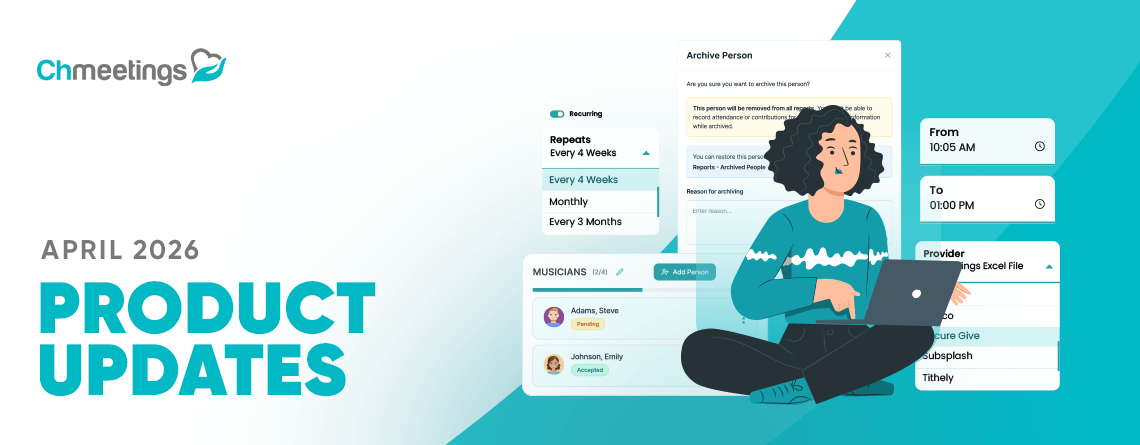
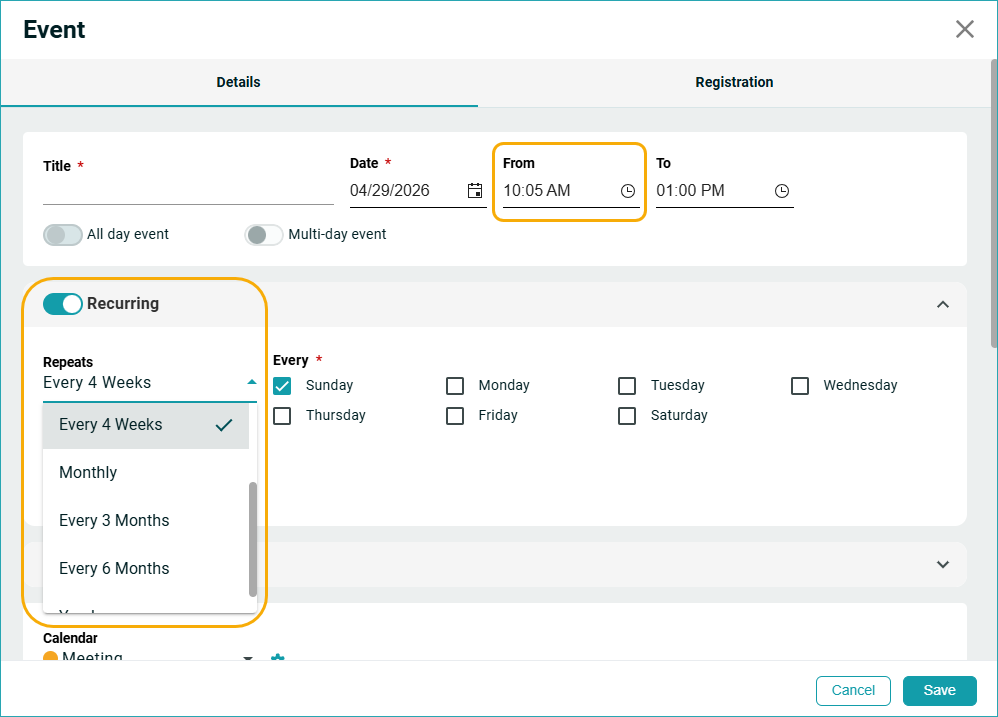
One of the most noticeable upgrades comes in the way you schedule your time. You now have far more precision when setting up events, follow-ups, and appointments, thanks to new 5-minute interval timeslots. This small change can make a big difference when coordinating busy calendars. Alongside that, recurring scheduling has become more flexible, with new options for every 4 weeks, 3 months, or 6 months,
People
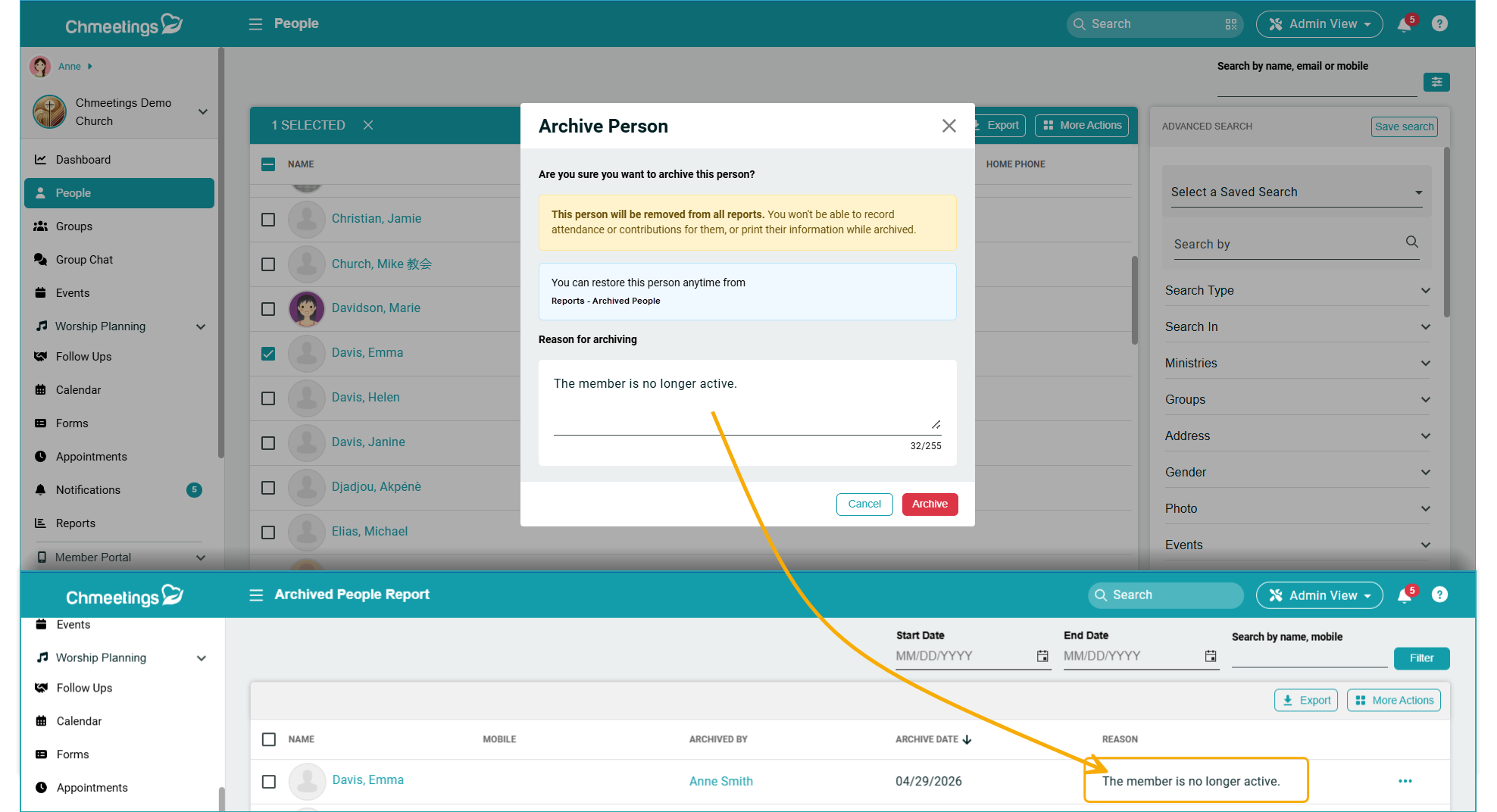
Managing people is also becoming more transparent and efficient. When archiving a person, you can now add a reason, giving your team valuable context that carries through to the Archived People Report. Searching has also improved, particularly for incomplete records, thanks to new filters for Baptism Date and Baptism Location within Advanced Search > Missing Data.
Giving
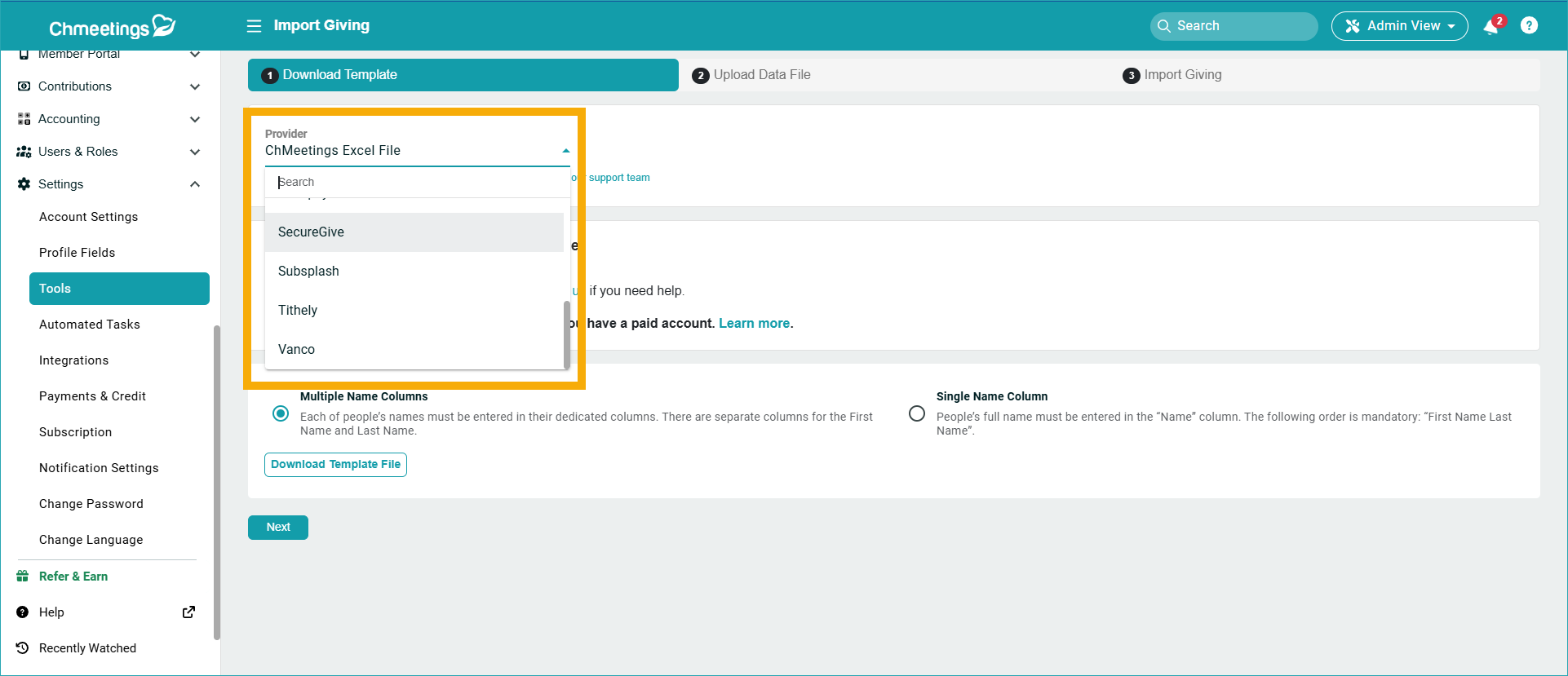
Giving features have received several practical enhancements. You can now search batches by name or ID, and filter them by status to quickly find what you need. Navigation between related records has also been streamlined, and you can now move seamlessly between batches, deposits, and transactions through direct links. For organizations using SecureGive, the process of consolidating contributions is simpler because you can now import data directly from SecureGive.
Pledges
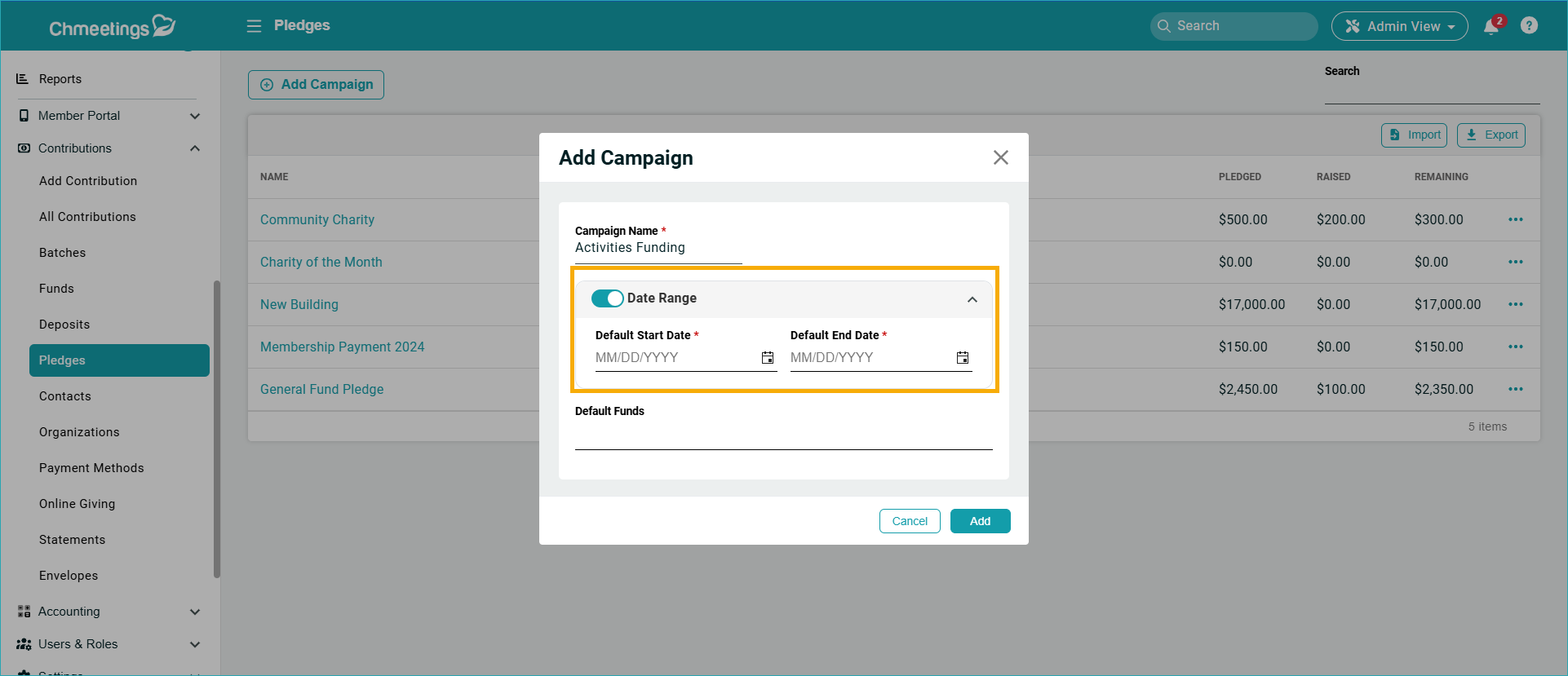
Pledge management has been refined to better match real-world workflows and save you time when handling large groups. You can now search for members by name within a pledge campaign. Even more impactful is the added flexibility in campaign setup, because campaigns no longer require start and end dates. When dates aren’t specified, fulfillment is simply calculated based on fund matching.
Events
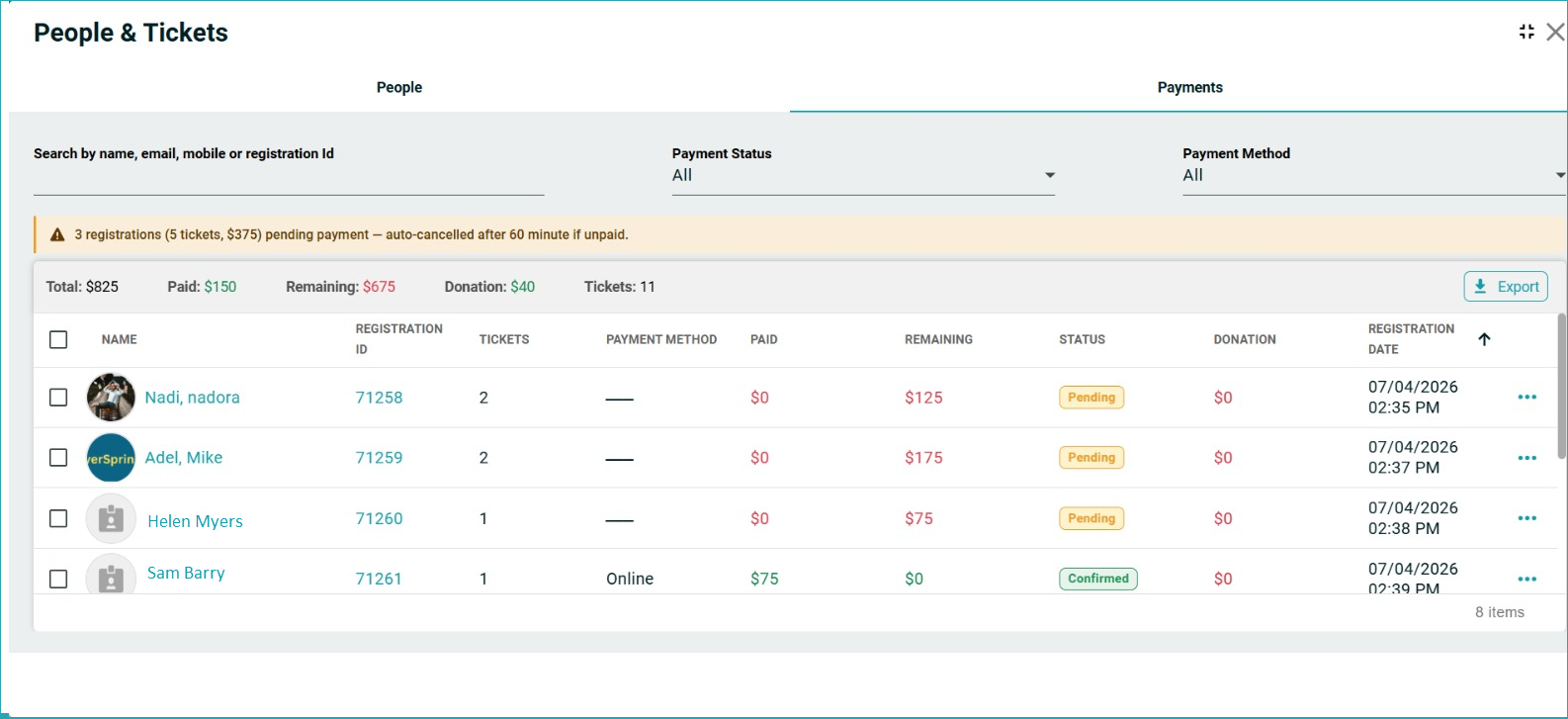
Event management continues to evolve with clearer financial tracking. Paid events now include a status indicator for each payment, showing whether it’s confirmed, pending, or automatically cancelled if not completed within 60 minutes. Reporting has also been enhanced, allowing you to export additional fields, including custom ones, for both recurring events and attendance.
Worship Planning
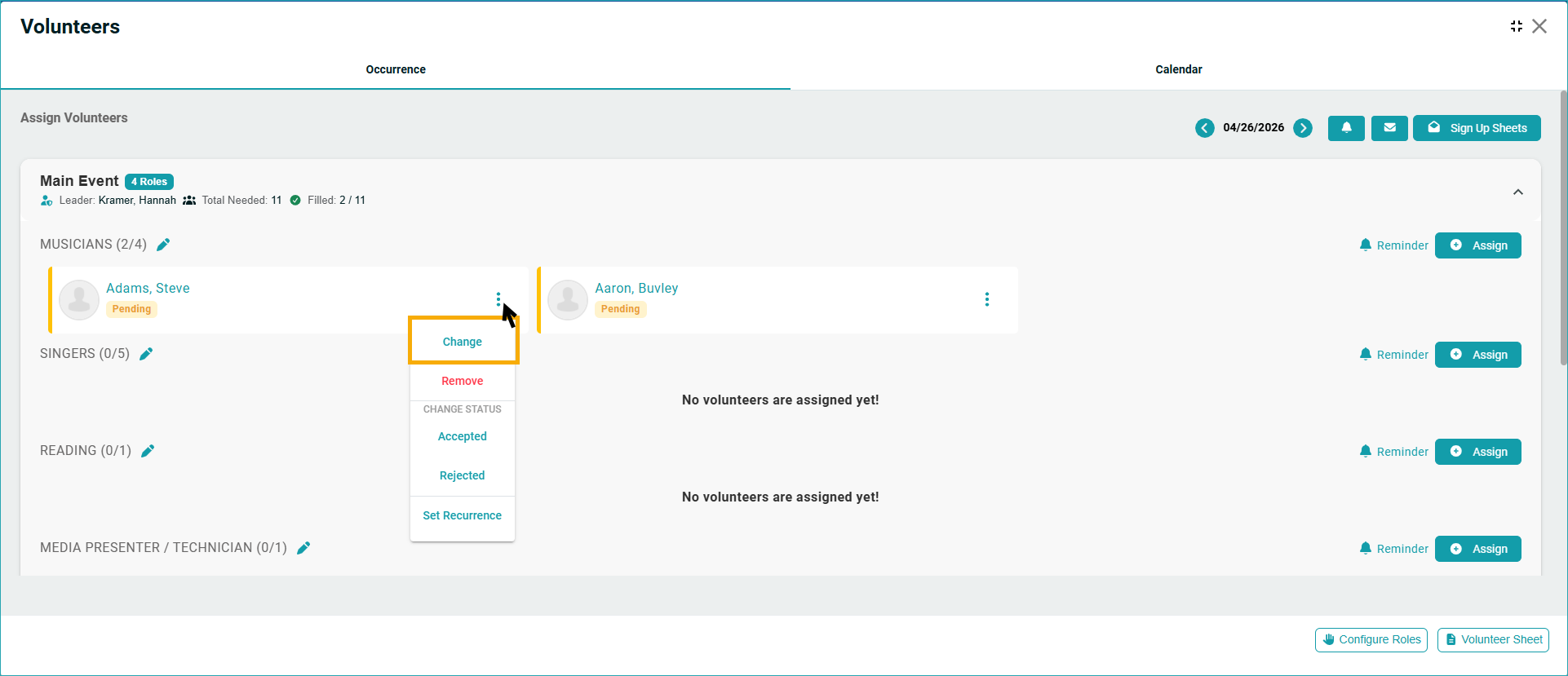
For teams involved in worship planning and volunteer coordination, updates focus on saving time and reducing friction. You can now change volunteer assignments instantly without removing and reassigning. Managing your song library is also easier, with options to export songs to Excel, including relevant details and links; and to bulk delete songs when cleaning up your collection.
Follow Ups
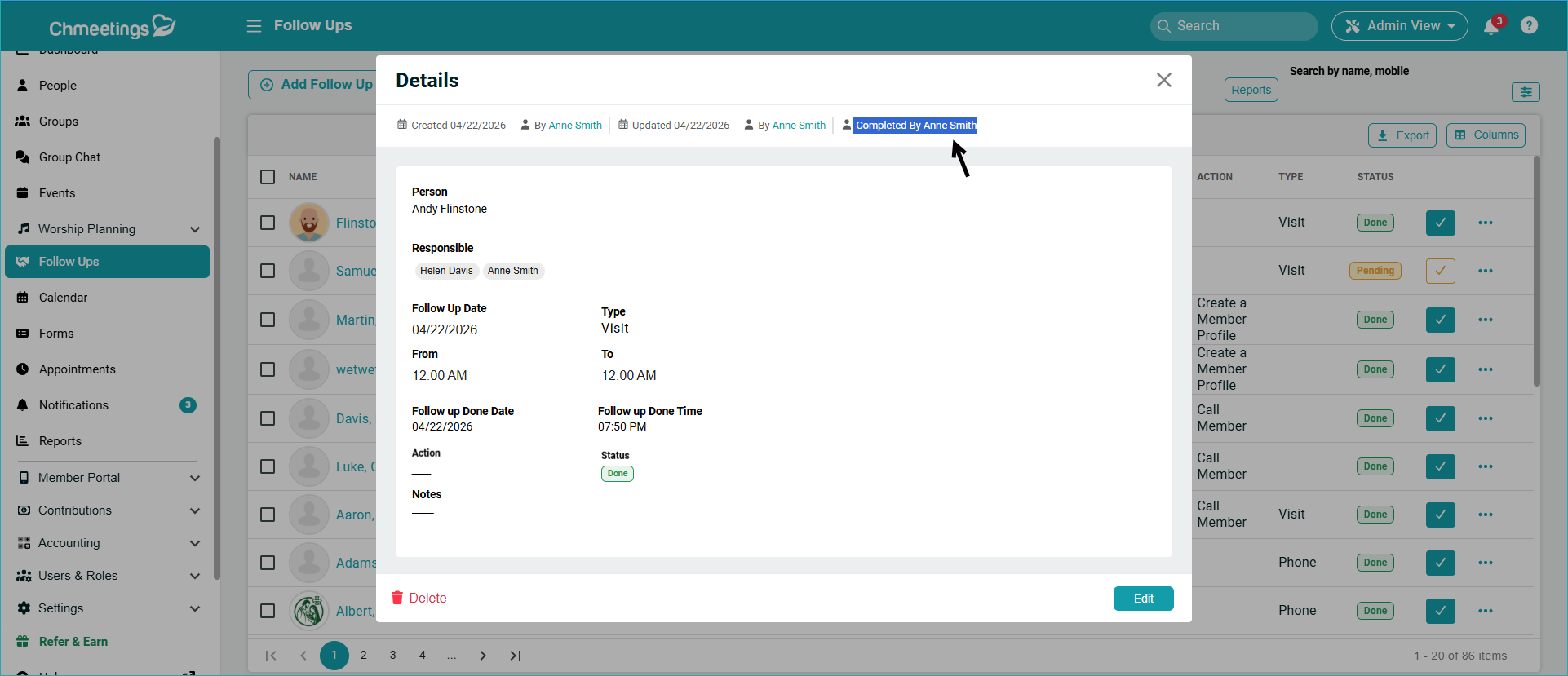
Follow-up tracking is now more visible and accountable. A new dashboard widget shows your pending follow-ups for the current week, helping you stay on top of tasks. There’s also a new “Completed By” field, so you can easily see who marked a follow-up as done—especially useful when multiple people are involved.
Other Updates
- Reset App Menu Title in the Builder: Visual indicators show when a menu label has been customized and a new reset button lets you revert to the original title (still visible alongside the custom one).
- Copy Blog Content on MobileL You can now select and copy blog content directly from the mobile app’s Member View.
- Group Chat Descriptions (Branded App): Add descriptions to group chats to clarify aspects like the purpose and context for participants.
Each of these updates is designed to remove friction, improve clarity, and give you more control over how you manage your community. We hope you find them valuable and are looking forward to your feedback. Stay tuned to our Release Notes for more frequent updates, and we’ll catch up with you next month.