Managing church finances is not the same as managing a business’s finances. I have worked with enough church administrators and ministry leaders to know that the moment a church tries to force a generic accounting tool into a nonprofit, fund-based financial structure, the problems begin almost immediately. Donations need to be tracked by designation. Restricted funds must remain separate. Giving statements need to be generated accurately for tax purposes. Reports need to reflect ministry reality, not just a profit-and-loss statement.
Church accounting software exists to solve exactly these problems. This guide reviews the leading options, compares pricing and features, and helps you make a decision that fits your church’s actual size, structure, and budget.
Three out of five churches struggle with budgeting, according to Aplos. The right software does not eliminate that challenge, but it removes the friction that makes it harder than it needs to be.
“The unique needs of nonprofits require tailored solutions, not just generic accounting tools.” — Accounting Software Expert, Forbes Advisor
Understanding Church Accounting Software
Before comparing specific tools, it is worth understanding what makes church accounting genuinely different from standard business accounting, and why that difference matters for which software you choose.
What is Fund Accounting?
Fund accounting is the accounting methodology used by nonprofits and religious organizations to track money according to its designated purpose rather than simply its source or amount. A church might receive a general tithe, a designated gift for the building fund, a restricted donation for overseas missions, and a grant for a community food pantry, all in the same week. Each of these must be tracked, reported, and spent according to its designation.
Fund accounting requires tracking restricted donations to comply with IRS regulations. Using software that does not natively support fund accounting forces finance teams to create workarounds, often through spreadsheets or manual journal entries, that introduce error and consume significant time.
I have seen churches lose track of restricted funds entirely because their software treated all income as a single pool. The resulting confusion, and in some cases the donor trust issues that followed, were entirely preventable with the right tool.
Why Specialize for Churches?
Regular accounting software is designed for businesses: entities that generate revenue, pay taxes, and measure success through profit. Churches are tax-exempt nonprofits whose financial health is measured by stewardship, not surplus. The categories, reports, workflows, and compliance requirements are fundamentally different.
Church-specific software includes features like giving statements for individual donors, contribution tracking by fund and campaign, integration with church management databases, and reporting formats designed for elder boards and congregational meetings rather than shareholders. For a deeper look at what to prioritize when evaluating options, the guide on church accounting walks through nine practical criteria worth applying to any tool you consider.
Key Features to Look For
Based on working with church finance teams across different sizes and denominations, the features that matter most are:
- Native fund accounting with support for restricted, unrestricted, and temporarily restricted funds
- Donor contribution tracking with giving statement generation
- Integration with your church management system to avoid double data entry
- Role-based access so that treasurers, bookkeepers, and pastors see what they need without exposing sensitive data
- Custom reporting that produces outputs your board can actually read and act on
- Cloud access so that staff and volunteers can work from anywhere
Top Features of Church Accounting Software
Not all church accounting tools are built equally. Some prioritize depth of accounting functionality. Others prioritize ease of use for non-accountants. Understanding which features matter most for your context helps you evaluate options honestly rather than being swayed by marketing.
Accounting Methodologies: Cash vs. Accrual
Cash accounting records income when it is received and expenses when they are paid. Accrual accounting records income when it is earned and expenses when they are incurred, regardless of when cash changes hands. Most small churches operate on cash accounting. Larger churches, or those with significant facilities or payroll obligations, often benefit from accrual accounting for a more accurate financial picture.
The best church accounting software supports both methodologies and allows administrators to switch reporting basis without requiring manual reclassification of transactions. If a tool only supports one method and your church needs the other, that limitation will create ongoing frustration.
Tracking Contributions and Expenses
Contribution tracking is the feature most unique to church accounting software. Every donation received must be linked to a donor record, attributed to the correct fund, and made available for year-end giving statement generation. This is not optional: accurate giving statements are a legal requirement for donors who wish to claim charitable deductions.
Equally important is expense tracking by fund. When a church spends money, that expenditure must be drawn from the correct fund. Software that does not enforce fund-level expense tracking makes it easy to accidentally spend restricted money on general expenses, creating compliance problems that can damage donor trust and create audit exposure.
The giving statements guide covers the specific requirements for generating compliant, complete giving statements, including what must be included and common errors to avoid.
Custom Reporting for Nonprofits
A church treasurer presenting to the elder board needs reports that are readable by non-accountants, accurate in their fund-level detail, and aligned with the way the church has organized its ministry budget. Generic accounting reports, designed for business audiences, rarely meet all three criteria.
Look for software that allows you to customize report templates, filter by fund or department, compare actuals to budget at a granular level, and export in formats that can be shared with board members who do not have software access.
Comparative Review of Leading Solutions
Having evaluated these tools in real ministry contexts, here is my honest assessment of the leading options currently available.
| Software | Best For | Starting Price | Fund Accounting | Church Management Integration | Cloud Access |
|---|---|---|---|---|---|
| ChMeetings | All-in-one church management with accounting | Varies by plan | Yes | Native | Yes |
| PowerChurch | Comprehensive desktop management | ~$395 one-time | Yes | Native | Limited |
| Aplos | Small to medium churches | ~$79/month | Yes | Limited | Yes |
| ChurchTrac | Budget-conscious churches | ~$9/month | Basic | Basic | Yes |
| ZipBooks | Very small churches, free tier | Free / paid tiers | Limited | No | Yes |
PowerChurch: Best for Comprehensive Management
PowerChurch is one of the longest-established church management and accounting platforms, with a strong reputation among mid-sized and larger churches. Its accounting module is genuinely robust, supporting full fund accounting, payroll, accounts payable, and extensive reporting.
The trade-off is accessibility. PowerChurch has historically been a desktop-first application, which limits flexibility for churches with remote staff or volunteers. Its interface reflects its age, and new users often require significant onboarding time before they become productive. For churches with a dedicated finance team that values depth over simplicity, it remains a strong option.
Aplos: Ideal for Small to Medium Churches
Aplos was built specifically for nonprofits and churches and shows it. Its fund accounting implementation is clean and genuinely intuitive, and its donor management and giving tracking features are well integrated with the accounting side of the platform.
Aplos works particularly well for churches in the 50 to 500 member range that need proper fund accounting without the complexity or cost of enterprise-level solutions. Its cloud-first architecture means staff can work from anywhere, and its reporting tools produce outputs that non-accountant board members can navigate without assistance.
The limitation I have observed is scalability. Larger churches with complex payroll, multi-campus operations, or extensive grant management often find Aplos’s feature set insufficient as they grow.
ChurchTrac: User-Friendly and Affordable
ChurchTrac is rated number one for user-friendliness out of over 130 church management systems, and starting at approximately $9 per month it is among the most accessible options financially. For very small churches operating on tight budgets with volunteer finance teams and limited complexity, it delivers genuine value.
“I can log in and do 80% of my job in ChurchTrac.” — Lynn L, Ministry Assistant
The trade-off is depth. ChurchTrac’s accounting functionality covers the basics but does not match the fund accounting sophistication of Aplos or the comprehensive reporting of PowerChurch. Churches that anticipate growth or have complex financial structures should evaluate carefully before committing.
Pricing Models Explained
Understanding how church accounting software is priced helps you assess not just the headline cost but the true total cost of ownership over one to three years.
Budgeting for Software Licenses
Most cloud-based church accounting software is priced on a monthly or annual subscription basis, with annual plans typically offering a meaningful discount over monthly billing. On-premise solutions like PowerChurch use a one-time license fee model with optional annual support and update fees.
When building your budget, calculate the annual cost inclusive of any add-on modules you need, such as payroll, mobile giving integration, or additional user seats. What appears to be an affordable base price can increase significantly once necessary modules are added.
Hidden Fees and Costs
Common sources of unexpected costs in church accounting software include per-transaction fees on online giving integrations, per-user fees as your team grows, data migration costs when switching from an existing system, and training fees for onboarding new staff. Request a complete fee schedule before committing to any platform, and ask specifically about costs that increase as your church grows.
Churches using automated accounts payable systems have reported annual savings of up to $20,000 in administrative time, according to Ramp’s analysis. That context matters when evaluating software cost: the question is not just what the software costs but what manual alternatives cost in staff time and error risk.
Best Free or Open Source Options
For very small churches or church plants operating on minimal budgets, free options exist. ZipBooks offers a free tier with basic income and expense tracking, and churches using it with proper software integration report efficiency gains of up to 15 percent compared to spreadsheet-based approaches. The limitation is that free tools rarely include genuine fund accounting, which means restricted fund management requires manual workarounds.
My honest advice is this: if your church handles any restricted or designated funds, invest in a tool that supports fund accounting natively. The cost of the right software is almost always lower than the cost of the problems that arise from using the wrong one.
User Experience and Support
A church accounting tool that no one can use effectively is not an asset. User experience and support quality matter as much as feature depth, particularly in churches where the finance function is managed by part-time staff or volunteers without accounting backgrounds.
Getting Help: When and How
Evaluate support availability before you need it. Does the provider offer phone support, or only email and chat? What are the support hours, and do they align with when your team is likely to encounter problems? Is there a dedicated account manager for your organization, or are you routed through a general support queue?
For churches running payroll or managing time-sensitive grant reporting, support availability during business hours with a reasonable response time is not optional. A 48-hour email response window is not acceptable when a payroll run is at stake.
User Communities and Forums
Active user communities are a genuine asset for church accounting software. They provide practical answers to operational questions, workarounds for known limitations, and peer perspective on how other churches are using the tool. Before selecting software, spend time in its user community, if one exists, and assess the quality and recency of conversations.
Customer Service Ratings
Third-party review platforms including Capterra, G2, and Software Advice aggregate verified user reviews that provide more reliable quality signals than vendor-produced case studies. When reading reviews, pay particular attention to comments about support responsiveness, the quality of onboarding assistance, and whether the vendor addresses reported problems over time.
Real-World Case Studies
The clearest way to evaluate church accounting software is to see how it performs in actual ministry contexts, with real financial complexity and real teams managing it.
Case Study 1: ChurchTrac
A 120-member church in the southeast United States switched to ChurchTrac from a spreadsheet-based system managed by a part-time volunteer bookkeeper. Within three months, contribution tracking time dropped by approximately 60 percent, and the church produced its first fully automated year-end giving statements without requiring outside accounting assistance. The $9 per month cost was recovered within the first week of use in administrative time savings alone.
The challenge encountered was limitation in fund-level expense reporting. The church’s missions fund required manual reconciliation outside the platform because ChurchTrac’s fund accounting functionality did not support the granularity they needed. They worked around this with a supplementary spreadsheet, which partially offset the efficiency gains.
Case Study 2: Aplos
A 400-member church with three designated funds, an active benevolence ministry, and a recently launched capital campaign implemented Aplos after outgrowing a generic small business accounting tool. The fund accounting implementation resolved an ongoing problem with restricted funds being inadvertently used for general expenses, a pattern that had eroded donor trust over several years.
The church’s administrator noted that Aplos’s giving statement generation, which had previously required two full days of manual work twice a year, was reduced to approximately two hours once donor records were cleaned and the system was properly configured. The platform’s reporting tools also allowed the finance committee to review fund balances monthly rather than quarterly, improving financial oversight significantly.
Lessons Learned in Implementation
Across both cases and others I have observed, the pattern is consistent. The greatest determinant of implementation success is not the software itself but the quality of the data that goes into it. Churches that invest time in cleaning donor records, reconciling historical fund balances, and establishing clear coding conventions before migrating to new software consistently have better outcomes than those that migrate messy data and expect the software to sort it out.
Budget for onboarding time. Even user-friendly platforms require learning. A reasonable estimate for a church transitioning to new accounting software is four to eight weeks from implementation to confident, routine use.
For churches managing outreach events alongside regular ministry budgets, the ability to track event-specific income and expenses within your accounting platform reduces the manual reconciliation work that these programs typically generate.
ChMeetings: An Integrated Option Worth Considering
I would be doing a disservice to this guide if I did not highlight ChMeetings as a genuinely competitive option, particularly for churches that want to manage people, groups, events, attendance, communication, and finances within a single integrated platform.
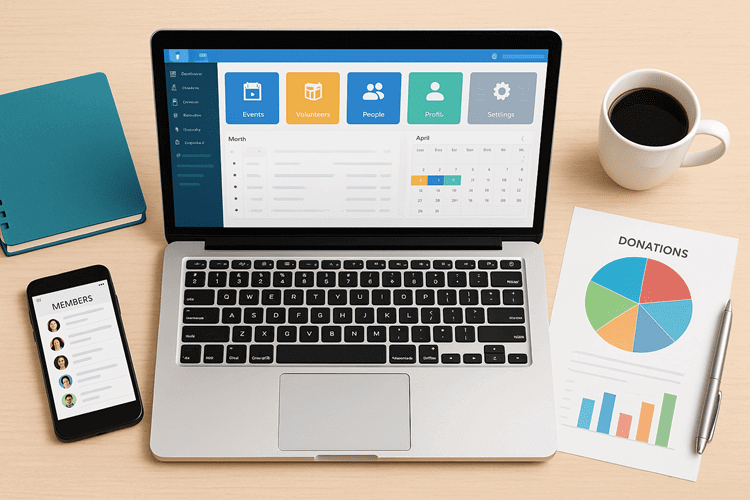
The accounting capabilities within ChMeetings are designed specifically for church financial management, covering fund accounting, contribution tracking, and reporting in a system that already knows your members, your groups, and your giving history. The integration eliminates the double data entry that churches using separate accounting and management systems consistently report as a significant time drain.
For churches evaluating their options, the accounting feature page details exactly what is included and how it fits within the broader ChMeetings platform. Try ChMeetings Today to see how integrated church management and accounting compares to managing separate systems for each function.
Frequently Asked Questions
What is church accounting software?
Church accounting software is a specialized financial management tool built for the specific requirements of churches and religious nonprofits. It supports fund accounting, which tracks designated and restricted donations separately from general income, generates giving statements for tax compliance, integrates with church member databases, and produces reports designed for nonprofit governance rather than business financial reporting.
How much does church accounting software cost?
Pricing ranges from free, for basic tools like ZipBooks’s free tier, to $9 per month for ChurchTrac’s entry-level plan, to $79 or more per month for platforms like Aplos with full fund accounting and nonprofit features. Enterprise or comprehensive platforms vary based on church size and modules required. Annual plans typically reduce the monthly cost by 15 to 20 percent compared to month-to-month pricing.
What features should I look for?
Prioritize native fund accounting with support for restricted and unrestricted funds, contribution tracking linked to individual donor records, giving statement generation, integration with your church management system, role-based access controls, and custom reporting for nonprofit governance. Cash and accrual accounting support is also important for churches that need reporting flexibility.
Is there free church accounting software available?
Yes. ZipBooks offers a free tier that covers basic income and expense tracking and is suitable for very small churches with simple financial structures. The limitation of most free options is the absence of genuine fund accounting, which means churches managing restricted or designated funds will need to supplement with manual processes. For most churches beyond the very smallest, a modest investment in purpose-built software is significantly more cost-effective than the administrative overhead of free tools with manual workarounds.
Can I use regular accounting software for my church?
Technically yes, but practically it creates significant problems. Regular accounting software does not support fund accounting natively, does not generate giving statements, and does not integrate with church member management systems. The workarounds required to replicate these functions in a generic tool typically cost more in staff time than the price difference between generic and church-specific software.
What kind of support should I expect?
Reputable church accounting software providers offer customer support via phone or email during business hours, along with training materials, onboarding assistance, and knowledge bases. User communities and forums are a valuable supplementary resource. Before selecting any platform, verify support hours and response time commitments, particularly if your finance team operates outside standard business hours or relies on the platform for time-sensitive functions like payroll.
Conclusion
The best church accounting software is the one that matches your church’s actual financial complexity, staff capacity, and budget, not the one with the most impressive feature list or the lowest headline price.
For small churches with simple financial structures and volunteer finance teams, ChurchTrac or a free option like ZipBooks provides a functional starting point. For churches with genuine fund accounting needs, restricted donations, and active donor stewardship programs, Aplos offers a well-designed, nonprofit-specific solution. For churches that want to manage all aspects of ministry operations, including people, events, communication, and finances, within a single integrated platform, ChMeetings presents a compelling alternative that eliminates the friction of managing disconnected systems.
Whatever you choose, invest in clean data before you migrate, budget adequate time for onboarding, and select a platform that your actual team can use confidently in the day-to-day reality of ministry life. The right software does not just make accounting easier. It protects donor trust, ensures compliance, and gives your leadership the financial clarity to make good decisions for the congregation you serve.