
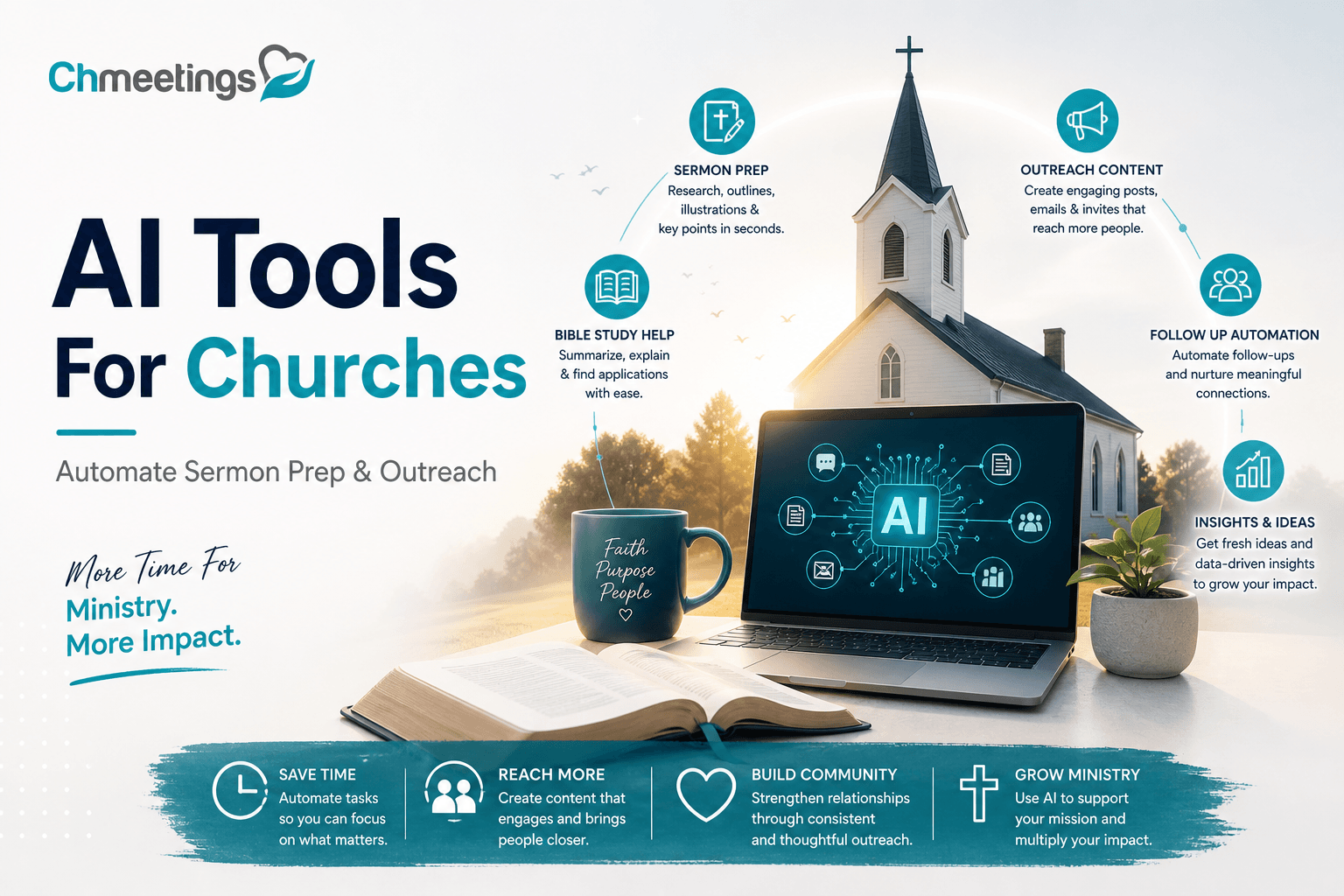

- What Is AI For Churches?
- Save Time Across Ministries
- Sermon Preparation And Repurposing
- Communications, Social Media, And Outreach
- Automating Admin, Giving, And Events
- Volunteer Coordination And Small Groups
- Worship Media And Transcripts
- Pastoral Care, Chatbots, And Discipleship
- Choosing Tools: Evaluation Framework
- Recommended Tools And Free Options
- Implementation Playbook For Churches
- Protecting Member Data And Ethics
- Prompts, Templates, And Checklist
- FAQs
What Is AI For Churches?
Definition And Key Terms

AI for churches means using machine learning and natural language tools to support ministry tasks, not to replace pastoral judgment. Common terms you’ll see:
- Machine learning: models that learn patterns from data.
- Natural language processing: understanding and generating human language.
- Large language models: tools that draft text, summarize, and answer questions.
- Generative AI: tools that create new content like sermon drafts, images, or captions.
- Assistive AI: tools that automate routine work like transcription, tagging, scheduling.
- Automations and workflows: triggers that move data and send communications without manual copying.
Each tool has a purpose. Use the right one for the task, and keep people in the loop for theological and pastoral decisions.
Generative Versus Assistive AI

Generative AI creates new content, like a sermon outline, a social caption, or a sermon graphic. It’s fast and creative, ideal for first drafts and inspiration. Assistive AI helps with routine work, like transcribing a sermon, auto-tagging attendance, or routing new visitor follow-ups. It’s about accuracy and consistency.
Practical rule: use generative AI to spark ideas and assistive AI to free up time. Always review outputs for theological accuracy, cultural fit, and pastoral tone. Technology scales work, but church leadership supplies discernment.
Save Time Across Ministries
Typical Time Savings Examples

AI cuts repetitive minutes into seconds. Examples pastors and admins report:
- Visitor follow-up: templated, personalized messages sent automatically after a visit, saving 30 to 90 minutes weekly.
- Volunteer scheduling: auto-matching availability and roles, trimming coordination time by hours per week.
- Event registration and check-in: automated confirmation and QR check-in reduce front-desk load on Sundays.
- Reporting and reconciliation: automated exports and summary reports speed finance and attendance review.
These are not theoretical. Small savings per task add up to real hours across a week or month.
Cost And Staff Capacity Benefits
When routine work is automated, paid staff and volunteers focus on ministry that needs people, like pastoral care, discipleship, and leading small groups. That improves staff capacity without adding headcount. Using integrated church management software to centralize data and automate workflows removes duplication, cuts license bloat, and reduces mistakes from spreadsheets. The result is lower overhead and more volunteer engagement.
Invest time saved back into ministry priorities, not more admin.
Key Metrics To Track
Measure impact so you can iterate. Track these regularly:
- Time saved per task, measured before and after automation.
- Volunteer hours freed or reallocated.
- Response time to newcomers and first-time visitors.
- Event registration completion rate and no-show rate.
- Error rate in data entry or giving reconciliation.
- Member satisfaction or NPS for communication quality.
Set a cadence, monthly at first, then quarterly. Numbers tell you where automation is actually helping and where it needs tweaking.
Sermon Preparation And Repurposing
Researching Sermon Topics
AI can speed research by summarizing commentaries, comparing translations, and surfacing cultural illustrations related to a passage. Ask for sermon-relevant summaries, key cross-references, and historical context. Always cross-check with trusted theological sources and your own study notes. Use AI to gather material, not to settle doctrine.
Drafting Sermon Outlines Quickly

Give the AI the passage, desired length, and tone, and you’ll get a structured outline: hook, main points, supporting scripture, application, and suggested illustrations. That outline shortens prep time and creates a consistent flow from week to week. Use the draft as a scaffold, then inject pastoral voice, local examples, and theological nuance.
Repurposing Sermons For Clips

Turn a sermon into many formats without extra sermon prep. Steps that save time:
- Transcribe the sermon automatically for blog posts and study guides.
- Auto-detect 30 to 90 second moments that work as social clips.
- Generate captions, suggested captions, and thumbnail text for social platforms.
- Produce sermon summaries for emails and bulletin copy.
Then distribute those assets through your communication channels. A church management app can help send those clips and updates to segmented groups, keeping follow-up coordinated and measured.
Communications, Social Media, And Outreach
Personalized Email And SMS
AI helps write subject lines, tailor messages to different groups, and suggest best send times. When it’s connected to your member data, you can send welcome sequences to new visitors, donation reminders to recurring givers, or prayer updates to small groups. Respect consent and privacy, and review messages to keep tone pastoral and authentic. Integrating AI outputs with a church management system makes personalization scalable without losing accountability.
Batching And Scheduling Content
Batch writing saves time and keeps messaging consistent. Use AI to produce a week or month of captions, sermon quotes, and event blurbs, then schedule them across platforms. A predictable content calendar reduces last-minute scramble and helps volunteers manage posting. Treat the AI as an assistant for volume, not as the final voice.
Translation And Accessibility Tools
Translation and captioning tools expand reach. Automatic subtitles, translated bulletins, and image alt text make services accessible to non-English speakers and people with hearing or visual needs. Translate materials, then have bilingual team members verify nuance. Accessibility is both a ministry and a strategy to welcome more people into participation.
Automating Admin, Giving, And Events
Automation turns repetitive back-office tasks into dependable, low-friction processes. When admin, giving, and event workflows run reliably, staff and volunteers spend time on relationships instead of spreadsheets. The right mix of AI and automation reduces human error, speeds response times, and keeps financial and attendance records clean for better pastoral follow-up.
Automating Donations And Receipts
Set up automated receipts, recurring gift reminders, and end-of-year contribution statements so donors get prompt, consistent communication without manual work. AI can help categorize gifts, detect duplicate entries, and flag unusual transactions for review. Automatic reconciliation with payment processors saves bookkeeping time and reduces errors when preparing reports for finance teams or boards. Keep donor privacy and legal compliance front and center, and always provide a clear human contact for questions about gifts.
Event Registration And Reminders
Use automated registration forms that capture attendee profiles, payment when required, and any special needs. Confirmation emails, calendar invites, and timed SMS or push reminders cut no-shows and reduce front‑desk chaos on the day. Waitlist management and capacity rules can close registrations automatically, then promote people off the list as spots open. QR check-ins and automated attendance logs speed hospitality and feed accurate attendance data back into your member records.
Integrating With ChMS And Payments
Workflows mean less copying and fewer mistakes when your event, giving, and people data live in one place. Link payment gateways to your church management software so gifts, refunds, and event fees reconcile with member profiles automatically. That centralization ensures contributions, attendance, and registration histories are available for reporting, follow-up, and audits. Church management software like ChMeetings makes those connections practical for churches of any size, keeping finance and pastoral teams working from the same clean dataset.
Volunteer Coordination And Small Groups
Volunteers are the lifeblood of ministry, and scheduling friction is a major retention problem. AI can match people to roles, remind them gently, and free coordinators from constant back-and-forth, so volunteers show up prepared and appreciated. Small groups benefit when leaders get tailored resources and attendance tracking that supports discipleship, not just data collection.
Scheduling And Shift Management
Automatically match volunteer availability, skills, and preferences to open roles, then send shift confirmations and reminders. Let volunteers swap shifts through a controlled workflow that notifies leaders and updates rosters. Calendar sync, role-specific checklists, and late-arrival alerts reduce confusion on Sundays and during outreach events. Consistent schedules help volunteers build rhythm and allow leaders to measure participation over time.
Recruiting And Onboarding Volunteers
Use AI to draft clear role descriptions, targeted outreach messages, and short onboarding sequences that include expectations and training links. Automate background check requests, certification tracking, and welcome packets so new volunteers move from sign-up to serving faster. A simple, automated onboarding experience increases retention and sets healthy boundaries from day one.
Small Group Curriculum Support
AI can generate discussion questions, leader notes, and weekly study guides tailored to your group’s size, age, and spiritual maturity. Suggest follow-up actions, prayer prompts, and short multimedia elements to improve engagement between meetings. Store attendance, notes, and pastoral flags in your church management app so leaders and staff see growth trends and pastoral needs at a glance. Church management software like ChMeetings helps keep those leader resources and group records connected to your wider ministry data.
Worship Media And Transcripts
Quality worship media expands your reach and helps people engage with teaching during the week. AI tools speed transcription, create accessible captions, and turn long services into shareable clips without asking your tech team to work nights.
Transcription And Closed Captions
Automatic speech-to-text turns services into editable transcripts for sermon notes, blogs, and searchable archives. Speaker labeling and punctuation make transcripts usable quickly, but plan for a short human edit pass for theological nuance and names. Closed captions improve accessibility for livestreams and recorded content, and they expand reach to people who rely on captions.
Video Editing And Clip Creation
Let AI detect high-impact moments, then produce short clips formatted for social platforms with captions and suggested captions. Batch-processing can create sermon highlight reels, promotional snippets, and teaching bites with consistent branding. Quick clip creation keeps your weekly content pipeline full, so outreach stays steady without overburdening volunteers.
Designing Slides And Media
AI-assisted slide templates speed worship planning by generating lyric slides, sermon title slides, and background motion options that match your brand. Export assets in common formats so projection operators and worship teams can load them into service software easily. Use templated styles to keep visuals consistent across campuses and volunteers, while allowing leaders to tweak theological or contextual language.
Pastoral Care, Chatbots, And Discipleship
AI should augment pastoral presence, not replace it. Smart routing, intelligent intake, and personalized pathways let staff focus on high-touch care while routine questions get handled promptly. When the system flags urgent needs correctly, real shepherding happens faster.
Church AI Bots For Inquiries
Deploy bots to answer common questions about service times, locations, and childcare, and to capture prayer requests or visitor details. Program clear handoff points where a human steps in, especially for pastoral conversations or sensitive situations. Bots save time and improve first impressions when they hand prospects off cleanly to a person.
Care Triage And Referral Paths
Use keyword and sentiment analysis to triage intake forms and messages, flagging high-risk language or urgent medical and safety needs. Route cases to the right staff or external resources, and log the interaction in your church management software for follow-up. That way nothing slips between inboxes and pastoral care becomes trackable and accountable.
Personalized Discipleship Pathways
AI can suggest next steps for members based on attendance, group involvement, volunteer service, and past interactions. Create automated nudges for Bible reading plans, training courses, or baptism classes, while giving leaders a dashboard to approve or adjust pathways. Track progress so leaders can celebrate milestones and intervene when people stall. Store those milestones in the member record so discipleship is both personal and scalable.
Choosing Tools: Evaluation Framework
Picking AI tools for ministry means balancing usefulness with safety, theology, and stewardship. Use a short evaluation framework to compare options quickly, then pick one or two to pilot.
- Define the outcome, not the feature. Start with the problem, for example faster sermon transcription, better newcomer follow-up, or on-demand prayer triage. Match the tool to that outcome.
- Minimum viable integration. A tool should either import or export data to your church management app, calendar, or file storage without manual copying.
- Trial before committing. Use free tiers or time-limited trials to validate accuracy, speed, and volunteer acceptance.
- Assign ownership. One staff or volunteer owns the tool, its settings, and the onboarding process. Avoid “everyone tinkers” scenarios.
- Measure what matters. Track time saved, error rate, response time to newcomers, and whether pastoral oversight was required more or less often.
Use the three lenses below when you compare vendors, features, and pricing.
Security, Privacy, And Ownership
Security and data ownership are non-negotiable for member trust.
- Data flow map. Know what data the tool sends to vendors, what stays local, and how long it’s retained. If you can’t map it, don’t use it for sensitive member records.
- Encryption and hosting. Prefer providers that support encryption in transit and at rest, and that publish where they host data. Cloud hosting in jurisdictions with strong privacy laws is a plus.
- Ownership of outputs. Confirm who owns content produced by the tool, especially transcripts and sermon drafts. Your church should retain ownership and an exportable archive.
- Access controls and auditing. The tool should let you restrict who can see or edit sensitive outputs and provide an activity log.
- Vet vendors for compliance. Check for GDPR, CCPA, or local privacy compliance statements and a published data processing agreement you can sign if required.
Ask vendors these questions before a pilot: What member data do you store? Can we disable analytics? How do you handle deletion requests? What incident response process do you follow?
Integration And Ease Of Use
A beautiful tool that sits outside your workflow creates more work than value.
- Out-of-the-box integrations. Look for native connectors to email, calendar, your file storage, and the tools volunteers already use. If no native connector exists, check for Zapier, Power Automate, or API options.
- Single sign-on and role mapping. SSO reduces password fatigue and lets you honor staff roles already defined in your church management app.
- Mobile-first usability. Volunteers and part-time staff will use tools on phones. If the mobile experience is poor, adoption will stall.
- Admin simplicity. You want clear settings for permissions, retention, and templates. Tools aimed at businesses sometimes hide controls behind developer menus.
- Support docs and community. Good documentation and an active user community shorten the learning curve.
Rate each candidate on a simple scale, for example integration readiness, admin control, and end user friendliness, then pick the top two for a short pilot.
Cost, Scalability, And Support
Think total cost, not just monthly price.
- Total cost of ownership. Factor licensing, integration work, training time, and any per-request costs from LLM or transcription APIs.
- Predictable pricing. Prefer flat or usage-banded pricing over per-minute or per-token pricing if your volumes may spike around holidays or campaigns.
- Scalability. Can the plan grow from small to larger services without painful migrations? Test exporting and importing data during the pilot.
- Support SLA. Know how you’ll get help, whether community forums, email, or phone. For anything dealing with giving or pastoral care, a faster support channel is worth more.
- Sunset plan. If the vendor folds or you stop using the tool, can you export your data cleanly?
Budget for a modest contingency line for unexpected overages the first three months. Keep the tool list short to avoid license bloat.
Recommended Tools And Free Options
Below are practical suggestions by category, with tradeoffs and free options that work well for many churches. These are examples to explore, not endorsements. Always pilot before wide rollout.
Chatbots And Conversational Tools
What they do, and when to use them:
- Answer FAQs, collect visitor info, and capture prayer requests.
- Triage conversations with clear human handoffs.
Examples and options:
- Google Dialogflow or Microsoft Azure Bot Service, for deep integration and enterprise controls.
- Low code options like Landbot or Tidio for volunteer-run teams that need fast setup.
- For generative replies, use an LLM API with templated prompts and strict handoff rules.
Free options:
- Basic ChatGPT or Google Bard for drafting reply templates.
- Many bot builders offer limited free tiers to test flows.
Key caution: Always script handoffs for pastoral conversations, and log bot interactions in your member system if consented.
Audio And Transcription Tools
Use cases: sermon transcripts, searchable archives, captions for livestreams.
Tool types:
- Cloud services like Otter.ai and Trint offer fast transcripts and editing.
- Desktop or self-hosted options using Whisper or open models let you keep audio local for greater privacy.
- Descript combines transcript editing with simple video editing, handy for volunteer editors.
Free options:
- Open source Whisper for local transcription, if you have someone who can run it.
- Entry level plans of Otter and Descript for occasional use.
Tradeoffs: Cloud services are easier, but local tools give you control over member data. Always factor in a quick human edit pass before publishing.
Sermon AI Tools And Pulpit AI
These tools speed sermon research, outlines, and repurposing but require pastoral oversight.
What to look for:
- Scripture citation accuracy and source transparency.
- Integration with Bible tools and commentaries you already trust.
- Templates for sermon outlines, application points, and small group guides.
Examples:
- Sermonary and Logos offer sermon prep features and biblical resources.
- Generic LLMs can create outlines and illustrations when prompted carefully.
Free options:
- Use a free LLM tier for brainstorming outlines, then confirm with trusted commentaries.
Red flag: Never let a generator replace your theological review. Treat outputs as drafts.
Video, Graphics, And Social Tools
Make assets faster, keep brand consistent, and create short clips for outreach.
Good picks:
- Canva for templated graphics and thumbnails, free tier available.
- Descript and CapCut for clip extraction and captions.
- InVideo or Lumen5 for quick promo videos.
Free options:
- Canva free plan for most slide and social needs.
- CapCut and free tiers of Descript for short edits.
Tip: Build a simple brand template so volunteers produce consistent visuals with minimal coaching.
Automation And Workflow Tools
Automate handoffs, reminders, and cross-platform syncing so people don’t copy and paste.
Platforms:
- Zapier or Make for low code integrations across apps.
- Microsoft Power Automate if you are in the Microsoft ecosystem.
- n8n for an open source alternative you can host.
Free options:
- Zapier and Make both have free tiers for small volumes.
- n8n can be self-hosted to avoid per-action costs.
Practical use cases: new visitor workflows, attendance-to-discipleship nudges, and donation reconciliation into your member records.
Free Tools For Small Churches
Small teams can get surprising mileage without big spend.
- ChatGPT free tier or Google Bard for drafts and content prompts.
- Canva free for graphics and slides.
- Google Workspace or Microsoft 365 free plans for email and docs.
- Whisper for local transcription, if you have basic IT support.
- Calendly free or Google Forms for signups.
- Zapier or Make free tiers for simple automations.
Start with one or two free tools, prove value, then graduate to paid tiers if you need more capacity or better privacy controls.
Implementation Playbook For Churches
A practical playbook that moves from idea to routine use without overloading staff.
- Start small, measure, iterate. Choose one tool and one clear outcome for a 6 to 8 week pilot.
- Keep stakeholders involved. Pastors, volunteers, IT, and a lay leader who cares about data privacy should all get a voice.
Running A Quick Pilot
Set constraints so the pilot is focused and fast.
- Define scope. Example: automate sermon transcription and produce one social clip per week.
- Success metrics. Time saved, accuracy of transcript after one edit pass, number of clips published, volunteer time spent.
- Duration. 6 to 8 weeks is long enough to see patterns but short enough to decide.
- Exit criteria. If accuracy or privacy fail to meet agreed standards, pause and reassess before expanding.
- Document everything. Capture setup steps, prompts, templates, and lessons learned for the next team.
Pilot tip: run pilots during a low intensity season to avoid disrupting major programs.
Staff Training And Adoption
Training is adoption.
- Role specific training. Train worship techs on clip tools, admin staff on automation builders, and pastors on sermon prompts.
- Short learning resources. Create two page cheat sheets and 10 minute video walk throughs for volunteers.
- Buddy system. Pair new users with someone who mastered the tool during the pilot.
- Celebrate early wins. Share time saved or an improved new visitor response to build buy in.
Make training part of routine staff meetings until use becomes normal.
Drafting Usage Policies And Consent
Clear policies protect members and staff.
- Purpose statement. Why you use AI and which ministry needs it serves.
- Data rules. What data can and cannot be processed by third party AI, retention windows, and export rights.
- Consent flows. For recordings, announcements or signups, get explicit consent for AI processing where required.
- Human review requirements. Define which outputs require pastor or staff sign off.
- Incident playbook. Steps for a data breach or inappropriate AI output and who to notify.
Store these policies where staff and volunteers can find them, and revisit annually.
Common Pitfalls To Avoid
Avoid these traps that kill adoption or trust.
- Tool creep. Don’t license more tools than you can support. One well integrated solution beats five point tools.
- Over automation. If members feel like they talk only to bots, they’ll disconnect. Maintain human touchpoints.
- Ignoring exports. Tools that lock data in make migrations painful. Always test data export early.
- Skipping theology review. AI is a drafting assistant, not a source of doctrine.
- No owner. If nobody is accountable for settings and requests, problems compound.
Fixes are simple: fewer tools, clear owners, and published review rules.
Protecting Member Data And Ethics
AI can multiply both opportunity and risk. Protect dignity and privacy while using tools to serve people better.
- Default to least disclosure. Only feed tools the minimum personal data needed for the task.
- Transparency builds trust. Tell members when AI is involved, and what limits it has.
Consent Language And Transparency
Keep consent simple and specific.
- Short script for on the spot consent. Example: “We record sermons and may use automated tools to transcribe and create clips. If you prefer not to be recorded, please let us know at the welcome desk.”
- Written consent for sensitive uses. For pastoral care or counseling transcripts, get explicit written consent before using third party services.
- Public notice. Add a clear note on your website and registration forms about AI use and how members can request deletion or review.
Transparency reduces surprises and preserves trust.
Responsible Use And Red Flags
Guardrails protect people and ministry reputation.
- Human final approval. Any content that touches doctrine, discipline, or pastoral care must be reviewed by a human leader.
- Watch for bias. AI outputs can reflect cultural or theological assumptions. Vet for inclusivity and doctrinal fit.
- Monitor for harmful outputs. If a tool generates inappropriate or unsafe suggestions, stop and report it, then change prompts or provider.
- Limit automated pastoral responses. Bots can gather info, but they should not offer counseling or definitive spiritual advice.
If you see repeated errors, pause automation and rebuild the workflow with safeguards.
Legal Considerations And Compliance
Legal needs vary by country, but these practices help most churches stay compliant.
- Know your local recording laws. Some places require all-party consent for audio or video recording.
- Maintain data processing records. Log what you process, why, and where it’s stored.
- Vendor agreements. Get a written data processing addendum when vendors handle member data.
- Donations and finance. Ensure payment and donor data flow follow financial regulations and payment processor rules.
When in doubt about legal obligations, consult a lawyer familiar with nonprofit and privacy law.
Prompts, Templates, And Checklist
High-Impact Prompts For Pastors
Use prompts to get useful first drafts, not final doctrine. Give context, tone, and constraints so outputs are relevant and reviewable.
- Sermon outline, short service (30 minutes)
- Prompt: “Create a 30 minute sermon outline on John 15:1-8 with three clear points, one contemporary illustration for each point, an application for families, and a closing call to action. Keep language pastoral and conversational, and flag any theological claims that need sourcing.”
- Scripture comparison and summary
- Prompt: “Summarize how Matthew 6:25-34, Luke 12:22-31, and Philippians 4:6-7 treat worry. Give three concise pastoral insights and list two trusted commentary sources to verify each insight.”
- Pastoral email to a first-time visitor
- Prompt: “Draft a warm, 150 to 200 word email to a first-time visitor who attended last Sunday, thanking them, sharing next steps for newcomers, and offering a staff contact for questions. Use a friendly tone and include a one sentence RSVP for a newcomers lunch.”
- Small group discussion guide
- Prompt: “Generate five discussion questions for a mixed adult small group on Romans 12:9-21, include a 2 sentence leader note for each question and a suggested 10 minute opening activity.”
- Social caption and CTA for sermon clip
- Prompt: “Write three caption options for Instagram for a 45 second clip about forgiveness from this Sunday’s sermon. First caption: pastoral and reflective. Second: direct invitation to Sunday service. Third: short question to boost comments. Include suggested hashtags and a one line CTA.”
Always add: what to include in the prompt, for example target audience, length, tone, and any non-negotiable doctrinal or denominational points. Finish by asking the AI to identify any factual or theological claims that need human verification.
Sample Chatbot Scripts
Keep scripts short, consent-focused, and clear about handoffs to a person when needed. Log all captured info into your member system only with consent.
- Visitor FAQ flow
- Bot: “Hi, welcome to [Church Name]. Are you looking for service times, kids ministry info, or how to visit for the first time?”
- User selects “Service times”
- Bot: “We meet Sundays at 9 and 11. Would you like directions, childcare details, or to be greeted when you arrive?”
- If user asks for greeting, Bot: “Great, may I get your name and a phone or email so our welcome team can meet you? We only store this for follow up with your permission. Reply yes to consent.”
- Handoff: If consent yes, notification sent to welcome team and entry added to newcomer queue.
- Prayer request intake
- Bot: “I can take a prayer request now. Do you want it private to our prayer team or shared in the weekly prayer list?”
- If private, Bot: “Please write the request. If this is an emergency or needs a pastor, type ‘pastor.’ By submitting you consent to our team contacting you about this request.”
- Handoff: If user types ‘pastor’ or content matches keywords like ‘suicide’ or ‘medical emergency’, flag as urgent and send SMS or push to the on-call pastor with a copy of the request.
- Event registration with accessibility needs
- Bot: “Which event would you like to register for? [list events]”
- After selection, Bot: “Thanks. Please share your name, email, and any accessibility needs. Do you want us to add this to your profile for future events?”
- Handoff: Confirm registration and send calendar invite. If special needs require follow-up, assign staff member and create a task in the admin queue.
- Fallback and safety script
- Bot: “I’m sorry, I didn’t quite get that. If you need to talk to a person, type ‘help’ and we’ll connect you to our team. For emergencies, call local emergency services or click this link for crisis resources.”
- Use this whenever the bot confidence is low, or when the topic touches pastoral care beyond intake.
Design notes: include a short consent line before storing personal data, log bot transcripts to the member record only when consented, and set explicit rules for when a human must take over.
90-Day Implementation Checklist

A focused timeline to move from pilot to routine use without overloading staff.
Weeks 1 to 2, Plan and prepare
- Define one clear outcome, owner, and success metrics. Example outcome, “Automate sermon transcription and produce one social clip weekly.”
- Map data flow, identify what member data the tool will access, and draft consent language.
- Choose the pilot tool, confirm free trial, and assign an owner.
Weeks 3 to 4, Build and test
- Configure accounts, templates, and basic automations.
- Create initial prompt templates, chatbot scripts, and volunteer roles.
- Run internal tests with staff and volunteers, fix prompt or script failures.
Weeks 5 to 8, Pilot live
- Run the tool in limited real scenarios, for example one service per week.
- Collect metrics weekly: time spent, transcript accuracy, visitor follow-up rate, and any privacy incidents.
- Hold short debriefs after two Sundays, adjust prompts and handoff triggers.
Weeks 9 to 12, Train and document
- Produce two page cheat sheets and 10 minute screencasts for each role.
- Implement a buddy system for volunteers and staff.
- Finalize data retention rules and where transcripts or logs export.
Weeks 13 to 14, Evaluate and decide
- Compare results to success metrics: time saved, quality, and volunteer load.
- Decide to scale, iterate, or sunset. If scaling, plan licensing, role changes, and a 30 day rollout schedule.
Ongoing items
- Monthly review of accuracy, privacy logs, and pastor sign-off compliance.
- Quarterly audit of integrations and exports.
- Annual policy review and refresh training.
Checklist tips: keep the pilot narrow, protect member data, assign one accountable owner, and publish short policies staff can follow.
FAQs
What Is A Church AI Bot?
A church AI bot is an automated conversational tool that answers routine questions, collects visitor or prayer information, and routes requests to staff. It speeds responses and captures basic details, but it should never replace pastoral care. Design the bot to log with consent, hand off sensitive conversations quickly, and trigger human intervention for any pastoral or emergency needs.
Are There Free AI Tools For Pastors?
Yes. Many LLM services have free tiers for drafting outlines and captions. Free options include entry-level AI chat services, Canva free for graphics, and open source transcription tools like Whisper if you can run them locally. Start with one or two free tools, prove value, then upgrade for more privacy, accuracy, or volume control.
Which Tools Are Best For Sermons?
Use a mix: transcription tools for accurate transcripts, research tools or Bible software for commentary and cross references, and LLMs for brainstorming outlines and illustrations. Treat outputs as drafts. Rely on trusted commentaries and your theological judgment for final content. Popular categories include sermon prep apps, general LLMs for drafting, and transcription/video editors for repurposing.
How Do We Protect Member Privacy?
Protect privacy by default, only feed tools the minimum necessary data, and get explicit consent before storing or processing personal information. Map data flows, require vendor data processing agreements, and keep a log of what was processed and why. For sensitive pastoral conversations prefer internal processing or vendors that allow local hosting.
Can AI Replace Pastors Or Volunteers?
No. AI handles routine tasks and scales reach, but pastoral care, theological decisions, and presence require human discernment. Use AI to free people from admin work so pastors and volunteers can focus on relationship and ministry. Set clear rules about which outputs require human review to keep pastoral responsibility where it belongs.
How Do Tools Integrate With ChMS?
Most AI tools integrate with a church management app through APIs, CSV exports, or automation platforms like Zapier. Aim for native connectors first, then consider middleware for workflows. Integration should keep newcomer data, event registrations, and donation records in one place so pastoral and admin teams work from the same dataset.
Which Metrics Show AI Impact?
Track a short list that ties to ministry outcomes:
- Time saved on key tasks, measured before and after automation.
- Response time to newcomers and prayer requests.
- New visitor follow-up conversion, like event signups or repeat attendance.
- Volunteer hours freed or reallocated to pastoral work.
- Accuracy rates for transcripts or bot responses and number of human handoffs.
Measure monthly early on, then quarterly once processes stabilize. Use the numbers to iterate, not to justify automation for its own sake.





