
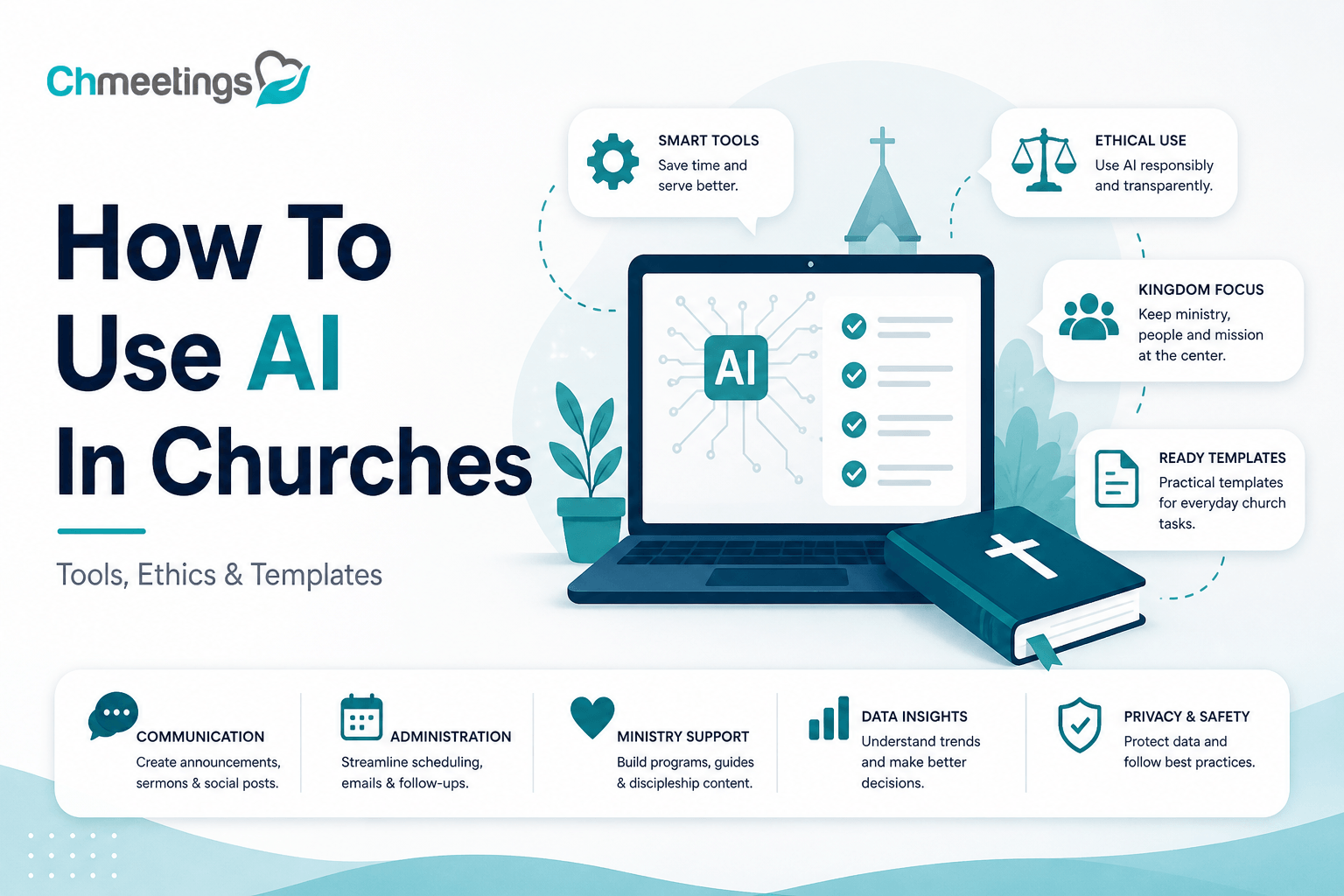

- What AI Can Do For Churches
- Adopt Clear Ethical Guidelines
- Choose The Right Tools
- Use AI For Sermons And Teaching
- Enhance Pastoral Care And Outreach
- Strengthen Discipleship And Small Groups
- Streamline Volunteer And Admin Workflows
- Increase Giving And Stewardship
- Improve Events And Communications
- Measure Success With Metrics
- Implement AI With A Playbook
- Ready Templates And Prompts
- Avoid Common Mistakes
- FAQs
What AI Can Do For Churches
Practical Ministry Use Cases

AI can help churches multiply ministry without multiplying staff. Use cases that actually matter on Sunday and in the week that follows:
- Sermon research and outline generation, pulling relevant cross references and historical context.
- Small group curriculum creation, tailoring discussion questions to age or spiritual maturity.
- Automated follow-up messages for first-time guests, new members, and volunteers.
- Worship planning assistance, suggesting song flows and chord charts that fit a theme.
- Translation and captioning for bilingual services and accessibility.
- Volunteer matching based on skills, availability, and past participation.
- Simple pastoral triage, like summarizing care requests and flagging urgent needs for a human response.
- Social media post drafts and graphics to promote events and share teaching highlights.
These are practical, repeatable ways AI can free leaders to focus on people.
Administrative Time Savings

AI speeds up many routine church tasks, shaving hours off schedules so teams can do ministry rather than paperwork. Examples that save time right away:
- Auto-generated email and text templates for event confirmations, reminders, and thank-you messages.
- Smart scheduling for volunteers that balances availability and roles.
- Automated reporting that pulls attendance, giving, and engagement trends into one view.
- Transcript and note summaries from meetings or counseling sessions.
Pair AI tools with a church management app to keep member records and communication in one place, reduce duplicate work, and make automation more reliable.
Risks And Boundaries To Recognize

AI can help, but it also brings real risks you need to name and manage:
- Theological errors, because AI lacks doctrine and context.
- Privacy leaks when sensitive member data is processed without controls.
- Overreliance, leading staff to accept AI output without verification.
- Biased or insensitive language that harms marginalized people.
- Copyright and licensing traps for images or sermon illustrations.
Set clear boundaries: use AI for drafts, suggestions, and process automation, not for pastoral judgment or final doctrinal decisions.
Adopt Clear Ethical Guidelines
Privacy, Security, And Consent Rules

Define rules up front about data and confidentiality:
- Only feed AI with data you have explicit permission to use, especially counseling notes or medical information.
- Minimize what you submit to external tools, anonymize when possible.
- Require vendors to use encryption in transit and at rest, and to explain retention policies.
- Create a consent process for recordings, automated outreach, and any AI-driven profiling.
These safeguards protect people and build trust.
Transparency And Accountability Practices
Be open about when AI is in use, and create easy ways to correct mistakes:
- Label AI-generated messages or resources so people know what they’re reading.
- Keep an audit trail of AI outputs and who approved them.
- Offer a straightforward channel for congregants to report errors or concerns.
- Train staff and volunteers to pause and verify AI recommendations.
Transparency prevents confusion and preserves accountability within ministry.
Theological Review And Human Oversight
AI must never replace human theological responsibility:
- Require a pastor or theological reviewer to approve sermons, teaching materials, and doctrinal content.
- Use a small review team for sensitive topics and pastoral care guidance.
- Keep pastoral voice and discretion central, using AI only as a research or drafting helper.
- Maintain a culture where staff can challenge AI outputs without fear.
Human oversight keeps ministry faithful and pastoral.
Choose The Right Tools
AI Tool Types And Church Uses
Match technology to real needs rather than chasing features:
- Generative text tools, for sermon outlines, emails, and curriculum drafts.
- Transcription and captioning tools, for accessibility and searchable archives.
- Chatbots and FAQ bots, for basic info like service times and event registration.
- Scheduling assistants, to optimize volunteer rosters.
- Analytics platforms, to spot attendance and giving trends.
- Image generators, for quick graphics and social posts, used carefully for copyright.
Pick tools that solve one or two clear problems, not every problem at once.
AI Versus Traditional Automation
Understand the difference so you use both well:
- Traditional automation follows rules, perfect for confirmations, receipts, and workflow triggers.
- AI handles language, pattern-finding, and nuance, useful for drafting content and summarizing conversations.
- Combine them, using AI to create a message and automation to deliver and track it.
That combo scales ministry without losing reliability.
Vendor Vetting Checklist
Before you sign up, make sure a vendor clears these practical gates:
- Data ownership and portability, can you export and delete church data easily.
- Security certifications and encryption practices.
- Compliance with relevant laws and denominational policies.
- Clear pricing and predictable limits for growing ministries.
- Evidence of reliable support and uptime.
- Ability to integrate with your church management software, or at least export/import data cleanly.
- Terms around content ownership and copyright.
A short vendor checklist avoids surprises down the road.
Use AI For Sermons And Teaching
Speeding Research And Drafting
AI can compress hours of research into useful starting points:
- Generate sermon outlines, topic summaries, and quick historical context.
- Pull a list of related scripture passages and short commentary excerpts.
- Produce multiple angle options, like narrative, expository, or topical approaches.
Always treat AI output as a research aid, not a finished sermon.
Preserving Pastoral Voice
Keep what makes your preaching distinct:
- Use AI to draft structure, then rewrite every sentence in your voice.
- Keep personal stories, congregation references, and pastoral instincts front and center.
- Create a style guide for AI use, listing preferred phrases, theological terms, and tone cues.
AI should sharpen your voice, not replace it.
Avoiding Plagiarism And Errors
Protect integrity and accuracy in teaching:
- Verify scripture citations, historic facts, and quotes against reliable sources.
- Run AI drafts through plagiarism checks and correct any lifted phrasing.
- Note when illustrations or examples come from AI and adapt them with your own attribution or reworking.
- Keep a final human review step before public delivery or publication.
These steps preserve trust and ensure teaching remains responsible and biblical.
Enhance Pastoral Care And Outreach
AI can extend your shepherding without replacing human touch, helping teams respond faster and stay organized so pastoral attention reaches more people.
Church Chatbots For First Contact
A simple chatbot on your website or messaging channels can answer service times, directions, kids ministry info, and event registration, so no guest goes unanswered at midnight. Use the bot to capture names, contact preferences, and a short note about interest, then push that data into your people records for prompt human follow-up. Keep scripts warm and the bot able to hand off to a person when questions get pastoral or the tone suggests confusion.
Triage, Confidentiality, And Crisis Safeguards
AI can flag urgent language, like mentions of harm, suicidal thoughts, or medical emergencies, so staff respond immediately. Never rely on AI to give counseling, and never feed full pastoral notes into third-party models without explicit consent. Build clear escalation rules, require human confirmation before any intervention, and keep an audit trail of who reviewed flagged items. Train models on safe keywords for your context, and make sure recordings or transcripts are stored securely and removed when no longer needed.
Personalizing Follow-Up And Support
Use AI to draft tailored follow-up messages that reference the guest’s stated needs, previous visits, or prayer requests, then have a pastor or staffer review and send. Automate reminders for check-ins, care visits, and next steps like baptism classes, while keeping the timing and tone appropriate to each person. Combine automated outreach with scheduled human contact, so people feel cared for, not processed.
Strengthen Discipleship And Small Groups
AI can help leaders create more relevant spiritual formation without more prep hours, letting small group leaders focus on relationship and discussion.
Personalized Study Plans And Paths
Create reading and study plans matched to spiritual maturity, age group, or life stage, with pacing that fits real schedules. AI can suggest daily readings, memory verses, reflection questions, and prayer focuses based on a participant’s goals. Always have a leader review plans for doctrinal fit and pastoral sensitivity.
Automating Lesson And Curriculum Ideas
Generate lesson outlines, icebreakers, scripture cross references, and multimedia suggestions tailored to the group’s size and age. Use AI to vary formats, offering discussion prompts for relational groups and sermon-style overviews for larger classes. Keep a final theological review step and adapt any illustrations so they fit your congregation’s culture.
Tracking Spiritual Growth Indicators
Track measurable signals like regular attendance, contribution to group discussion, serving involvement, steps of baptism or membership, and baptism or conversion events. Let AI surface patterns, such as members plateauing or a group with strong engagement, so leaders can respond. Link those insights to action items, like inviting someone to leader training or offering a mentoring connection.
Streamline Volunteer And Admin Workflows
AI can remove the busywork that burns volunteers out, making scheduling and tracking predictable and respectful of people’s time.
Automating Scheduling And Reminders
Use AI to propose rosters that balance availability and past participation, then send confirmations and automatic reminders by SMS or email. Allow volunteers to swap shifts or confirm availability through simple replies, with AI resolving conflicts and updating records. Automated reminders cut no‑shows and free coordinators for relational follow-up.
Matching Volunteers To Roles
Match volunteers by skills, interests, training level, and availability, so people serve where they thrive. Use past performance and feedback to suggest role changes or leadership development tracks. This reduces turnover and helps leaders build teams with complementary strengths.
Integrating With Church Management
Keep volunteer assignments, availability, background checks, and contact records centralized by integrating AI tools with your church management software, so data isn’t scattered across spreadsheets. Integration automates roster updates, attendance logging, and reporting, making follow-up and compliance easier. If you use a church management app like ChMeetings, look for native integrations or simple import/export options to keep everything in one place.
Increase Giving And Stewardship
AI can make stewardship communications more relevant and timely, while helping leaders spot trends that support sustainable ministry.
Personalized Donor Communication
Generate sincere, individualized thank-you messages, impact updates, and pledge reminders that reference specific gifts or program outcomes. Have staff approve messages so tone remains pastoral and transparent. Personalization deepens relationships without asking staff to write every note by hand.
Predictive Giving Insights
Use AI to predict giving patterns, flag donors at risk of lapsing, and identify moments to invite increased involvement, like anniversaries or changes in attendance. Those forecasts help budget more realistically and plan focused stewardship campaigns. Treat predictions as prompts for relationship work, not as cold metrics.
Ethical Guardrails For Fundraising
Set clear limits to avoid pressure or manipulation: require consent for solicitation, be transparent about how funds are used, and never exploit sensitive life events. Keep fundraising language honest and the approval chain short but human. Protect donor privacy by minimizing data shared with external AI services and by storing contribution records securely.
Improve Events And Communications
Automating Event Promotion And RSVPs
Use AI to draft targeted copy, suggest image options, and generate segmented invite lists so promotion feels personal, not generic. Create templates for different audiences, like first-time guests, families, and regular volunteers, then automate delivery windows based on past response patterns. Tie RSVPs to your registration system so confirmations, calendar adds, and QR check-ins are automatic. Always include a clear human follow-up step for high-touch events, like new member lunches or counseling signups.
Enhancing Onsite And Virtual Experiences
Apply AI to make both in-person and online attendees feel seen. Use captioning and real-time translation for accessibility, and auto-generate sermon summaries for post-service sharing. For hybrid services, route chat questions to moderators and surface common questions to the speaker team before the next teaching. Onsite, use automated check-in kiosks and badge printing to speed entry, and send tailored post-event resources based on the session attended.
Multichannel Messaging Best Practices
Match message, channel, and timing to the audience. Use email for longer updates and giving appeals, SMS for urgent reminders and confirmations, and push notifications for app users who opted in. Keep messages short, personal, and action-focused, and always include a single clear next step. Test subject lines and send times, then use those results to refine future campaigns. Respect contact preferences and make opting out simple, so trust stays intact.
Measure Success With Metrics
Core KPIs To Track (Engagement, Retention)
Track attendance frequency, repeat visit rate, small group participation, volunteer retention, and giving trends. Engagement means more than a headcount, so include actions like class signups, event RSVPs, and content consumption. Retention looks at cohorts over time, for example new guests who return within 90 days. Pick a short list of KPIs your team can actually influence, and report them consistently.
Measuring Sermon Reach And Impact
Combine quantitative and qualitative signals. Quantitative: live attendance, livestream views, podcast downloads, and page reads of sermon notes. Qualitative: sermon survey responses, social shares, and small group discussion adoption. Track which passages or topics drive the most follow-up activity, then connect that insight to teaching plans and discipleship steps.
Using Analytics To Inform Strategy
Turn patterns into action. If a campaign lifts first-time guest RSVPs but not repeat attendance, adjust follow-up touchpoints. Use A/B tests for messaging and landing pages, and measure lift before rolling changes wide. Share simple dashboards with ministry leaders, so data drives budgeting, volunteer recruitment, and content priorities, not just reporting.
Implement AI With A Playbook
60-Day Pilot Plan For Ministries

Week 1 to 2, define scope: one ministry, clear goals, and success metrics. Week 3 to 4, configure tools, connect data, and train a small core team. Weeks 5 to 8, run the pilot, collect feedback, and monitor KPIs daily or weekly. Week 9 to 10, review outcomes with stakeholders, capture learnings, and decide go or iterate. Keep the pilot narrow, for example automated event promotion plus RSVP flow, so you can prove value fast.
Training Staff And Volunteers
Focus training on what people actually do, not on every feature. Run short, hands-on sessions that cover safe prompts, review steps, and escalation rules. Create one-page cheat sheets with approved language, privacy rules, and who approves content. Pair inexperienced volunteers with a trained staffer for the first month. Reinforce learning with short refresher sessions and an internal channel for quick questions.
Scaling, Review, And Governance Rhythm
After a successful pilot, phase rollout by ministry area, not all at once. Set governance: an AI steward to manage tools, a theological reviewer to approve content, and a data custodian to oversee privacy. Establish a review rhythm, weekly during rollout, monthly after, and a formal audit quarterly. Update policies after each audit, and require recorded approvals for public-facing AI outputs.
Ready Templates And Prompts
Sample Church AI Policy Outline
- Purpose, scope, and approved use cases, simple and specific.
- Data handling rules, what can and cannot be submitted to external models.
- Privacy and consent requirements for recordings and personal data.
- Human oversight, who reviews theological and pastoral content.
- Transparency, labeling of AI-generated materials.
- Incident response, how to report and correct errors.
- Training and compliance, required sessions and record keeping.
Prompts For Sermons, Outreach, Volunteers
Use these as starting points, then edit for voice and doctrine.
- Sermon research prompt:
Summarize key biblical passages and historical context for Romans 12:1-2. Provide three sermon angles: personal holiness, practical worship, and cultural engagement. List two relevant modern illustrations and three cross references. - Outreach event blurb prompt:
Write a warm 75-word invitation for families to our summer community picnic, mention free childcare, outdoor activities, and what to bring. End with a clear RSVP link and a line inviting guests to request a prayer team. - Volunteer recruitment prompt:
Draft a 50-word recruitment message for Sunday morning greeters, mentioning one-hour commitment, training provided, and why this role matters. Include a call to sign up with a link.
Email, SMS, And Chatbot Message Templates
Short, editable templates to use with automation.
- Event confirmation email:
Subject: Thanks for signing up for {Event Name}
Body: Hi {First Name}, thanks for registering for {Event Name} on {Date} at {Time}. We’ll save a spot for you. Bring {note about kid care or what to bring}. If you need help, reply to this email or call {phone}. See you soon. - SMS reminder (48 hours):
Hi {First Name}, reminder: {Event Name} is this {Day} at {Time}. Reply YES to confirm, or HELP for more info. - Post-service follow-up (email):
Subject: Thanks for joining us today
Body: Hi {First Name}, it was great to see you. Here’s a short recap of today’s message and a link to resources. If you’d like a pastor to connect, reply MANAGER and we’ll reach out. - Volunteer shift reminder (SMS):
Hi {First Name}, you’re scheduled for {Role} this {Day} at {Time}. Please check in 15 minutes early. Reply SWAP if you need to change, and we’ll try to help. - Chatbot welcome script:
Bot: Welcome to {Church Name}. Are you looking for service times, kids ministry info, or to register for an event?
User selects, if deeper needs arise, hand off: It sounds like you want to talk with a staff member, may I send your info so someone can contact you?
Use these templates as drafts, always have a human approve content before it goes out, and keep placeholders updated so messages stay accurate.
Avoid Common Mistakes
Overreliance And Deskilling
Relying on AI to do everything erodes skills you want on staff and among volunteers. If leaders stop practicing sermon craft, pastoral listening, or volunteer coaching because AI produces first drafts, the ministry loses muscle memory. Fix it by making AI explicitly a draft tool, not a decision maker. Require every AI output to be edited by a human whose name is recorded, and rotate who writes and reviews so skills stay distributed across the team. Use short trainings that emphasize judgment calls AI cannot make, like pastoral discretion, cultural nuance, and congregational relationships.
Privacy And Data Retention Errors
Feeding sensitive member data into public models is a fast way to break trust and violate law. Common mistakes include pasting counseling notes into a chatbot, keeping transcripts longer than needed, and forgetting who can access AI logs. Create strict rules about what can be submitted to external services, anonymize whenever possible, and require vendor retention policies in writing. Keep an access log, schedule automatic deletion of transcripts after a set period, and tie any data use back to documented consent. Regularly audit storage locations, including cloud buckets and shared drives, so nothing slips through.
Theological Drift And Liturgical Misuse
AI doesn’t hold doctrine, and it can introduce language or worship suggestions that conflict with your tradition. Problems show up when teams publish AI-generated prayers, liturgies, or teaching without theological review. Prevent drift by assigning a theological reviewer for any public-facing worship or teaching material, and flag AI drafts clearly as draft content. Keep a short liturgy checklist, for example: aligns with doctrine, appropriate tone, fits congregational language, and vetted scripture references. When using AI to suggest liturgy or music, have musicians and pastors confirm suitability before use.
FAQs
What Is A Church AI Bot And When To Use It?
A church AI bot is an automated conversational tool trained to answer routine questions, handle simple registrations, and collect initial contact details. Use it for service times, directions, event RSVPs, childcare instructions, and basic FAQs so staff are freed for deeper pastoral work. Always design bots to escalate to a human when the visitor asks for prayer, reports a crisis, or requests pastoral counsel. Make the bot’s identity clear, capture contact preferences, and store responses in your people records for follow-up.
Which AI Church Tools Work With ChMS?
Most useful AI tools are text generators, transcription services, scheduling assistants, chatbots, and analytics platforms. Compatibility depends on data exchange, common formats, and APIs. Look for tools that export CSVs, integrate via Zapier or webhooks, or have open APIs so you can push contacts, registrations, and attendance into your church management software. If you use a church management app like ChMeetings, prioritize vendors that support simple import/export or offer direct integration, so member records and volunteer assignments remain centralized and avoid duplicate work.
How Do We Draft A Church AI Policy?
Start with four short sections: scope, data rules, review roles, and incident response. Scope says which ministries and tools are covered. Data rules list what may never be submitted to external models, retention timelines, and consent requirements. Review roles name who approves sermons, pastoral messages, and public communications. Incident response explains how to report an error, who will correct it, and how congregants are notified. Keep the policy one page for day-to-day use, and attach short process checklists for recording consent, theological review, and vendor vetting.
Can AI Be Used In Pastoral Counseling?
Use AI only for triage, administrative help, and drafting nonclinical resources. It can summarize intake forms, suggest referral options, and flag urgent language for human attention. It must not provide therapy, replace a pastor’s judgment, or be the sole basis for care decisions. Always get explicit consent before processing counseling notes with any external tool, keep transcripts on secure systems, and require a human pastoral response for any emotional, medical, or safety concern. Document every handoff and keep a clear escalation path to licensed professionals when needed.
What Do LDS AI Guiding Principles Look Like?
For Latter-day Saints settings, guiding principles should reflect stewardship, agency, family focus, and ecclesiastical oversight. Practical points include: align AI uses with church doctrine and local leadership approval, protect family records and children’s privacy, maintain human priesthood oversight for teaching and ordinances, and use AI to free leaders for ministering rather than replace ministry. Emphasize transparency with members about AI use, require consent for personal data processing, and ensure any teaching or doctrinal content is reviewed by authorized leaders before publication.
How Do We Train Volunteers To Use AI?
Train volunteers with short, hands-on sessions focused on their exact tasks, not the whole tool. Start with 30 to 60 minute workshops that cover safe prompting, privacy rules, and when to escalate to staff. Provide one-page cheat sheets with approved prompts, a short do/don’t list, and who to contact for theological or privacy questions. Pair volunteers with a mentor for the first four weeks, run quick role-play scenarios, and keep a shared prompt library so output stays consistent. If your volunteer workflows link to member records, show how the church management app stores interactions so data stays centralized.
How Much Does Church AI Typically Cost?
Costs vary widely based on scale and integration needs. Small-scale usage can be nearly free, using free tiers and low-cost subscriptions, roughly $0 to $50 per month. Mid-level plans for reliable text generation, transcription, and basic automation often run $30 to $200 per month. Enterprise tools, custom integrations, or secure on-prem options can push costs into the hundreds or thousands per month, plus one-time integration fees that range from a few hundred to several thousand dollars. Budget also for staff time, training, and a small contingency for consultant help during pilots. Start small, prove value, then scale to avoid overspending.





