
We’re continuing to make ChMeetings more powerful by improving the tools you use every day, from accounting to task coordination, automation, calendars, worship planning, and more
This latest round of updates introduces new ways to manage long-term assets, automate more of your administrative work, organize projects and tasks, connect AI tools, and simplify everyday work overall. Here’s a closer look at what’s new.
Payments via Forms
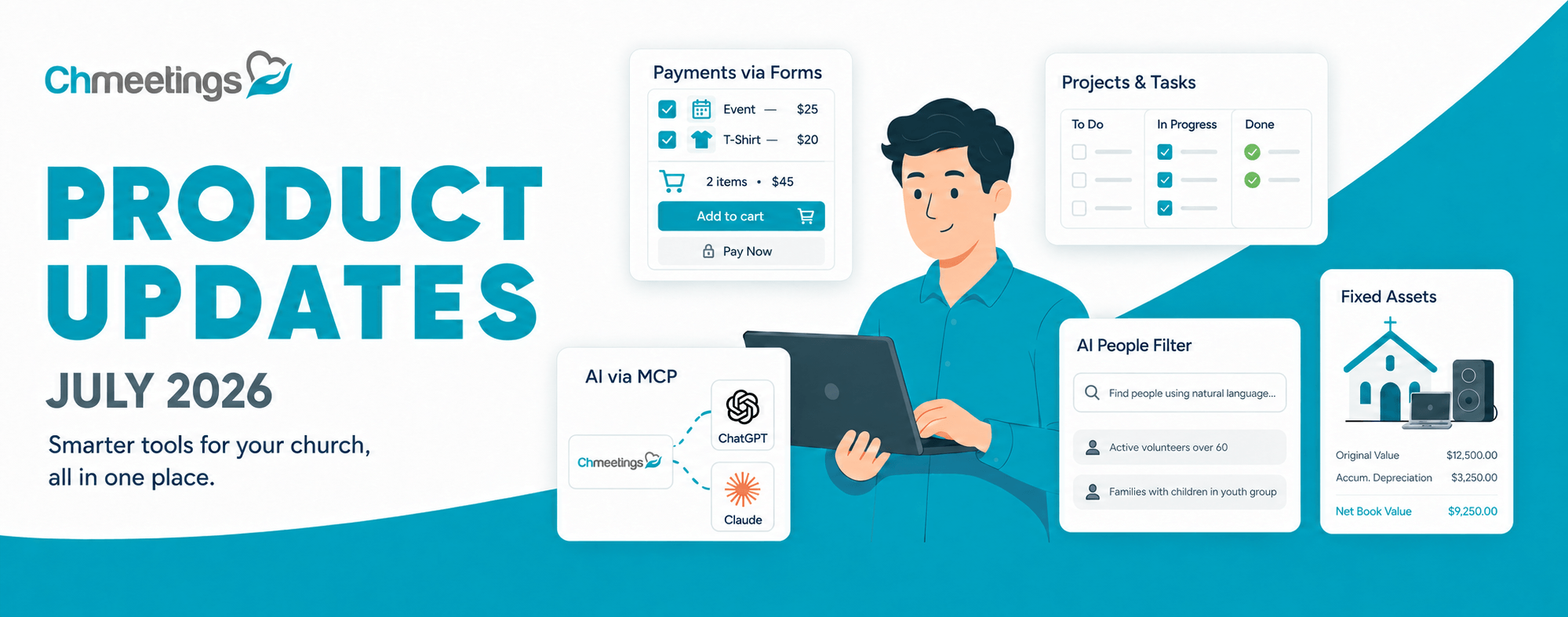
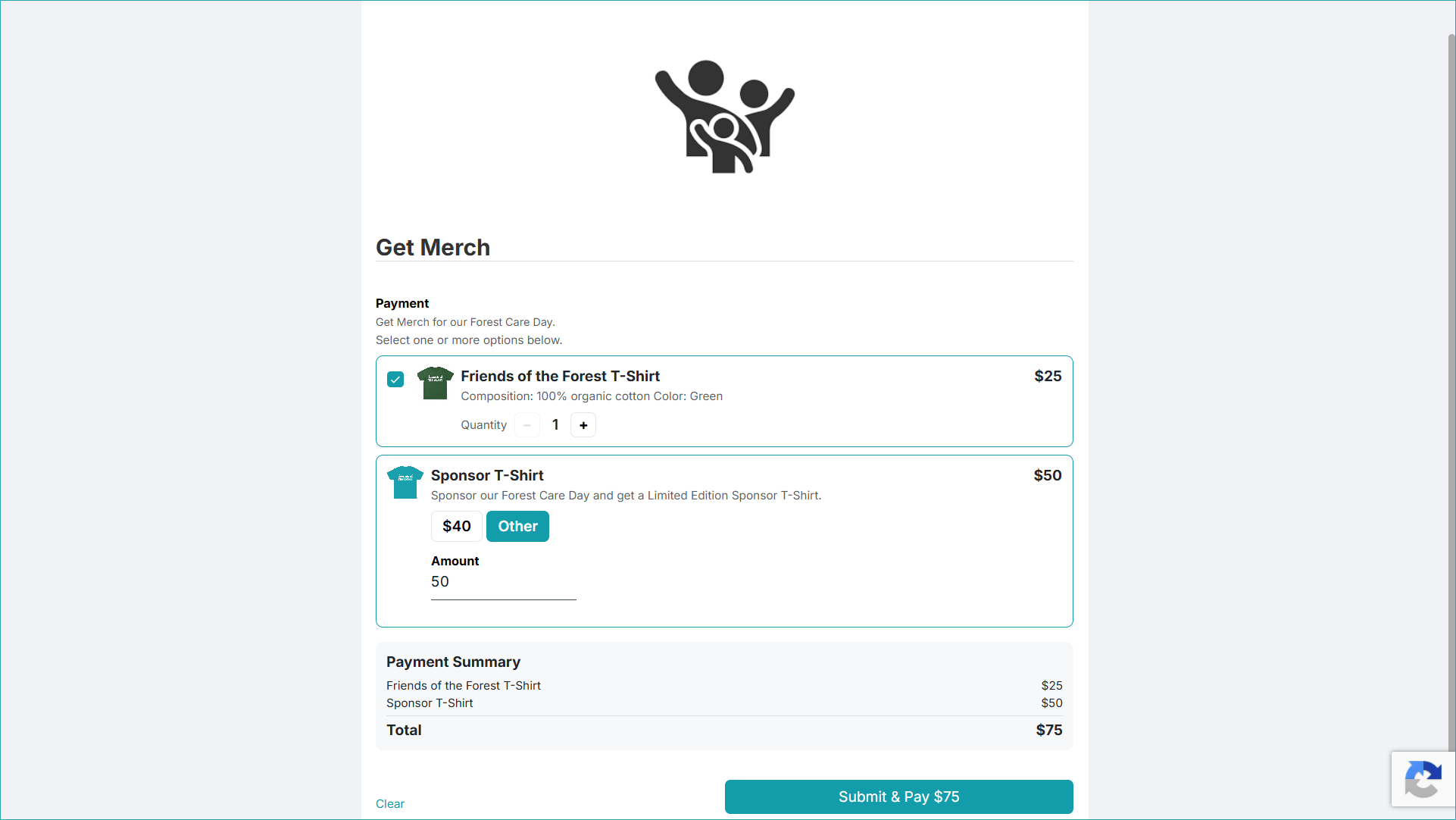
Now you can receive payments along with a form submission. You can simply add a Payment Field to which you can configure items for sale at a fixed price, or custom amount items, which can be a sale or a donation. Payments are processed using the payment provider already configured for your account. If the Payment field is linked to a Contributions Fund, payments can also be automatically recorded as contributions. You can also refund form payments, both from the form, and from Contributions, if linked.
AI Integration via MCP
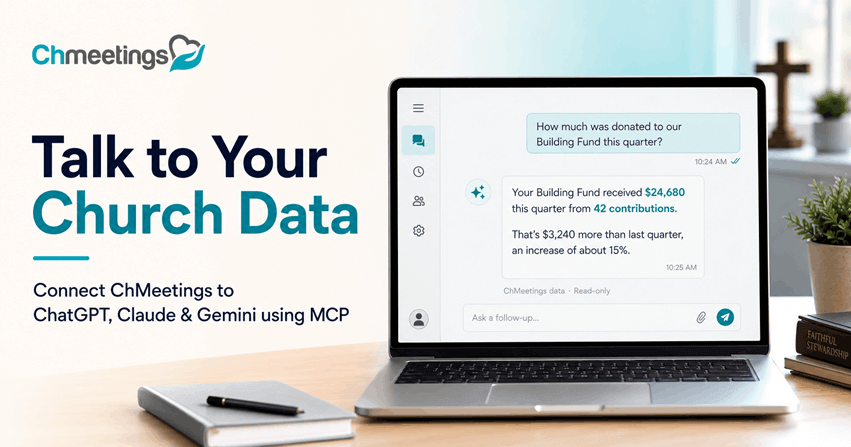
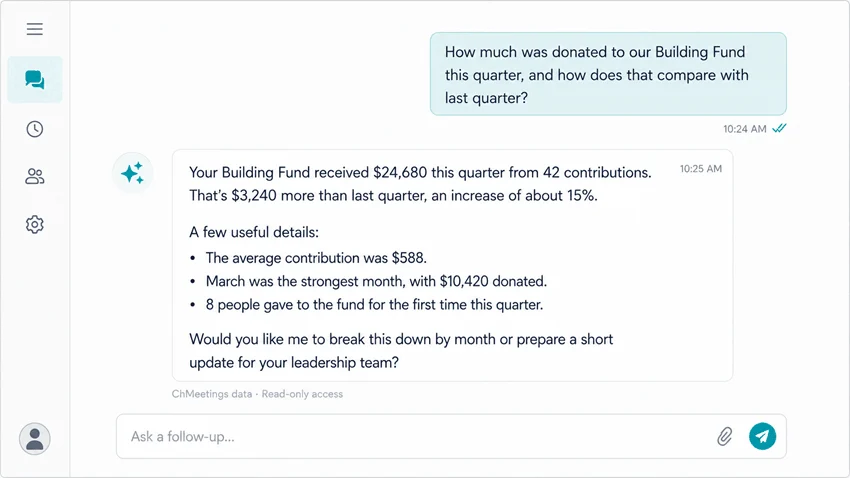
Now you can connect AI to ChMeetings and ask questions about your data in plain language. ChMeetings now supports connecting an AI tool to your account through MCP (Model Context Protocol). This opens up a new way to interact with your ChMeetings data: instead of navigating through different screens and reports to find information, you can ask questions in natural language through an AI chat conversation.
However, connecting AI to your data also introduces important considerations around data security, privacy, and accuracy. Before implementing an AI connection, we strongly recommend reviewing the available ChMeetings guidance carefully and evaluating how the AI service you choose handles your information. AI-generated answers should also be reviewed for accuracy. Please see Connect AI to ChMeetings via MCP to learn more.
Search People With AI
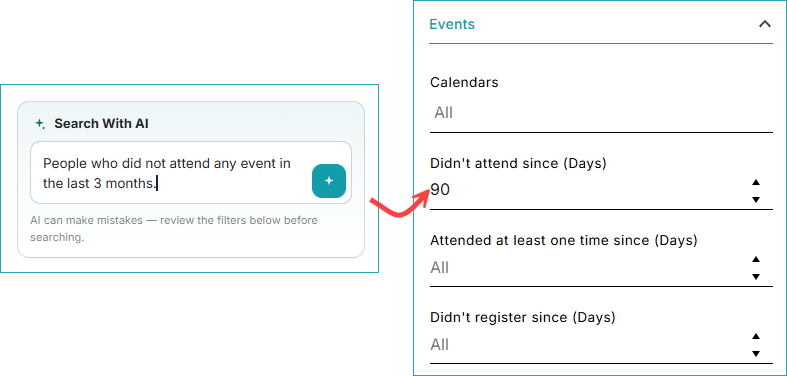
Now you can ask AI to find a specific category of people in your list. For example, you can ask to find “Men 18+ who have not attended an event in 30 days”. The AI will set the search filters according to your query, so you no longer have to. We do recommend that you double check the filters, since the feature is still in Beta and AI can make mistakes.
Accounting Updates
Track Long-Term Assets with Fixed Asset Management
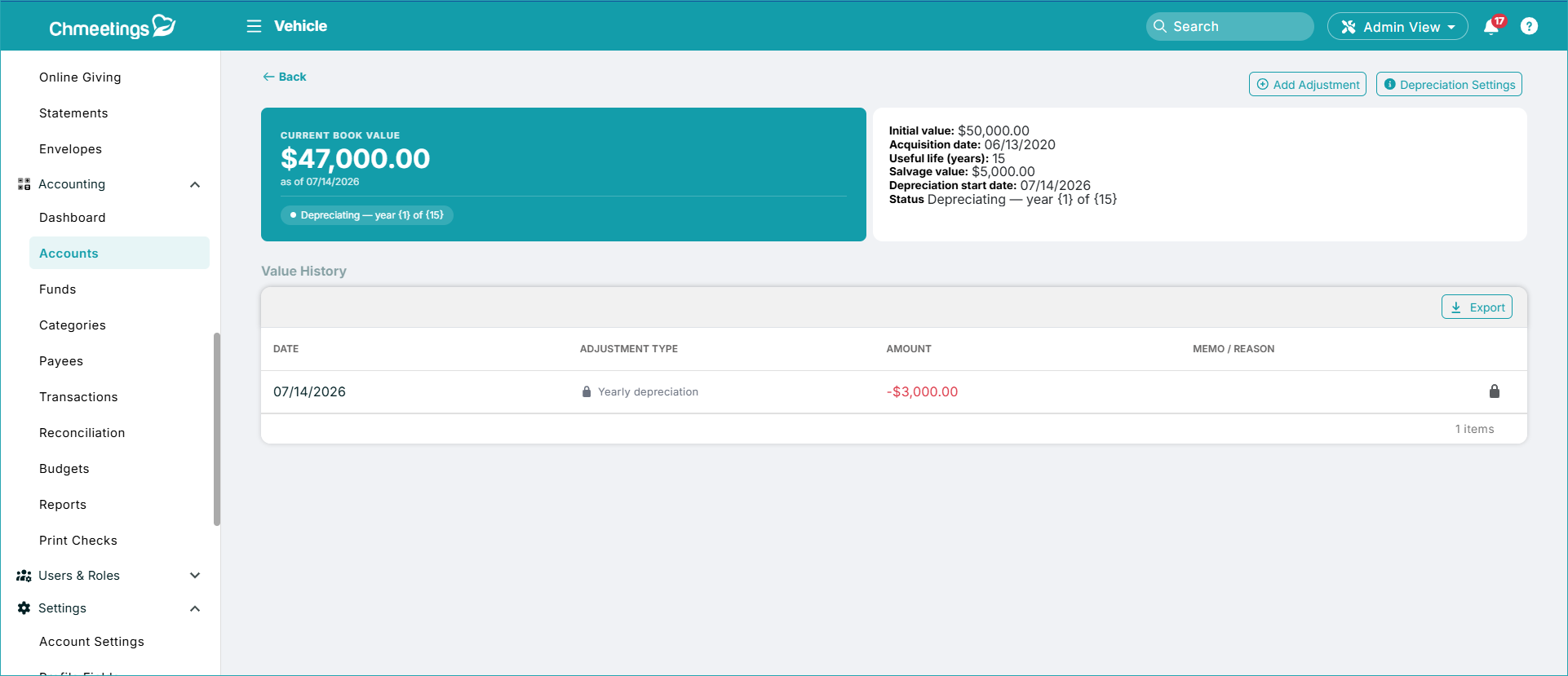
Churches often own assets that remain valuable and useful for many years, such as buildings, vehicles, equipment, and other long-term property. These need to be tracked financially. With the new Fixed Assets Management feature, you can now track these assets within ChMeetings and have them reflected appropriately in your financial reporting; more specifically your Balance Sheet. The feature lets you record your asset’s initial value, tracks depreciation, and make manual value adjustments.
Void Transactions and Checks Without Losing the Record
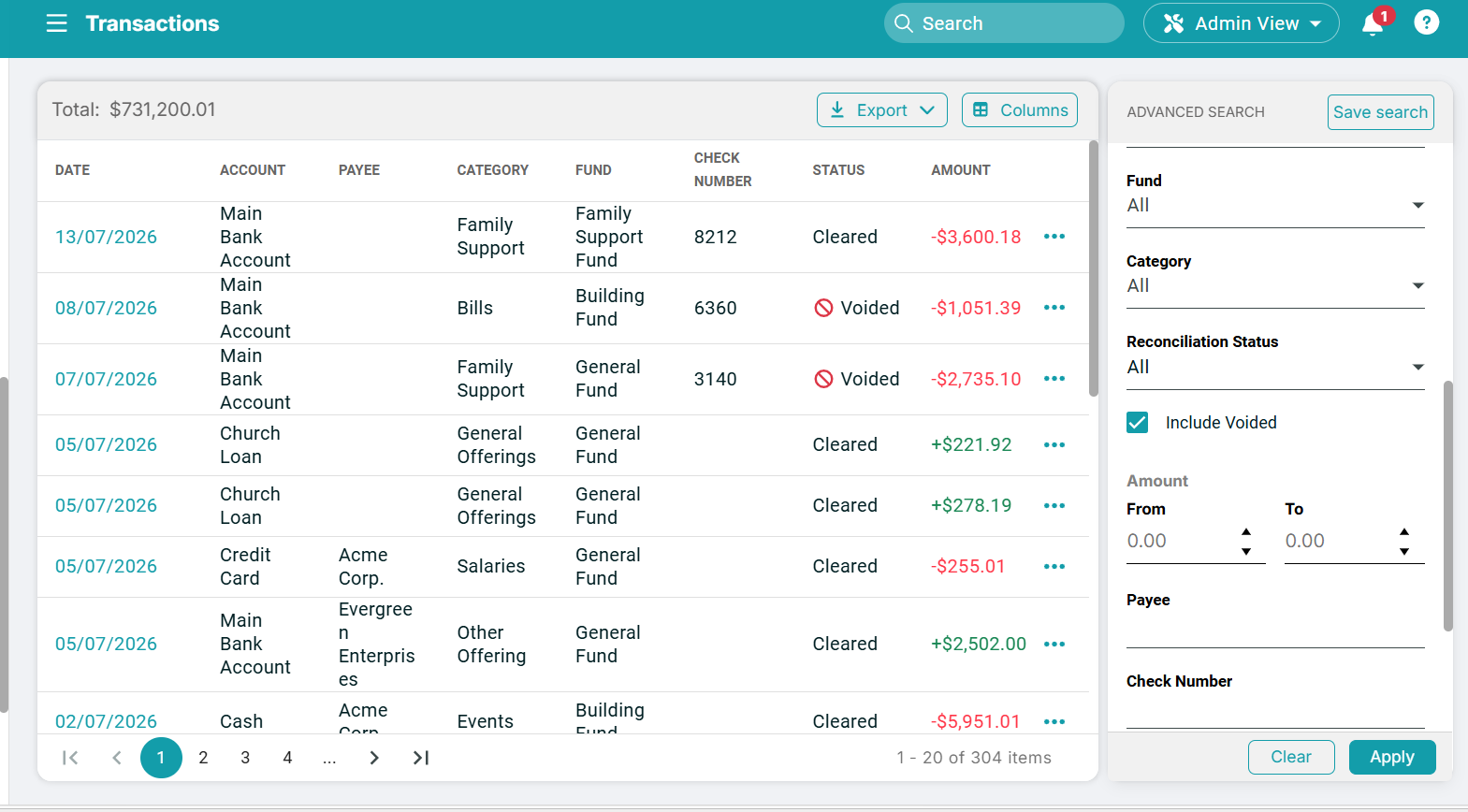
Financial records sometimes need to be corrected. A transaction may have been entered incorrectly, a payment may have been canceled, or a check may need to be voided. You can now void transactions whether or not they have an associated check number.
Voiding a transaction zeroes out its financial effect, meaning it no longer affects your balance while preserving the transaction record. This is particularly useful when you need to maintain your accounting history without deleting the original entry. Voided transactions can be identified in your main transaction list and are available when you specifically choose to include voided transactions in your search.
Save a Deposit and Start the Next One Faster
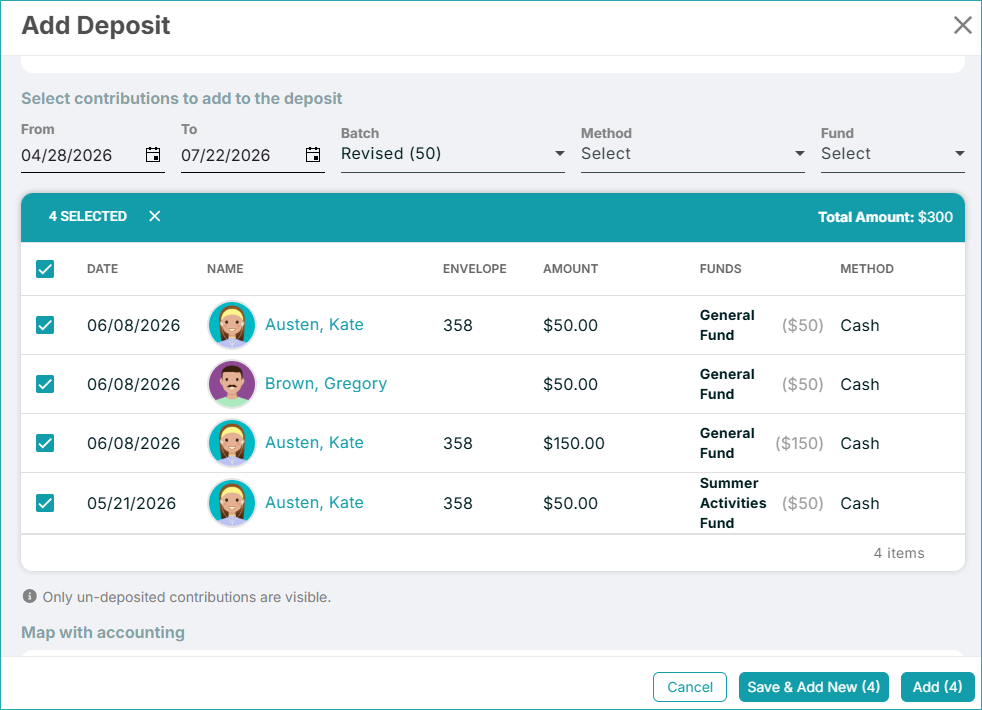
Managing contribution deposits can involve entering multiple batches, especially after services, events, or busy giving periods. The new Save & Add New option makes this process faster. Once you finish entering a deposit, you can save it and immediately begin creating another deposit without having to navigate away and start the process again.
Task Management
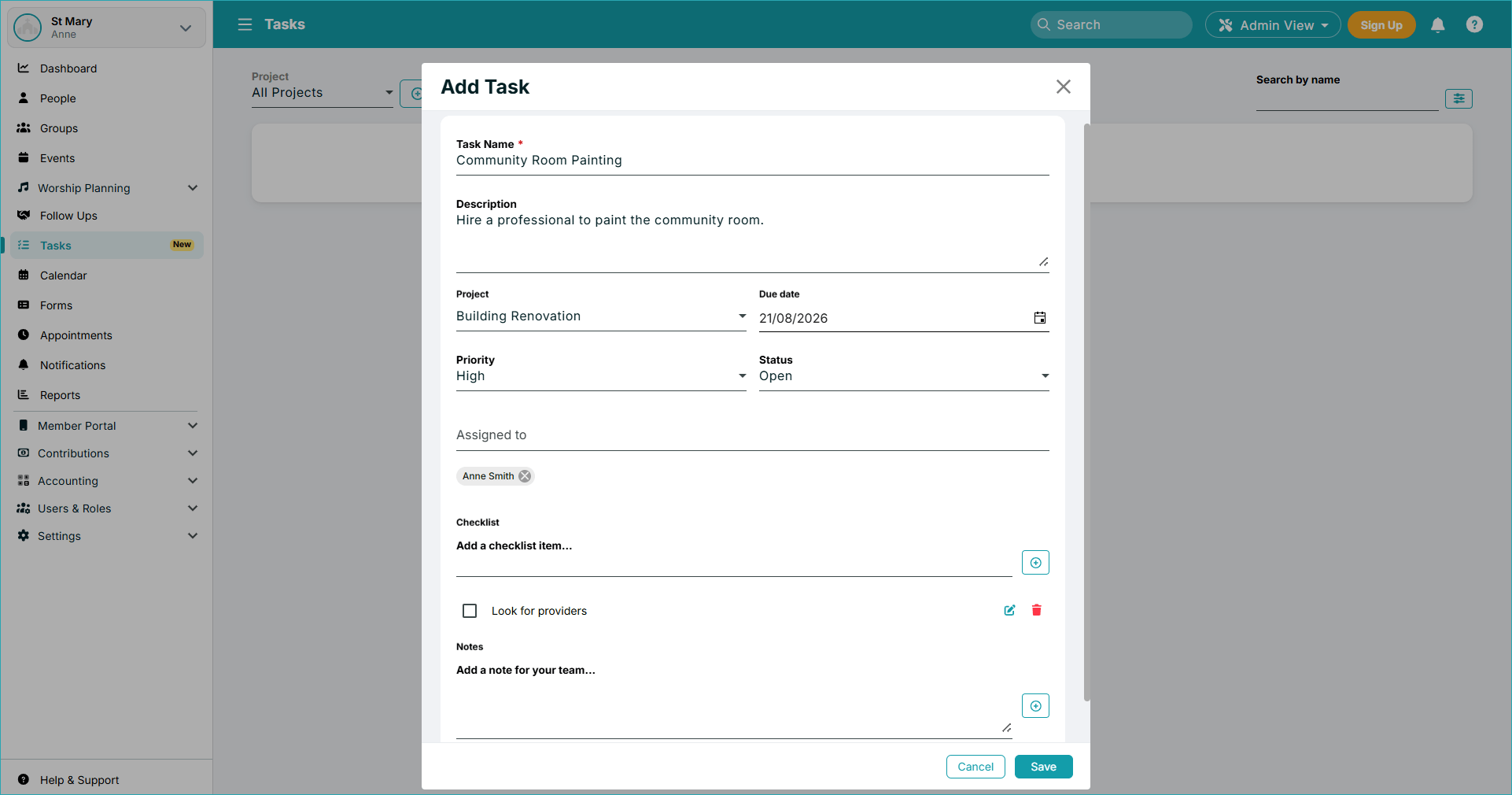
Now you can manage projects and tasks alongside your other operations because ChMeetings brings Project and Task Management directly into the platform, allowing you to organize work alongside the other information and activities you already manage. You can create projects and organize individual tasks with important details such as:Task status, Assignee, Checklist items, Notes, and associated Project. Tasks can be assigned to anyone, regardless of user role – including to Members, provided they have a Portal account.
Automated Tasks
Send Attendance Reports Automatically
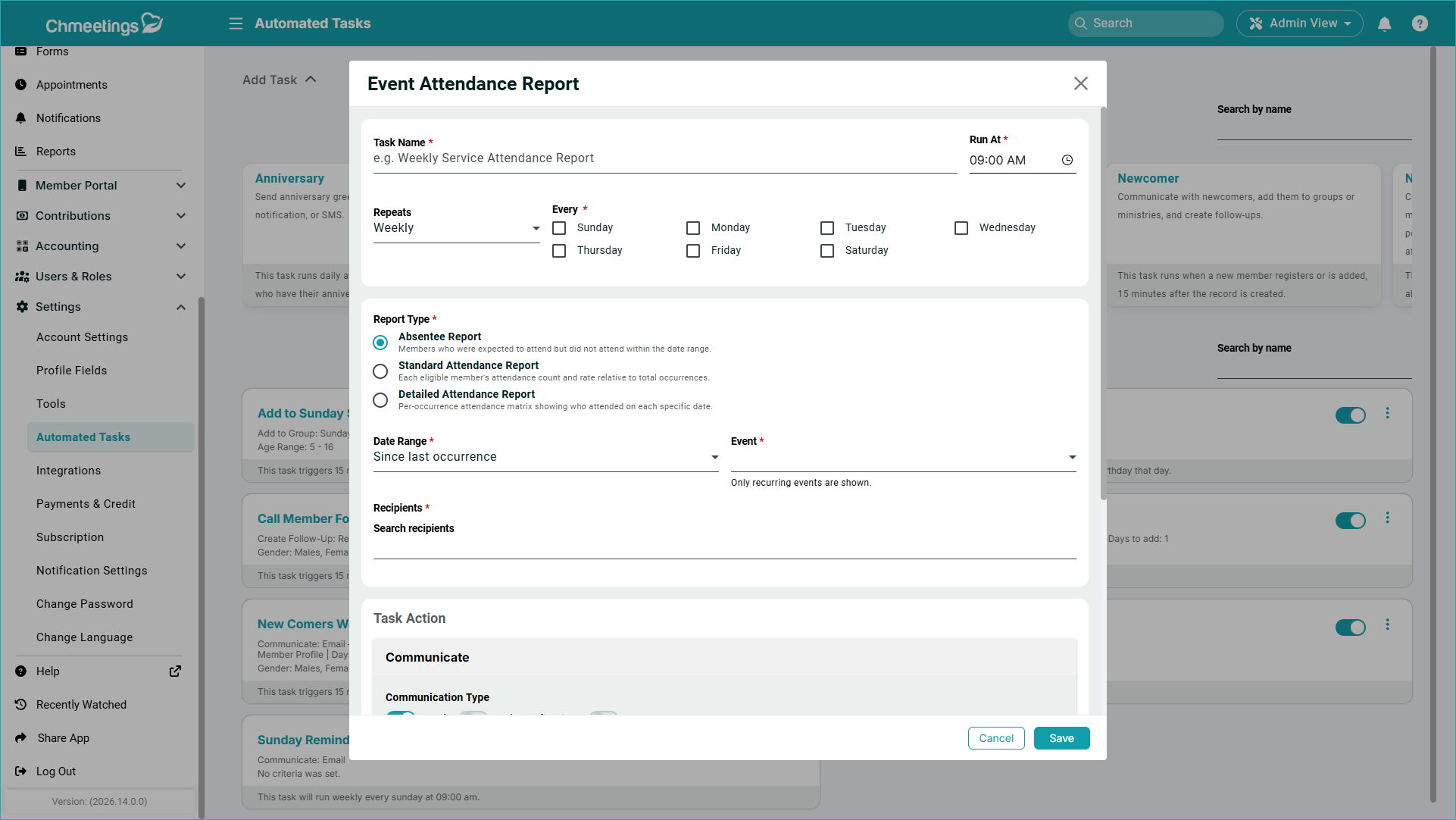
Instead of manually generating and distributing attendance information, your chosen recipients can receive reports according to the automation you configure. You can configure attendance reports to be sent automatically to selected users for specific events and date ranges. Recipients receive an email containing a link to the report, which expires in 60 days. They can get data on absentees, a standard, or a detailed attendance report.
Automatically Update Profile Fields
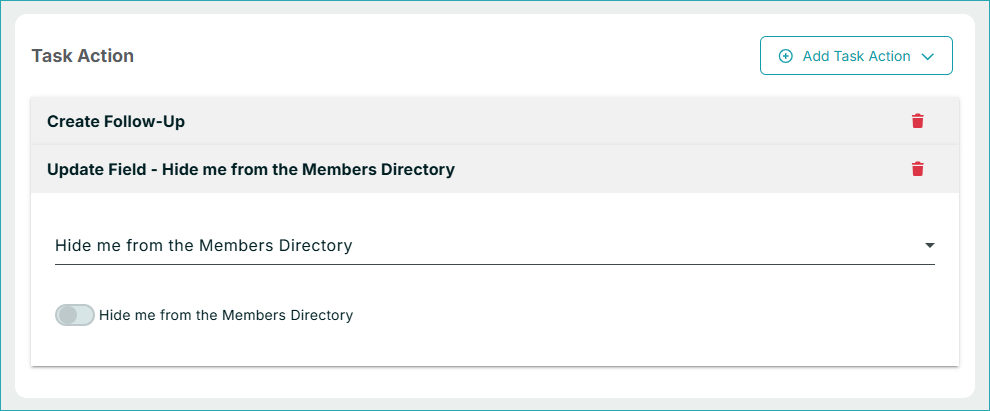
Automated Tasks can now do more than send messages or create follow-ups. A new task action lets you automatically update profile fields through the Newcomer, New Event Attendee, and Date Reminder task types. This allows your church to keep member information up to date based on activity or important dates.
More Date Options for Date Reminder Tasks
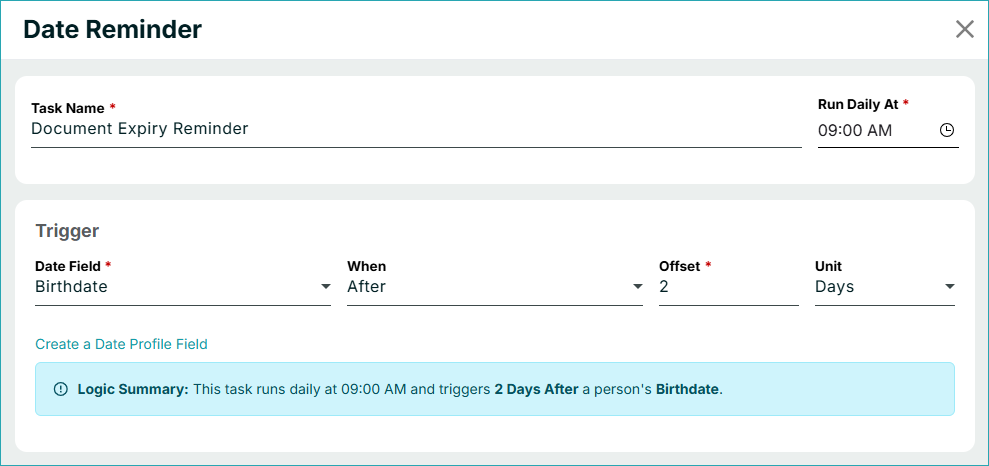
The Date Reminder task is becoming more flexible with additional date fields you can use to trigger automated actions. You can now work with dates such as: Birthdate, Anniversary, Baptism Date, and Custom Date Fields. As a quick refresher, the Date Reminder task is designed to run actions a certain number of days before or after a selected date..
Calendars, Events, and Worship Planning
Sync Birthday and Anniversary Calendars with External Apps
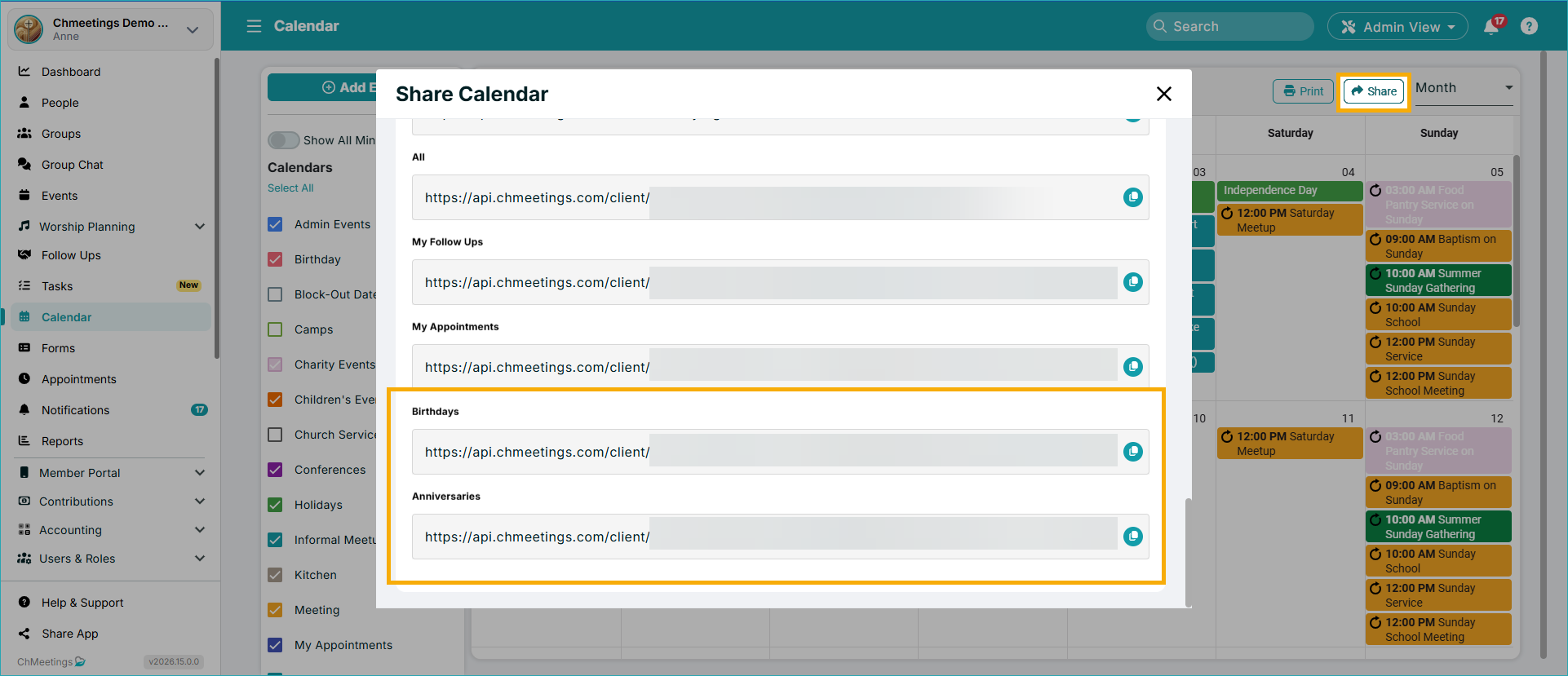
New iCal feeds for Birthday and Anniversary Calendars allow you to sync these calendars with compatible external calendar applications.
Preview Song Library Attachments Without Downloading
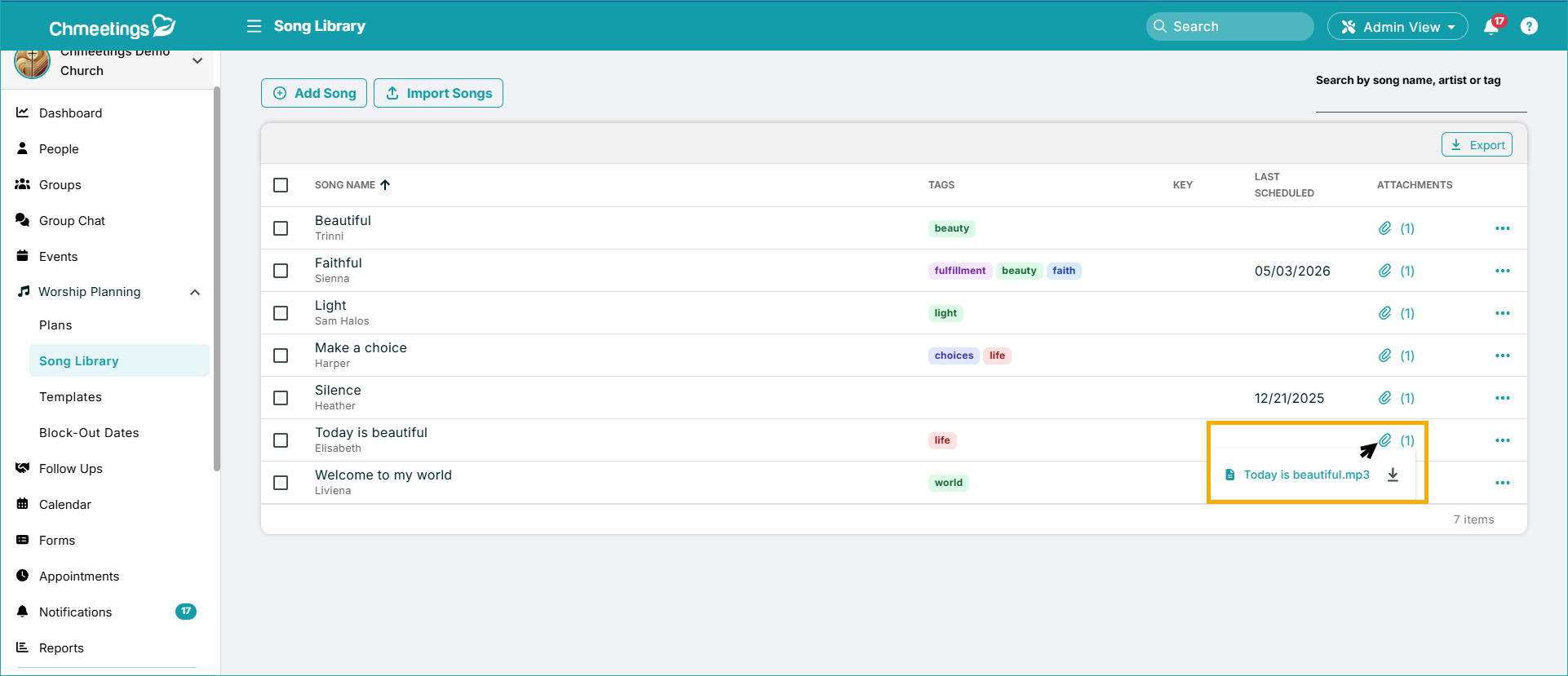
Working with your Song Library just got more convenient because you can now view or download song library attachments. If you only want to preview a file, you no longer need to download it first.
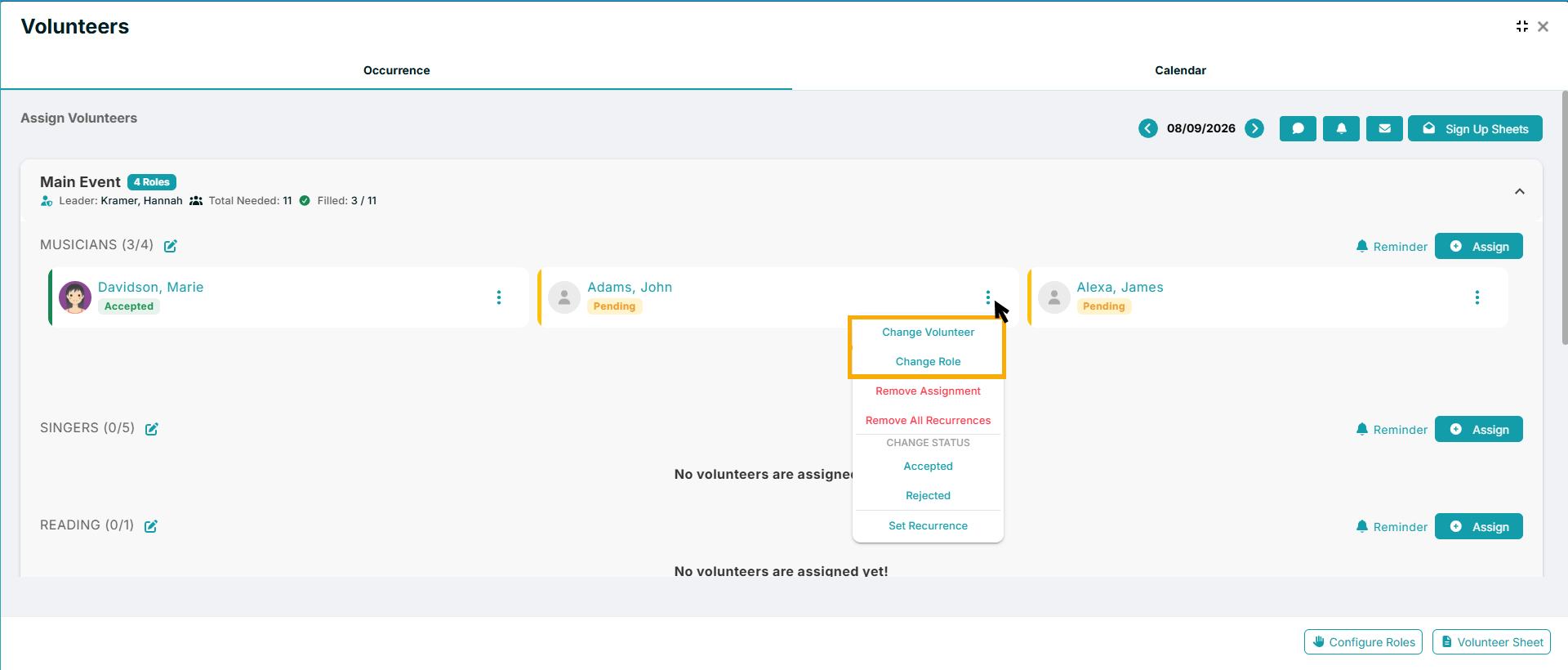
It’s Easier to Change Roles and Delete Recurring Volunteer Assignments
Managing recurring volunteer schedules can involve a lot of individual assignments. With this update, you can now delete recurring volunteer assignments without manually going through each occurrence.
More Forms Updates
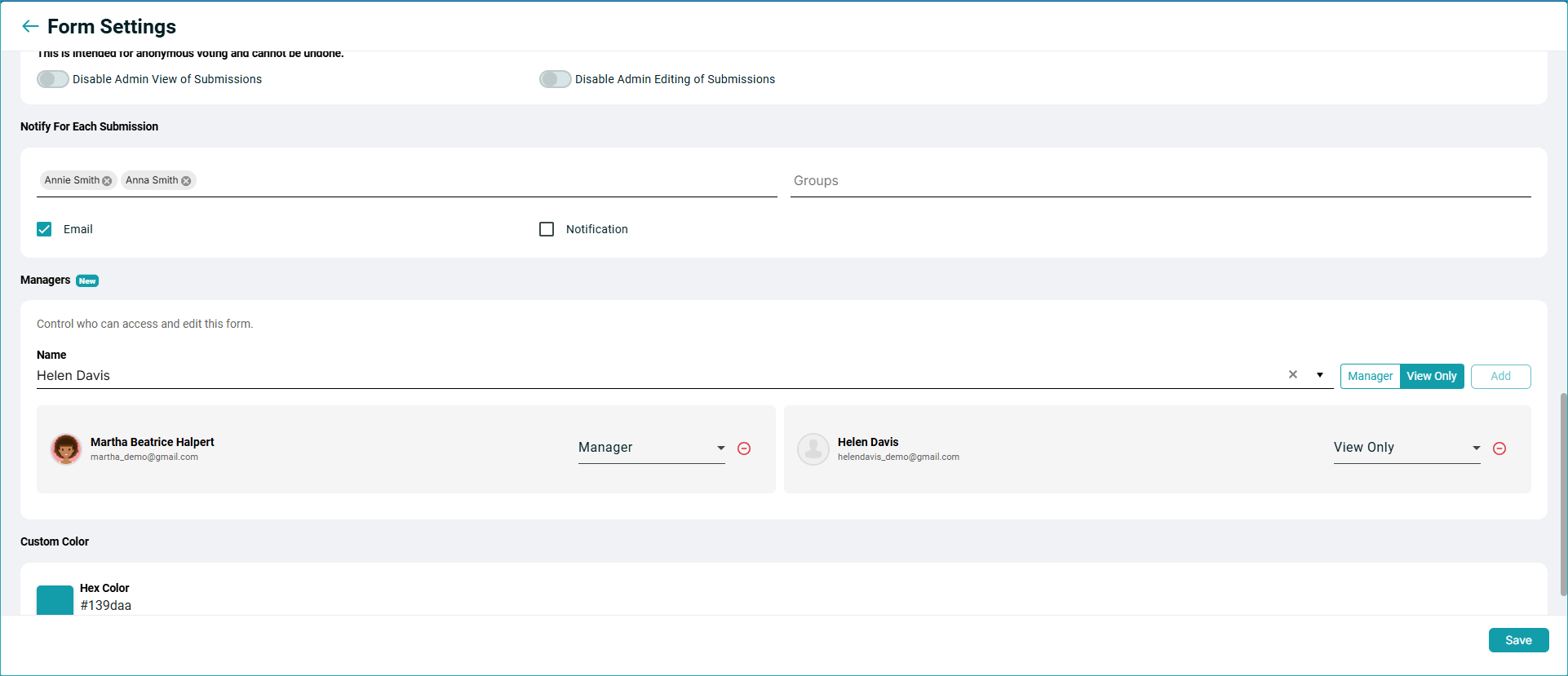
Form Managers
Now you can assign a form to someone from the Form Settings. You can assign people to manage a form even if they don’t have previous forms access (you will see their current access permissions before adding them). You can add people as managers or give them read-only access. Those who are granted access to a form will see the Forms menu within the app, but the only listed forms will be those they have access to. The feature is only available to paid accounts (including demos).
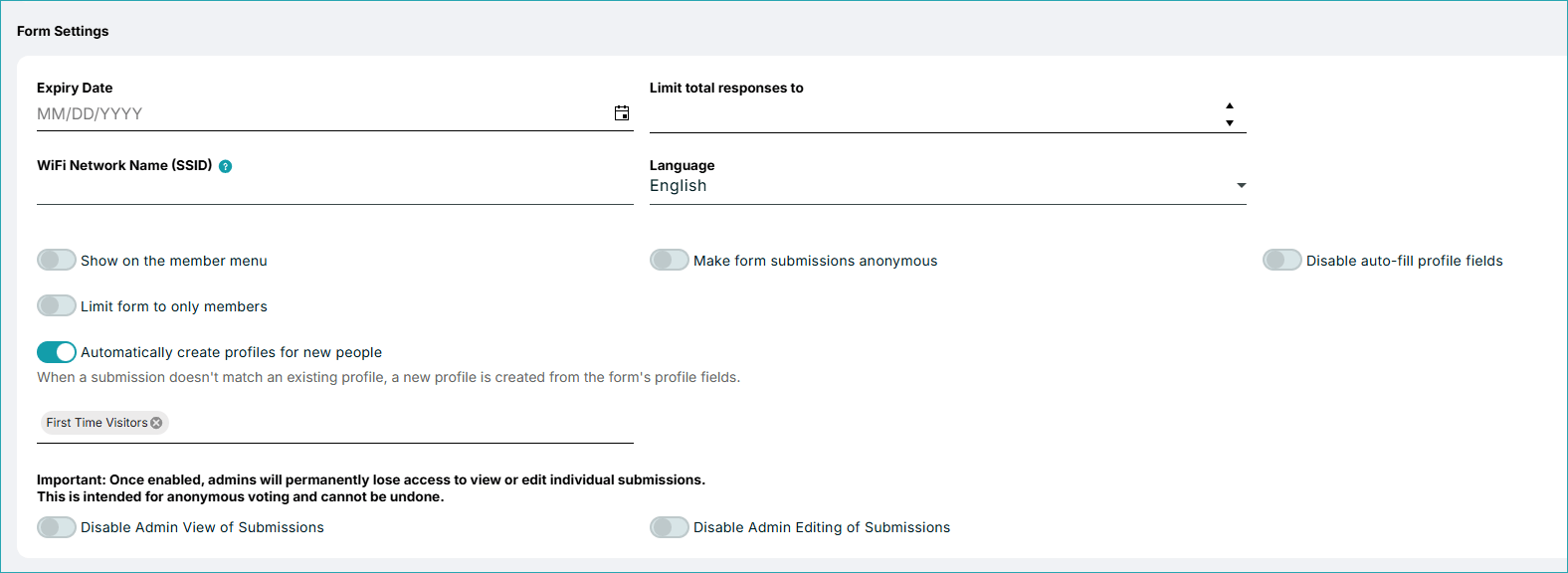
Create Profiles From New Members’ Submissions
Now you can use forms to automatically create member profiles when someone submits a form. With the new feature, anyone who submits a form and doesn’t have a profile can have one created just by submitting the form. You can also automatically add the new member to a group as part of the process. Please note: Your form must include a Name field, as it is required for automatic profile creation. We recommend adding a quick text note letting people know that they’ll have a profile created upon submission.
Group Chat (Branded App)
Mention Everyone with @all
Keeping everyone informed in a group conversation is now easier because you can use @all to mention everyone in the conversation.

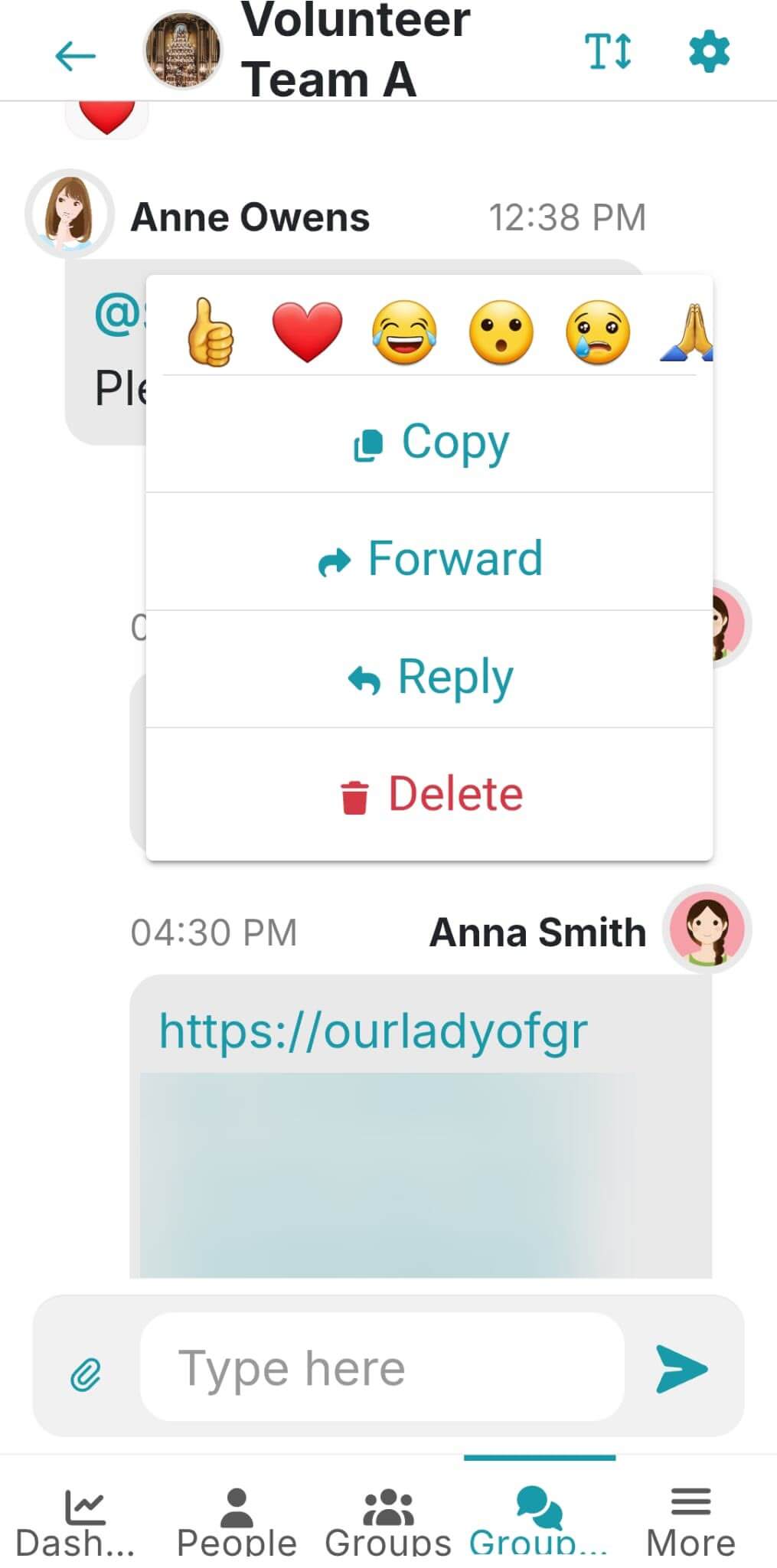
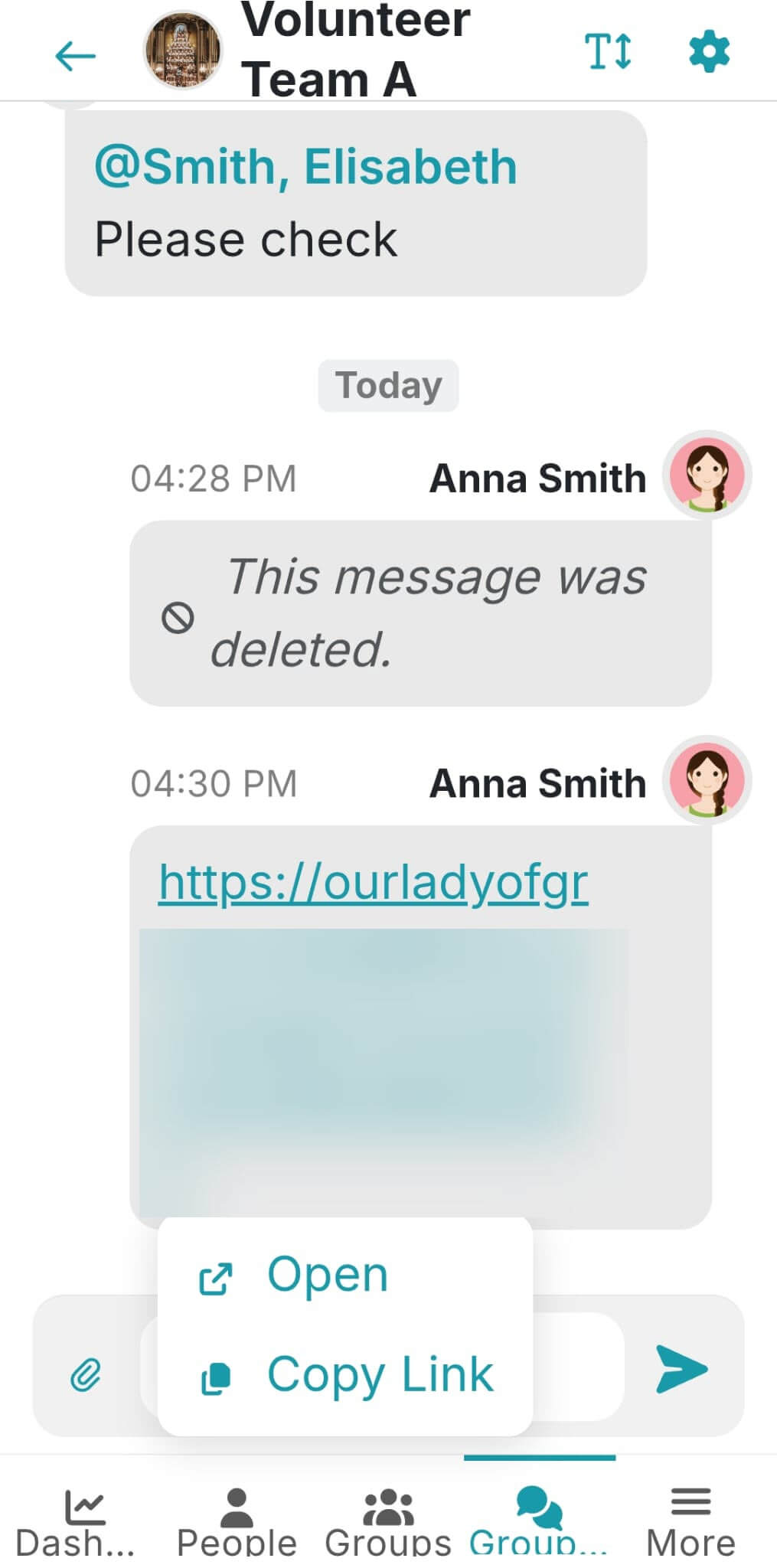
Copy Group Chat Messages and Links
You can now copy Group Chat messages and links, which makes it easier to reuse information or share relevant content elsewhere.
Other Updates
- Resend Member Portal Invitations: Now you can ensure potential members don’t miss your invite to join the portal because you can resend the invitation. People will receive a new invite, even if they got one in the past.
- Pending Follow-Up Assignment Counts: When selecting the responsible person for a follow-up, now you can see how many pending follow-ups there are already assigned to them. It helps better manage people’s workload.
- More Account Settings: Your Account Settings now let you disable the features you don’t need or enable/disable sending SMS messages to new members by default.
- First-Time Attendance Webhook:There’s a new webhook allowing you to set triggers when someone checks into an event for the first time.
- Audio Content From Mixlr: The Audio Card in the Builder now also lets you add content from Mixlr.
We hope these features help you work more efficiently and improve the church experience for your members. We would love to stay in touch. If you’d like to keep up with our regular news, please check our Release Notes, which we publish every time we release an update to ChMeetings.