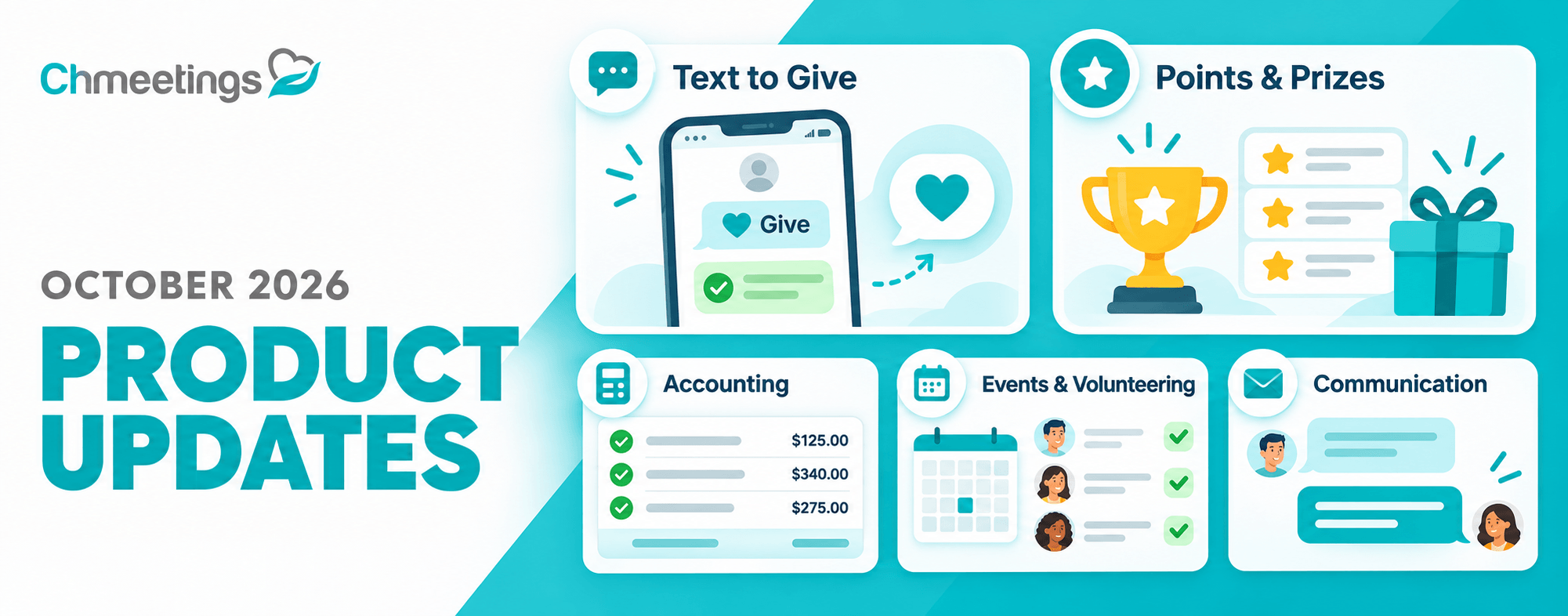

We’re excited to introduce new ChMeetings features that make giving more convenient, encourage member participation, and simplify church management. This update brings two major additions: Text to Give and Points & Prizes; alongside enhancements to accounting, volunteer scheduling, communication, member profiles, and reporting. Here’s what’s new.
Text to Give: Send a Gift with a Simple Text
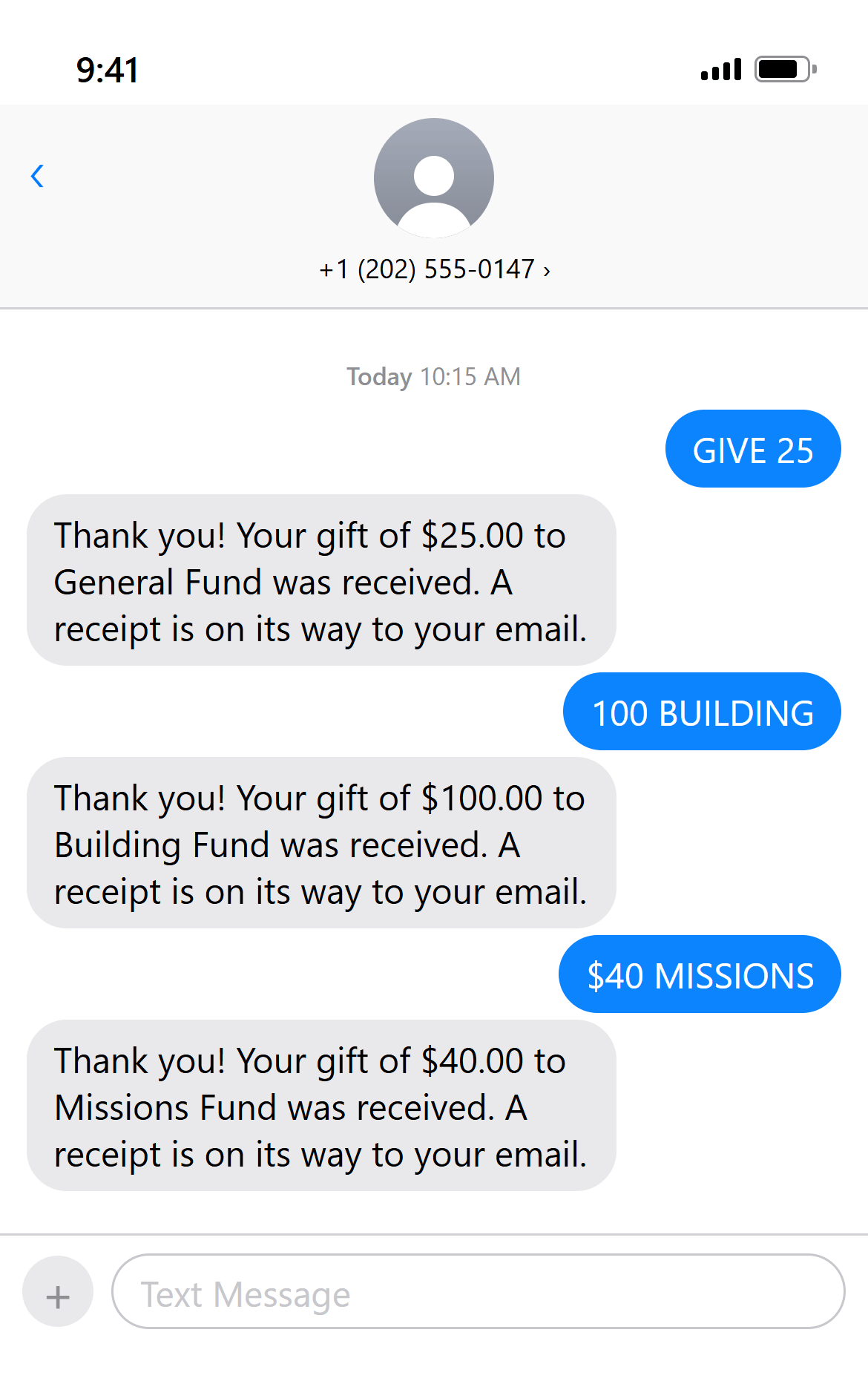
Whether during a church service, fundraising campaign, or another occasion, members now have a convenient way to contribute directly from their phones. With the new Text to Give feature, members can contribute to your church using a simple text message. Members only need to set up their payment details once. After that, they can give by texting your church’s designated number, without repeating the payment process.
Text to Give follows your existing online giving configurations, making it easy to incorporate into your church’s giving options. Members can opt out at any time, either independently or with an administrator’s assistance. Each donation is a one-time payment initiated by the member. Text to Give does not support recurring contributions, so members are only charged when they choose to give.
Encourage Participation with Points & Prizes
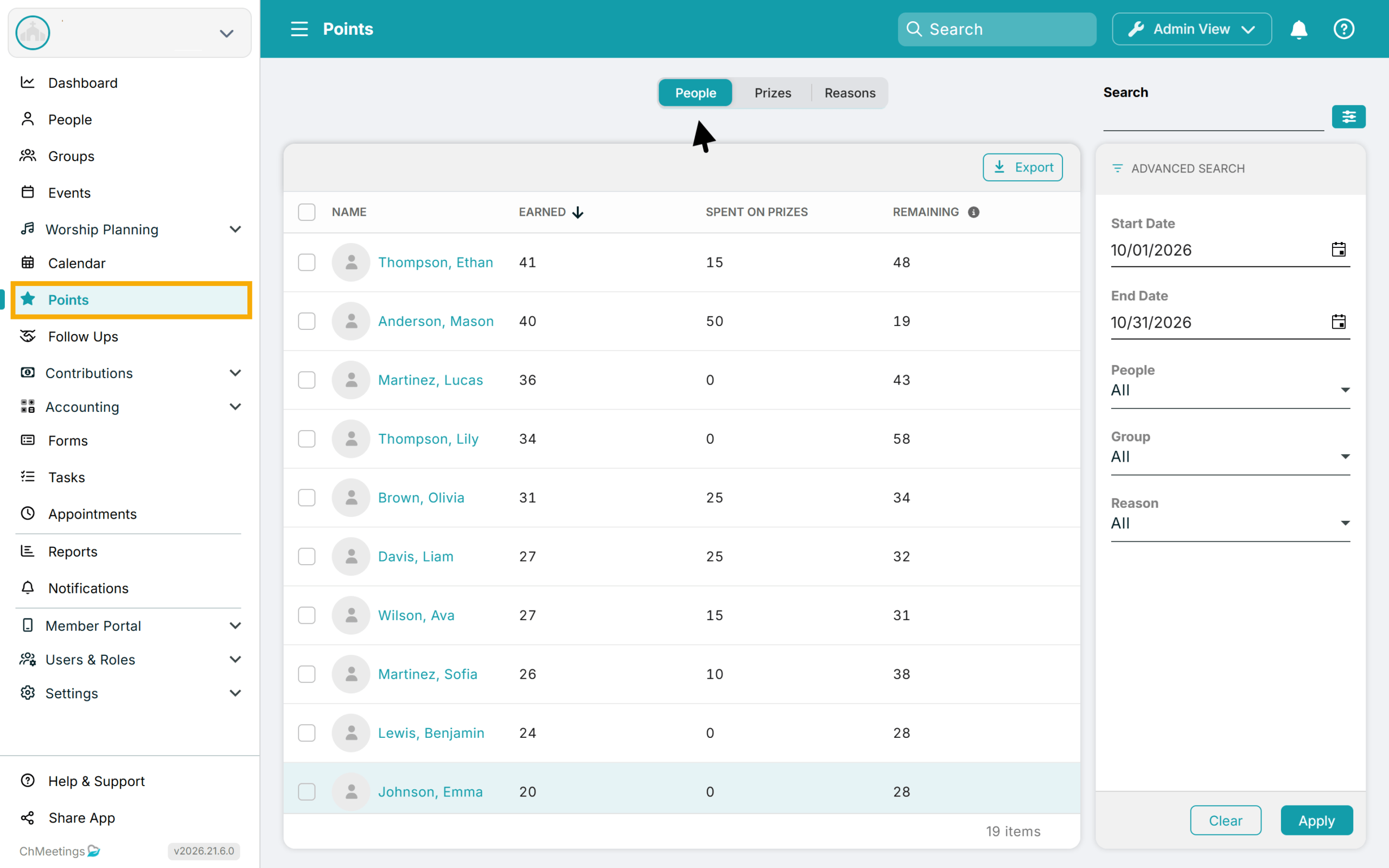
Our new Points feature introduces a way to recognize and reward members for participating in church activities. Administrators can define reasons based on which to award points, such as attending classes or participating in activities, and grant points to members accordingly.
Churches can also create Prizes that members can claim using their accumulated points. Each prize has a points cost, and members must have enough points in their balance to redeem it.
Points can remain valid indefinitely or expire annually on a date selected by the church. Through the Member Portal, members can view their points balance and what they spent on prizes.
More Control Over Church Finances
We’ve introduced several improvements to budgeting, transaction management, and giving.
Plan Budgets Month by Month
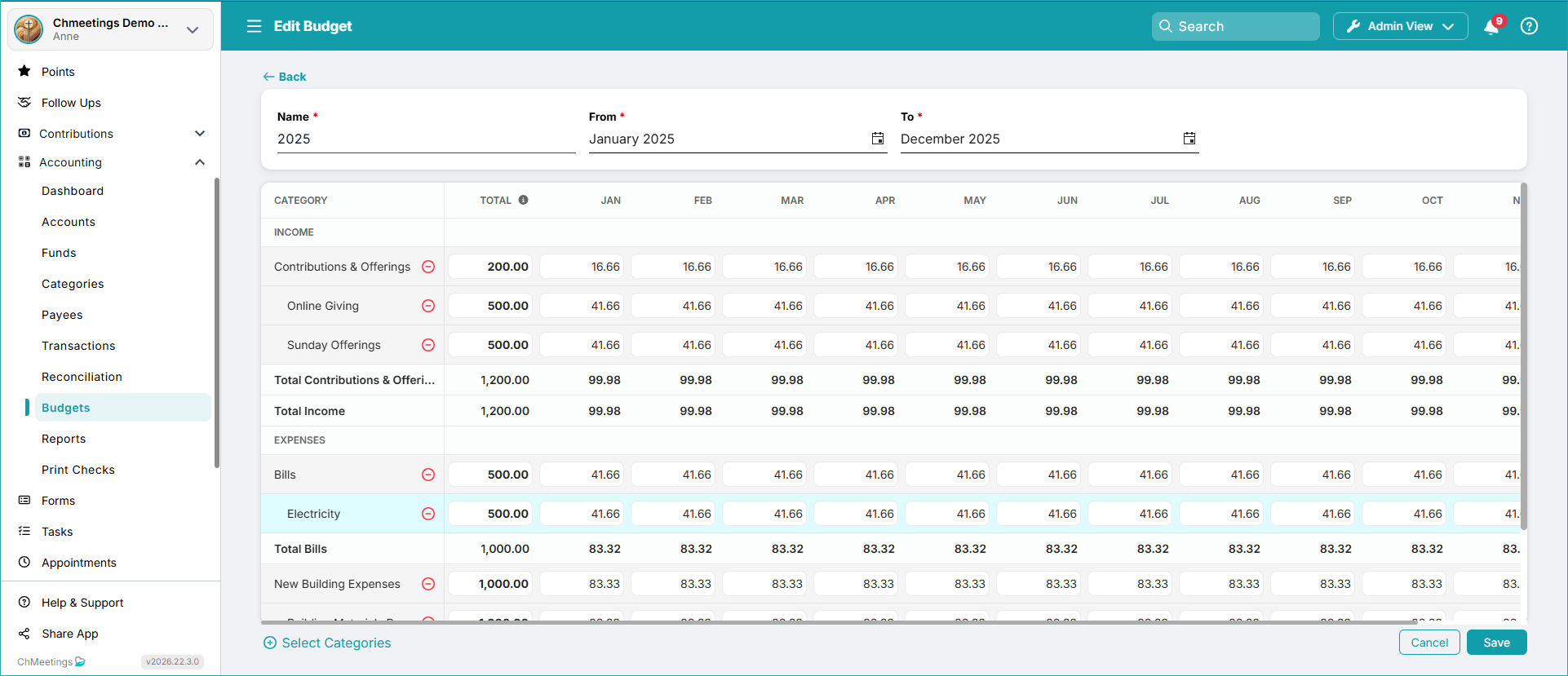
With Monthly Budget Allocations, you can now distribute budgeted amounts across individual months instead of working only with a total for the entire budget period. Each month has its own allocated amounts, giving finance teams a more detailed view of planned spending and income.
Create Transaction Import Rules Faster
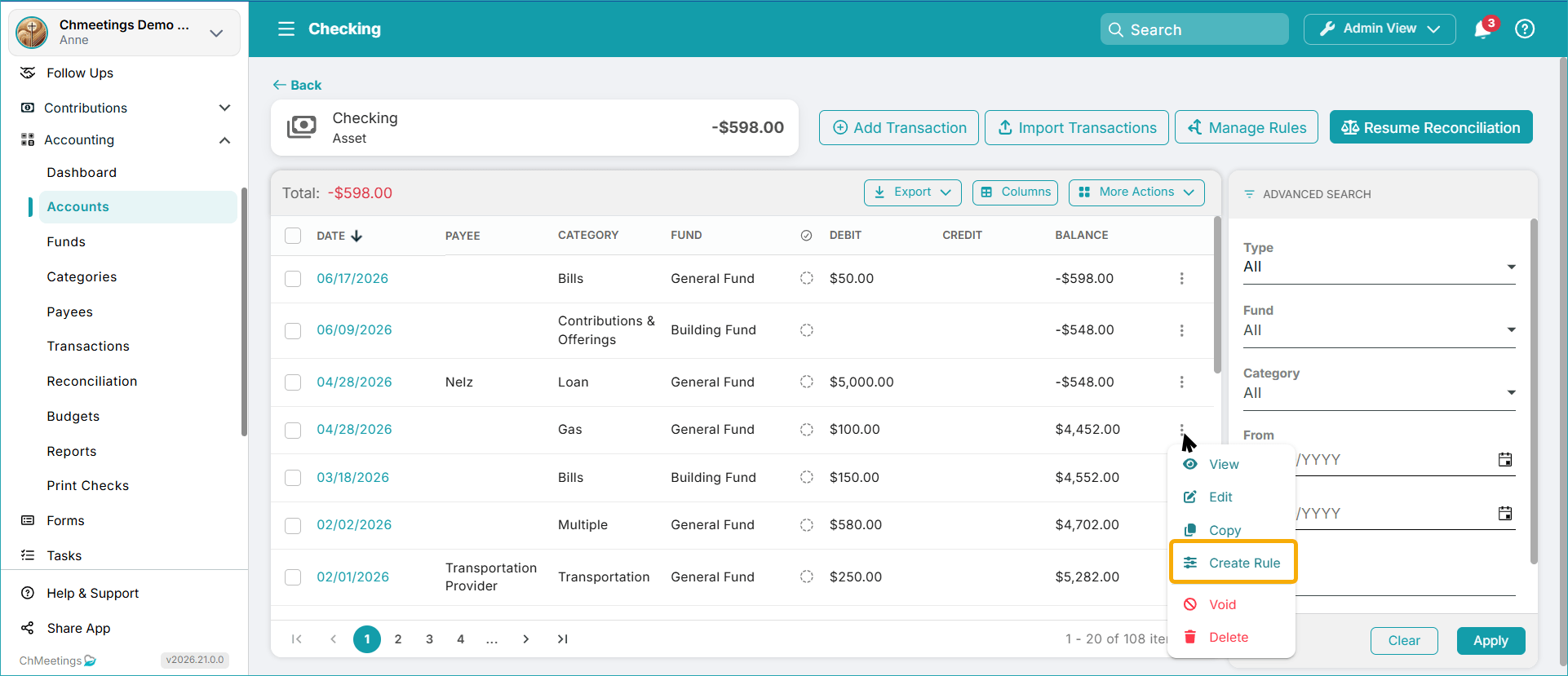
Creating transaction import rules is now more straightforward. If an existing transaction already has the correct Category, Fund, and Payee, you can use it to create a new import rule with those details automatically populated. This option is available from the transaction context menu in both the Accounts transaction list and the centralized Accounting > Transactions section.
More Accurate Contribution and Deposit Records
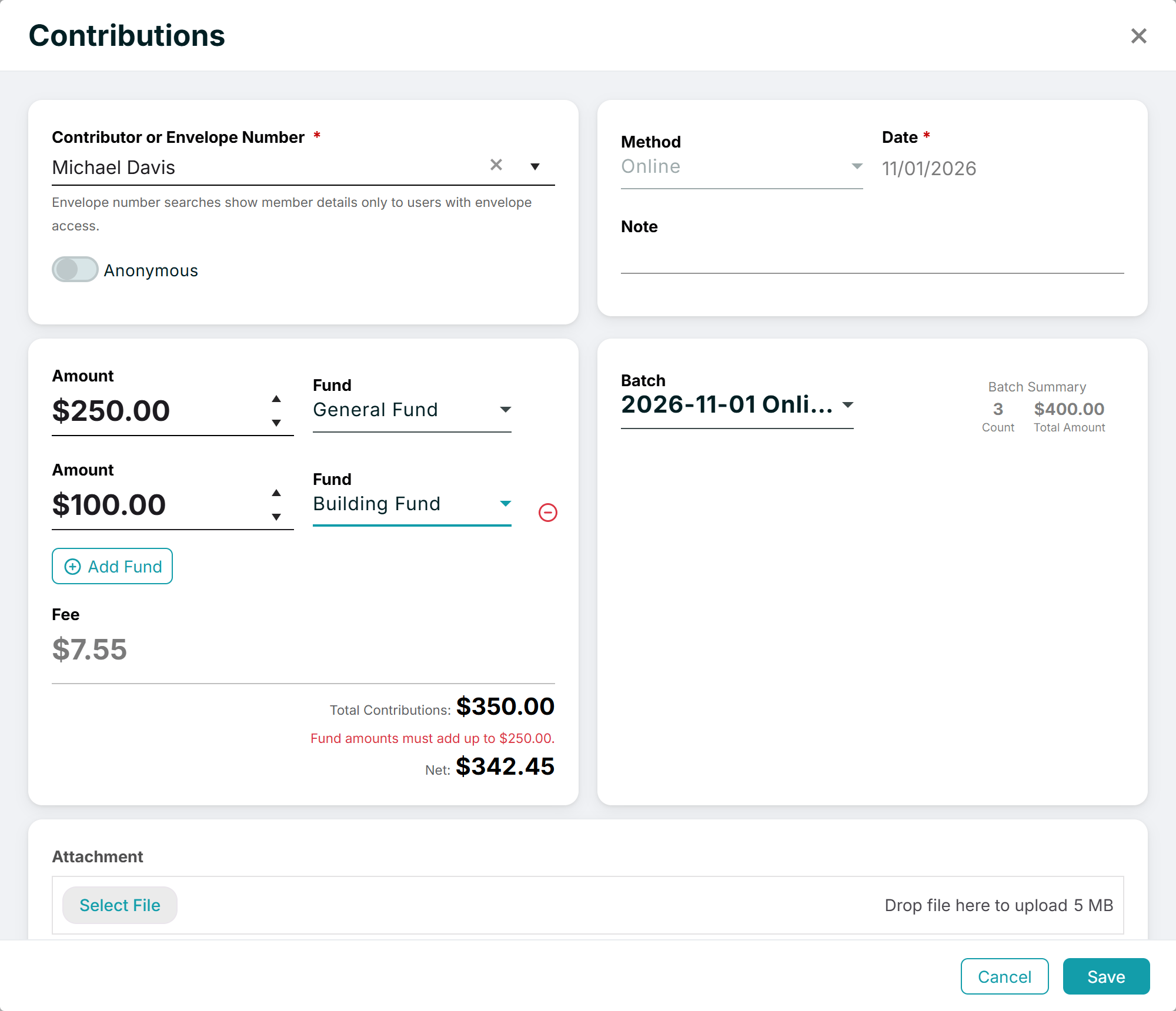
When entering a manual contribution, you can now include a processing fee, if applicable. ChMeetings records the gross amount, processing fee, and calculated net amount. Additionally, you can now edit online contributions and split the amount into multiple funds. Processing fees distribute proportionally between funds.
We’ve also added printing options for deposited contribution batches. You can print Deposit Details as a comprehensive report or as a list of checks for your bank.
Events & Volunteering Enhancements
Making paid events more accessible and coordinating volunteers is now easier with our latest updates for managing recurring assignments, tracking responses, and keeping teams organized.
More Payment Options for Paid Events
Paid event registrations now support additional bank payment methods through Stripe. Attendees in the United States can pay using ACH, while those in Australia can use BECS Direct Debit. These options are available when Stripe is configured as your payment provider.
Allow Guests to Volunteer
Now you can make volunteer signup sheets public and allow guests with no member account to volunteer for your events. You can then communicate with them just as you would with any other volunteer.

Schedule Recurring Volunteer Roles in One Go
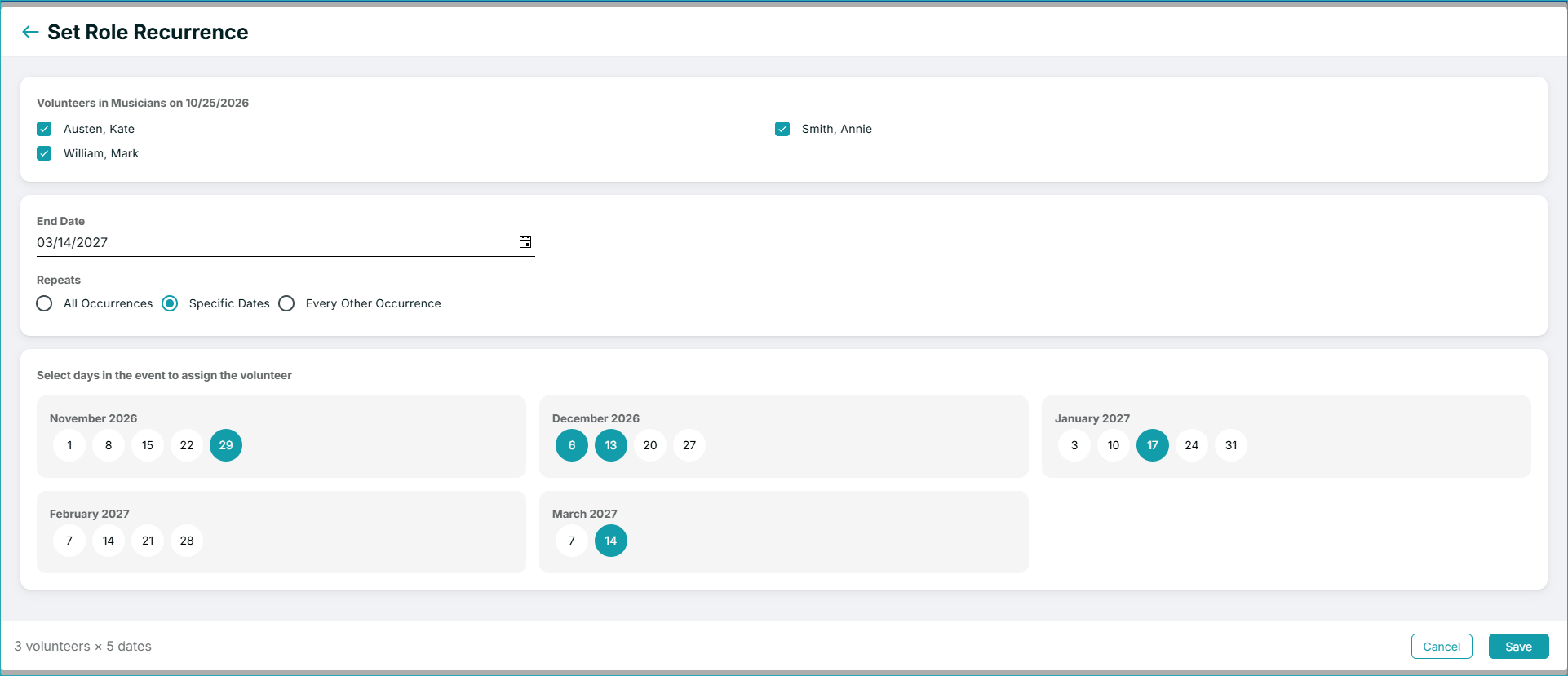
If the same volunteers regularly serve together in the same event role, you can now assign them across multiple dates at once. The new Set Role Recurrence feature lets you select volunteers, define the recurrence period, and choose the specific dates on which they should serve. You’ll find it under Volunteer Schedule > Calendar > Cell Actions > Set Role Recurrence.
Better Visibility into Volunteer Assignments
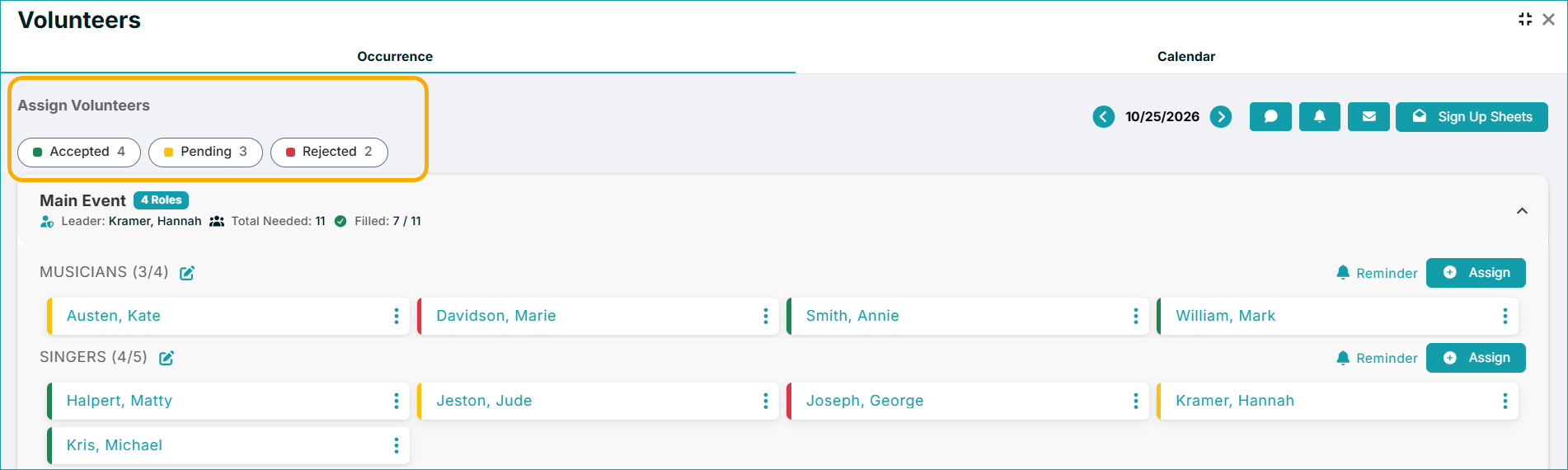
The Volunteer Schedule now includes filters for Accepted, Pending, and Rejected assignments in both the Occurrence and Calendar tabs.
You can also add volunteers to groups based on their assignment status directly from an event’s Volunteers screen. For example, volunteers who have accepted their assignments can be added to a dedicated group.
Two smaller improvements make volunteer lists easier to navigate:
- Alphabetical ordering: Volunteer lists are now sorted alphabetically.
- Date Last Served: The Served By tab now displays when each person in the Usually Served By list last served. The Served By tab remains informational; appearing on this list doesn’t mean someone is currently assigned to serve.
More Flexible Communication
We’ve expanded automated communications, made sending emails more efficient, and introduced more visibility into blog engagement.
Add Attachments to Automated Communications
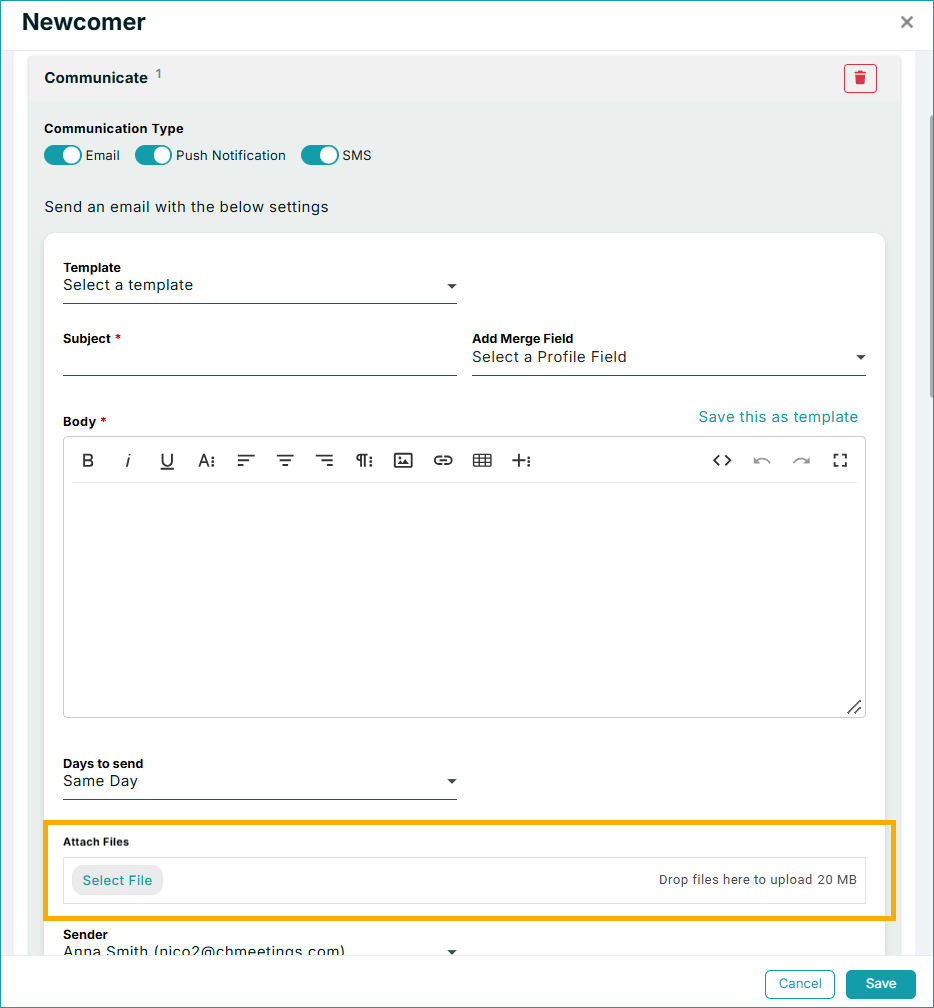
Automated Tasks now support file attachments in emails and push notifications. You can include images and other files of up to 20 MB, just as you would when sending messages manually. For push notifications, the first attached image is automatically used as a banner.
Send Emails More Efficiently
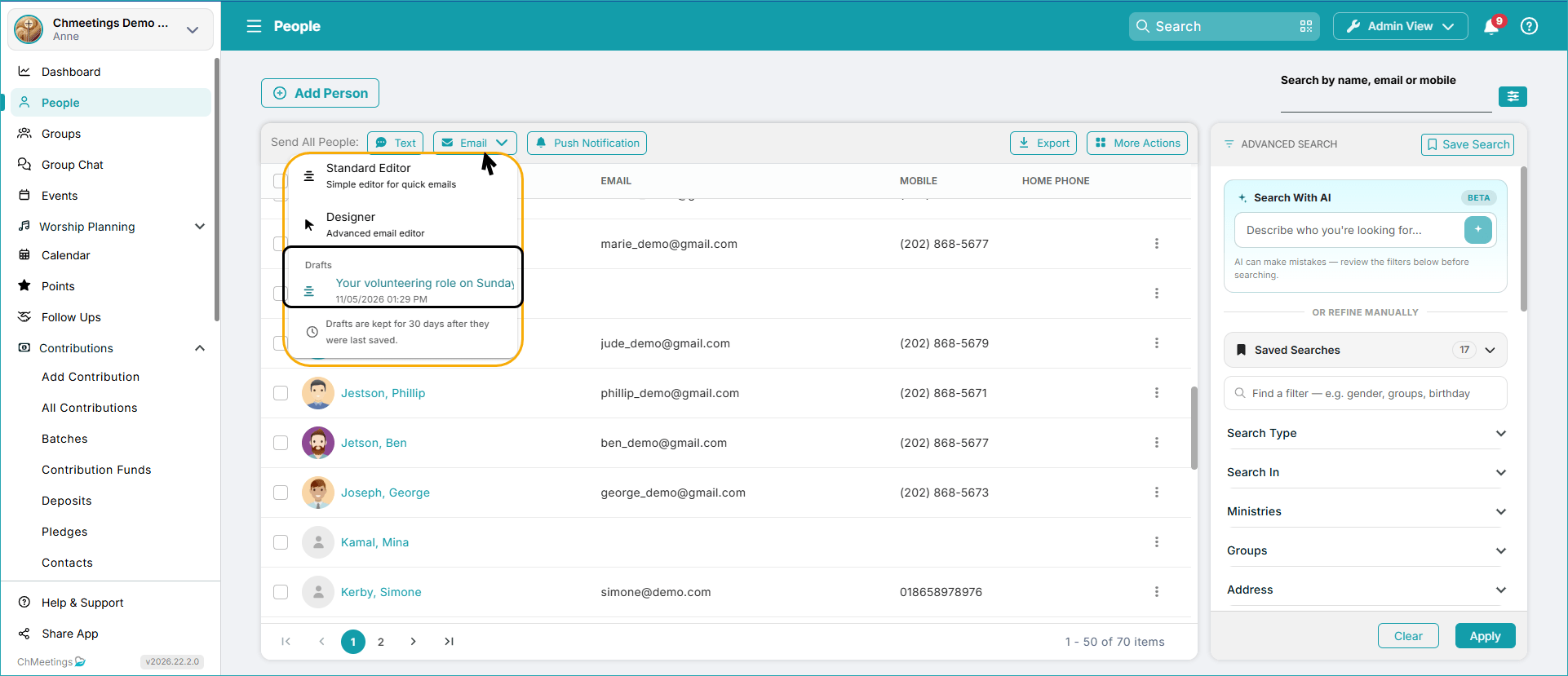
When sending emails, you can now save your text as a draft and retrieve it later, from your Email menu, everywhere people are listed (i.e.: in People, Groups, Event Attendance, etc.). Saved drafts are kept for 30 days.
In addition, records in the Email History Report now offers more ways to reuse previously sent messages. You can copy an email, modify its content, send it to new recipients, or save it as a template. You can also resend the original email to all previous recipients or only to those whose email delivery failed.
See Who Viewed Your Blog Posts
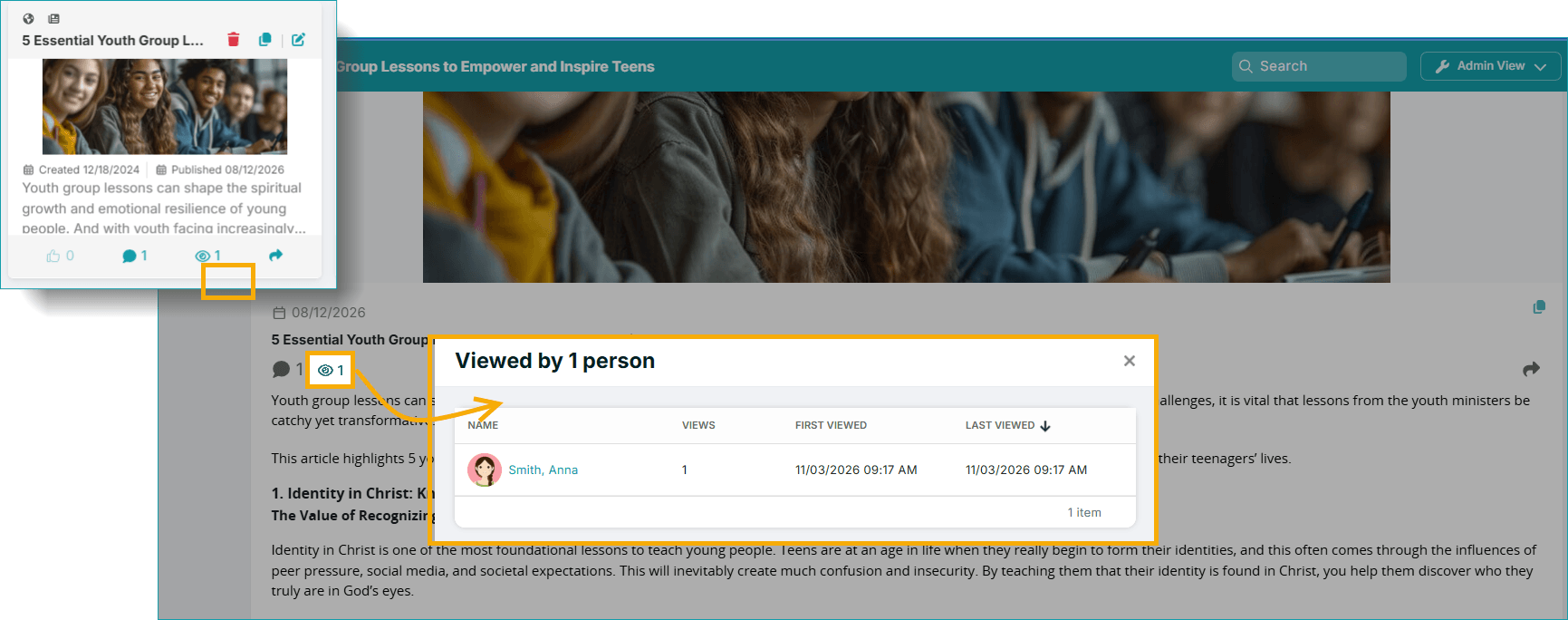
ChMeetings blog posts now include an eye icon that displays viewing information, showing you dentifiable members who have viewed a post, along with the number of guest views.
Better Member Data and Easier Reporting
Our latest updates also introduce more consistent profile fields and quicker access to reports.
Standardized Member Information with Lookup Fields
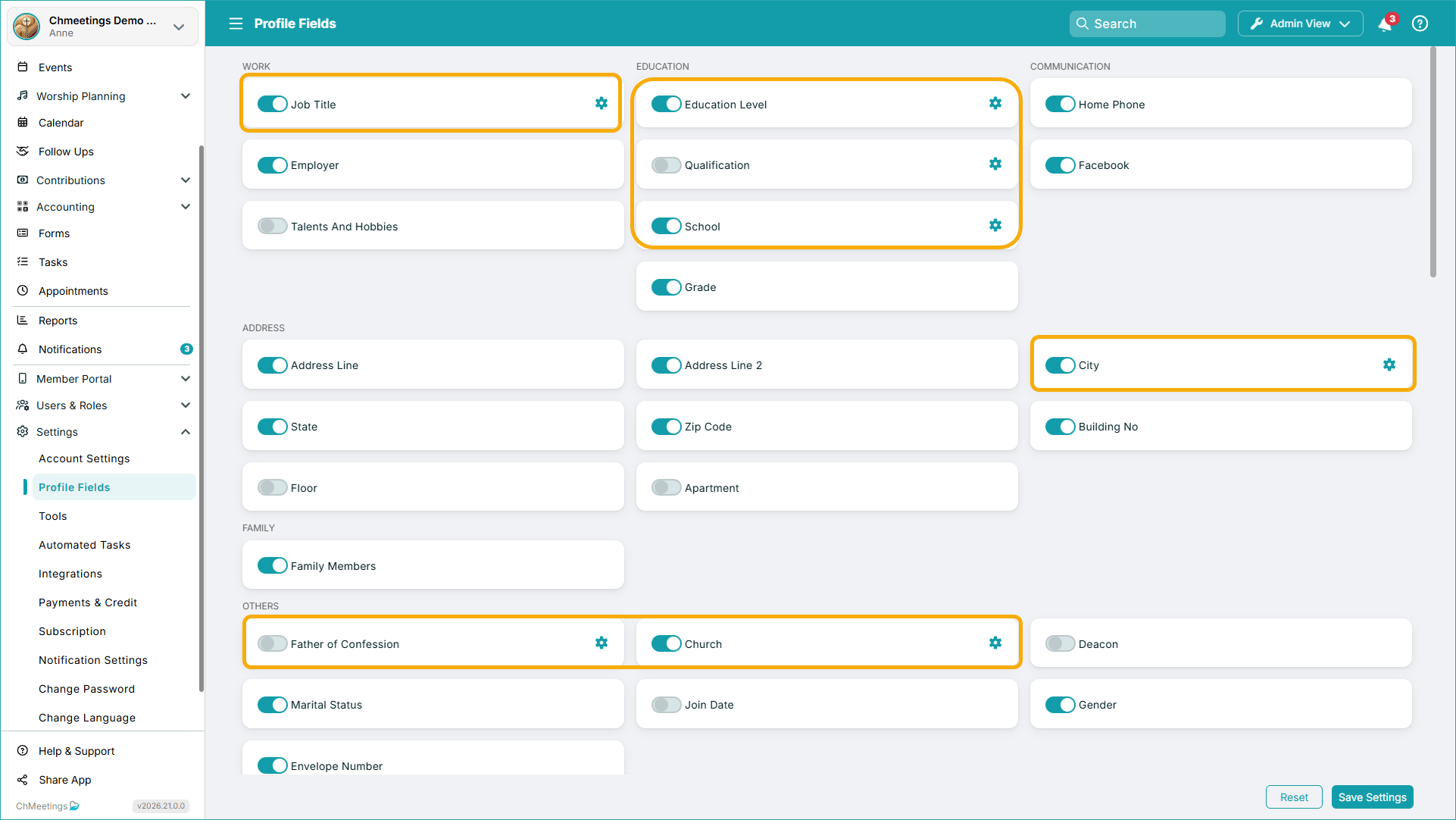
Several default member profile fields now support lookup lists, allowing administrators to define selectable values instead of relying entirely on free-text entries. The updated fields include Job Title, Father of Confession, Education Level, Qualification, School, Church (Diocese Field), and City. Administrators can create customized lists and choose whether members may enter their own values. When enabled, newly entered options become available for others to select.
Centralized Reports
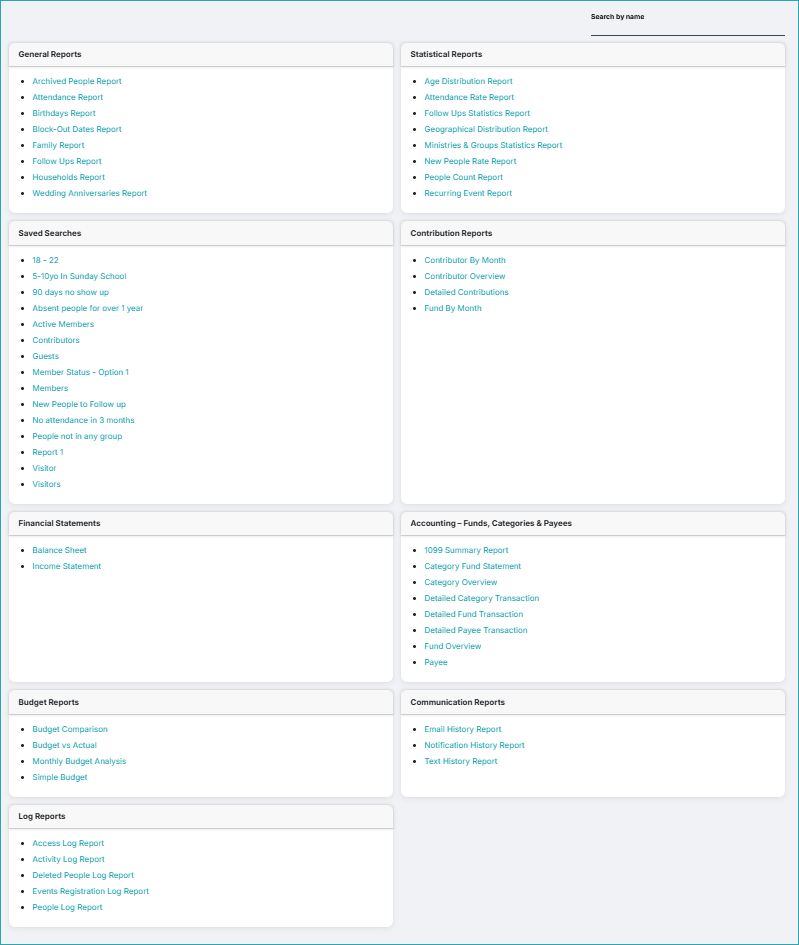
You can now access all available reporting tools from one location instead of navigating through separate areas of ChMeetings. The centralized Reports section now includes additional shortcuts to important reporting tools. These include Saved Searches, Contribution Reports, and Accounting Reports, such as financial statements, general accounting reports, and budget reports.
More Member Features
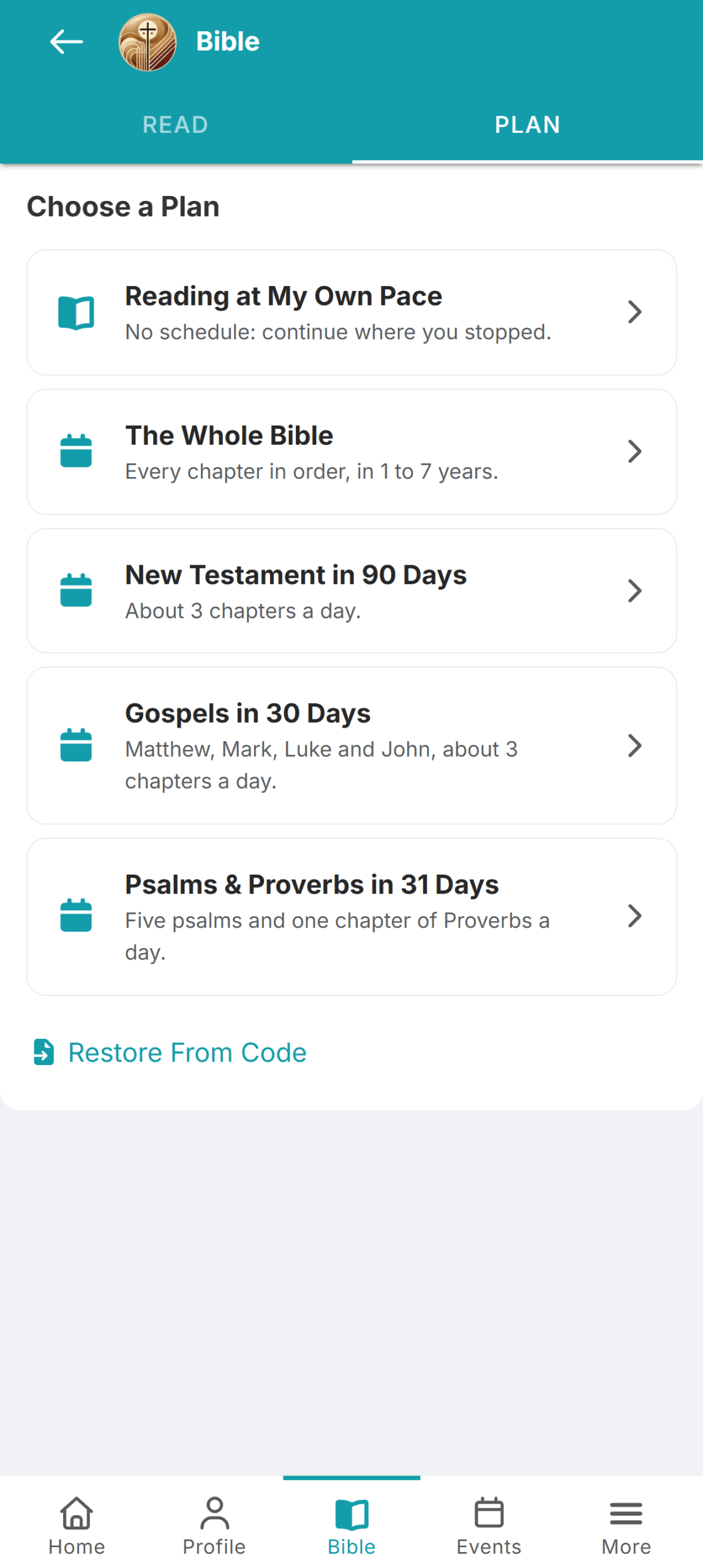
Members who use screen readers can now navigate the Media Library on their own. Additionally, there are now several Bible Reading Plans which members can follow, track their progress and sync that progress across devices.
From giving and member engagement to financial management and volunteer coordination, these updates bring new capabilities and practical improvements to everyday church operations.
We are grateful to have you as part of our community, and we invite you to stay tuned to our Release Notes for more frequent updates. If you need help, visit our Help Center anytime, or reach out to our team for assistance. We’ll catch up next month, with more great news.