
This September brings new tools for managing rooms and resources, improvements to volunteer scheduling, and several updates across accounting, group chat, reporting, tasks, follow-ups, and the member directory. Let’s take a look at what’s new.
New Feature: Rooms and Resources
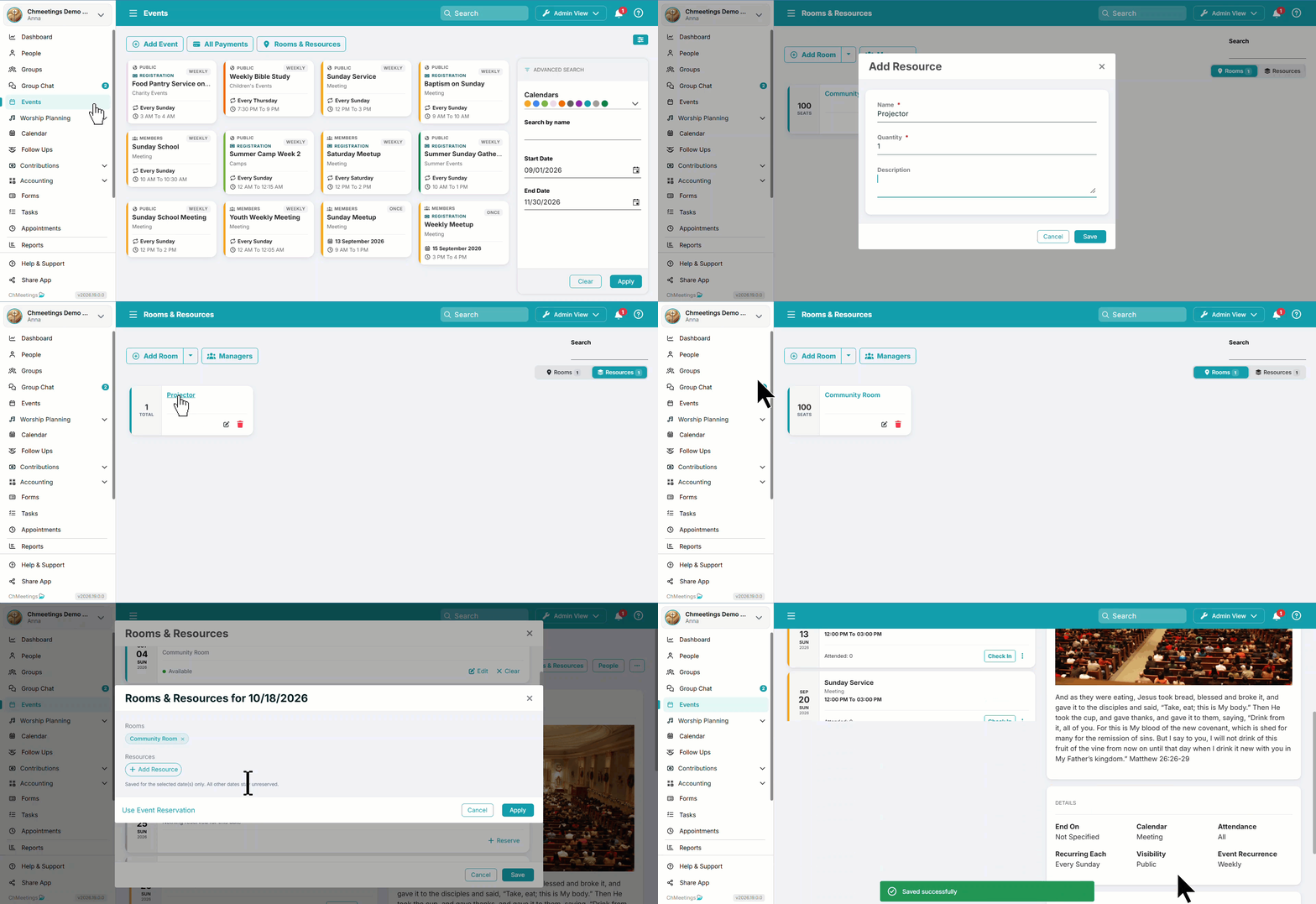
You can now manage rooms and event-related resources under Events > Rooms and Resources, then reserve them for one-time or recurring events. There are conflict warnings when a room or resource is already booked or when requested quantities exceed availability. Reservations can be adjusted for individual dates within a recurring event, and you can assign managers to handle reservations.
Faster Volunteer Scheduling
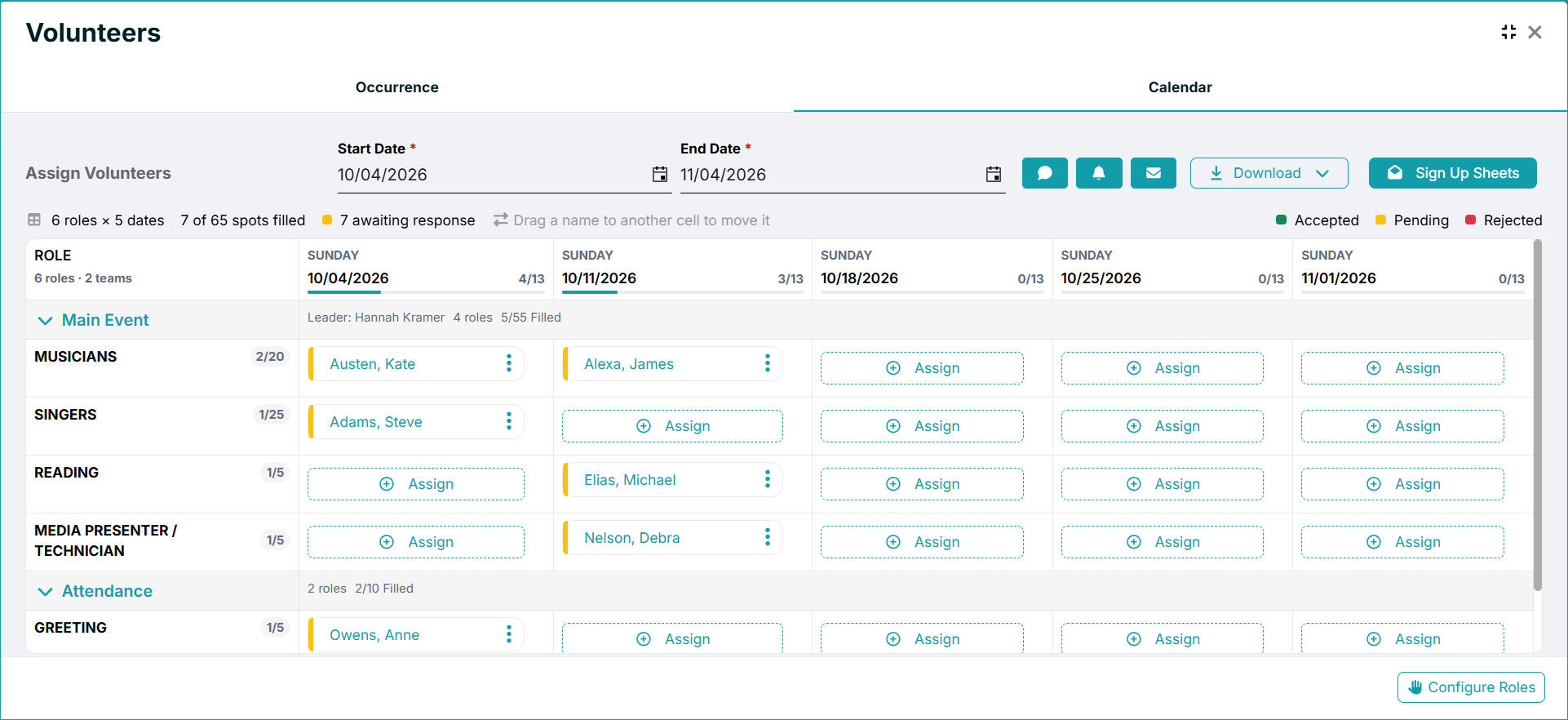
The Volunteer Calendar has been redesigned with a clearer view of roles and dates, organized by collapsible volunteer teams. Response indicators show whether volunteers have accepted, rejected, or are still pending. You can manage volunteers directly from the calendar and download the schedule as an Excel file in either calendar or list format. The previous Volunteer Sheet has been retired.
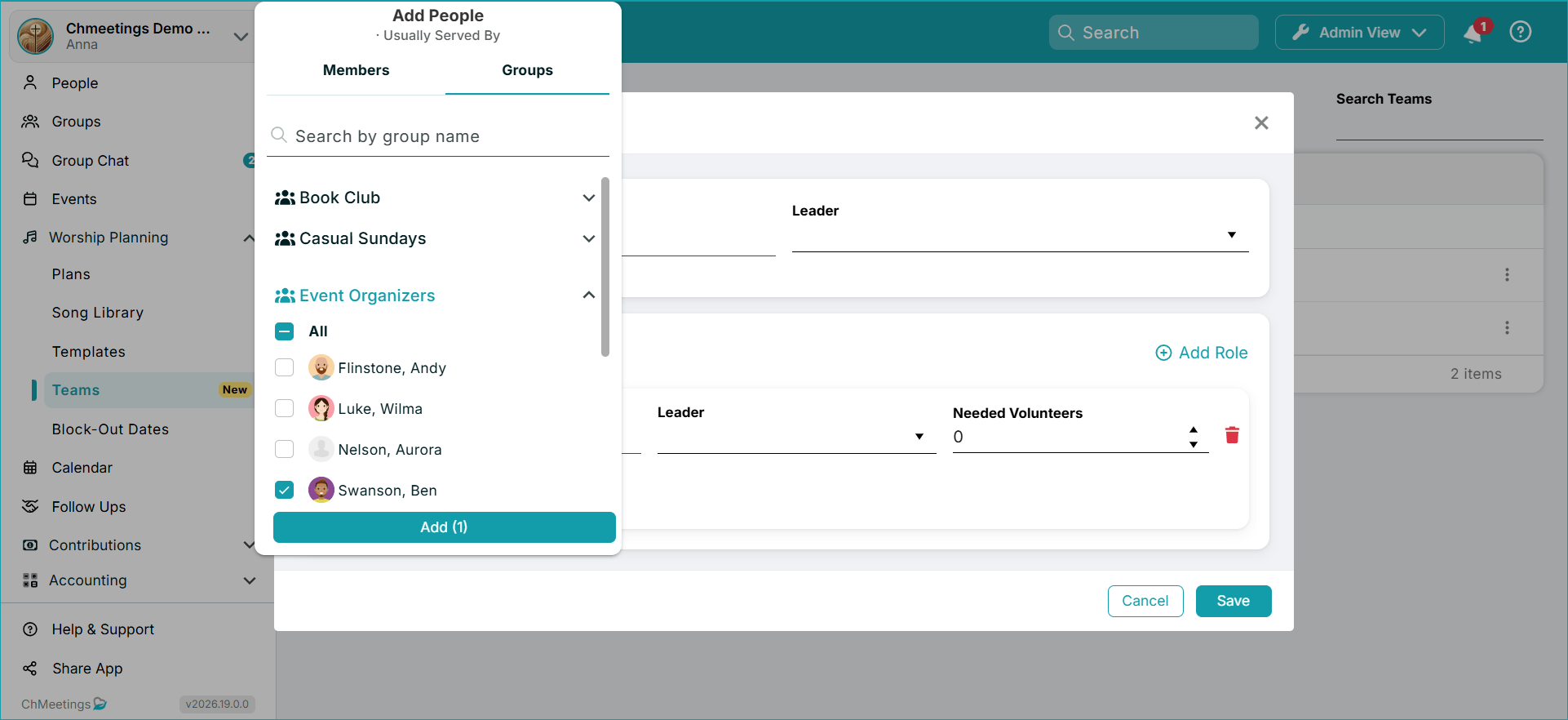
Additionally, you can now find people to assign to Volunteer Teams based on their groups. People can be added to volunteer teams through bulk actions in People and Form Submissions.
Group Chat
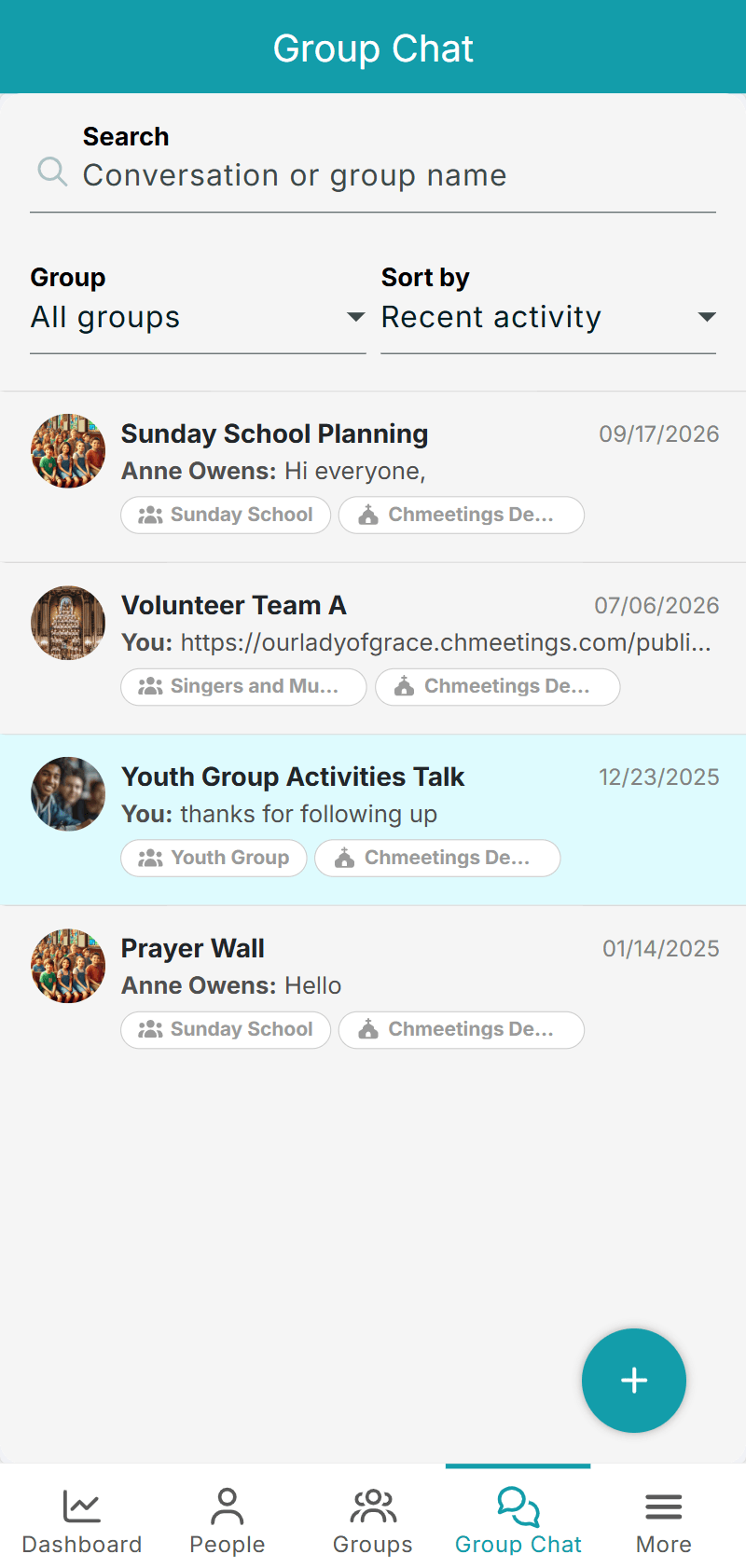
Group Chat now supports searching and filtering conversations, with options to filter by group and sort by recent activity, name, or group.
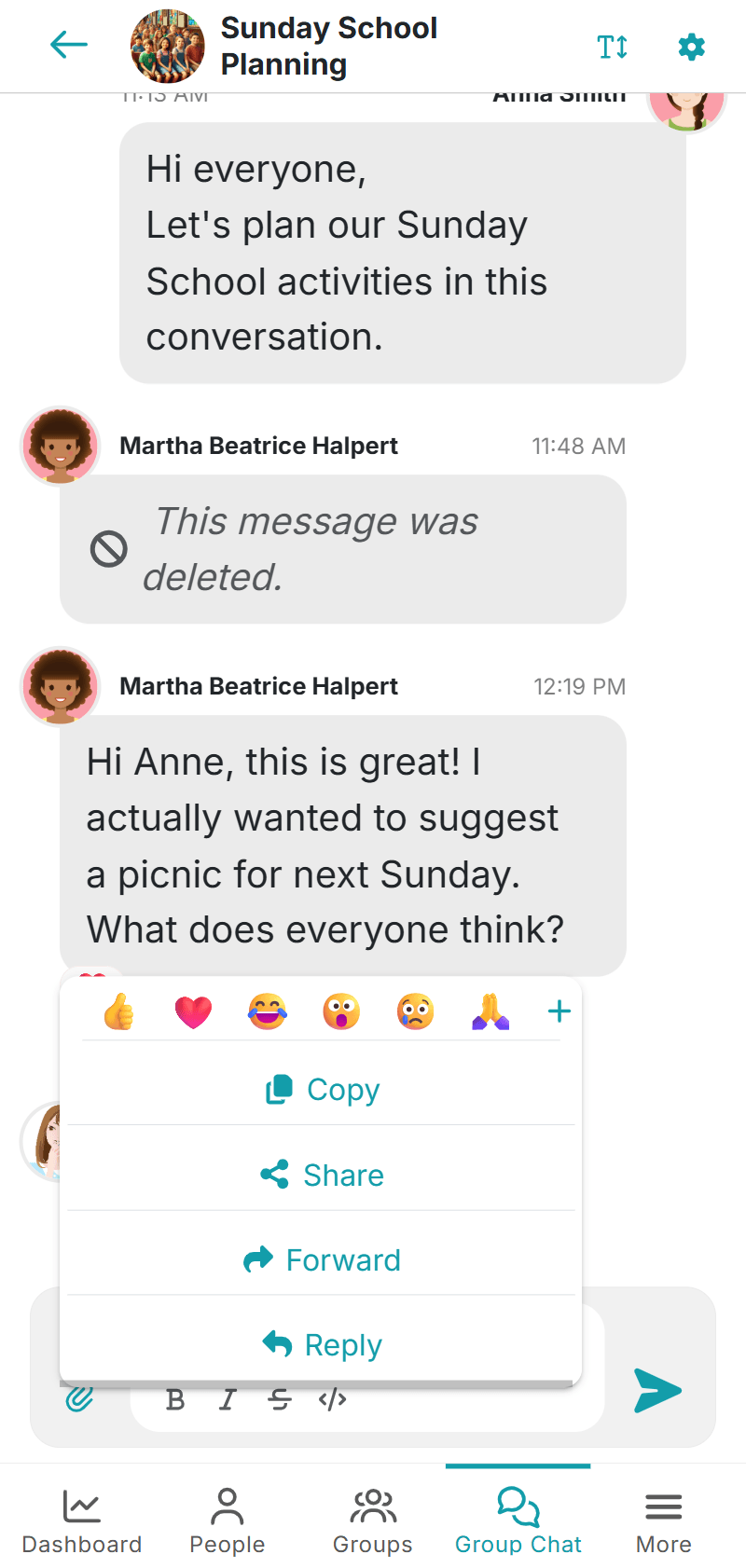
You can also share messages and photos to other apps. Additionally, when creating a conversation, ChMeetings now warns you if another conversation with the same name already exists within the selected group.
Accounting and Contributions
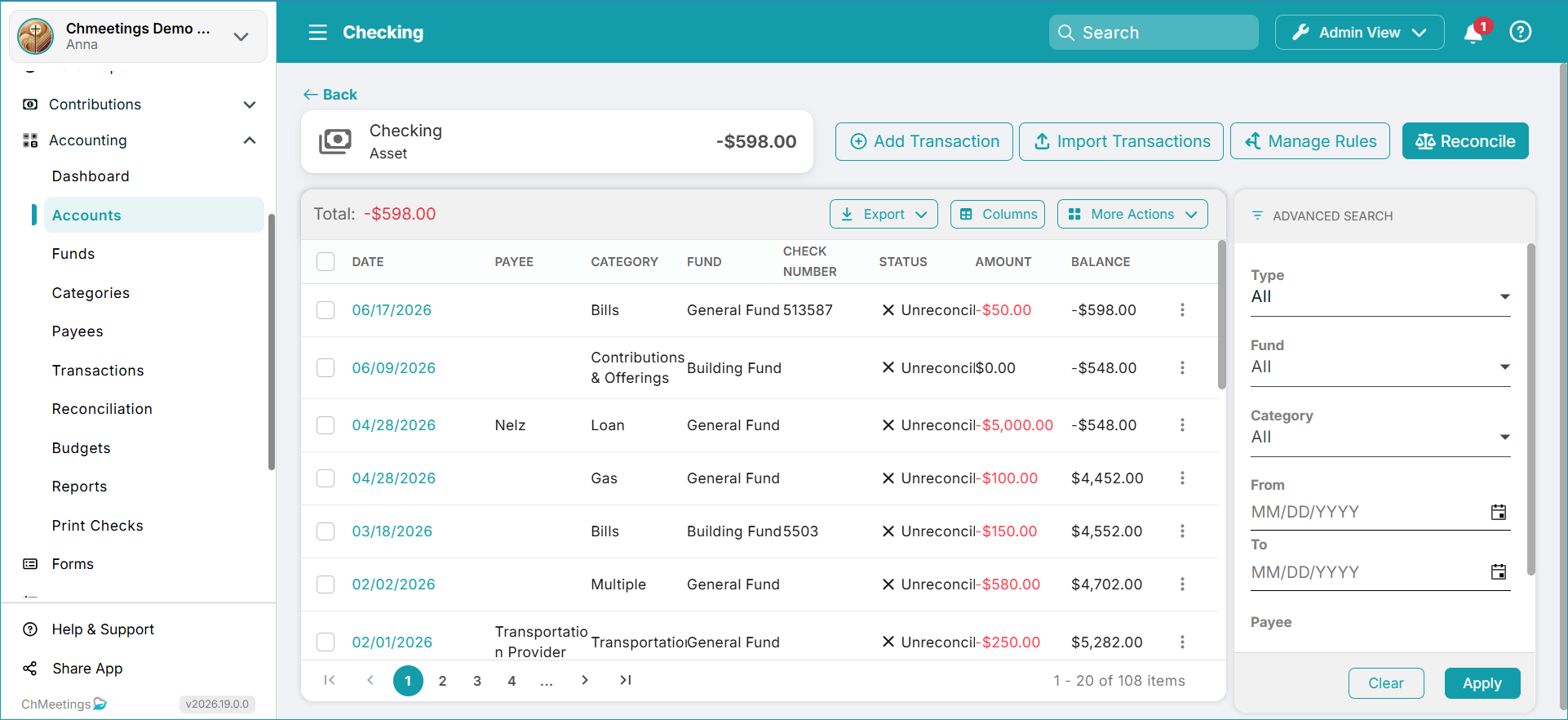
The Accounting Reconciliation workflow now includes a Reconcile button directly on the Account page, and additional guidance for first-time reconciliations without a beginning balance. The save-for-later process has also been improved: Statement details and selected transactions are now retained so you can resume reconciliation later with all previously processed information already saved.
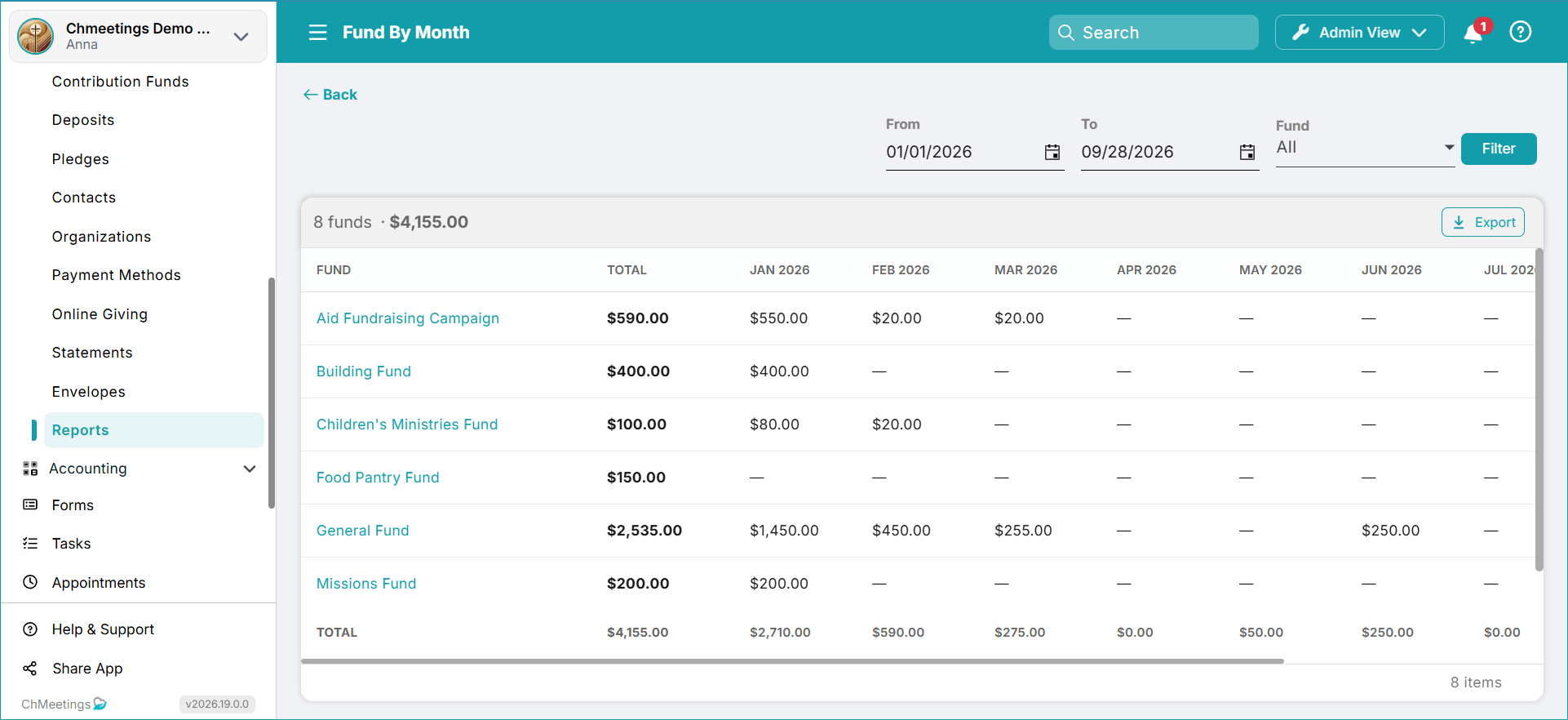
There is also a new Fund By Month report available under Contributions > Reports. It shows the amounts available in each fund, month by month, for a selected period.
Follow-Ups and Tasks
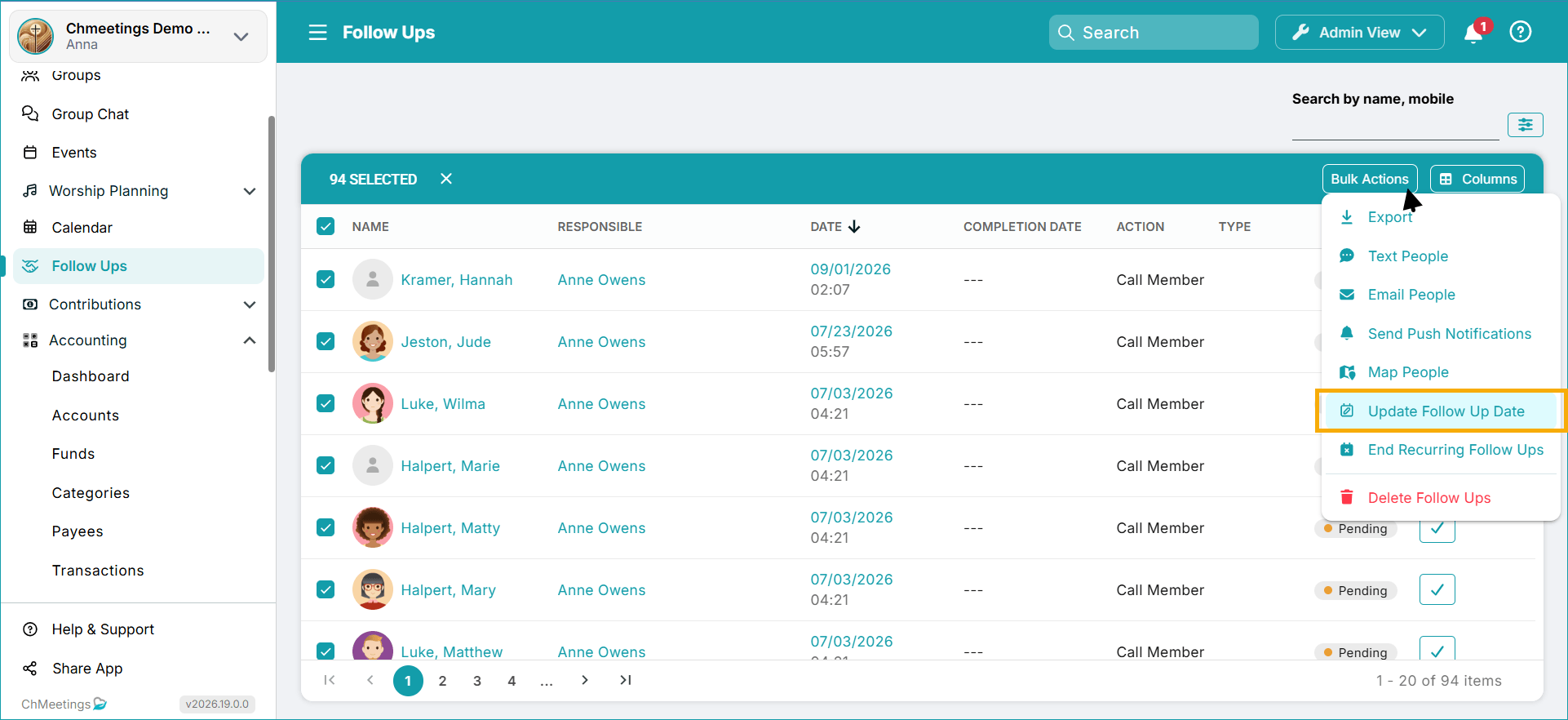
You can now bulk update follow-up dates for multiple records.
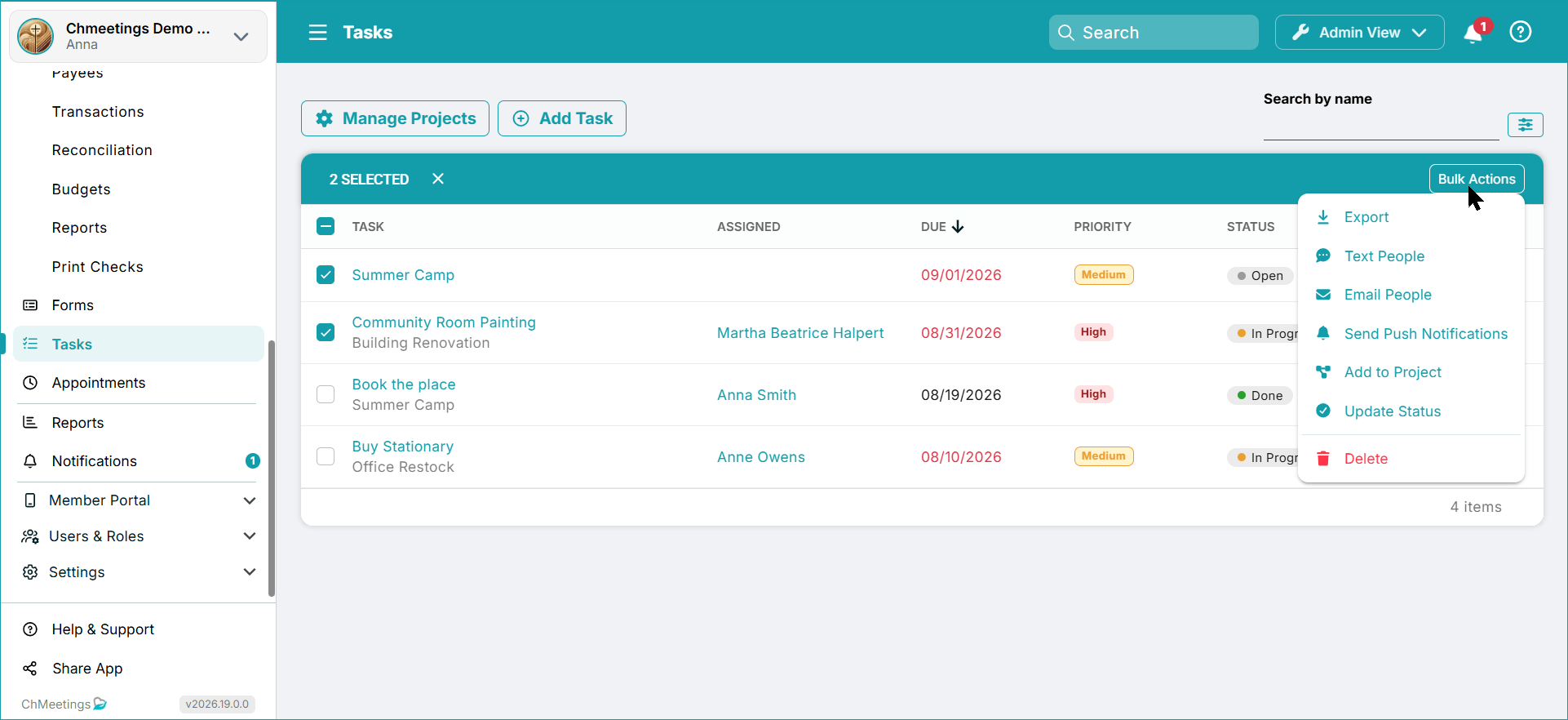
In addition, Tasks now have more bulk actions, including Add to Project and Update Status.
Member Directory
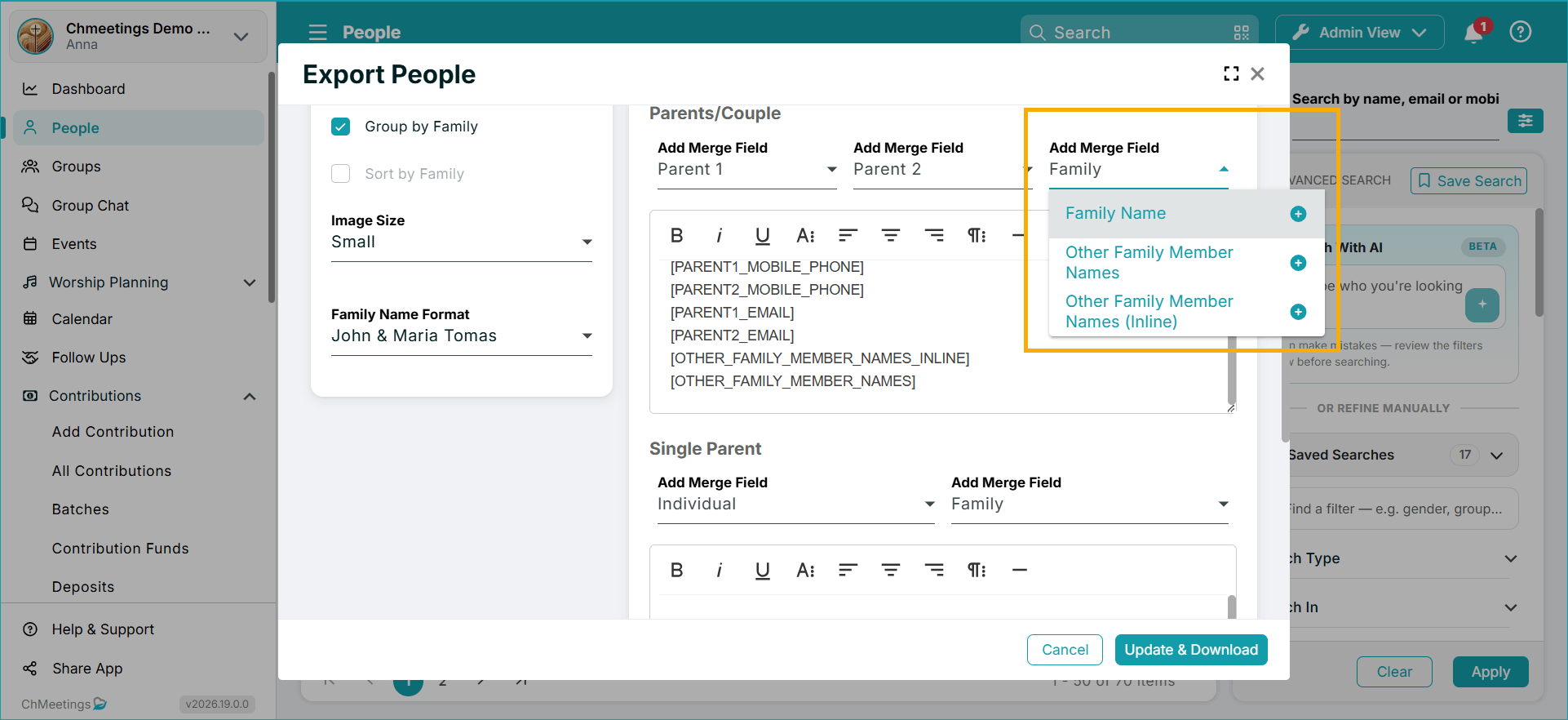
Two new family-related merge fields are available for printed member directories:
- OTHER_FAMILY_MEMBER_NAMES – displays the full names of family members other than the parents, one per line.
- OTHER_FAMILY_MEMBER_NAMES_INLINE – displays their first names on one line, separated by commas.
…
We’re very excited to bring these features to you. If you’d like to share feedback or have any questions, please don’t hesitate to get in touch with our team, who are here to help. For more frequent updates, we invite you to check out our Release Notes page.