
We’re excited to share the latest improvements and new features in ChMeetings for this May. This month we brought enhanced giving experiences, improved volunteer communication tools, we expanded reporting capabilities, made accounting enhancements, and several updates for diocesan organizations.
Enhanced Online Giving with Apple Pay & Google Pay
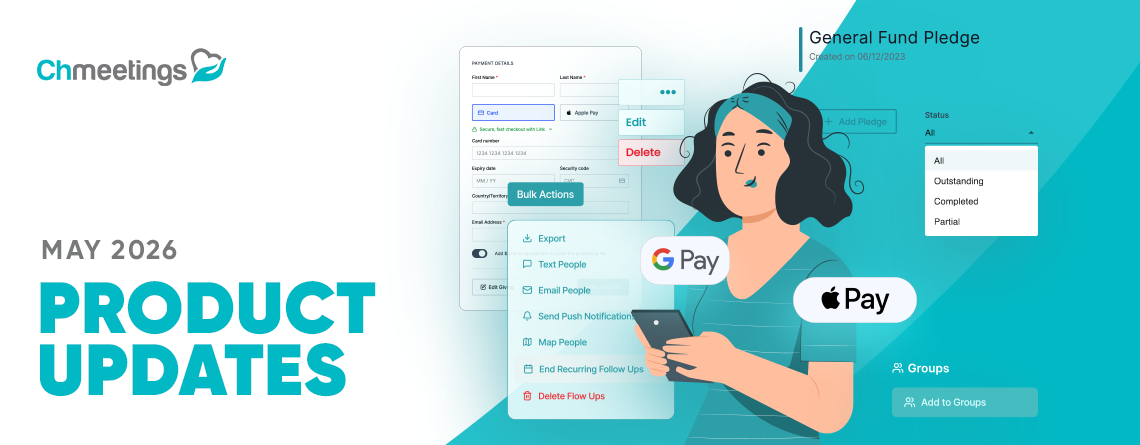
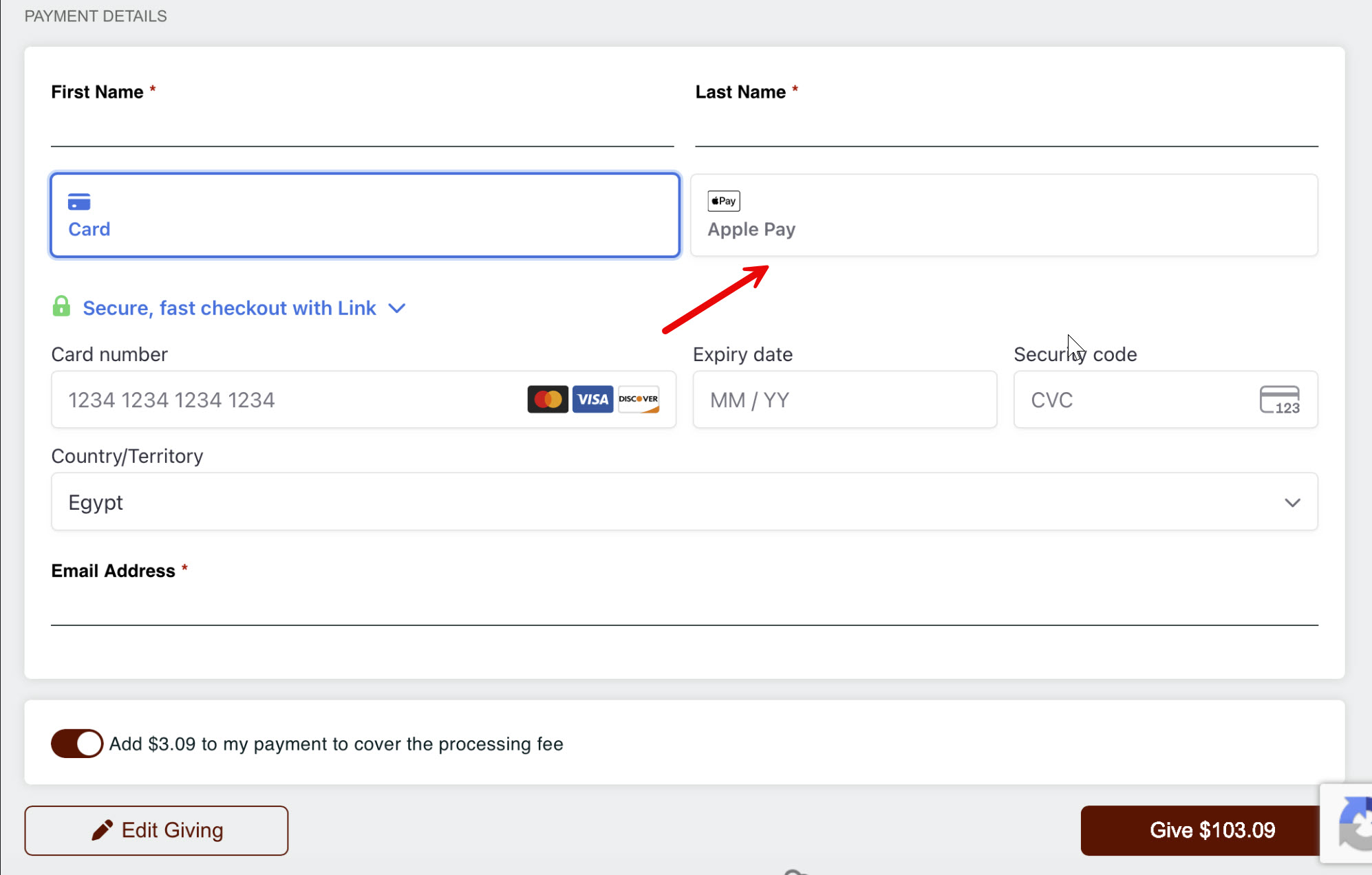
Giving is now even easier for donors. Accounts connected to Stripe can now accept donations through Apple Pay and Google Pay directly from the Online Giving pages and Event Payments within ChMeetings.
- Apple Pay is available when donors access the giving page using Safari on Mac or iPhone.
- Google Pay is available for donors using Android devices.
- No additional setup is required and these newly supported payment options will appear automatically when available on the donors’ device.
And one extra update worth adding here is that when exporting payments, you can now see the Stripe fees associated with each transaction.
Improved Text Communication
Communication via text message has improved significantly with the ability to text all volunteers in an event, and to edit a scheduled text message before it gets sent.
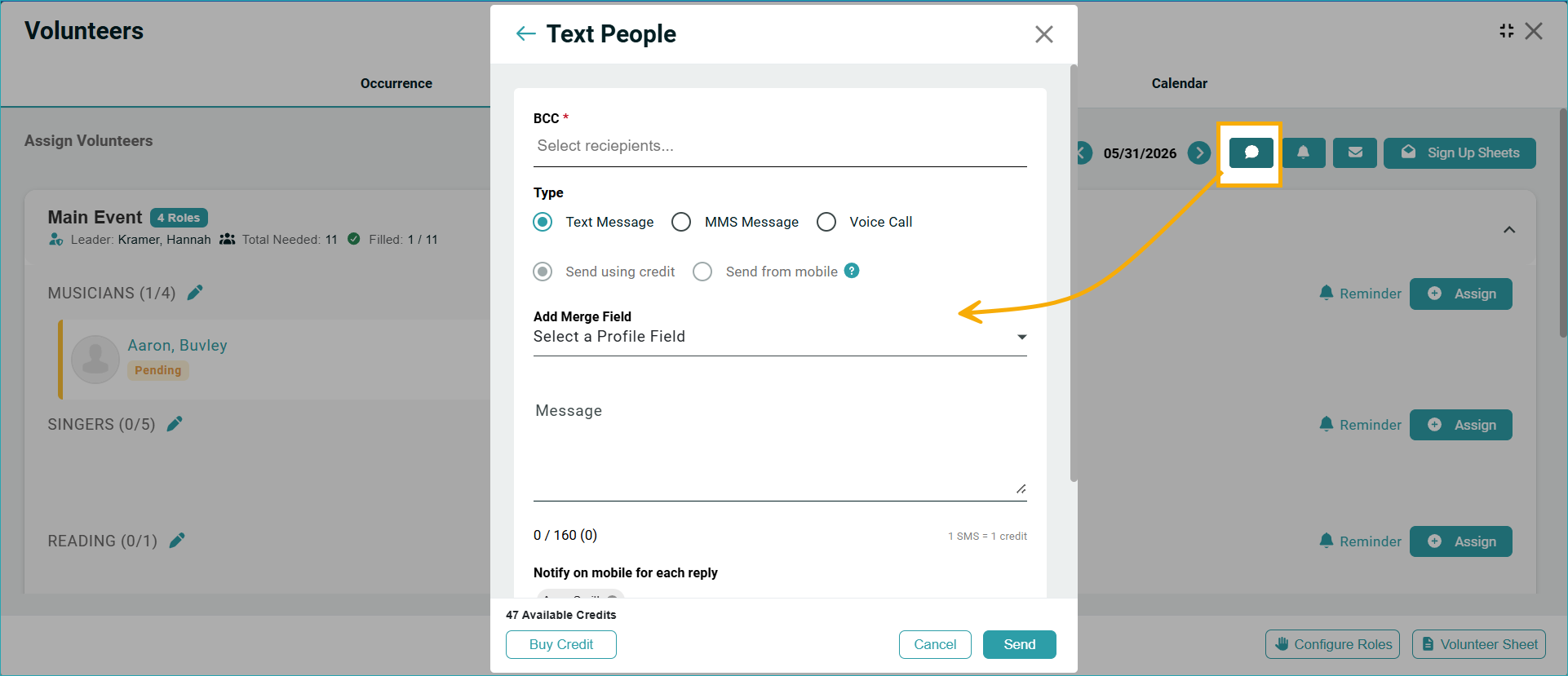
Text All Volunteers
Communicating with volunteers is now more convenient. In addition to email and push notifications, you can now send text messages to all volunteers associated with an event. This makes it easier to share updates, reminders, and important event information through the channel volunteers are most likely to see quickly.
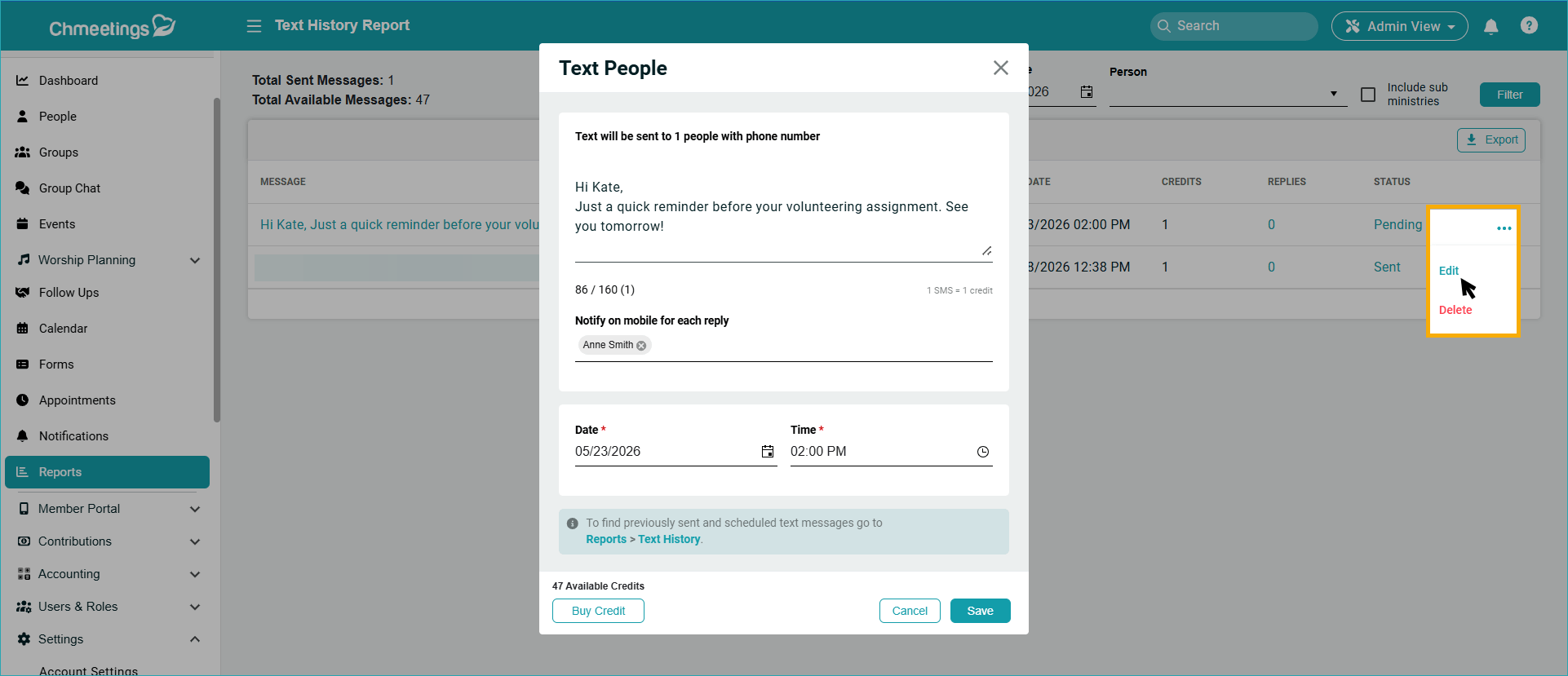
Edit Scheduled Text Messages
Scheduled text messages can now be edited before they are sent. To make changes, navigate to Reports > Text History Report and use the new edit option for scheduled messages.
More Effective Follow-Ups
Follow Ups were recently updated with the ability to end multiple recurring follow-ups in one go, and to filter follow-ups using two new fields.
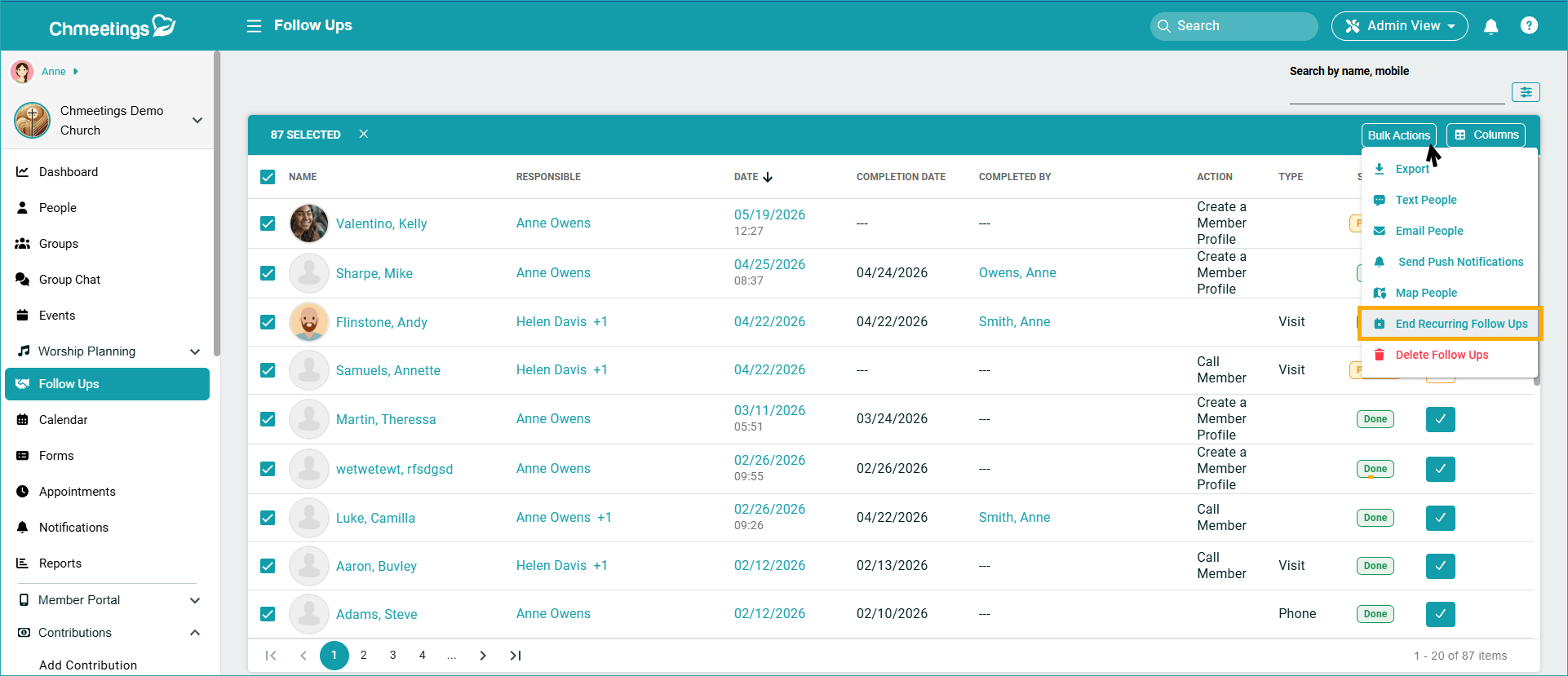
End Recurring Follow-Ups in Bulk
Managing recurring follow-ups is now faster with a new bulk action. On the Follow-Ups page, you can now select multiple recurring follow-ups and use the End Recurring Follow Up action to stop them all in one go.
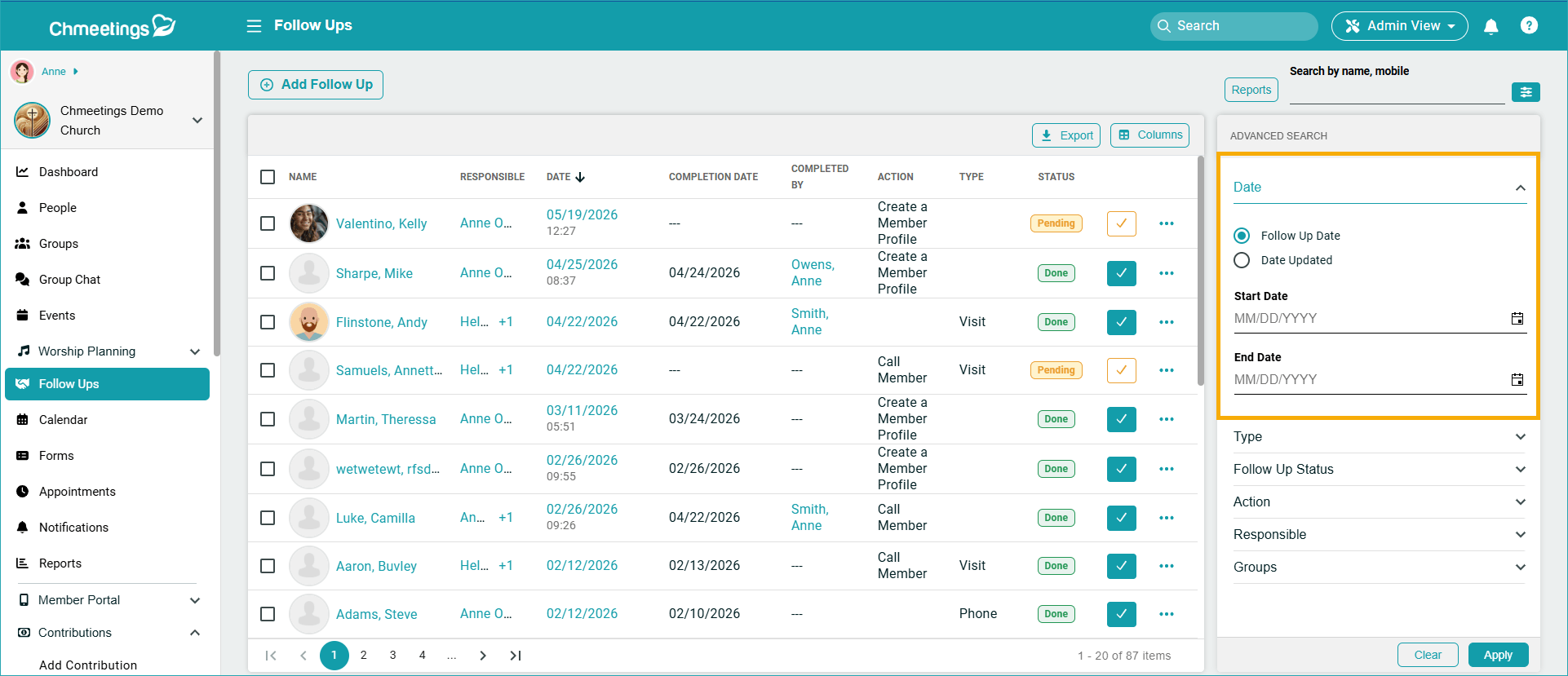
New Follow-Up Filtering Options
Advanced Search within Follow-Ups now includes additional filtering capabilities. You can filter records by: Follow-Up Date and Updated Date.
Giving
Besides the update regarding Apple Pay and Google Pay which we highlighted above, there are a couple more updates that will enhance your giving management:
Add Contributors to Groups
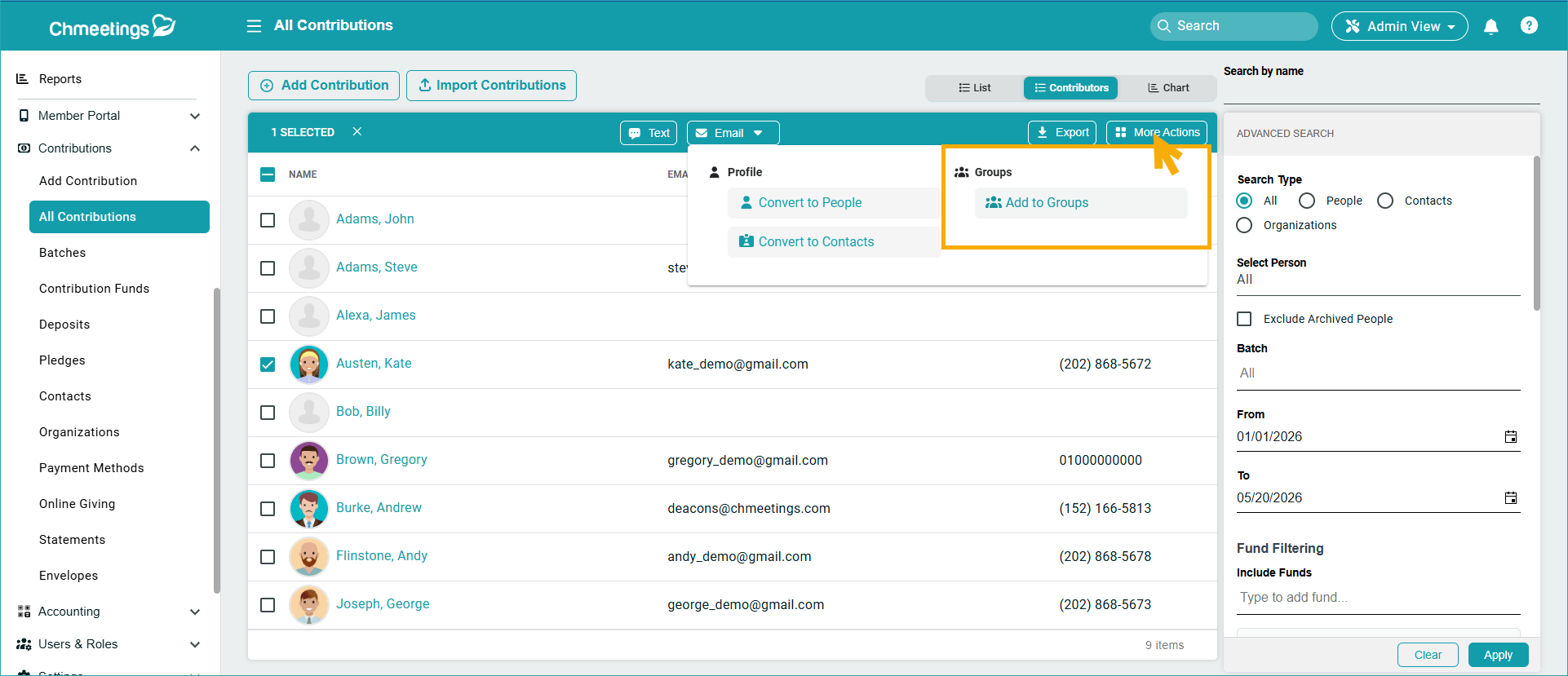
You can now add contributors directly to groups from the Contributors list. Go to Contributions > All Contributions > Contributors, select contributors, and use Bulk Actions to add them to a group without leaving the giving section.
New Pledge Status Filters
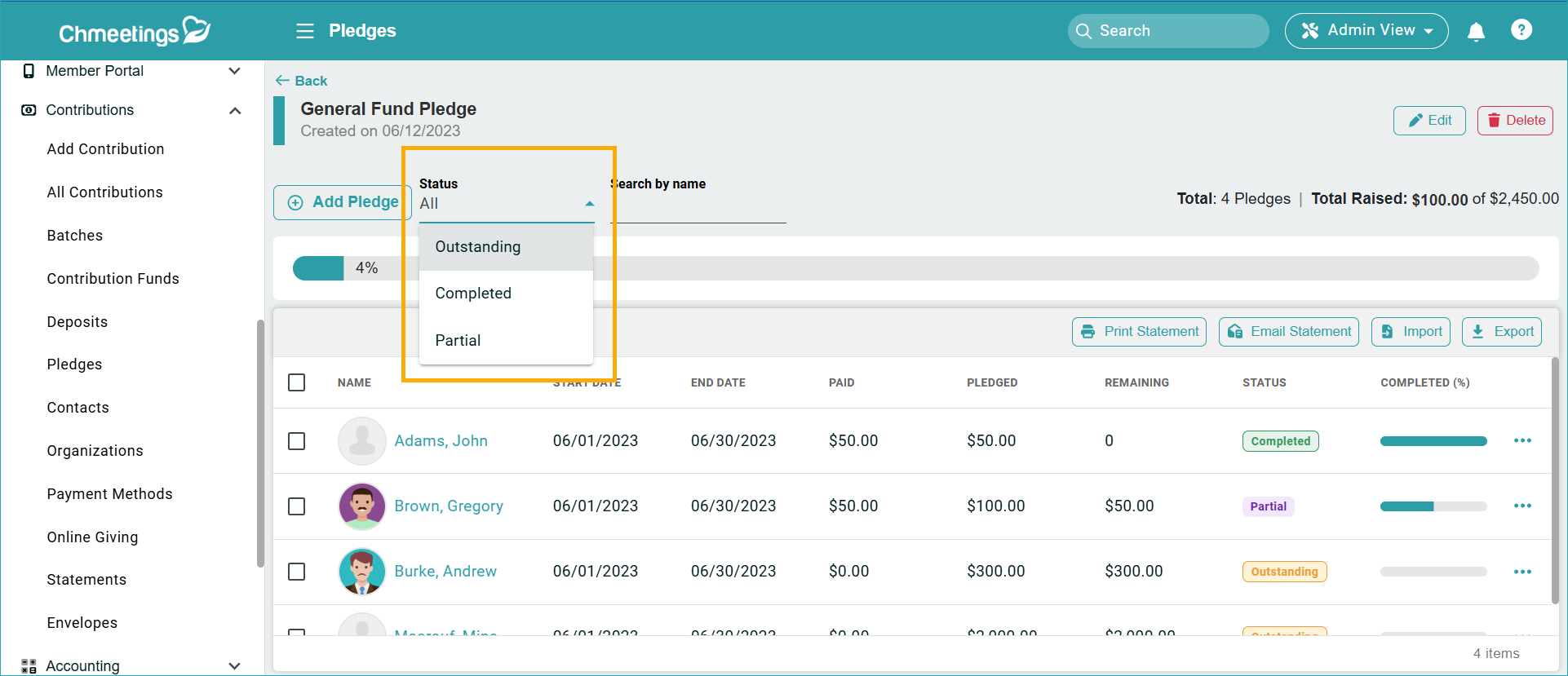
Now you can easily see Pledge payment statuses with a new, dedicated filter. Within Contributions > Pledges, you can now filter pledge records by: Outstanding, Completed, or Partial
Accounting
The Accounting section now makes record-keeping easier and more accurate, with numbers associated to accounts, funds, and categories, multiple and larger transaction file attachments, and additional fund mapping options.
Account, Fund, and Category Numbers
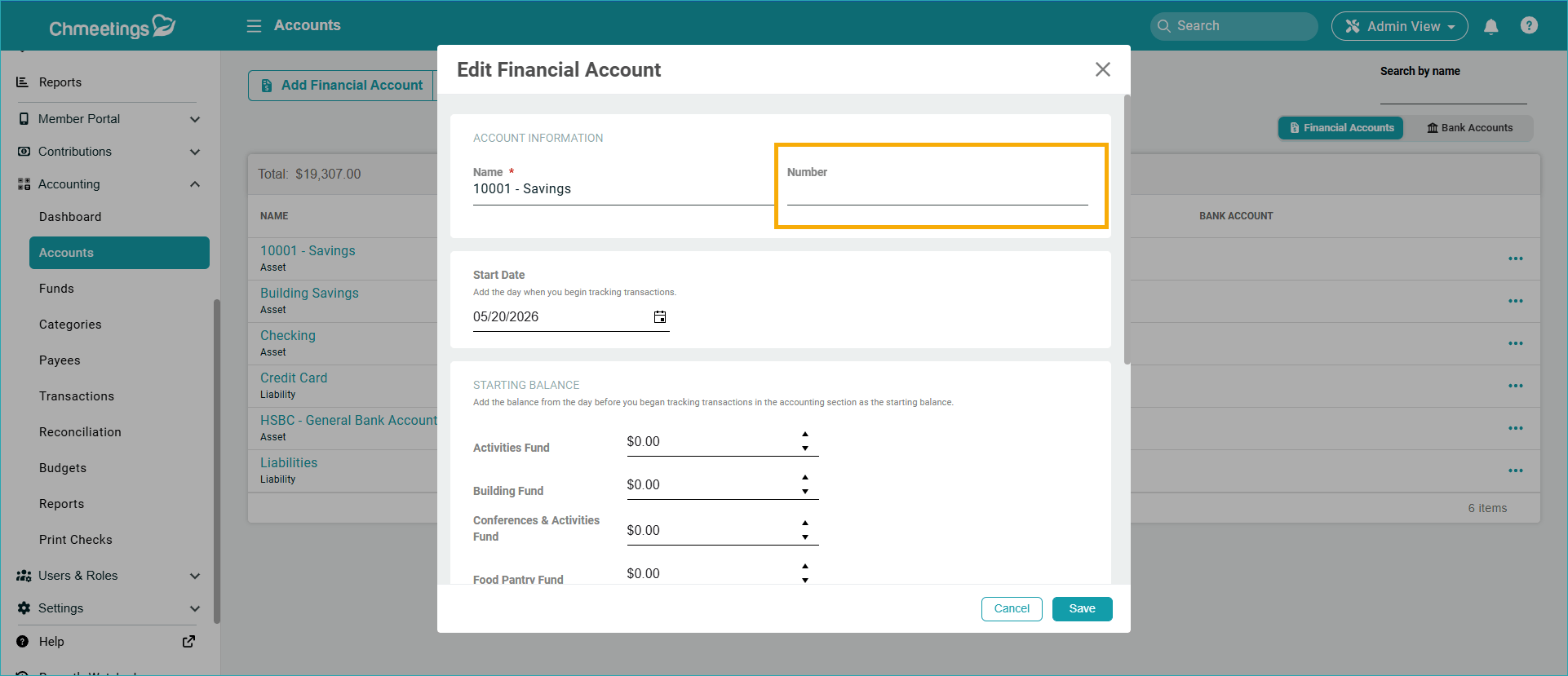
Accounts, Funds, and Categories now support assigned numbers which will appear throughout the system, including in reports, exports, imports, search results or sorting view. Please note that existing records will not automatically receive numbers. They must be assigned manually by editing each record.
Multiple & Larger Transaction File Attachments
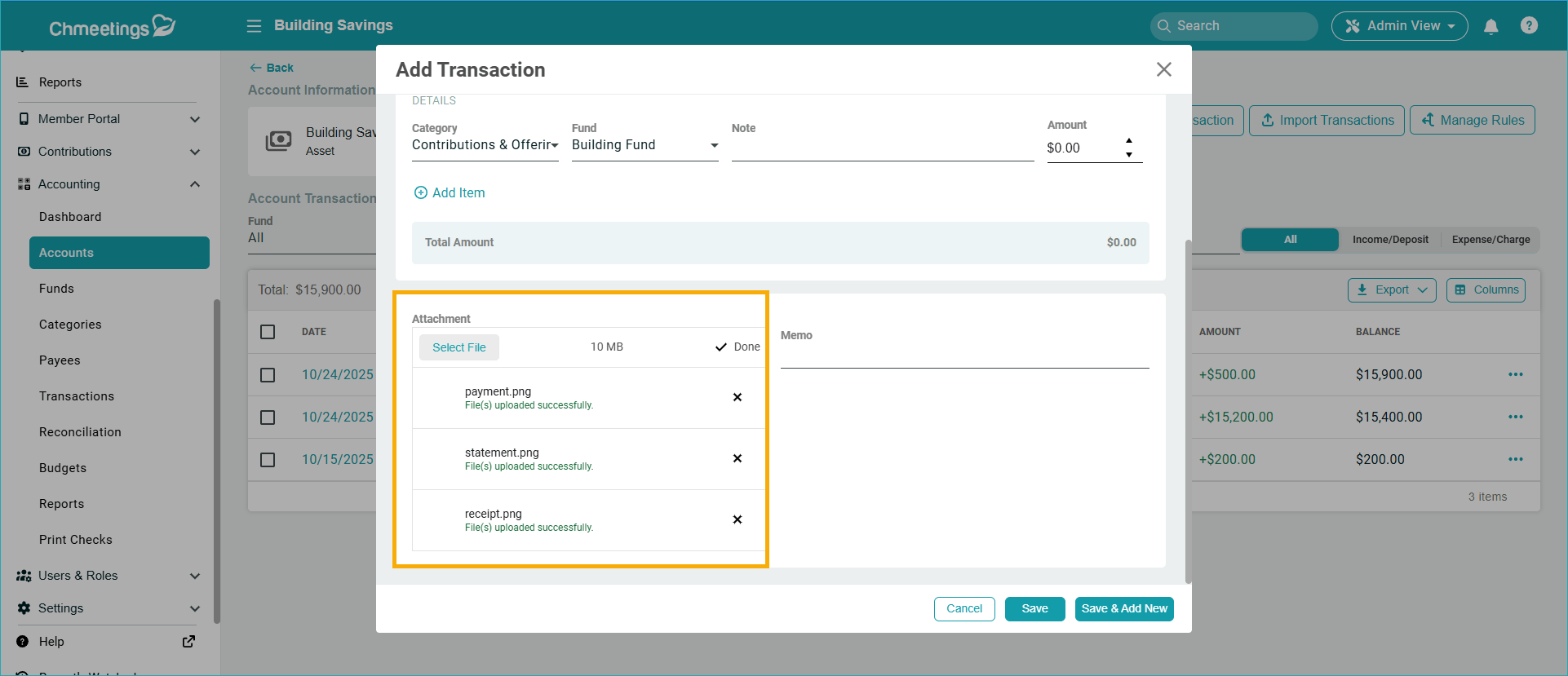
Transactions now support multiple file attachments. In addition, the file size limit has been increased to 10 MB, allowing you to store more and larger supporting documentation with each transaction.
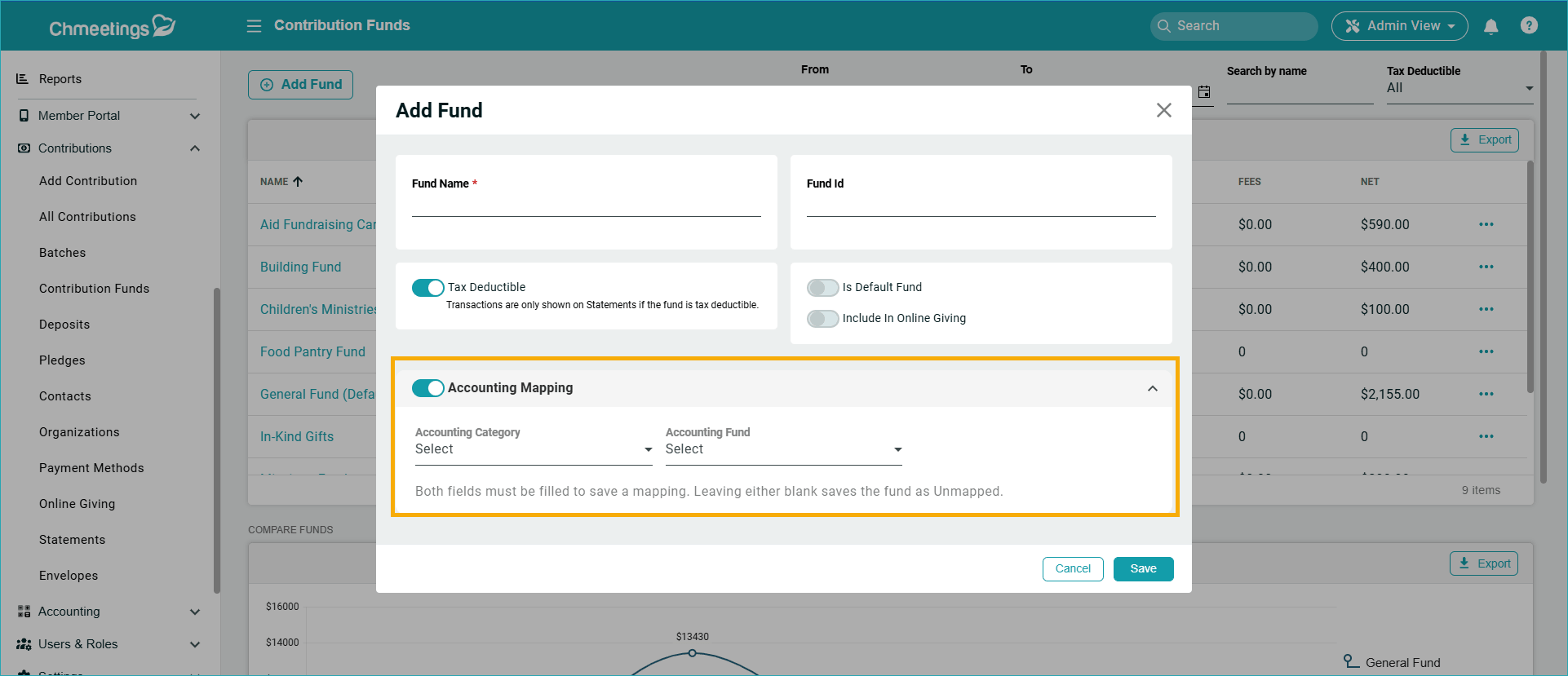
Enhanced Accounting and Contributions Fund Mapping
When creating or editing Contribution Funds, you can now map them directly to Accounting Funds. When a mapped fund is used during batch deposits, the fund mapping is applied automatically, reducing manual work and streamlining accounting workflows. You can configure this feature under: Contributions > Funds > Add/Edit Fund. This enhancement complements the existing fund mapping options available under Contributions > Deposits.
Diocese Updates
This month we focused on the Dioceses we serve and added two very important updates: The ability to make their churches independent, and to allow authorized users to edit members’ home churches.
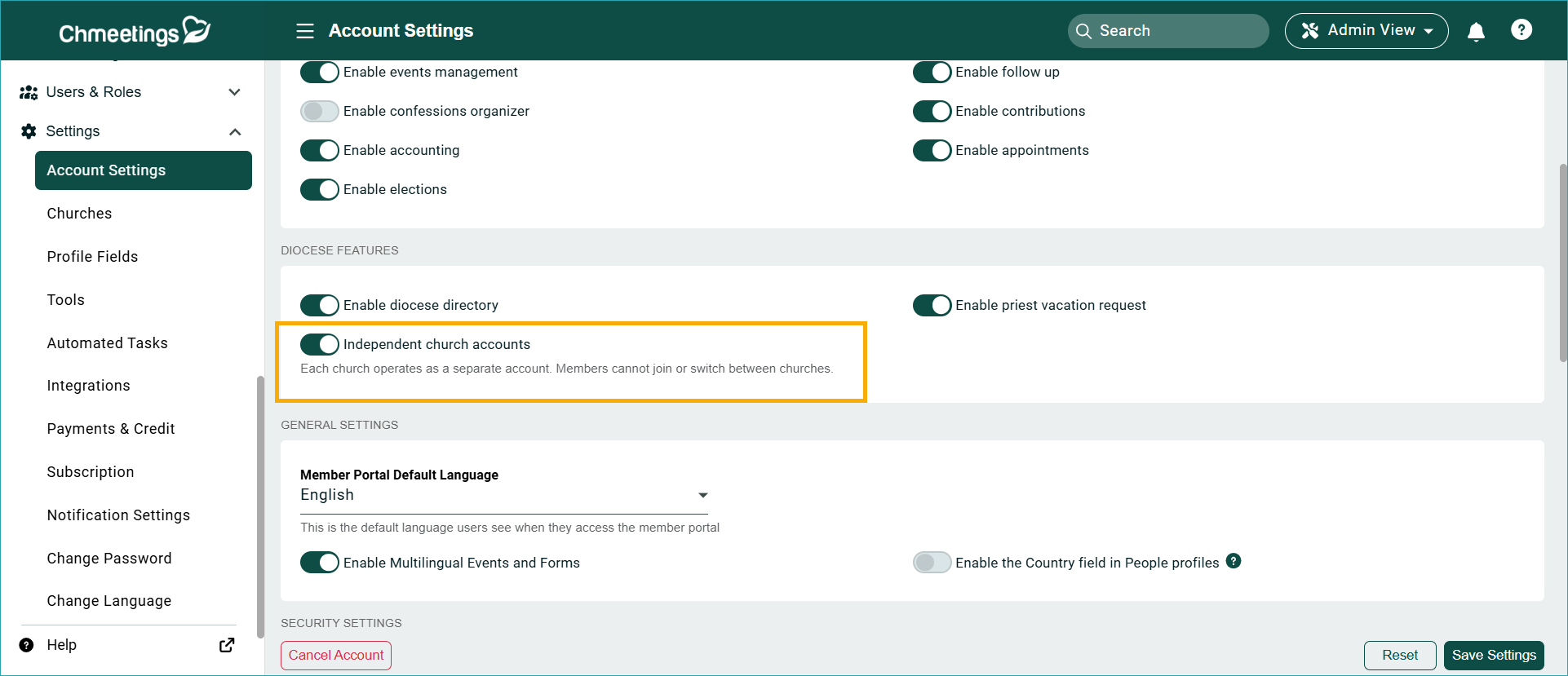
Independent Church Accounts for Dioceses
A new setting has been added under Settings > Account Settings > Diocese Features > Independent Church Accounts. When enabled:
- Churches operate independently from one another.
- Members of a church cannot join other churches within the diocese.
- Secondary church options are removed.
- Shared church links display without the diocese name.
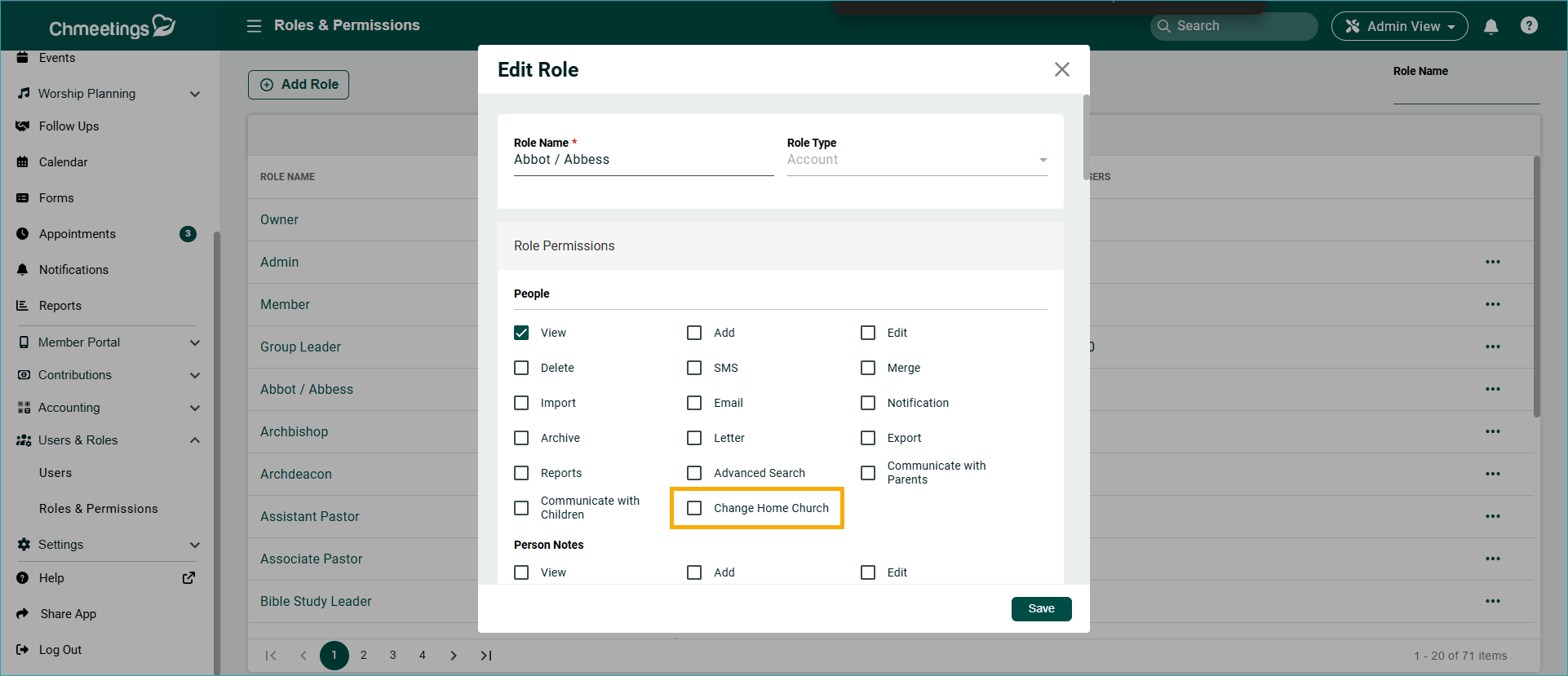
Edit Home Church Permission
A new role permission now allows authorized users to edit members’ home churches. You can configure this permission under: Users & Roles > Roles & Permissions > Add/Edit Role
Other Updates
Our other, more granular, but no less important updates include:
- Choose the Bible Version for the Verse of the Day Card: You can now customize the Bible version displayed in the Verse of the Day card. To make changes, simply edit the card within the Member Portal Builder and select your preferred Bible version.
- Custom Fields Filter for One-Time Event Reports: Custom field filtering is now available for one-time event reports. Find this in the Reports section of each of your one time events.
- New Language: Finnish. Set Finnish as the default language for your entire church under Settings > Account Settings. Change the language for individual users under Settings > Change Language.
So, this May, the ChMeetings team worked on delivering a range of practical enhancements designed to improve giving, communication, reporting, accounting, and diocesan administration, which we hope will help you manage their operations more efficiently.
These updates show our continuous commitment to ensuring intuitive, reliable tools for church management for our community. If you have questions or need help, don’t hesitate to reach out to our support team. To stay tuned to our releases, check out our release notes, where we post what’s new as soon as it goes live.