
March 2026 brought two significant updates to ChMeetings. These releases touch nearly every part of the platform, from giving and accounting to volunteer scheduling and API access. Let’s down every new feature and see what’s new in terms of managing finances, coordinating volunteers, building custom integrations, and more.
Here’s a quick look at what’s new:
People and Communication
Several People and Communication features have been enhanced to allow you more flexibility when it comes to keeping in touch with your community.
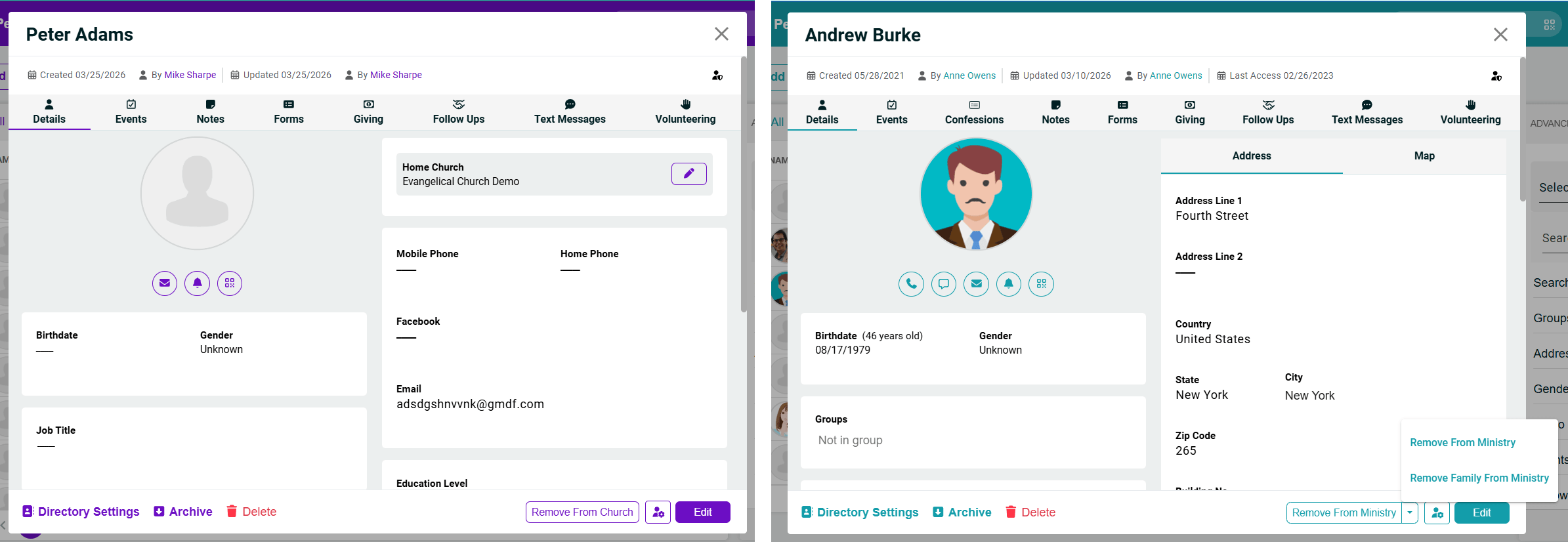
Remove People or Families from Church or Ministry
For Diocese accounts, you can remove people or families from a church. For a church account, you can remove them from a ministry. This is done from a person’s profile; and the family-specific option only displays for those who are members of a family.
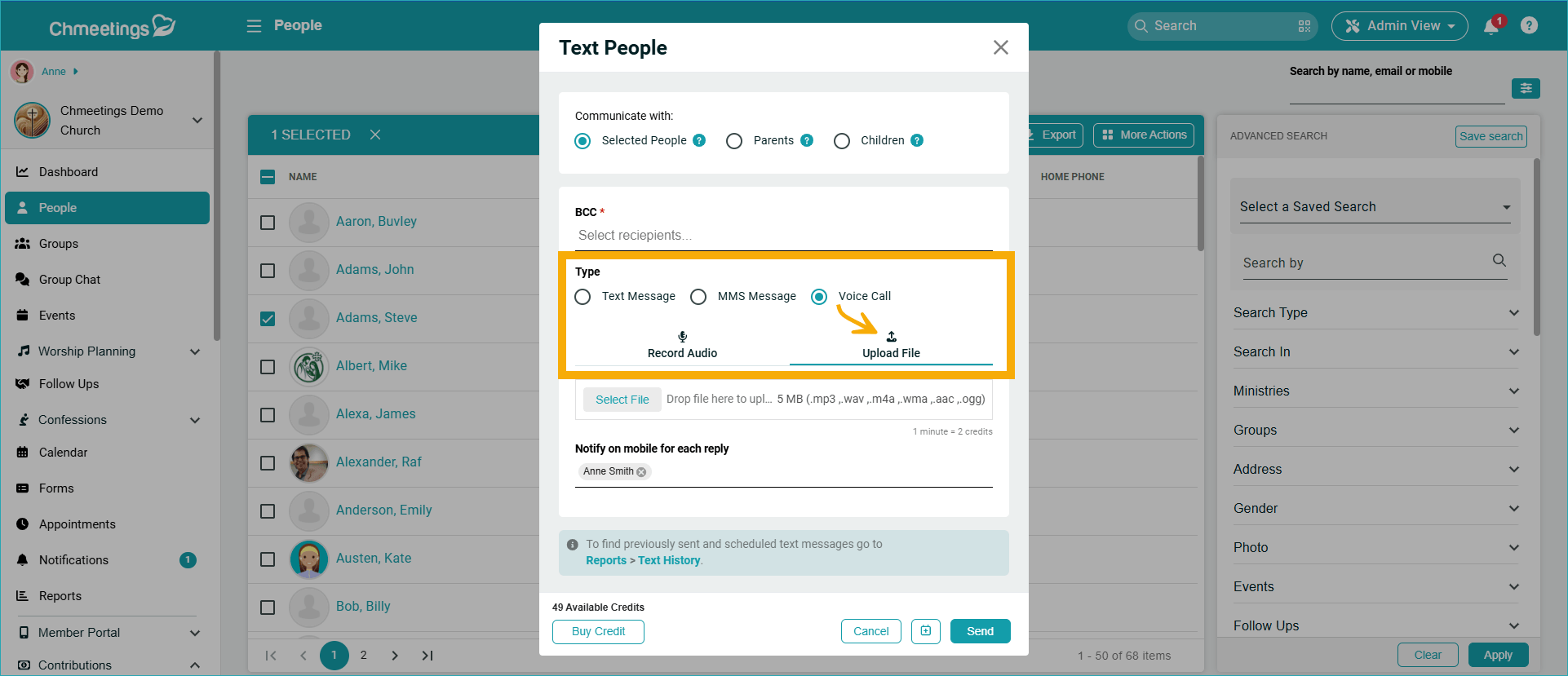
Upload Voice Messages
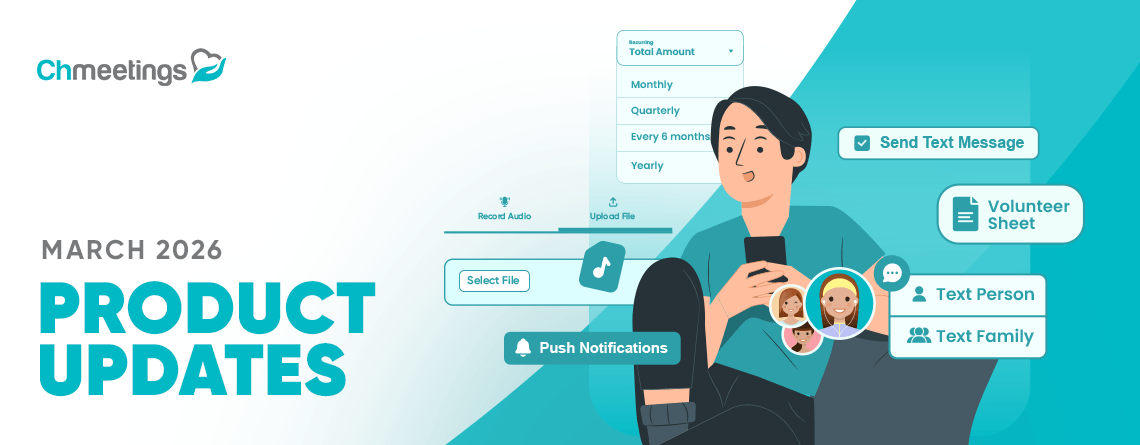
>When sending a voice message, you can now upload a file in addition to the existing option to record your message. This allows using pre-recorded content. When composing a voice message, look for the upload option, right alongside the Record Audio option.
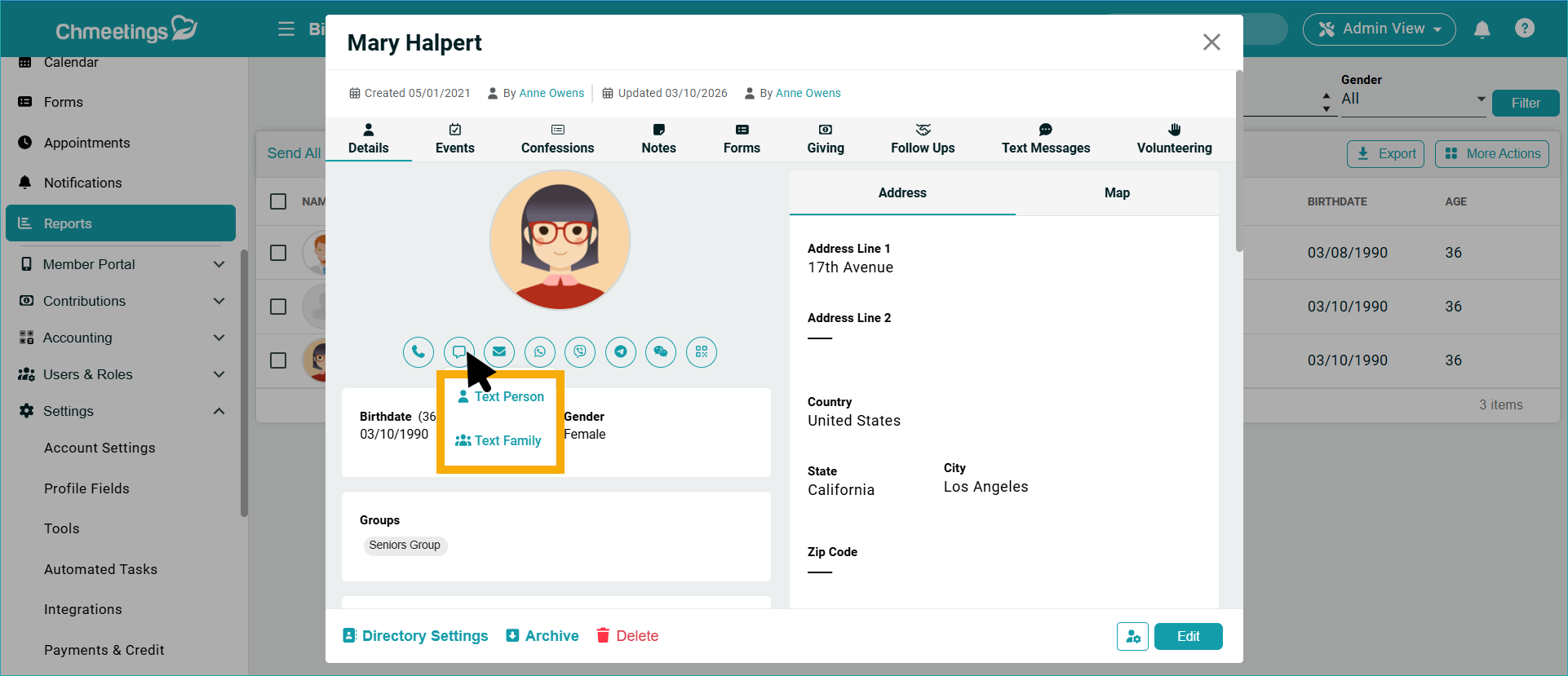
Text Families
When clicking the Text icon in a person’s profile, if that person is part of a family, you will now see two options: Text Person and Text Family. This makes it easier to communicate with entire households.
Volunteer Scheduling
Volunteer coordination receives significant improvements, including better scheduling views, text reminders, and enhanced communication options.
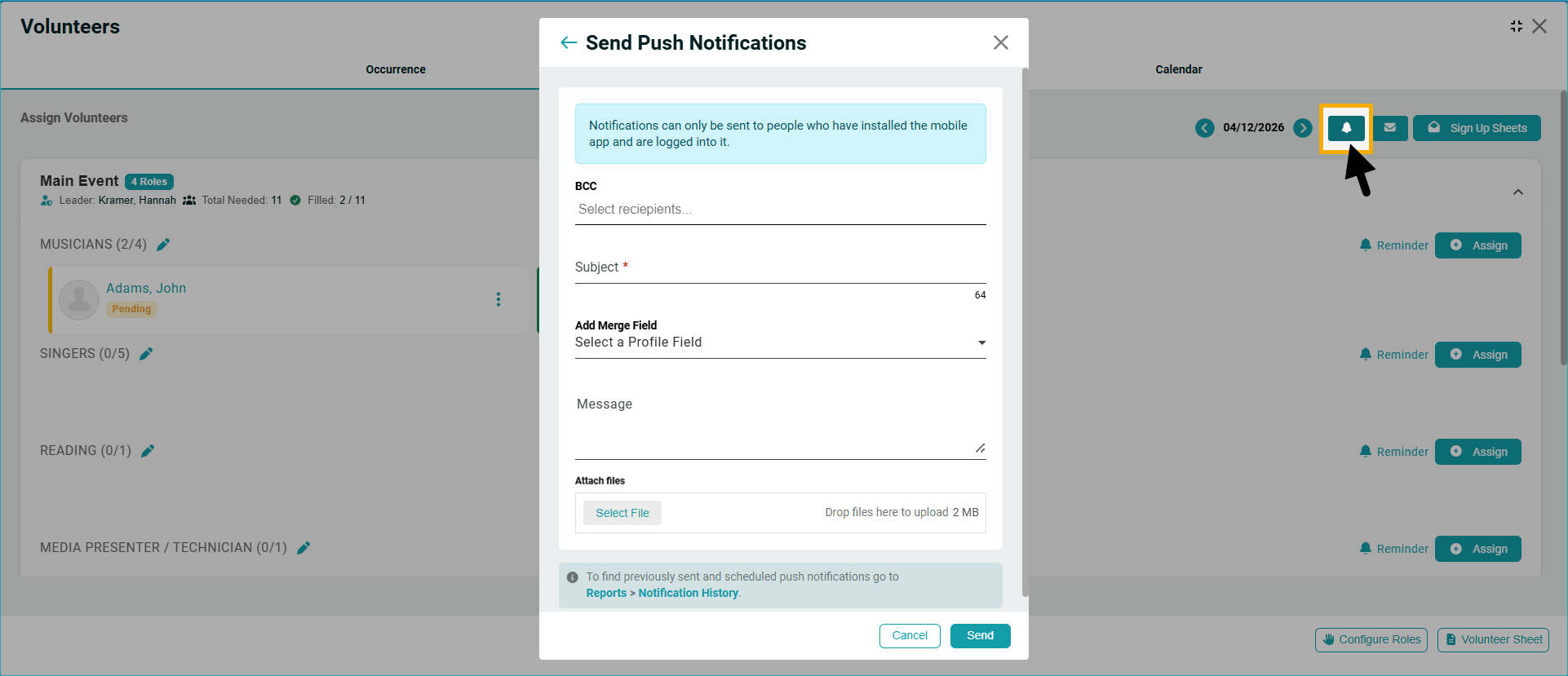
Send Mobile Push Notifications to Volunteers
Now you can notify event volunteers who are logged into their mobile app, right from within the Volunteer Scheduling feature. As a reminder, push notifications are free to send and receive.
Send Text Reminders to Volunteers
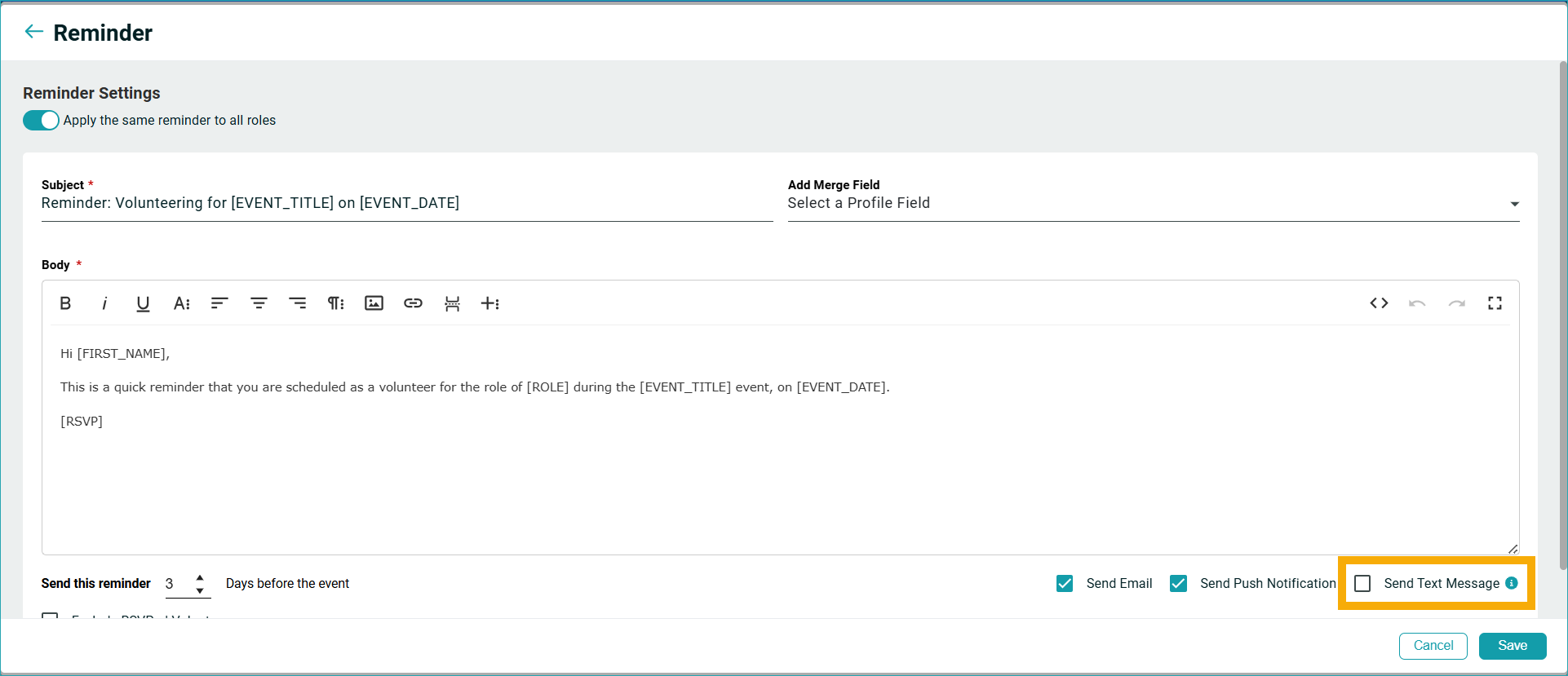
Volunteer Reminders got better with a new option, to text volunteers when you want to send them a reminder. You can find this under the Reminder option, right alongside the previously-available options to email or send push notifications. This completes the reminder communication suite for the volunteer scheduling feature.
Enhanced Downloadable Volunteer Sheet
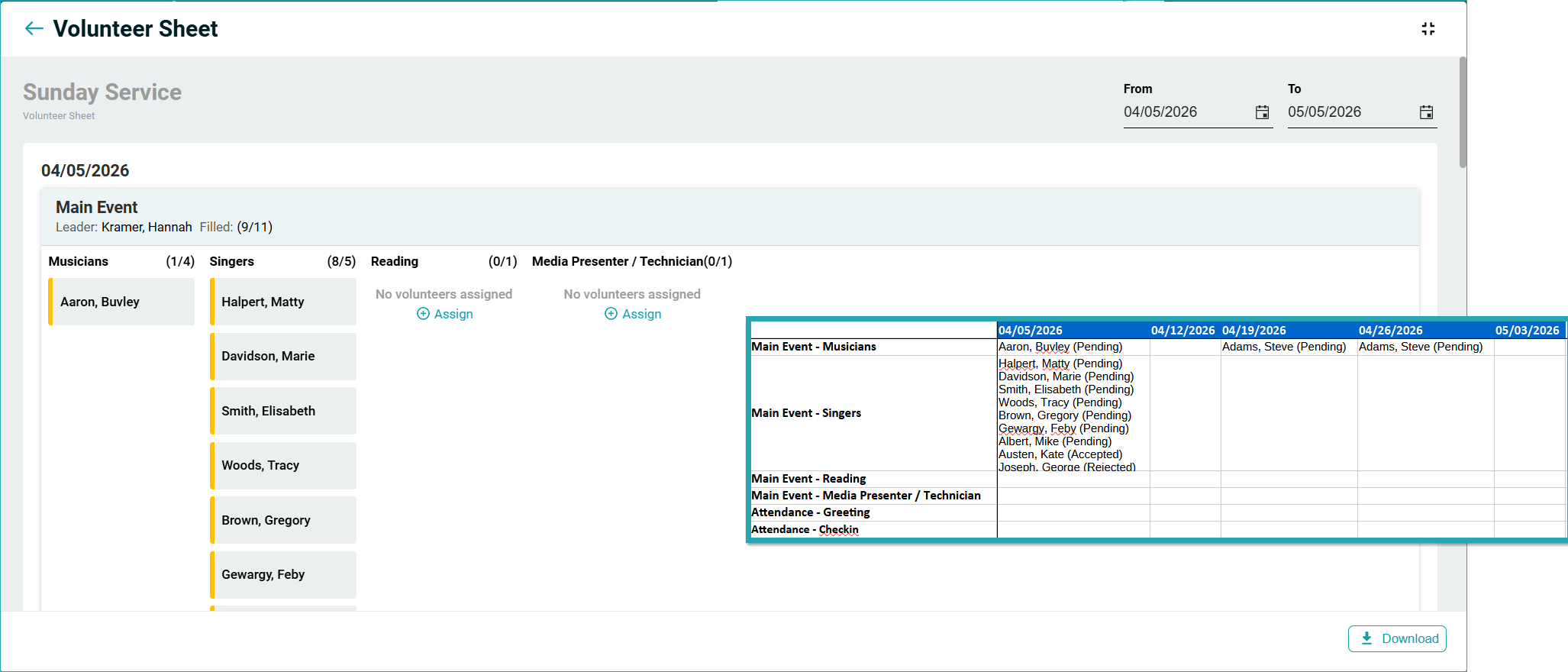
The downloadable Volunteer Sheet now provides a better, clearer view of days and roles. This makes it easier to see coverage at a glance when planning events. From any event with volunteer scheduling, download the Volunteer Sheet as before, and the new format will appear automatically.
Giving
We updated giving to make pledge campaigns more flexible, giving data more exportable, and online giving more configurable. Here’s what’s new:
Bi-Annual Recurring Pledges
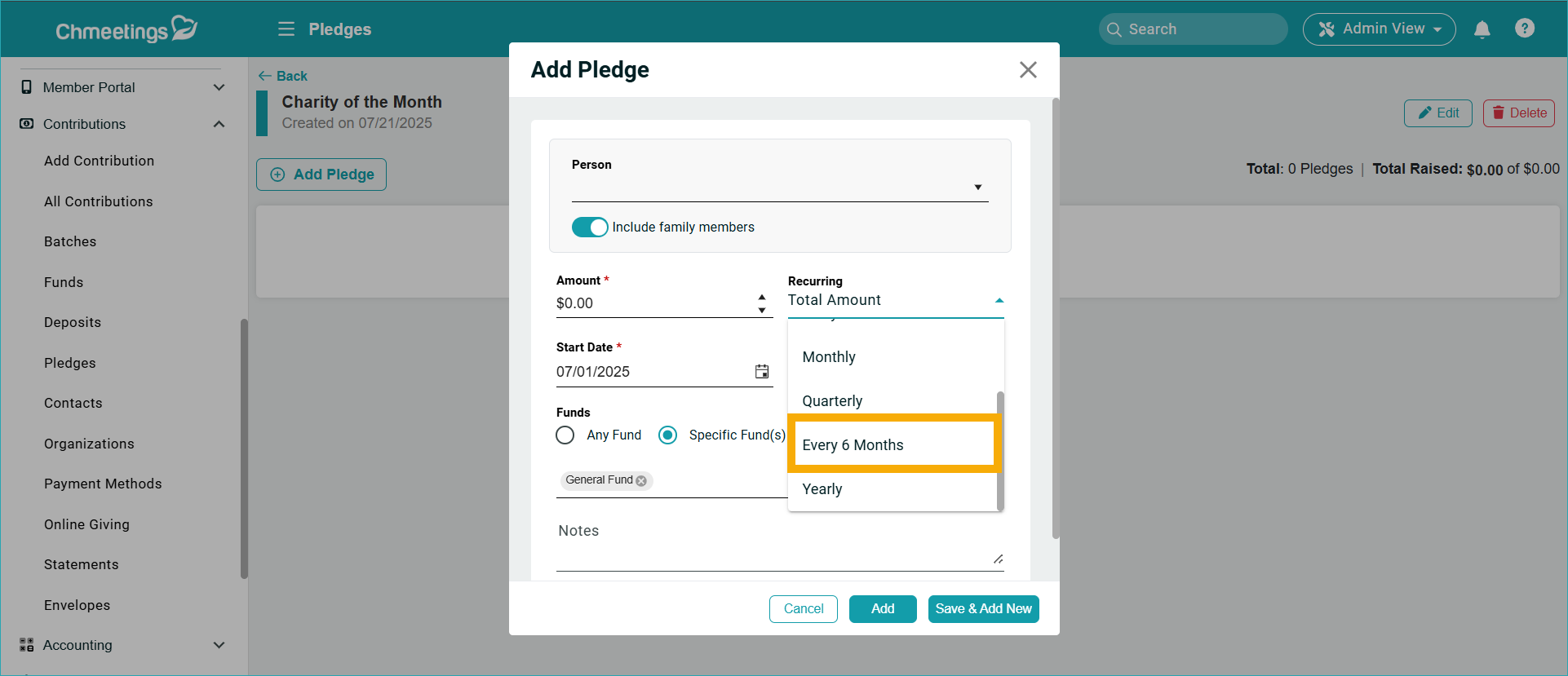
Pledge campaigns now support bi-annual recurring schedules. This complements existing monthly and yearly options, giving donors more flexibility in how they fulfill their pledges. When setting up a recurring pledge campaign, select “Bi-Annual” from the frequency options.
Mandatory Fee Coverage for Donors
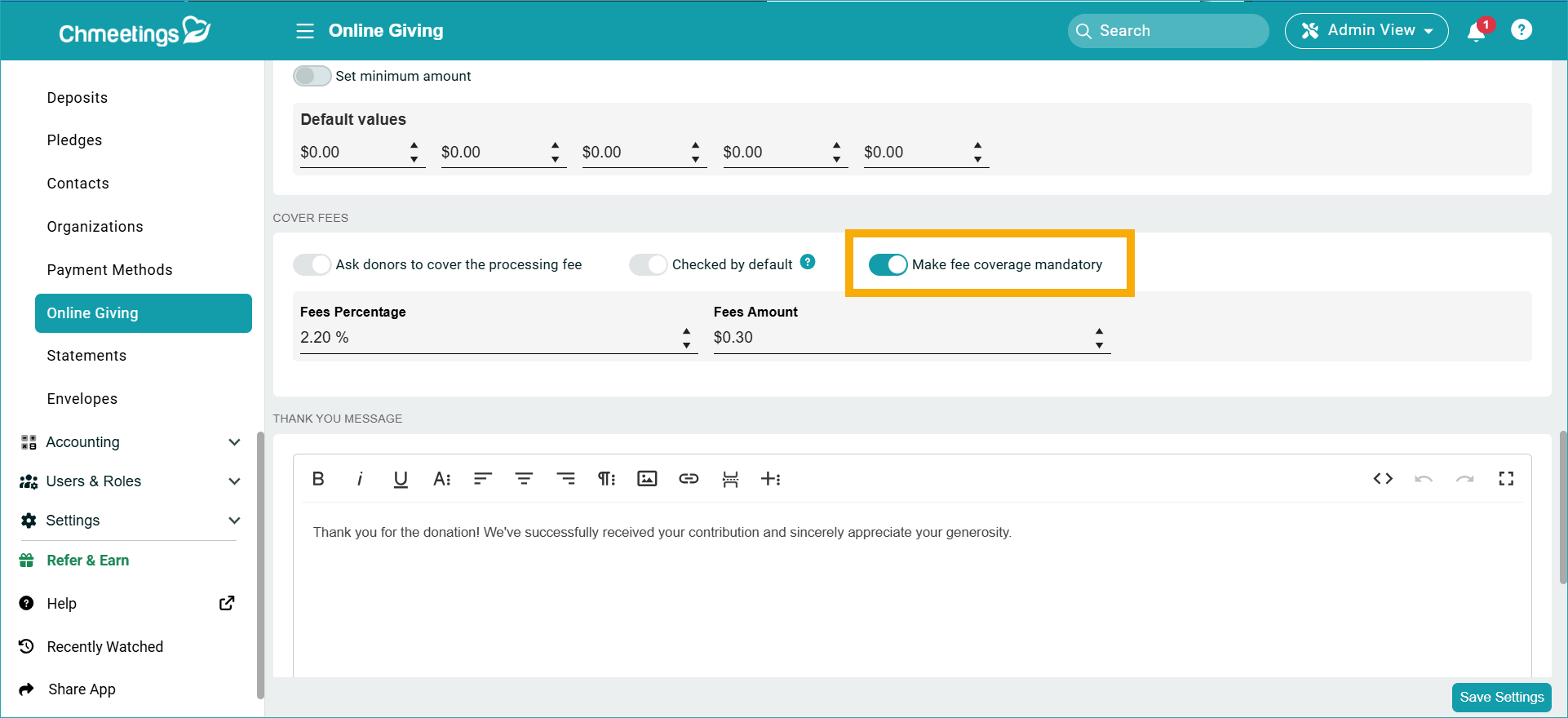
Online giving settings now include an option to require donors to cover transaction fees. This feature is disabled by default, so existing workflows remain unchanged until you enable it. Go to Settings > Online Giving Settings and enable “Make covering fees mandatory” if you want to do so.
New Online Giving Batch Assignment Option
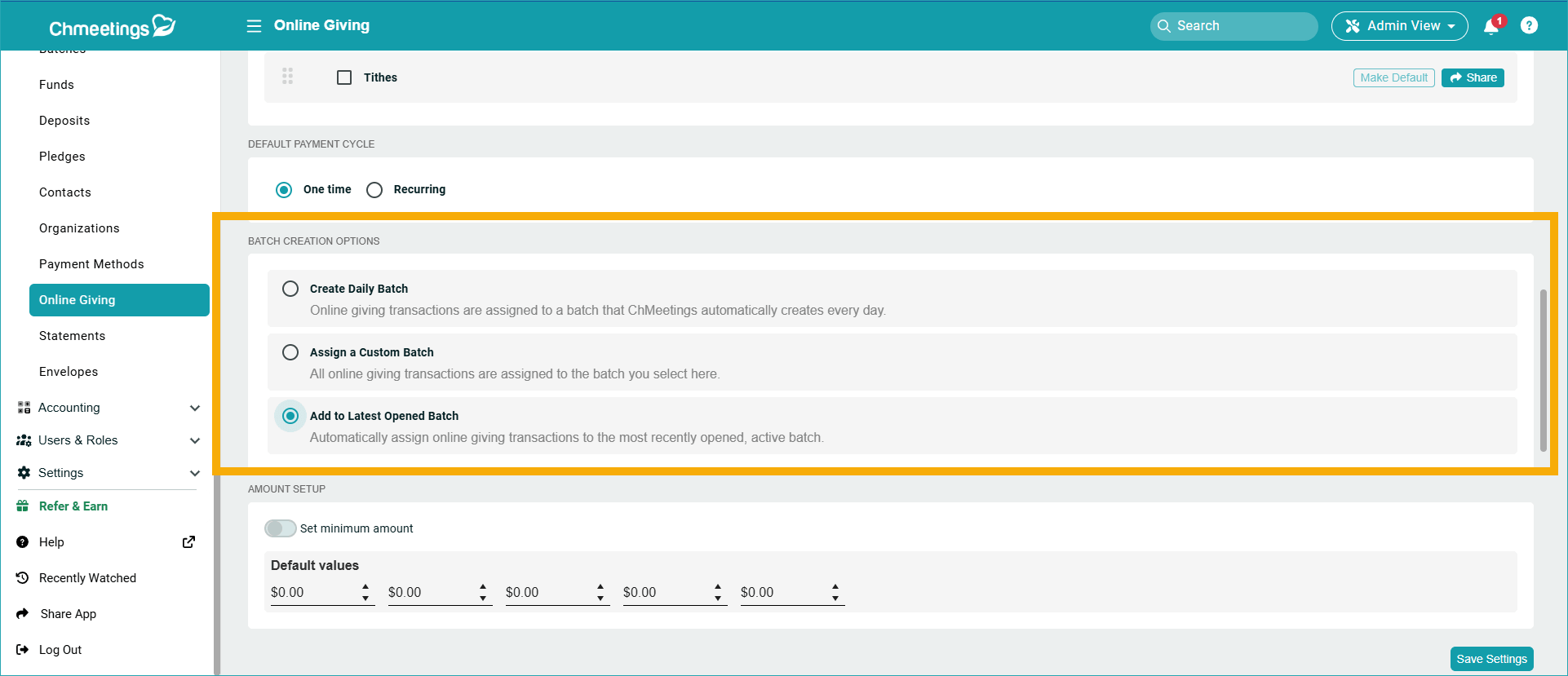
You can now automatically assign online giving transactions to the most recently opened, active batch. This way you can just add online giving to your current giving batch, without separating them if you don’t need or want to. The feature is available in your Online Giving Settings, under Batch Creation Options.
Accounting
The Accounting feature has been enhanced to give you better access to data and improve the check printing experience.
Full Transaction Details and Payee Filter in Several Reports
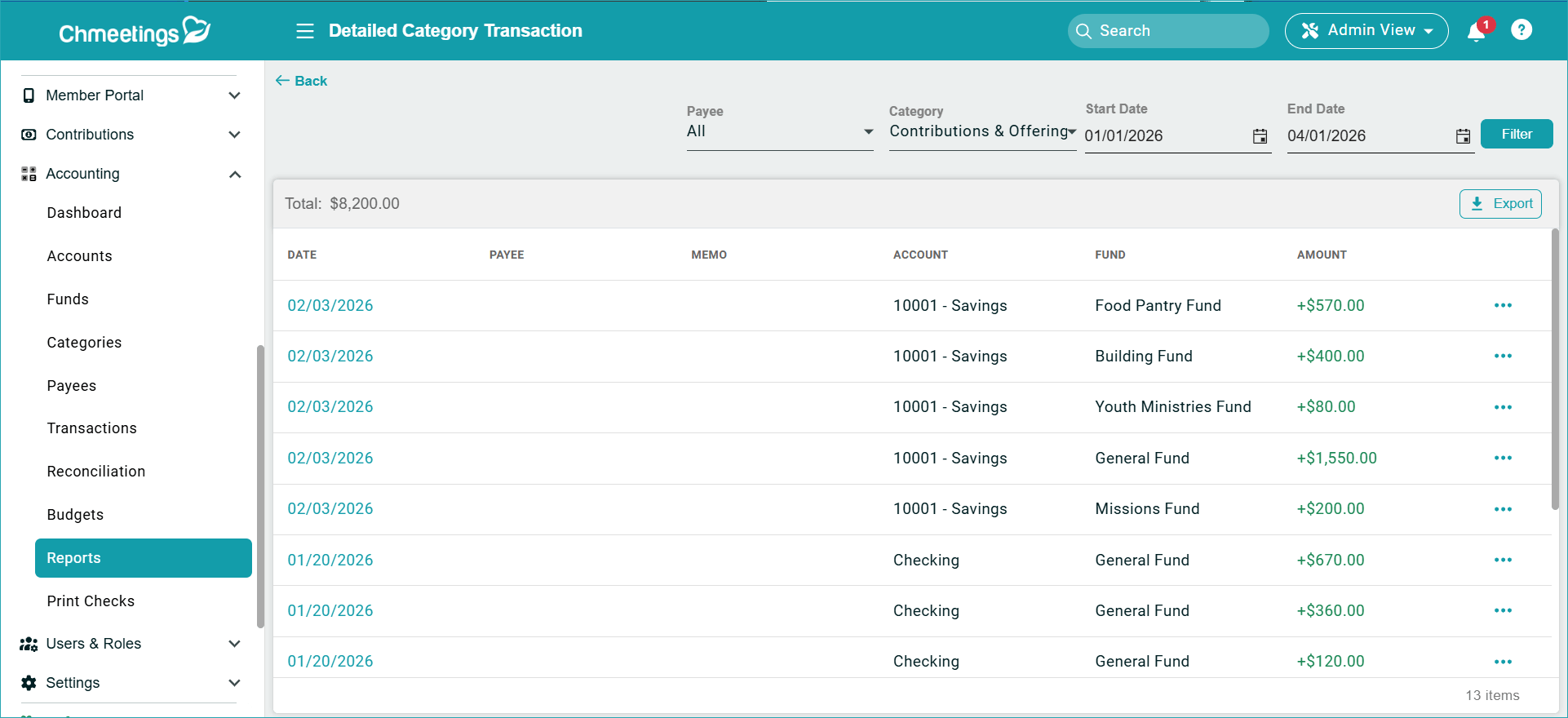
The Detailed Category, Fund, and Payee Transactions reports now show the full transactions list and transaction details. A new Payee filter has been added to these reports.
Enhanced Transaction Search
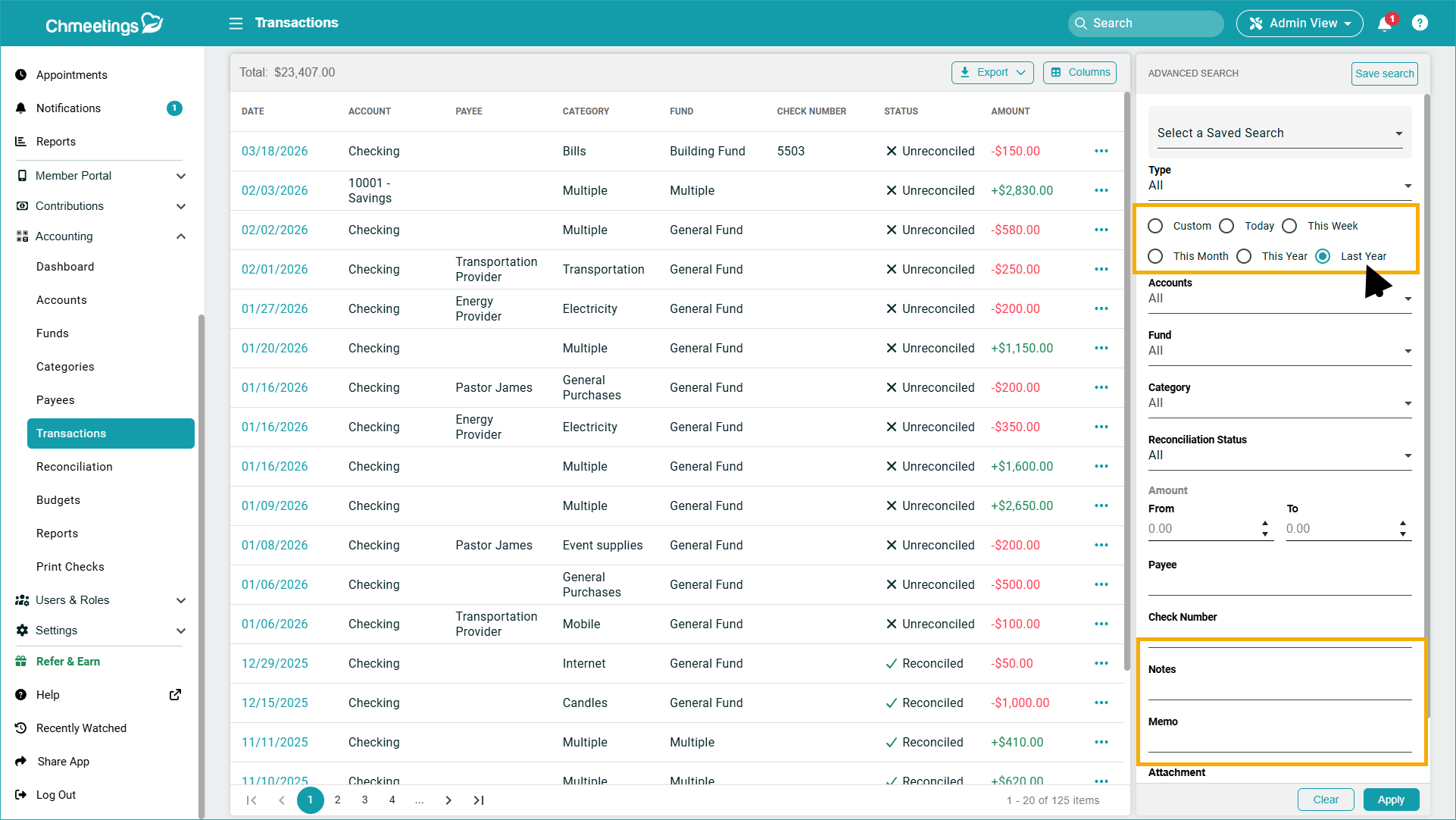
You can now filter transactions within the last year, as well as search within notes and memo fields, from the Accounting > Transactions page.
Direct Print Preview for Checks
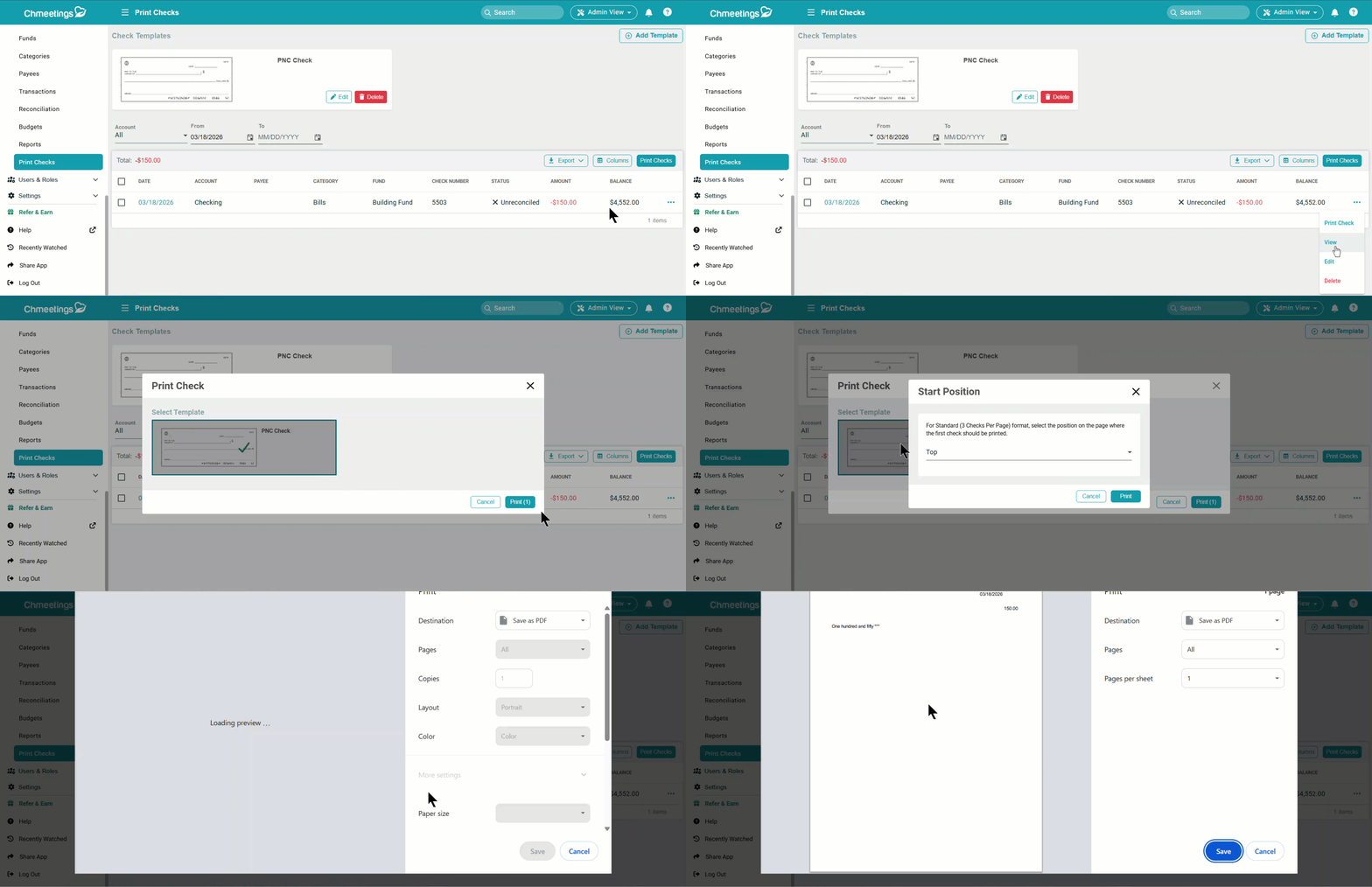
Printing checks now opens the print preview directly instead of downloading a file first.
Forms
Our Forms feature has been getting better throughout 2026, and we’re excited to bring you a feature that’s meant to increase your productivity.
Create Documents from Form Submissions (Beta)
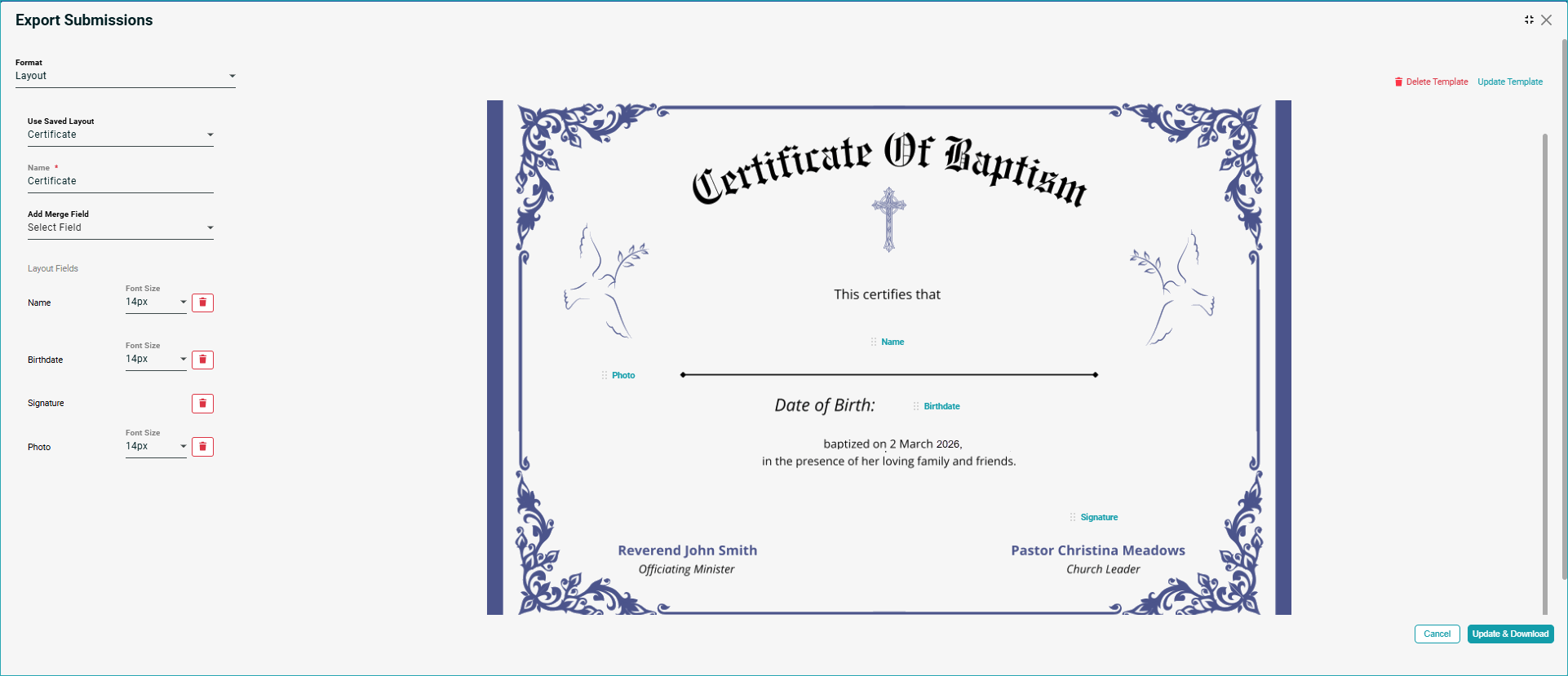
When exporting form submissions, the new Layout option lets you upload a document background image, add fields to it, and download a PDF with documents created for all submissions, based on your template. This is ideal for certificates or any other documents you may need to issue. The document preview contains the values, which you can print onto your dedicated document paper.
API and Integrations
Our APIs have been significantly enhanced throughout this last month, to allow you increased performance when it comes to accessing data and making it work for the benefit of your community. Here’s what we’ve added this March:
- Events, Occurrences & Attendance Read API: A new read-only API provides programmatic access to event data. You can now retrieve events (church/ministry level), individual occurrence records for recurring events, and attendance data per occurrence to build external reports and dashboards.
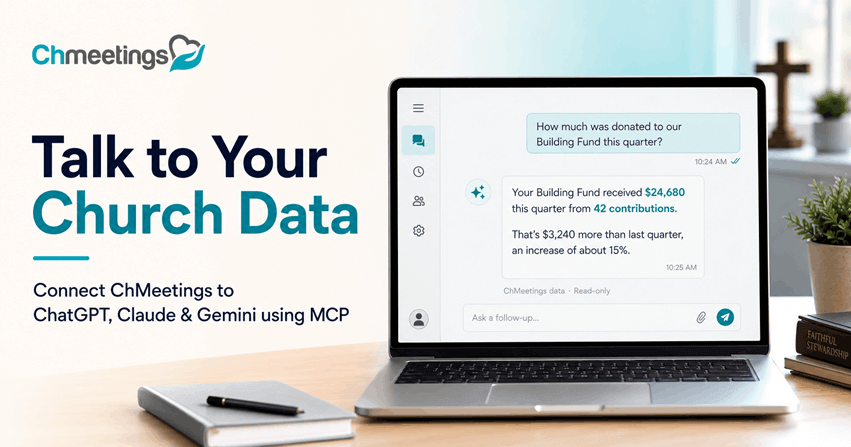
- MCP Resources for Custom Solutions: We introduced MCP Resources to simplify building integrations, automate workflows, or build custom dashboards. Please refer to the MCP Resources for setup and usage instructions, as well as to our guide to Installing ChMeetings Resources MCP
- Enhanced People API: You can now get a person’s organizations or include organizations directly in the People API response.
- Blog API: You can now access your ChMeetings blog using the API.
Learn more about our API by visiting our API Documentation.
Other Updates
Here are some other updates which, for brevity, we’ll be discussing in a bit less detail; although they are just as important and powerful as the others):
- In the Giving section, you can now export contributions with custom profile fields, from under Contributions > All Contributions. Also, the Pledge Campaigns page now has a column showing you the remaining amounts, so you can see campaign status at a glance.
- Volunteer Teams Display in Calendars (We released Volunteer Teams at the very beginning of March, but announced with our February Updates): So, now Volunteer teams now appear in both the volunteers calendar view and the Member View for improved visibility.
- There is a new Gender Filter in the Birthdays Report, which allows you to run birthdays reports based on gender.
- Background Upload Support for Media Library: In the Branded App’s Media Library, you can click ‘Save & Upload’ and close the window. The file continues uploading in the background while you add more media.
- Holidays Calendar: A new “Holidays” calendar is available for the US, Canada, UK, Australia, Germany, and France.
- Custom Profile Fields Filter in Recurring Event Report: The report now has a List tab and a Charts tab. The new custom profile fields filter is available in the List tab, under Advanced Search.
- Dedicated Phone Numbers for Churches (Diocese): Churches under a diocese can opt to have their own dedicated phone number from Settings > Payments & Credit.
- Change Text Box Background Color (Member Portal > Builder): A new option to change the background color of text boxes is now available in the Builder.
***
We’re very excited to bring these features to you. If you’d like to share feedback or have any questions, please don’t hesitate to get in touch with our team, who are here to help. For more frequent updates, we invite you to check out our Release Notes page.