
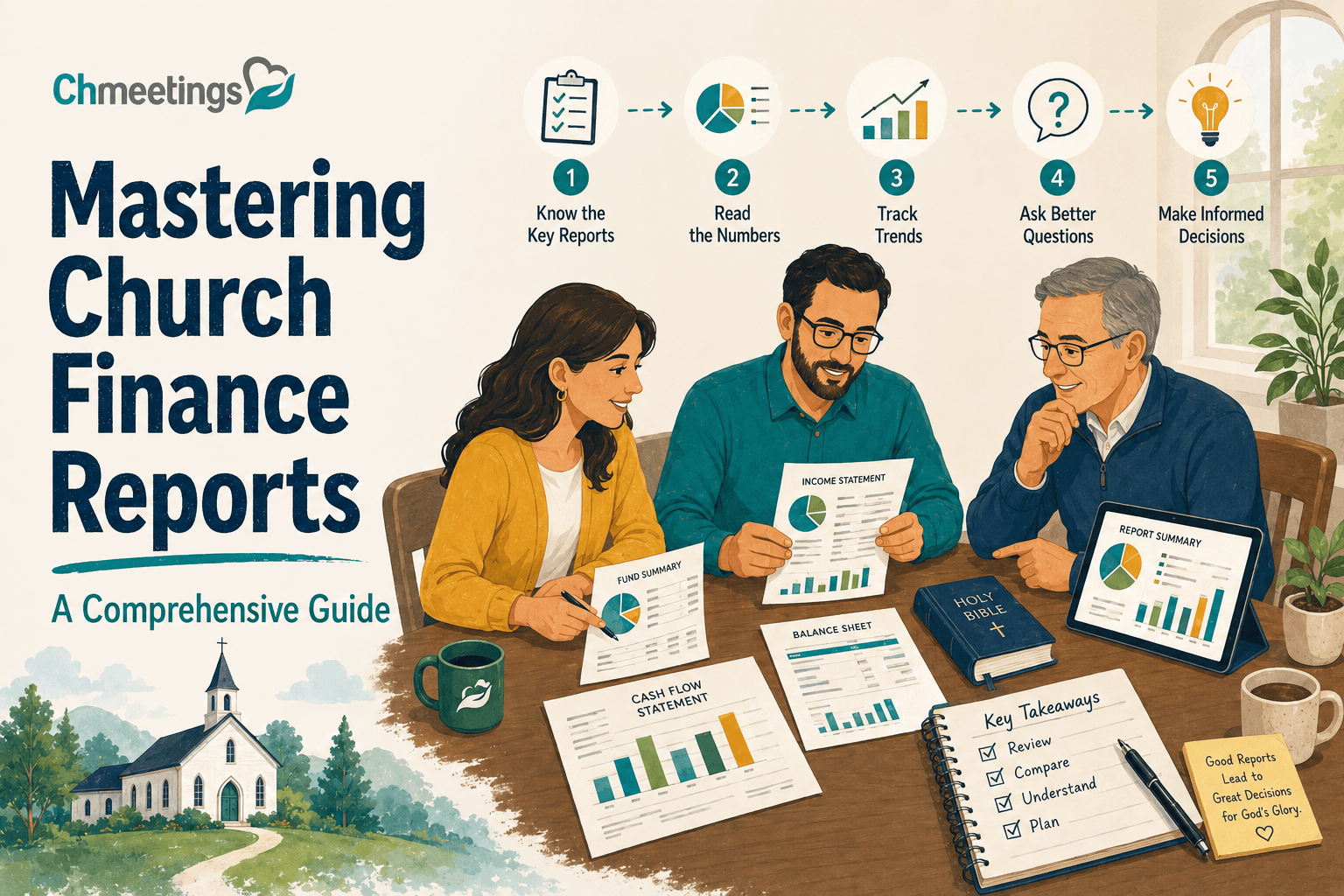

Church finance reports are one of the most powerful tools available to church leadership, and one of the most consistently underused. In my experience working with churches navigating financial challenges, the congregations that struggle most are rarely those with the least money. They are the ones operating without clear, regular financial reporting that gives leadership the visibility they need to make good decisions and gives the congregation the transparency they need to give with confidence.
More than 80 percent of income for many churches comes from collections, according to Church Management Academy. That dependence on congregational giving makes financial transparency not just a governance best practice but a pastoral one. When people understand where their money goes and see it being managed with integrity, they give more freely and more consistently.
“Church finance reports bring clarity and shine a light on your current financial circumstances. Even if what you see is discouraging, you and your leadership team will be equipped to plan for a better financial future.” — The Lead Pastor
- Understanding Church Finance Reports: Key Concepts
- The Essential Components of a Church Finance Report
- Crafting Your Finance Report: Step-by-Step Guide
- Best Practices for Effective Church Finance Reports
- Common Pitfalls in Church Finance Reporting
- Tools and Resources for Creating Church Finance Reports
- Frequently Asked Questions
- Conclusion
Understanding Church Finance Reports: Key Concepts
What is a Church Finance Report?
A church finance report is a structured document that presents the financial position and activity of a congregation over a defined period. It answers three fundamental questions: what came in, what went out, and what does the church currently have and owe. Done well, it also answers a fourth question: how does actual financial activity compare to what was planned in the budget?
What makes church finance reports distinct from business financial reports is the fund accounting structure that underlies them. Churches track money not just by amount but by designated purpose: tithes and offerings go into the general fund, building campaign gifts stay in the building fund, and designated mission donations remain in the missions fund. A church finance report must reflect this fund-level reality rather than treating all income as a single undifferentiated pool.
Importance for Stakeholders
Church finance reports serve different audiences with different needs. Church leadership, the senior pastor, executive pastor, and finance committee, use them to make operational decisions: whether to hire staff, launch a new program, or adjust spending in a particular area. Board members and elders use them to fulfill their governance responsibility to the congregation. The congregation itself uses them to maintain confidence that their giving is being stewarded faithfully.
Ecclesiastical crime is projected to reach $92 billion by 2025, according to Grain Ledger. That statistic is not an indictment of most churches but a serious warning about what happens in the absence of adequate financial oversight and reporting. Regular, well-structured finance reports are the most practical prophylactic against financial misconduct, not because they catch wrongdoing after the fact but because their existence makes wrongdoing significantly harder to conceal and therefore less likely to occur.
Key Components of a Finance Report
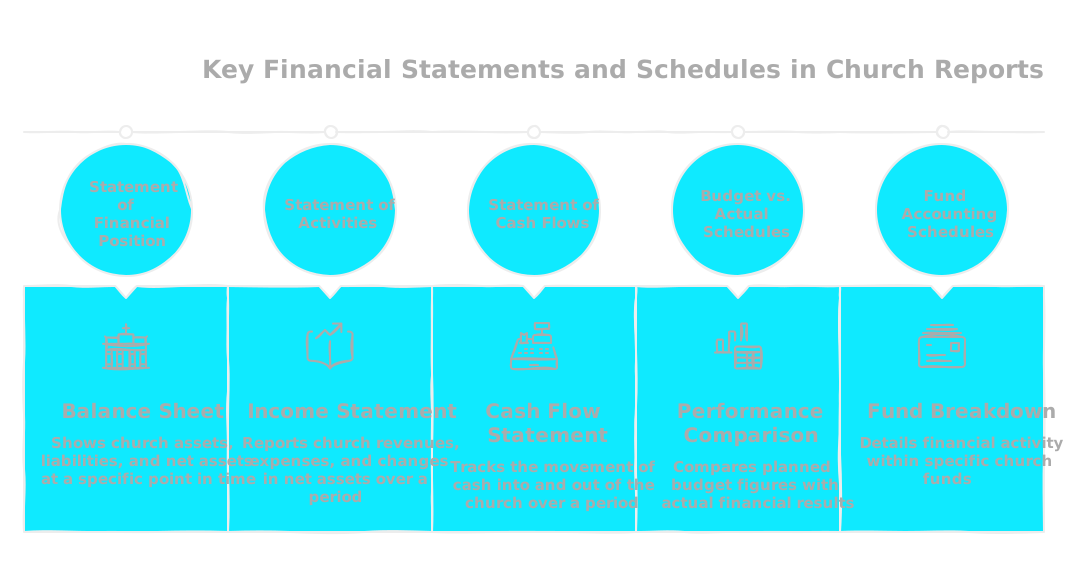
A complete church finance report typically includes an income statement, a balance sheet, a cash flow statement, a budget comparison, and explanatory notes. Each serves a distinct purpose, and the absence of any one of them leaves a gap in the financial picture that leaders cannot afford.
The Essential Components of a Church Finance Report
Income Statement Overview
The income statement, sometimes called a Statement of Activities in nonprofit accounting, shows all income received and all expenses incurred during the reporting period. For a church, income typically includes tithes and regular offerings, designated gifts, event income, facility rental, and any grants or special campaign receipts.
The income statement organized by fund is the most useful format for church leadership because it shows not just whether the church is operating in surplus or deficit overall but whether each fund is in balance. A church can appear financially healthy on a consolidated income statement while simultaneously spending designated building funds on operational expenses, a problem that only fund-level reporting reveals.
“A well-structured Statement of Activities connects every dollar spent directly back to the church’s mission, showing the congregation how their generosity fuels everything from youth programs to global missions.” — Grain Ledger Blog
Balance Sheet Breakdown
The balance sheet presents the church’s financial position at a specific point in time: what the church owns (assets), what it owes (liabilities), and the difference between them (net assets). For churches, the net assets section is further divided by restriction: unrestricted, temporarily restricted, and permanently restricted funds are reported separately.
A visual overview of key financial statements and schedules in church reports typically shows the income statement, balance sheet, cash flow statement, and budget comparison arranged to show how each document connects to the others. The balance sheet is the foundation: it shows the cumulative effect of all income and spending decisions since the church was established, not just the activity of the current period.
Cash Flow Statement Essentials
The cash flow statement shows how cash actually moved in and out of the church’s accounts during the period, independent of when income was earned or expenses were incurred. This distinction matters practically: a church can show a surplus on its income statement while simultaneously running out of cash if major receivables have not yet been collected or if large capital payments fell within the period.
I have seen churches face genuine cash crises that their income statement did not predict because no one was monitoring cash flow. The cash flow statement is the early warning system that prevents this.
Crafting Your Finance Report: Step-by-Step Guide
Step 1: Data Collection
Effective church finance reports begin with complete, accurate data. The data collection step involves reconciling all bank accounts against the accounting system, verifying that all donations have been recorded and allocated to the correct funds, confirming that all expenses have been entered and properly categorized, and ensuring that any restricted funds received or released during the period are correctly reflected.
A substantial portion of church reporting failures comes from using inadequate tools for fund accounting rather than insufficient effort, according to Grain Ledger. The data collection step is where this limitation shows up most visibly: a system that cannot track funds properly produces reports that misrepresent the church’s actual financial position regardless of how diligently the data is entered.
Step 2: Preparing Financial Statements
With clean, complete data in place, the financial statements themselves can be generated. In a well-configured church management or accounting platform, this step involves selecting the reporting period and the report format rather than manually compiling figures from multiple sources.
The monthly treasurer report packet, which typically includes the income statement, balance sheet, cash flow statement, budget comparison, and a brief narrative, should be producible within a day of the period end rather than requiring a week of manual compilation. If it consistently takes longer than that, the data infrastructure needs attention.

Step 3: Adding Context and Notes
Numbers without context mislead as often as they inform. A significant variance between budget and actual spending on facilities, for example, might reflect an emergency repair that was necessary and prudent, or it might reflect a failure of budget discipline. Without a note explaining which it was, the person reading the report cannot tell.
Explanatory notes should address any line item where actual performance varies from budget by more than a defined threshold, typically 10 percent or more, any unusual transactions that require context to understand correctly, and any significant events during the period that affected financial results.
Best Practices for Effective Church Finance Reports
Utilizing Narrative to Engage Readers
“A transparent financial report is an act of discipleship. It models integrity and invites the congregation into a shared journey of stewardship, turning giving from a transaction into a partnership in the Gospel.” — Grain Ledger Blog
The narrative section of a church finance report is where the numbers become a story. A brief executive summary at the top of the report, written in plain language rather than accounting terminology, allows board members and congregation representatives who are not financial specialists to understand the essential message without having to interpret the statements themselves.
An effective narrative covers three things: where the church stands financially relative to budget and prior year, what drove any significant variances, and what the leadership is doing or planning in response to the current financial position.
Incorporating Visual Aids
A dashboard of key financial KPIs presented visually at the opening of the finance report gives readers an immediate picture of financial health before they engage with the detailed statements. Key financial KPIs for churches typically include total giving compared to budget, operating surplus or deficit for the period, cash balance compared to the prior period, giving per household, and fund balances for each restricted fund.
Charts showing giving trends over twelve rolling months, expense breakdowns by ministry area, and fund balance progression over the year allow patterns to be perceived visually that are difficult to extract from tables of numbers. Churches that incorporate these visual elements consistently report higher engagement from board members and greater congregational confidence in financial reporting.
Churches adopting online giving platforms see donation surges of up to 32 percent, according to Grain Ledger. Tracking these giving trends visually in the finance report makes the benefit of digital giving visible to leadership and reinforces investment in the infrastructure that produces it.

Communication Schedule for Reports
A finance report that is prepared but not distributed on a predictable schedule loses most of its value. The board or finance committee should receive the monthly report within ten business days of the month end. A summary version should be made available to the congregation quarterly. The annual report, which is the most comprehensive document, should be distributed at the annual congregational meeting.
Common Pitfalls in Church Finance Reporting
Miscommunication and Reporting Errors
The most common errors in church financial reporting are fund misallocations, where a designated gift is recorded to the wrong fund; timing errors, where income or expenses are recorded in the wrong period; and incomplete reconciliation, where the report is produced before all transactions for the period have been entered. Each of these can be reduced significantly by establishing a clear month-end close process with specific steps and a defined sequence.
Transparency Issues
Donations to churches in the U.S. reached $146.5 billion, but due to inflation the actual purchasing power of those donations is diminishing, according to Grain Ledger. Churches that are not transparent about this reality, that present optimistic summaries while the underlying financial position deteriorates, lose the trust of their congregations at exactly the moment they most need it.
Transparency requires reporting bad news as clearly as good news. A report that buries a deficit in footnotes or attributes every shortfall to exceptional circumstances without offering a credible response plan communicates, however unintentionally, that leadership is managing perception rather than finances.
Ignoring Stakeholder Insights
Board members and congregation representatives who read finance reports regularly develop pattern recognition that can identify emerging problems before they become crises. Ignoring their observations, whether about an unusual trend, an unexplained variance, or a concern about a specific fund, closes off one of the most valuable error-checking mechanisms available to church financial leadership.
Tools and Resources for Creating Church Finance Reports
Top Church Accounting Software
| Software | Best For | Fund Accounting | Starting Price | Church-Specific Reporting |
|---|---|---|---|---|
| ChMeetings | All-in-one church management with accounting | Yes, native | Free / $25/month | Yes, integrated with giving and member data |
| Aplos | Nonprofit accounting focused | Yes | ~$79/month | Yes |
| PowerChurch | Established larger churches | Yes | ~$395 one-time | Yes |
| ChurchTrac | Small budget churches | Basic | ~$9/month | Basic |
| QuickBooks Nonprofit | Churches with dedicated bookkeepers | Workaround required | ~$35/month | No |
ChMeetings stands out in this comparison because its accounting module is integrated with the full church management platform. When a donation is received and recorded in the giving module, it flows automatically into the correct fund in the accounting module and appears in financial reports without manual transfer. The monthly treasurer report packet, including income statement, balance sheet, budget comparison, and fund balances, can be generated directly from the system rather than assembled manually from multiple sources. Try ChMeetings Today to see how integrated accounting changes the time and accuracy of your financial reporting.
Utilizing Online Reporting Tools
Online reporting tools allow finance reports to be shared with board members and congregation representatives digitally rather than requiring physical distribution. Digital reports can include interactive charts, expandable notes, and linked source documents that provide deeper context for anyone who wants it without cluttering the summary report for those who do not.
Financial Reporting Resources Checklist
A complete monthly church finance reporting checklist includes: bank reconciliations complete for all accounts, all donations recorded and allocated to correct funds, all expenses entered and categorized, restricted fund activity verified, financial statements generated and reviewed for accuracy, narrative summary written, visual dashboard updated, and report distributed to the board within the defined deadline.
Frequently Asked Questions
What should be included in a church finance report?
A comprehensive church finance report includes an income statement organized by fund, a balance sheet showing assets, liabilities, and net assets by restriction category, a cash flow statement, a budget-to-actual comparison for the period, explanatory notes addressing significant variances or unusual transactions, and a brief narrative summary that gives non-financial readers the essential picture without requiring them to interpret the statements themselves.
How often should church financial reports be prepared?
Monthly reports provide the most timely picture for operational decision-making and should be the baseline standard for any church with a staff team and significant financial activity. Quarterly summary reports serve the broader congregation well. Annual reports are the most comprehensive and should be presented at the annual congregational meeting with sufficient detail for members to fulfill their oversight responsibility.
What is the purpose of a church finance report?
The primary purpose is to provide leadership and the congregation with a clear, accurate, and timely picture of the church’s financial position and activity. This enables informed decision-making, demonstrates faithful stewardship of donated resources, builds congregational trust, and provides the oversight infrastructure that protects against financial misconduct.
Who reads church finance reports?
Church leadership reads them for operational decision-making. Board members and elders read them to fulfill their governance responsibility. Finance committee members read them in detail to provide financial oversight on behalf of the congregation. Congregation representatives or delegates read summary versions to maintain visibility into how their giving is being managed. Each audience has different needs, which is why a well-structured report includes both detailed statements and an accessible narrative summary.
What common mistakes should be avoided in financial reporting?
The most consequential mistakes are fund misallocations that misrepresent restricted balances, failure to provide context for significant variances, producing reports too infrequently to catch problems early, using accounting tools that do not support fund accounting properly, and burying unfavorable information in footnotes rather than addressing it directly in the narrative. Each of these mistakes erodes the trust that the finance report is designed to build.
Conclusion
Church finance reports are not an administrative burden to be minimized. They are a pastoral tool for building trust, a governance instrument for maintaining accountability, and a strategic resource for making better decisions about how a congregation’s resources are deployed in service of its mission.
The churches that do this well treat financial reporting not as a compliance exercise but as a ministry of transparency: a regular demonstration to the congregation that their generosity is being received with gratitude, managed with integrity, and deployed with faithfulness toward the mission that brought them together.
For churches that want to streamline their financial reporting, track giving by fund, and produce monthly treasurer report packets without hours of manual data assembly, Try ChMeetings Today and see how integrated church management and accounting changes what is possible.





