

- What Is A Church Accounting Error?
- Triage And Prioritize Errors
- Set Up A Correction Workflow
- Trace Transactions To Source
- Correct Common Transaction Mistakes
- Reconcile Accounts And Funds
- Restore Restricted Fund Integrity
- Fix Donor And Giving Records
- Resolve Payroll And Tax Errors
- Communicate With Stakeholders
- Prevent Errors With Controls
- Monthly And Year-End Recovery Plan
- Tools Templates And Metrics
- FAQs
What Is A Church Accounting Error?
Definition And Typical Scenarios

A church accounting error is any recorded transaction that does not reflect what actually happened financially. Typical scenarios include a donation posted to the wrong fund, duplicate gift entries, missed deposits, transposed amounts, expense items coded to the wrong account, or pledge payments that never update the pledge schedule. Errors also show up as failed imports from a giving platform, incorrectly split transactions, or unrecorded in-kind gifts. Small mistakes add up quickly when you rely on spreadsheets or disconnected tools.
Financial, Legal, And Reputational Impact
Even minor errors can skew budgets, create cash flow surprises, and mislead ministry decisions. Misapplied restricted gifts may trigger legal or grant compliance issues and force restatements on donor receipts or Form 990 filings. More than numbers, errors damage trust, especially when donors receive incorrect statements or their intent is ignored. Accurate records are the foundation of healthy ministry, and investing in clean back-end systems protects your front-facing work.
How Errors Usually Surface
Errors typically appear during bank reconciliation, when totals don’t match deposit slips and giving batches. They also come up in routine reporting, donor questions, annual reviews, or external audits. Volunteer counters or event teams sometimes flag mismatched amounts after an activity. Many churches find mistakes when re-running contribution statements or when an import log shows duplicate or failed records, which is where a good church management app can really help by surfacing anomalies early.
Triage And Prioritize Errors
Assess Financial Materiality
Decide what matters first using simple, objective thresholds. Consider both absolute dollar amount and relative size versus monthly giving or a specific fund. Flag anything that affects restricted funds, payroll, tax filings, or recurring donor schedules as high priority, even if the dollar amount seems small. For routine items, set a rolling threshold the finance team agrees on, like a percentage of monthly receipts or a dollar floor, and revisit the threshold each fiscal year.
Identify Compliance And Donor Risks
Sort errors by the risk they create. Highest risk issues include misapplied restricted gifts, mistakes that alter tax receipts, and items that jeopardize grant terms. Medium risk covers misclassified expenses or missed vendor payments. Low risk is clerical noise that does not affect donor intent or legal reporting. Prioritize anything that could require donor notifications, board action, or regulator reporting.
Assign Ownership And Deadlines
Give each error a clear owner, a due date, and an expected outcome. Small churches can designate a finance lead or trusted volunteer; larger churches should assign a staff accountant and a reviewer. Use SLAs like 48 hours for high-risk items, one week for material but noncritical issues, and 30 days for low-risk cleanup. Log who’s responsible and when follow-ups are expected, so nothing falls into a black hole.
Set Up A Correction Workflow
Step-By-Step Correction Playbook

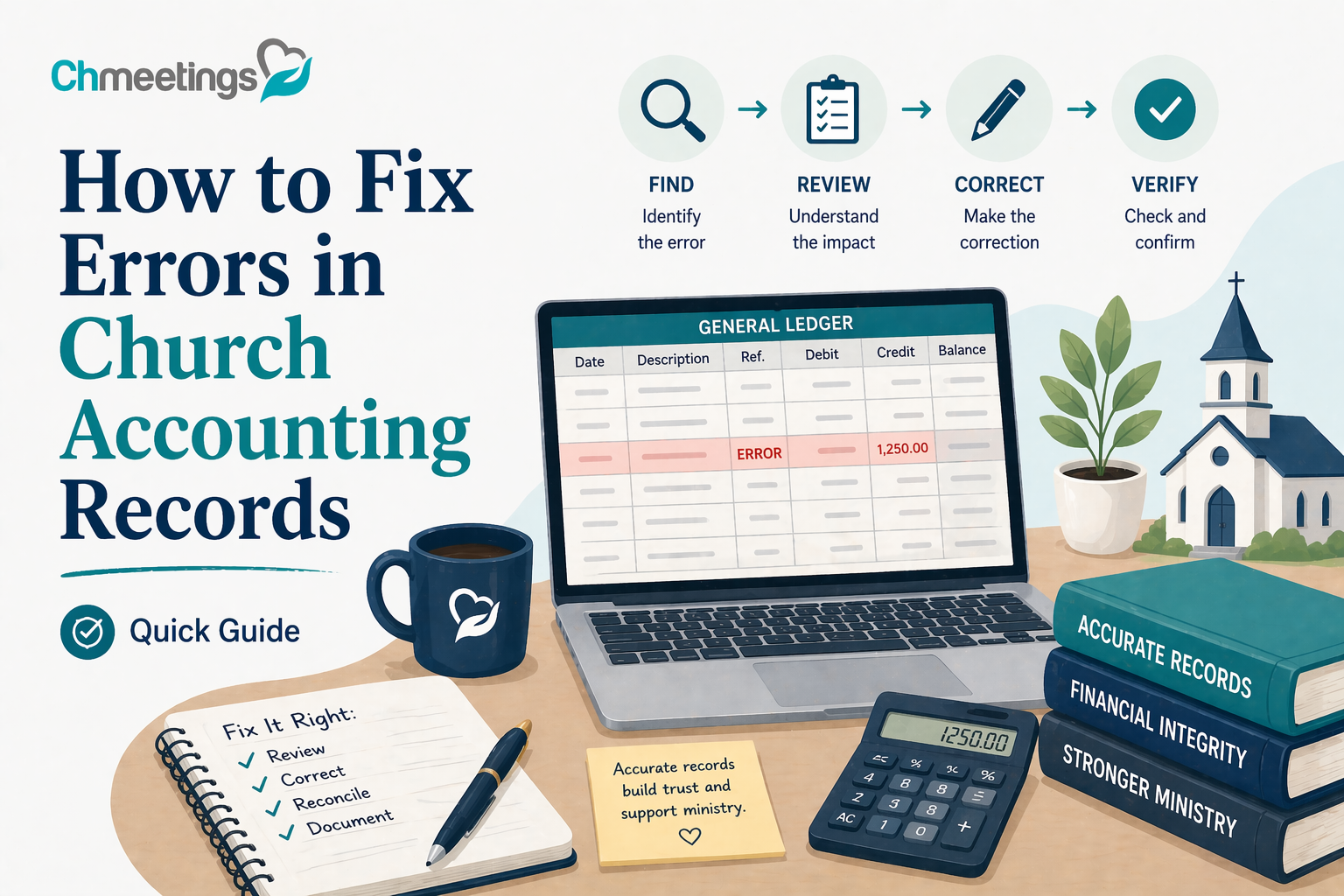
Create a repeatable sequence everyone follows:
- Lock the original record and save the source documents, like deposit slips and pledges.
- Reconstruct the timeline, showing who recorded what and when.
- Decide the fix, reversing entries or adjusting the original posting, and include a clear memo explaining why.
- Post the correction, run reconciliation, and confirm bank and reports align.
- Notify affected stakeholders, update donor statements if needed, and close the ticket with documentation. Keep playbooks short, so volunteers and new staff can follow them without confusion.
Required Approvals And Segregation Of Duties
Define who approves what. Corrections to restricted funds, payroll, or large amounts should require sign-off from the finance director and a board officer or audit committee member. Never let the same person record, reconcile, and approve a correction without compensating controls. If your team is small and roles overlap, document the exceptions and schedule periodic independent reviews to maintain trust.
Documentation Standards And Naming Conventions
Every correction needs a clear audit trail. Attach source docs, include the original transaction ID, date, user who made the error, user who fixed it, and a short reason code. Use predictable file names so searches work, for example 20260415_Adjust_Tithes_425_Reclass. Keep a single folder or record type for corrections and retain them according to your retention policy. Where possible, store attachments in your ChMeetings church management app so documents stay linked to member and giving records.
Trace Transactions To Source
Reconstruct Bank Deposits And Logs
Start with the bank statement and deposit slips, then pull batch reports and counting logs. Compare deposit totals to the giving batches on the date, checking for bank fees, refunded items, and timing differences. For cash, confirm counting team sign-off and night-deposit receipts. If totals differ, trace each line item until the discrepancy resolves, and document the path you used to find it.
Match Gifts To Pledges And Events
Match each gift to the pledge schedule or event registration that created it. Look for split gifts, employer matching, and in-kind entries that weren’t recorded properly. Update pledge balances after correcting entries so future statements are accurate. If an event generated payments, reconcile registrations, refunds, and vendor fees back to the bank deposit.
Investigate Manual Entry And Import Issues
Manual typos and import mapping are common culprits. Check import logs for duplicate import IDs, date format mismatches, truncated fields, or unmapped columns. Compare the raw CSV or payment gateway report to what appears in your ledger before deleting anything. Use unique import templates, run previews, and keep a sandbox copy for re-imports. Many church management apps publish import logs and mapping tools, use those to find where the process broke and prevent a repeat.
Correct Common Transaction Mistakes
Fixing Wrong Amounts And Duplicates
Start by tracing the entry to its source, bank deposit, or payment gateway report. If a gift or expense was entered for the wrong amount, post a correcting journal entry that clearly references the original transaction ID and why the change was made. For duplicates, do not delete without evidence, instead reverse the duplicate with a memo that links to the original and to any supporting documents. Require approval for corrections above your materiality threshold and attach source documents so auditors and donors can see the rationale. After corrections, re-run the affected reports and confirm bank totals and pledge balances match the corrected ledger.
Reclassifying Misposted Accounts
First confirm where the transaction should have landed, using budget codes, grant terms, or donor intent as the guide. Record a reclassification journal entry rather than editing historical records, include both original and new account codes, and cite documentation that justifies the move. Ensure the treasurer or finance chair reviews reclassifications that affect restricted funds or grant compliance. Update any recurring payment templates or import mappings that caused the mispost, so the same mistake won’t repeat.
Correcting Dates, Vendors, And Memos
Accurate dates matter for monthly close, fiscal reporting, and donor tax receipts. If a transaction was posted to the wrong date, correct with an adjusting entry dated in the proper period and keep the original entry for audit trails. Standardize vendor names to avoid duplicates and to aid 1099 tracking, and correct memo fields so program leads can reconcile activity to budgets. Always attach the original invoice, receipt, or donation note and record who approved the change.
Reconcile Accounts And Funds
Bank Reconciliation Best Practices
Reconcile every bank account monthly, matching deposits and cleared checks to the ledger. Account for bank fees, interest, returned items, and timing differences explicitly. Use a three-way check between the bank statement, deposit slip or batch report, and ledger entries. If your team uses automated matching tools, review exceptions manually instead of assuming the software is always right. Keep a dated reconciliation worksheet and require a second person to review and sign off on cleared reconciliations.
Reconciling Credit Cards And Petty Cash
Treat credit cards like separate bank accounts, reconcile monthly against statements, and require receipts for every charge. Assign cardholders, document approved spending categories, and route reconciliations to the finance lead for review. For petty cash, perform surprise counts and require vouchers for reimbursements when replenishing the float. Record replenishments to the ledger so petty cash balances match the physical cash on hand.
Resolving Outstanding And Suspense Items
Keep an aged suspense log and review it weekly during cleanup cycles. Investigate each item by tracing to batch reports, donor notes, or vendor invoices; reach out quickly if the source is unclear. Move items out of suspense only with supporting evidence, or escalate to write-off procedures if older than your retention policy allows and approval thresholds are met. Document every resolution so recurring causes can be fixed at the process level.
Restore Restricted Fund Integrity
Locate Misallocated Gifts
Run fund-level giving reports and compare gift memos, campaign tags, and pledge associations to detect misallocations. Spot-check large or recent gifts first, then sample older donations. Check counting team batch notes and online giving tags for mismatches. If donor intent is unclear, consult pledge records or contact the donor before reallocating.
Reallocate And Record Fund Transfers
When a gift belongs in a different fund, post a transfer entry citing the original transaction, donor intent, and any donor consent obtained. Avoid masking misallocations by using expense accounts to move money. For transfers that cross fiscal years or affect grant restrictions, secure board or grant officer approval and attach the approval to the journal entry. Reconcile both the source and destination funds after the transfer to confirm balances.
Update Fund Reports For Leadership
After corrections, produce concise before-and-after fund reports for leadership that show the adjustment, who approved it, and the impact on budgets and spending capacity. Include a short narrative about root cause and recommended control changes. Present these reports at the next finance committee meeting so leaders see corrected balances and understand any operational implications.
Fix Donor And Giving Records
Correcting Gift Dates And Amounts
Verify the gift against bank and gateway records before changing donor-facing data. If a posted date or amount is wrong, update the ledger with a correcting entry and note whether a tax receipt must be reissued. For online donations, check the processor record to avoid double adjustments. Communicate with the donor when changes affect their tax documentation or pledge balance.
Merging Duplicate Donor Profiles
Identify duplicates by matching email, phone, envelope number, or mailing address, and review giving history to confirm identity. Merge records in a way that preserves the full giving history, pledge commitments, and tax receipts. Keep an audit note that records who approved the merge and why. After merging, verify household and family links so future statements and communications go to the right contact.
Reissuing Statements And Receipts
Only reissue statements or receipts when corrections materially affect tax reporting or donor trust. Create corrected statements that clearly mark them as revised and include a concise explanation of the change and contact details for questions. Track each reissued document so you can report on how many donors were affected and confirm receipt. For year-end corrections, consult your tax advisor to ensure reissued receipts meet IRS guidance.
Resolve Payroll And Tax Errors
Correcting Pay Runs And Timesheets
Payroll mistakes need fast, careful fixes. Start by isolating the affected pay period, pull the original timesheets, and compare hours against approved schedules or clock-in logs. If a pay run is wrong, stop any pending direct deposits where possible, then issue correcting entries in the payroll register rather than editing the historic run without a memo. For volunteer stipends or occasional hires, confirm classification as employee or contractor before adjusting, because that affects tax treatment. Always document who approved the correction and notify the person paid so they know what to expect.
Fixing Withholdings And Filings
Withholding and tax filing errors are high risk, so prioritize them. Recalculate federal, state, and local withholdings for the affected periods and correct payroll tax liabilities on the payroll ledger. If underwithheld amounts are material, remit the shortfall with interest or penalties as required, and prepare amended payroll filings, for example corrected 941s or state equivalents. Coordinate with your tax advisor for any reissued W-2s or 1099s and keep copies of amended filings in your records. Log the rationale for adjustments and the dates filings were made, so auditors can follow the trail.
Coordinating Adjustments With Vendors
Payroll often touches vendors, like outsourced payroll providers or benefits administrators. Contact vendor support immediately when an adjustment is needed, provide the corrected payroll file, and confirm how they will handle tax deposits and reporting. If a vendor made the error, secure written confirmation of the correction and any refunds or credits. When vendor fees or reimbursements need changing because of payroll corrections, post corresponding entries and get dual approval if the amounts exceed your threshold. Keep vendor communications attached to the correction entry so the full picture is visible.
Communicate With Stakeholders
Notifying Leadership And Finance Teams
Tell leadership quickly, but with facts and a plan. Prepare a one-page summary that explains the error, scope, financial impact, corrective actions taken, and remaining steps. Share this with the finance committee and the pastor or executive team within your SLA for high-risk items. Avoid surprises at board meetings by routing material adjustments in advance, and include who signed off on corrections so leaders can see controls are working.
Informing Donors With Transparency
When donor records or receipts are affected, reach out promptly and clearly. Explain what changed, whether they need a revised tax receipt, and how you will prevent recurrence. Keep messages concise and pastoral in tone, and offer a staff contact for questions. Reissue corrected statements only when the change materially affects tax reporting or donor intent, and mark them as revised so donors and auditors can see the update.
Documenting Communication For Records
Record every notification related to a correction. Save emails, call notes, revised statements, and board minutes to the correction folder tied to the transaction. Use consistent naming conventions and date stamps so retrieval is quick during audits. If you used phone calls or in-person conversations, follow up with a short confirming email to create a paper trail. A robust communications log shows you handled the issue responsibly.
Prevent Errors With Controls
Segregation Of Duties And Checklists
Protect against repeat mistakes by separating duties: one person records transactions, another reconciles, and a third approves corrections. If your team is small, rotate responsibilities and require independent reviews at regular intervals. Create short, context-specific checklists for critical processes like posting gifts, closing payroll, and approving vendor payments so nothing is skipped. Checklists become a training tool, and they make reviews fast and consistent.
Standardized Data Entry Templates
Standard templates cut typing errors and miscodes. Build simple, enforced templates for contribution imports, vendor invoices, and timesheet entry with required fields and dropdowns for accounts and funds. Use consistent naming conventions for vendors and funds so reports and 1099 preparation don’t get messy. When possible, automate validation rules that flag missing fields or out-of-range amounts before entries post.
Routine Training And Internal Reviews
Train counters, volunteers, and staff on the specific procedures they follow, then test knowledge with short, hands-on sessions. Schedule quarterly internal reviews that sample recent entries, focusing on high-risk areas like restricted gifts and payroll. Use those reviews to update templates, checklists, and role assignments. If you use a church management app, enable role-based permissions and audit logs so training outcomes and changes are enforceable and visible.
Monthly And Year-End Recovery Plan
Monthly Close Checklist For Corrections
Add correction tasks to your monthly close. Include items like reconciling giving batches to bank deposits, confirming payroll liabilities, clearing suspense items older than 30 days, and verifying fund-level balances. Require a second-person sign-off for any correcting journal entries above your materiality threshold, and store the signed checklist with supporting docs. A short, consistent monthly routine prevents last-minute year-end chaos.
Preparing For External Audits
When outside auditors arrive, give them an organized packet of corrected entries, supporting documents, and your corrections policy. Provide a timeline of the error and remediation steps, including who approved changes and how donors were notified when applicable. Make sure your retention schedule is audit-friendly, with electronic and physical copies accessible. Being proactive with documentation reduces auditor time and builds confidence in your controls.
Archiving And Record Retention Steps
After corrections are complete, move final files to an archive folder that follows your retention policy. Keep tax-related records for the legally required period, usually seven years for many items, and donor receipts as long as needed for gift substantiation. Use searchable file names and tag records so future reviewers find them quickly. If you store attachments in your church management software, maintain backup exports outside the system periodically so nothing is lost if access changes.
Tools Templates And Metrics
Software Features That Speed Corrections
Look for tools that reduce manual steps and make corrections visible. Useful features include audit logs that show who changed what and when, bulk edit and batch reversal tools for fixing repeat mistakes, automated bank feeds and reconciliation helpers, duplicate detection on donor records, import preview and mapping validation, and linked pledge tracking so correcting a gift updates balances automatically. Role-based permissions and approval workflows prevent unauthorized edits, and configurable memo fields let you attach a concise reason to every correction. Use your church management app to centralize these functions so data, documents, and approval trails live together instead of scattered across spreadsheets.
Correction Journal Entry Templates
Keep short, reusable journal templates so every correction is consistent and auditable. Essential fields for each template:
- Date of correction and original transaction date
- Original transaction ID and source (bank batch, deposit slip, processor log)
- Accounts debited and credited with amounts
- Reason code and concise explanation, including who discovered the error
- Approval line, name and date of approver
- List of attachments and links to supporting documents
Provide specialized templates for common scenarios, for example:
- Reversal template for duplicates, with reference to the duplicate transaction ID
- Reclassification template showing original and new fund codes plus donor intent references
- Payroll correction template that includes pay period, timesheet reference, and tax impact note
Name files predictably, for example 20260415_Adjust_Reclass_Tithes_425, and keep the entry and supporting docs together in your records system.
Key Metrics To Track Progress
Track a handful of metrics that show whether the correction process is improving financial health and controls:
- Number of corrections per month, by category (gifts, payroll, expenses)
- Average time to resolution, from discovery to closed correction
- Repeat error rate, percent of corrections caused by the same root causes
- Open suspense items older than 30 and 60 days
- Percent of bank accounts reconciled within your monthly SLA
- Number of donor statements or receipts reissued
Set realistic targets, for example reduce repeat errors by 25% in six months, or close 90% of suspense items within 30 days. Display metrics on a simple dashboard and review them in each finance meeting, then tie corrective training or template changes to the trends you see.
FAQs
How Do I Correct A Wrong Donation Entry?
Verify the source first, using the donor’s payment confirmation, bank deposit, or gateway report. Do not delete the original without an audit trail. Post a correcting journal entry or reallocation that references the original transaction ID, update the donor’s pledge balance if applicable, attach supporting docs, and get the required approval. If the change affects a tax receipt or donor statement, notify the donor and reissue a corrected statement only when the change is material. Log everything in your records so auditors and the donor can follow the correction.
When Should I Reopen A Closed Period?
Only reopen a closed period for material errors that cannot be fixed with an adjusting entry in the current period, such as payroll tax misfilings or restricted fund misallocations that affect prior-year reporting. Require senior approval, document why reopening is necessary, record who approved it, and keep the original entries intact alongside the correction. If your system allows adjusting entries with full audit trails, prefer that over reopening. Reopen sparingly, with strong controls and clear communication to leadership and auditors.
How Long Should We Keep Correction Records?
Follow legal retention for tax and payroll records, typically seven years for many jurisdictions, and keep donor-related corrections as long as they support gift substantiation. For significant incidents, retain records longer so future audits or donor inquiries can be resolved. Store corrections and attachments in a searchable, backed-up location, and include a retention schedule in your policy so staff know when to archive or securely destroy files.
Can We Change Donor Names Or Gift Designations?
Yes, but handle both carefully. For donor names, merge or update profiles only after confirming identity, preserve full giving history, and record who approved the change. For gift designations, never reassign restricted gifts without donor consent, except when an unavoidable legal or grant issue requires it and you have board or audit committee approval. If donor consent is obtained, document it in writing and attach that authorization to the correction. When designation changes affect tax reporting, inform the donor and reissue receipts as needed.





