

What Is a Church Financial Report?
Purpose And Primary Audiences
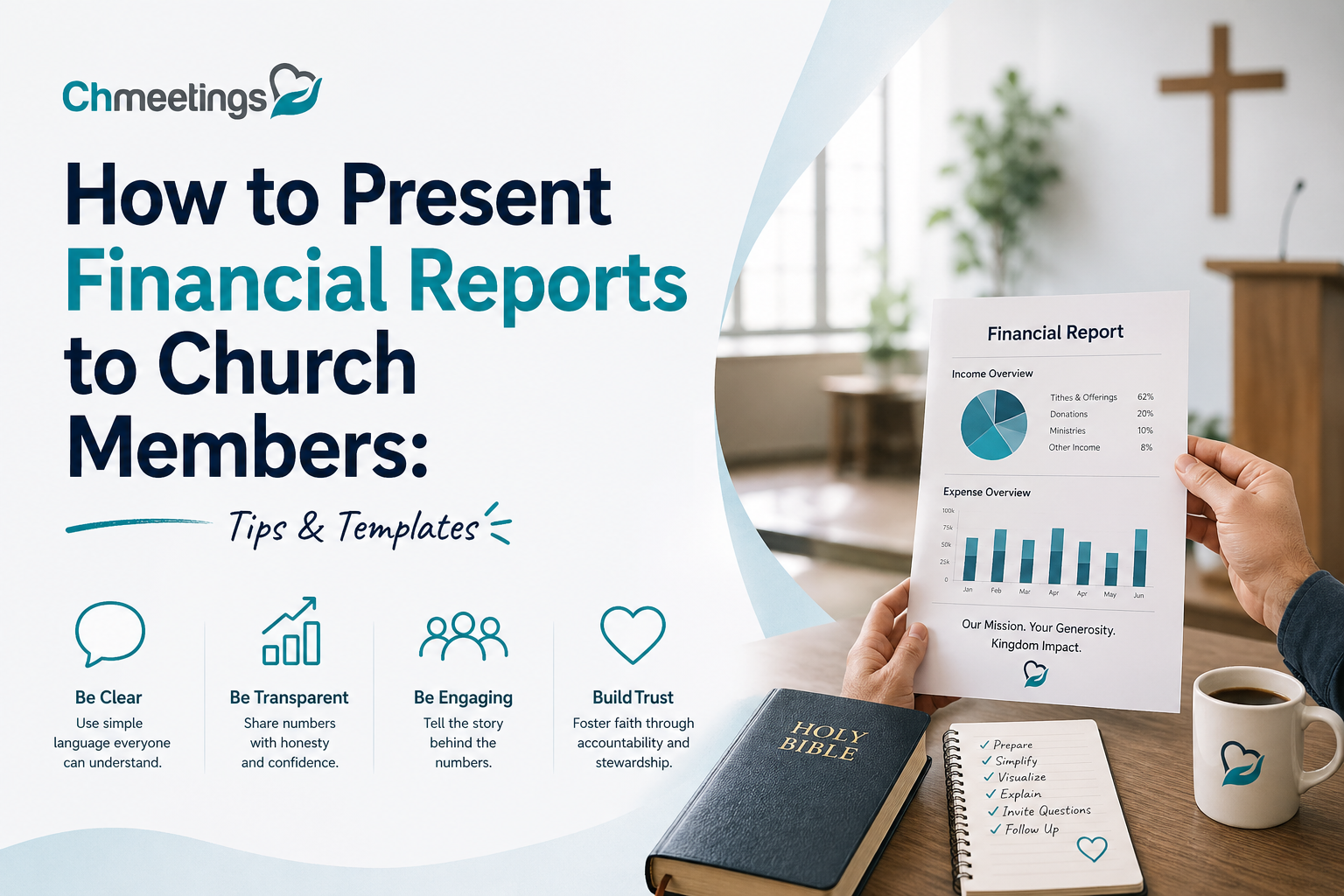
A church financial report explains how money is received, managed, and spent so members can see stewardship in action. Primary audiences include the congregation, the finance committee, staff, donors, and denominational leaders. Each group needs different detail levels, so think audience first, then depth.
Core Components At A Glance
Core components are a balance sheet, statement of activities, cash flow overview, and fund accounting details for restricted gifts. Include budget versus actual comparisons and notes that explain one-time items or policy changes. Keep a one-page summary for members and deeper schedules for oversight teams.
Legal, Tax, And Compliance Basics
Churches must follow local nonprofit rules, donor-designation requirements, and payroll and withholding laws for employees. Maintain documentation for tax-exempt status, charitable receipts, and large gifts. When in doubt, consult a nonprofit accountant or attorney and keep minutes that show financial decisions and approvals.
Preparing Records Before Reporting
Reconcile Accounts Regularly
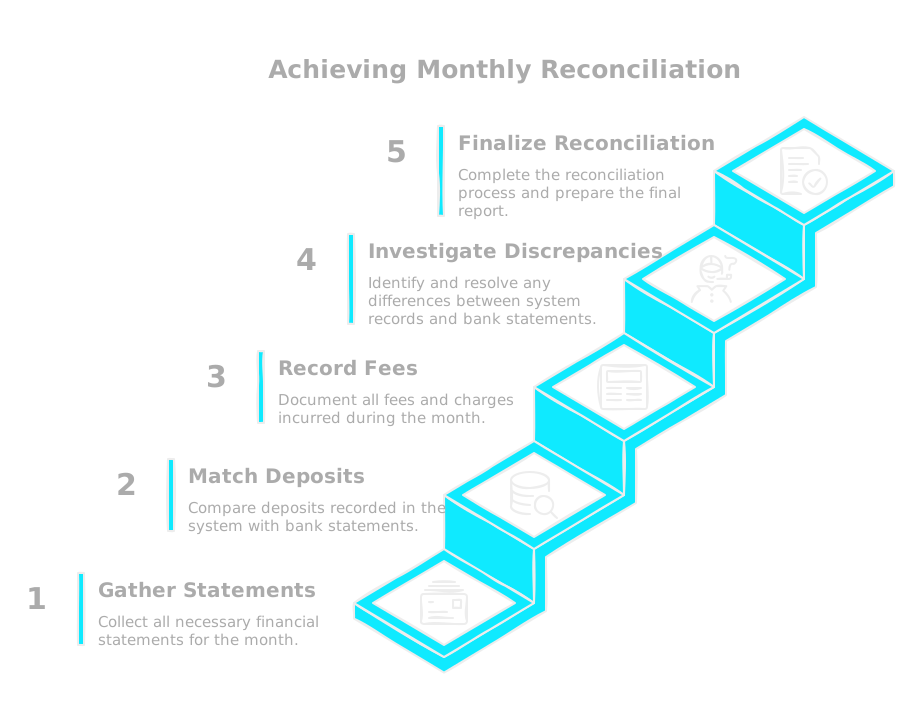
Reconcile bank accounts, merchant processors, and loan statements before any report is generated. Reconciling finds timing errors, unrecorded fees, and failed deposits that wreck credibility if left in the report. Set a monthly cadence and assign responsibility so reconciliations actually happen.
Track Restricted And Designated Funds
Separate restricted, designated, and board-designated funds in your ledger and reports so you never show restricted money as available. Use clear labels and a fund register that follows donor intent. Accurate fund tracking reduces donor questions and prevents accidental misuse.
Record Gifts, Grants, And In-Kind Donations
Record cash gifts immediately with donor details and purpose. Log grants with award terms and draw schedules. For in-kind donations, assign reasonable fair values and get written acknowledgements so donors can claim deductions and your records are audit-ready.
Prepare Audit And Review Documentation
Collect supporting schedules: bank reconciliations, check registers, payroll reports, grant agreements, and board minutes authorizing major transactions. An organized folder of backup saves time during reviews and builds trustee confidence. If you use a church management app like ChMeetings, exportable reports and contribution statements make audits smoother.
Choosing The Right Report Types
Balance Sheet Snapshot
The balance sheet shows assets, liabilities, and net assets at a point in time, telling whether the church has adequate reserves and liabilities under control. Highlight cash reserves, long-term debt, and restricted net assets. Keep it simple for members, but have detailed schedules ready for the finance team.
Statement Of Activities Summary
This statement shows revenue and expenses over a period, helping members see how giving fuels ministry and where expenses are going. Present major revenue streams and top expense categories, and note any one-time items. Use year-to-date numbers alongside prior year comparisons for context.
Cash Flow Overview
Cash flow explains actual liquidity, not just accrual profit or loss. Show operating cash in, operating cash out, and net change in cash, with a note on timing risks like seasonal giving or large upcoming payments. Members care about cash, because payroll and ministries depend on it.
Fund Accounting Reports

Fund accounting reports list activity and balances by fund so restricted gifts are transparent. Provide a fund rollforward showing beginning balance, receipts, disbursements, and ending balance. That level of detail reassures donors and preserves trust.
Budget Versus Actual Analysis
Compare actuals to budget to show stewardship and where plans changed. Call out significant variances and explain causes and corrective actions. A short narrative beside the numbers helps members understand whether a variance is temporary or structural.
Designing Clear Visual Reports
Pick Simple Charts And Tables
Use bar charts for comparisons, line charts for trends, and simple tables for key numbers. Avoid ornate visuals that distract. A clear chart will answer the most common question fast, which is what happened and why.
Highlight Variances And Trends
Make positive and negative variances obvious with color or labels, and show multi-period trends to reveal seasonality or growth. Annotate sudden jumps, one-time gifts, or incurred expenses so members don’t assume the worst. Context beats raw numbers.
Use Plain Language And Labels
Replace accounting jargon with plain language, for example, use “Building Fund” instead of “Restricted Net Assets – Bldg.” Add short footnotes for technical items like depreciation or amortization. Plain labels reduce questions and increase trust.
Create One-Page Summaries For Members
Lead with a one-page summary that states total giving, total spending, cash position, and a short stewardship note. Put detailed schedules and explanatory notes in an appendix for those who want more. A concise page respects members time and improves transparency.
Telling The Story With Numbers
Lead With The Big Picture Message
Start every report with one clear headline, a single sentence that answers, is the church financially healthy or not. Summarize the top three facts members need to know, for example, total giving year to date, operating surplus or deficit, and current cash reserves. Put numbers next to each fact so people can see scale, then offer one short sentence that frames what those facts mean for ministry next quarter. Keep it simple, honest, and repeatable, so volunteers and leaders can say the same thing after the meeting.
Explain Significant Variances
Don’t let variances surprise people, call them out. For each major positive or negative variance, say what changed, why it happened, and whether it’s one time or likely to continue. Quantify the dollar impact and the timeline to correct it if it’s a problem. If a variance came from a timing issue, note when it will normalize. Concrete explanations build trust far faster than vague reassurances.
Tie Financials To Ministry Outcomes
Numbers matter because they fund mission, so always connect dollars to outcomes. Show how a line item relates to a program’s attendance, lives served, or next-step results. Use simple ratios where it helps, for example, cost per child served or number of meals provided per $1,000. When members see the outcome behind each budget line, giving and stewardship conversations become about impact, not math.
Use Examples And Testimonials
Add one or two short stories or quotes that illustrate the numbers, like a volunteer leader’s quick testimony about a funded program or a beneficiary’s thank-you note. Use specific examples, not abstractions, and keep them brief. Visual before and after snapshots work well too, a photo or short sidebar that makes the line item real. Stories humanize the ledger and stick in people’s minds.
Presenting To Your Congregation
Choose The Right Forum And Timing
Pick a setting that fits the message, a Sunday service for a high-level update, an annual meeting for approvals, or a small-group Q&A for deeper conversation. Avoid dumping complex reports right after a worship service when people are rushing. Offer multiple times or a recorded version so members can engage on their schedule. Respect attention spans, and meet people where they already gather.
Script A Short, Honest Summary
Prepare a one-paragraph script you’ll read at the start, headline first, then context, then the ask or next step. Be direct about good news and the challenges, and say what you’re doing about any problems. Honest, plain language reduces rumor and builds confidence. Practice the tone so it comes across calm and pastoral, not defensive.
Use Visuals And Printed Handouts
Bring a one-page summary everyone can keep, plus a few simple slides for the screen. Use large fonts, clear labels, and no more than three charts on a slide. Handouts should include a brief FAQ and contact info for follow-up. Printed materials help older adults and anyone who prefers paper, and they reduce repetitive questions after the meeting.
Handle Questions Respectfully And Clearly
Start Q&A by asking for questions, and when someone speaks, repeat the question for the room before answering. Have a finance team member or pastor at the front to field technical or pastoral questions. If an answer requires more digging, say you’ll follow up and give a deadline, then do it. Keep answers plain, avoid jargon, and never undermine another leader in public.
Presenting To The Finance Team Or Board
Share Detailed Backups In Advance
Send the full packet early, at least three days before the meeting, including trial balance, bank reconciliations, payroll detail, fund rollforwards, and budget vs actual schedules. Provide file links or exports from your church management app so reviewers can drill into transactions if needed. Asking members to read in advance makes meetings decisions-focused, not discovery-focused.
Focus On Risks, Decisions, And Recommendations
Board time is for governance, not reading spreadsheets. Lead with the risks, the key decisions that require board input, and your recommended action. For each risk, show the likelihood and potential financial impact. Offer options with pros and cons, and be clear about what you need the board to decide.
Run Through Scenario And Forecast Models
Bring scenario models that show what happens if giving drops, an expense spikes, or a hiring change occurs. Show best-case, likely-case, and worst-case forecasts, and the months of runway in each. Explain the assumptions behind the numbers so trustees can test them. Scenario planning turns anxiety into actionable choices.
Assign Action Items And Owners
Close every meeting with named actions, owners, and deadlines, and put those items in your meeting minutes. Assign someone to follow up and report progress at the next meeting. Use a central place to track tasks so nothing falls through the cracks, and make reporting back a standing agenda item. Clear ownership creates momentum.
Engaging Members Around Giving
Show Impact Of Donations Visually
Use photos, infographics, and program dashboards to show what donations accomplish, not just where money goes. A simple chart that ties dollars to activities, like scholarships funded or outreach events held, makes impact tangible. Visuals engage hearts and minds far better than tables alone.
Share Giving Trends And Forecasts
Publish giving trends monthly, showing seasonality and recurring giving rates, and explain what the trends mean for ministry plans. Highlight pledge fulfillment and the gap to budget when relevant. When members see trends over time, they can make informed commitments instead of guessing.
Communicate Stewardship Goals Clearly
State stewardship goals in plain terms, with timelines and measurable milestones. Explain how unrestricted funds vs restricted gifts will be used. If you’re running a campaign, show the campaign goal, current total, and next milestone. Clear goals invite ownership and channel generosity.
Thank Donors And Share Accountability Steps
Thank donors publicly and privately, and make it easy for people to get contribution statements or transaction confirmations. Explain the church’s financial controls, review cadence, and where to find reports, so people know their gifts are handled responsibly. Offer a simple path for questions and show how progress will be reported, that builds trust and encourages ongoing support.
Practical Templates And Sample Reports
Free Budget Vs Actual Excel Template
Provide a simple, unlocked Excel file with separate tabs for budget, actuals, and variance. Key columns: account code, line description, budget YTD, actual YTD, variance amount, variance percent, and short note. Use formulas for totals and conditional formatting to flag large variances. Protect formulas but leave input cells editable. Include a hidden tab with assumptions and version history so reviewers know what changed and when.
Congregation-Friendly PDF Sample Report
Design a two-page PDF for general members. Page one, big headline: the one-sentence financial verdict, three top-line numbers (giving, spending, cash), and a short stewardship note. Page two, three simple charts: YTD giving trend, budget vs actual by major category, and cash reserves. Add a one-paragraph FAQ and contact info for follow-up. Export from your spreadsheet or reporting tool into a printable PDF, and make an accessible text version for email or the website.
Baptist Church Sample PDF Example
Adapt the congregation-friendly PDF to reflect denominational giving lines and common priorities, for example, local missions, associational support, benevolence, building fund, and tithe breakdown. Label columns and charts in plain language, and add a short line explaining any denominational remittances or covenant giving. Include a brief note on polity-driven approvals, like how building capital is handled, so members understand governance context.
Customizing Templates For Your Size
Small churches need concise reports, one page for members, and a simple ledger for the treasurer. Mid-size churches benefit from a two-tier packet: a one-page summary for worship and a detailed appendix for finance team review. Large or multi-site churches should publish consolidated summaries plus site-level rollups and downloadable drilldowns. Match cadence too: monthly detail for finance teams, quarterly high-level updates for the congregation. Automate exports where possible and assign who owns each report version.
Key Metrics Every Church Should Track
Monthly Giving And Attendance Ratios
Track giving per attendee and giving per regular attender, calculated as total monthly gifts divided by average weekly attendance. Watch trends, not single months. A steady decline in the ratio signals an engagement or stewardship issue, not just seasonal variation. Pair this metric with pledge fulfillment rates for a fuller picture.
Liquidity And Operating Reserve Targets
Measure days cash on hand, calculated as cash and liquid reserves divided by average daily operating expenses. Aim for three to six months of operating reserves when possible, adjusted for your church size and risk tolerance. Report both the dollar amount and months of runway so members grasp the cushion.
Program Cost Per Participant
Divide program expenses by the number of participants served in the same period. Use this for children, youth, outreach, and hospitality programs. It helps leaders prioritize programs by cost-effectiveness and clarify funding trade-offs when planning budgets.
Restricted Funds Compliance Metrics
Track the balance of each restricted fund, total receipts, expenditures against donor restrictions, and any pending release conditions. Report percent of restricted dollars spent in accordance with donor intent and flag any requests that need board approval. That transparency prevents misunderstandings and protects donor trust.
Common Reporting Mistakes To Avoid
Overusing Accounting Jargon
Replace terms like “depreciation” or “accrual adjustment” with simple explanations such as “annual wear-and-tear expense” or “timing difference between invoice and payment.” Short footnotes work when technical terms are unavoidable. Plain talk reduces follow-up questions and rumor.
Neglecting Restricted Fund Disclosures
Not showing restricted fund activity invites donor confusion and compliance risk. Always include a fund rollforward: beginning balance, receipts, disbursements, and ending balance, plus a one-line donor restriction reminder. If a restriction changes, document board approval in the notes.
Skipping Regular Reconciliations
Skipping reconciliations lets errors compound and undermines credibility. Reconcile bank accounts, merchant processors, and payroll at least monthly, and attach reconciliations to the board packet. If you spot discrepancies, disclose them and state the corrective steps taken.
Hiding Risks Instead Of Explaining Them
Members notice when leadership avoids hard topics. Don’t hide risks, explain them: what the risk is, how likely it is, the financial impact, and your mitigation plan. Present options and ask for the congregation or board to endorse the chosen path when a decision is needed.
Communication Playbook And Checklist
Pre-Meeting Preparation Checklist
- Finalize reconciliations and attach supporting schedules.
- Create a one-page summary and a detailed appendix.
- Send materials at least three days before the meeting with clear reading instructions.
- Test A/V and remote access, and assign who will field technical vs pastoral questions.
Slide And Handout Checklist
- One headline slide with the financial verdict.
- No more than five slides for the congregation: top line numbers, three charts, short next-step slide.
- Handout: one-page summary, FAQ, contact for questions, and where to find the full packet online.
- Use large fonts, plain labels, and color cues for variances.
Meeting Script Template
Begin with the headline: “We are currently [surplus/deficit] by $X and have Y months of reserves.”
State three key facts with numbers: giving, spending, cash.
Explain one significant variance and the plan to address it.
Make one clear ask or next step, for example a stewardship campaign or board decision.
Invite questions, promise follow-up for technical details, then close with gratitude.
Post-Meeting Follow Up Tasks
Email the packet and a recording within 48 hours.
Publish a short FAQ that answers questions raised during the meeting.
Update the action-item tracker with owners and deadlines, and report progress at the next gathering.
Keep the finance dashboard current so members who want more detail can self-serve.
Tools And Systems For Reporting
Picking the right tools removes busywork and makes reports reliable, timely, and understandable. Aim for systems that combine fund accounting, giving records, and member data so reports come from a single source of truth. A church management app like ChMeetings is an example of a cloud-based option that bundles contributions, dashboards, and exportable reports so audit prep and member statements are easier.
Church Accounting Features To Prioritize
- Fund accounting, with clear labels for restricted, designated, and board-designated funds, so donor intent never gets blurred.
- Budget versus actual reporting, with YTD comparisons and variance notes, so leaders can explain changes quickly.
- Bank reconciliation and deposit posting tools, so the numbers match your bank and merchant statements.
- Contribution and pledge tracking, including recurring gifts and pledge fulfillment, so stewardship conversations stay factual.
- Role-based access and audit trails, so multiple volunteers can help without compromising controls.
- Exportable backups and common file formats, so auditors and trustees can review supporting schedules easily.
- Simple dashboards that surface top-line metrics, for quick member-facing summaries and board-level drilldowns.
Spreadsheets Versus Dedicated Software
Spreadsheets work when you’re very small and disciplined, they’re low-cost and flexible. But they’re manual, error-prone, and hard to scale when you add online giving, pledge tracking, or multiple accounts. Dedicated software automates posting from donations, enforces fund structure, keeps audit trails, and makes monthly reconciliation faster. Move off spreadsheets when you find yourself reconciling the same items every month, losing time on manual imports, or needing multi-user access with controls. The goal is not fancy tools, it’s reliable reporting that frees volunteers for ministry.
Integrations With Giving Platforms
Make sure your giving processor maps cleanly into your ledger, so deposits and fees post to the right accounts automatically. Look for two things, reliable transactional detail and donor matching, so online gifts, recurring gifts, and batch deposits reconcile without manual entry. Confirm how fees are recorded, whether net or gross, and how refunds are handled. If you run campaigns or pledge drives, ensure pledge data syncs back to donor profiles so you can report fulfillment rates. Test any integration on a small sample before full use, and keep a reconciliation routine that checks deposits against platform reports.
Security And Data Privacy Practices
Protect donor and staff data with clear policies and technical controls. Require role-based access so volunteers only see what they need. Use systems with encryption in transit and at rest, regular backups, and hosted infrastructure from reputable providers. For payment data, confirm PCI compliance and separate payment processor logs from your accounting ledger. Keep a retention policy that balances transparency with privacy, and train anyone who handles giving information on secure practices. Finally, publish a short privacy note in your reports or website that explains how you store and use donor information, and who to contact with privacy questions.
FAQs
How Often Should We Report Finances To Members?
Aim for a monthly operating snapshot for people who want regular updates, a short quarterly summary for the congregation with trends and stewardship notes, and a full annual report and meeting for formal accountability and approvals. During a capital campaign or urgent funding need, increase cadence to monthly or biweekly updates until the drive finishes.
What Should A Simple Church Financial Report Include?
Start with a one-page summary: the financial verdict sentence, three top numbers (total giving, total spending, cash reserves), and one short stewardship note. Add a balance sheet snapshot, statement of activities YTD, a cash flow highlight, budget versus actual top-line variances, and a fund rollforward for any restricted funds. Keep technical schedules in an appendix or online for those who want more detail.
Where Can I Find Free Templates And Sample PDFs?
Look to denominational resource pages, nonprofit accounting organizations, and church finance blogs for downloadable Excel templates and sample PDFs. Many church management apps and accounting sites also publish templates you can adapt. When you pick a template, make a printable one-page version for the congregation and a detailed spreadsheet for trustees, and create an accessible text alternative for email or the website.
How Do We Present Restricted Funds Transparently?
Show a fund rollforward for each restricted fund, with beginning balance, receipts, disbursements, and ending balance, plus a one-line summary of the donor restriction. Add a short project status note when funds are tied to a campaign, and flag any approvals needed to reclassify or spend restricted dollars. Regular, consistent presentation of the same fields builds donor confidence.
Can Small Churches Use Excel Or QuickBooks Effectively?
Yes, if you keep strict controls. Excel is workable for very small churches with few transactions and one person responsible for books, but you must protect formulas, use backups, and reconcile often. QuickBooks Online adds bookkeeping structure and is a good step up for payroll, vendors, and more complex reporting. When you need integrated giving, pledge tracking, or multi-user role controls, consider moving to church-focused management software that reduces manual imports and ties donor records to reports. If you choose that route, look for an app designed for churches so you’re not re-creating fund accounting work in a generic tool.





