
Release Notes
Click the feature titles to access their user guides.
2026.18 – August 31, 2026
| MINOR FEATURE |
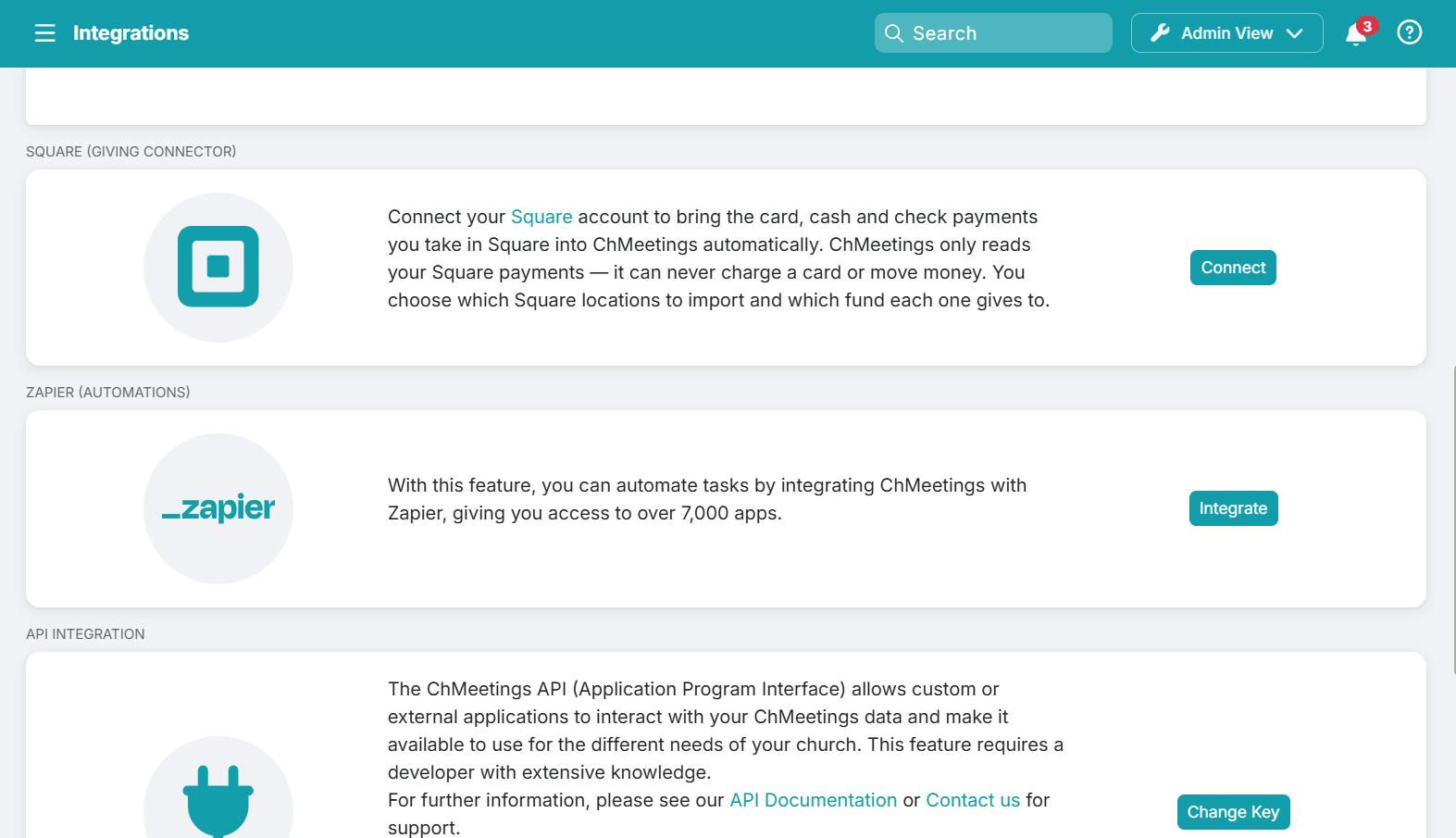
Square Giving Connector (Paid feature, all paid plans)
Now you can import Square transactions automatically into your ChMeetings Contributions, along with their funds, fees, refunds, payment methods, batches, and giver information. The feature works with Square card readers, Square Terminal, Square POS, or manually recorded Square cash and check transactions.
| IMPROVEMENTS |
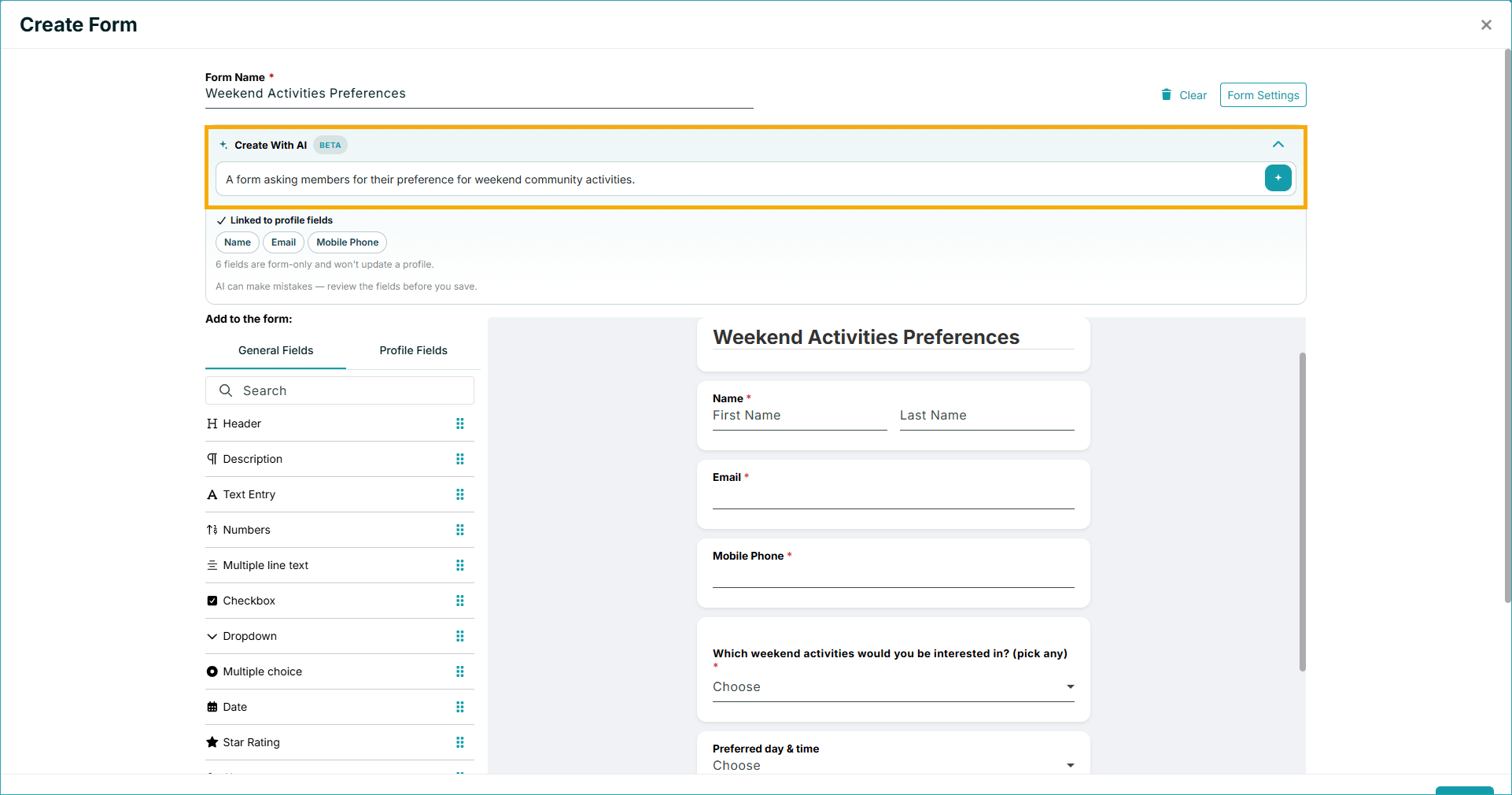
AI Form Builder (Paid feature, all paid plans)
You can build an entire form in seconds using our AI form builder. Just describe your form as precisely as possible and our tool will create the fields and selection items automatically. You can edit AI-generated fields just like any other. The feature is available in the main form builder.
Reusable Volunteer Teams
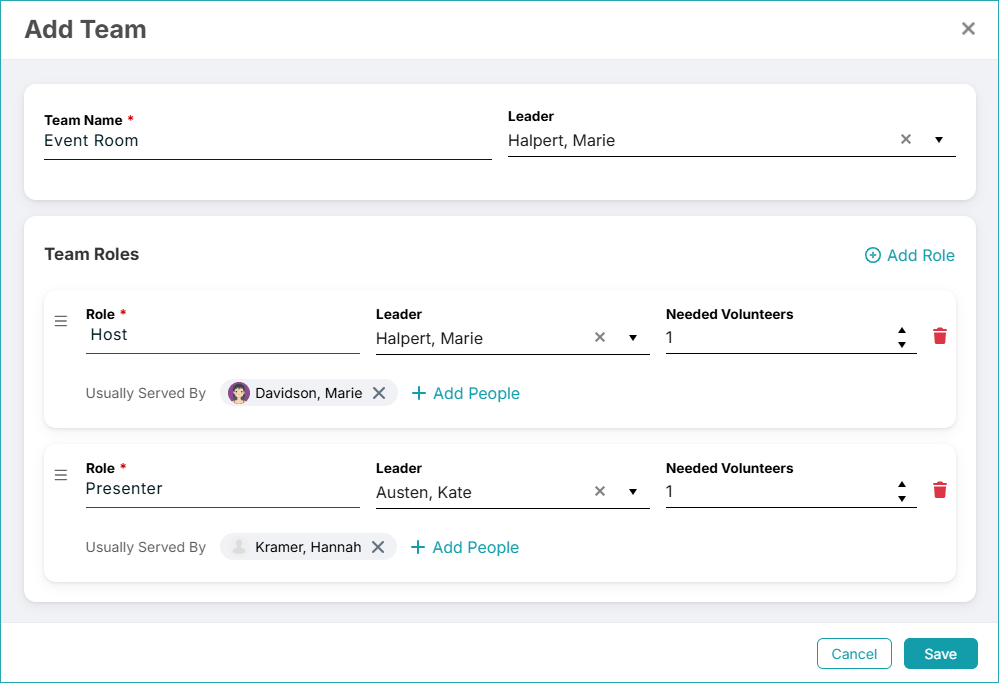
Under Worship Plans > Teams, you can now create predefined volunteer teams, including main team leader, team roles and leaders, plus number of needed volunteers, and reuse this structure across multiple events. This means you no longer need to create roles every time for each event, unless it’s something special.
Giving Reports
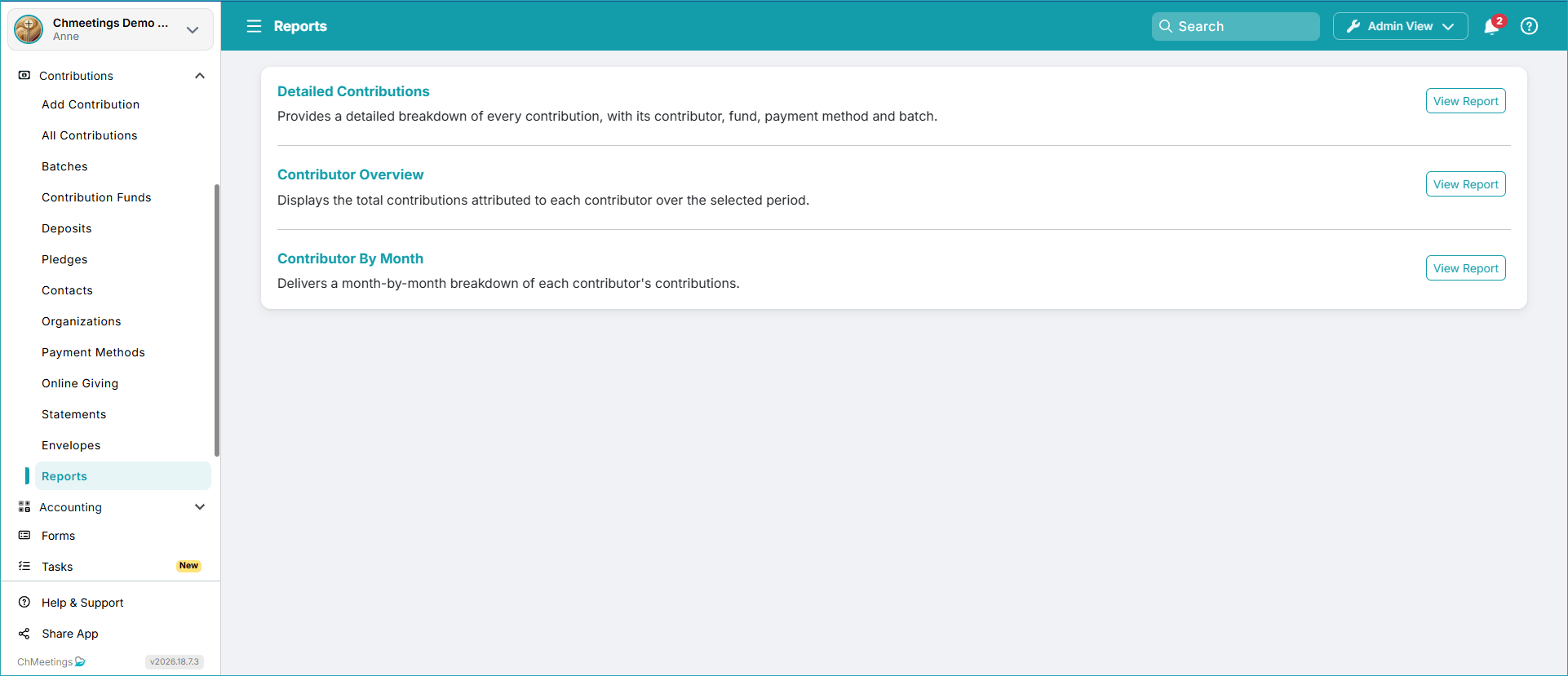
Now you can run giving reports to gain insight into your contributions and contributors data. There are reports on detailed contributions, a contributor overview, and a monthly report by contributors.
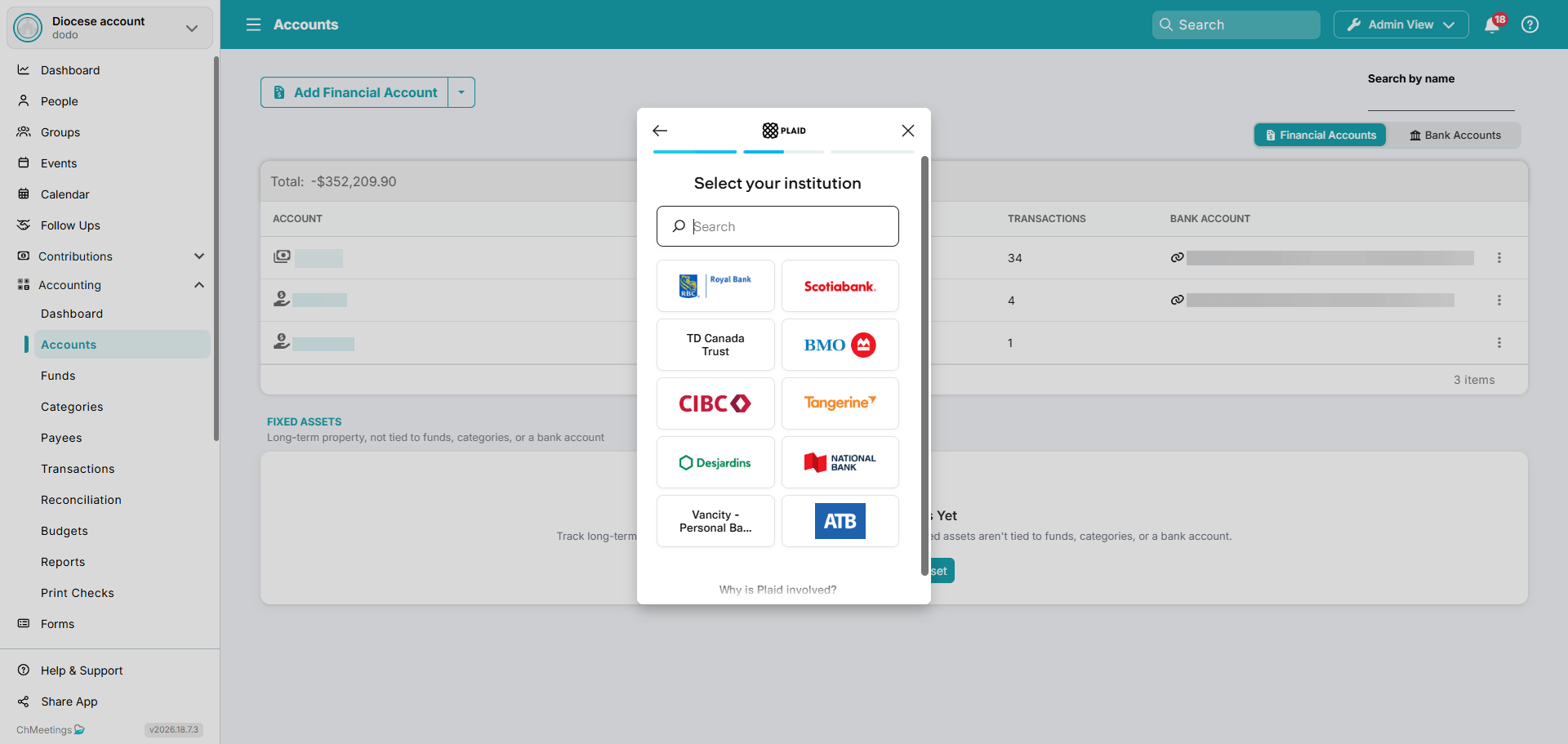
Bank Sync in Canada
If you are based in Canada, you can now sync your bank account to ChMeetings Accounting, via Plaid.
Bulk Assign Roles
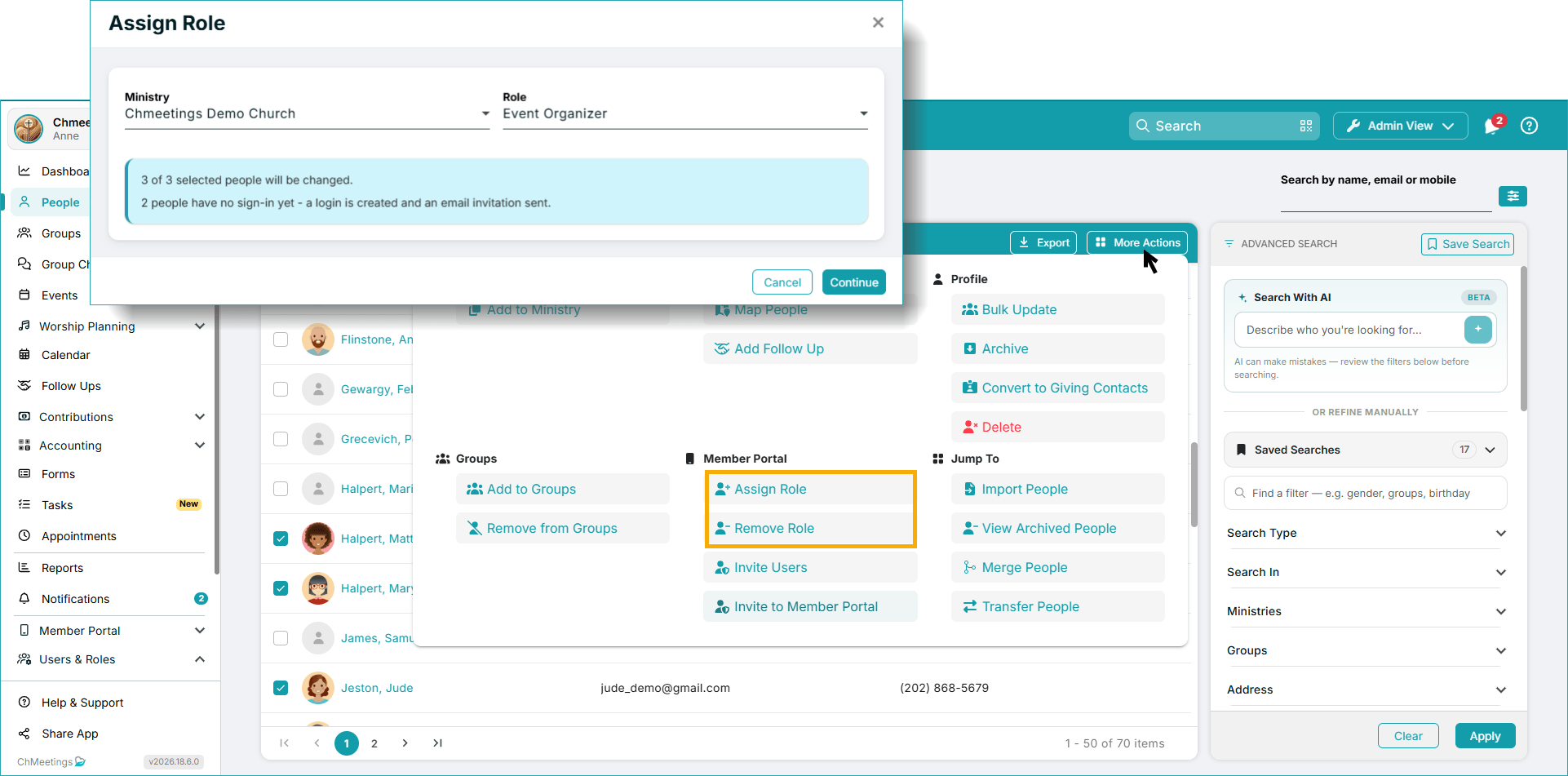
You can now assign or remove roles in bulk, right from your main People list, under More Actions. If people being assigned a role don’t have a Portal account yet, they will be sent an invite automatically upon assignment. The feature comes with a review process so you can approve all changes before they are made.
Archive Families
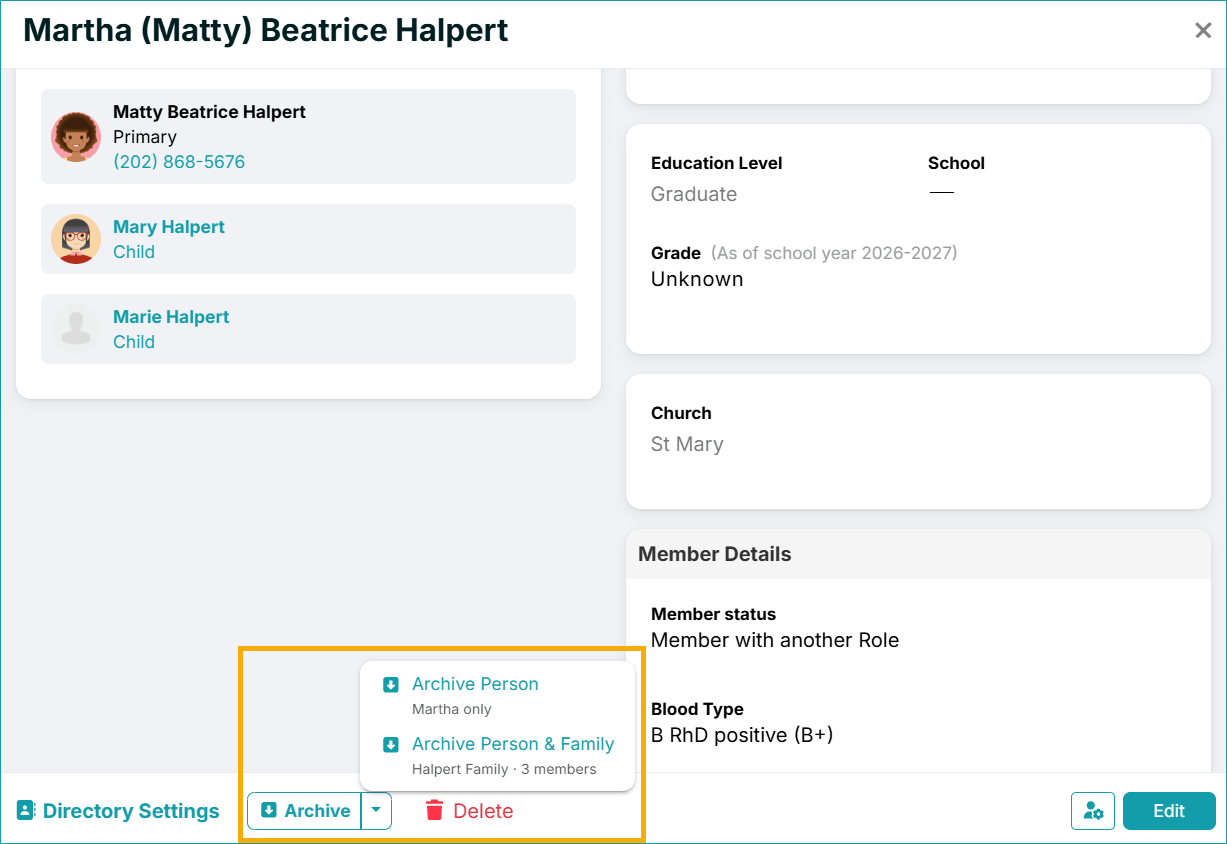
Now you can go to a person’s profile and choose to archive that respective profile along with all associated family members. Everyone can be individually restored afterward, from the Archived People Report.
Group Chat Updates
The group chat character limit for individual messages has been increased to 5000 characters. Additionally, you can now format your text as bold, italic, strikethrough, or as code.

Filter Multiple Task Statuses & Priorities
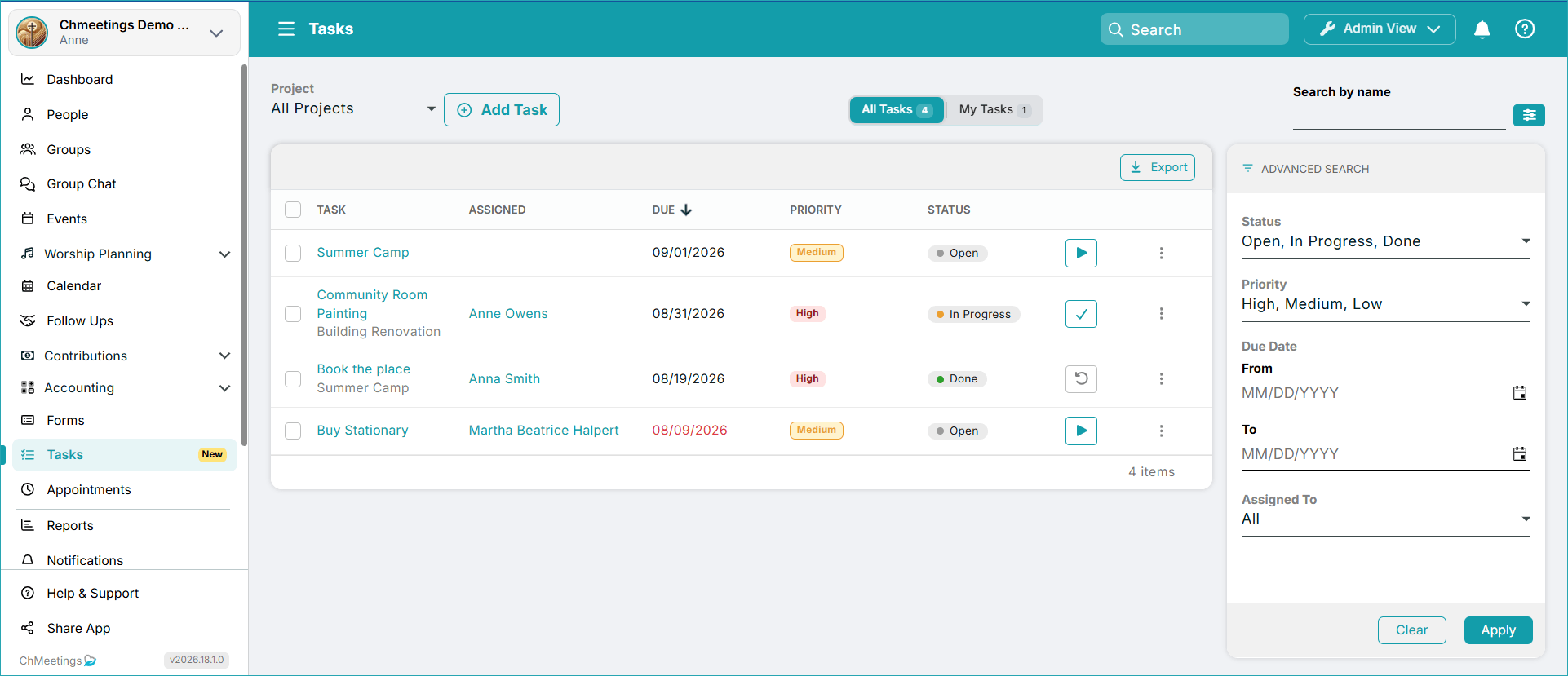
The Tasks feature has been enhanced with the ability to filter by multiple statuses and priorities. You can do this from the filtering area on the right side of your Tasks screen.
ChMeetings 2026.17 – August 19, 2026
| IMPROVEMENTS |
Giving Receipts
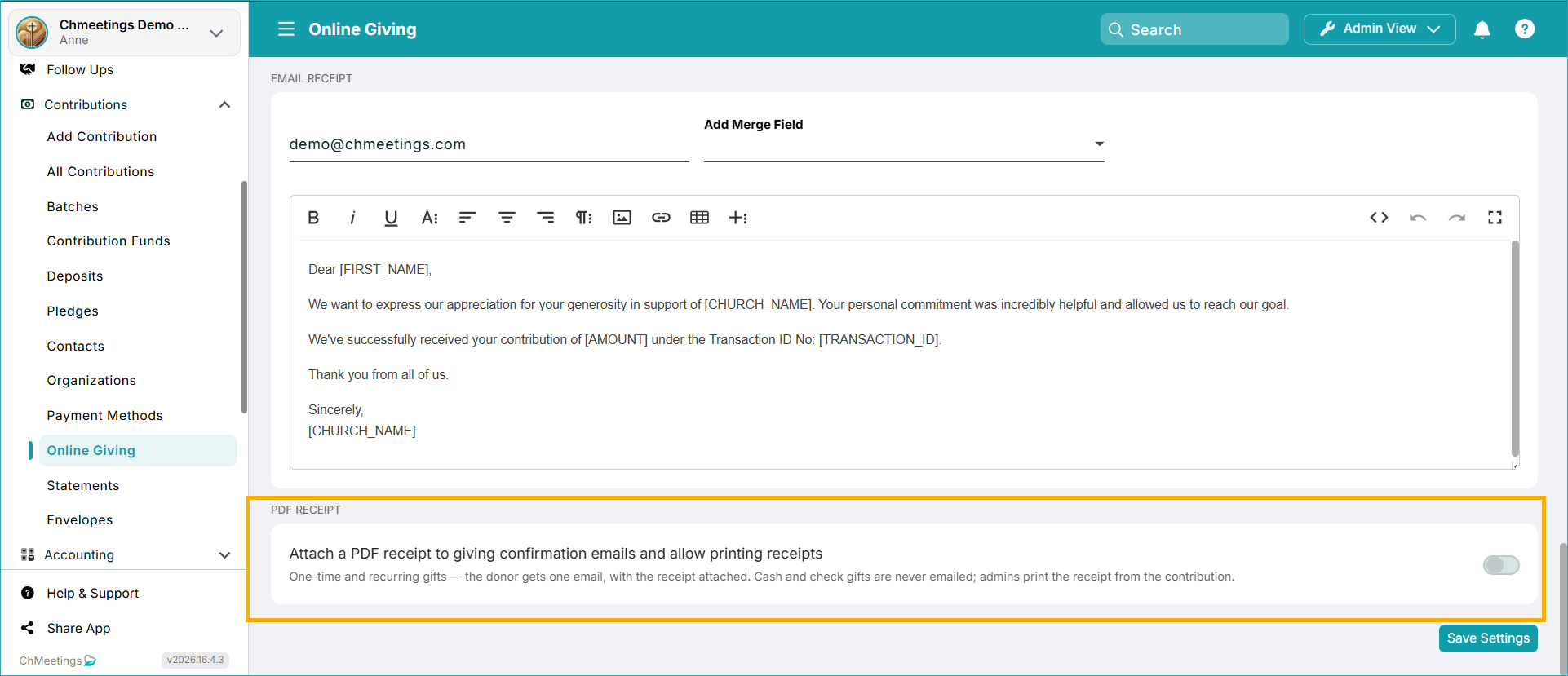
Giving Receipts let you print receipts for individual giving transactions – either when entering the contribution or afterwards. When this feature is enabled, online giving email confirmations will also contain a receipt as an attached .pdf file. The Feature is available under Contributions > Online Giving > Giving Settings > Attach a PDF Receipt to giving confirmation emails and allow printing receipts
Shareable Volunteer Signup Sheet
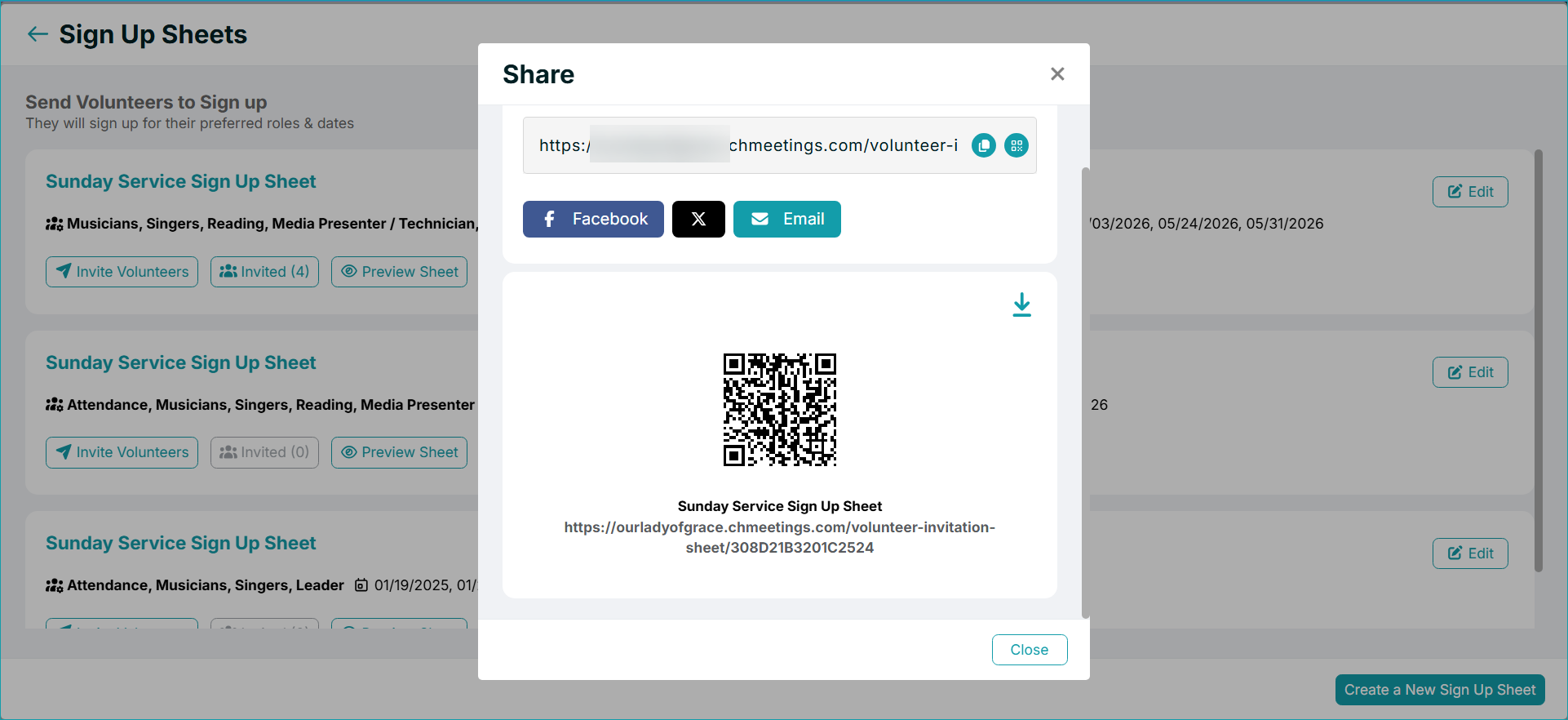
Now you can share your volunteer signup sheet via a direct link or QR Code. People can access the link and sign up to volunteer for an event by themselves, without having to be invited. For now, this feature is only for members who are logged into their ChMeetings Account. Any guests who want to volunteer will need to register for an account first.
Activity Log Report (Paid Feature)
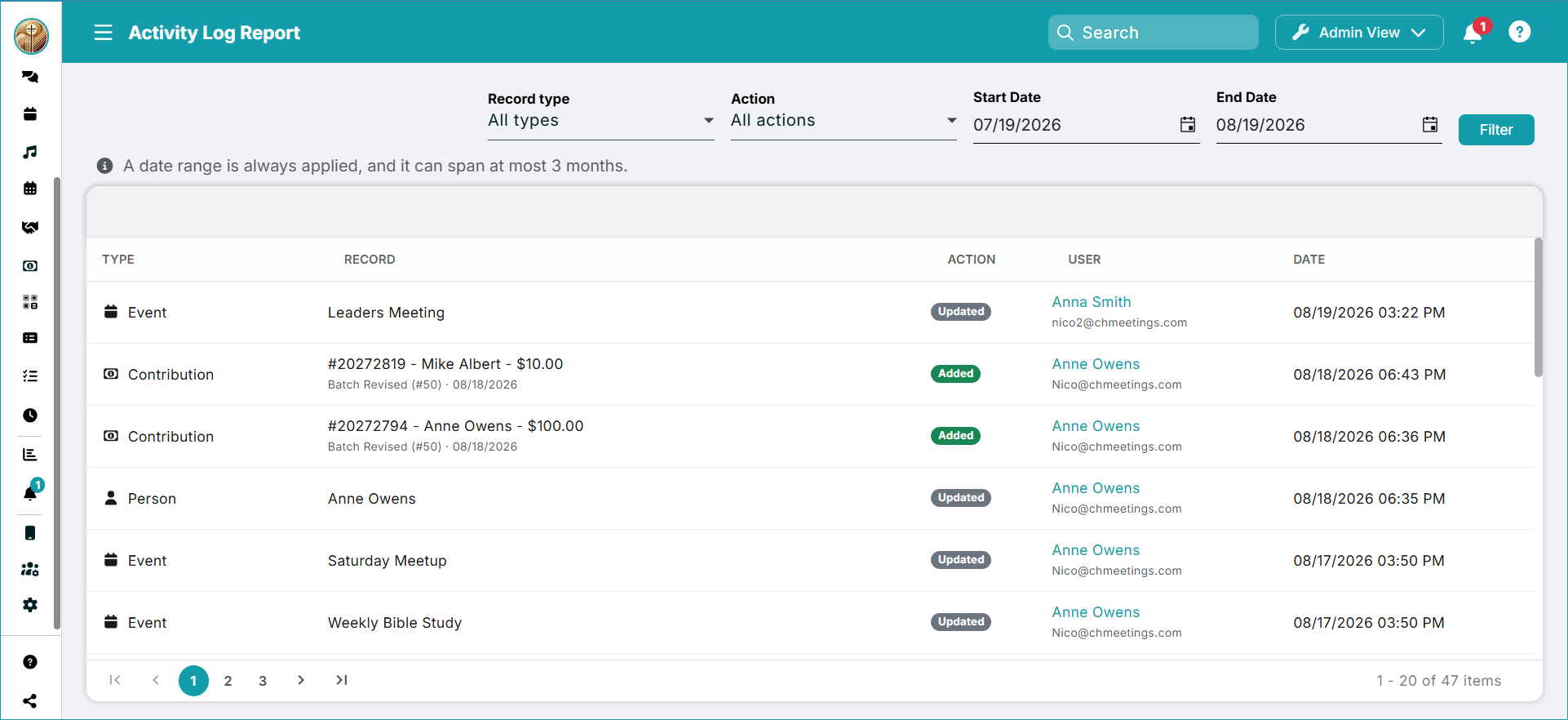
The Activity Log Report acts as an audit trail, tracking user activity within Events, Forms, People, Contributions and Accounting Transactions.
Appointment Visibility to Groups
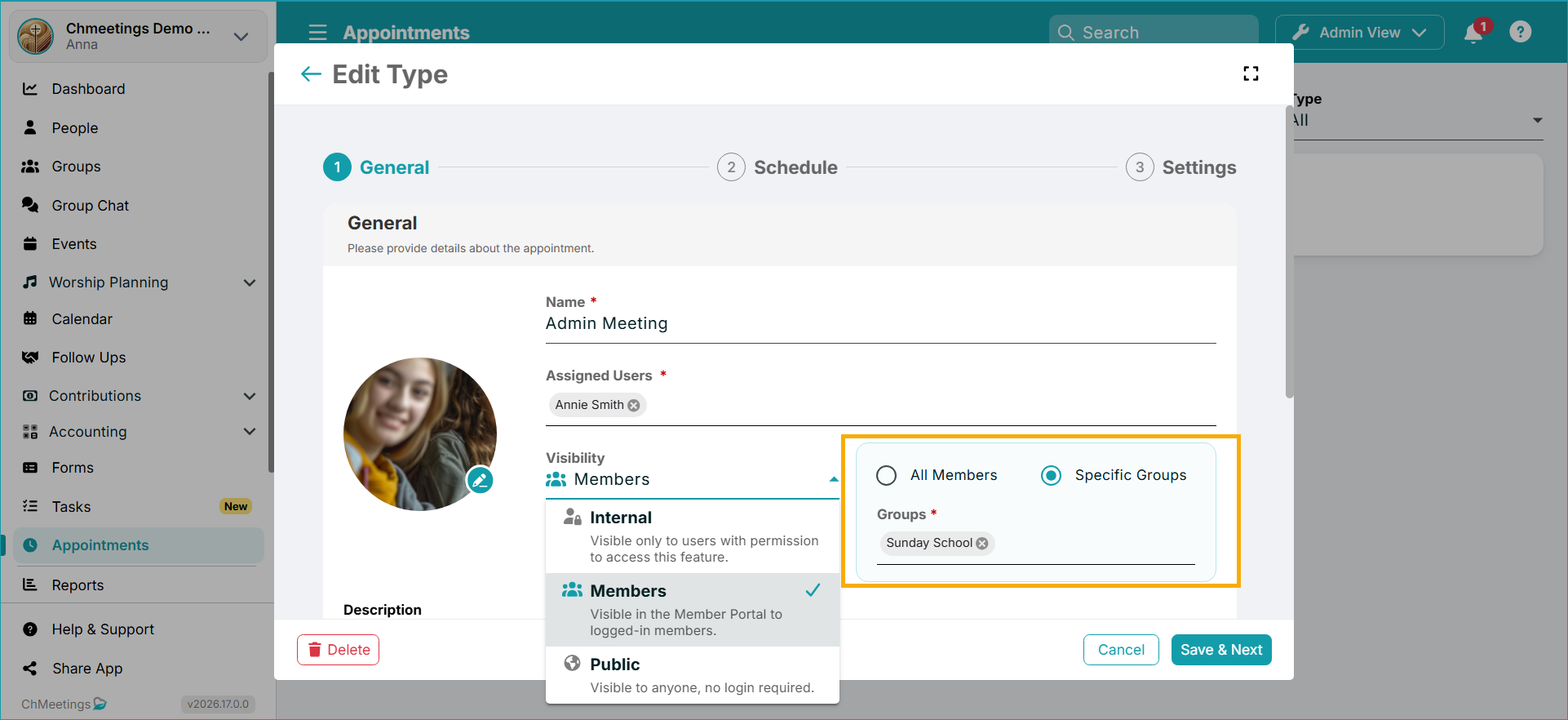
When you set the visibility of an Appointment Type to Members, you can now choose whether to make it visible to All Members or to specific Groups.
New APIs
- Add/Edit/Delete Group
- Events Check In and Check Out
- Accounting Read
- Follow ups Read
We also updated MCP Resources & Tools, as well as the Zapier integration with all new API’s and webhooks.
Other Updates
- Close Batches in bulk from under Contributions > Batches > Bulk Actions > Close Batch.
ChMeetings 2026.16 – August 6, 2026
| MAJOR FEATURE |
Payments Via Forms
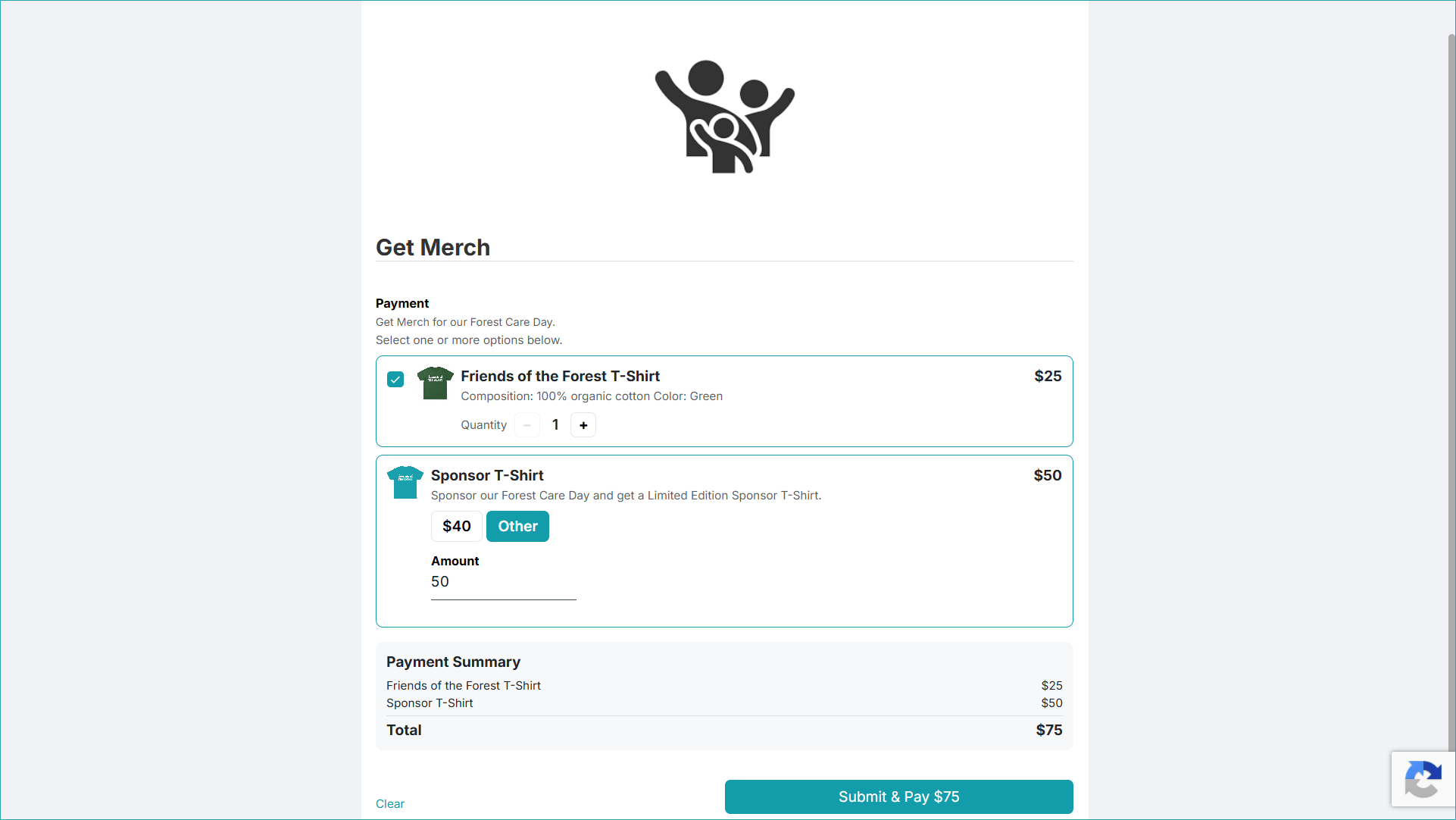
You can now collect payments directly through any form using the new Payment field. Payments are processed using the payment provider already configured for your account. If the Payment field is linked to a Contributions Fund, payments can also be automatically recorded as contributions. Payments can be associated with a fixed priced item (merchandise, or anything you’d like to sell), or a custom amount, such as a donation.
This feature is available starting with the Small Plan.
| MINOR FEATURE |
AI-Powered Advanced Search (Beta)
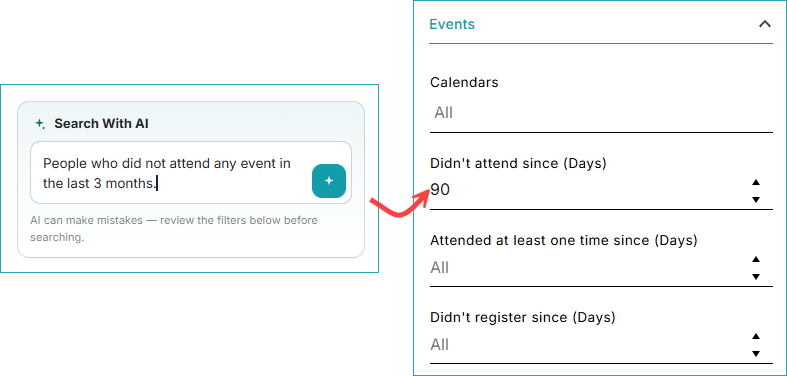
Finding the right people is now much easier with the new AI Assistant for Advanced Search. Instead of building filters manually, simply describe the people you’re looking for using natural language. For example: “Men aged 18+ who haven’t attended events in the last 30 days.”
The AI Assistant converts your request into the appropriate Advanced Search filters for you. Review the generated filters, then click Apply to run the search.
The feature is available with all paid plans.
| IMPROVEMENTS |
Automatically Create Member Profiles from Form Submissions
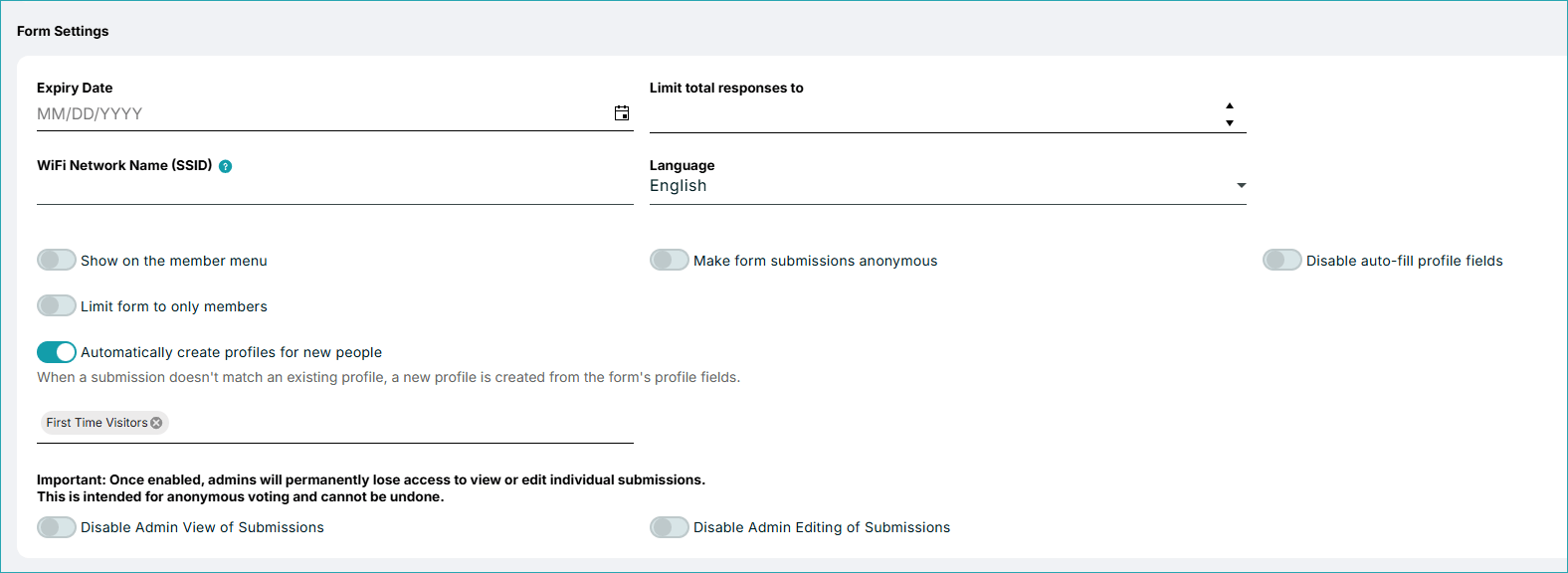
Forms can now automatically create member profiles when someone submits a form. Previously, submissions had to be manually reviewed and converted into people records. With the new feature, anyone who submits a form and doesn’t have a profile can have one created just by submitting the form. You can also automatically add the new member to a group as part of the process. Please note: Your form must include a Name field, as it is required for automatic profile creation.
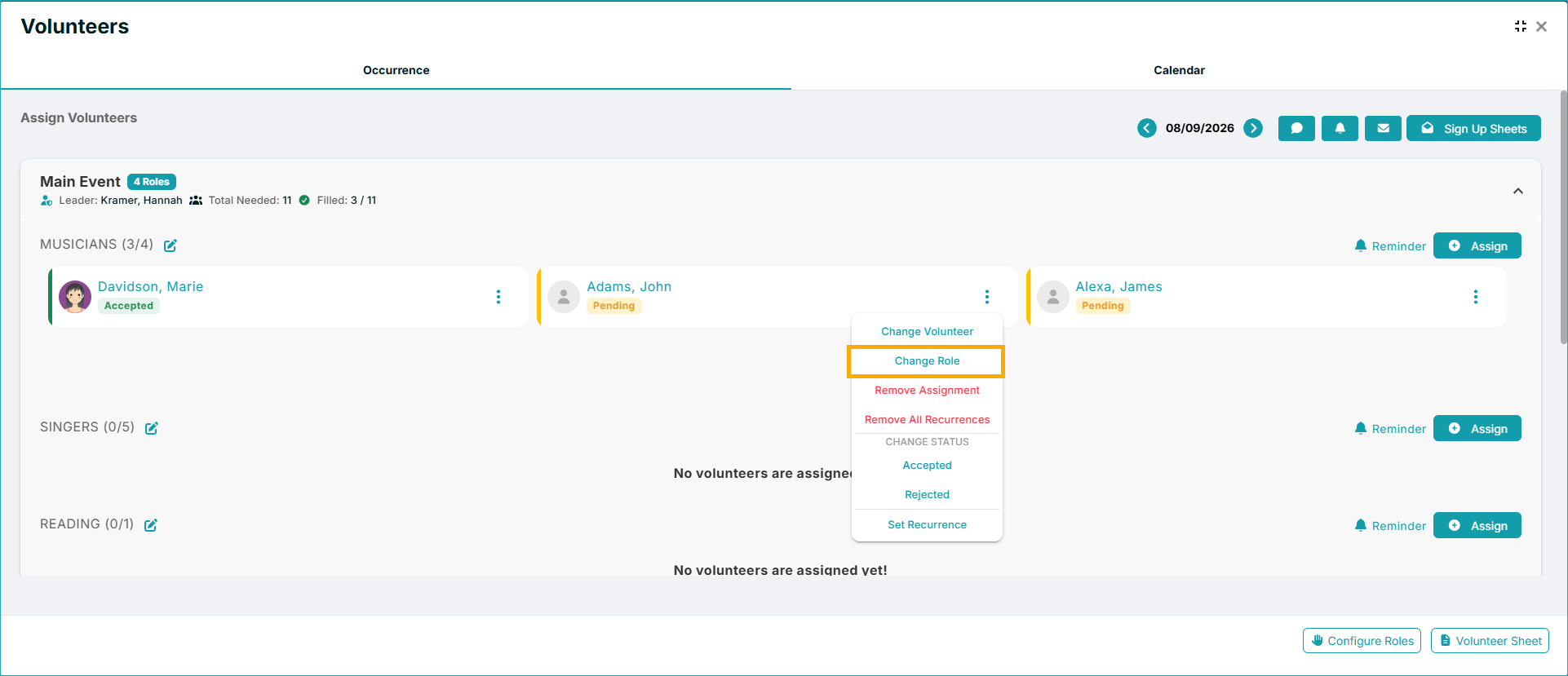
Change Volunteer Roles
Instead of removing and reassigning a volunteer, you can quickly move them to a different role within the schedule.
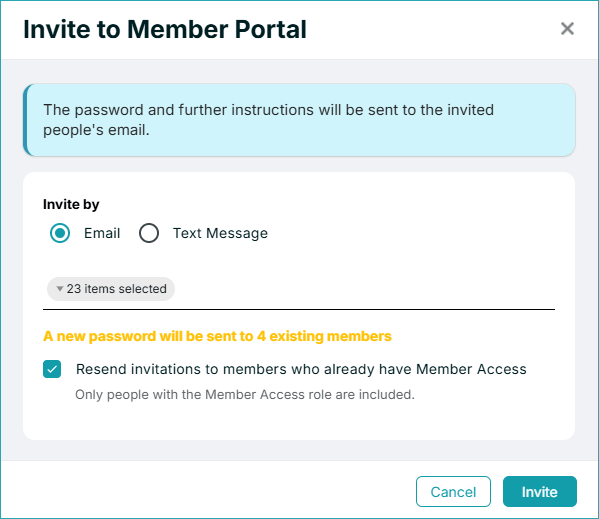
Resend Member Portal Invitations
When sending invitations, you’ll see a new Resend invitation to members who already have access to the checkbox. Previously, members who already had portal access were automatically excluded from invitation emails.
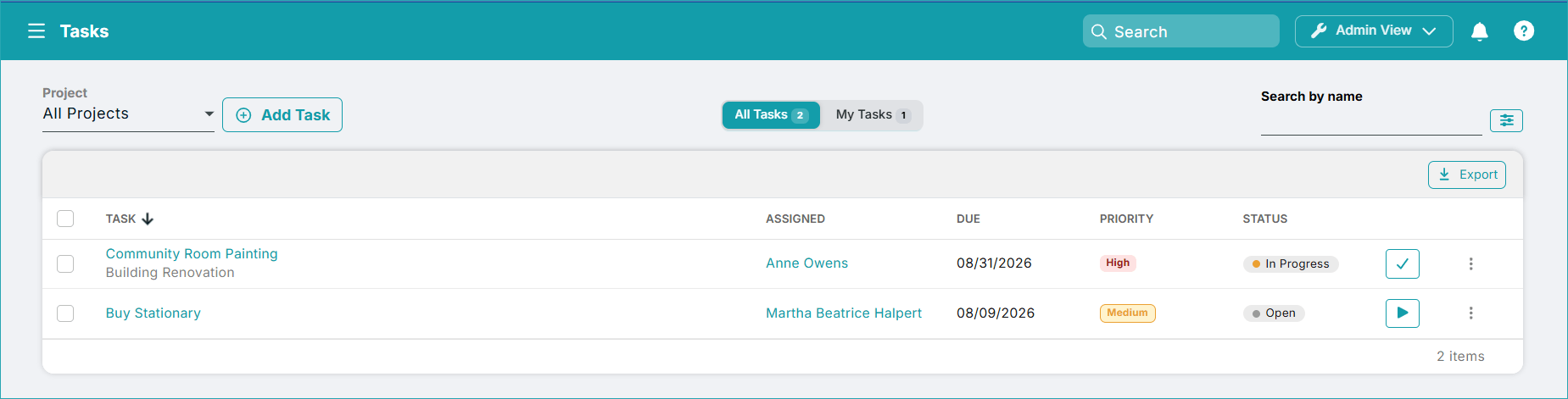
Tasks Improvements
We’ve made several improvements to task management.
- There’s a new “In Progress” Status: Tasks now include an In Progress which means the task was started and is being worked on.
- Assign Tasks to Anyone: Tasks can now be assigned to anyone, even if they don’t have access to CHMeetings.
- Member Portal Task Access: When a task is assigned to a member who has Member Portal access, they can view and manage their assigned tasks directly from the Member Portal. Administrators can also access and manage their own assigned tasks through the portal.
- Faster Checklist Updates: You can now open a task and check off checklist items without switching to Edit mode first.
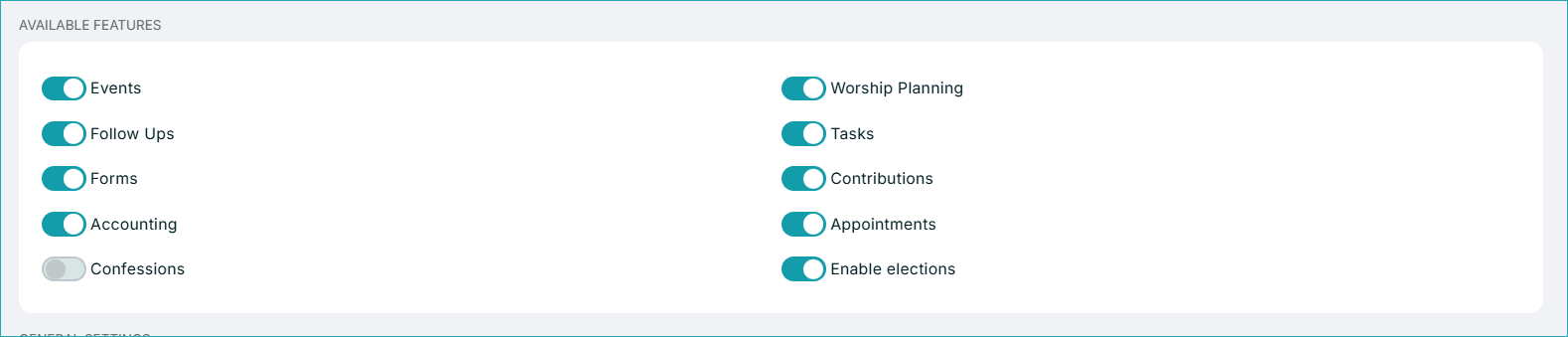
More Account Settings
- New SMS Default Preference: You can now enable or disable automatic texting (SMS) for newly added members. When this setting is disabled, newly created member profiles will have Do Not Text enabled by default. Administrators or members can update this preference later if SMS communication is desired.
.


- Expanded Features Toggles: The Available Features section now includes all the major modules available in CHMeetings. This makes it easier to enable only the tools your church uses and hide features that aren’t needed.
.

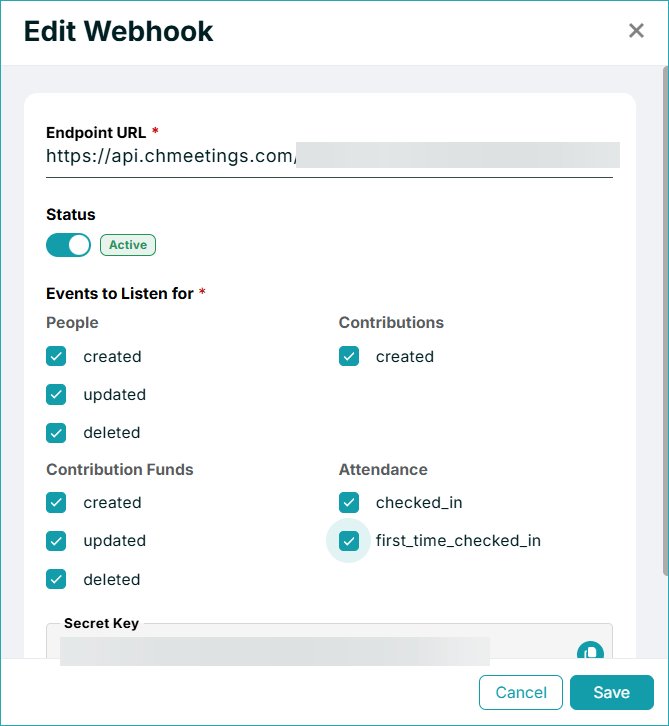
First-Time Attendance Webhook
A new webhook, first_time_checked_in, is now available. Unlike the standard attendance webhook, this is triggered only the first time a person is checked in. It is helpful to automate workflows specifically for first-time event attendees.
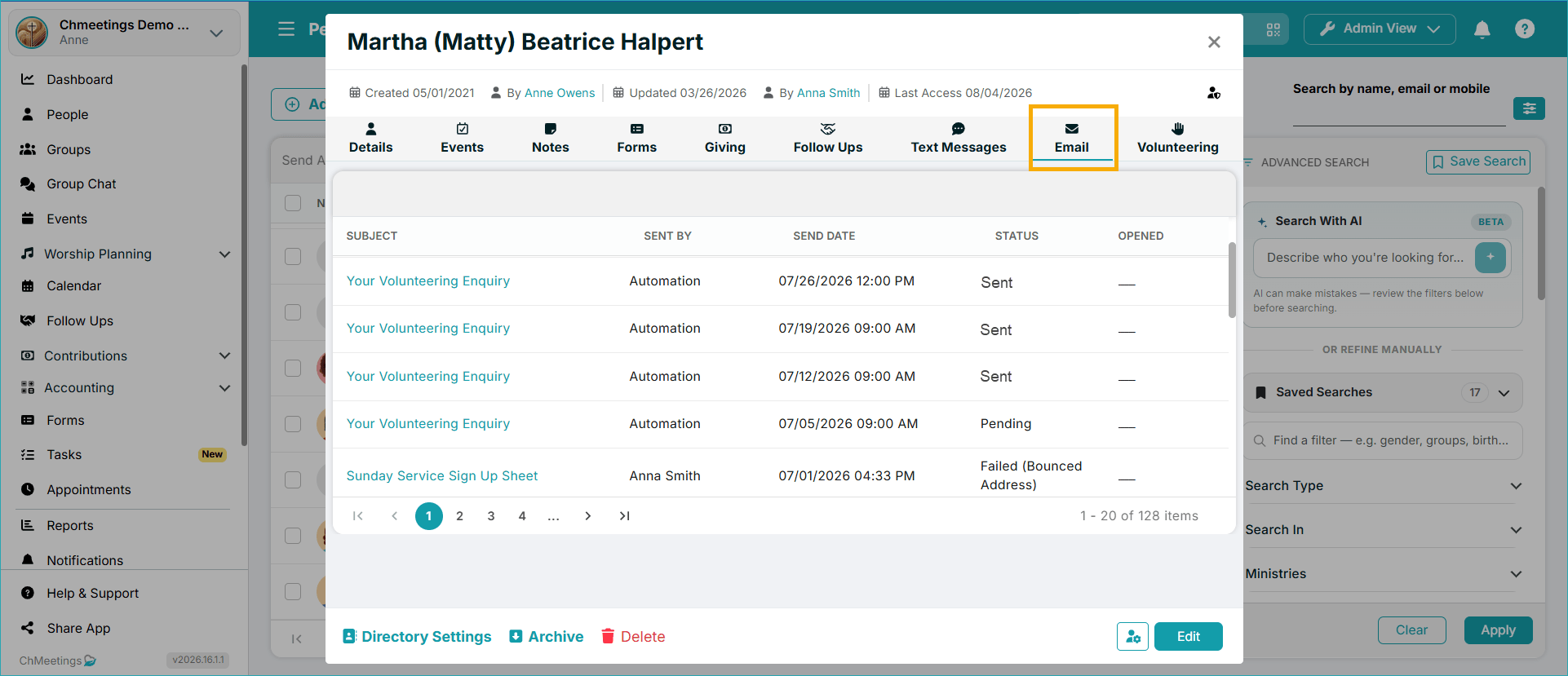
Now you can browse all emails sent to a person, from a dedicated Email Tab in their profile.
ChMeetings 2026.15 – July 22, 2026
| MAJOR FEATURES |
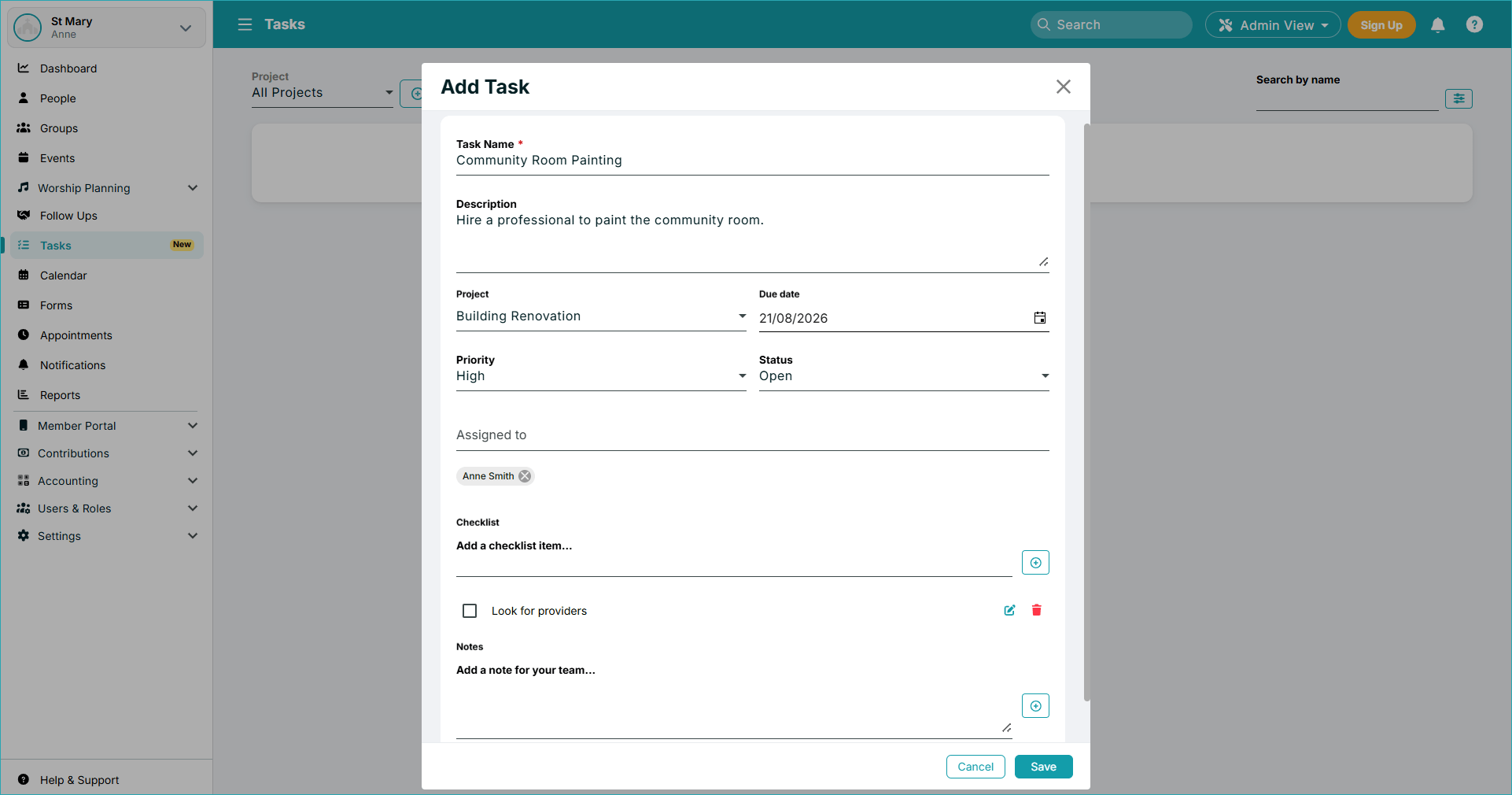
You can now manage projects and related tasks right from within ChMeetings. You can organize projects, set up task details such as status, assignee, checklist items, and notes.
AI Integration via MCP
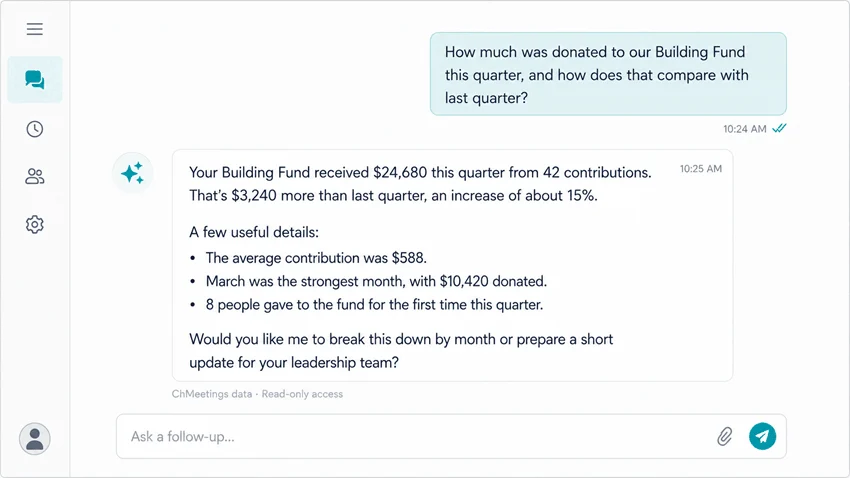
Now you can ask AI in plain language about any information in your ChMeetings.
AI comes with its pros and cons. Please consult our guide for relevant information on how this works, as well as on related issues concerning data security, privacy, and accuracy.
| MINOR FEATURE |
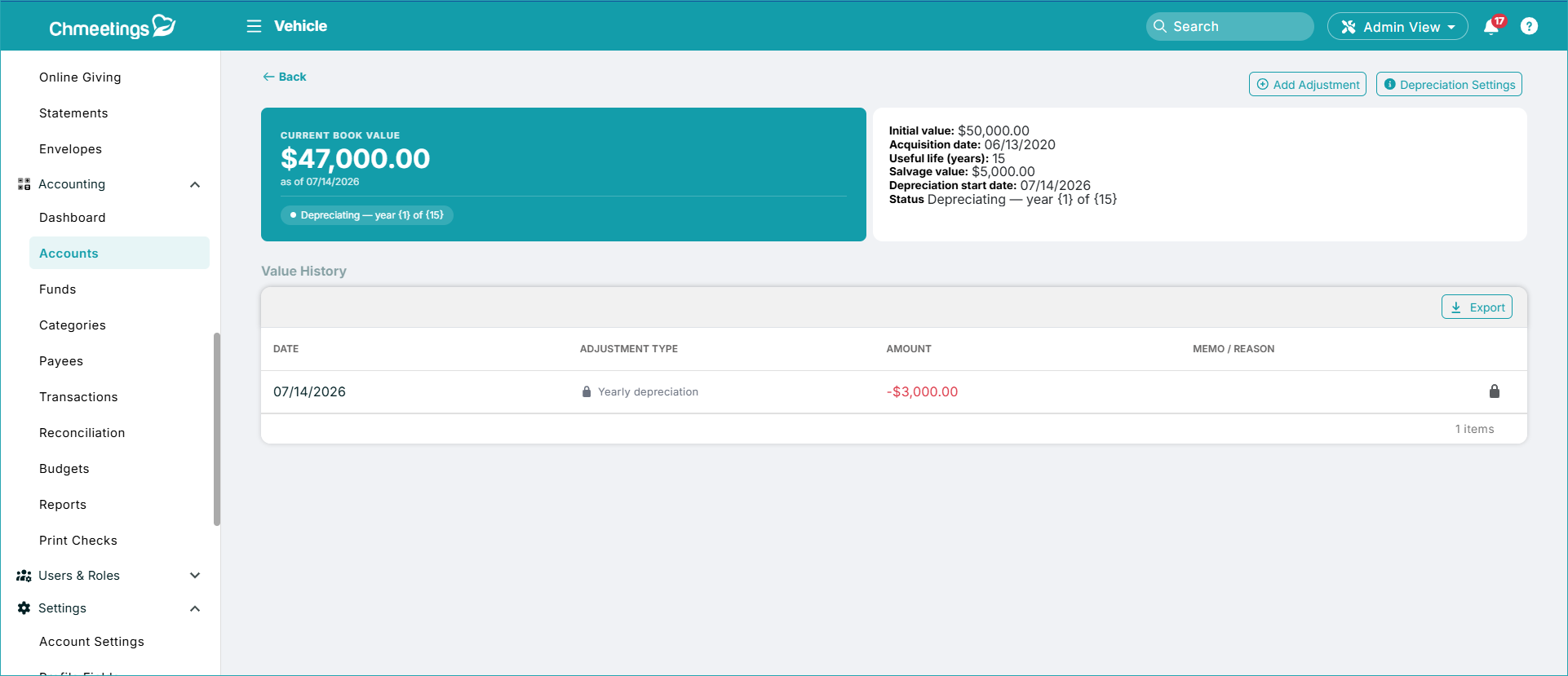
Within the Accounting section, you can now manage long-term assets like buildings, vehicles, land, etc.
| IMPROVEMENTS |
Automated Task Updates:
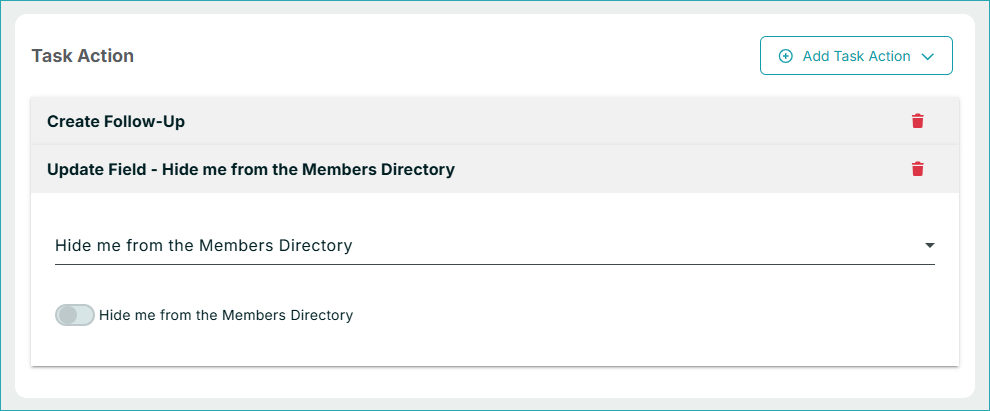
- Automatically Update Profile Fields: The Newcomer, New Event Attendee, and Date Reminder tasks now allow you to update a profile field. This helps when someone needs data updated based on specific criteria.
.

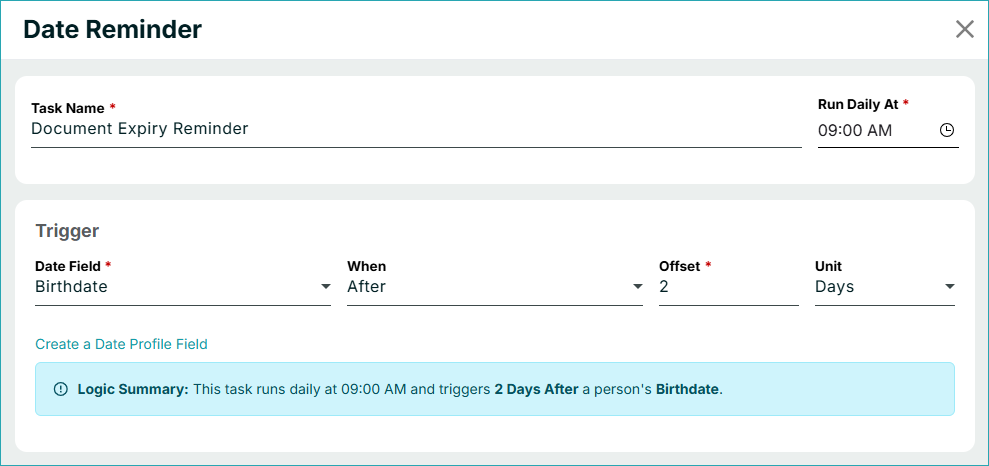
. - Date Reminder Task Updates: We added fields for the Birthdate, Anniversary, and Baptism dates. You can choose them as the main date field for the task..
.

Delete Recurring Volunteer Assignments
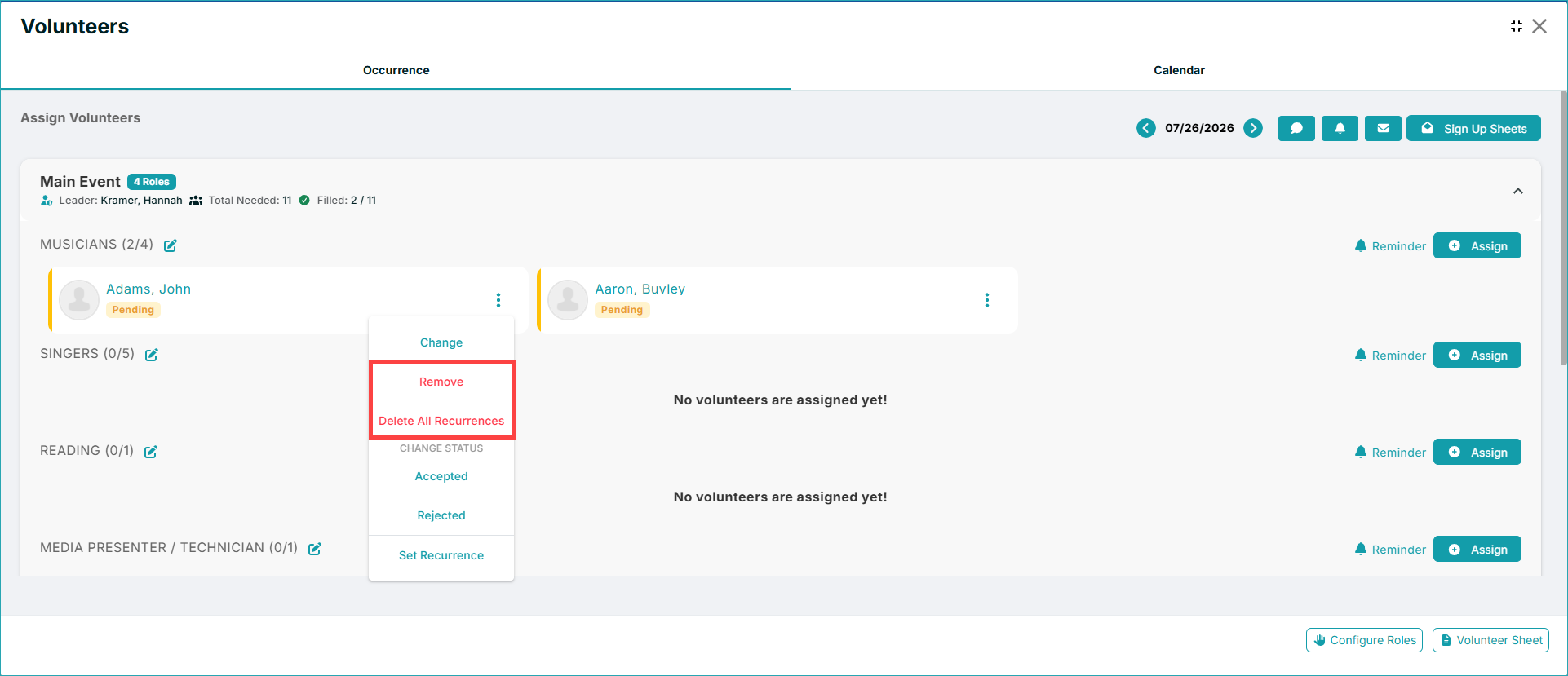
We have added a “Delete All Recurrences” option in the volunteer scheduling. This will allow administrators to remove all recurring volunteer assignments in one go, without having to delete each assignment individually.
View or Download Song Library Attachments
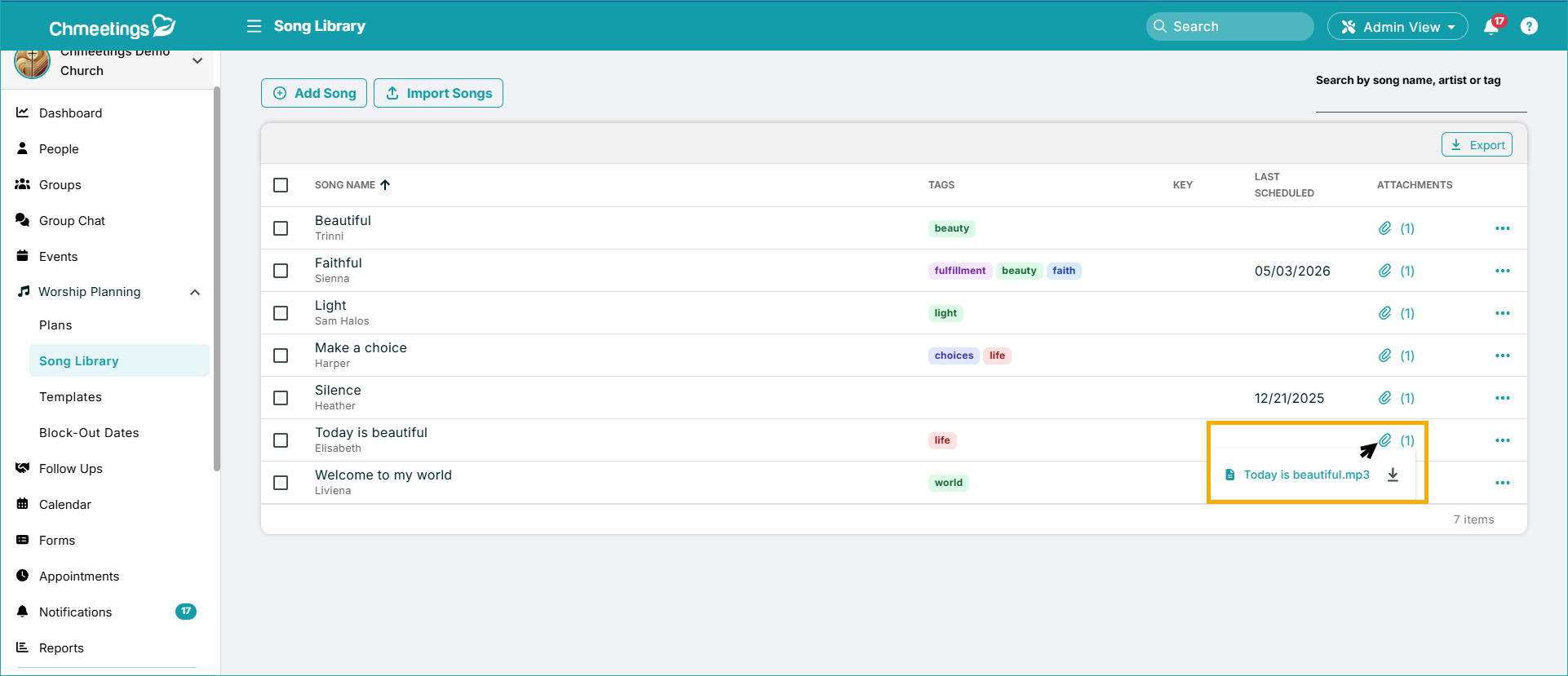
In your song library, you can now view or download an attachment which is very helpful when you have many files.
@all to Mention Everyone in Group Chats
You can now mention everyone in a chat conversation and send them an automatic mobile push notification as a result.

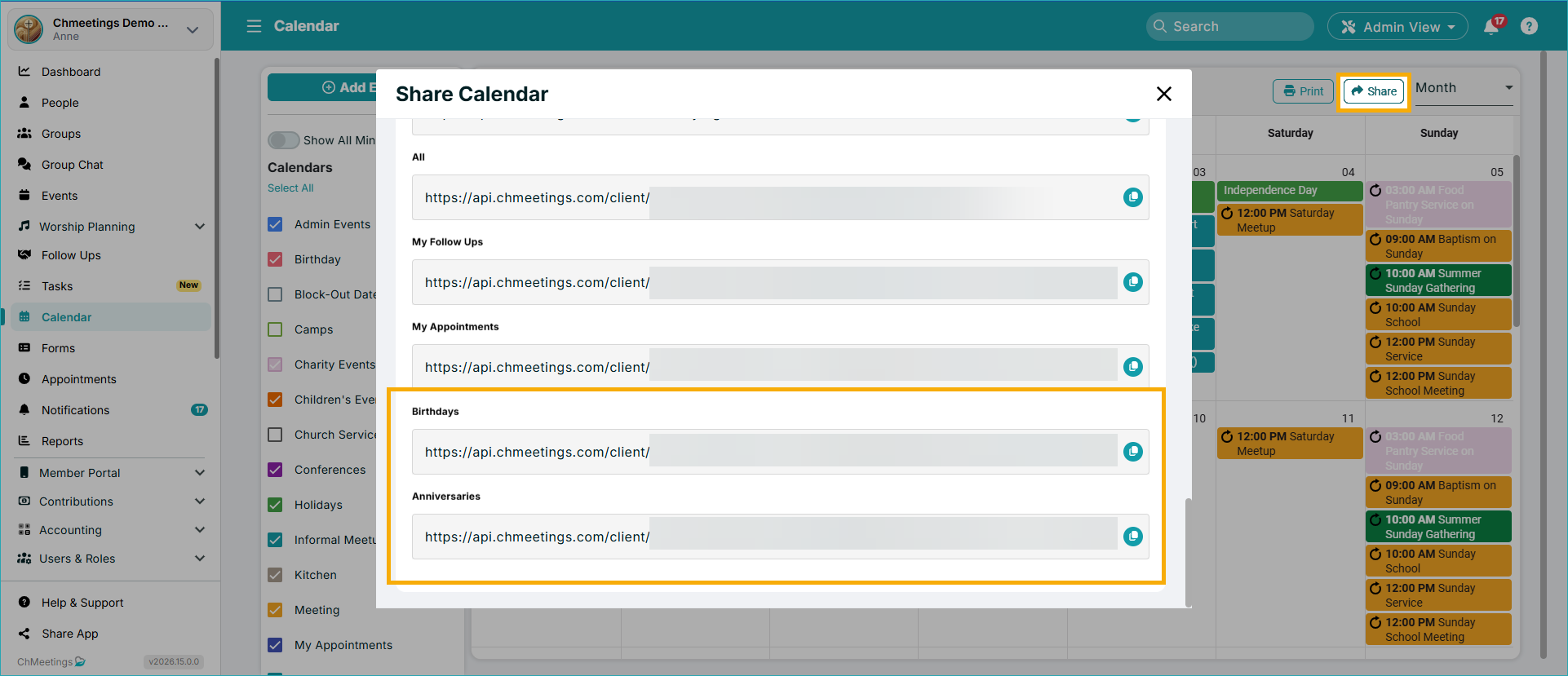
iCal Feeds for Birthday & Anniversary Calendars
Now you can add your Birthday and Anniversary Calendars to any external tools, using iCal. You can find the feeds in your Share Calendar feature.
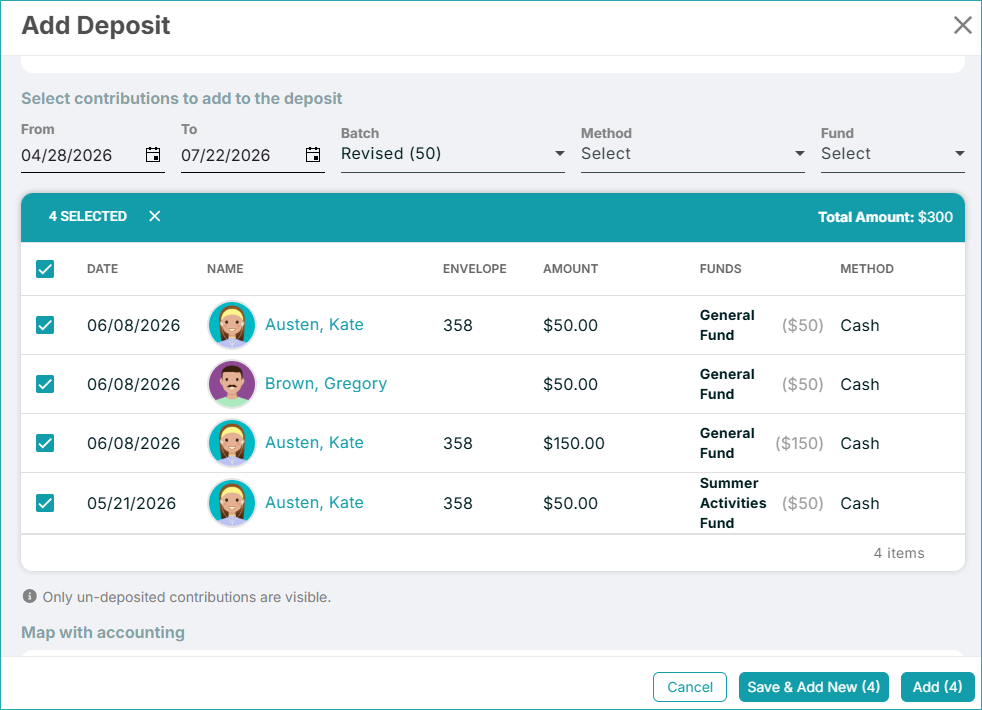
Now it’s easier to add multiple deposits in one go, because you can just click Save & Add New in the Deposits screen, so you don’t have to start over every time.
ChMeetings 2026.14 – July 6, 2026
| IMPROVEMENTS |
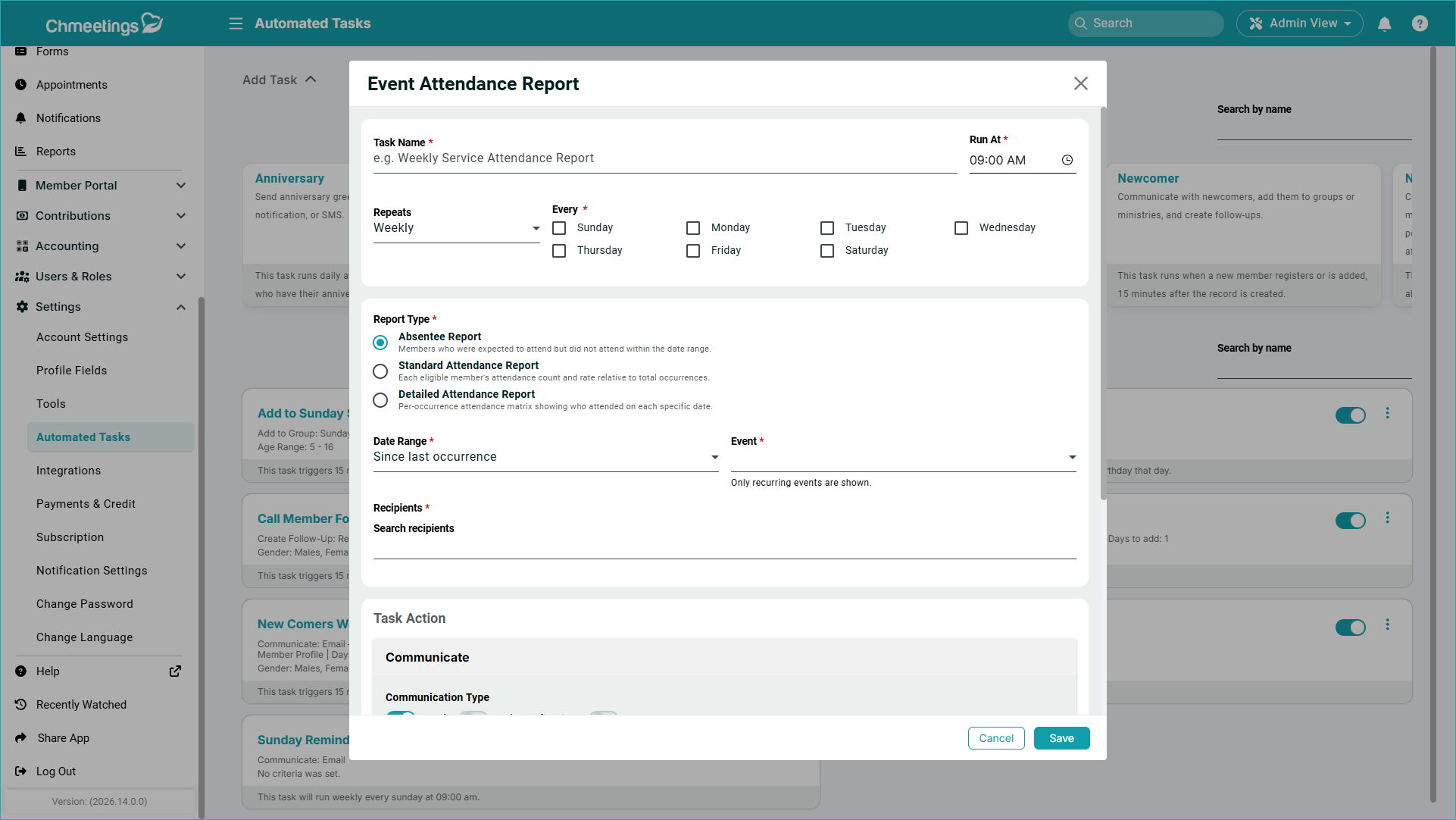
Attendance Report Automated Task.
This new task will send an attendance report for a specific event, to specific recipients, and for a certain date range. Recipients receive an email containing a link to the report, which expires in 60 days. There are three types of reports that can get sent:
- Absentee Report: Members who were expected to attend but did not attend within the date range.
- Standard Attendance Report; Each eligible member’s attendance count and rate relative to total occurrences.
- Detailed Attendance Report: Per-occurrence attendance matrix showing who attended on each specific date.
.
Form Managers
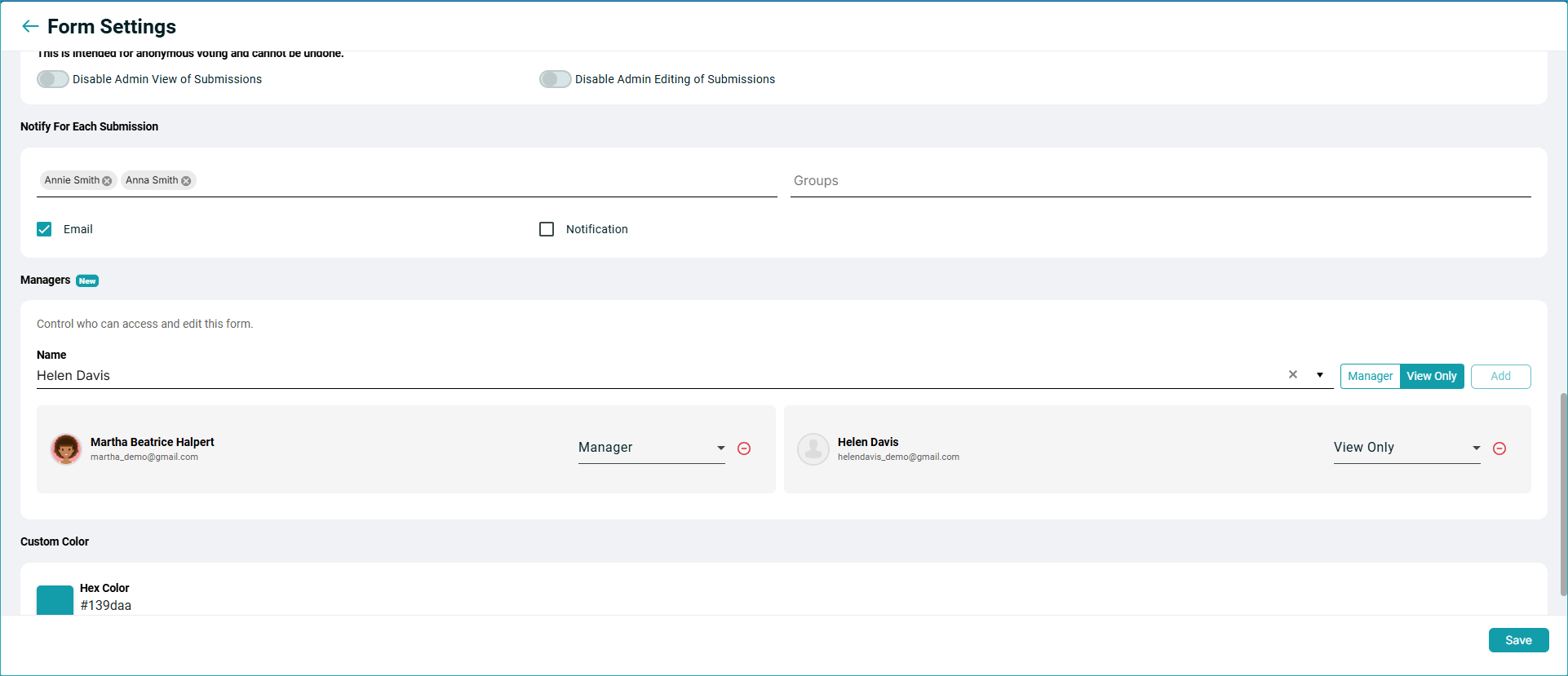
Now you can assign a form to someone from the Form Settings. You can assign people to manage a form even if they don’t have previous forms access (you will see their current access permissions before adding them). You can add people as:
- Manager: can edit the form and manage its submissions.
- View Only: can view the form and its submissions but cannot make changes.
Those who are granted access to a form will see the Forms menu within the app, but the only listed forms will be those they have access to.
For peace of mind, note that people who are sent notifications about form submissions can only access the permissions for that particular form temporarily, and only via the email notification they receive.
The feature is only available to paid accounts (including demos).
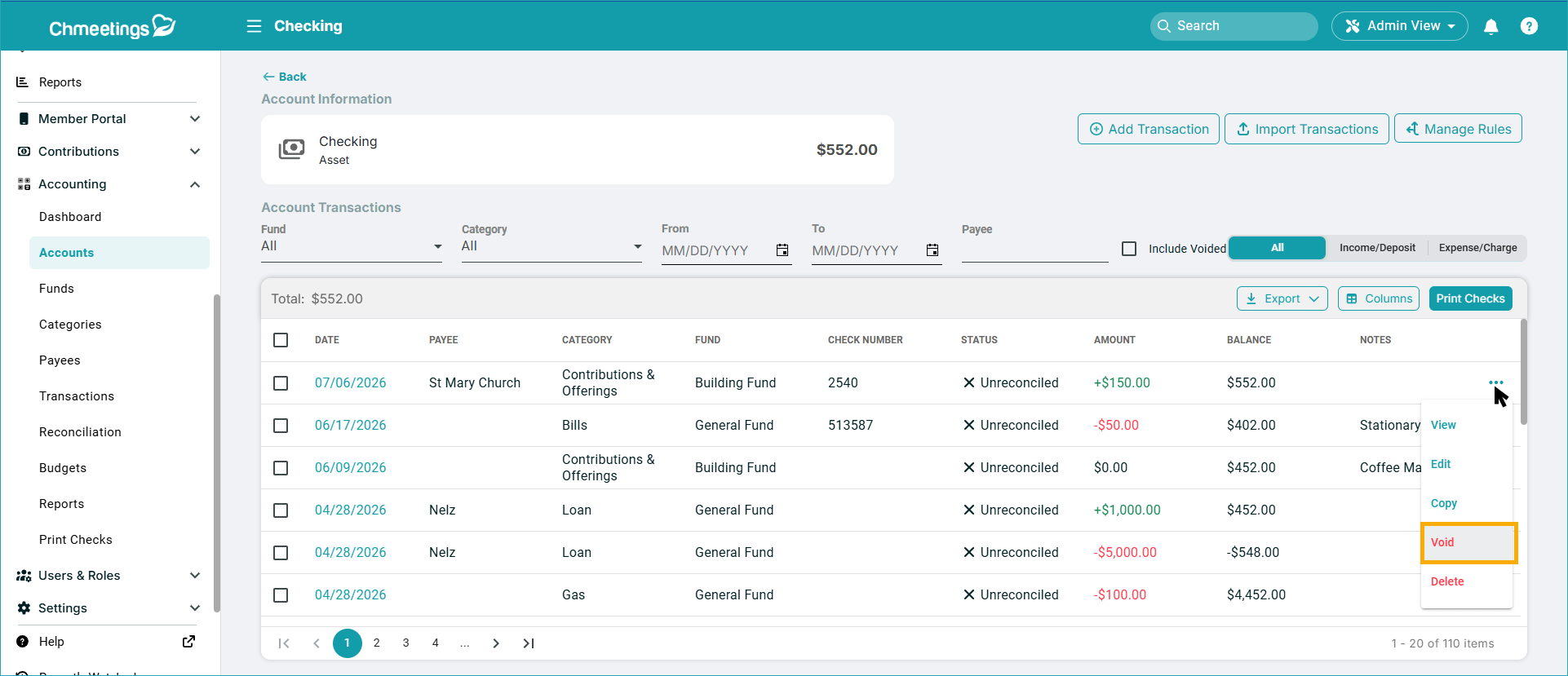
Void Transactions / Checks
You can now void transactions – whether or not they have a check number attached. Voiding will zero out the transaction’s effect on balances.
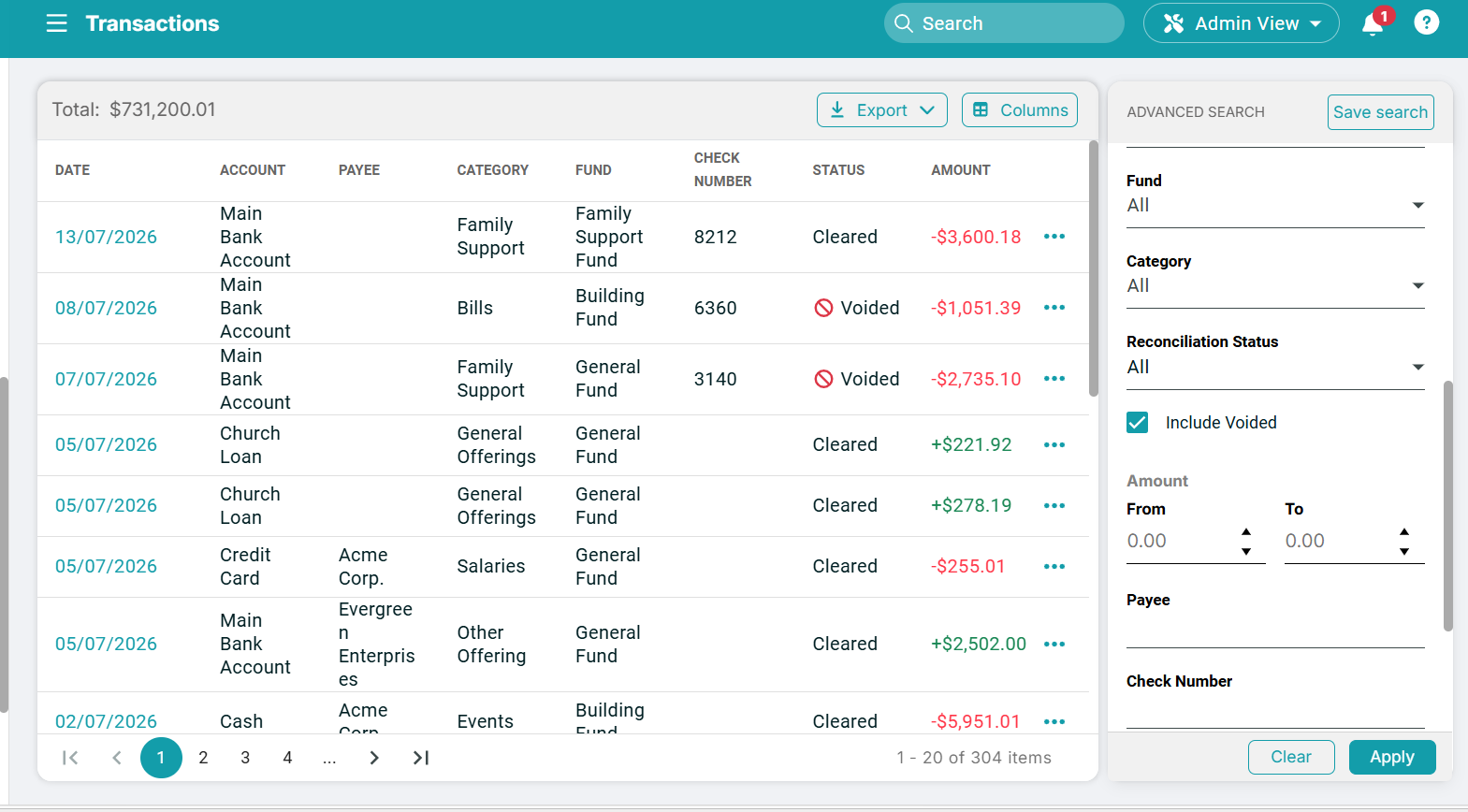
Voided transactions can be included in advanced searches within the centralized Transactions list, where they display under a Voided status.
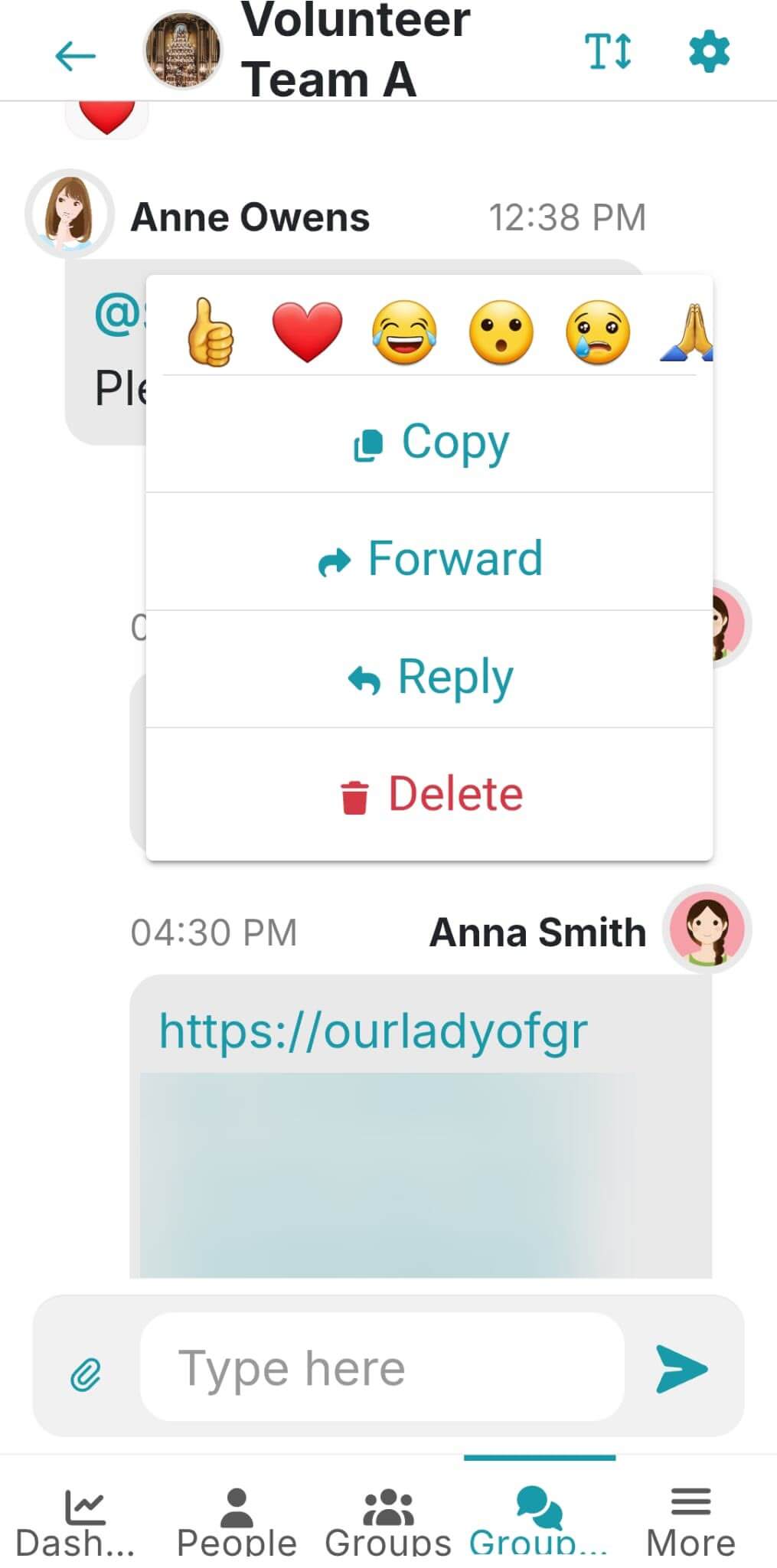
Copy Group Chat Messages & Links (Branded App)
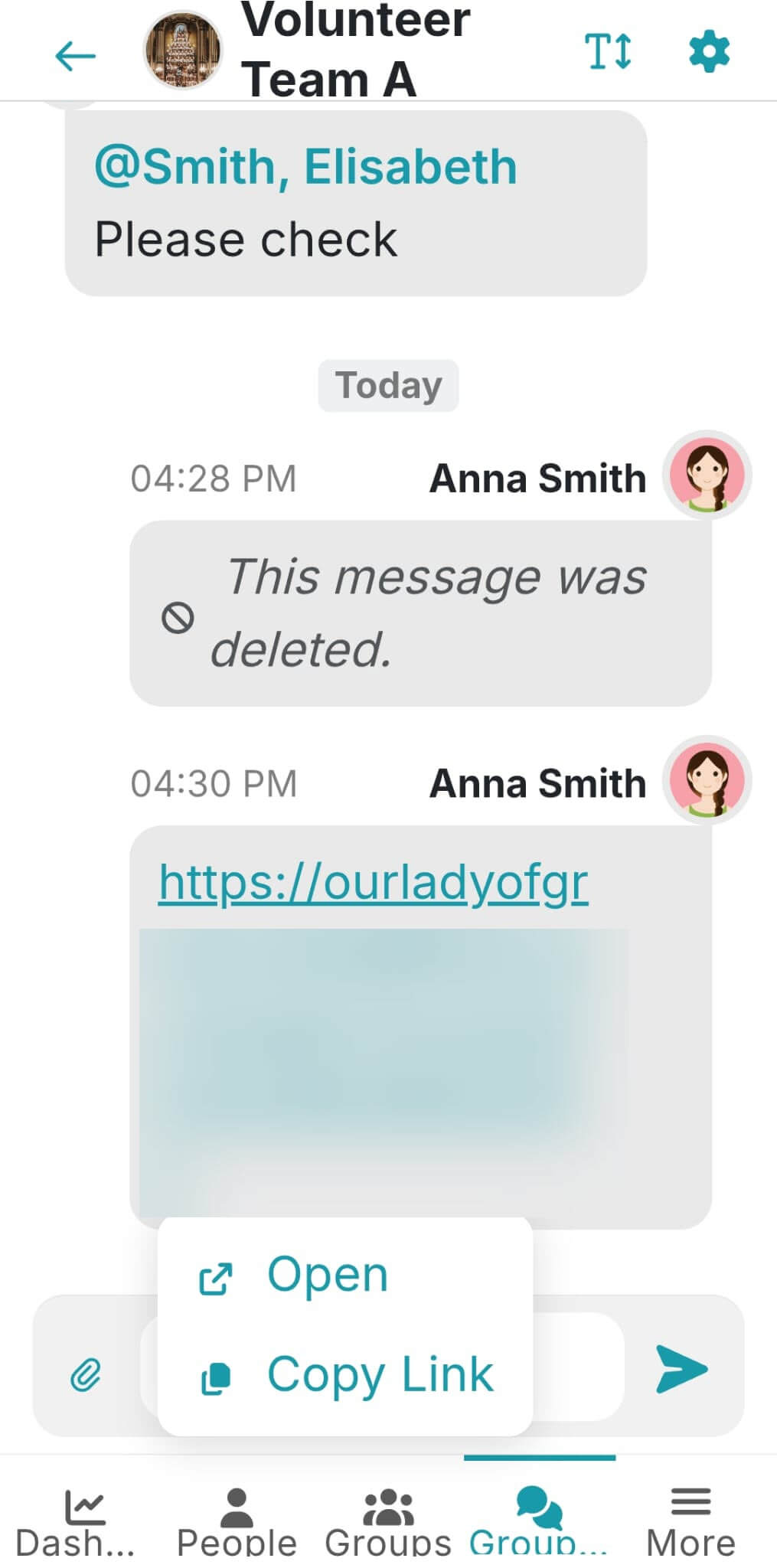
Now you can copy the content of messages and can choose whether to open or copy links within your group chat conversations.
Tap and hold to copy a message (and access other message options); and tap a link to see the option to either open or copy the link. Link options are only available within the mobile app.
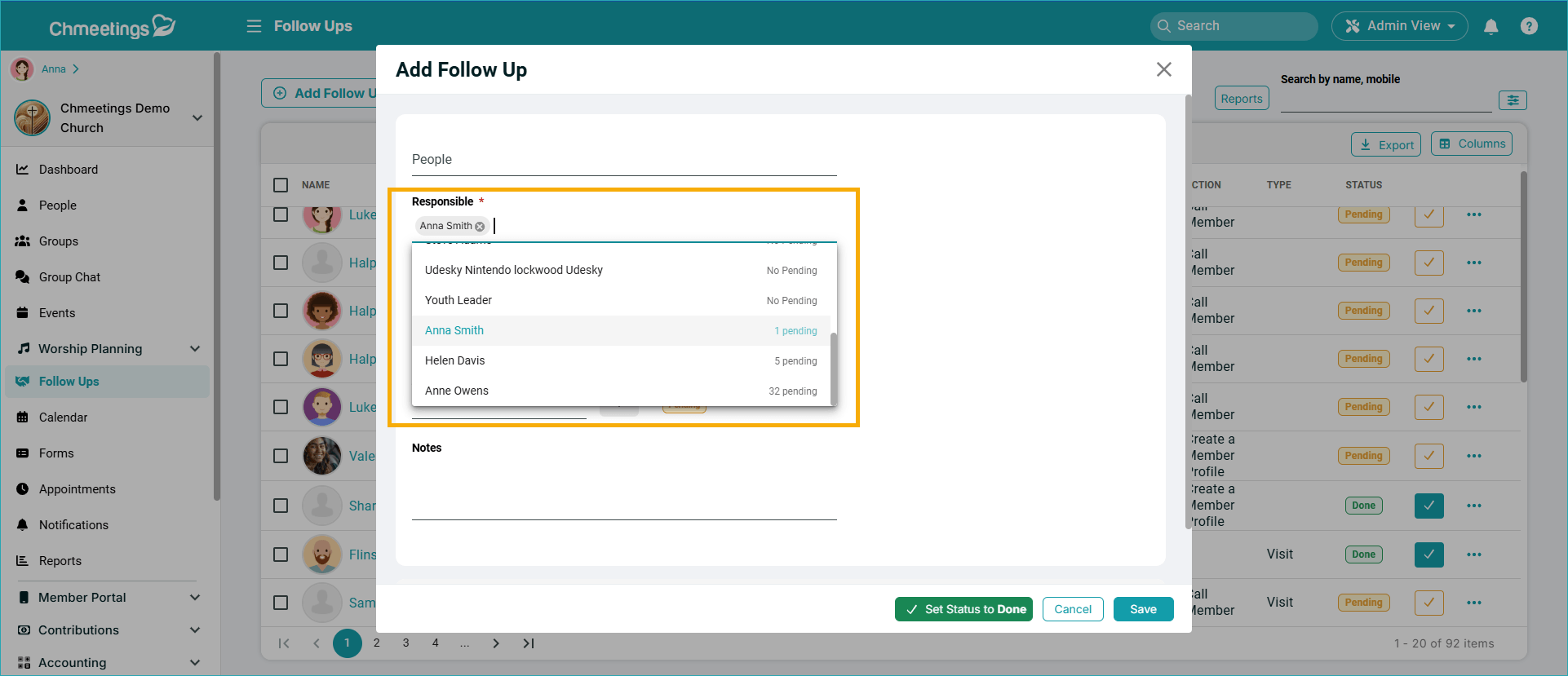
Pending Follow-Up Assignment Counts
When selecting the responsible person for a follow-up, now you can see how many pending follow-ups there are already assigned to them. It helps better manage people’s workload.
.
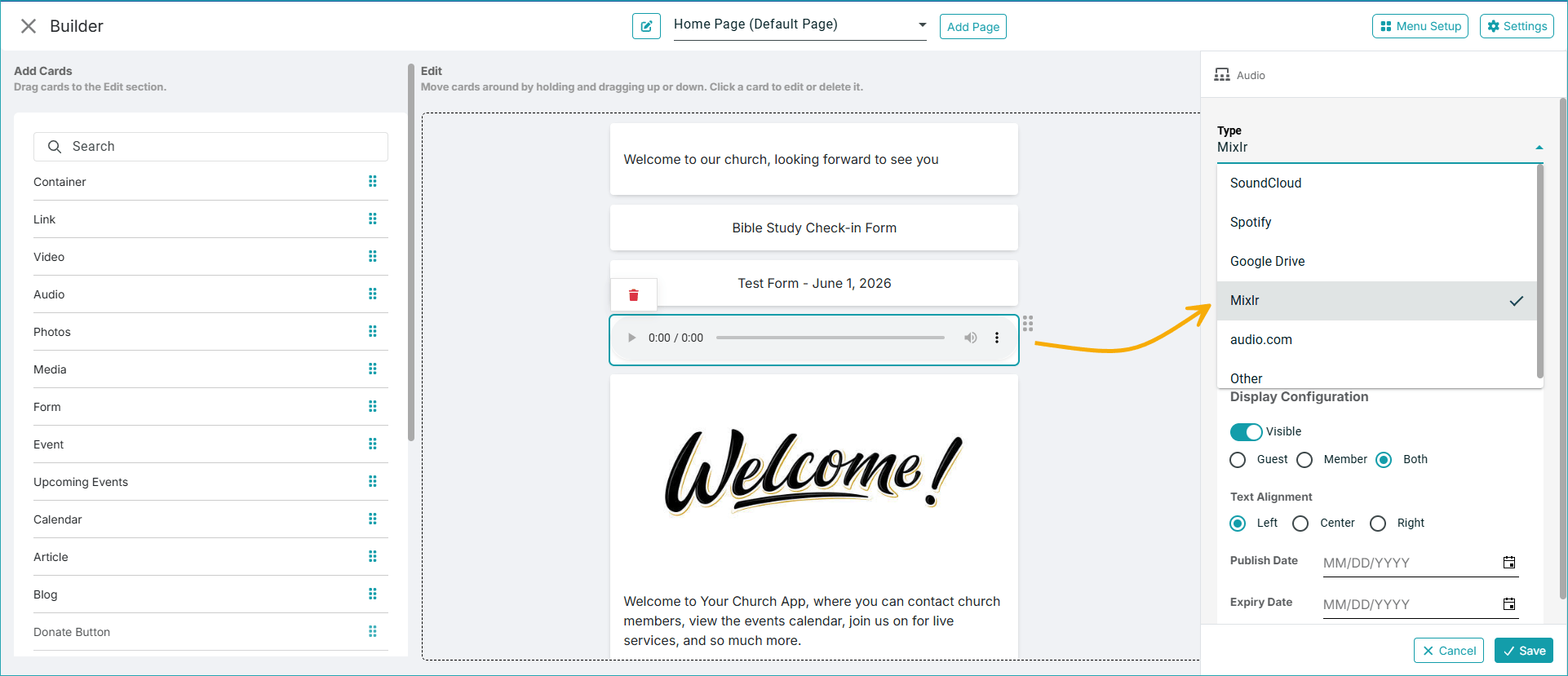
Audio Content From Mixlr
Now you can add links from Mixlr to your Audio card in the Member Portal Builder.
ChMeetings 2026.13 – June 30, 2026
| IMPROVEMENTS |
Volunteer Scheduling
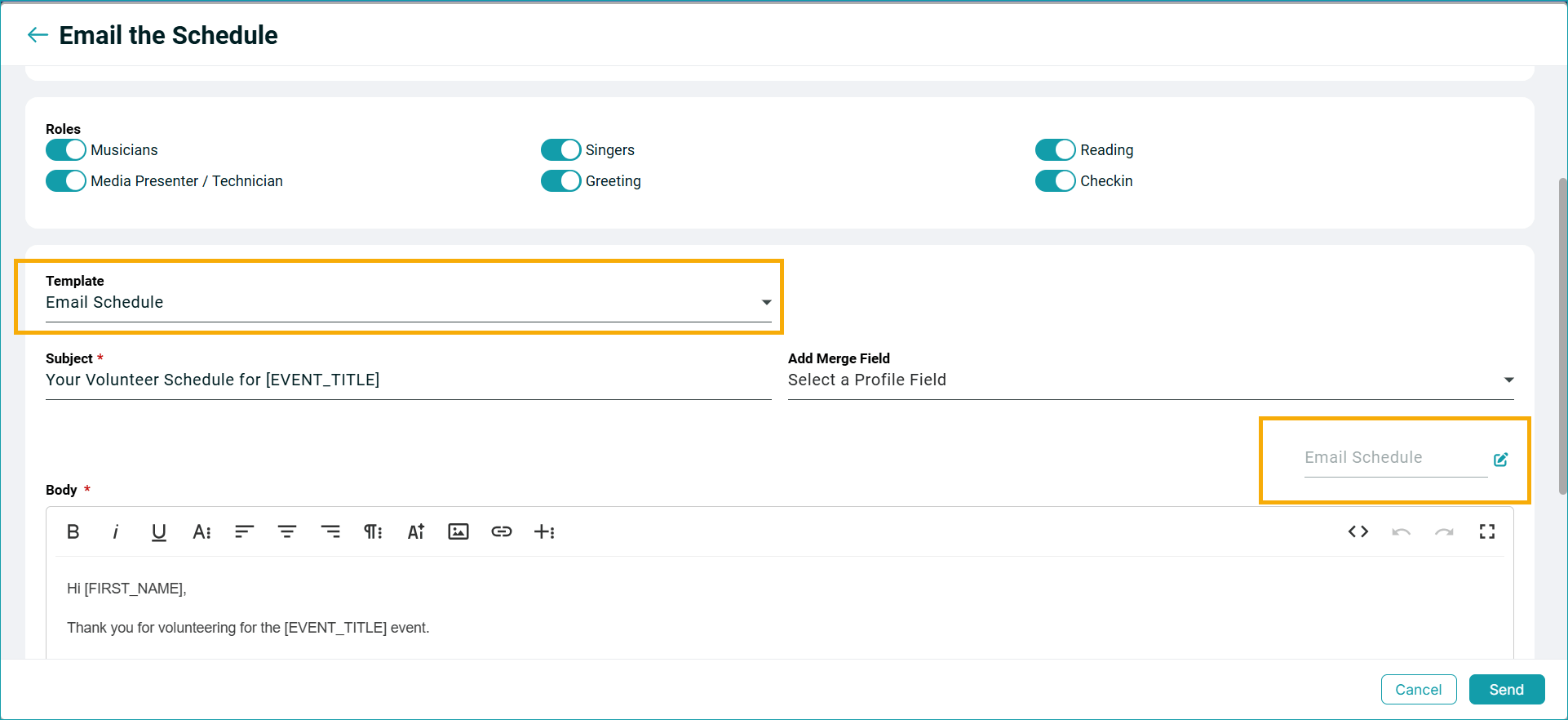
Email Templates: “Email Schedule” and “Email Volunteers” now allow you save and reuse email templates.
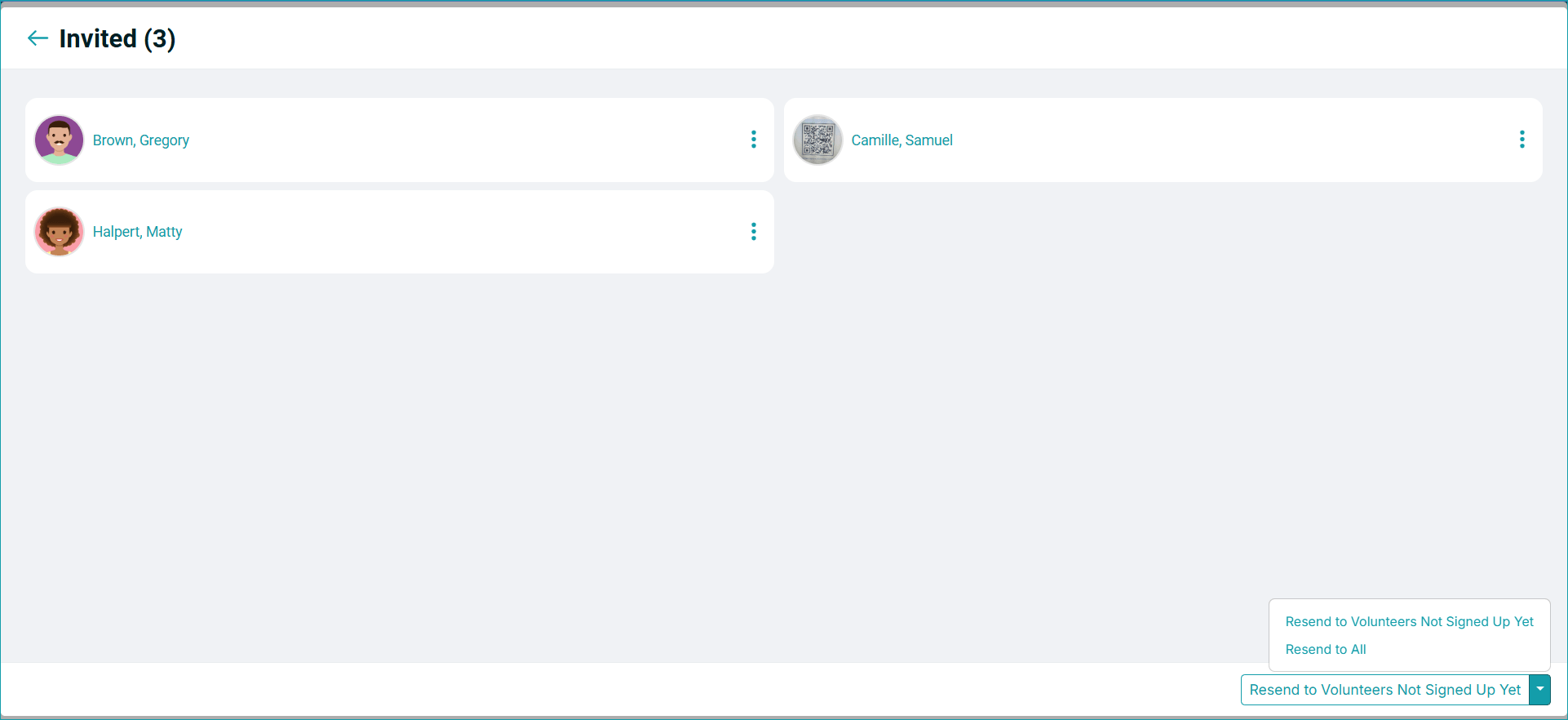
Resend Signup Invites: Now you can Resend Signup Invites to All or Resend to Volunteers Not Signed Up Yet. The option is available under Volunteers > Signup Sheet > Invited.
Accounting
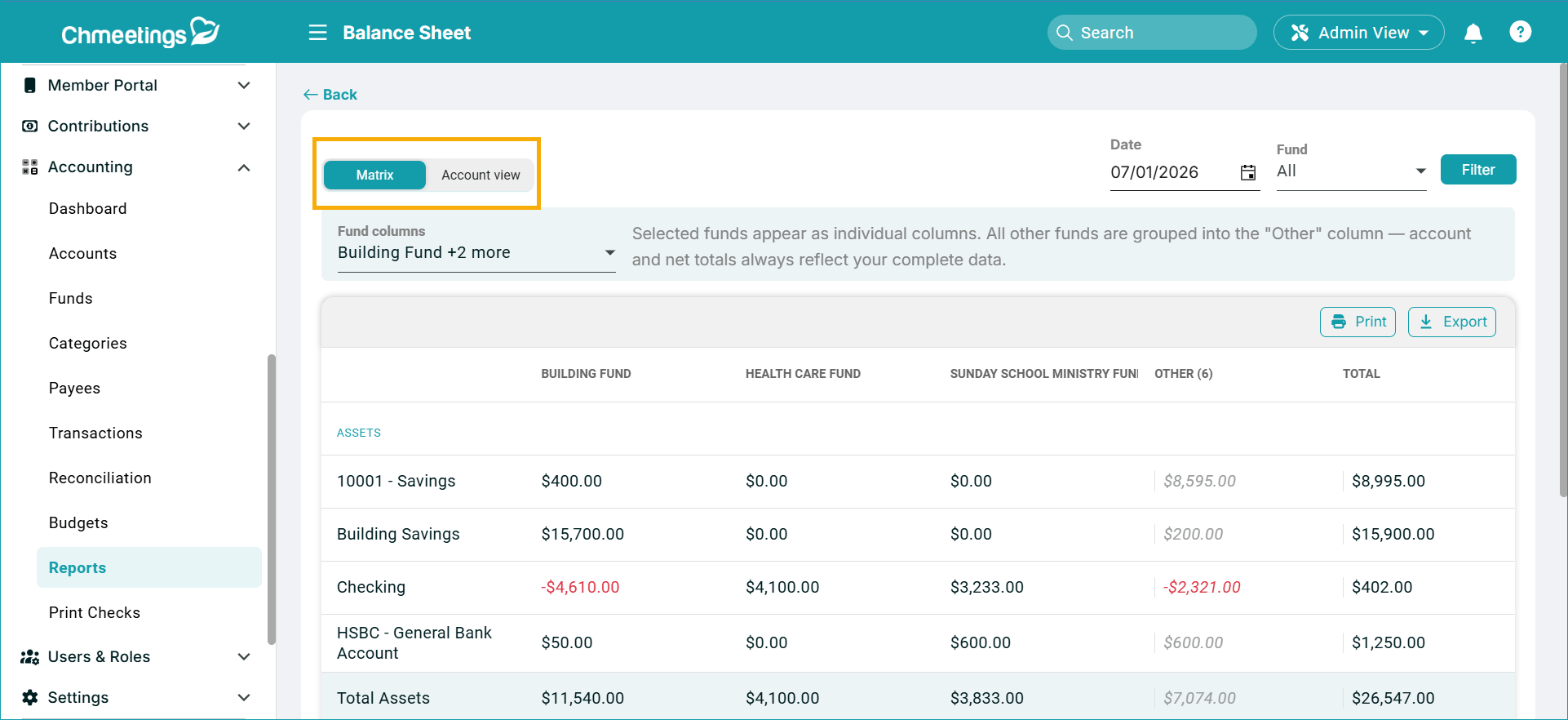
Balance Sheet Views: The Balance Sheet report now has two view options:
- Matrix (default): This view displays Funds as columns and Accounts as rows, split into assets and liabilities. You can select which Funds to display within the report, and those you don’t select will be bundled into the “Other” column.
- Account: This is the previously existing Balance Sheet layout, unchanged.
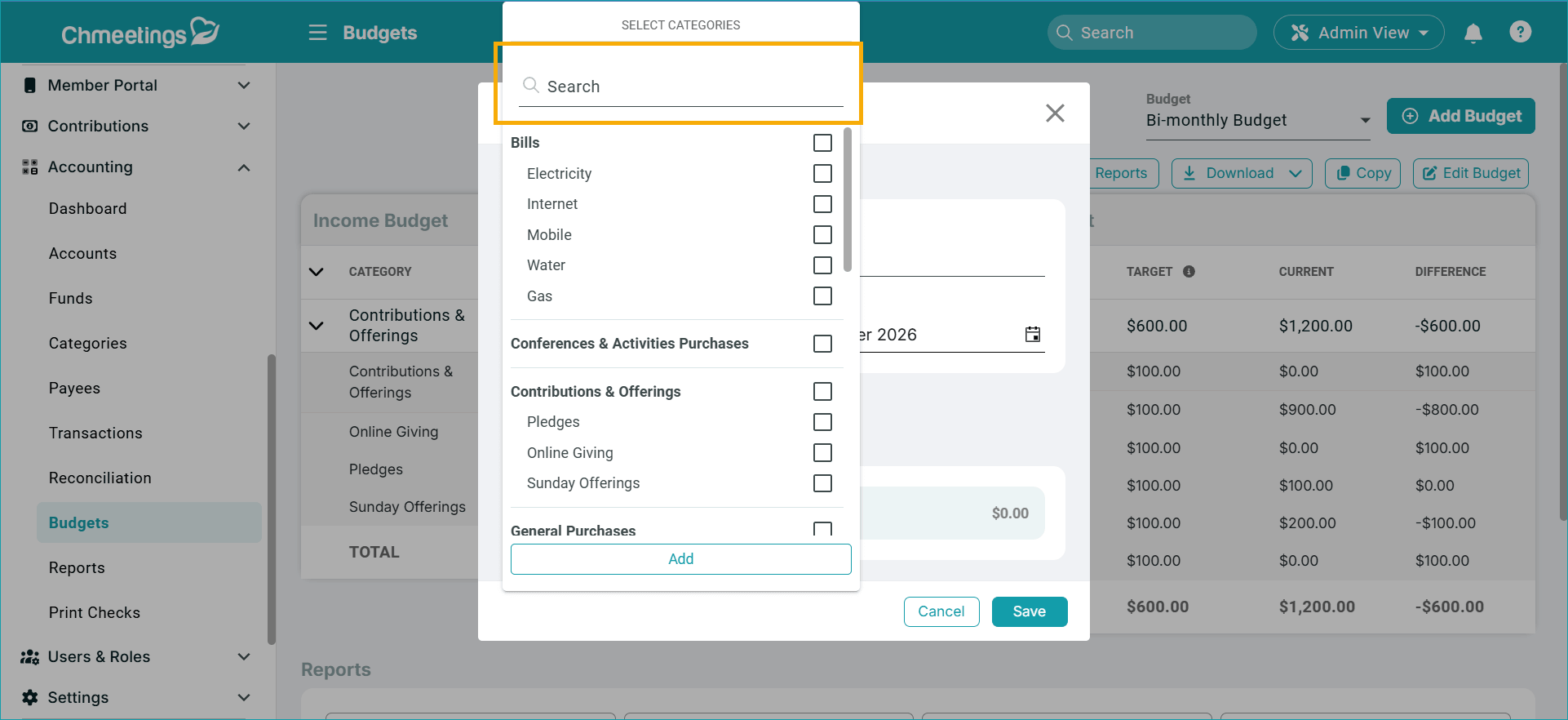
Budgets: You can now search Categories when adding or editing budgets. This helps if you have a long list of categories, so you don’t have to scroll through it.
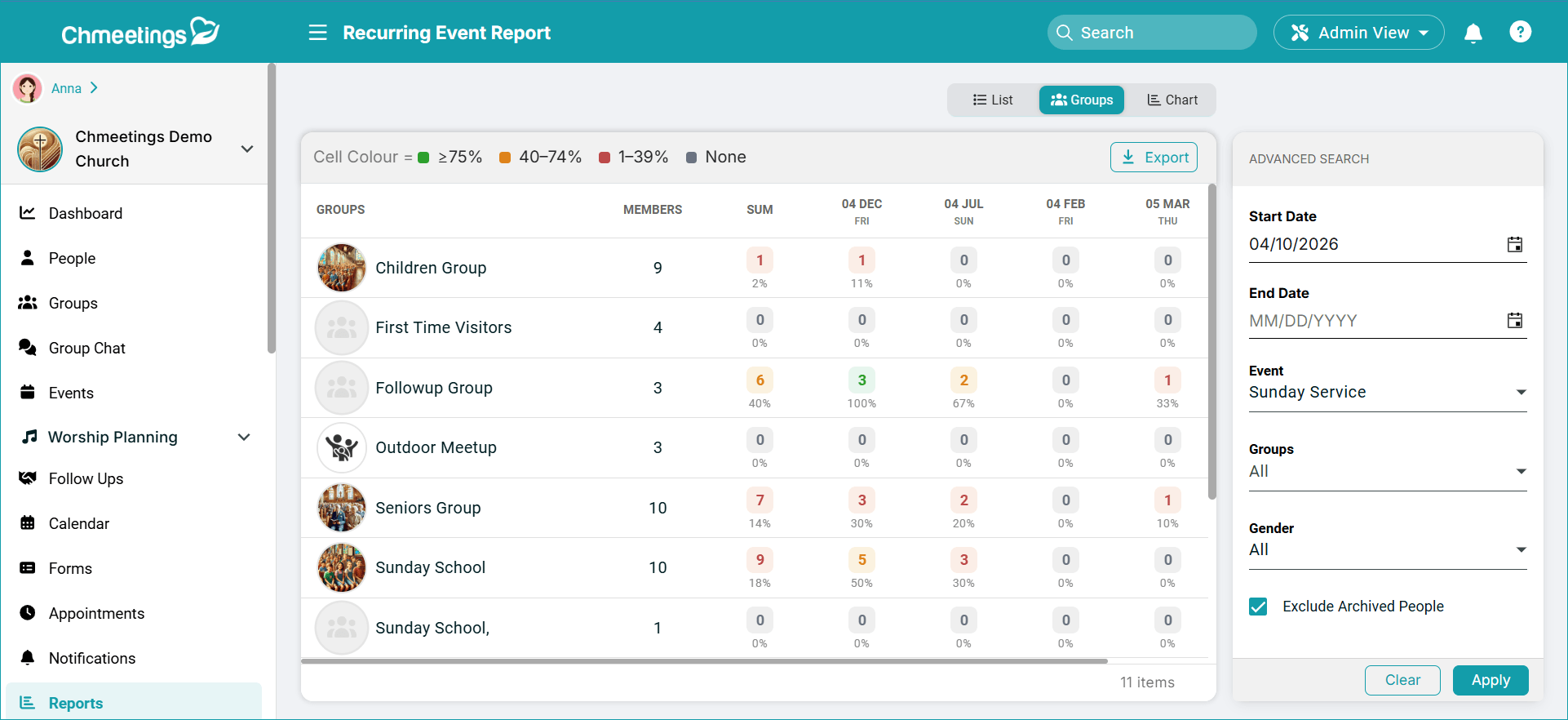
Events
Group Attendance Report: We added a new tab called Groups that will show event attendance statistics for each group. This is available for recurring events, under Event Page > Report.
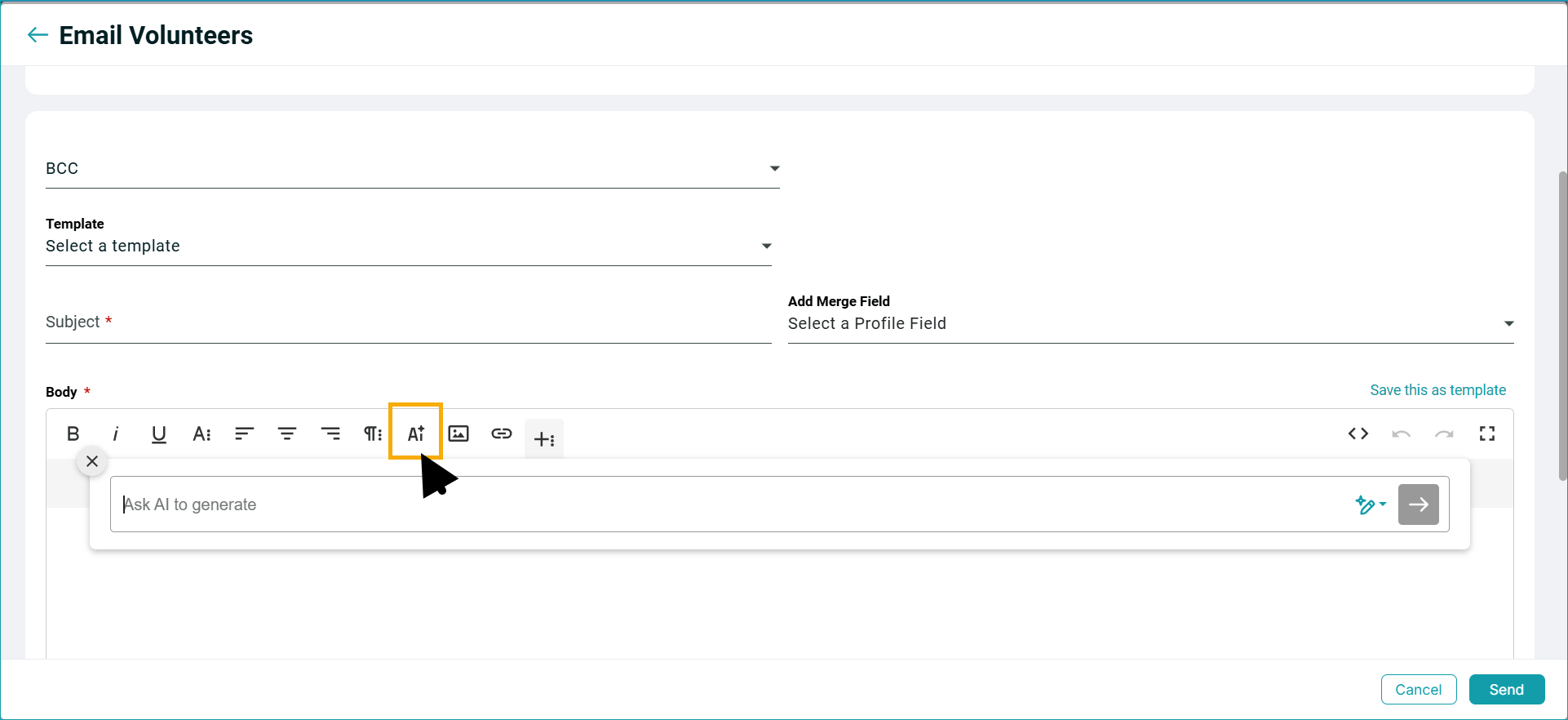
Emails
AI Writing Assistant: Now you can write emails with our new AI Writing Assistant within the standard email editor. You can ask AI for what kind of email you’re looking for, and you’ll get a generated text recommendation which you can further edit if you like. This feature is available for all paid plans.
Group Chat
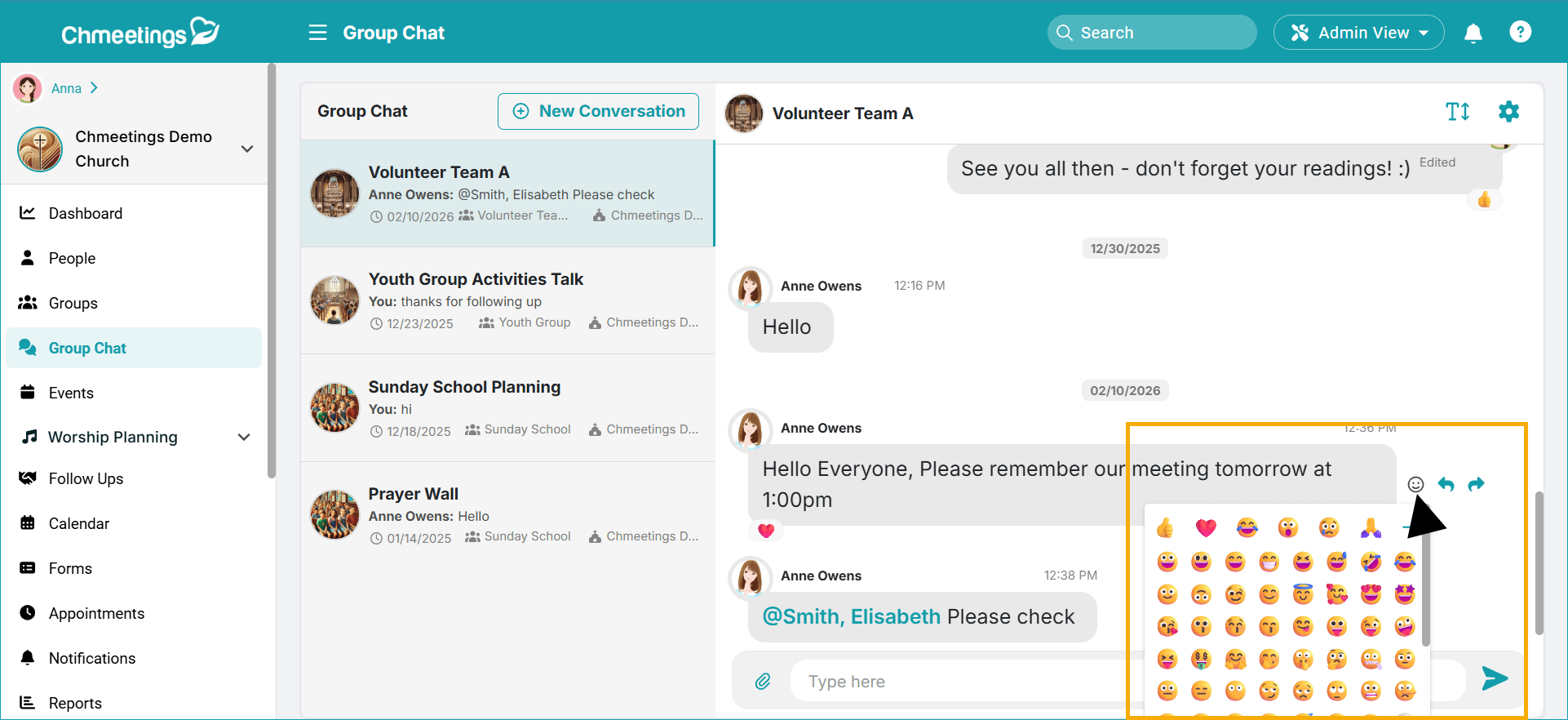
More Emoji Reactions: Now people can choose from an extensive list of emotions to react to a message when chatting within a group chat.
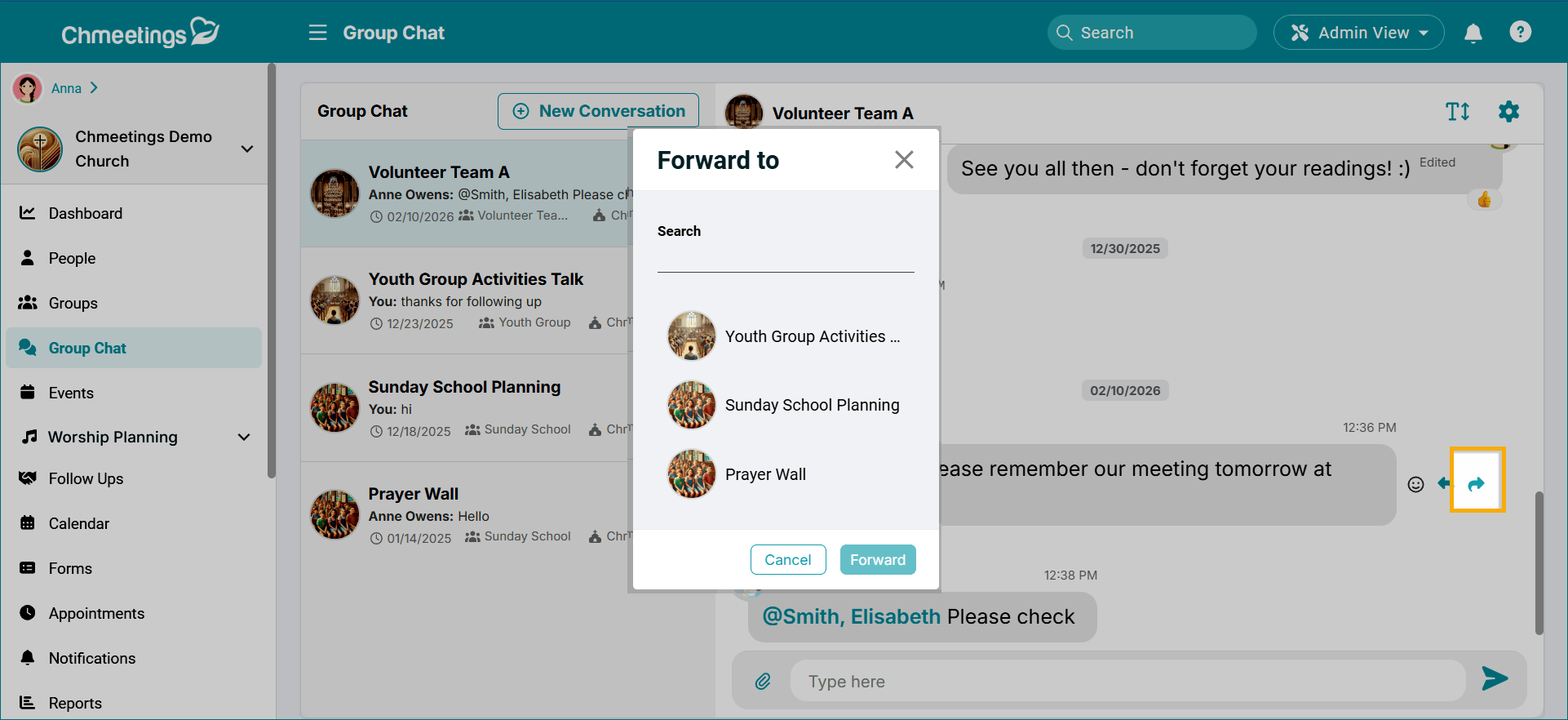
Forward Messages: Chat participants can now forward messages to another conversation.
Settings
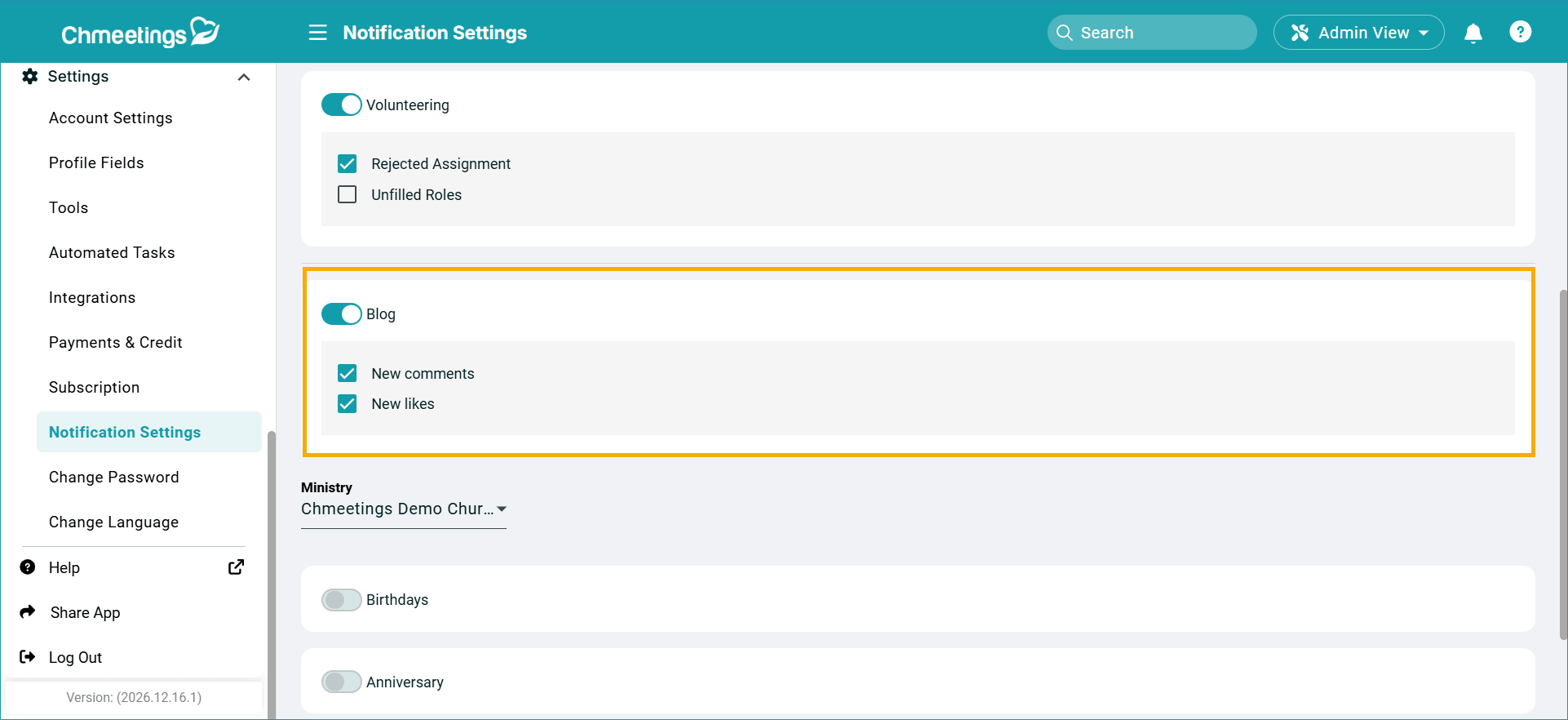
Blog Notifications: In Settings > Notification Settings, you can get notified for like and comments on the posts you create or manage in the portal.
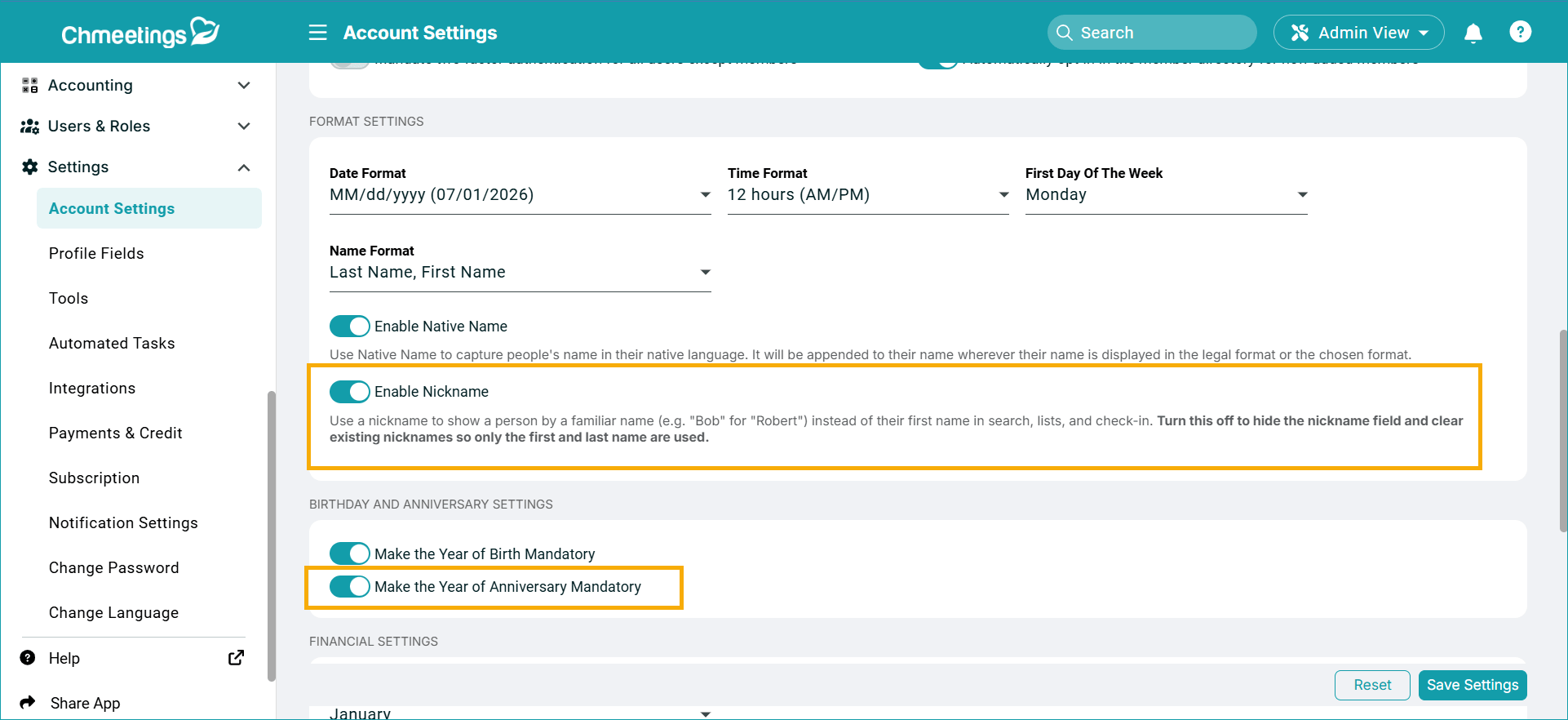
New Account Settings:
- Enable the Nickname field in people profiles. If the toggle is off, then the Nickname field will not be available to populate in people profiles.
- Make the Anniversary Year Mandatory or Optional. If this toggle is off, then people do not need to enter their anniversary year; just the date.
ChMeetings 2026.12 – June 17, 2026
| IMPROVEMENTS |
Volunteer Scheduling:
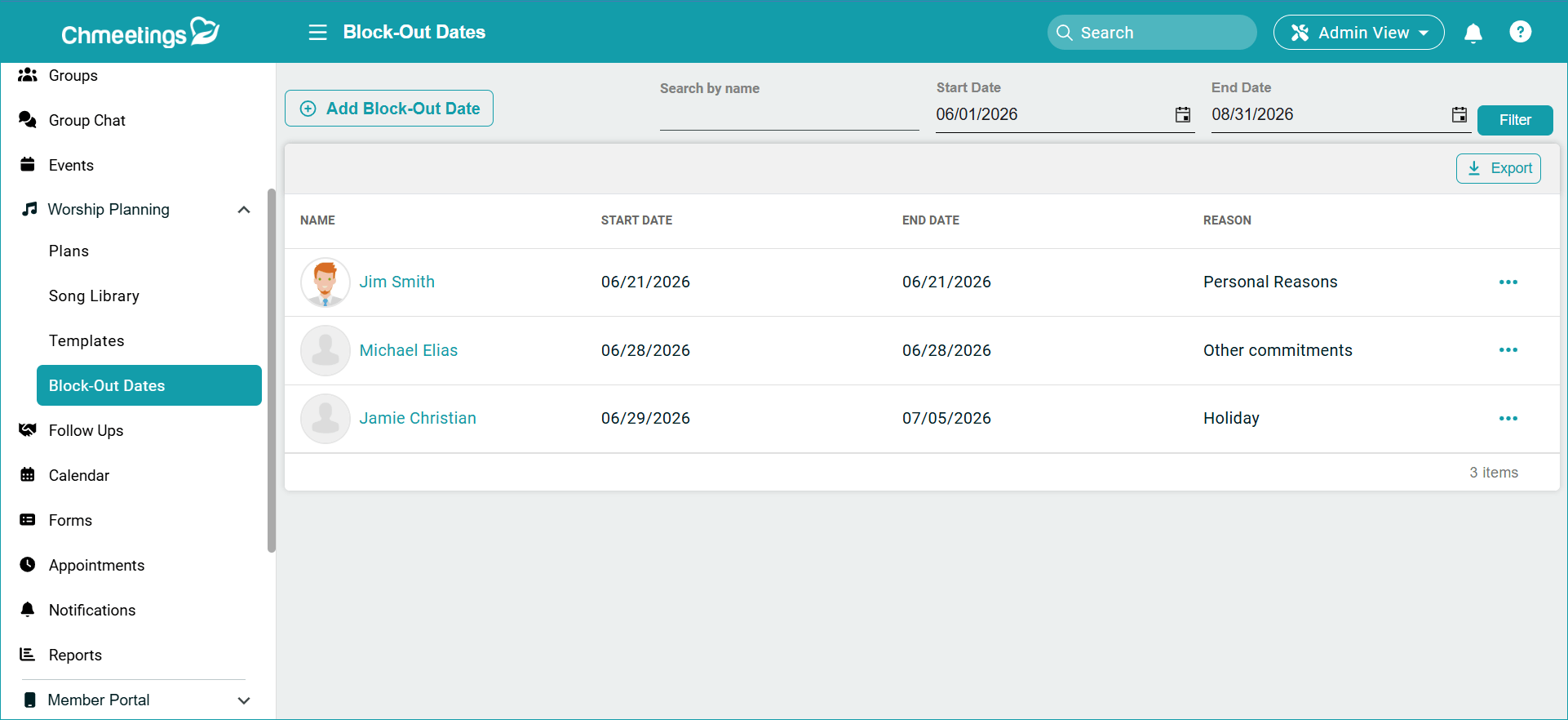
Volunteer Block Out Report: We added a new Block Out Report under Worship Planning, in the main menu. Here is where you can find a centralized list of volunteers who have blocked out specific dates or date ranges. Within this report, you can add new Block Out Dates, search and filter the list, as well as export it to Excel.
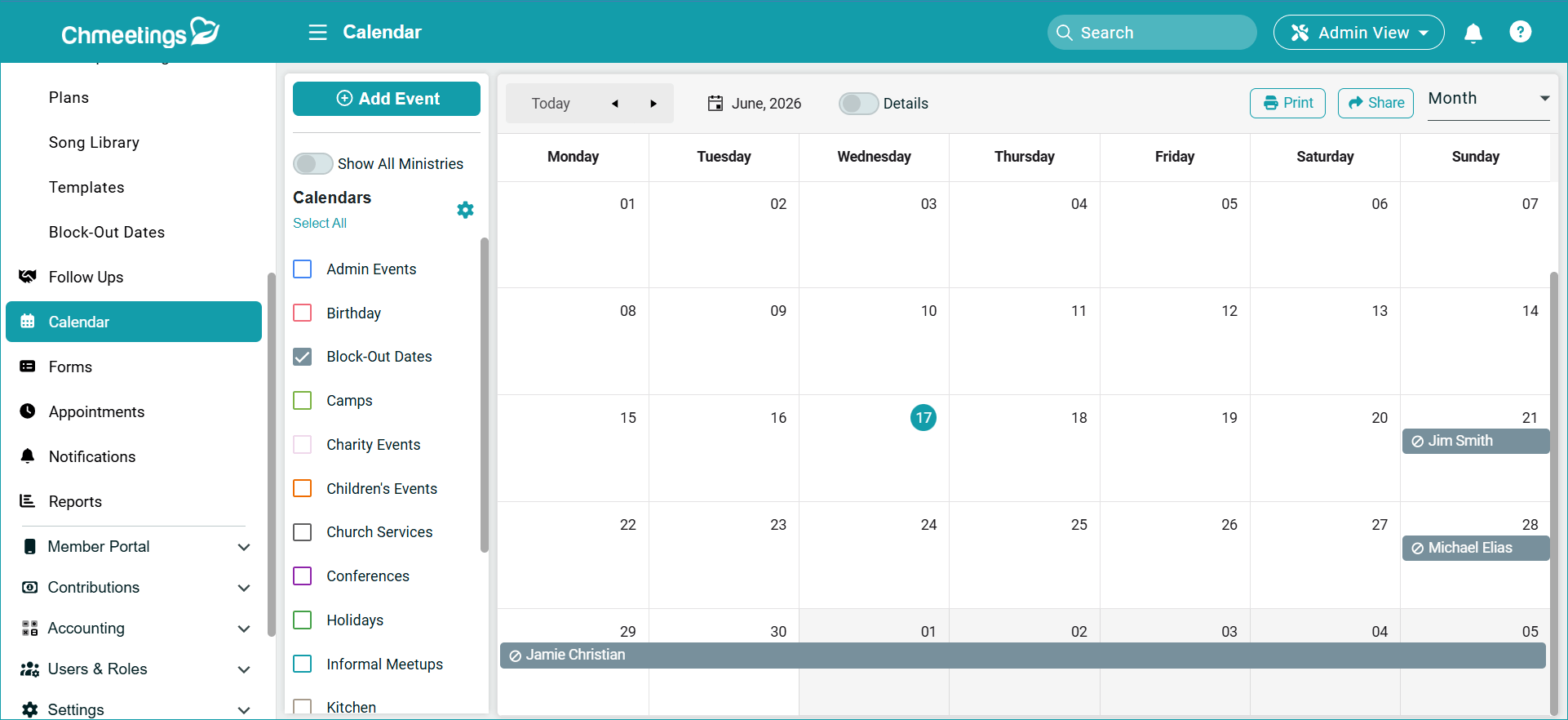
There is also a new Block Out Dates Calendar, which you can find under the Calendar section in the main menu.
Shorter Text Reminder Links: The links within the Volunteer Scheduling text reminder have been shortened to save you credits as much as possible.
Accounting
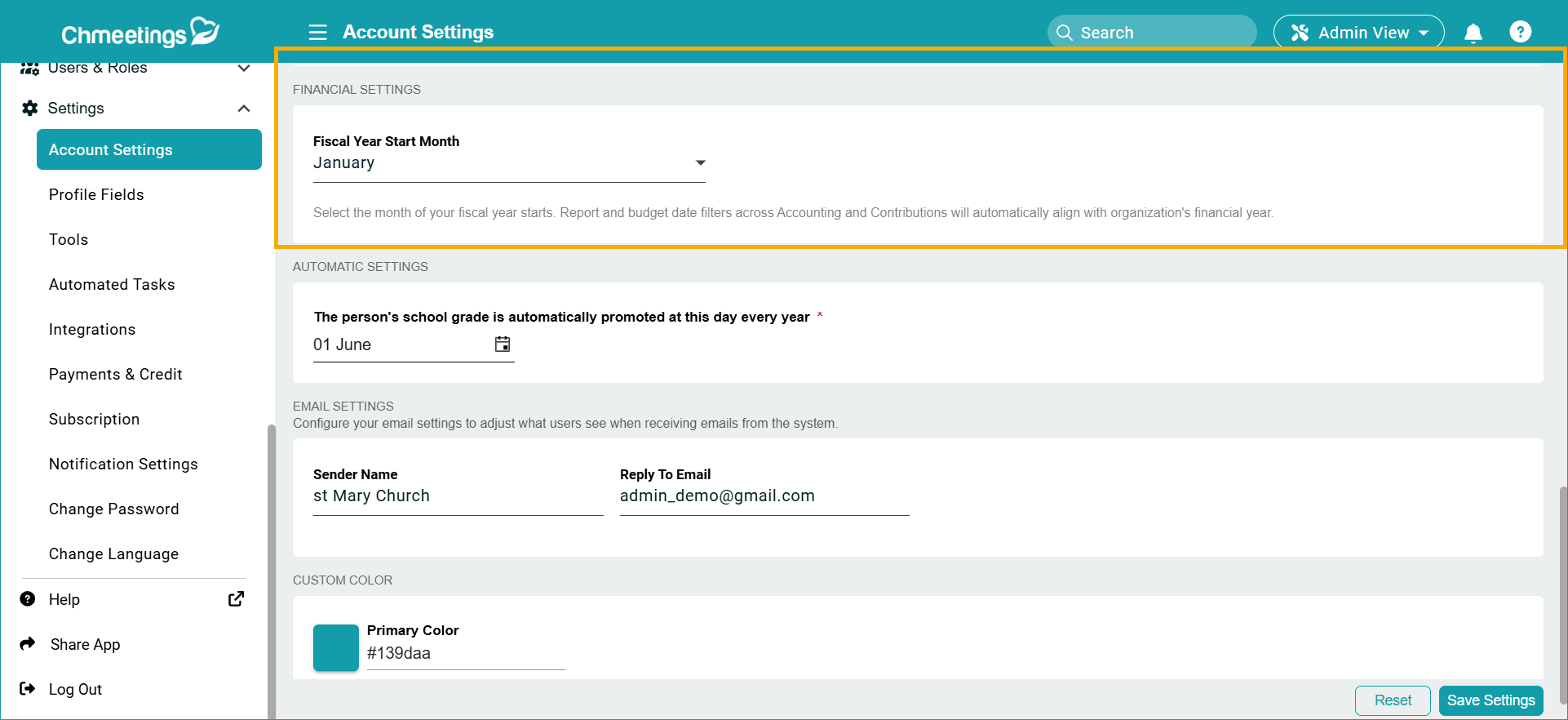
Fiscal Year Start Date: Now you can configure the start month for your fiscal year by going to the Main Menu > Settings > Account Settings > Financial Settings. This will affect the default start date for all Giving and Accounting reports, including the My Giving section for members.
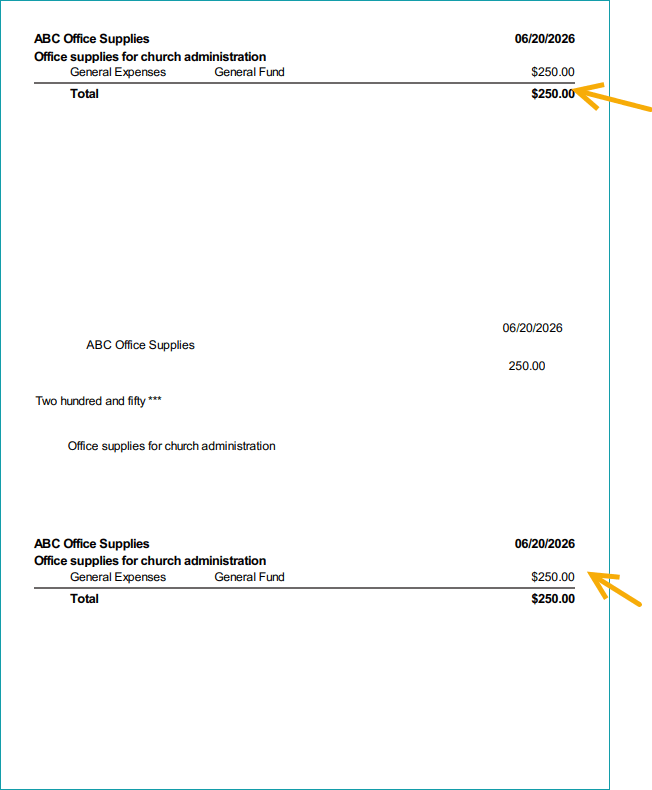
Memo in Check Stubs: When printing checks, the memo is now available in check stubs.
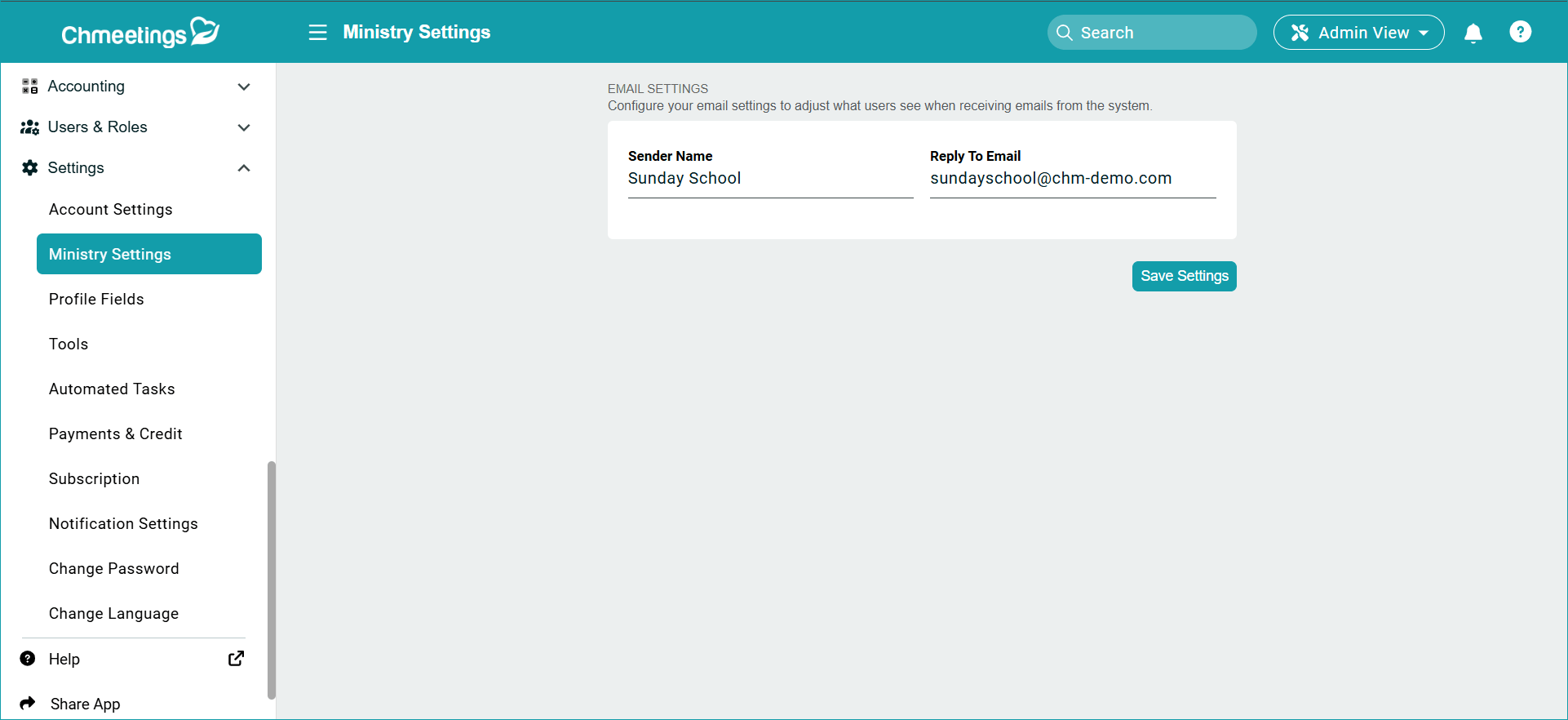
Ministry Email Settings
There is a new Ministry Settings section under your main Settings that lets you set the Sender name and reply to email for this specific ministry instead of using your personal or main church email.
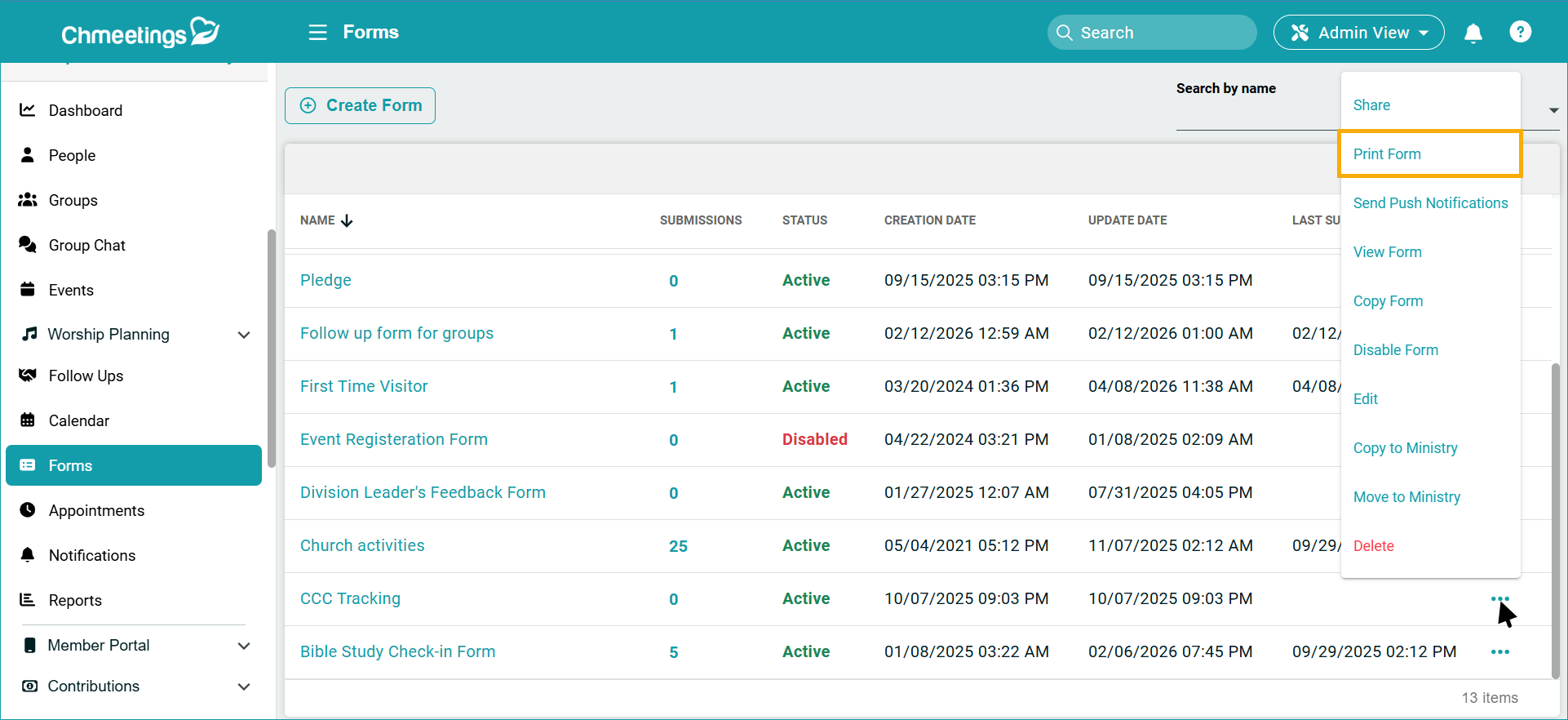
Forms & Profile Fields
We added a dedicated Print Form feature, making it easier to print forms without using the browser’s print option. This is available in the form’s context menu.
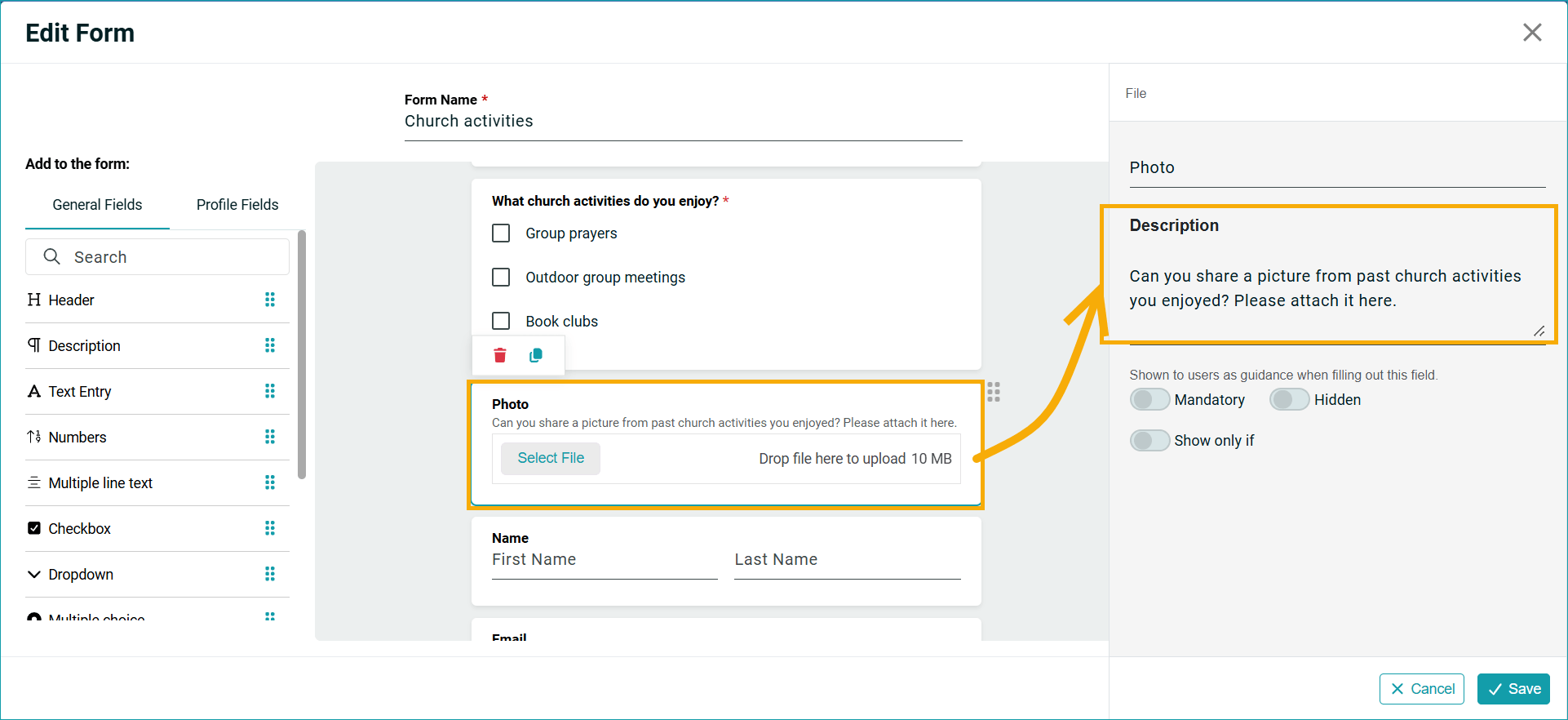
We have added Descriptions for both profile fields and form fields. These allow administrators to provide instructions, notes, or additional guidance for each field.
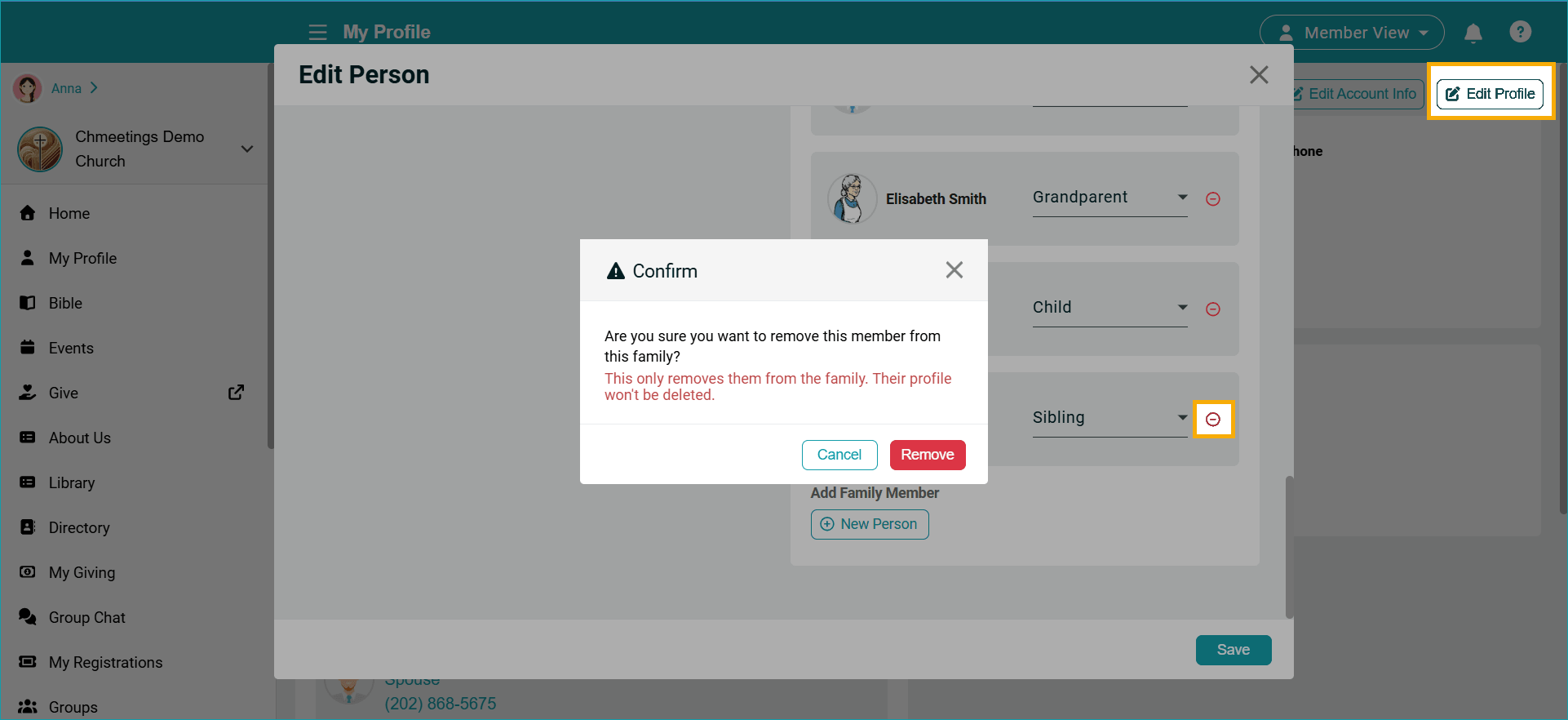
Member Portal
Members can now remove family relationships from their profile in the Member Portal (My Profile). What this means is that members can remove the family relationship itself, not the profiles of other members. The feature is available if you enable profile editing permissions for members.
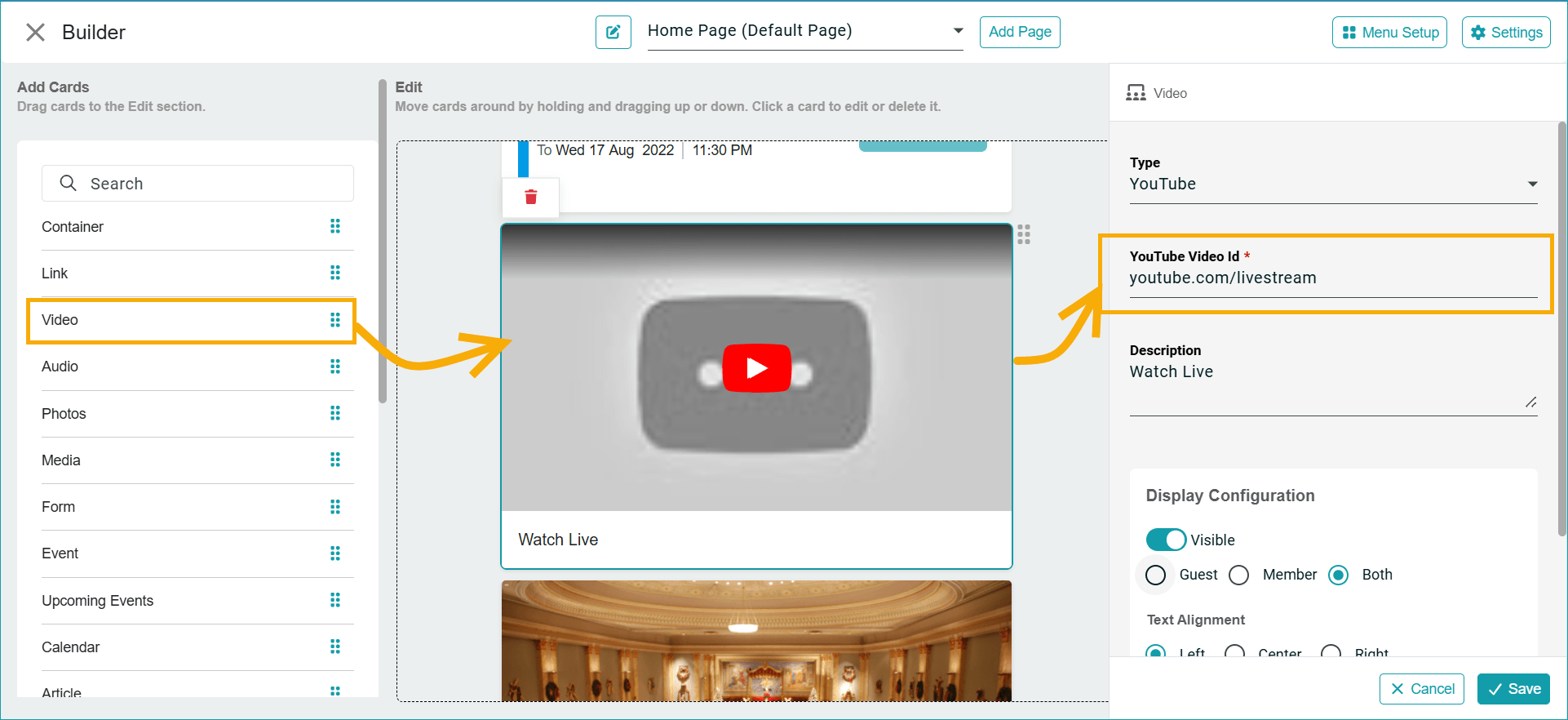
The Video card in the Member Portal Builder now supports Live Streaming so you can set the link once and it will always show the current live streaming, with no need to update it for each stream. Compared to the existing Live Streaming Card, this feature will open your stream inside the app and play immediately. The Live Streaming Card requires opening an external link.
Other Updates
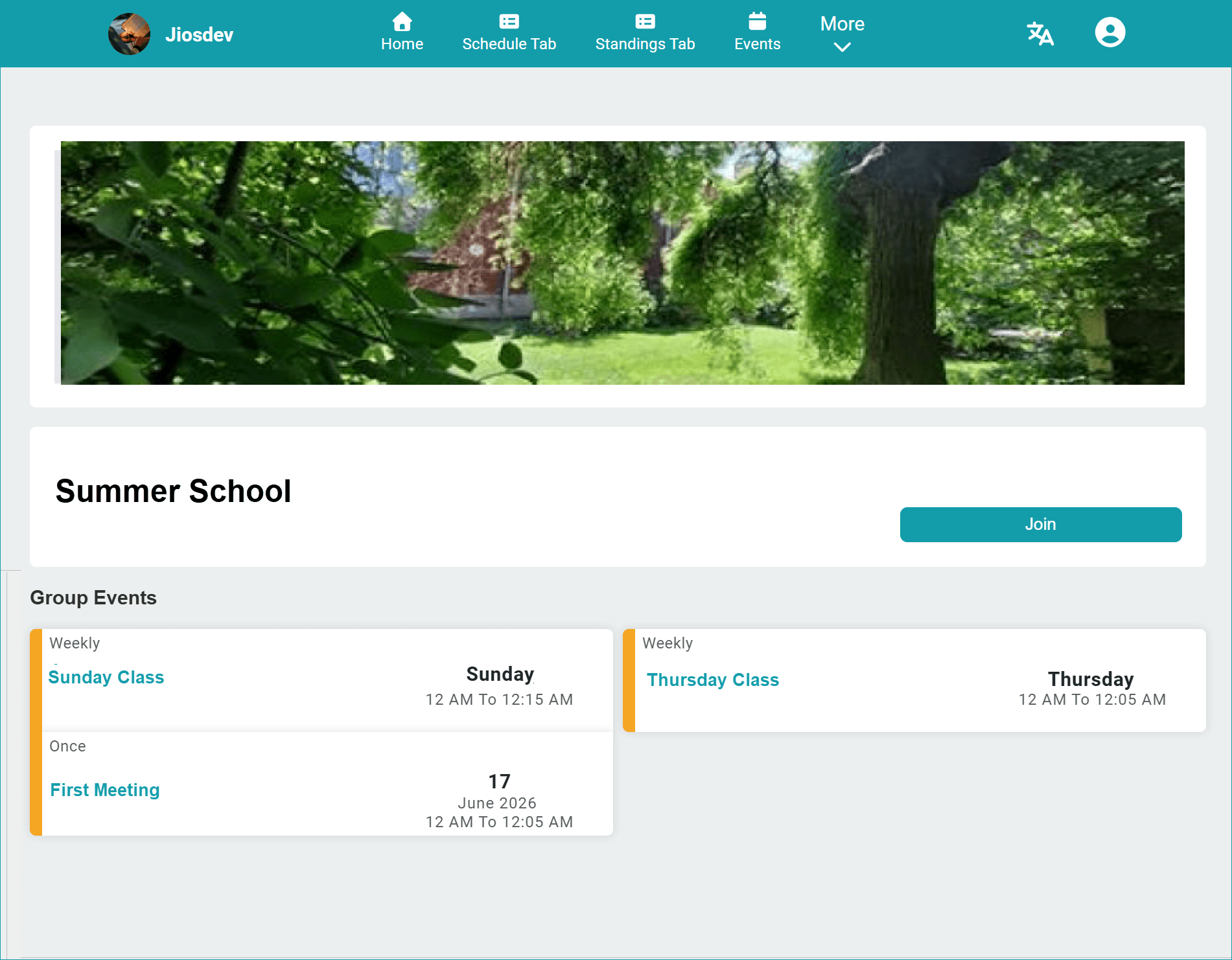
Public Group Pages now display when clicking on a public group in the portal.Group pages now show all events related to this group as long as you have set the event Attendance to Groups and selected the group in question.
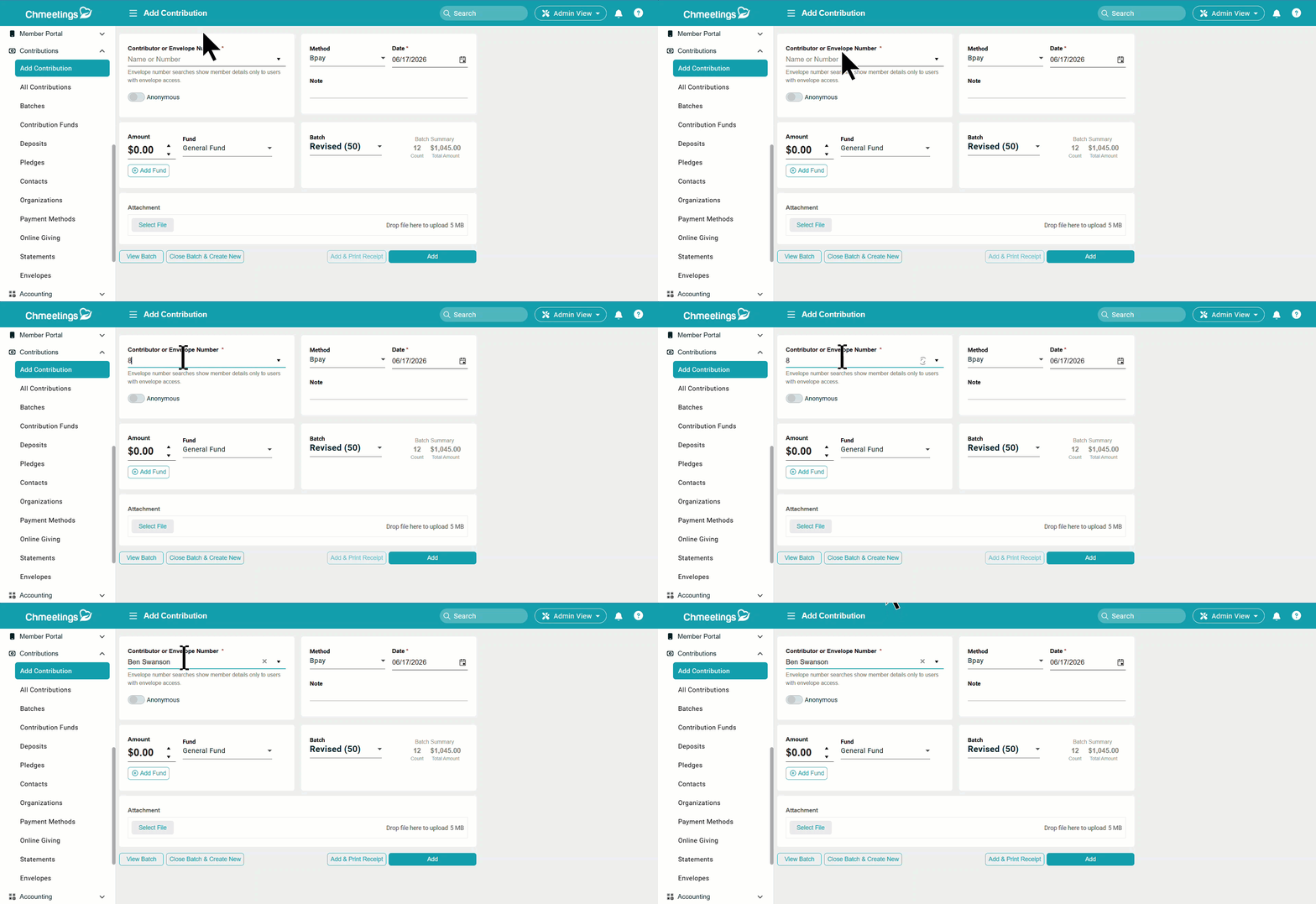
In Contributions > Add Contribution, if you enter envelope number then will see the member assigned to that envelope (only if you have access to manage envelops option)
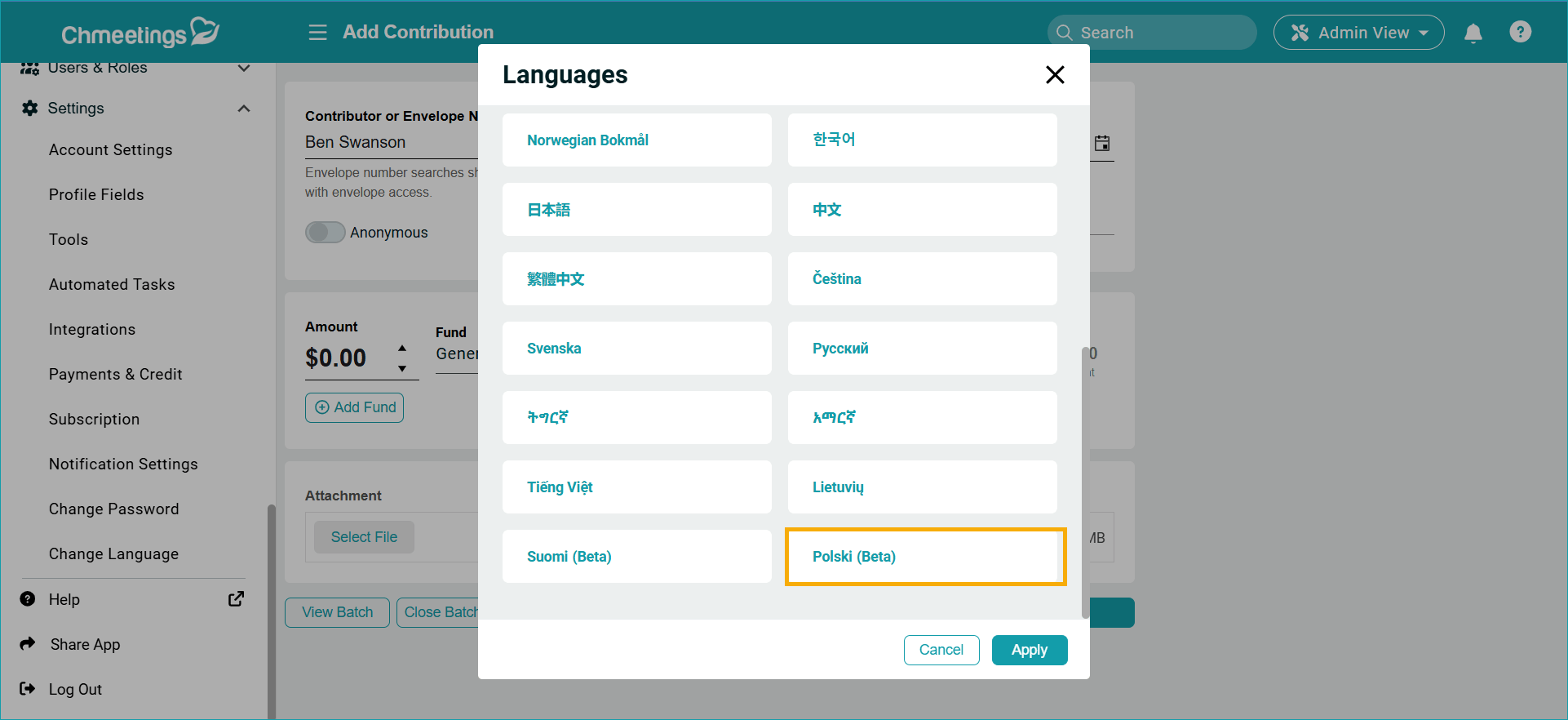
New Language: We added the Polish Language Polski (Beta).
ChMeetings 2026.11 – June 8
| IMPROVEMENTS |
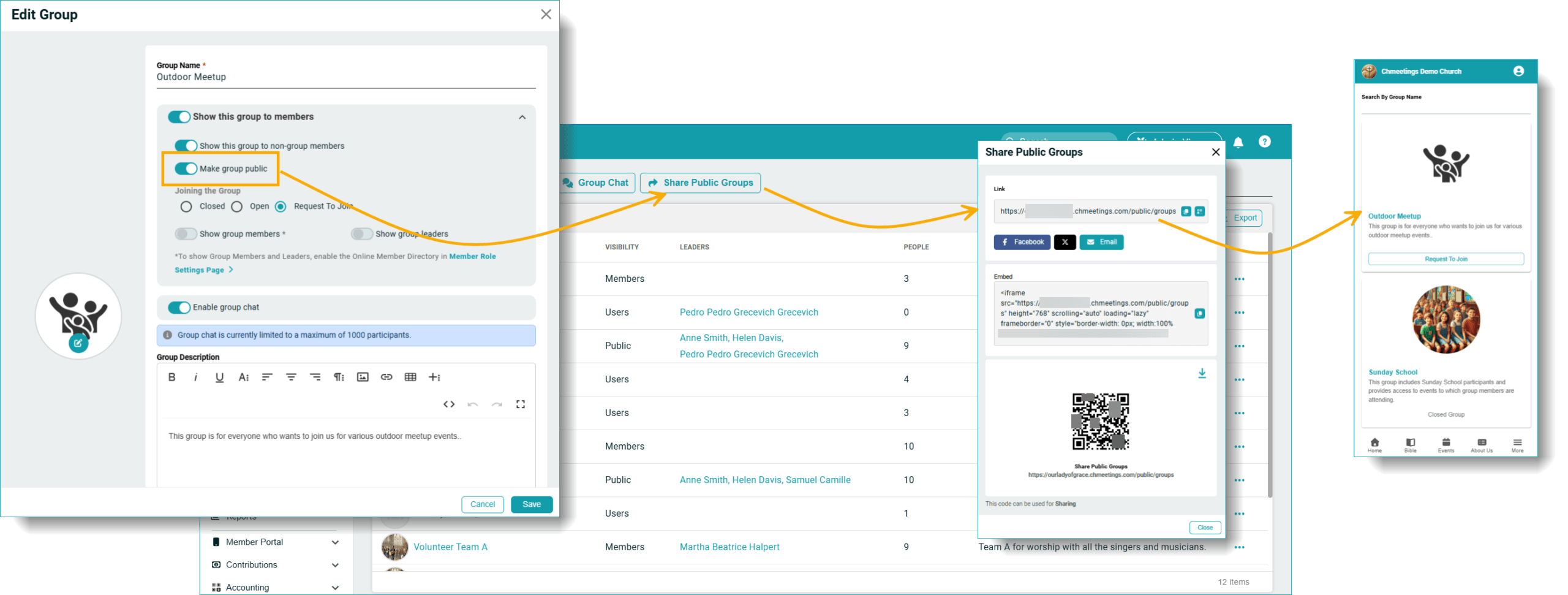
Public Groups
Groups can now be made public, which makes them visible to anyone visiting your member portal. They do not require an account to see the group, but an account is still needed in order to join the group. The Groups section is available in the main menu, and may display under “More”. You can share the public group via a link, social media, or email, and use a QR code, as well as embed the Groups page into your website.
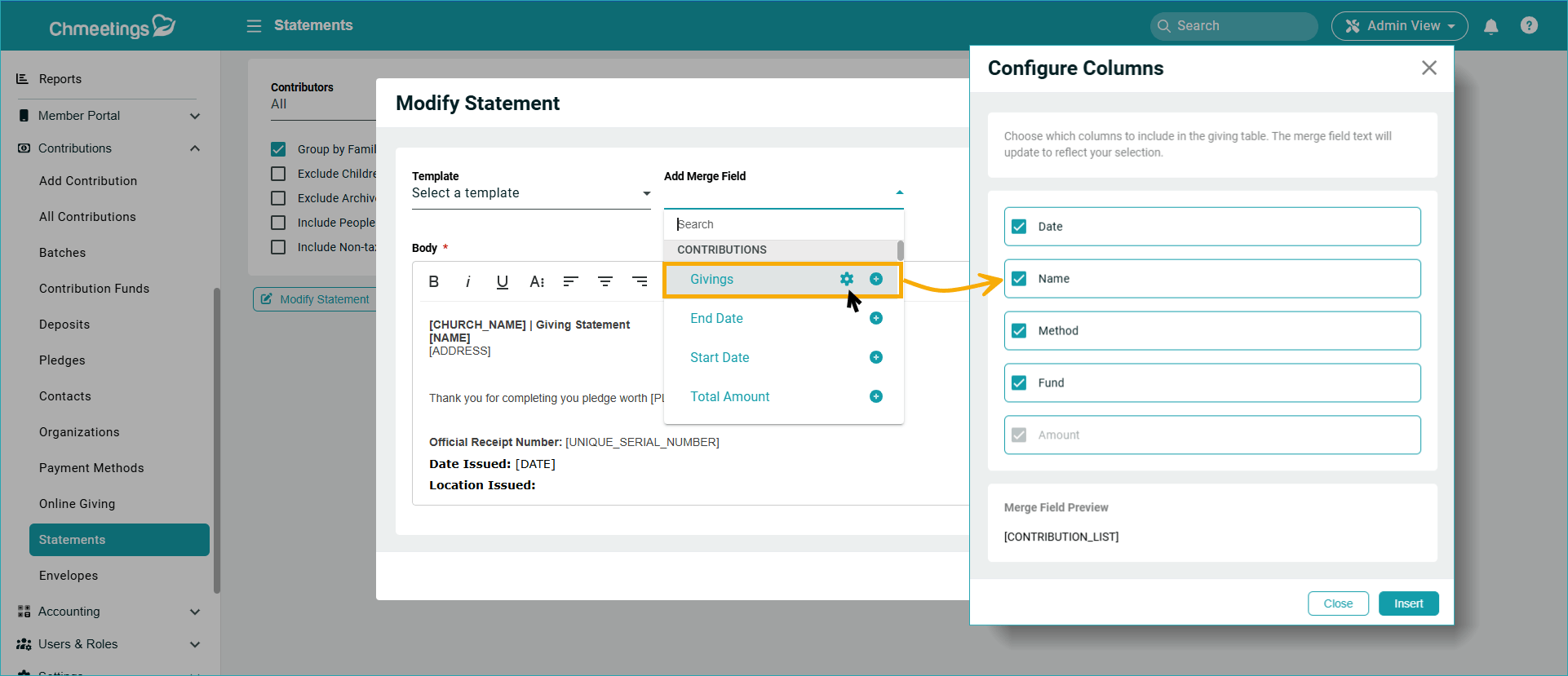
Giving
Now you can choose which columns to display when creating end-of-year tax statements. You can find the feature under Contributions > All Contributions > Print/Email Statement; or under Contribution > Statement. Go to Modify Statement > Add Merge Field, then click the Settings icon next to Givings. Here is where you can show or hide specific columns on the statement.
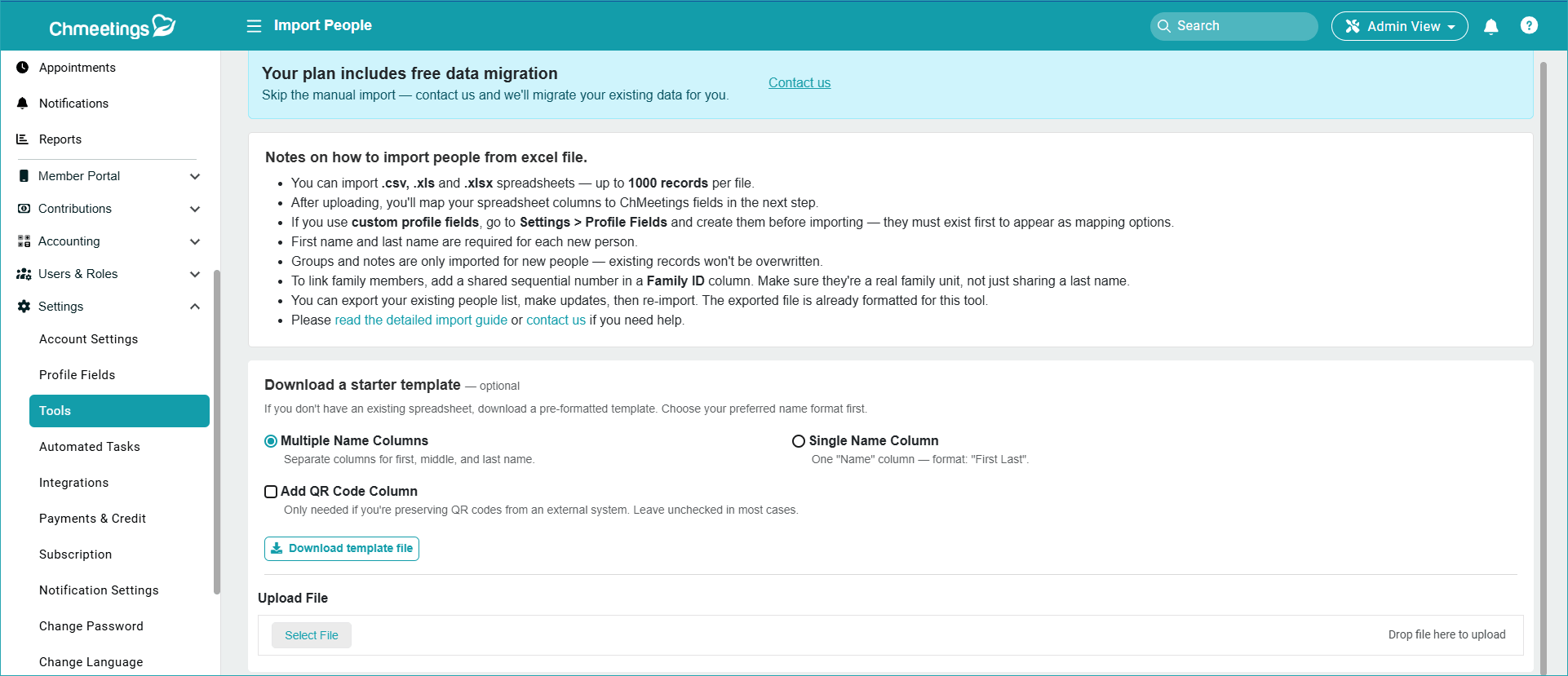
Import People Improvements
The Import People tool is now faster, easier, and offers increased performance:
- The import limit increased from 500 records per file to 5000;
- We increased the import speed
- We added a column mapping option so the template becomes an optional guideline rather than a mandatory requirement.
ChMeetings 2026.10 – May 26, 2026
| IMPROVEMENTS |
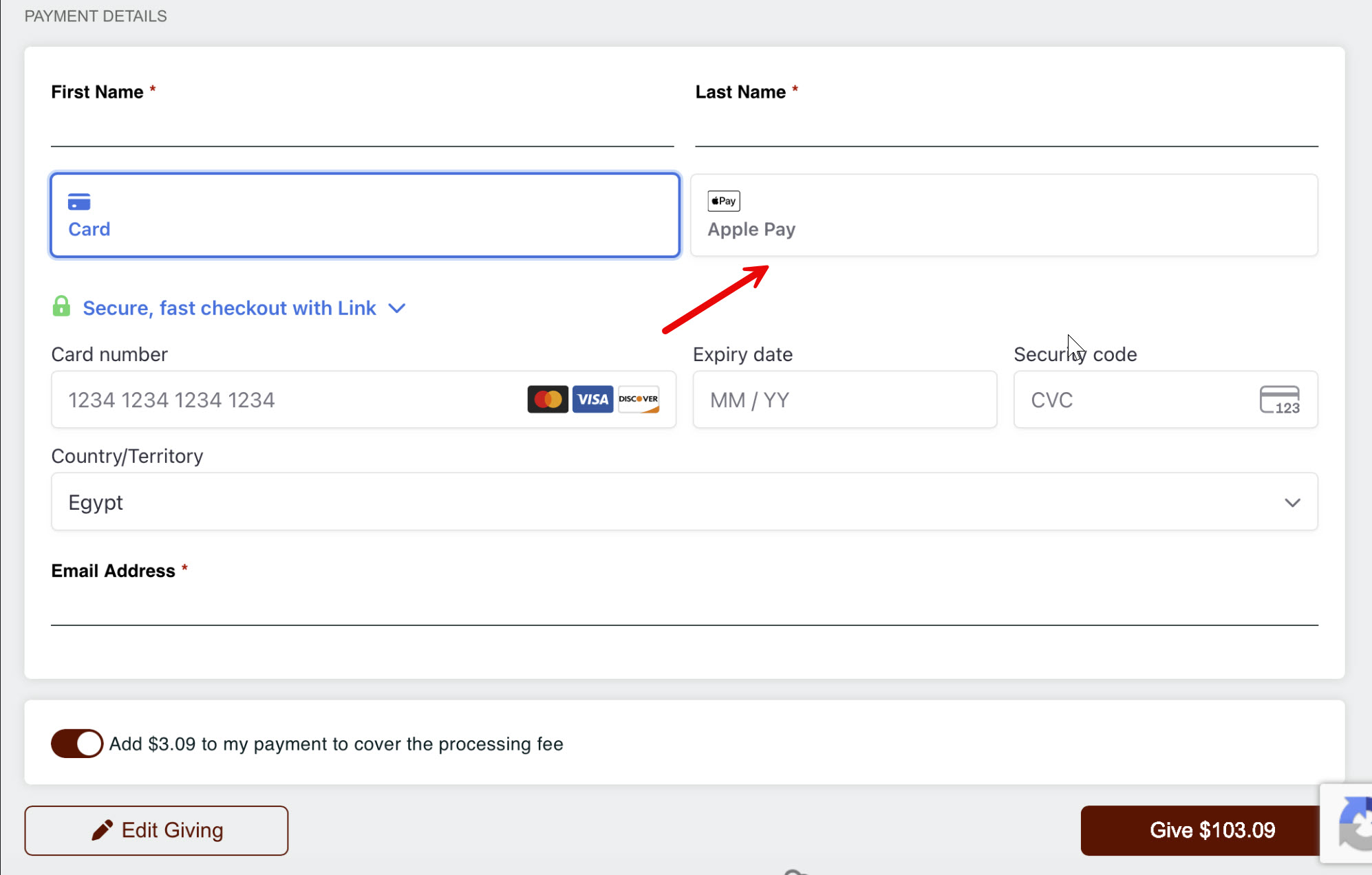
We Added Support to Apple Pay & Google Pay for Accounts connected to Stripe
Now donors can pay using Apple Pay and Google Pay using your online giving page. It will work automatically in Online Giving and also Events Payments. Apple Pay will only show when open on Safari (Mac or iPhone) and Google Pay works when opening on Android.
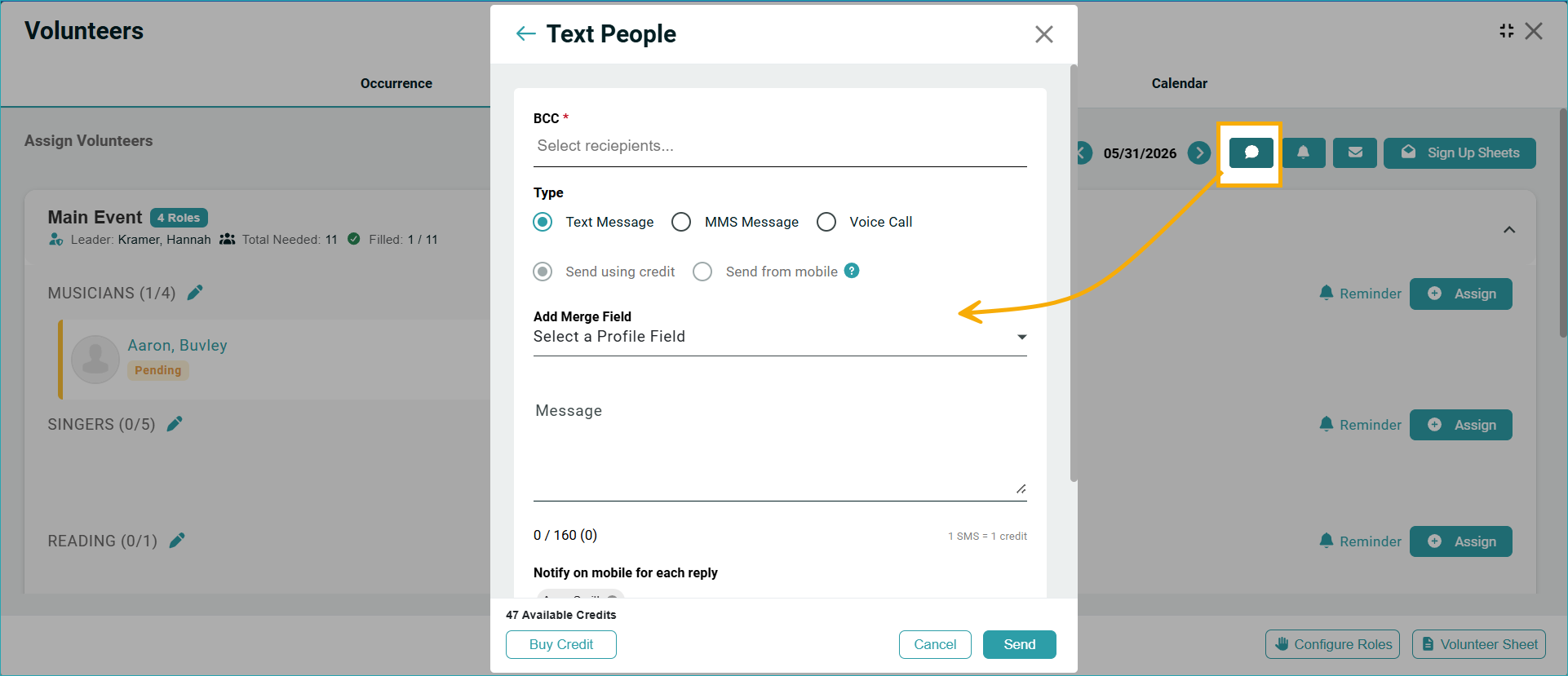
Text Volunteers
Now you can send text messages to all volunteers in an event, just like with the Email and Push notification.
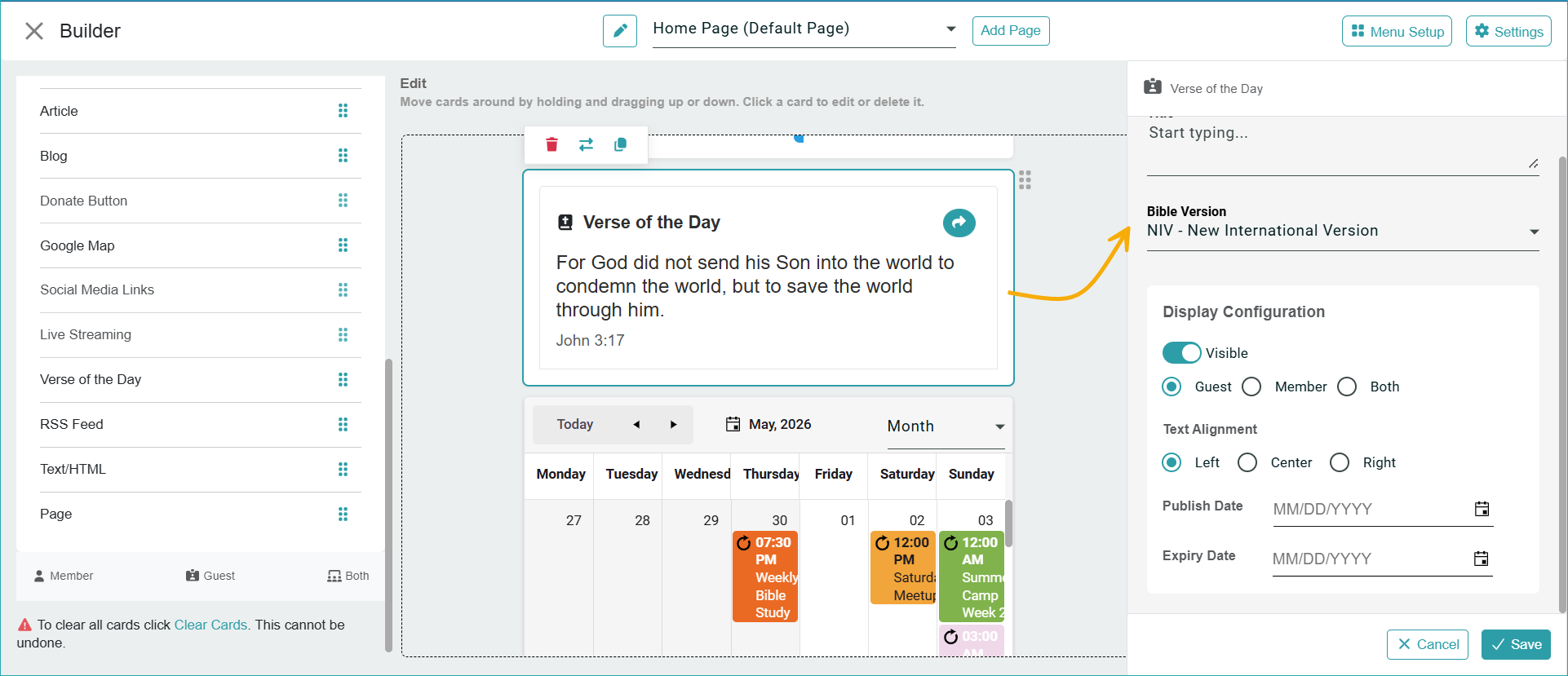
Change the Bible Version for the Verse of the Day Card:
You can do this easily by editing the card in the Member Portal Builder.
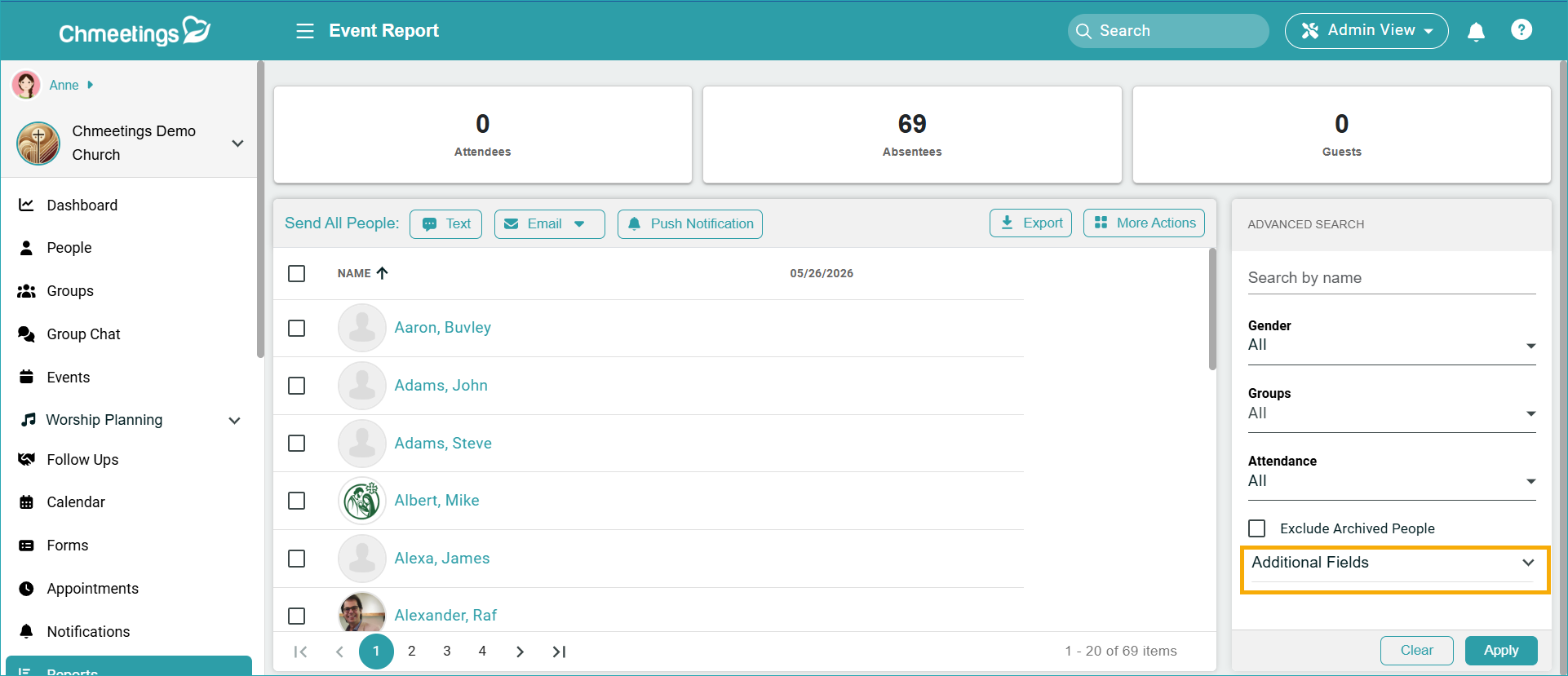
Custom Fields Filter for One-Time Event Reports
The custom fields filter that displays when clicking on “Reports” inside an Event was available only for Recurring events. Now you can also use this filter for one-time events.
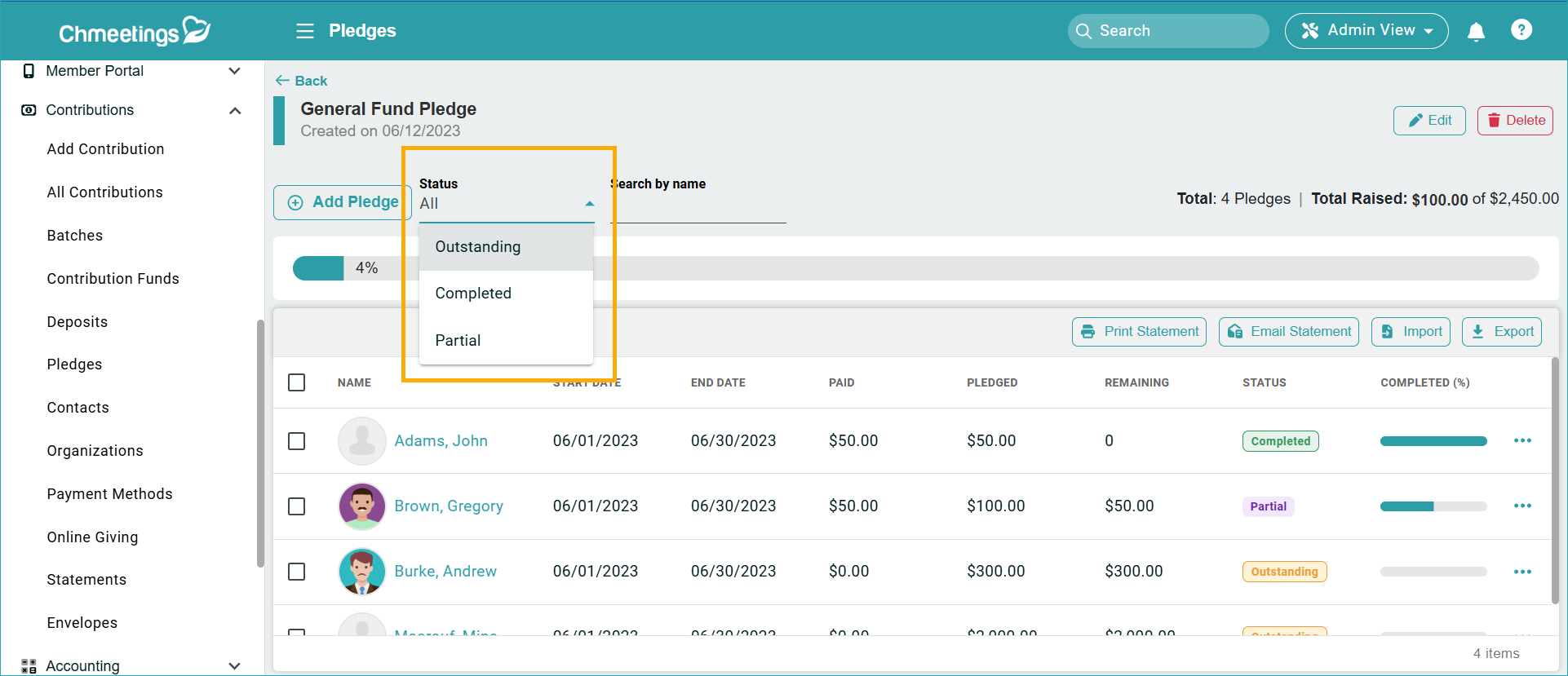
Pledges Status Filter
In the Contributions > Pledges section, you can now filter pledge records by Status: Outstanding, Completed, and Partial.
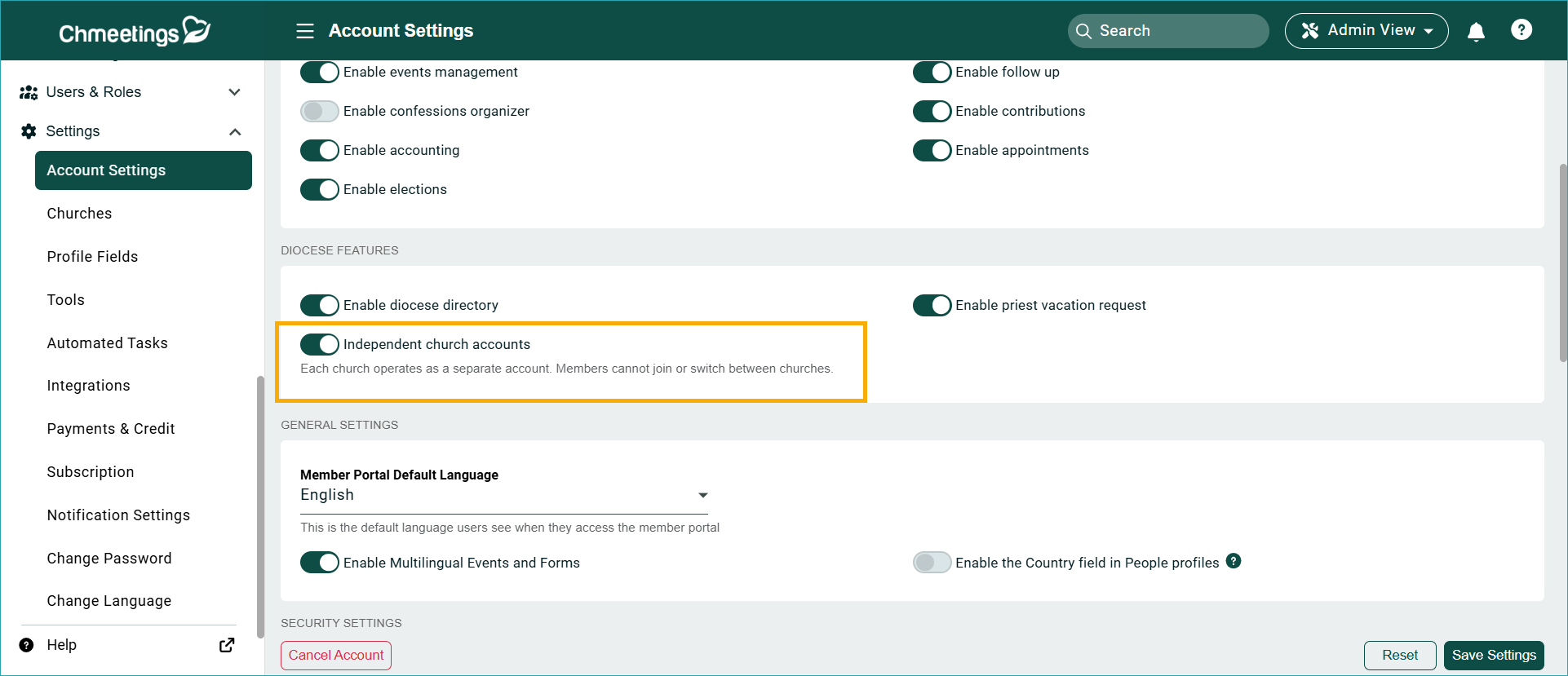
Separate Church Accounts in a Diocese
We have added a new setting in Settings > Account Settings > Diocese Features > Independent church accounts. This will make the churches work separately from each other. For instance, there is no option for a secondary church, and members can’t join other churches. When sharing the church link, it will not show the diocese name, so you can easily manage multiple separate accounts.
ChMeetings 2026.9 – May 20
| IMPROVEMENTS |
Communication & Follow-Ups
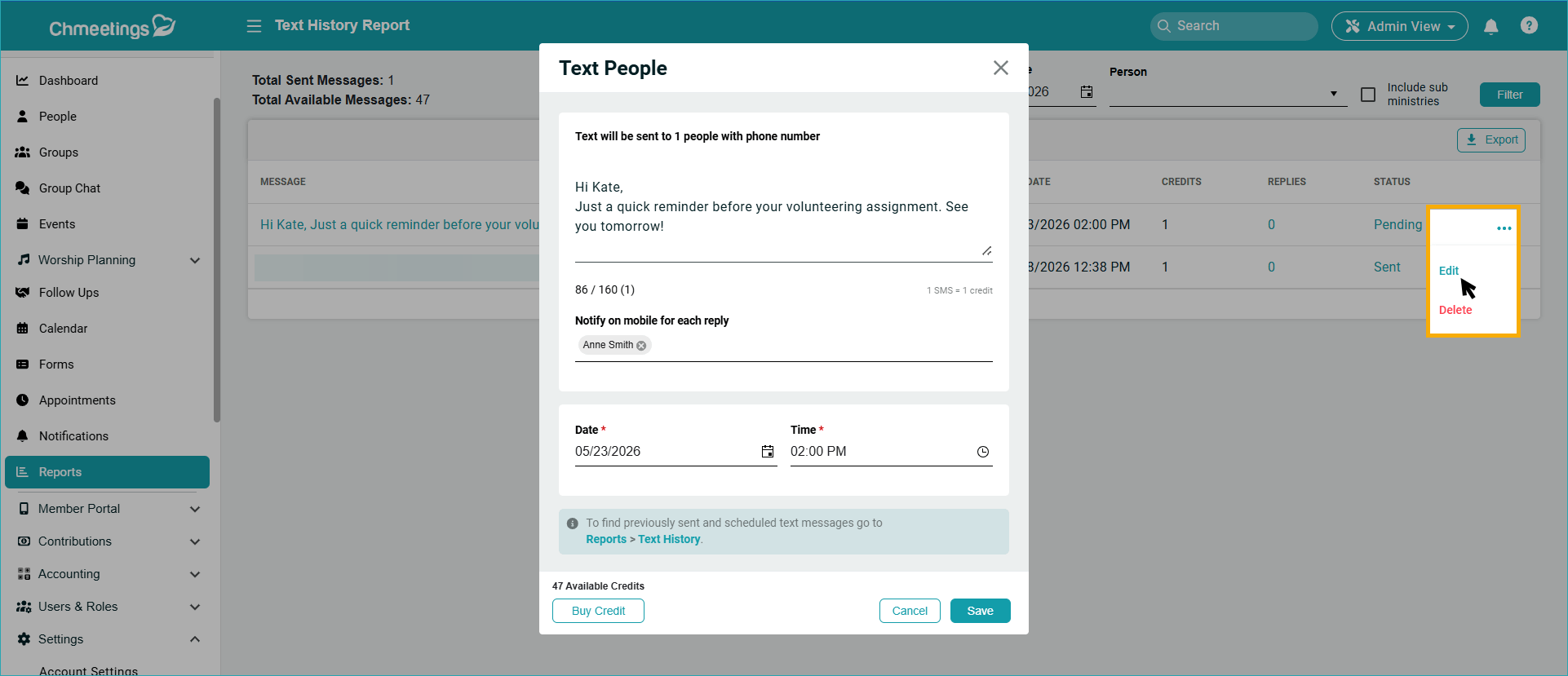
Edit Scheduled Text Messages
Now you can edit scheduled text messages before sending them. You can find the edit button in Reports > Text History Report.
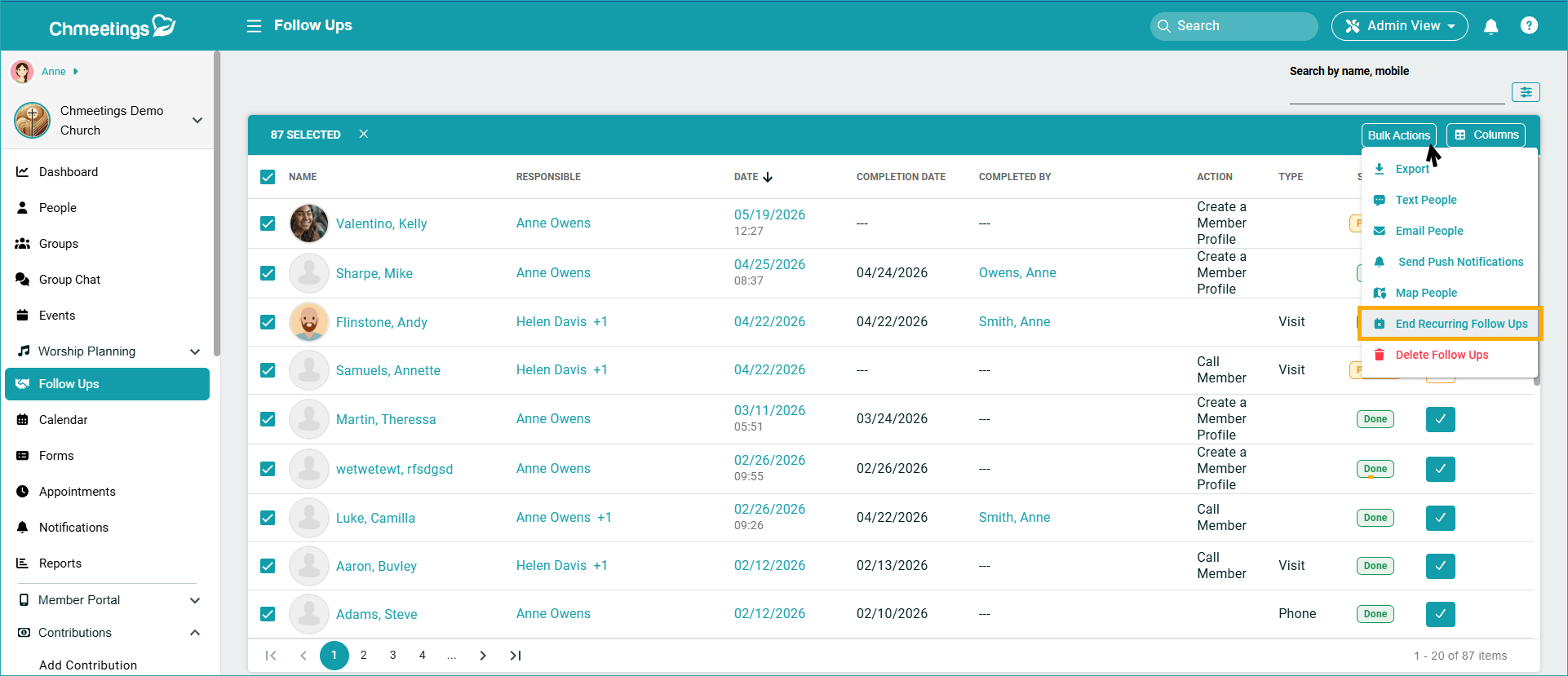
End Recurring Follow-Ups
We added an “End Recurring Follow Up” action to the bulk actions in the follow up page to bulk end the recurring follow ups easily.
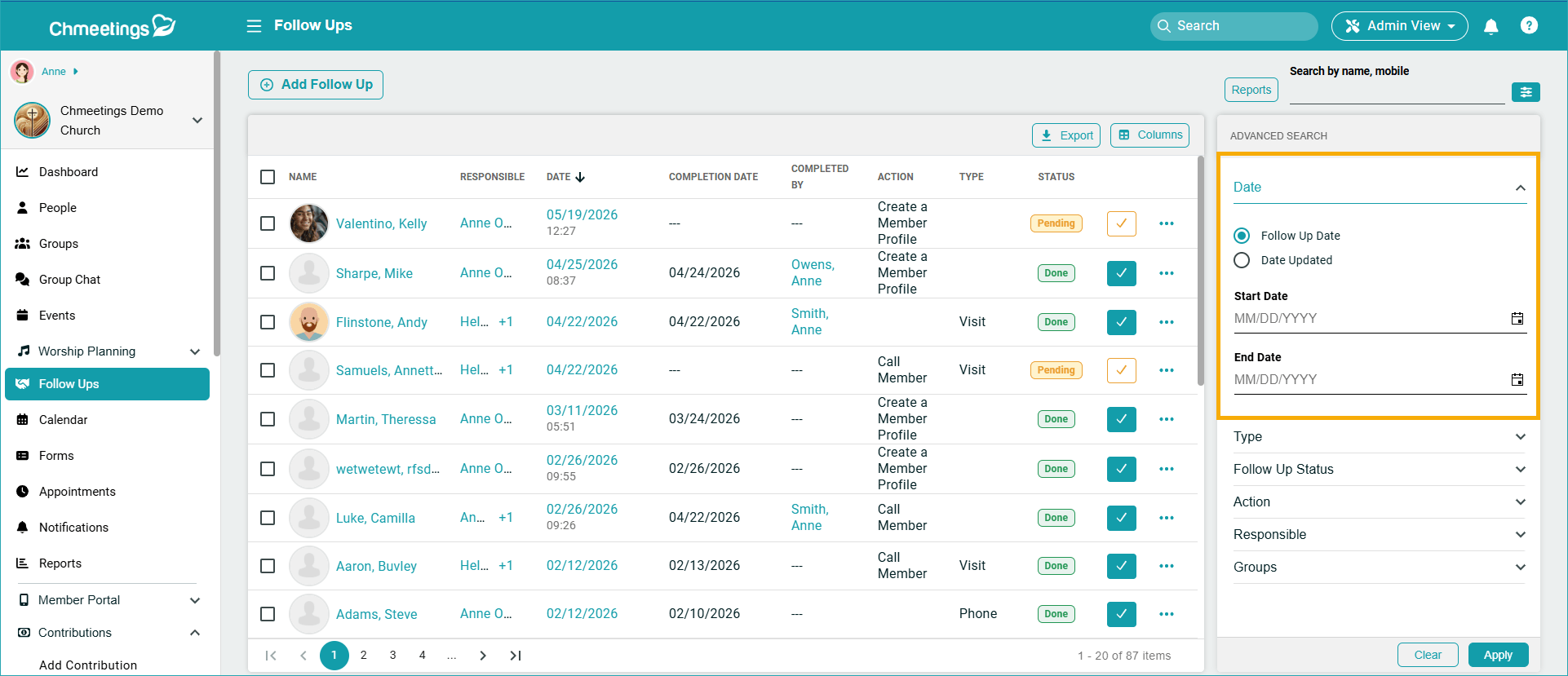
New Filtering Options
There is a new option in the follow-up Advanced Search area, to filter by Follow-up date or Updated date.
Giving
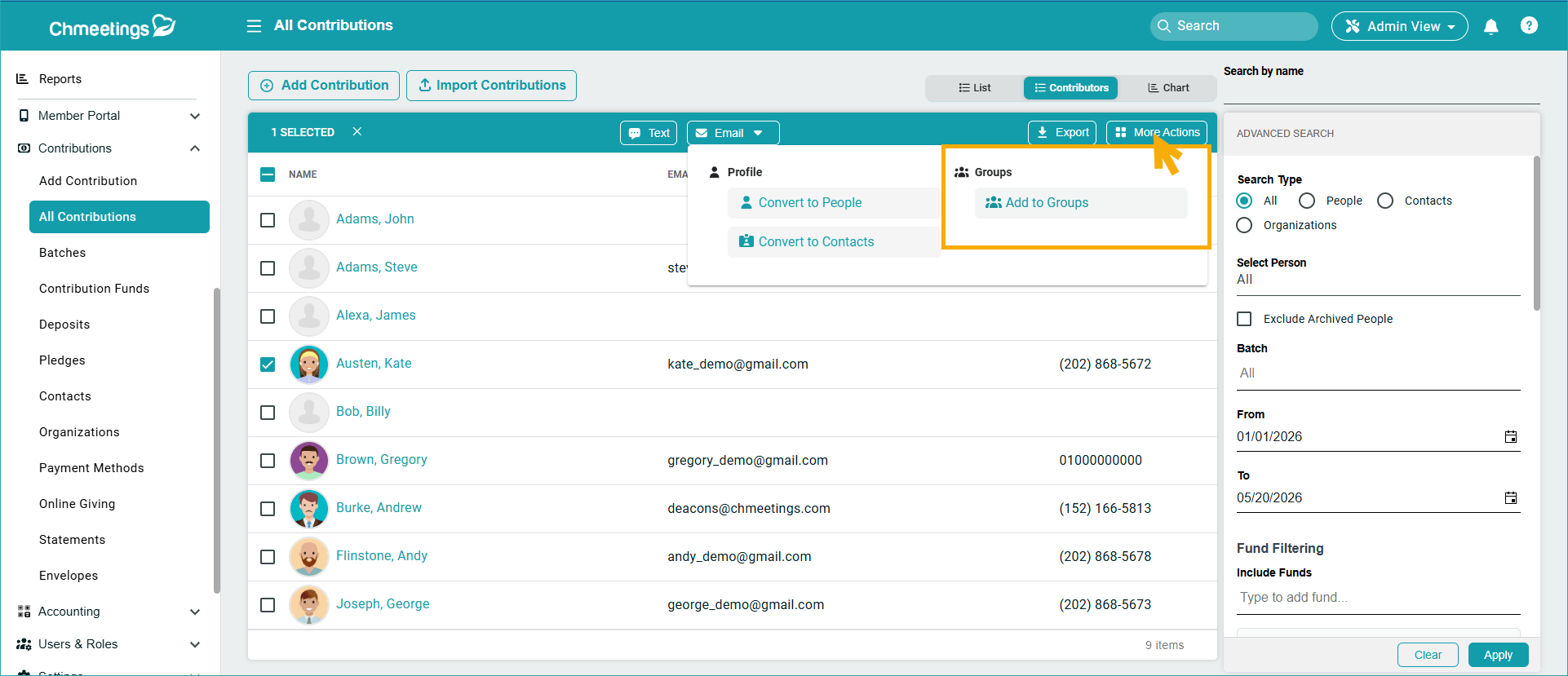
Add Contributors to Groups
When viewing contributors under Contributions > All Contributions > Contributors Tab, you can now go to Bulk Actions and add contributors to groups, right from within the giving list.
Accounting
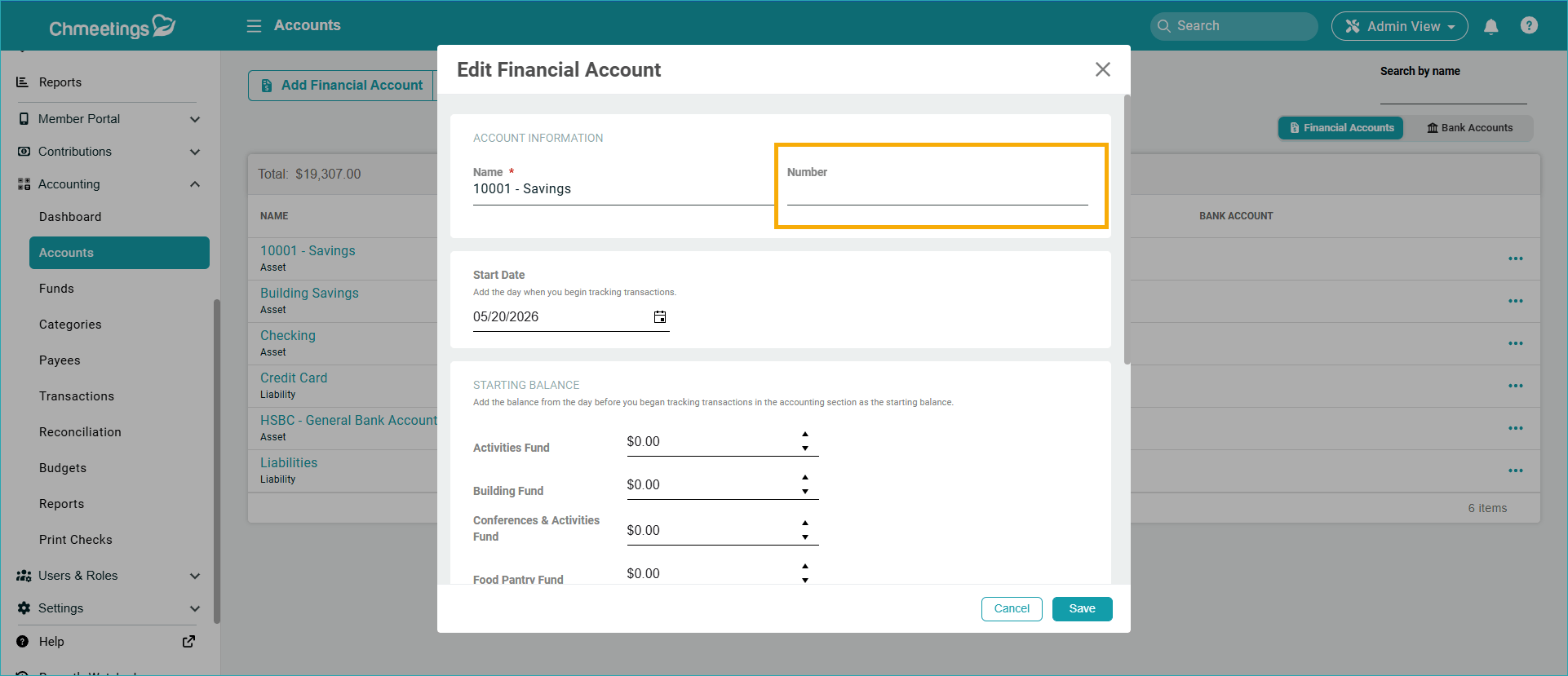
Account, Fund, and Category Numbers:
We added a number for Accounts, categories, and Funds, it’s like an access code to easily represent them. Once added, it will display before the name, also in reports, exports, imports, search and also in sorting. Note that numbers are not allocated to existing records. You must edit them and make such allocations yourself.
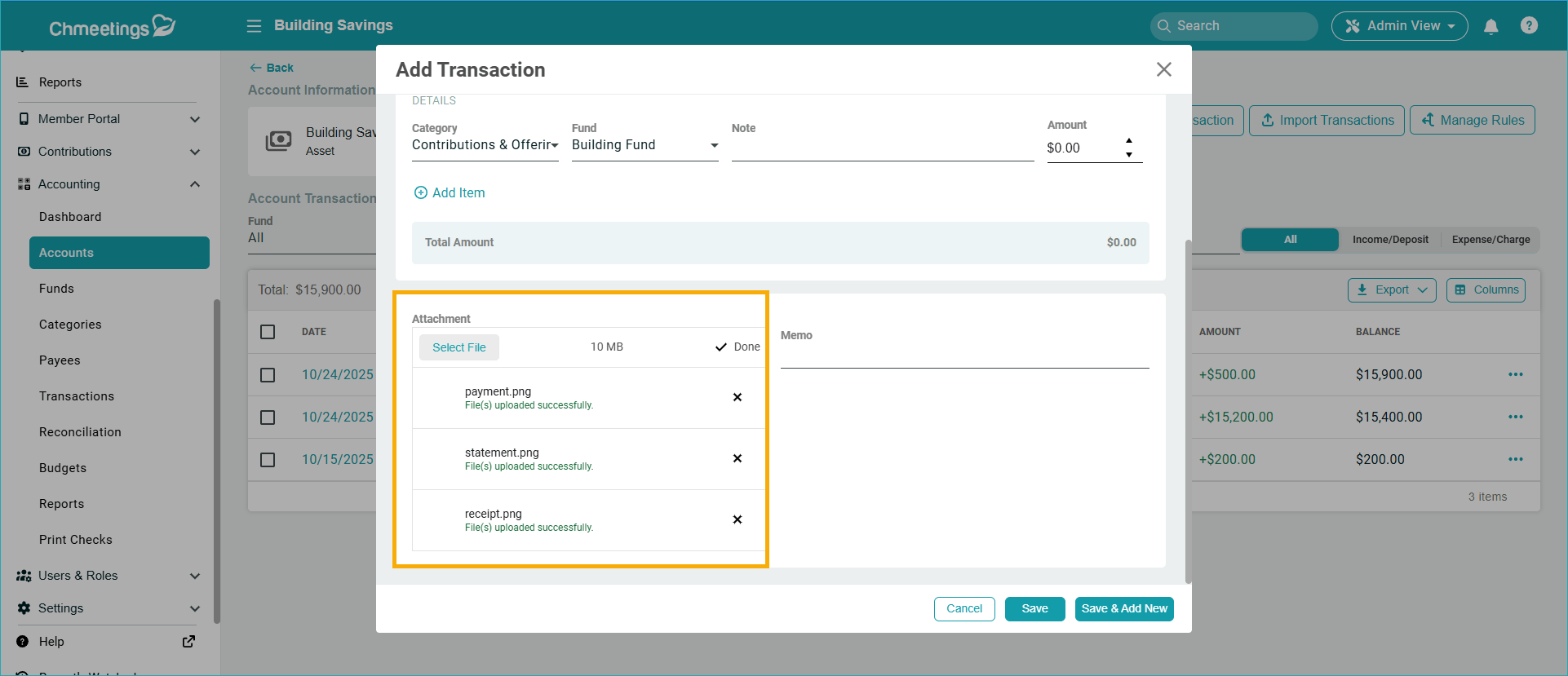
Multiple Transaction File Attachments
Now you can add multiple receipt attachments in the transaction up to an increased file size limit of 10MB.
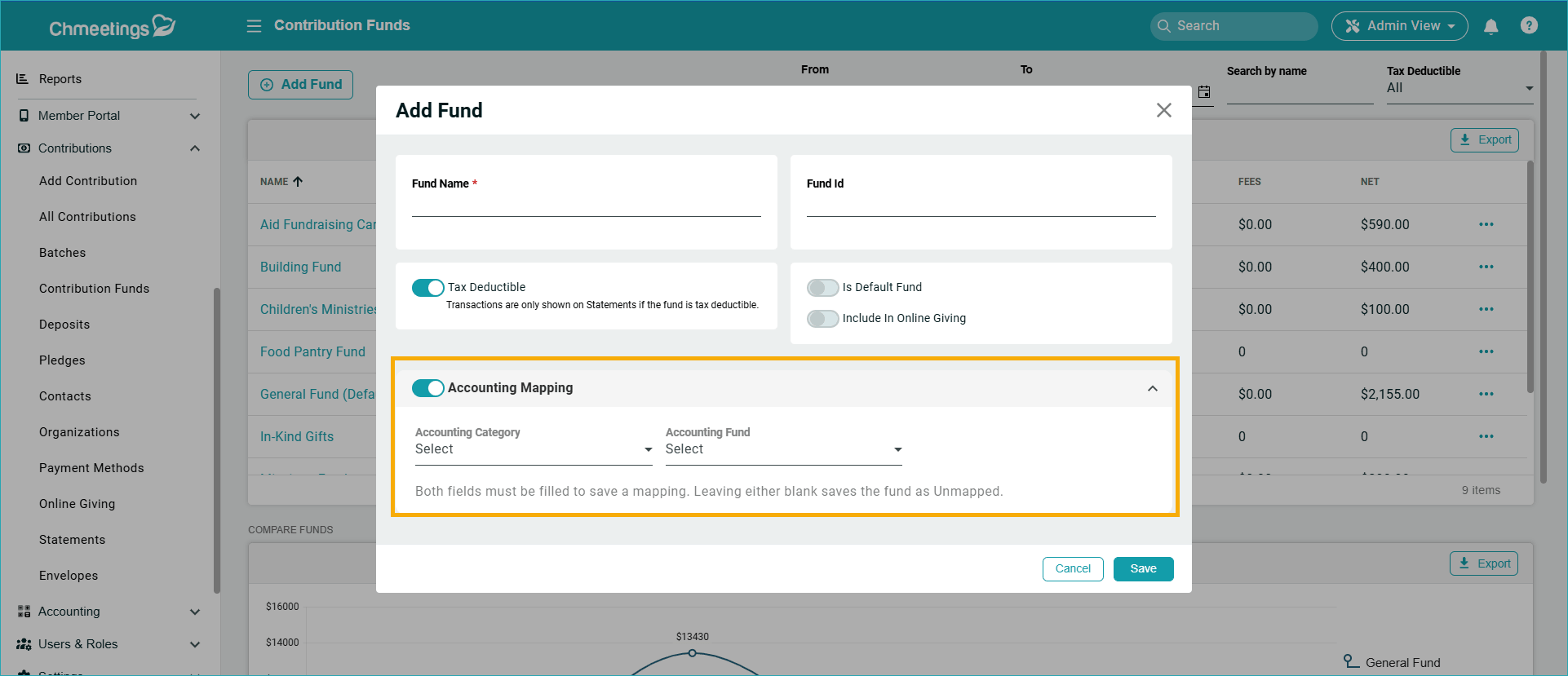
Accounting and Contributions Fund Mapping
When creating Contribution Funds, you can now also map them to Accounting Funds. When you deposit batches from this fund, then you won’t need to do the mapping, because it is already done. This feature is available under Contributions > Funds > Add/Edit Fund and goes along with our existing mapping features, available under Contributions > Deposits.
Other Features
- New Language: Finnish: Now you can set your ChMeetings app language to Finnish. You can do this for your entire church from under Settings > Account Settings. To change languages for a single user, go to Settings > Change Language.
- Stripe Fees in Payments Export: When exporting payments, you can now see a column showing the Stripe fees paid for each transaction.
Diocese
Edit Home Church
We have added a new role permission to edit members’ home churches. You can find this feature under Users & Roles > Roles & Permissions > Add/Edit Role.
ChMeetings 2026.8 – April 29
| IMPROVEMENTS |
More precise timeslotting across features
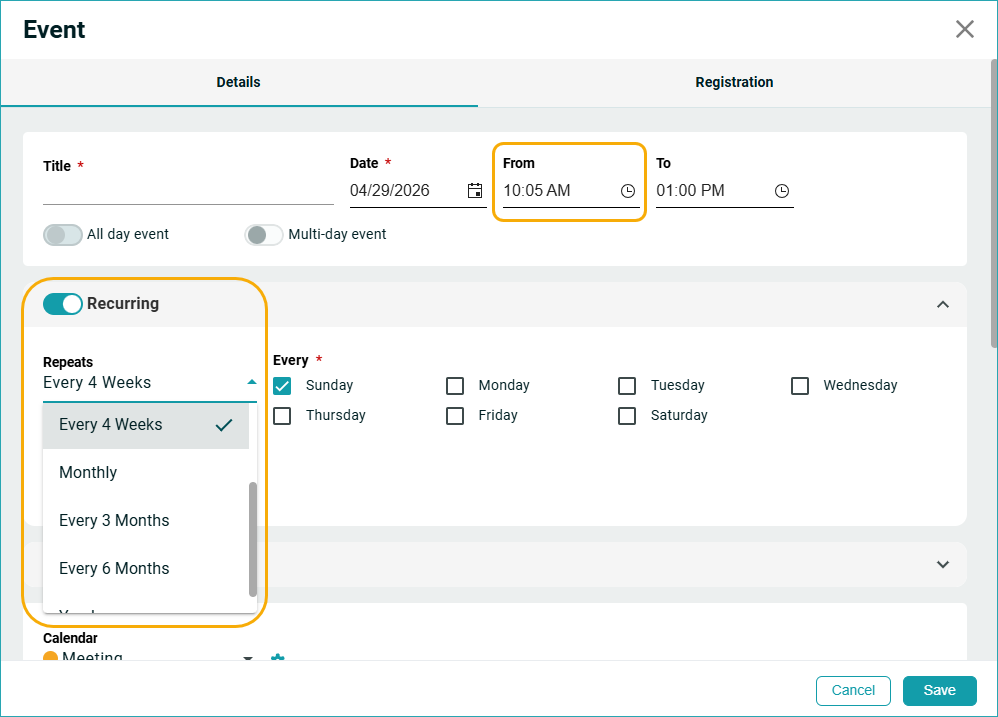
- Now you can use 5-minute intervals (instead of the previous 15 minutes range) to configure the start time for events and appointments.
- You can also set recurring events and follow-ups every 4 weeks, 3 months, and 6 months.
People
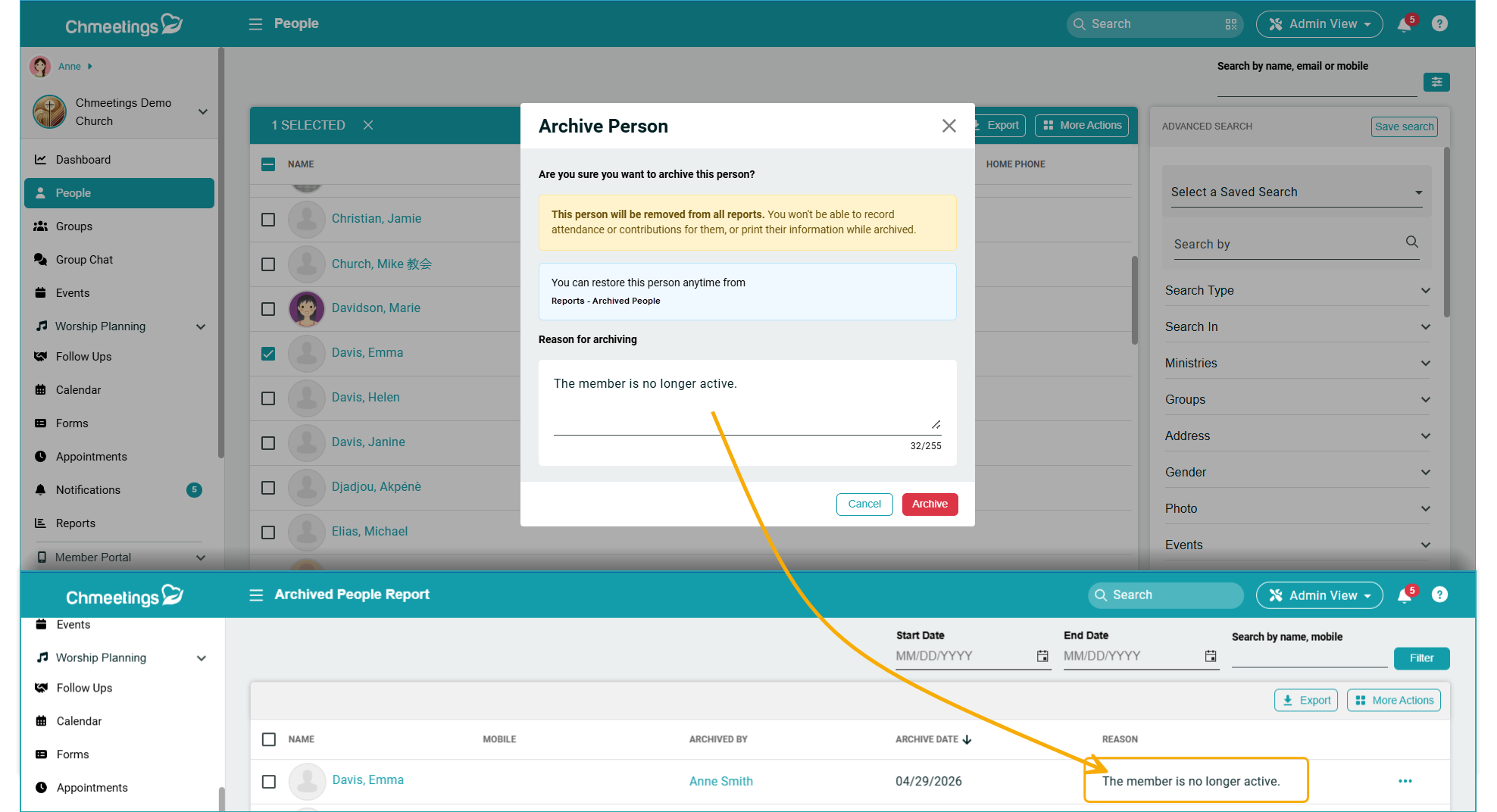
Reason for Archiving: When archiving a person, you can now optionally type in a reason, which will then be displayed within the Archived People Report, or the corresponding person.
Pledges
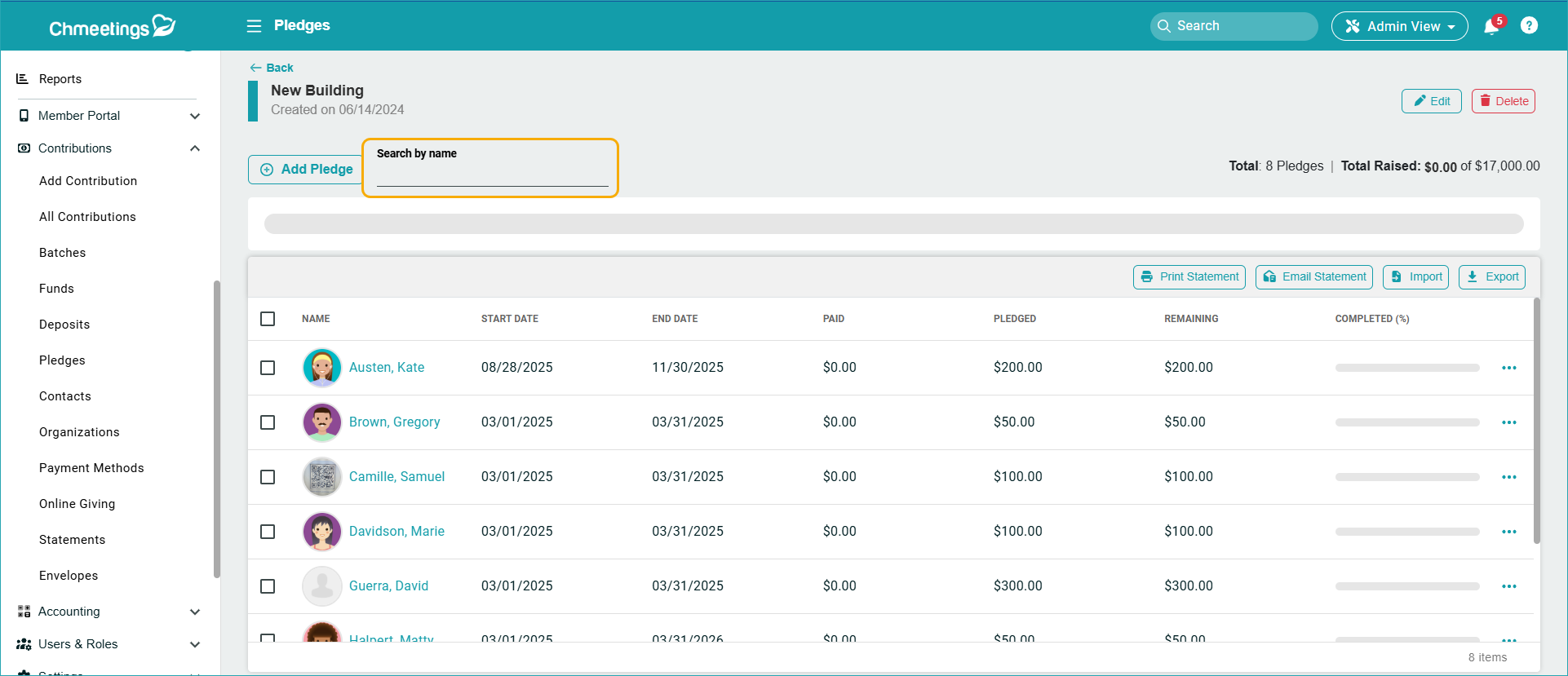
Search by Name: Now you can search for members by name within a pledge campaign.
App Builder
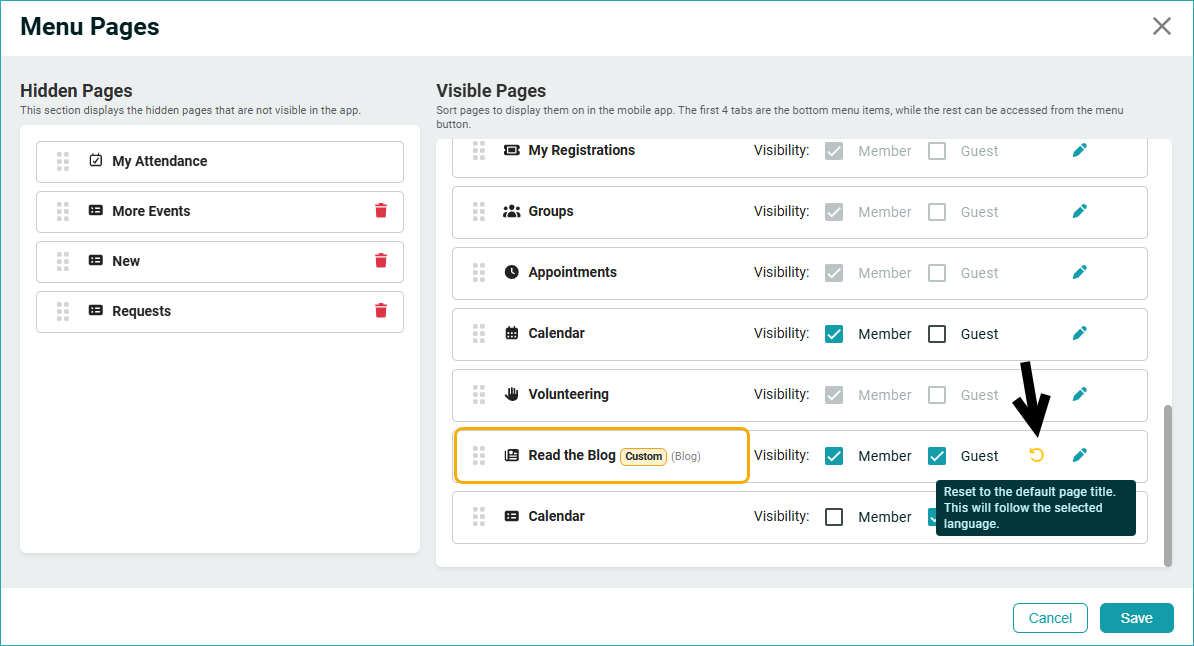
Reset Menu Title: We added visual cues so you know when a menu item label was customized (renamed) and won’t change with the app language. For cases when you want to return to the original title (which you can still see next to the custom one), there is now a reset button.
Blog
Copy Blog Content On Mobile: It was not previously possible to copy blog content while in the mobile app’s Member View. Now you can just select any content and copy it right away.
Support
Resume Chat: Now when you click Chat with Support and start communicating with us, you can come back anytime and access this chat from within ChMeetings. This will apply to future chats, started after this release.
ChMeetings 2026.7 – April 22
| IMPROVEMENTS |
Giving
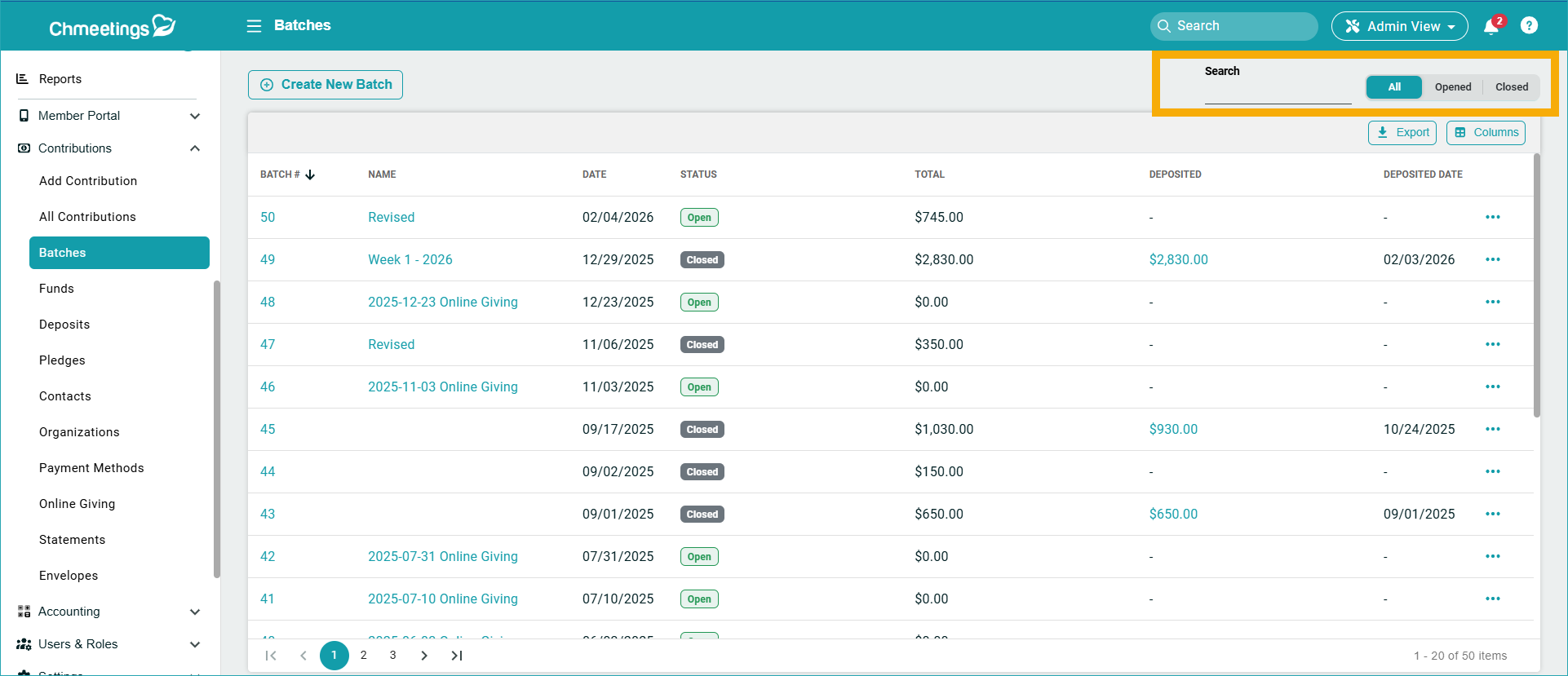
Search Batches: We added a search option inside the Batches page to search batches by name or ID. You can search through all batches, or filter by those open or closed.
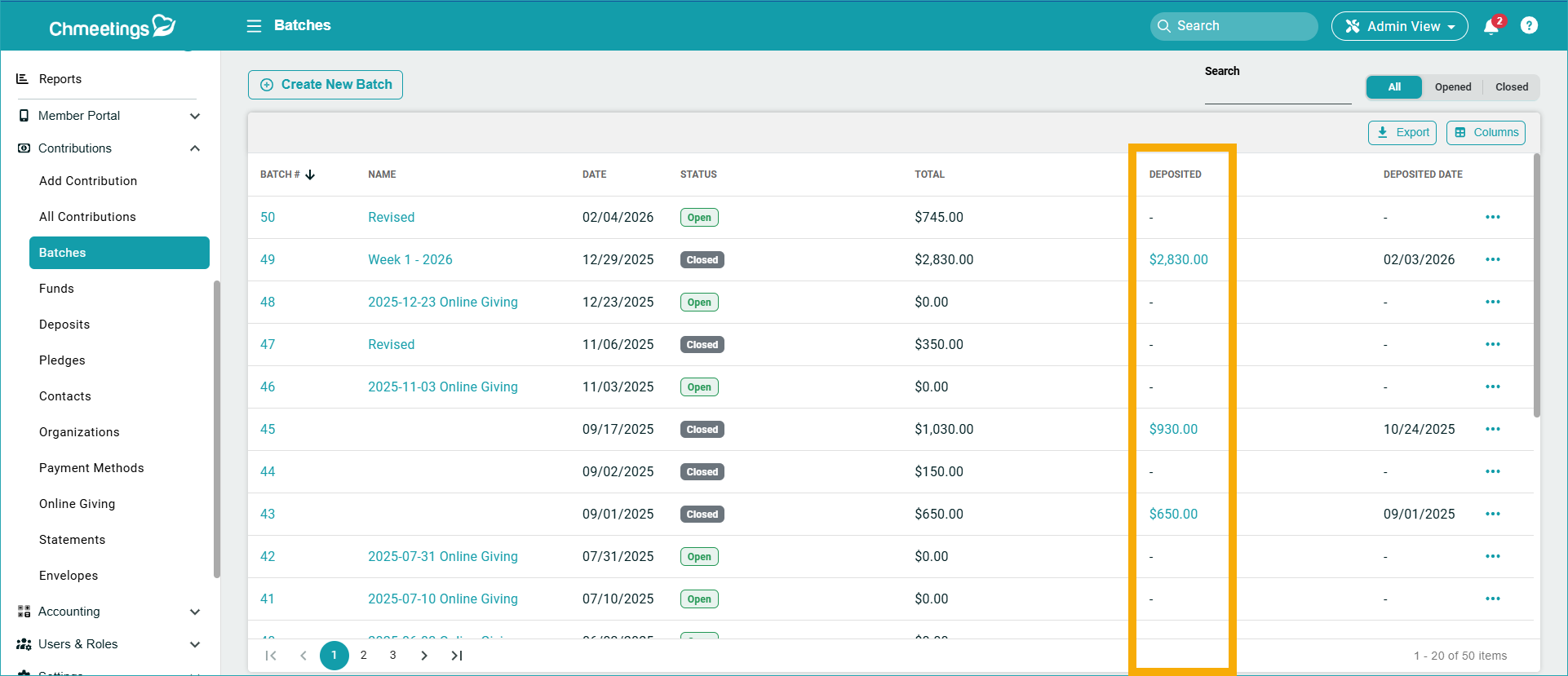
Relation-Based Navigation: Now you can view the related deposit of a batch (go to Contributions > Batches > see Deposited), the related transactions and batch of a deposit (go to Contributions > Deposits > see Deposit Number and Batch), and the related batch of a giving transaction (go to Contributions > All Contributions > see Batch). Click the links under each of these columns to access the information.
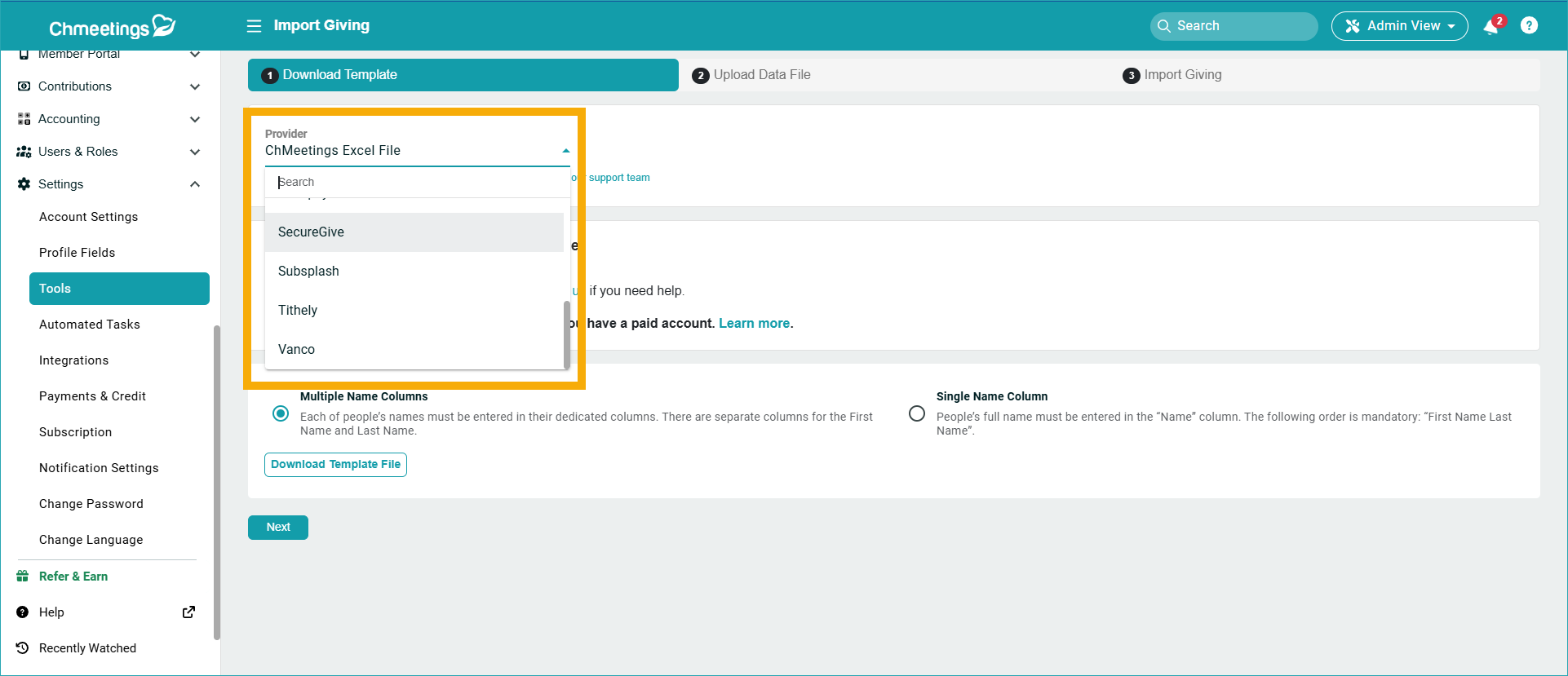
Import from SecureGive: Now you can import your giving from SecureGive. You can find the feature under Contributions > Import Contributions, or under Settings > Tools > Import Giving, where you can select SecureGive as a Provider.
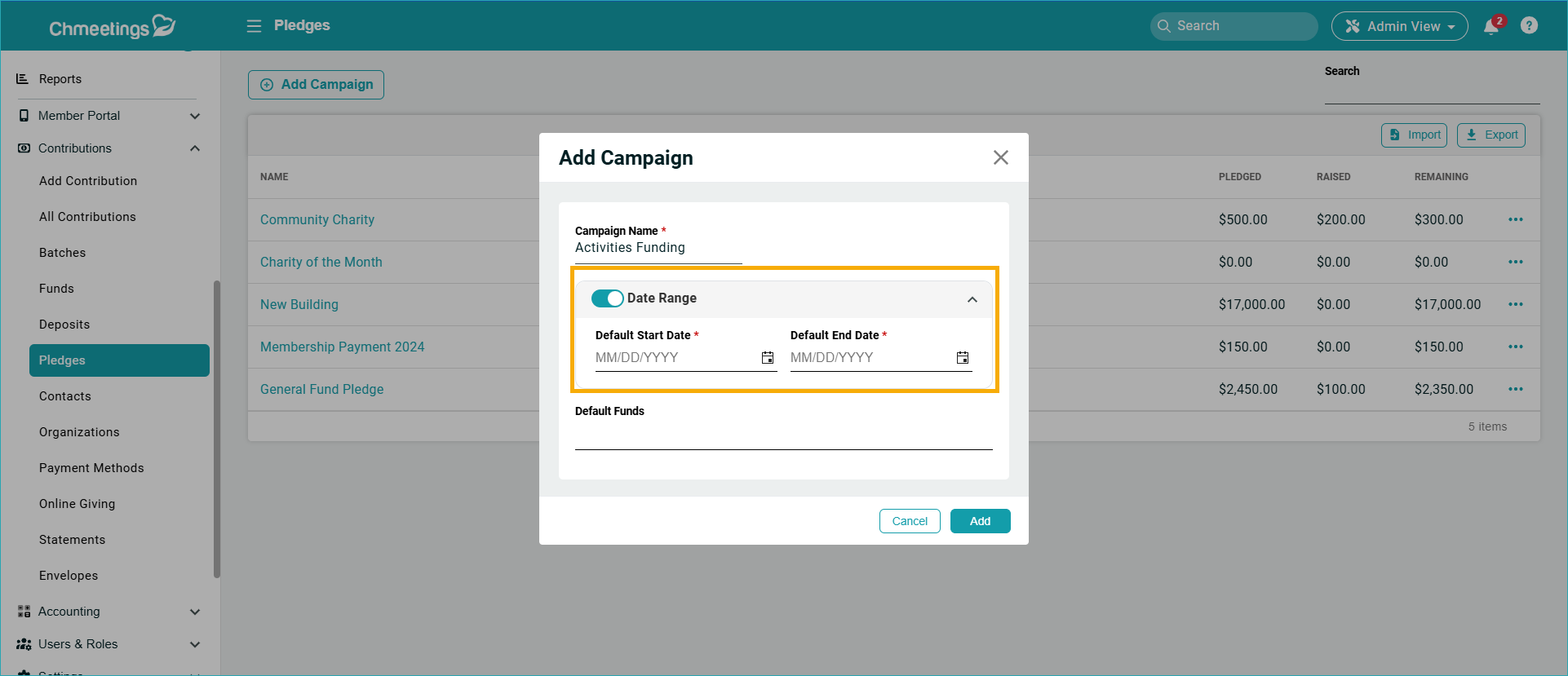
Pledges Improvements: Previously, campaigns and pledges required start and end dates. We now allow campaigns and pledges to be created without dates, but in this case selecting specific funds becomes mandatory. When no dates are set, pledge fulfillment is calculated based solely on fund matching, with no date restrictions applied.
Worship Planning & Volunteer Scheduling
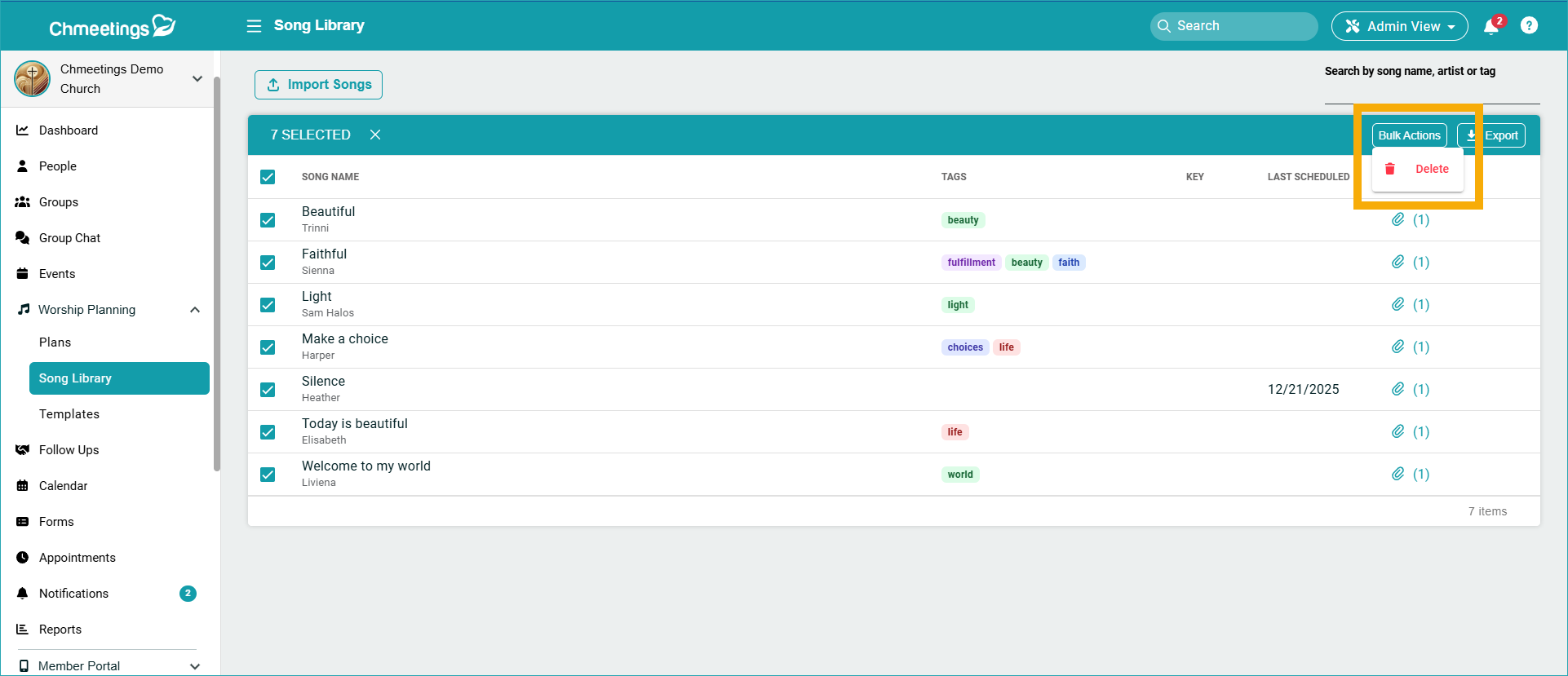
Change Volunteer Assignment: Now you can change someone’s Volunteer assignment quickly in Volunteer Scheduling, because you no longer need to remove them from an assignment first and then reassign. Now you can just change the assigned volunteers for a particular spot.
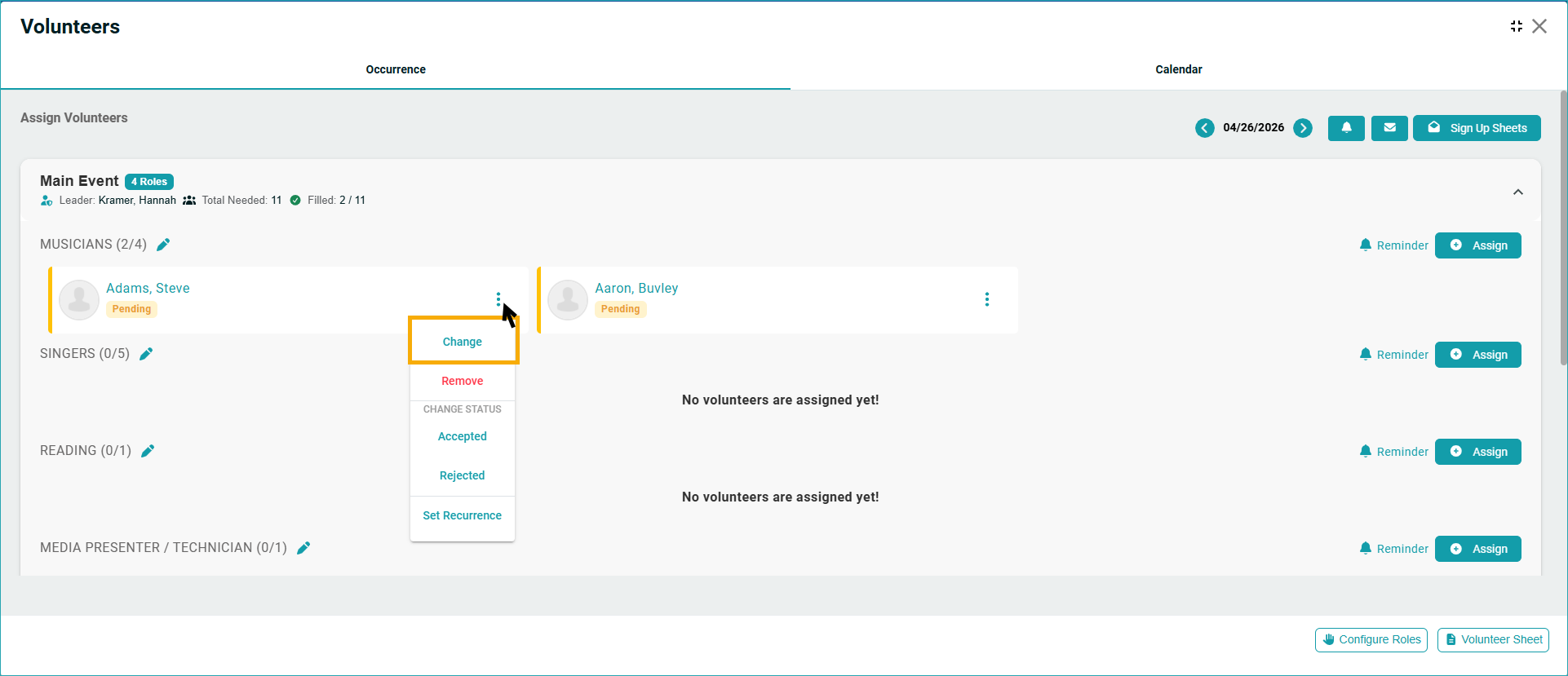
Export Songs Library to Excel: Now you can export your list of library songs to Excel. The sheet will contain the song details, including the links of those you added to your library via a link. Uploaded items will not contain links.
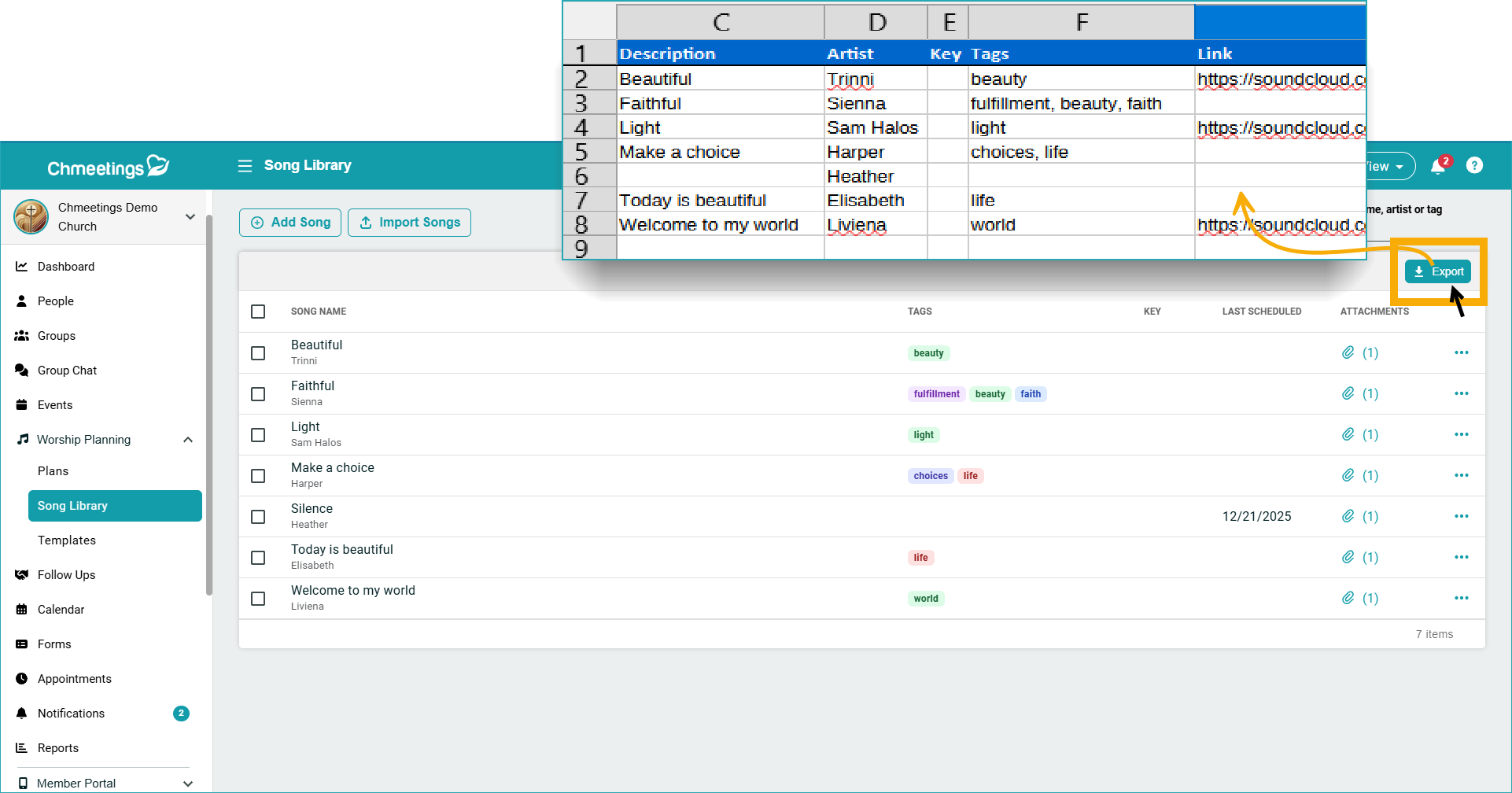
Bulk Delete Songs: Now you can bulk delete songs in your library, should you ever need to.
Events
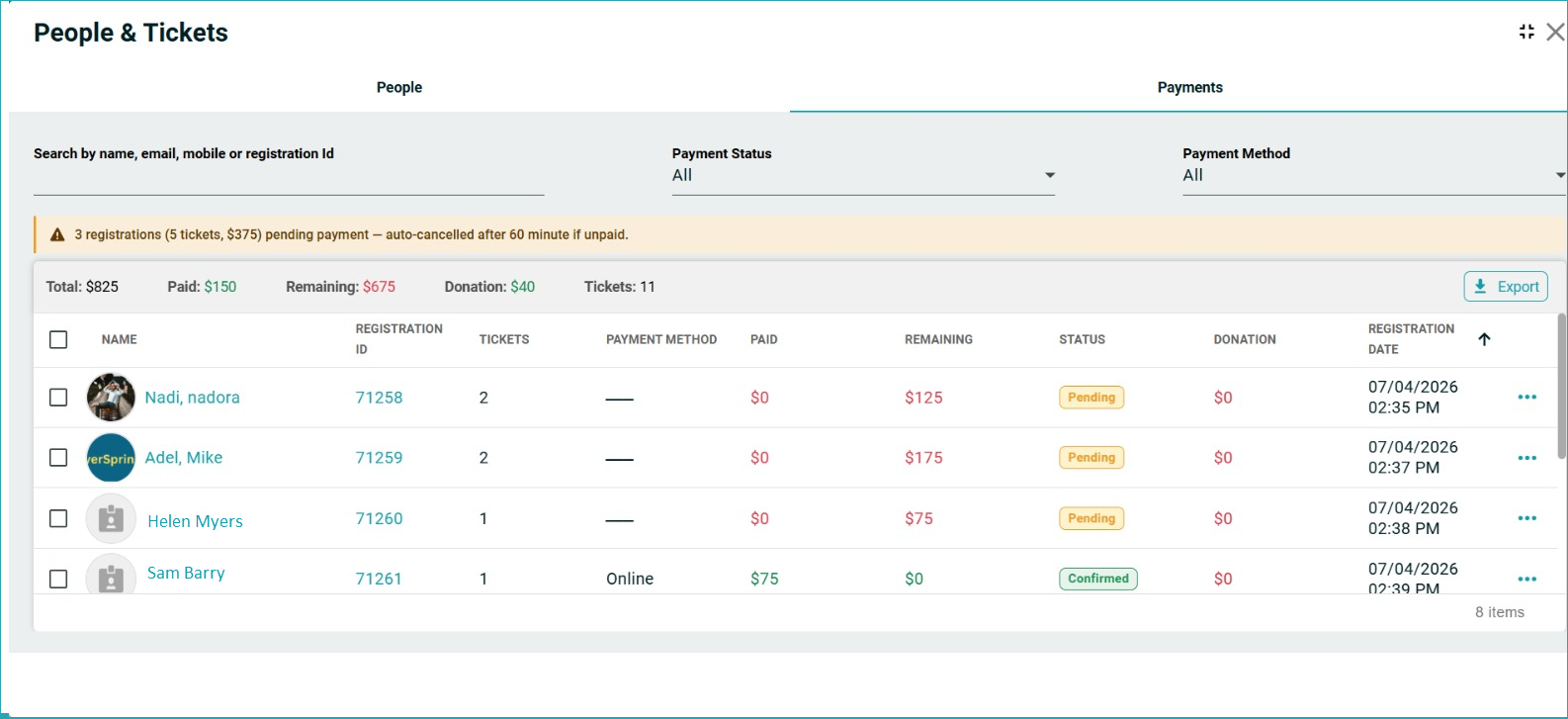
Paid Event Improvements: You can now see a new Status Column for event payments to know if it’s Confirmed, Pending or Cancelled (if not paid in 60 minutes after ticket booking).
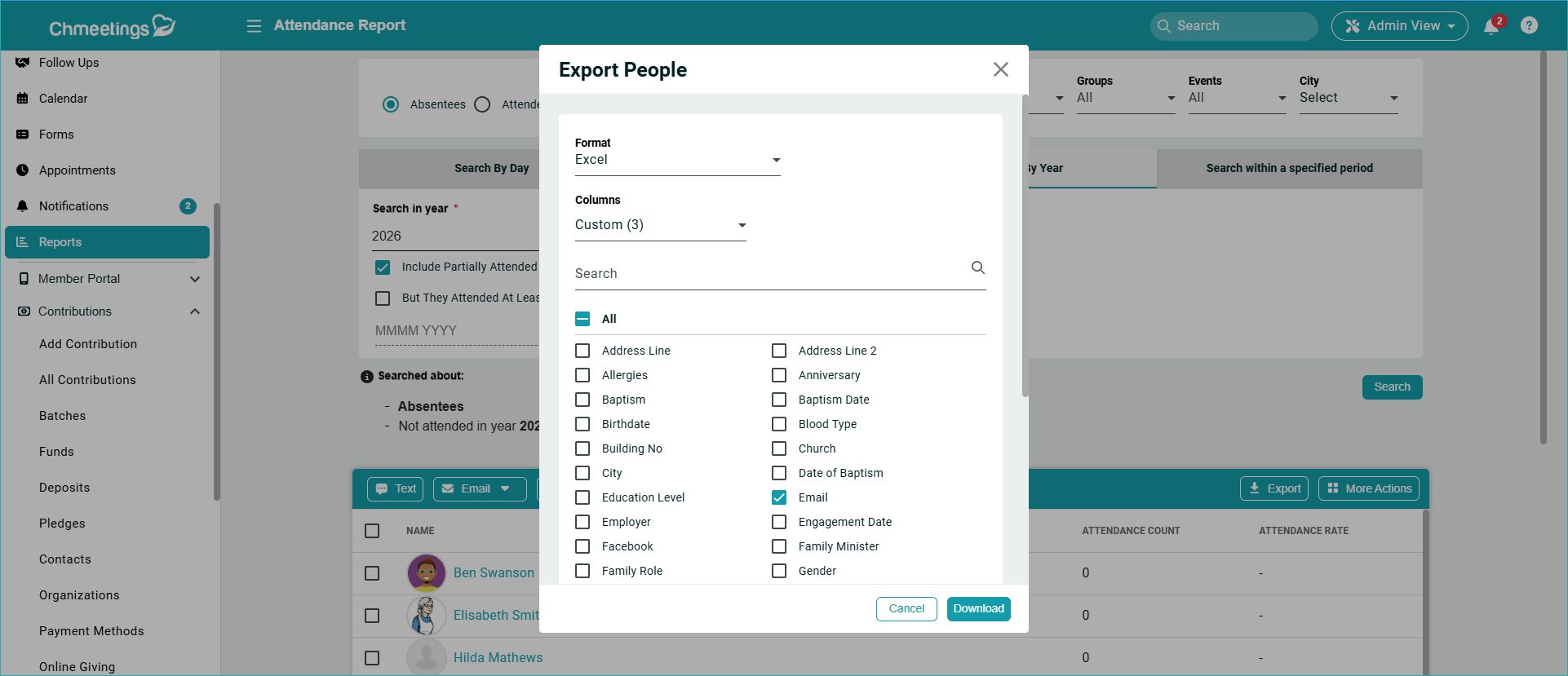
Improved Event Report Exports: Now you can export more fields including custom fields from the Recurring Event Report and Attendance Report. Just choose the Custom option under Columns, when exporting.
Follow-Ups
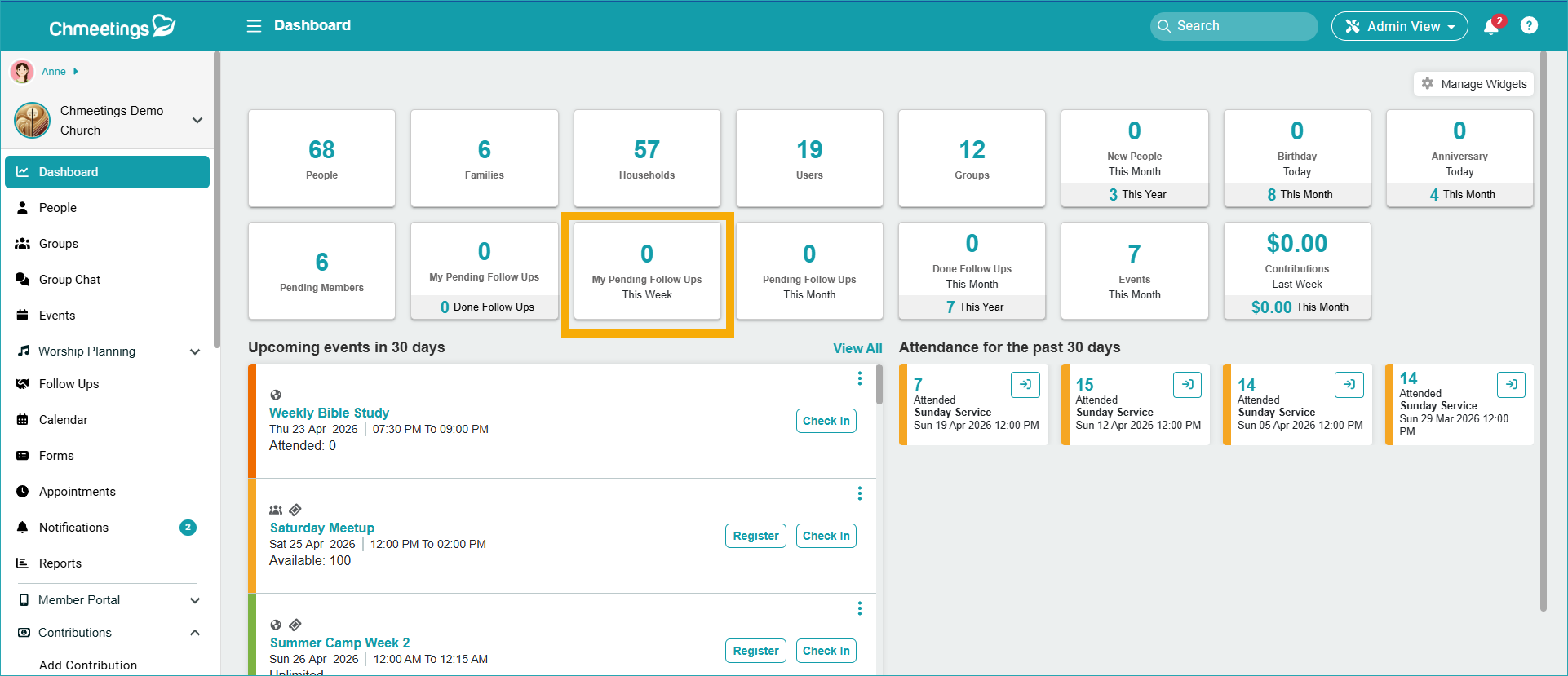
My Pending Follow Ups (This week) Widget: Now you can see your pending follow ups for the current week within the homepage dashboard.
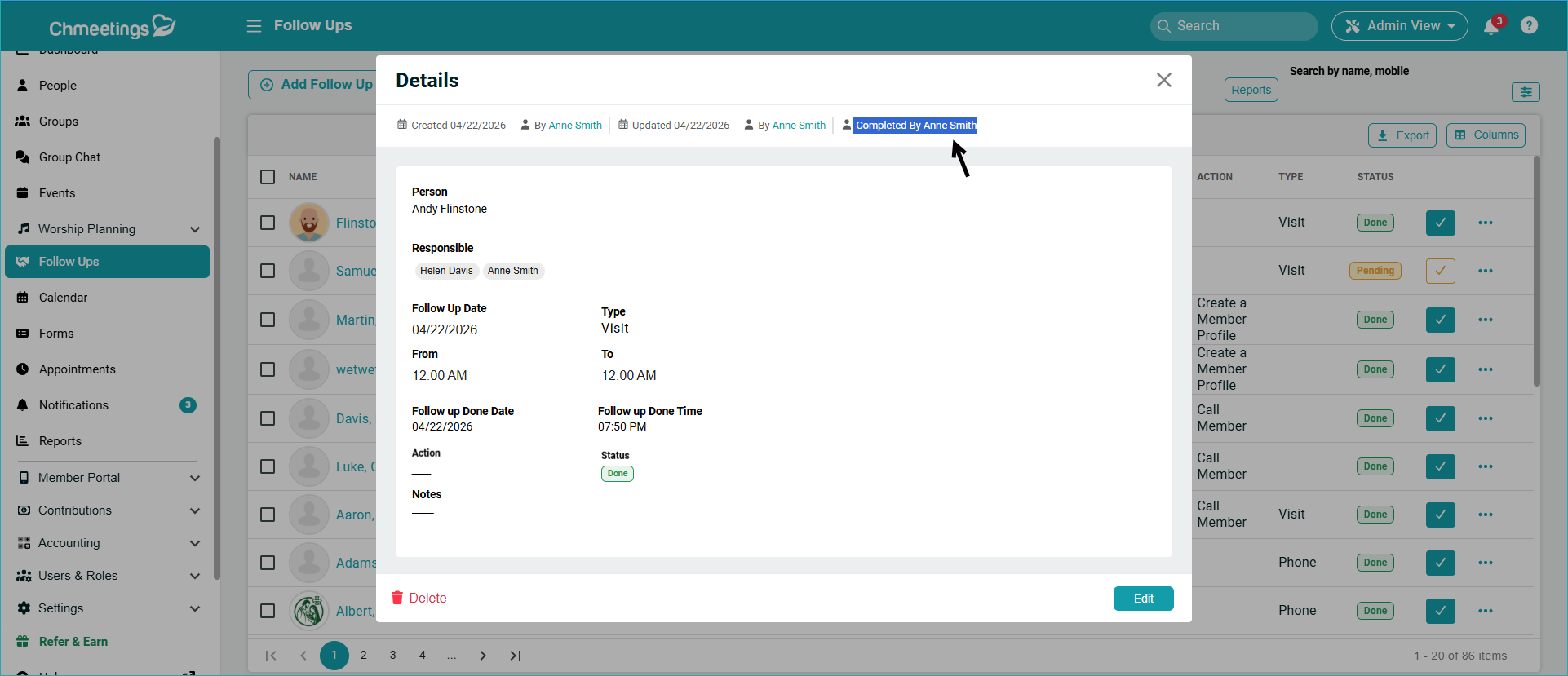
“Completed By” Field: This shows the responsible person who has marked the Follow-Up as Done. This is particularly helpful when you assign multiple responsible people and you need to know who completed the Follow-up. You can see this either at the top of the window when viewing a follow-up, or in the dedicated column, which you might need to enable in the Columns section.
People
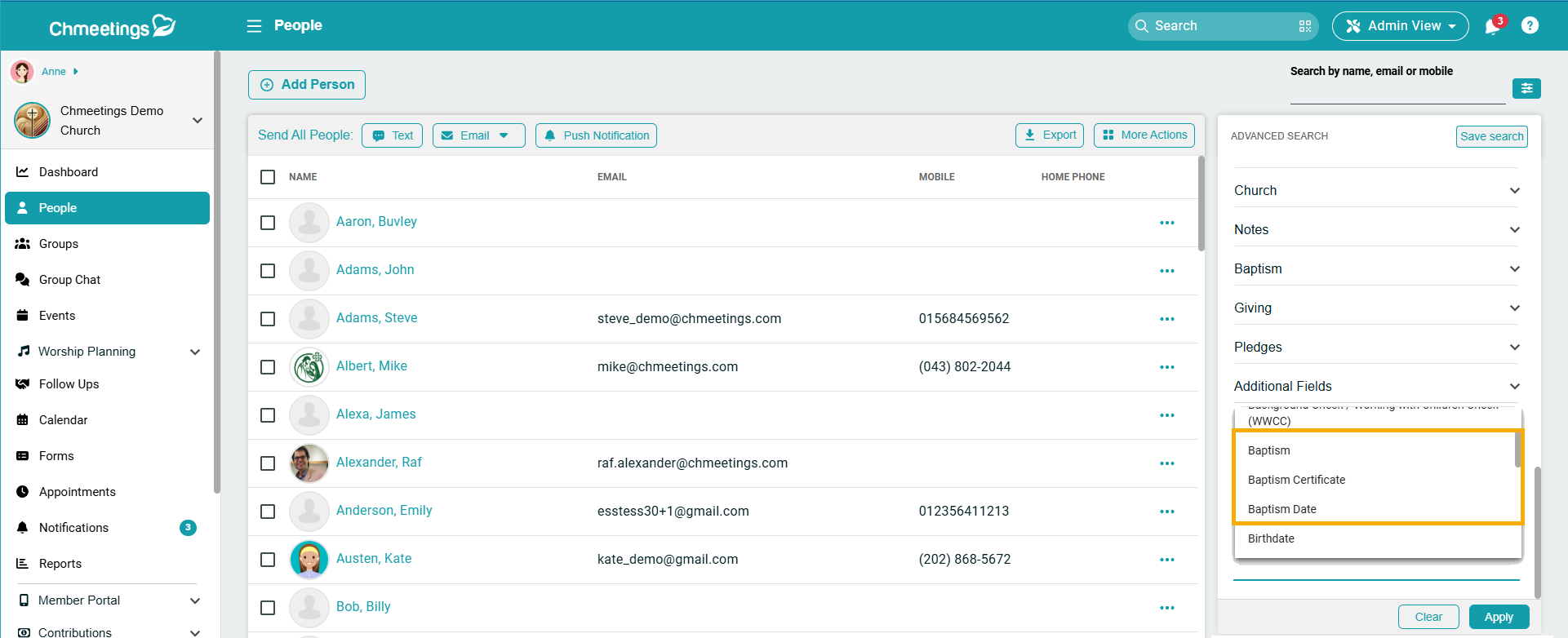
Enhanced People Advanced Search: In the Missing Data section, we added filters for Baptism Date and Baptism Location.
Group Chat (Branded App)
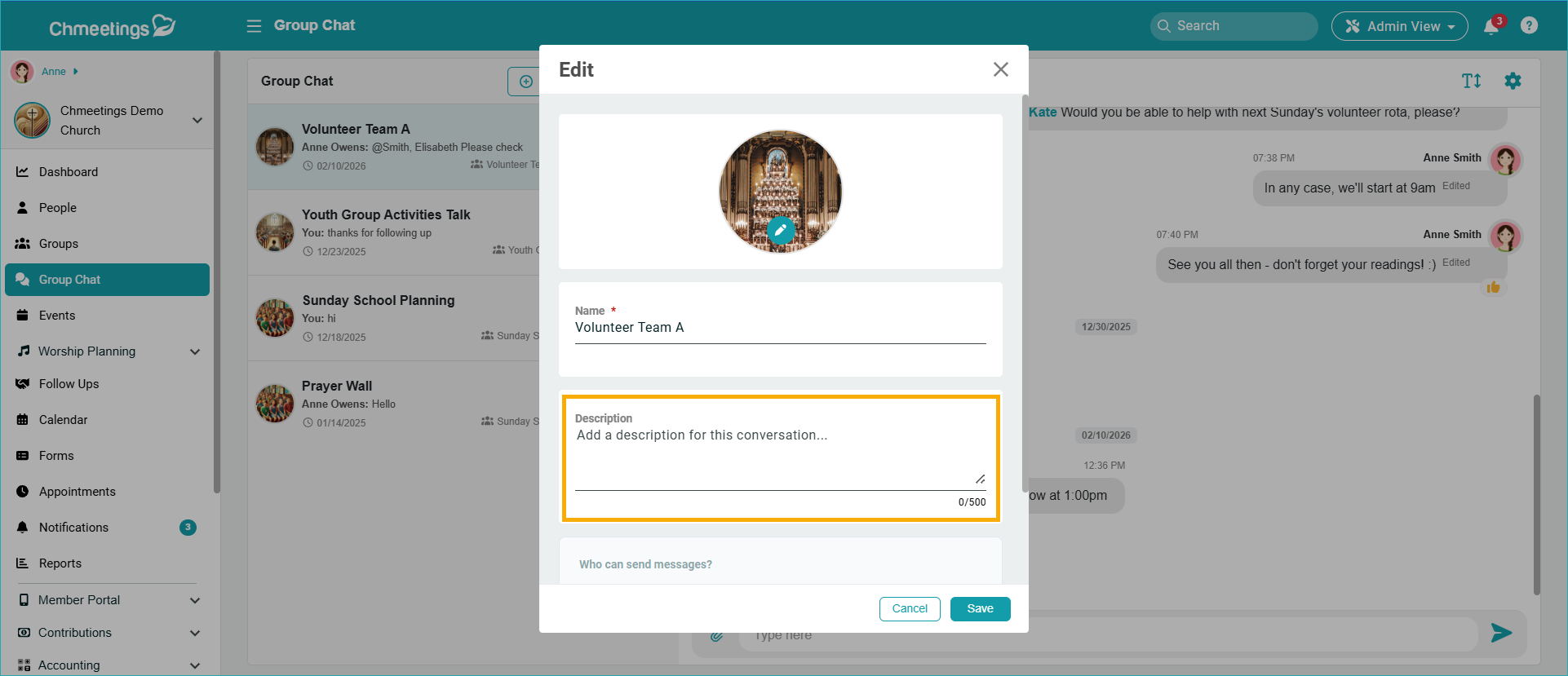
Group Chat Description: Now you can add a description to your group chats, to offer people more details on what the conversation is about.
ChMeetings 2026.6 – March 31, 2026
| IMPROVEMENTS |
People
Remove People or Families From Church Or Ministry
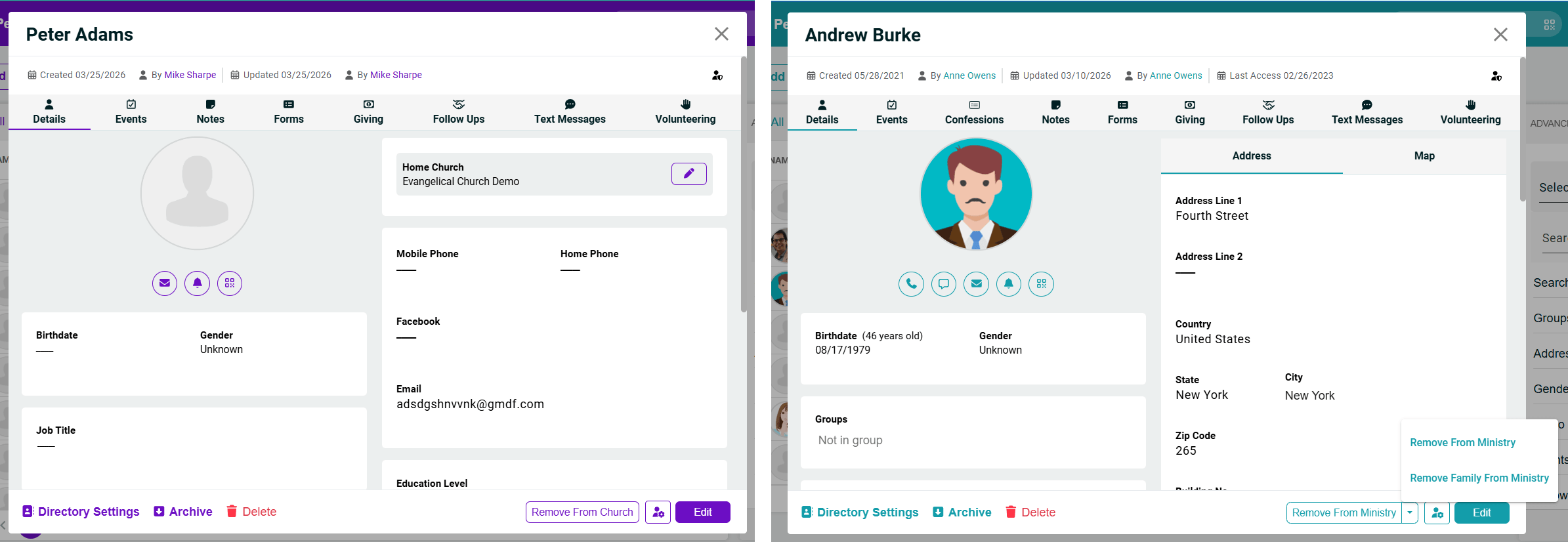
Now you can remove people or families from a church (if you have a Diocese account) or from a Ministry (if you are a church). This can be done from someone’s profile. If you choose to remove a family, you must visit the profile of one of its members to do so. If the person is not associated with a family, then there won’t be an option to remove their family from the church / ministry.
Volunteer Scheduling
Send Push Notification to Volunteers
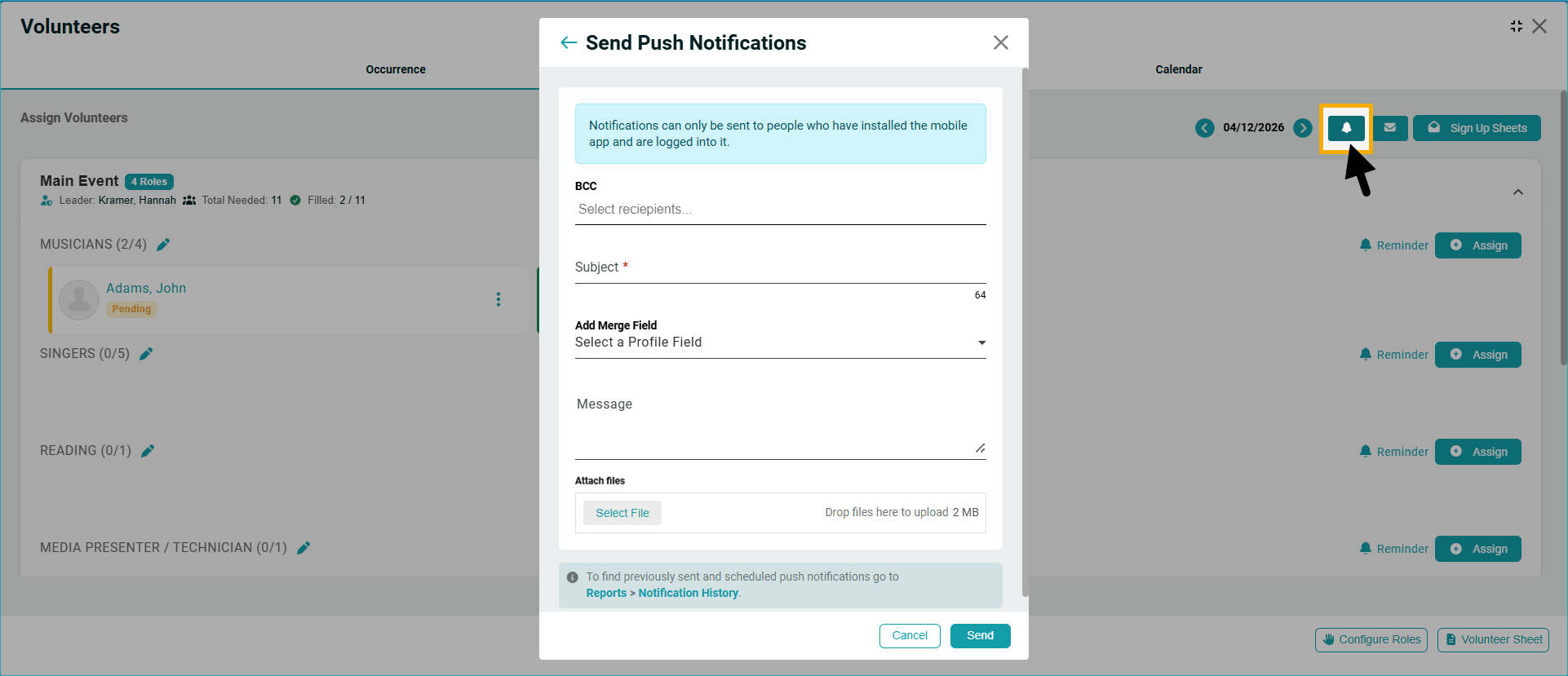
Now you can send push notifications to volunteers directly from the Volunteer Scheduling area. You can notify specific people by entering their name in the BCC field, and they will receive the notification as long as they are logged into their app.
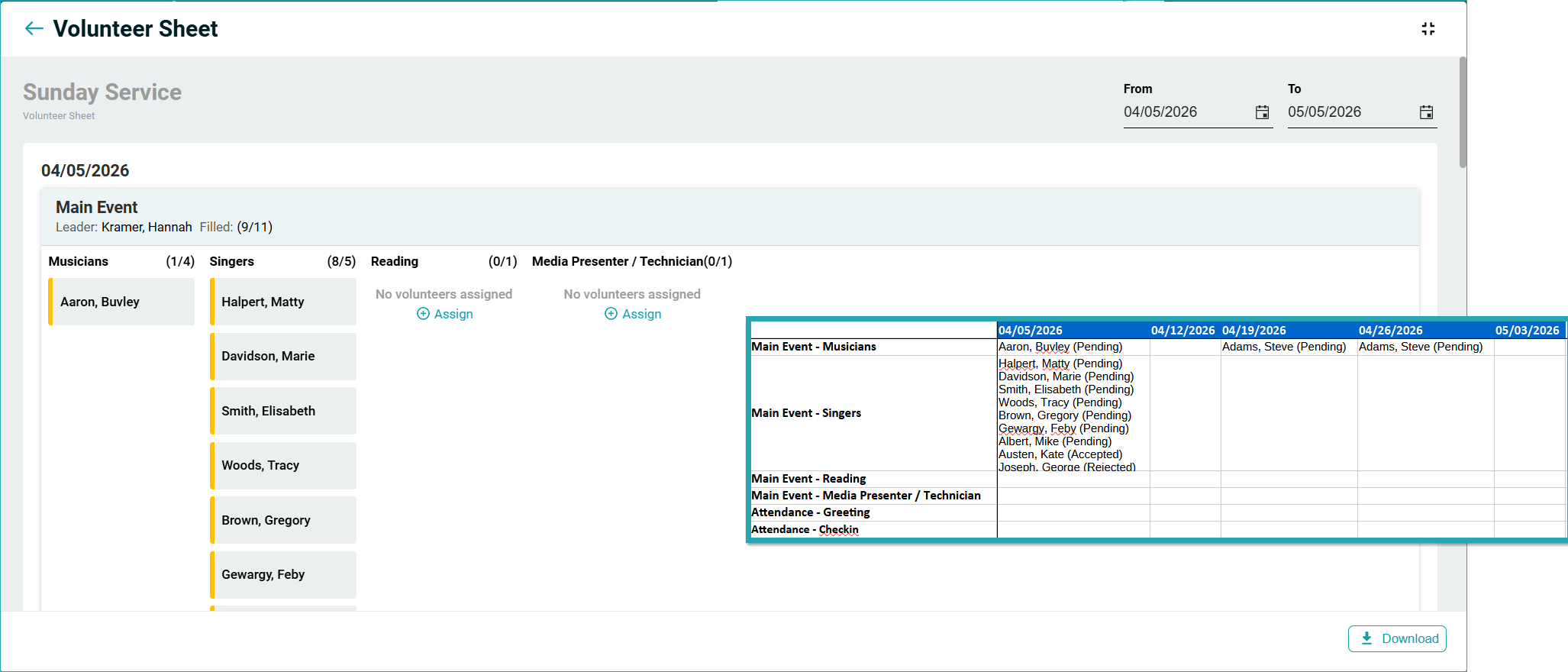
Enhanced Volunteer Sheet
The Volunteer Sheet you can download now gives you a better view of days and roles.
Giving
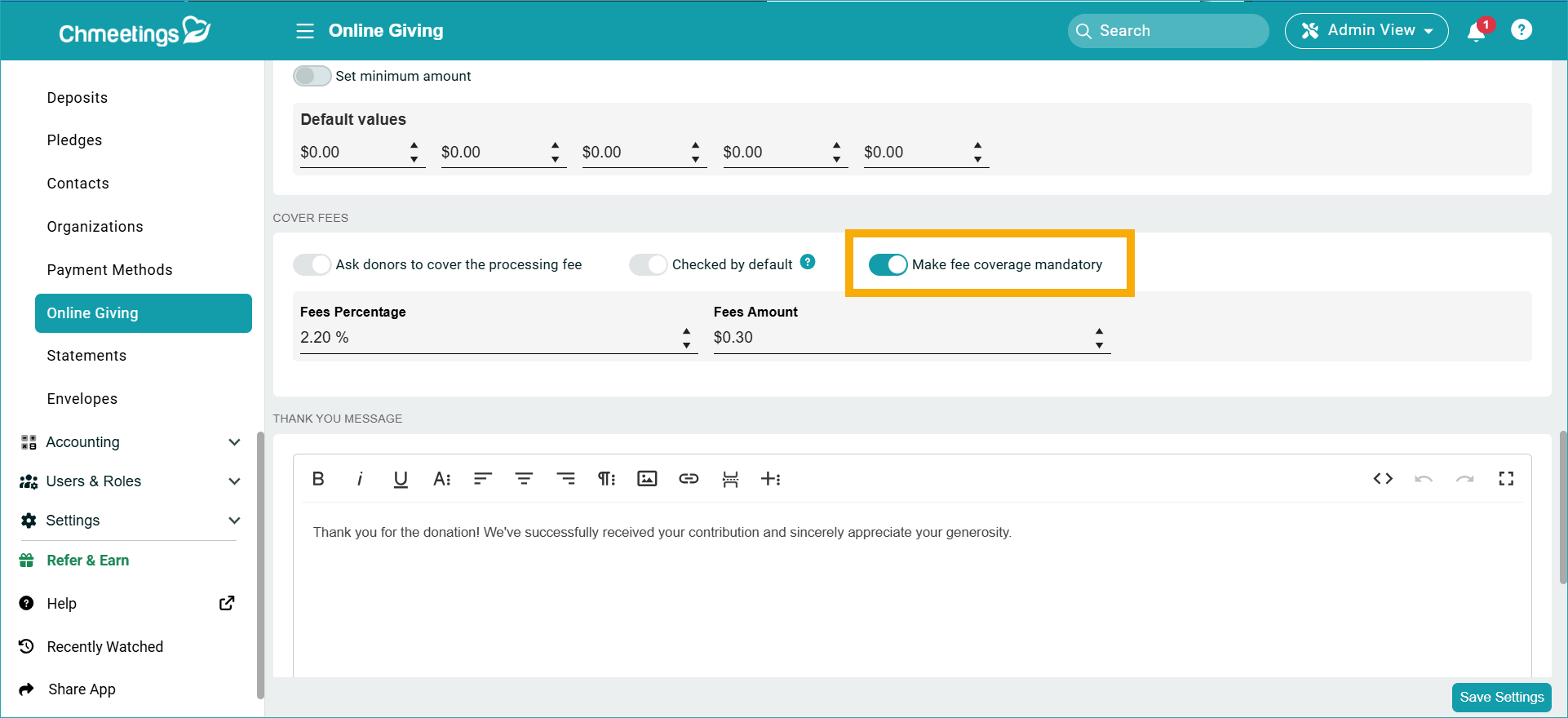
Make Covering Fees Mandatory For Donors
Now you can make covering fees mandatory for donors. This option is disabled by default.
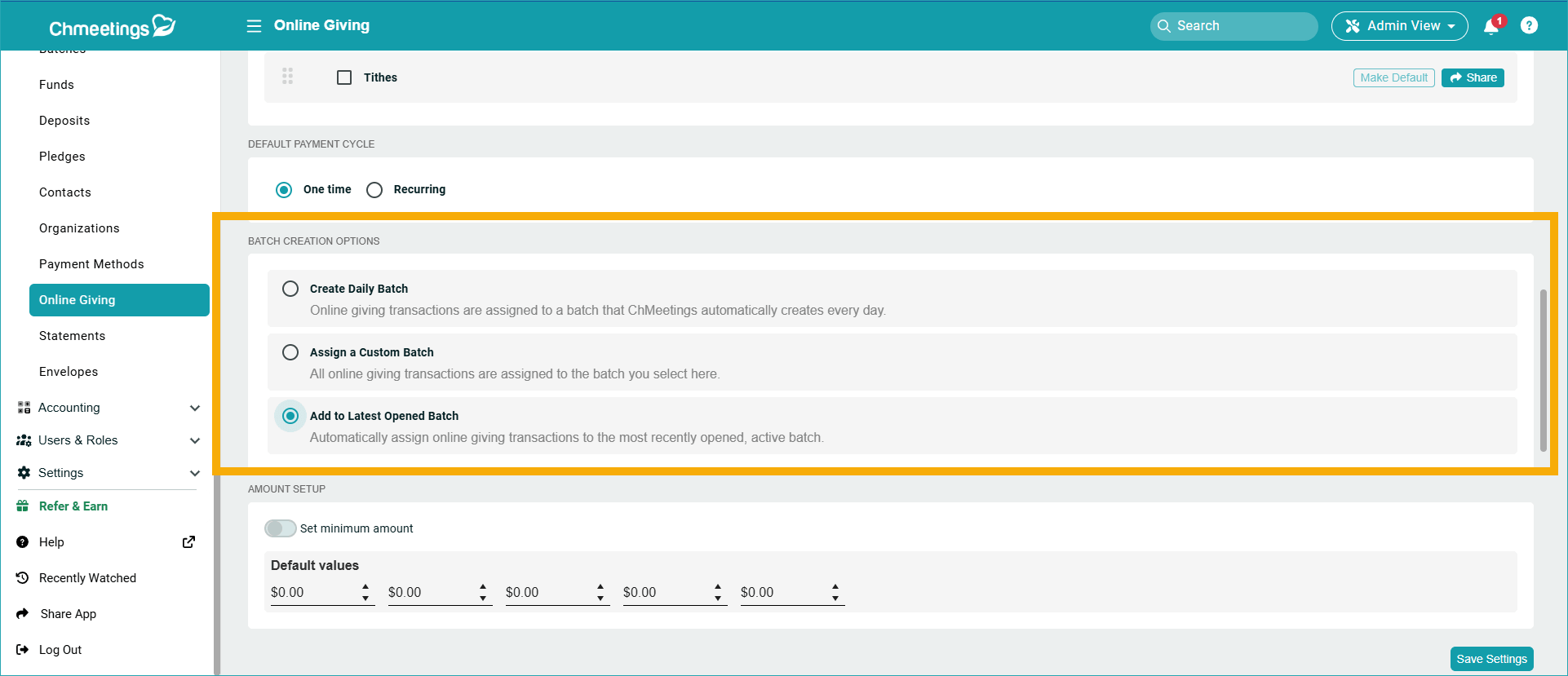
New Online Giving Batch Assignment Option
We added a new option in the Online Giving Settings to Automatically assign online giving transactions to the most recently opened, active batch.
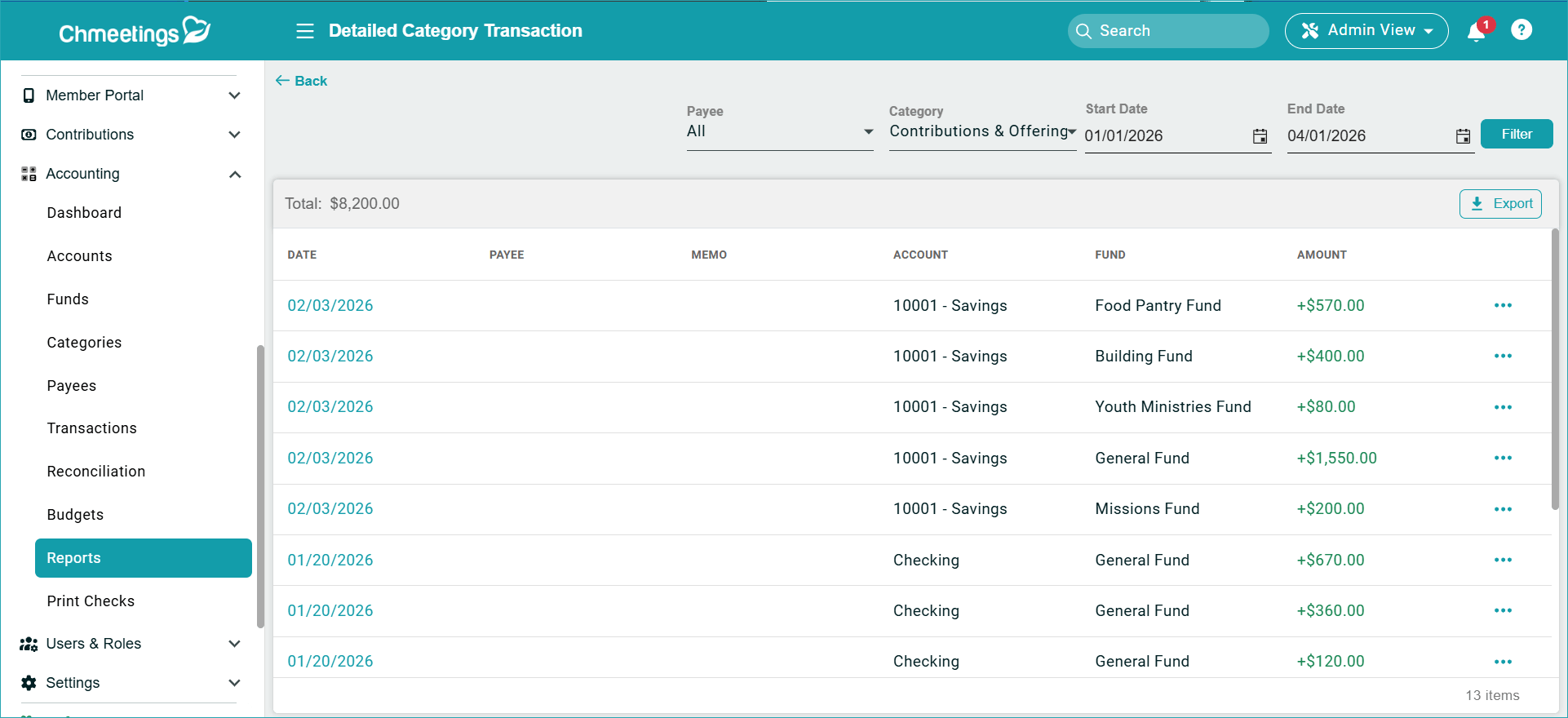
Accounting
View the full transactions list, plus transaction details from the Detailed Category Transactions, Detailed Fund Transactions and Detailed Payee Transactions reports. There is also a new Payee filter for these reports.
Improved Transactions Search
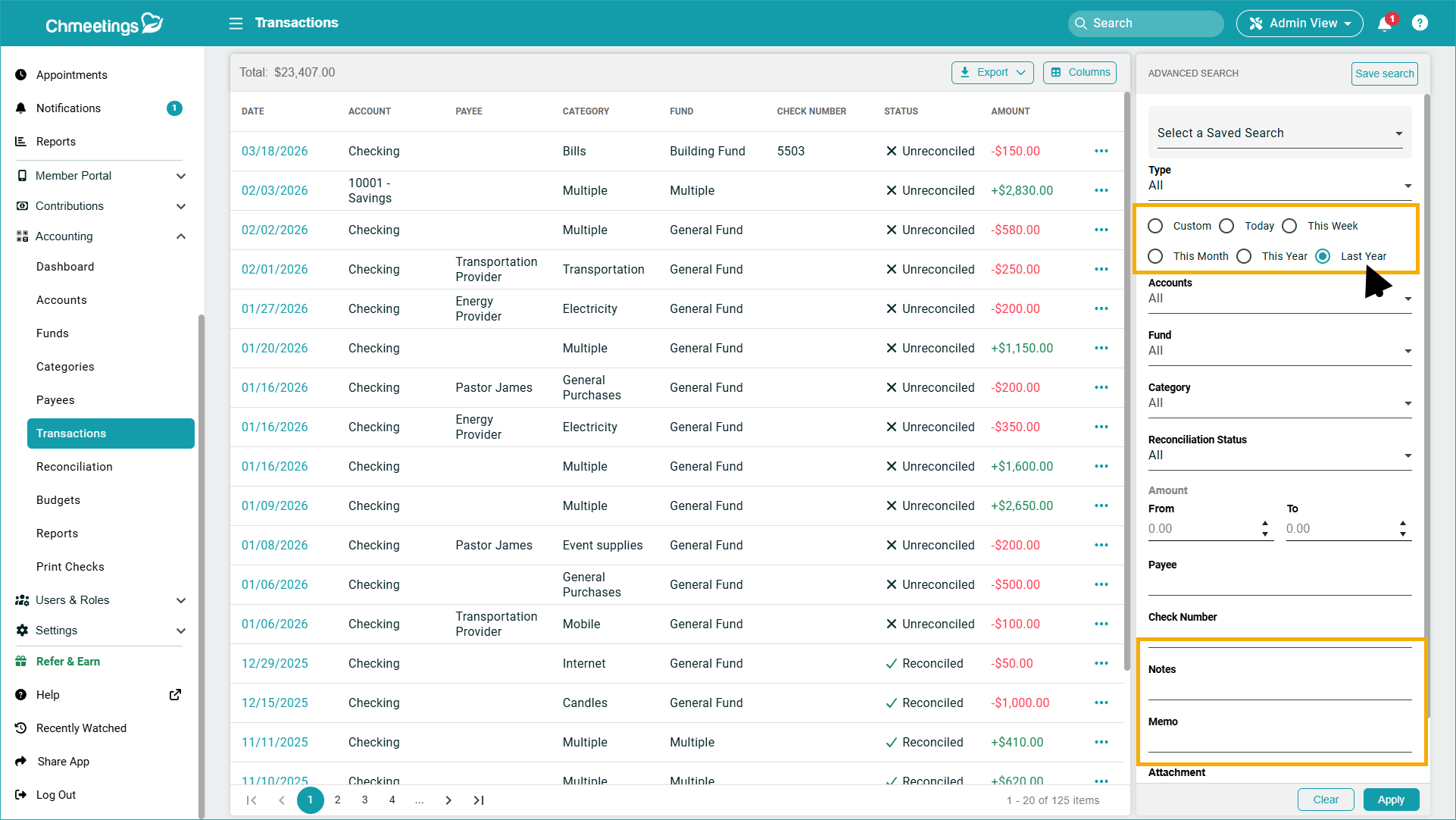
Under Accounting > Transactions, you can now search in Transaction Notes and Memos, and select Last Year’s transactions (meaning within the last 12 months rather than within the current calendar year).
Forms
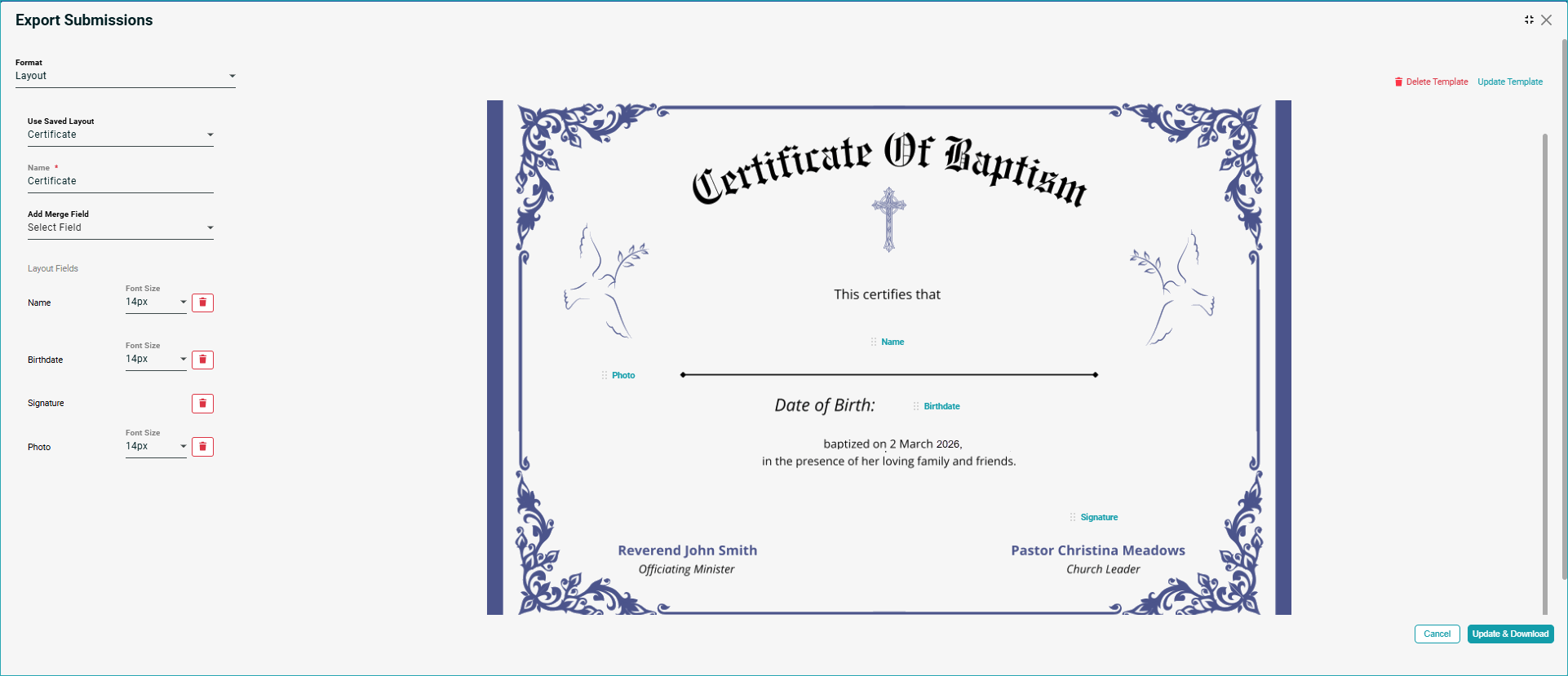
Create Documents Based on Form Submissions (Beta)
When exporting form submission, you can now choose the Layout option, which allows you to upload a document background image, and add fields to it. Then you can download a pdf with all submissions created based on the particular document template you created. The document preview contains the values, which you can print onto your dedicated document paper – such as certificates or any other documents you may need to issue.
Communication
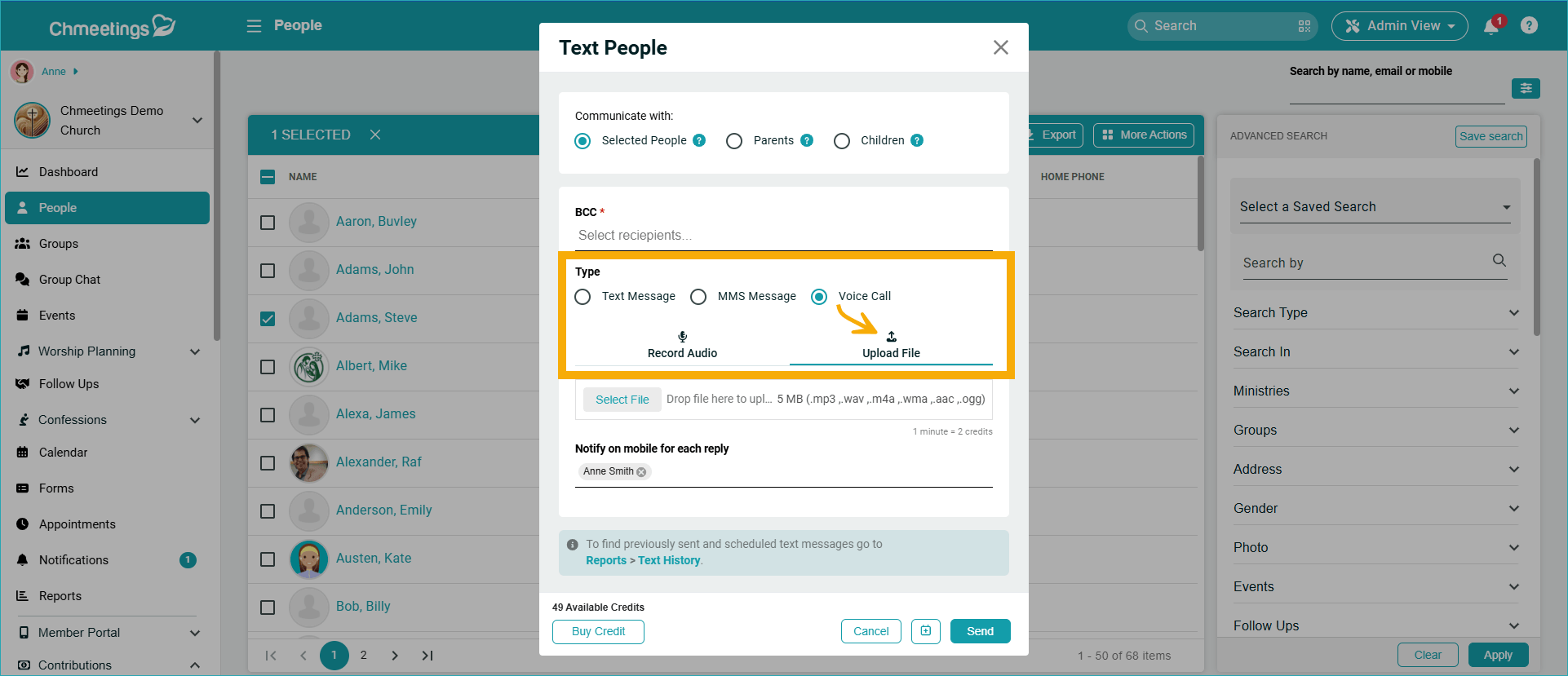
Upload Voice Messages
Now you can upload a file when sending a voice message, along with the already existing option to record your message.
Media Library (Branded App)
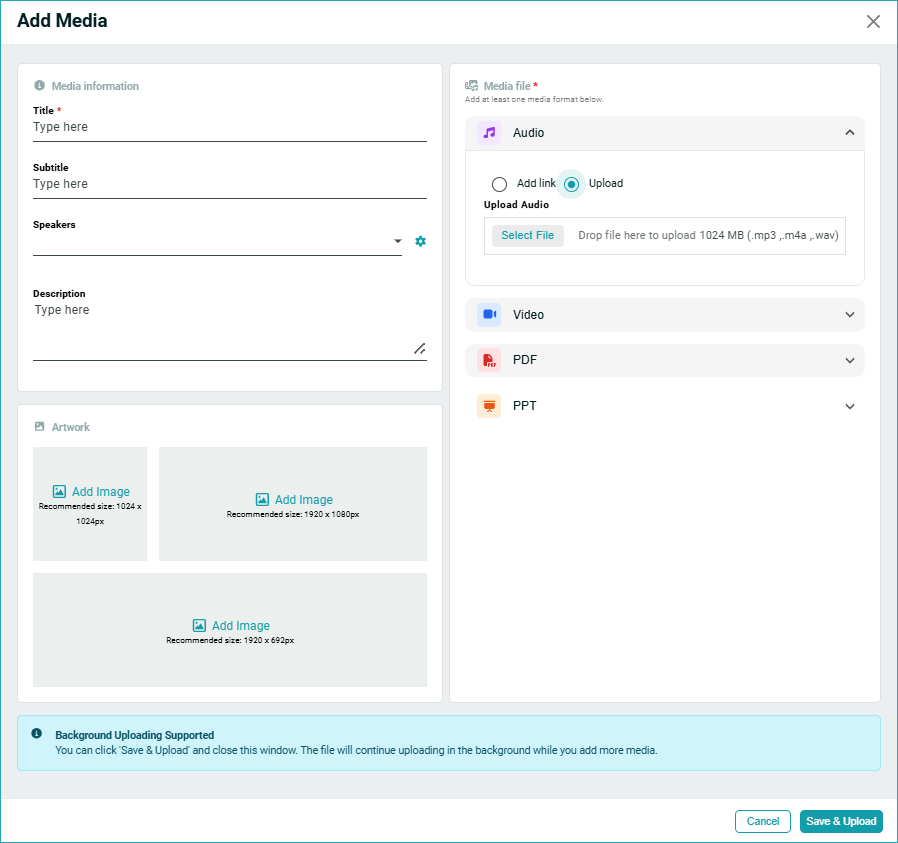
Background Upload Support & Improved Media Upload UX
You can click ‘Save & Upload‘ and close this window after having added a media item. The file will continue uploading in the background while you add more media.
API & Integrations
Events, Occurrences & Attendance Read API
The Events Read API is now available, giving you programmatic read access to event data.
What’s included:
- Events: retrieve events at the church and ministry level
- Occurrences: get individual occurrence records for recurring and multi-day events
- Attendance: pull attendance data per occurrence to power external reports and dashboards
This is a read-only API, ideal for building custom attendance reports, syncing data to external tools, or visualizing event trends in your own dashboards.
API Reference: api.chmeetings.com/scalar/#tag/events
MCP Resources
We’ve introduced MCP Resources to make it easier for you to build integrations and custom solutions with ChMeetings.
Simply add MCP to your preferred tools (such as Codex or Claude Code) to create apps, automate workflows, and build custom dashboards and reports. Installing ChMeetings Resources MCP does not require complex setup.
Please refer to the MCP Resources for setup and usage instructions, as well as to our guide to Installing ChMeetings Resources MCP
ChMeetings 2026.5 – March 18, 2026
| IMPROVEMENTS |
Giving
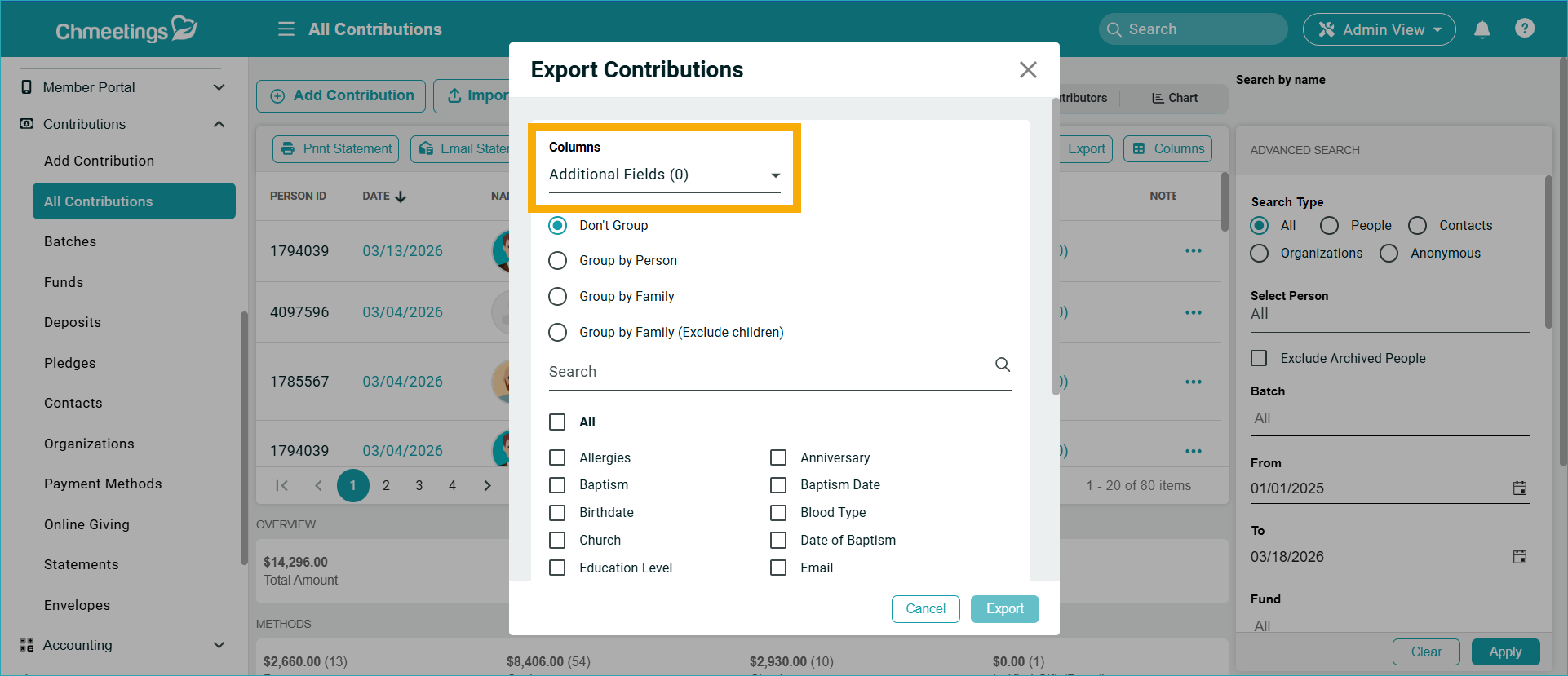
- When exporting contributions from Contributions > All Contributions, you can also include custom profile fields in the export.
.

.
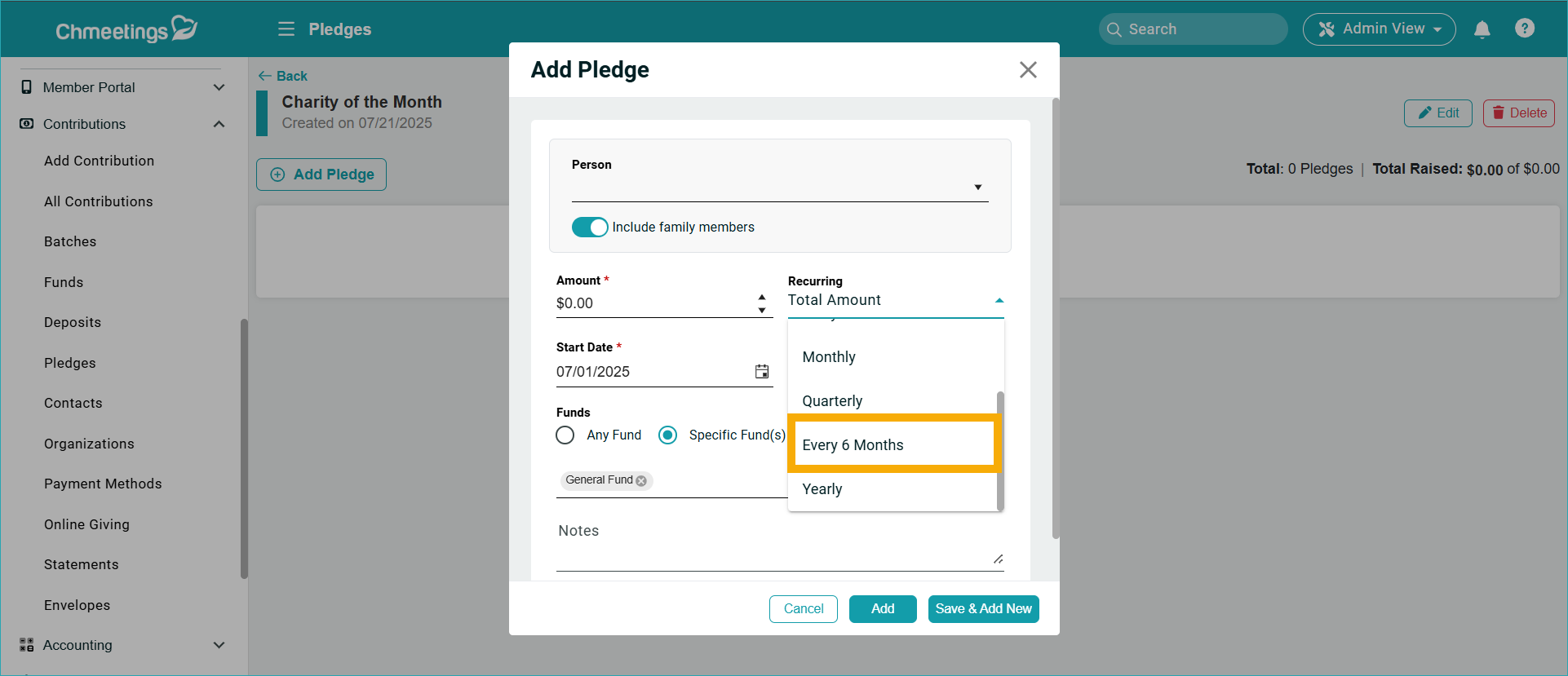
- Bi-Annual Recurring Pledges are now available.
.
.
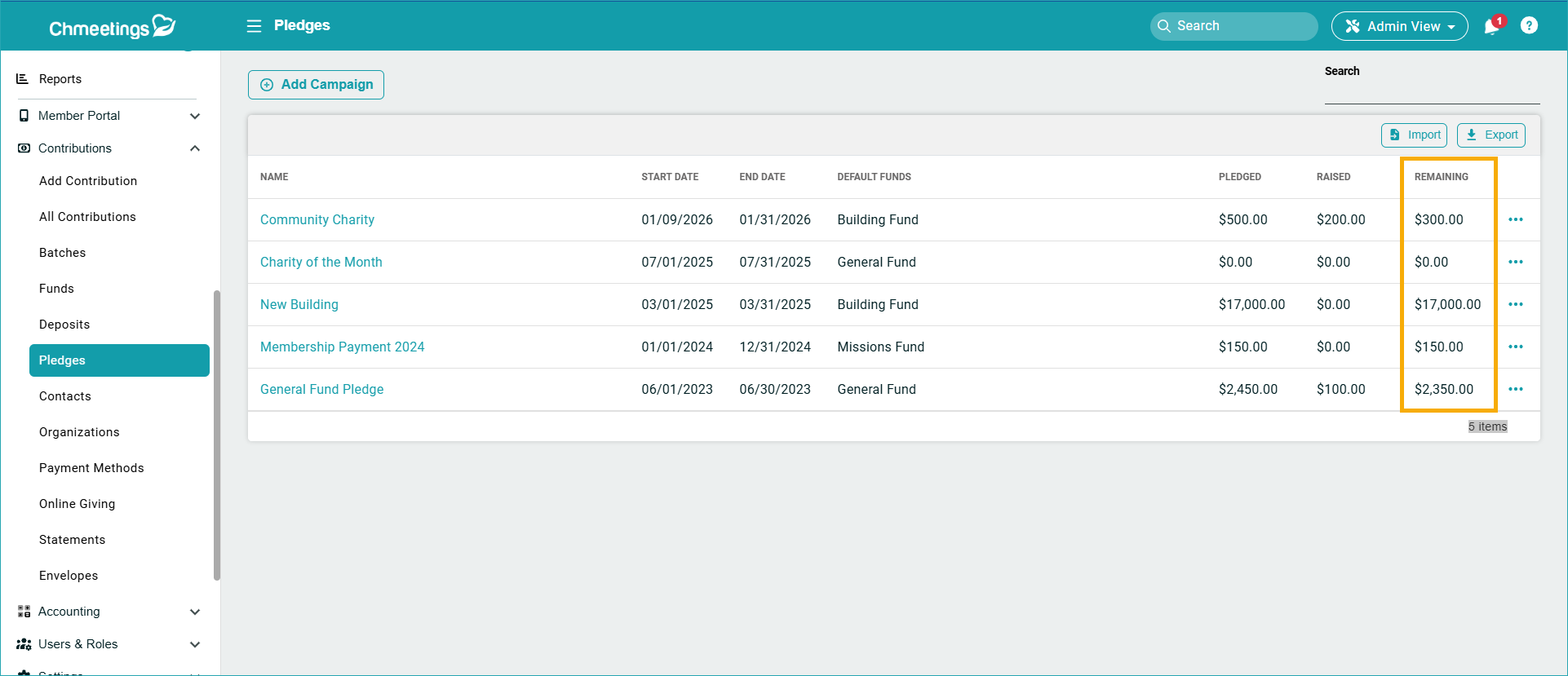
- Remaining Amount Column for Pledge Campaigns: Now you can see at a glance what the remaining amount pledged is for every campaign you’re running.
.
.
Accounting
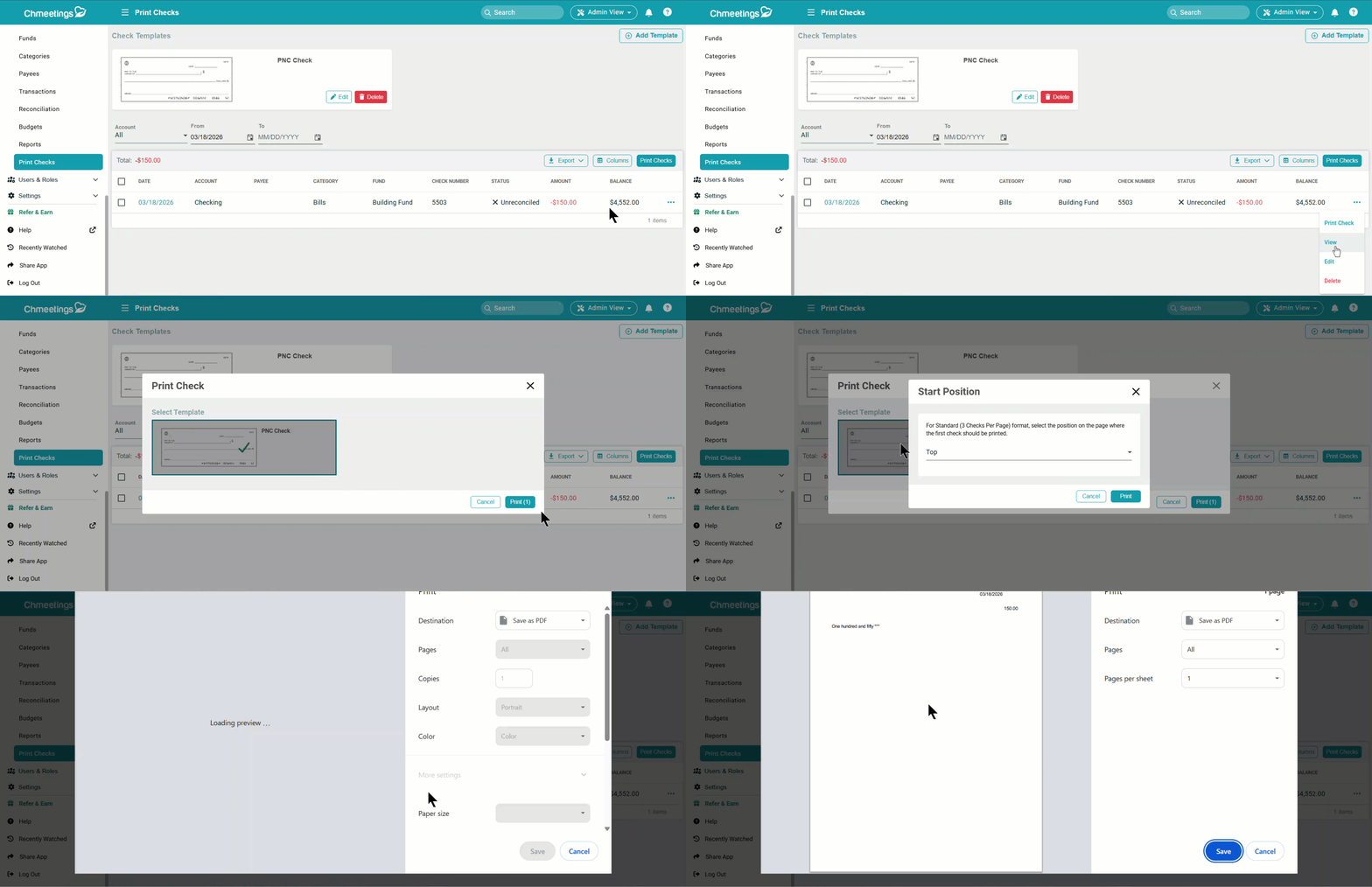
- Print checks will open the print preview directly instead of downloading it in the browser, then requiring you to open and print it.
.

Events
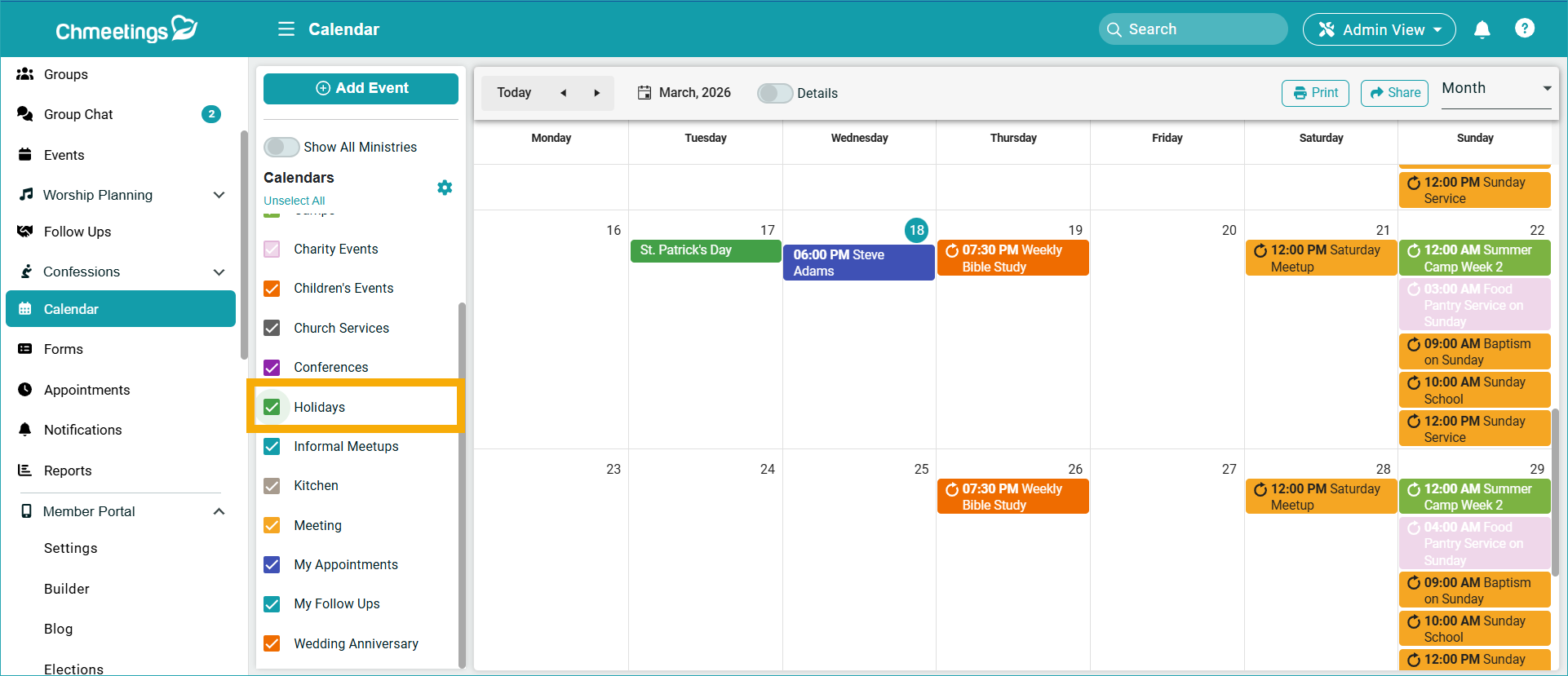
- We added a “Holidays” Calendar, which is currently available in the US, Canada, UK, Australia, Germany, and France.
- There’s also a new Events Read API to get events on the church and ministry level, as well as to get occurrence and attendance data. This will help you create event and attendance reports in API-enabled external apps you may be using.
.
.
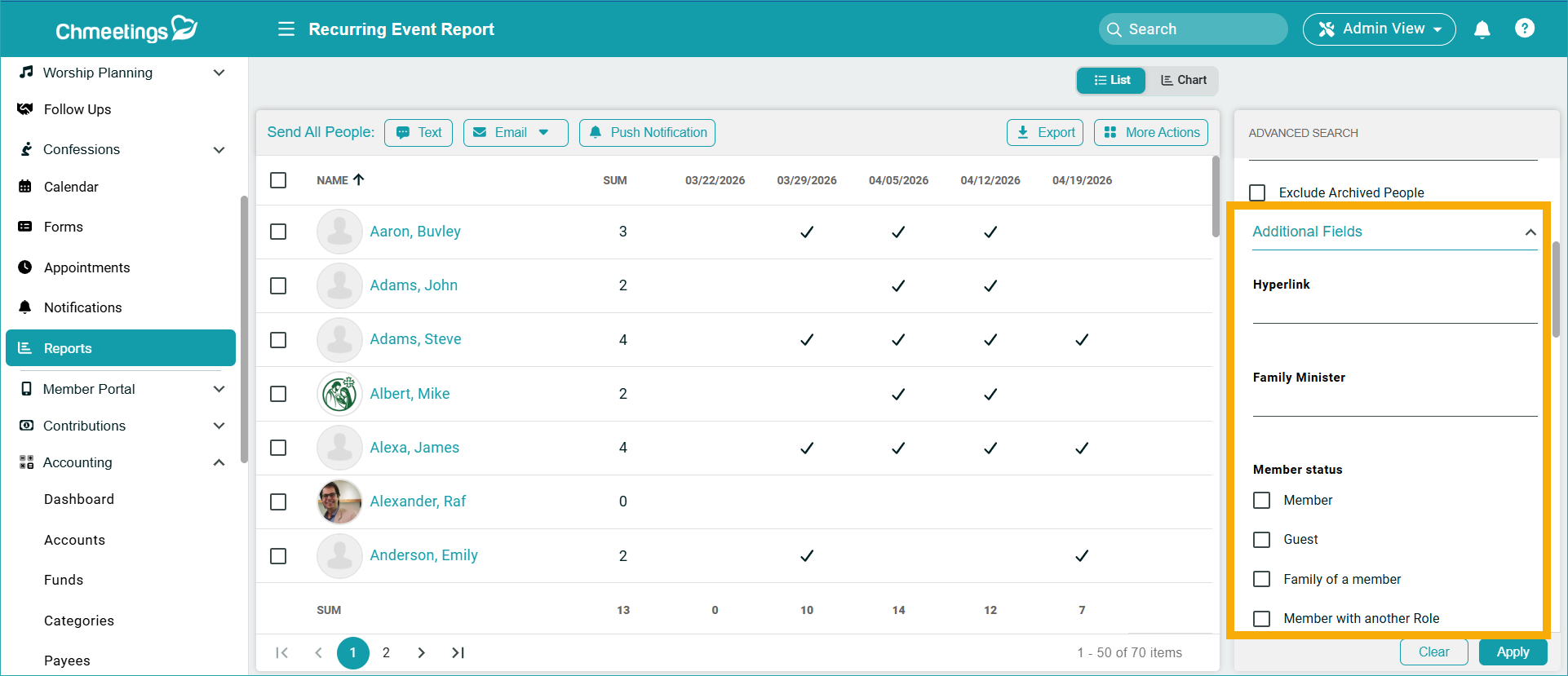
- Custom Profile Fields Filter in the Recurring Event report which is accessible from We also made some updates to the UI to have two tabs in the report: one for List and other for Charts. The new filter added to the List only.
.
Volunteer Scheduling
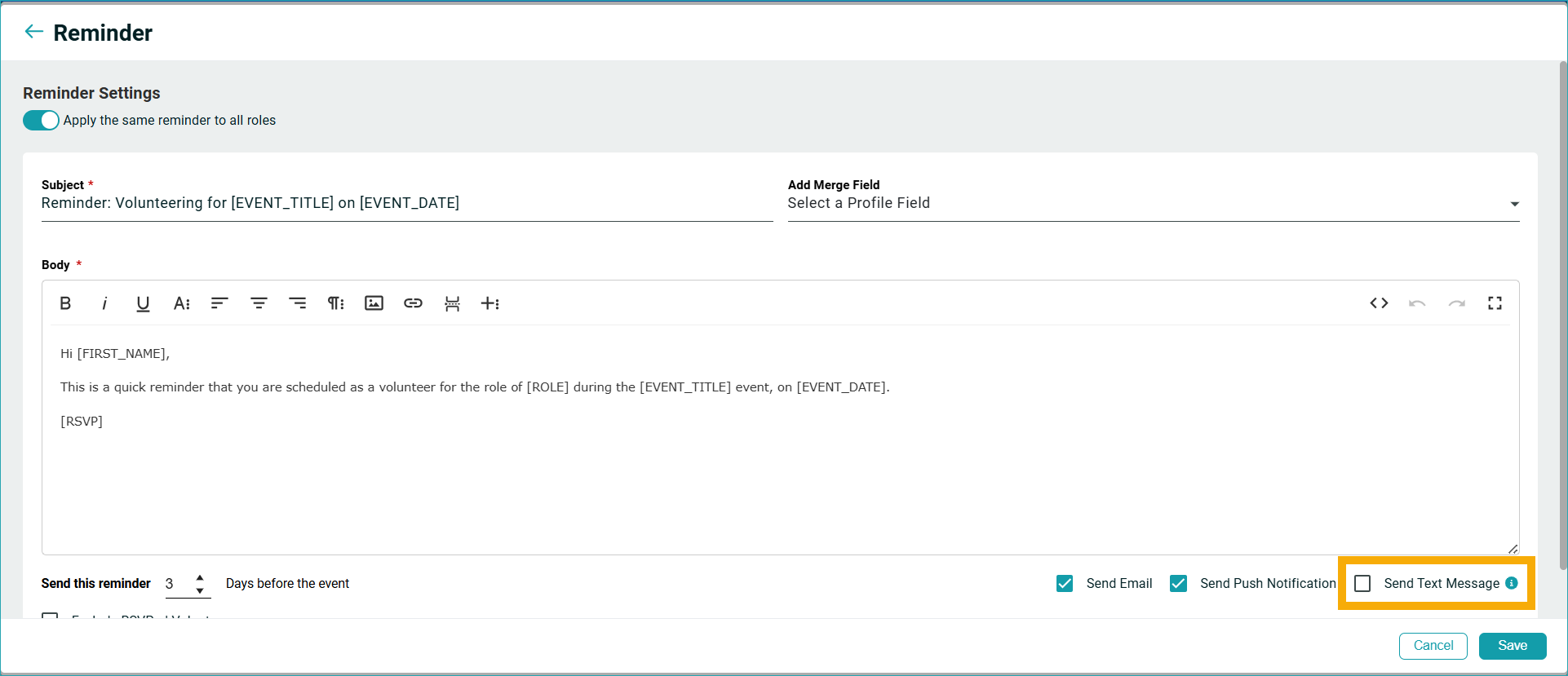
- Text Reminder, available beside the current option for Email and Push Notification. This feature is disabled by default and enabling it will send using your credit or your integration.
.
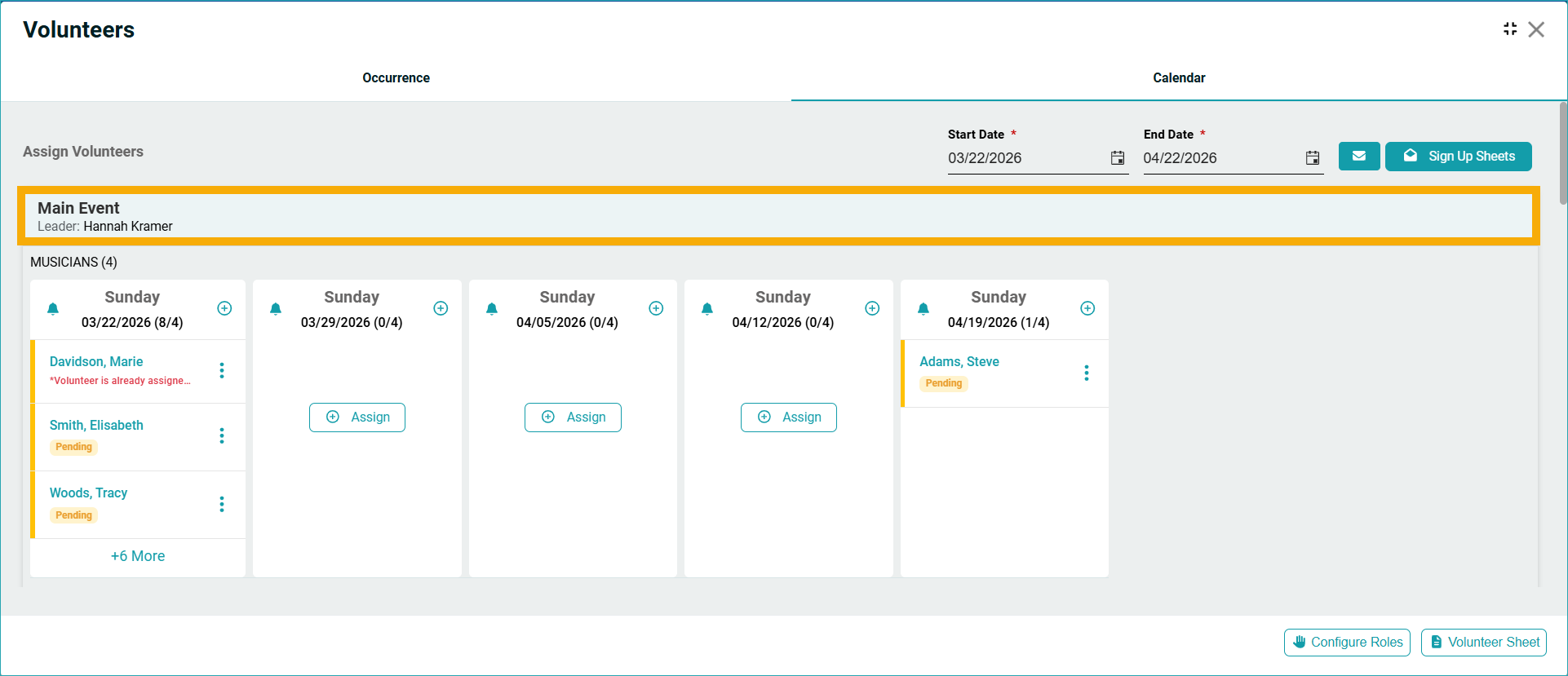
- Volunteer teams now display in the volunteers calendar view and also in the Member View.
.
Diocese
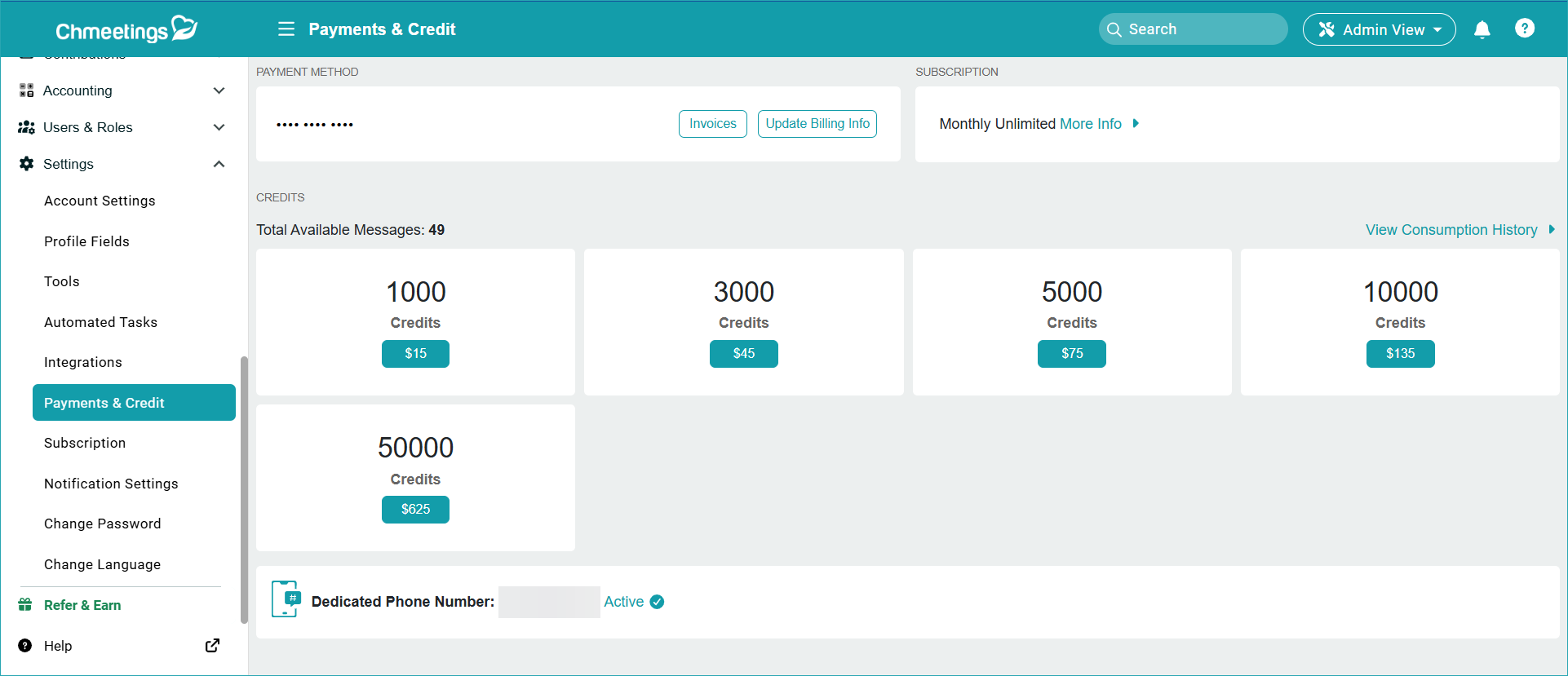
- The churches under the diocese can opt in for having their own dedicated phone number from under Settings > Payments & Credit.
.
People
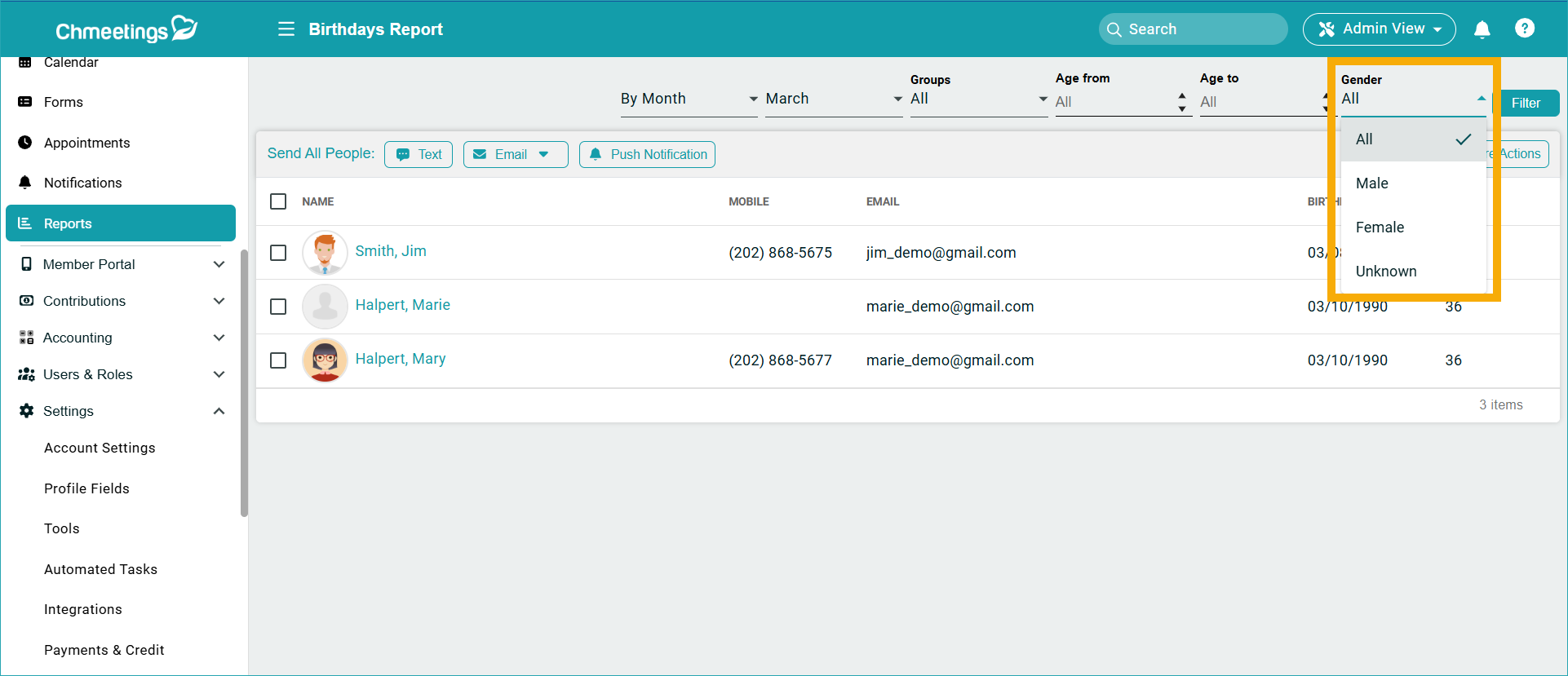
- We added a Gender filter in the birthdays report.
.
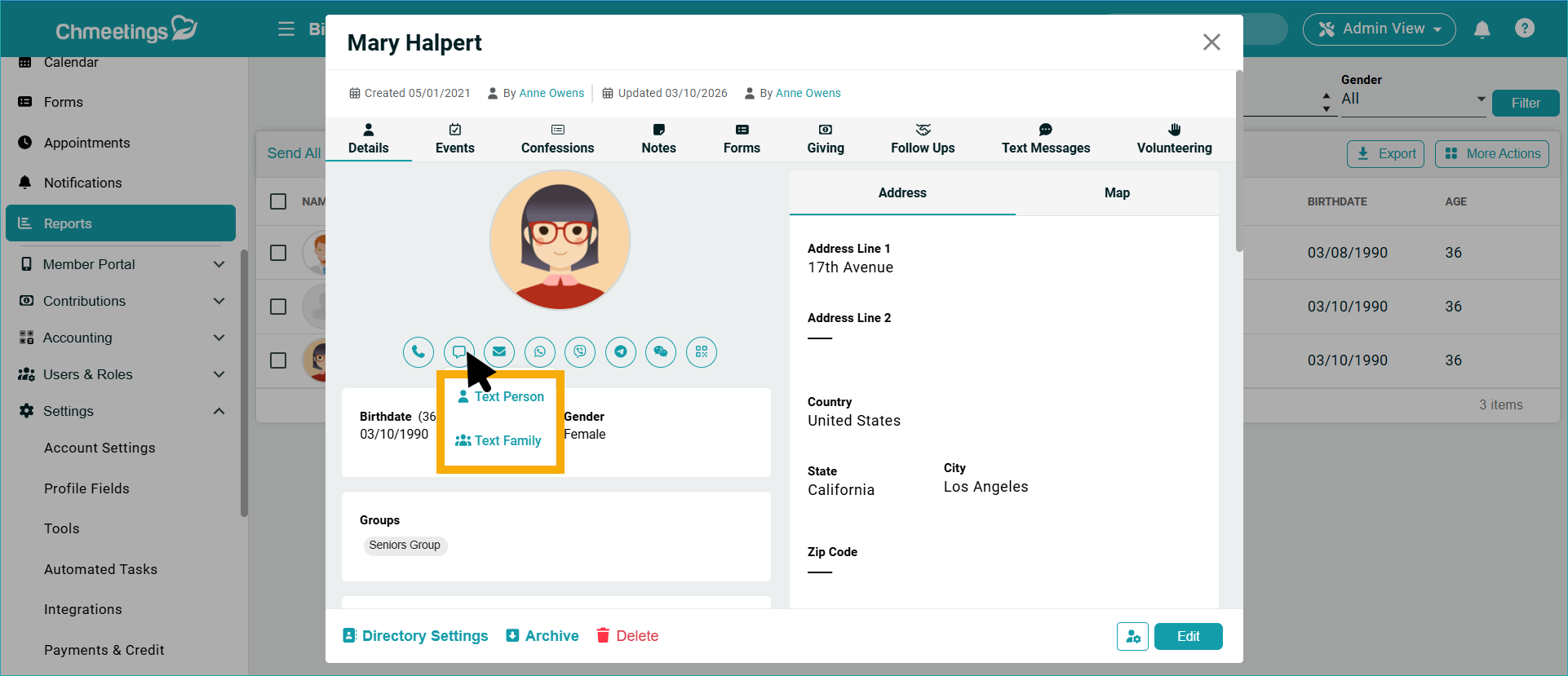
- Text Family: When you click on the Text icon in someone’s profile, and this person is part of a family, you will see two options: Text Person and Text Family.
.
Builder
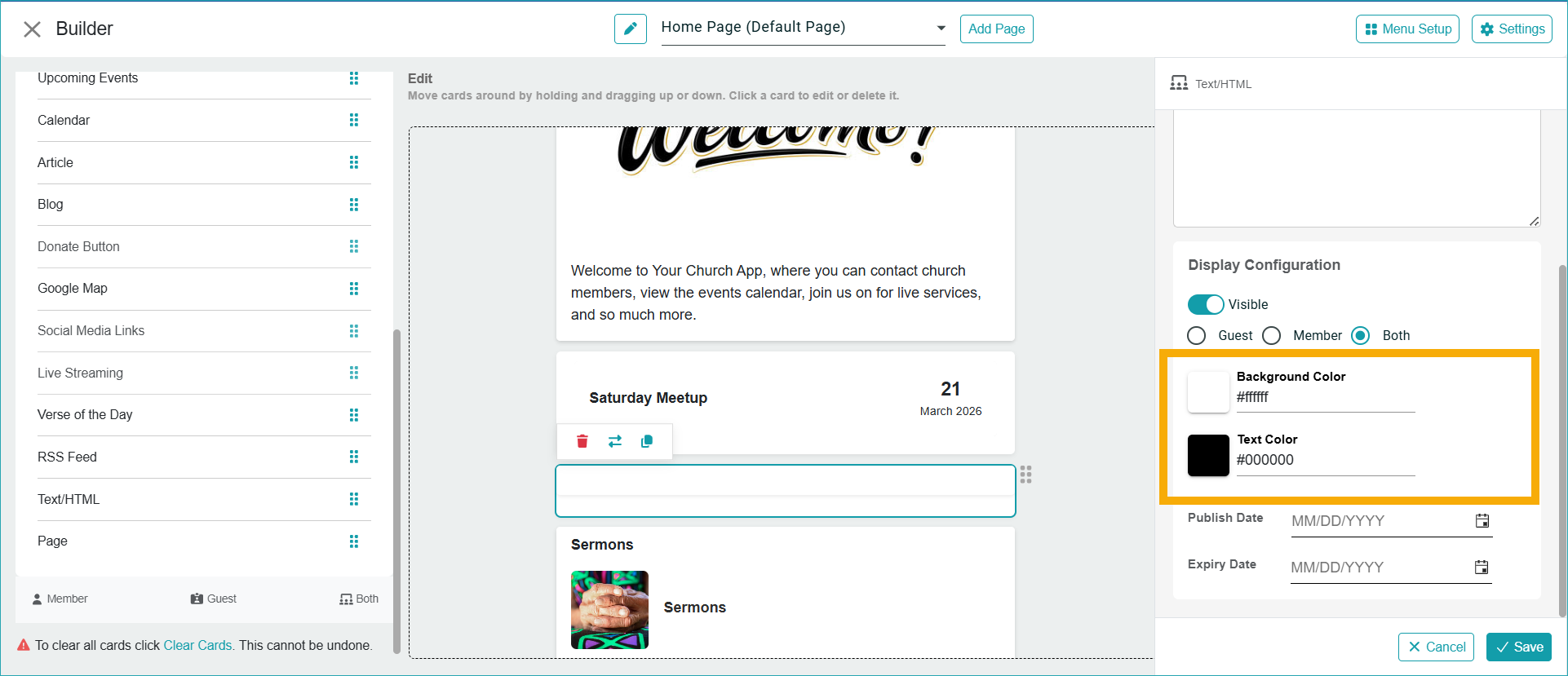
- We added the option to change the background color of text boxes in the builder.
.
API Updates
- Get a person’s organizations using: people/{personId}/organizations
- Include organizations directly in the People API response using: People/?includeOrganizations=true
- Blog API
- Events/Attendance API (Coming very soon)
ChMeetings 2026.4 – March 4, 2026
| MINOR FEATURE |
Volunteer Teams Scheduling
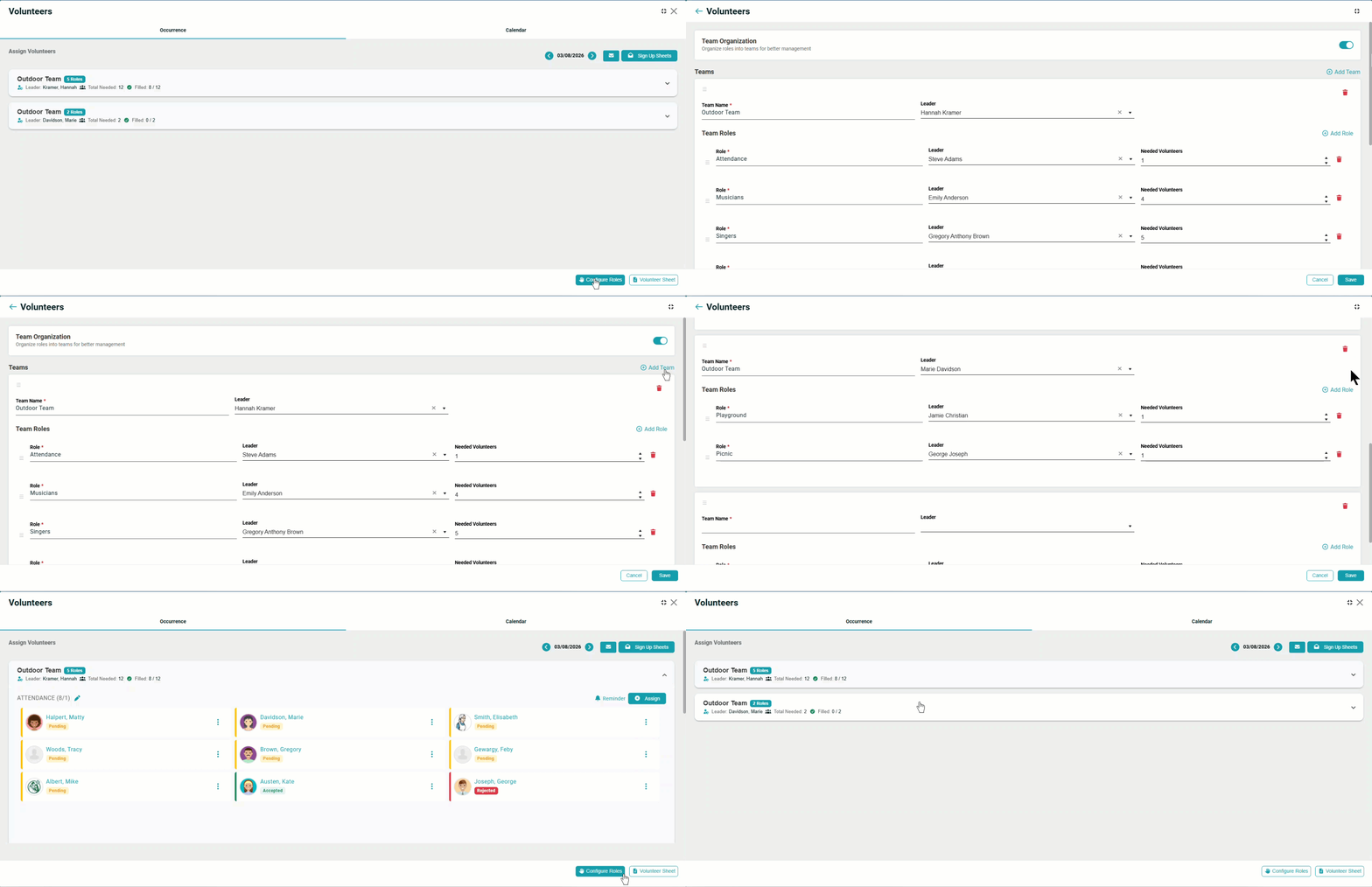
Now when you Configure roles in Volunteer scheduling, you will find the “Team Organization” option, where you can create a team and assign it a role. There will be further improvement coming soon regarding volunteer team scheduling – all included in the new Worship Planning feature.
| IMPROVEMENTS |
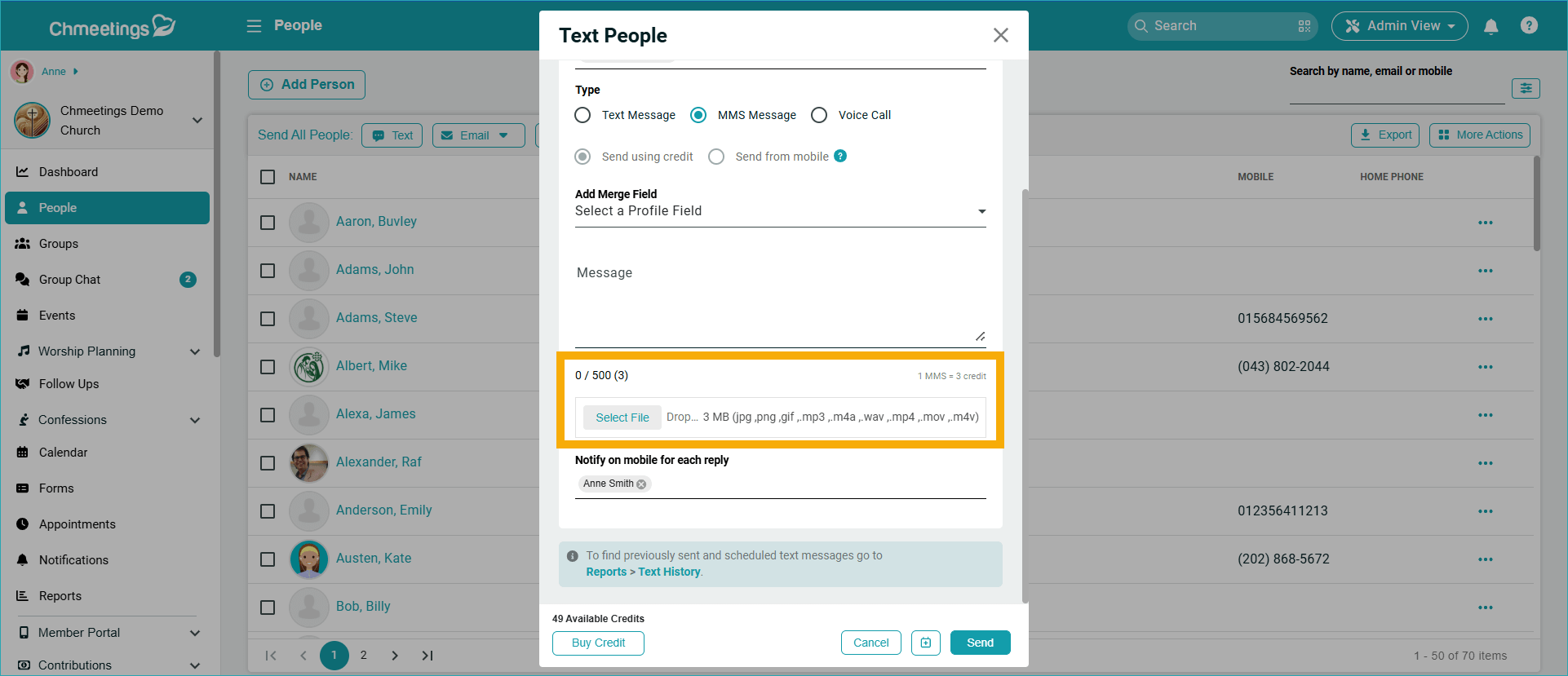
MMS with Audio and Video Attachments
We added support for Audio and Video when sending MMS messages. You can use the Attachment feature to add .mp3, .m4a, .wav, .mp4, .mov or .m4v files to your messages.
Updated Budget vs. Actual Report
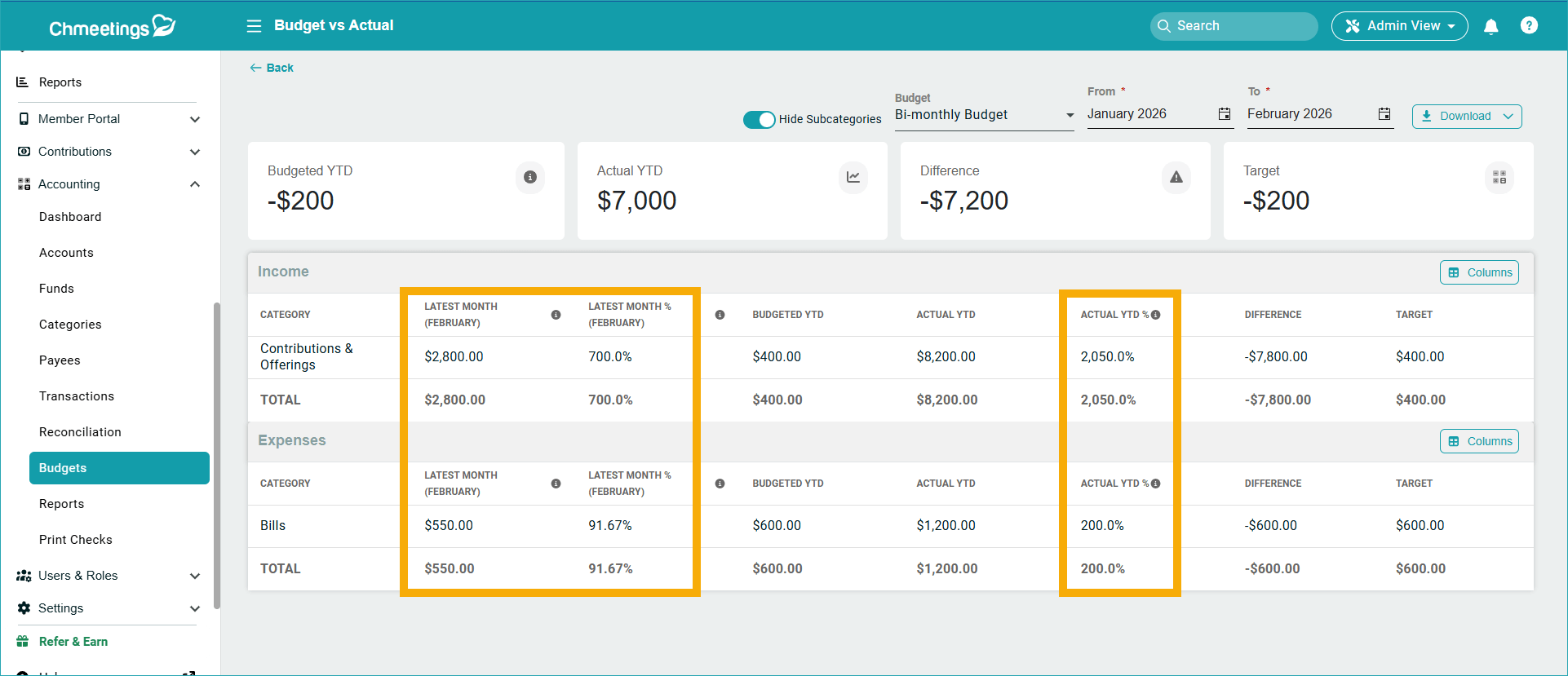
There are three new columns in the Budget vs Actual Report:
- Latest month: Shows the amount for the last month within the selected date range.
- Latest month %: Shows the amount for the last month within the selected date range, as a percentage of the target.
- Actual YTD %: Shows Actual YTD as a percentage of the target.
ChMeetings 2026.3 – February 28, 2026
| IMPROVEMENTS |
People Profiles:
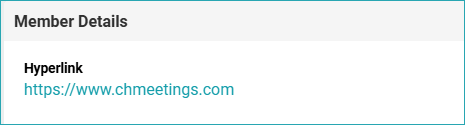
- Show hyperlinks in People profiles: If you enter a link into a custom text field, then this link will be displayed as a clickable link rather than as plain text. The link must contain “http://” or “https://” to become clickable.
.

Contributions:
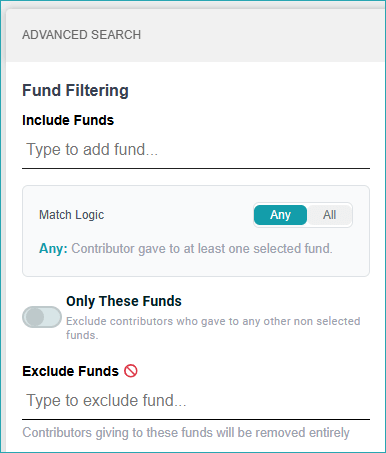
- Filter Contributors by Fund: If you want to know who contributed to which fund, now you have filtering options that let you narrow down results based on the Funds that people contribute to. This filter is available under Contributions > All Contributions > Contributors, under the Advanced Search area.
.

Accounting:
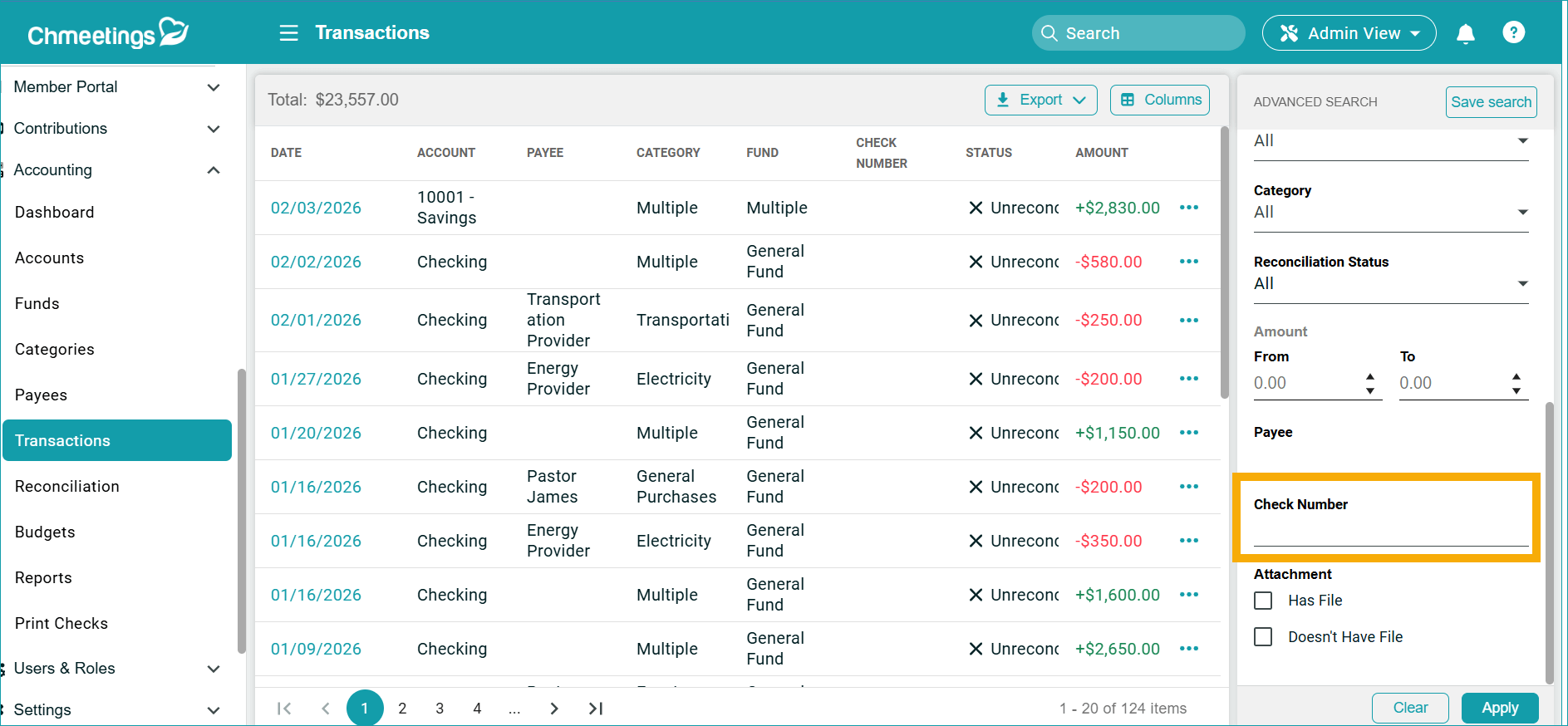
- We added the Check Number in the Transactions page filter.
.
 .
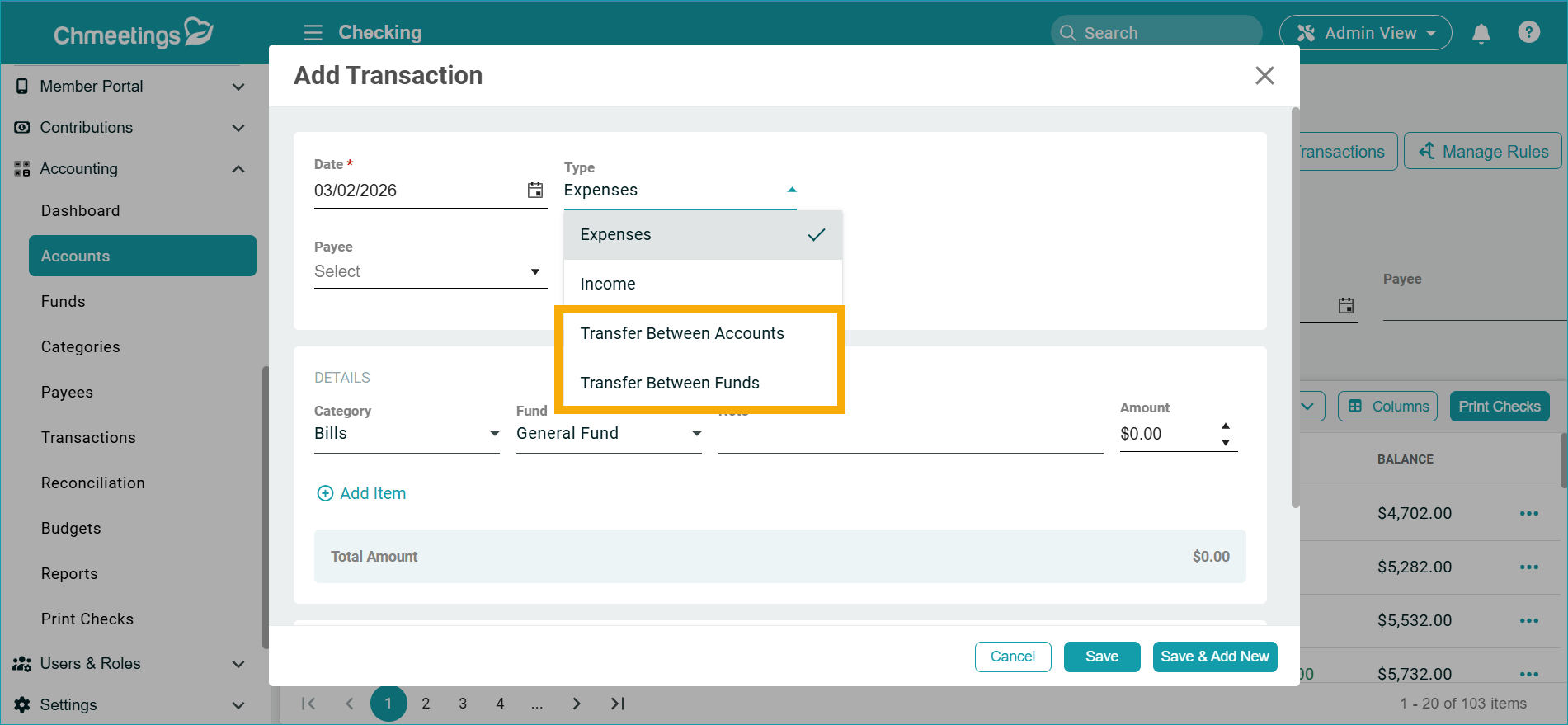
. - There is an easier way to transfer money between funds or between accounts. The Transfer transaction type has been reconfigured to cover these two specific situations.
.

.
API:
- There are now APIs for Churches, Ministries. and Groups, as well as for Funds.
- You can create webhooks for Funds, based on whether funds were created, updated, or deleted.
ChMeetings 2026.2 – February 17, 2026
| IMPROVEMENTS |
Contributions
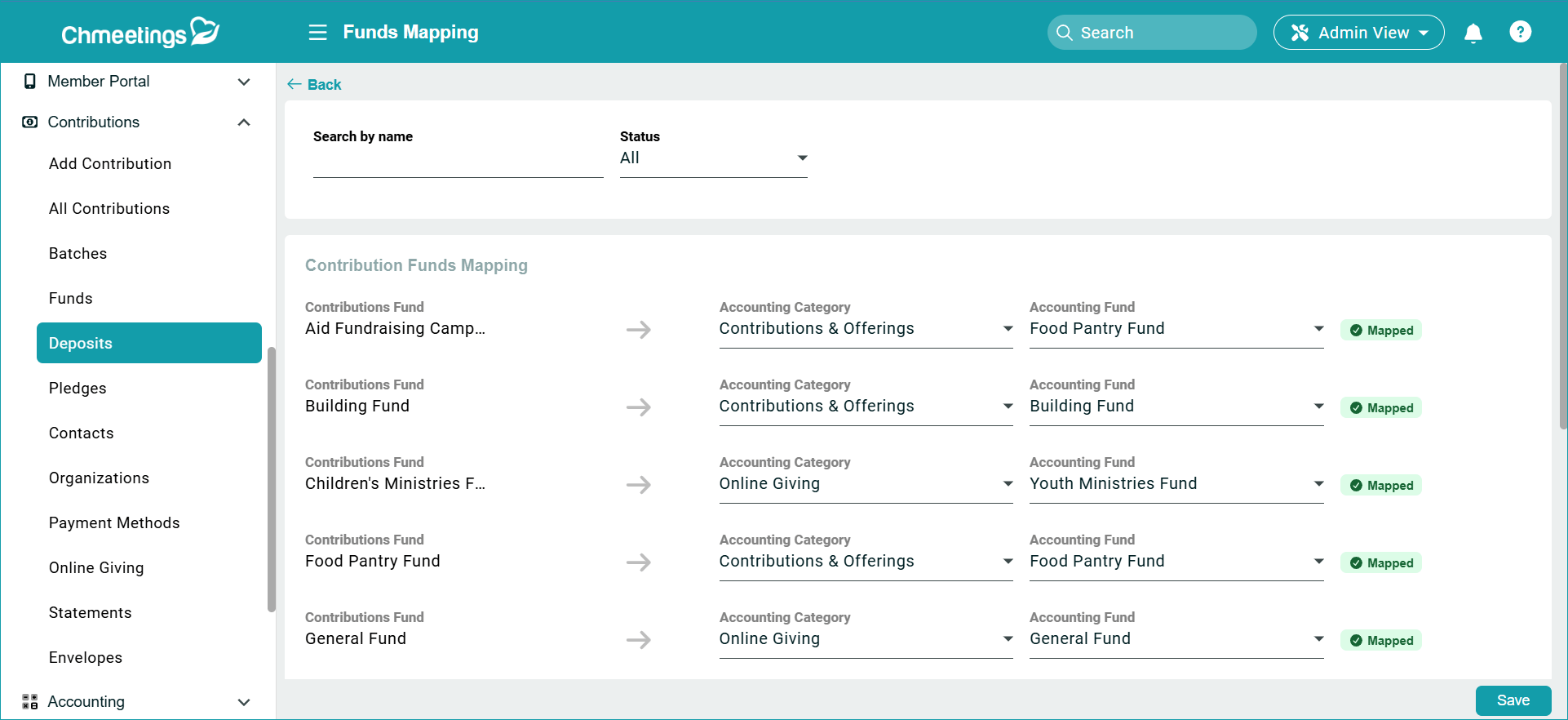
- Fund Mapping Section: We added a “Fund Mapping” button in the Deposits page so you can View and Edit how your contribution funds map to your accounting funds. This is helpful to quickly review and fix any issues without the need to do this at the deposit stage. This section shows all funds – both mapped and unmapped.

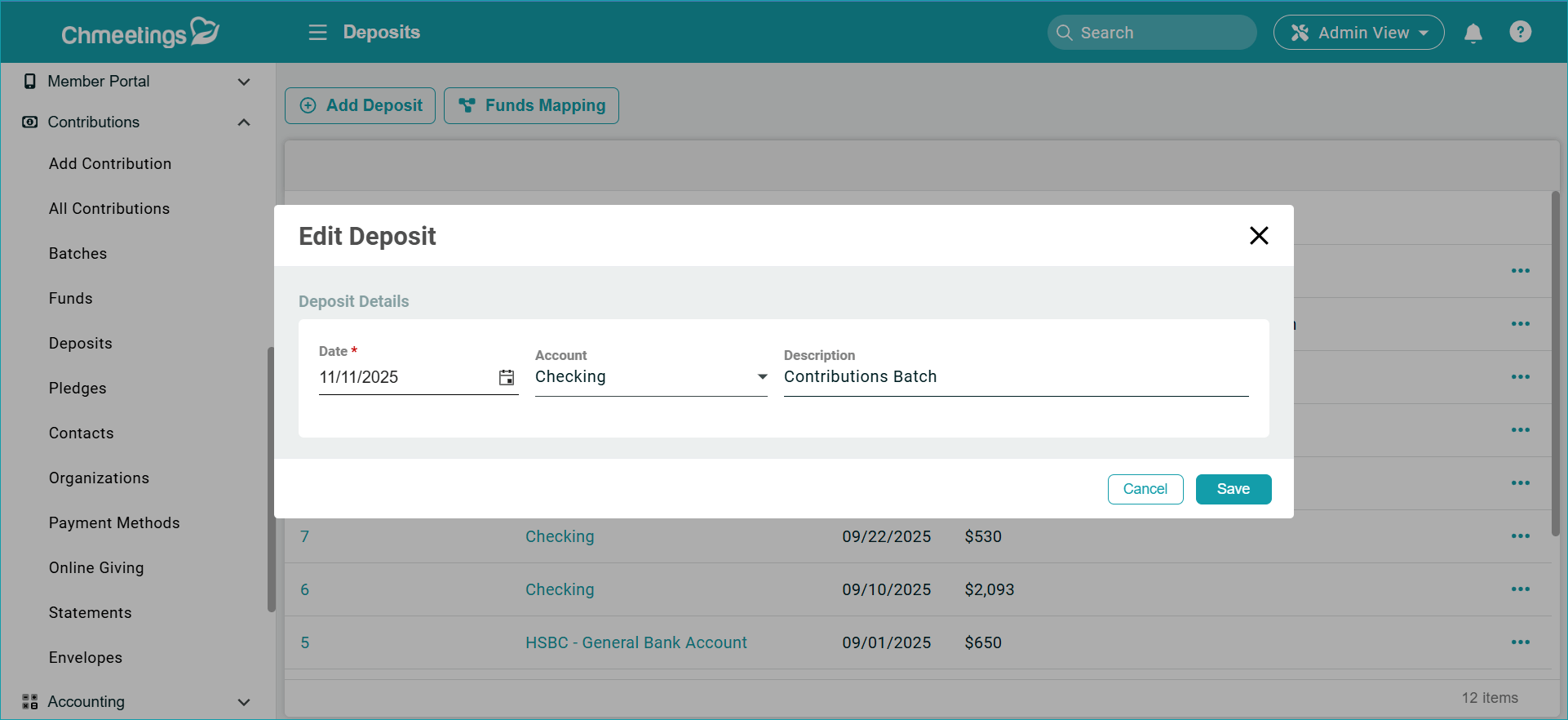
- Edit Deposit: We added an option to Edit a deposit by updating its Date, Account and Description. All updates will affect all its related transactions.
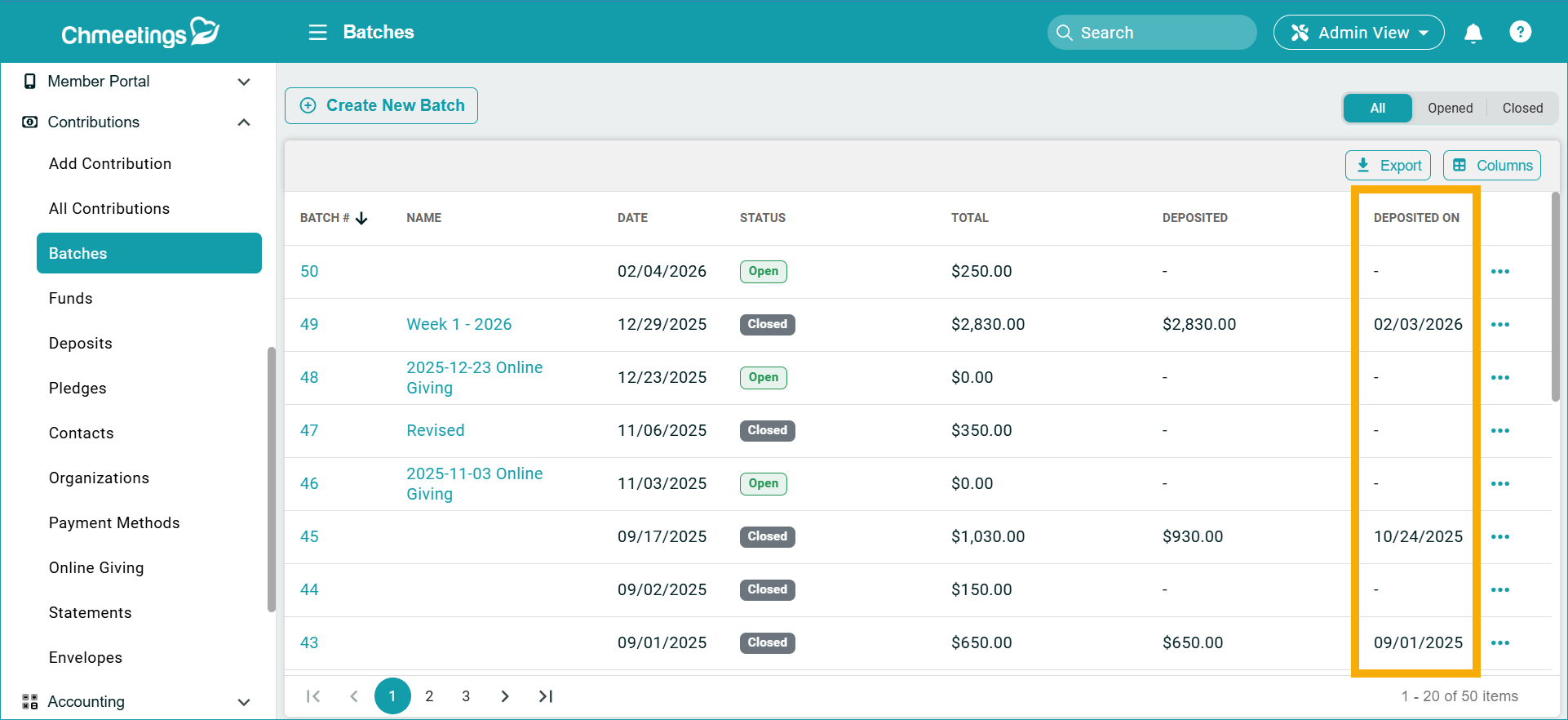
- Deposit Date Column in Batches Page: There is a new Deposited On column under Contributions > Batches, which shows you the date on which a specific batch has been deposited.
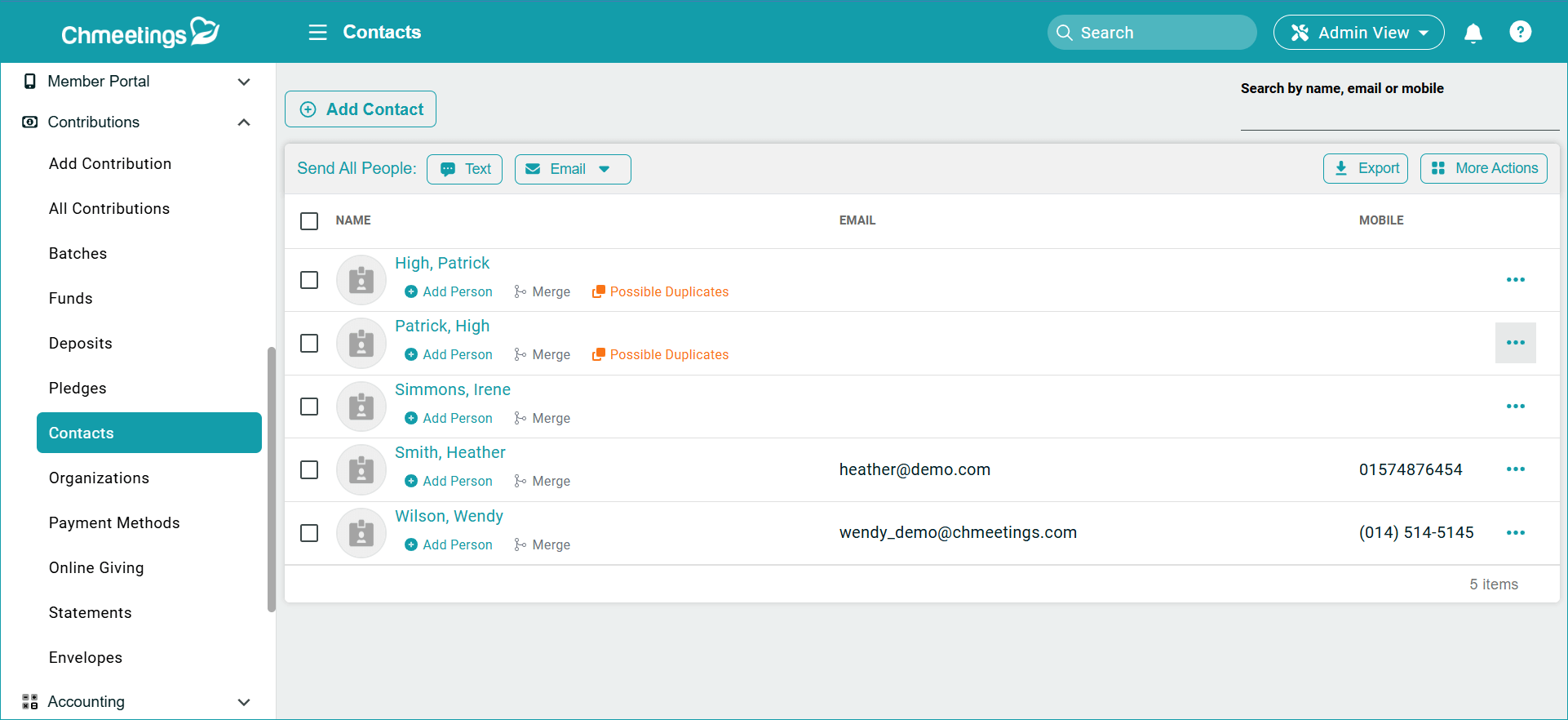
- Improved Contribution Contacts Section: We made several improvements to the Contributions > Contacts section, where you can now merge duplicate contacts, merge a contact into a member profile, or identify possible duplicates easily.
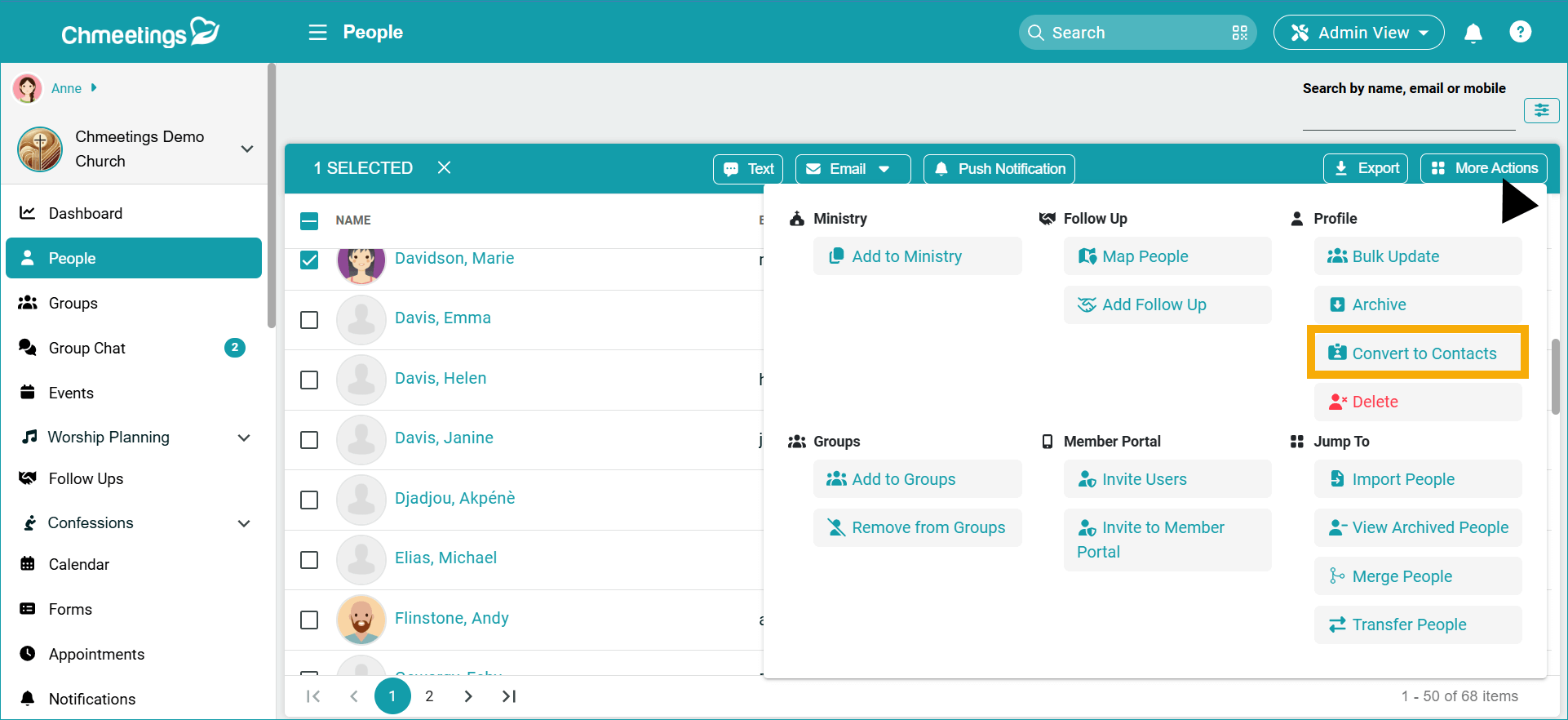
- Easy conversion from full profile to contact: We add an option to Convert to Contacts which you can find under People > More Actions. This is helpful if someone stops being a member, but continues to contribute.
Accounting
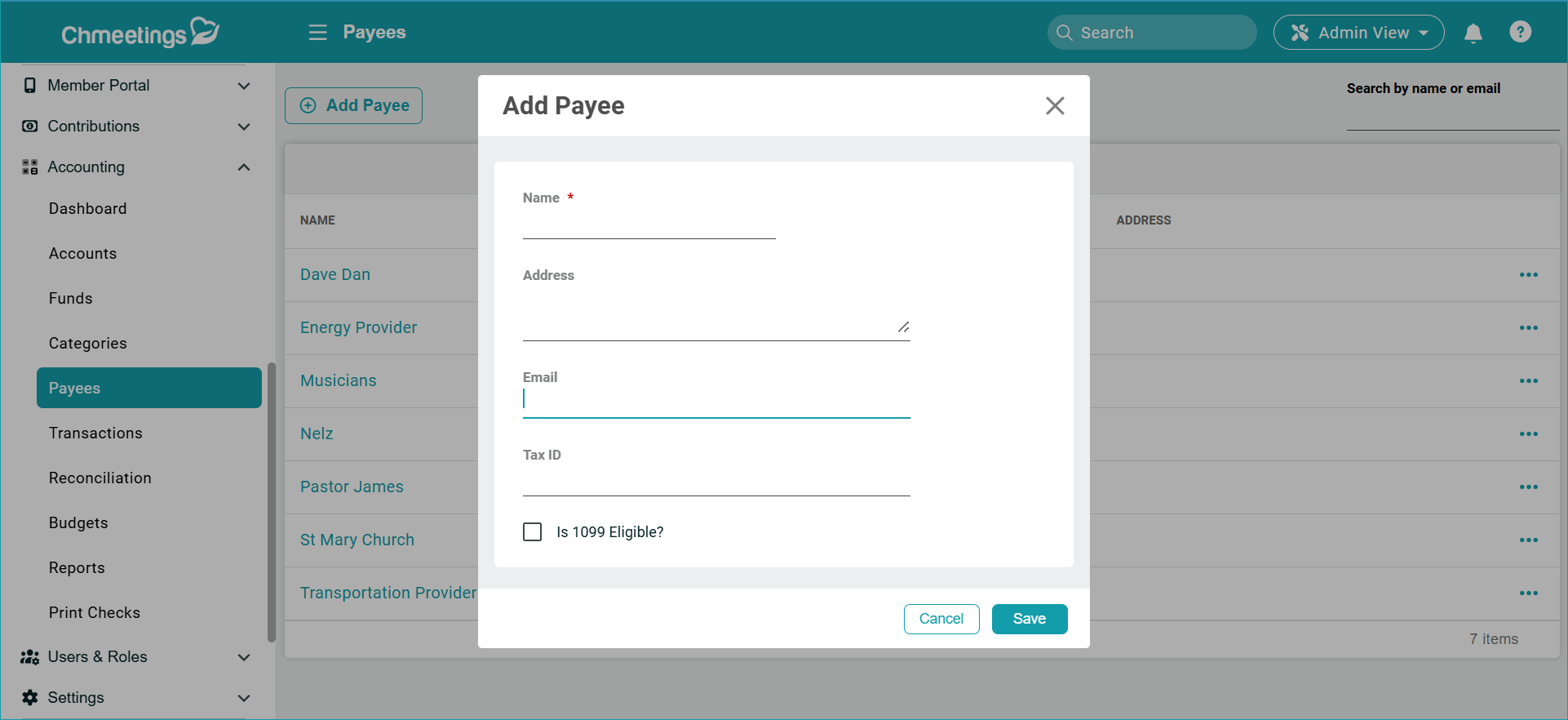
- Payee Email: We added an Email Field to Payee records, within the Accounting section.
Worship Planning
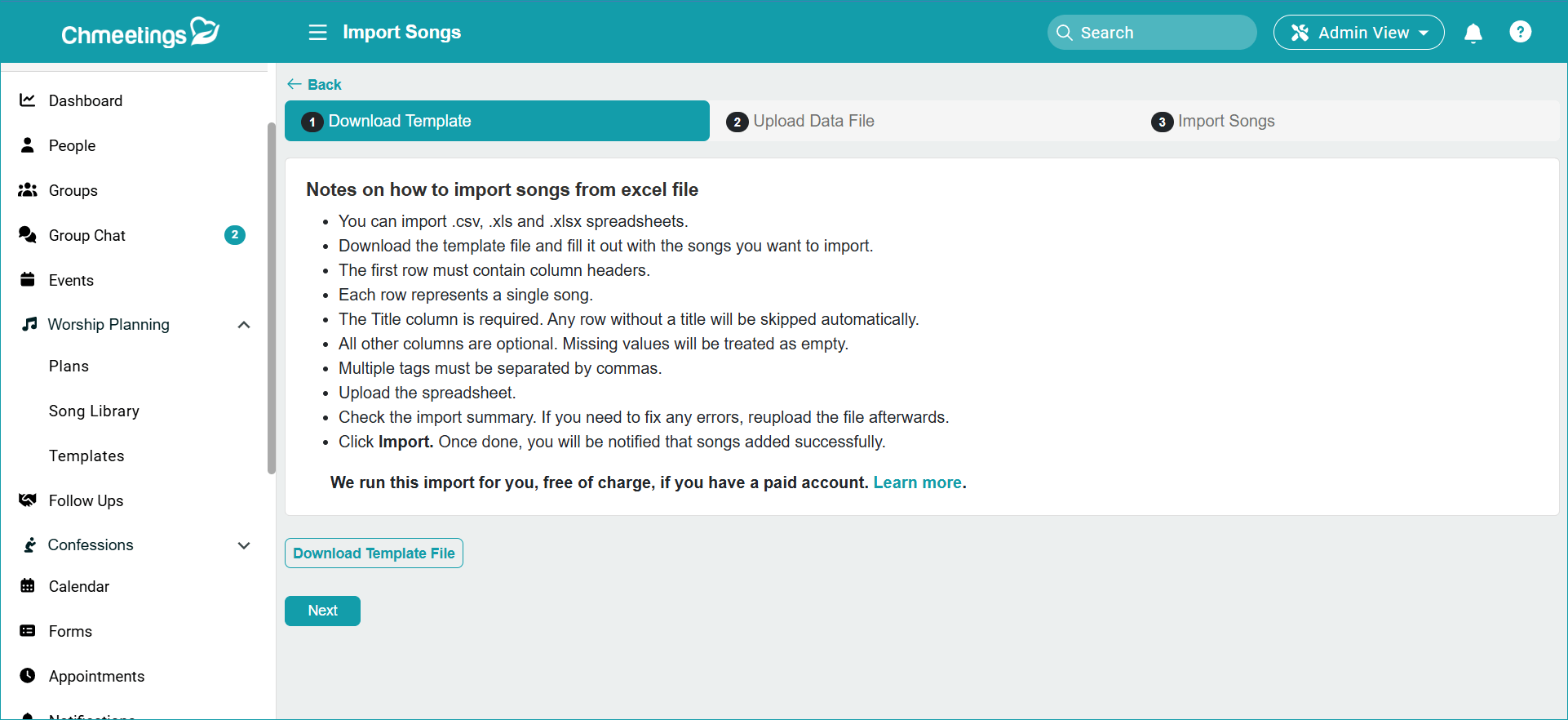
- Import Songs: Now you can import songs using an Excel file which contains song information, as well as a link where it may be retrieved and added to your Song Library.
.
Follow Ups
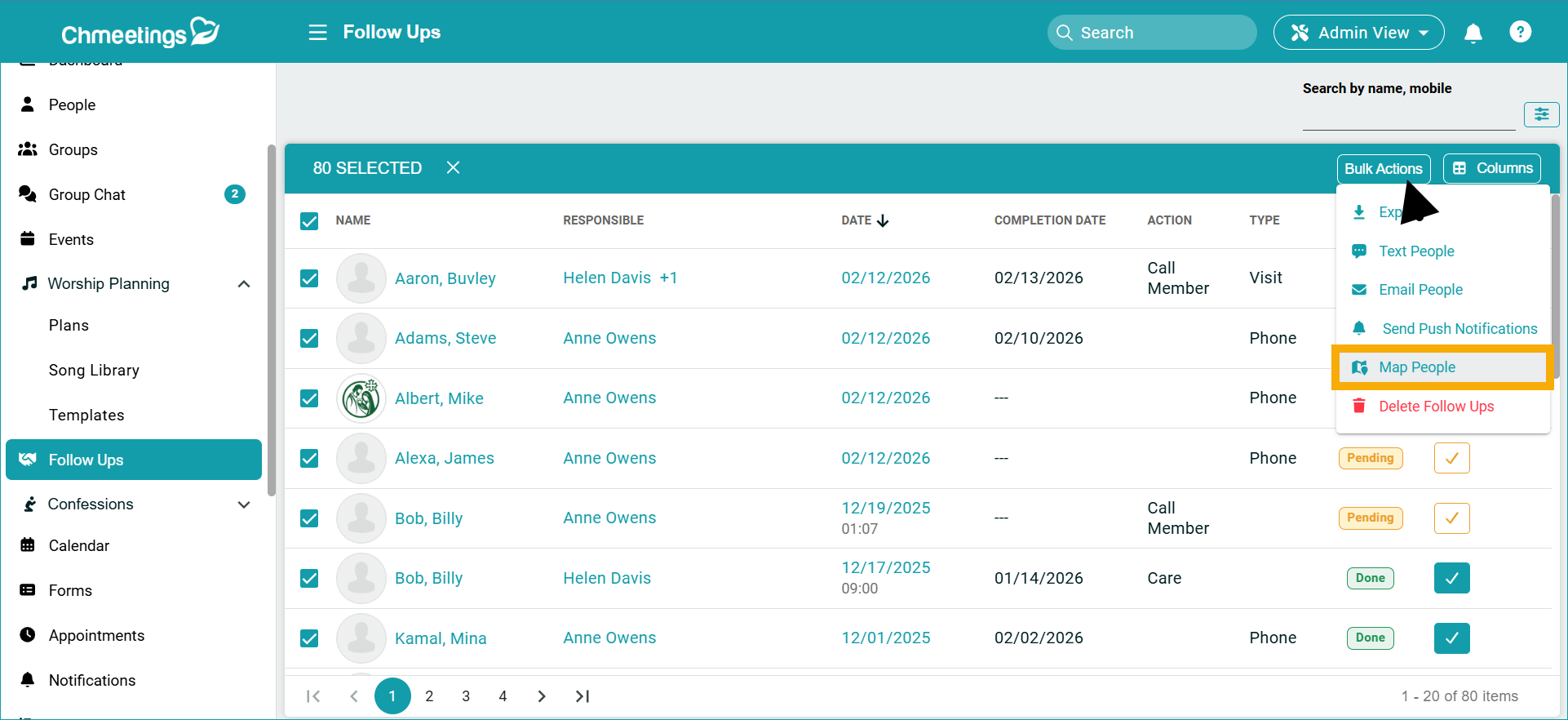
- We added the option to Map People from within the Bulk Actions menu in the Follow Ups section.
People (Profile Details)
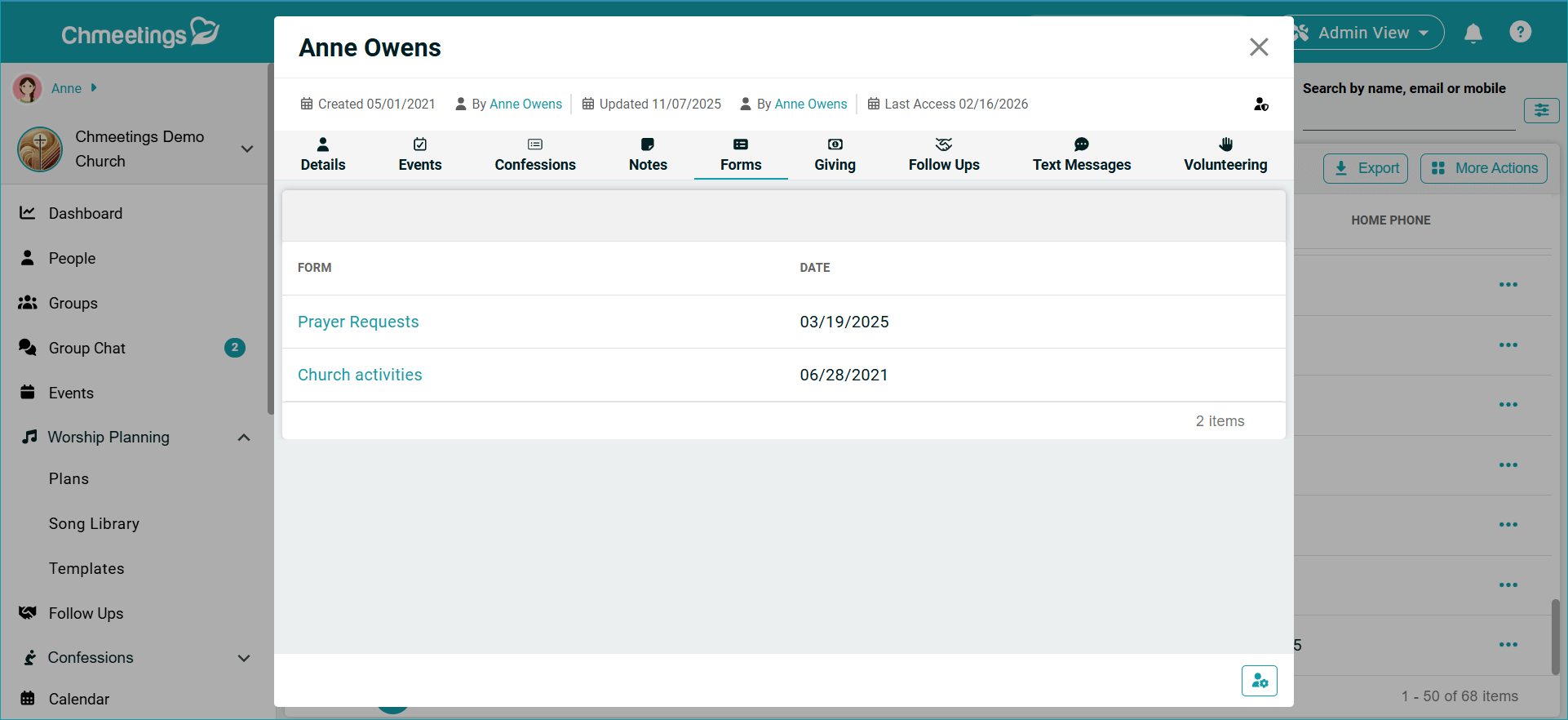
- Member Forms Across Ministries: The Forms section within people profiles now shows all submitted forms from all ministries, as long as the user viewing the profile has access to the respective ministry.
Integrations
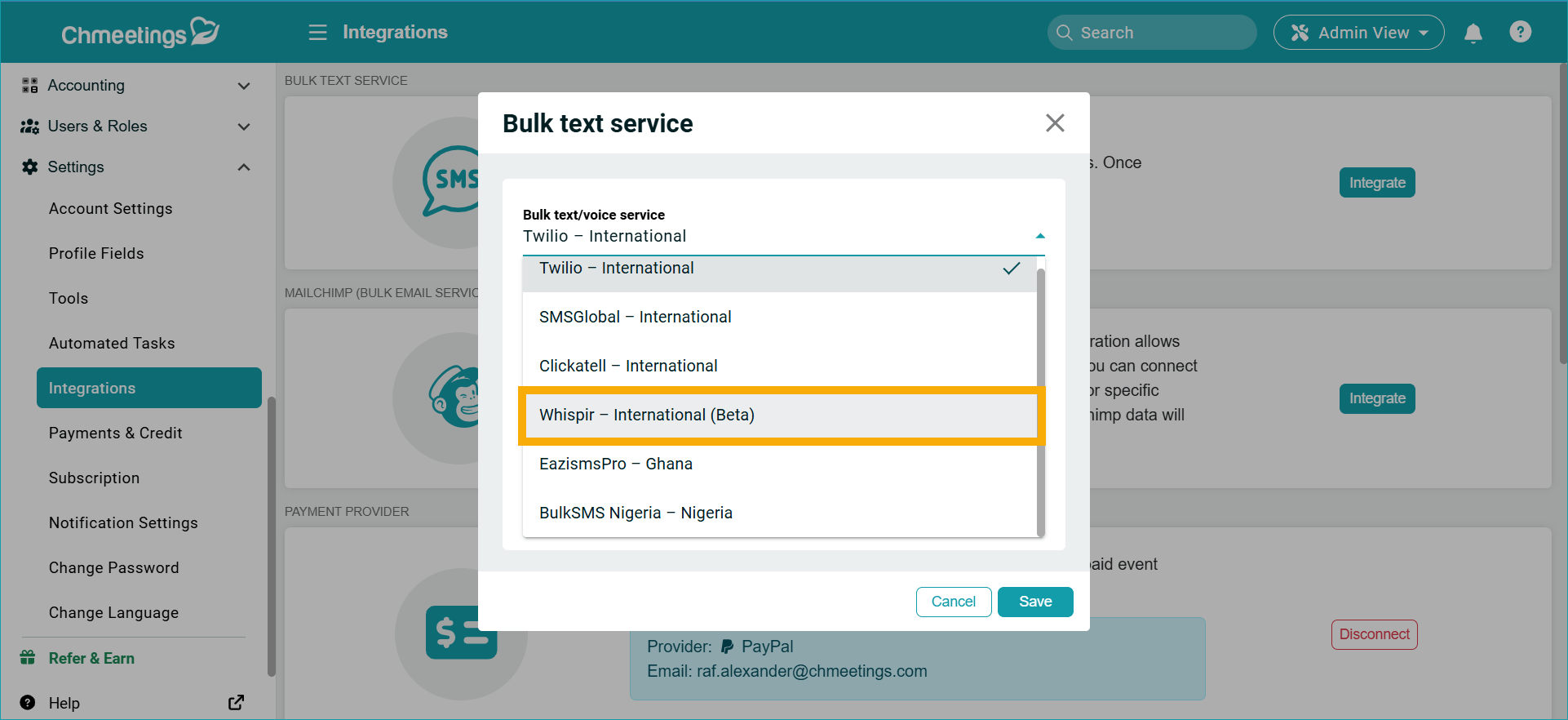
- Telstra Whispir (Beta): We added an integration to Telstra Whispir (Beta), mainly used in Australia, for text communications.
Bible
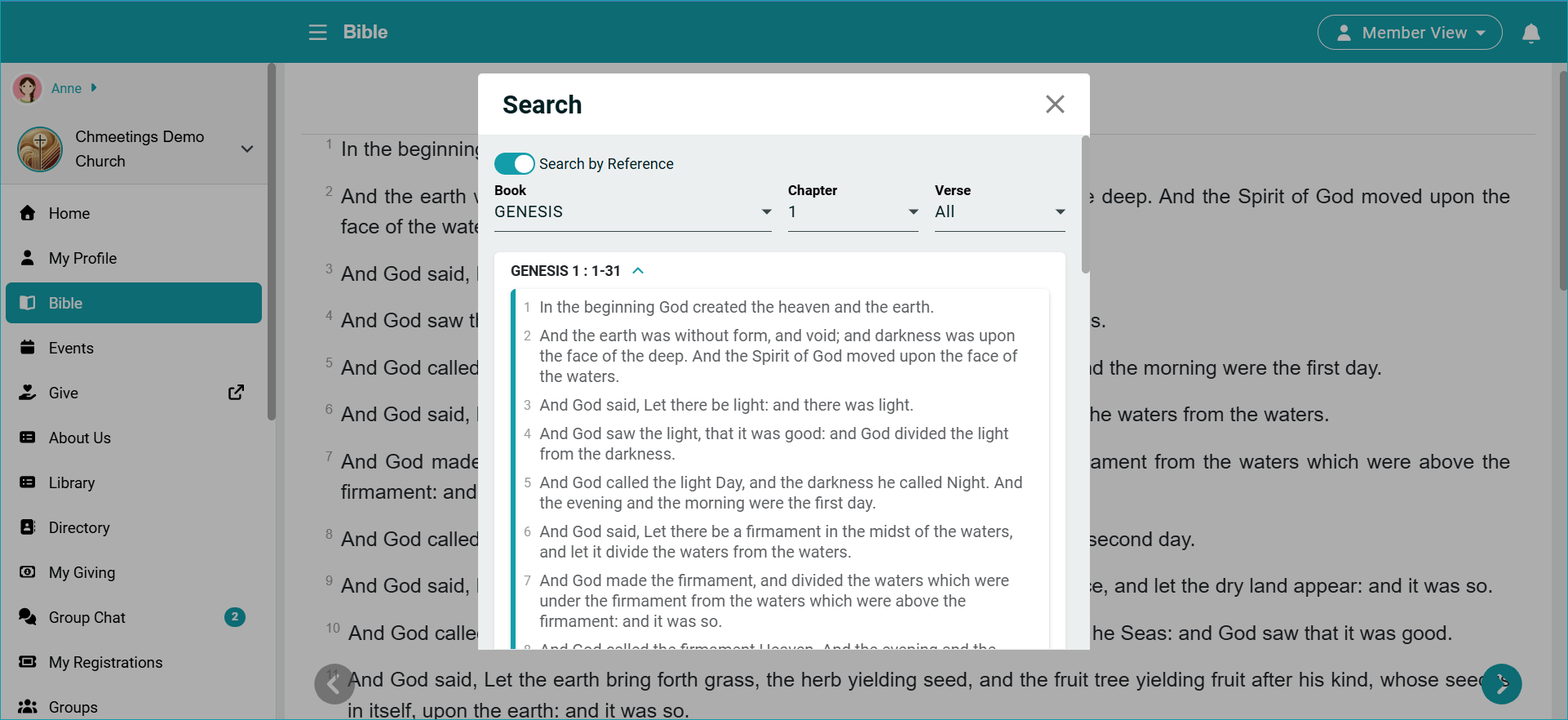
- Search the Bible by Reference: We added the ability to search for a specific scripture reference (Search by Reference). This lets you look for a specific Book, Chapter, and Verse.
.
ChMeetings 2026.1 – January 29, 2026
| IMPROVEMENTS |
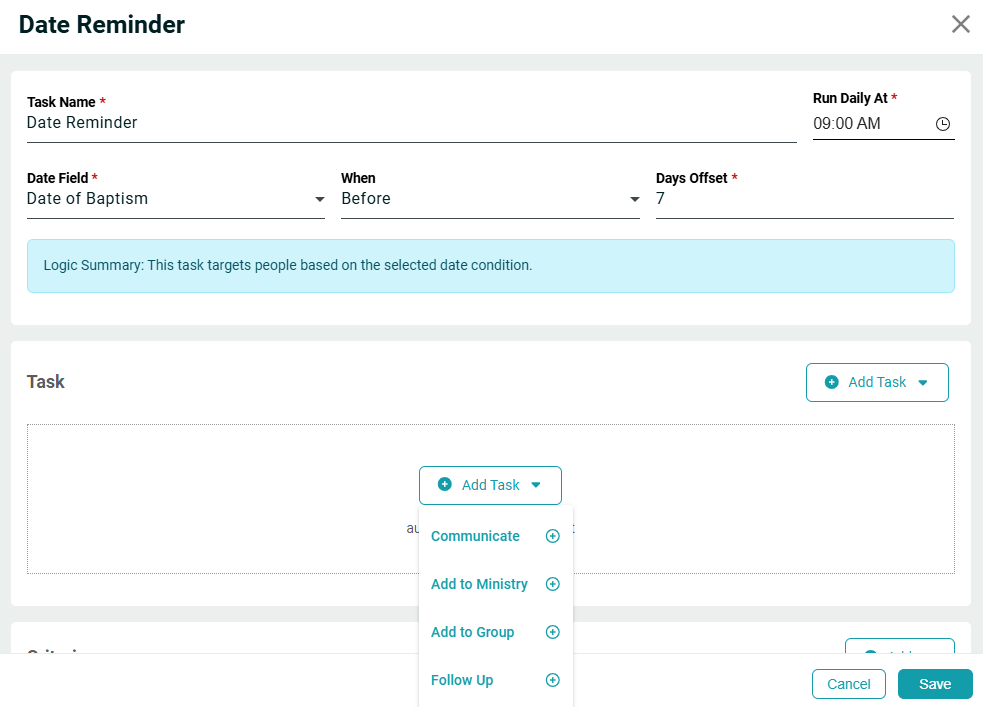
- Date Reminder Automated Task that lets you choose a date field and who you want to notify members or servants a certain number of days before or after this date. This is useful when you want to notify people in relation to Background Checks-related fields or for notification on any membership-related dates.
.

.
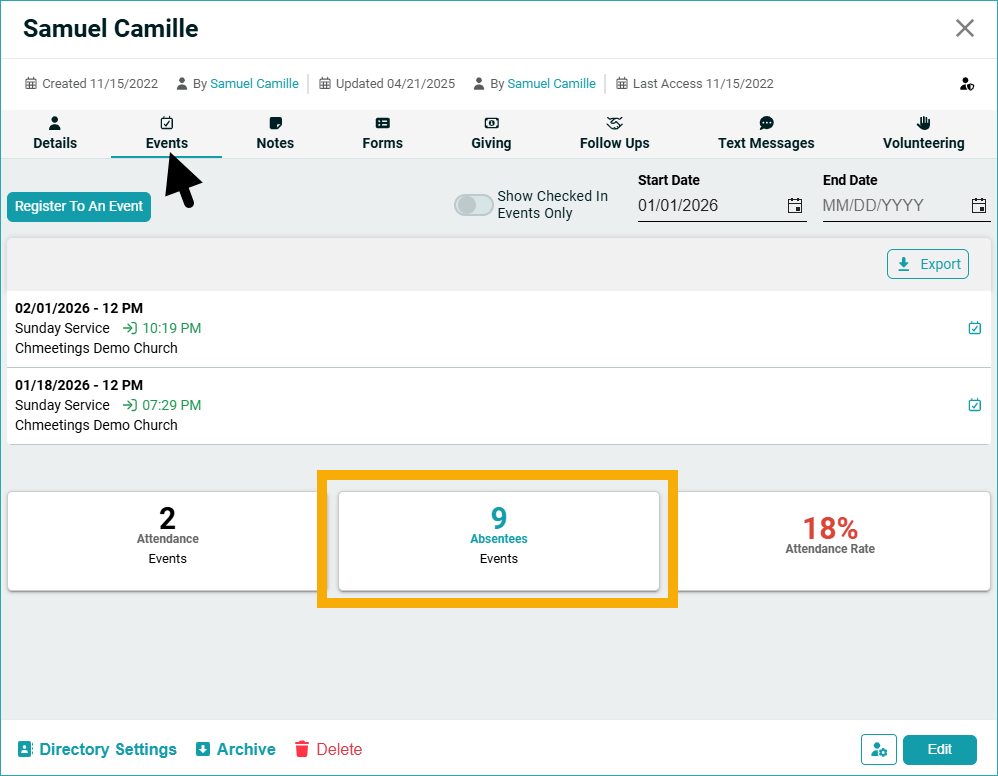
- List of unattended events: You can now find a list of events that someone was absent from by going to the person’s profile, selecting Events, then clicking the Absentee tile.
.

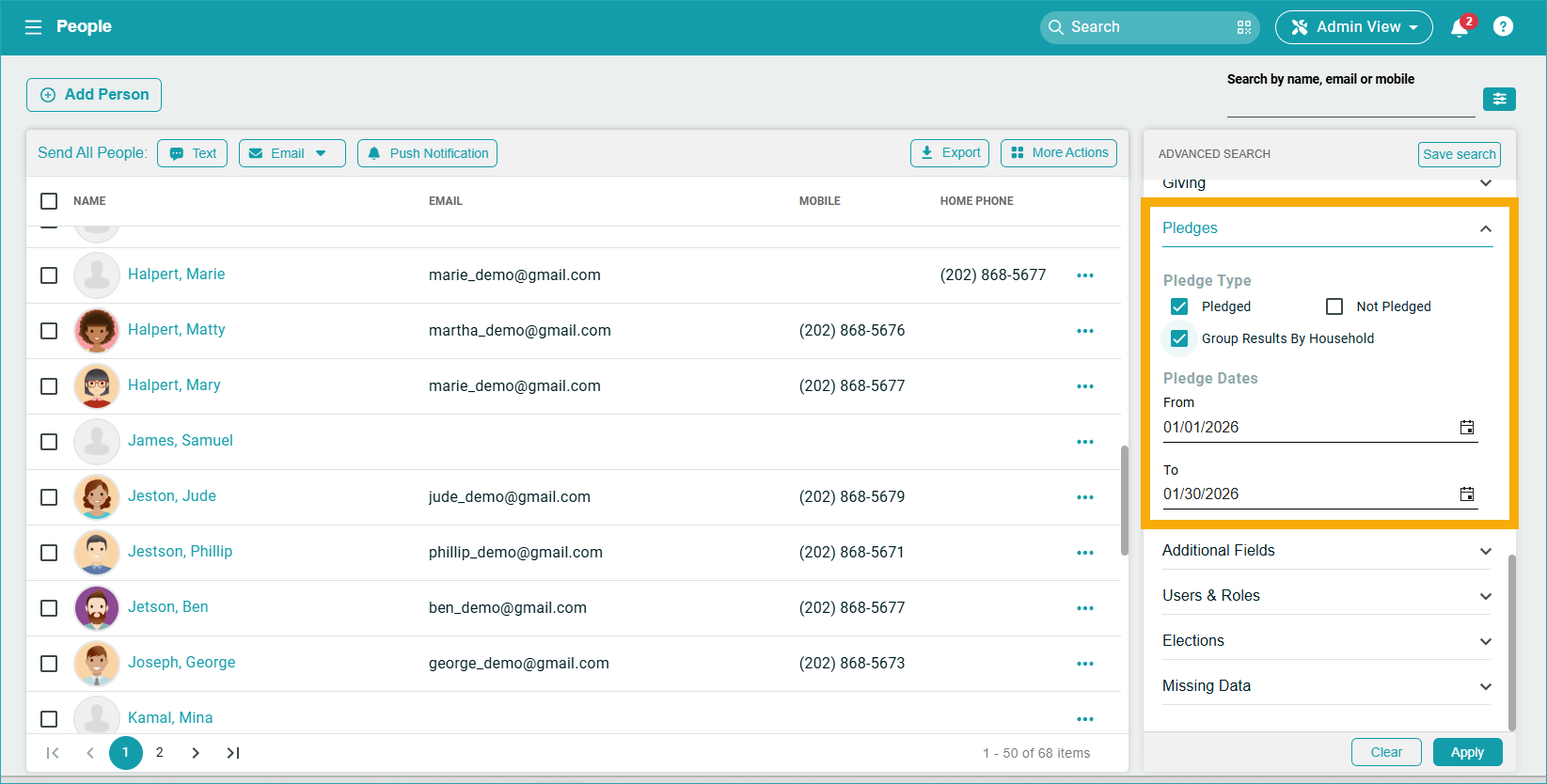
. - Group Pledges By Household when searching for families who have or have not pledged. This is available in the Advanced Search in the People area. If one member of a family has pledged, then the entire family is marked as having pledged; and vice-versa. The search returns the Primary member from each family. You can use such a search to communicate to people and encourage pledging.
.

.
.
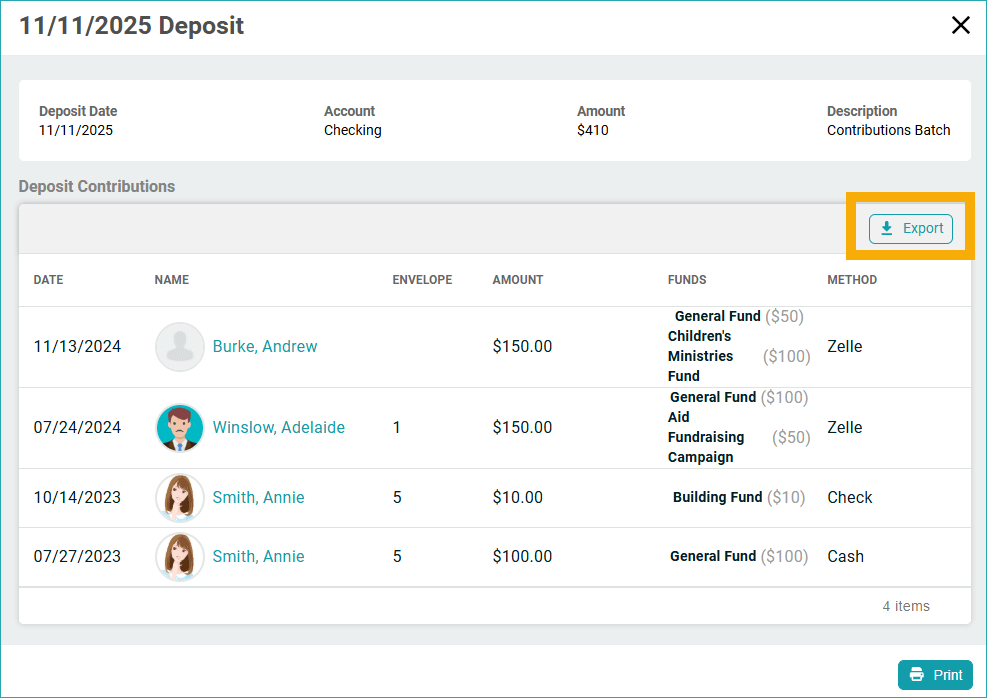
- New Export option from the Deposit page that allows you to use deposit details externally.
.

. - Now the People API lets you filter by full name, mobile number, and email.
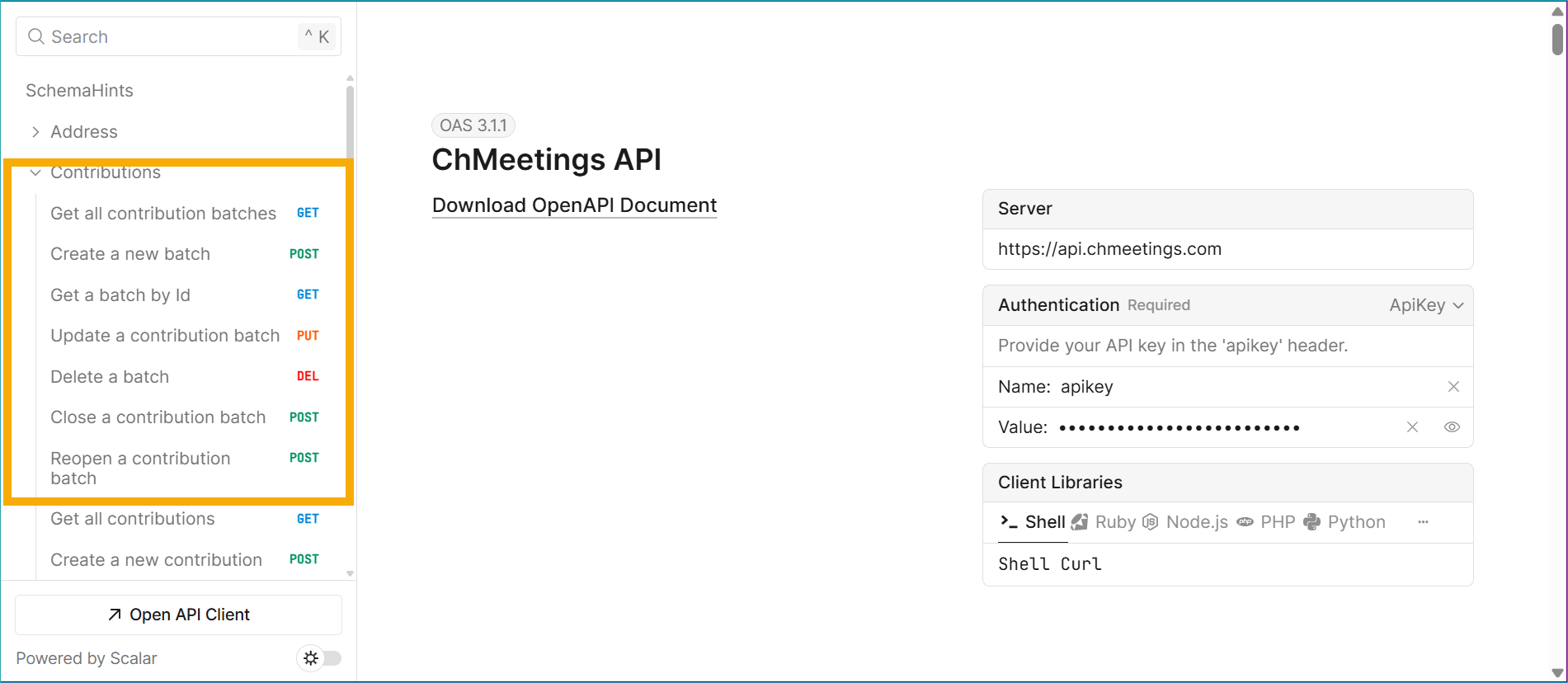
- New Batches API that lets you:
- Get all contribution batches
- Create a new batch
- Get a batch by Id
- Update a contribution batch
- Delete a batch
- Close a contribution batch
- Reopen a contribution batch
_____________________________________________________
Explore Releases in Previous Years