

I have spent enough time inside church back offices to know that the right software choice can either save a small team hours every week or quietly create more work than it solves. Free church management software has come a long way, and I have tested and reviewed enough of these platforms to know which ones actually deliver on the “free” promise and which ones nickel and dime churches once they are locked in. Here is my honest breakdown of the tools worth considering in 2026, starting with the one I consistently recommend first.
- Introduction to Free Church Management Software
- Features to Look for in Free Church Management Software
- Overview of Top Free Church Management Software Tools
- Comparison Table: Free Church Management Software
- User Experiences: Testimonials and Use Cases
- Cost and Pricing Structure of Free Tools
- Trends in Church Management Software for 2026
- FAQs About Free Church Management Software
Introduction to Free Church Management Software
What Is Church Management Software?
Church management software, often shortened to ChMS, is a platform built to handle the administrative side of running a church in one place: member records, attendance, event scheduling, giving, and communication. Instead of juggling spreadsheets, paper forms, and a separate email tool, everything lives in a single system.
Why Free Solutions Matter
Many churches, especially smaller and mid-sized congregations, operate on tight budgets where every dollar matters. Free ChMS options let these churches access the same core functionality that larger churches pay for, without diverting funds away from ministry itself.
Key Considerations for Choosing Software
Not all free tools are built the same way. Some are genuinely free with optional paid upgrades, while others use “free” as a limited trial disguised as a permanent plan. The most important things to evaluate are which core features are actually included for free, how many active profiles or members the free tier supports, and how easy the platform is for non-technical volunteers to use day to day.
Features to Look for in Free Church Management Software
Must-Have Features
At minimum, a free ChMS should cover member management, attendance tracking, event scheduling, and basic giving records. Anything less usually means a church will need a second tool to fill the gaps, which defeats the purpose of consolidating admin work in the first place.
Integration Capabilities
Even strong standalone tools become far more useful when they connect with other systems a church already uses, whether that is online giving, email marketing, or a website. Free platforms vary quite a bit here, so this is worth checking before committing.
User Experience Factors
A powerful platform that volunteers cannot figure out on their own quickly becomes a bottleneck. I always weigh ease of use as heavily as feature depth, since most churches run their systems through volunteers, not dedicated IT staff.
Overview of Top Free Church Management Software Tools
ChMeetings: The Best All-In-One Free Option
Of everything I have reviewed, ChMeetings is the one I recommend first for churches that want a dependable, well-rounded system without a steep learning curve. It covers the tasks churches actually use every week: storing member information, managing groups, scheduling events, tracking attendance with check-in, and recording giving. Beyond the basics, it also includes forms for sign-ups and prayer requests, along with built-in follow-up tools that help staff and volunteers stay connected to visitors and members who need extra attention.
What sets ChMeetings apart is how naturally these pieces work together. Rather than bouncing between separate apps for check-in, giving, and communication, everything sits inside one platform, which keeps admin work organized instead of scattered. It also offers mobile apps for both staff and congregants, so volunteers can log attendance or check schedules from their phones, and members can register for events or update their own information without calling the church office.
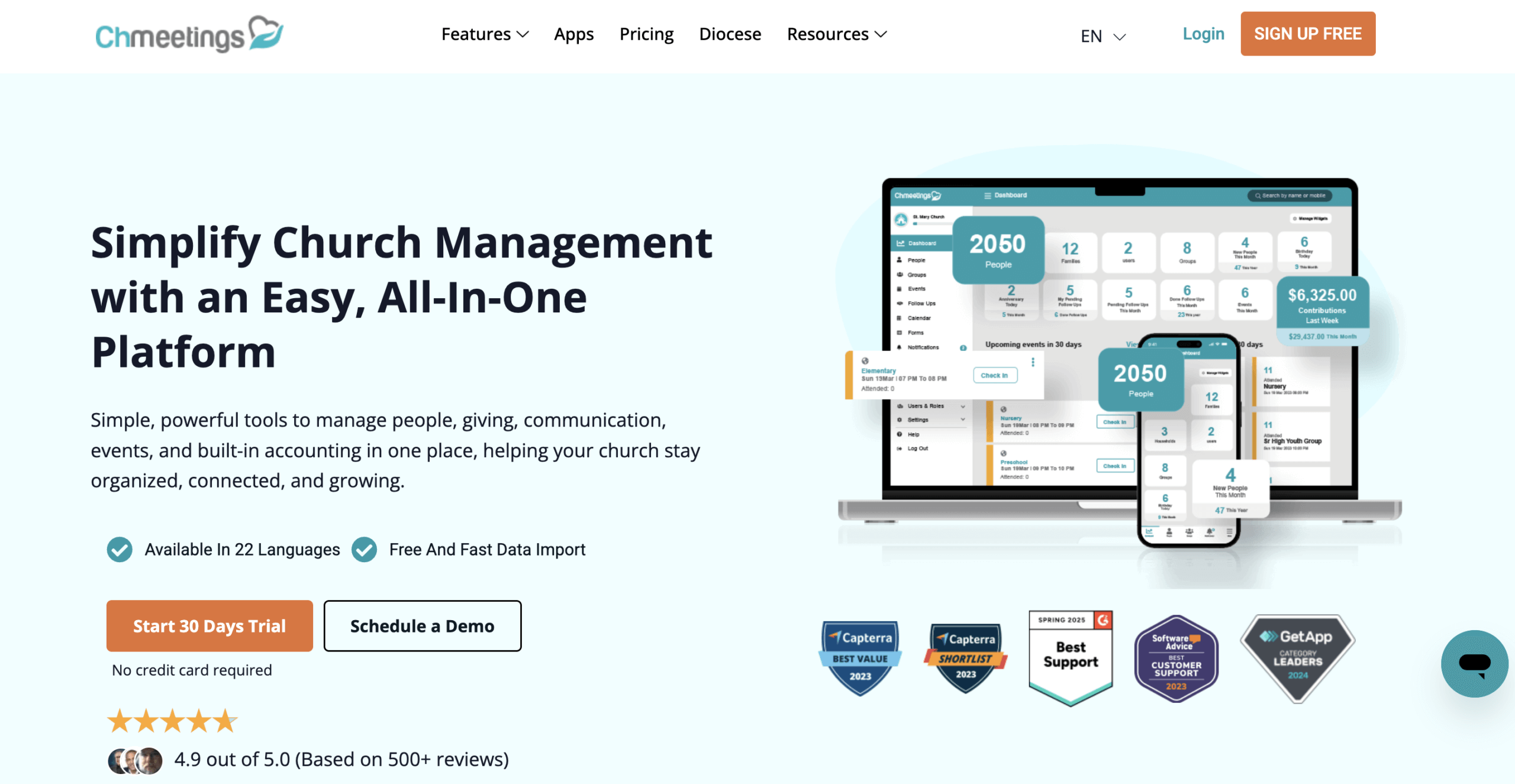
The interface itself is clean and modern, which matters more than it sounds. Volunteers who are not particularly tech-savvy tend to pick up the basics within minutes rather than needing formal training. The free plan does cap the number of active profiles, and some deeper reporting or advanced communication tools sit behind a paid tier, but the free version still covers what most small and mid-sized congregations actually need day to day.
Pros: Clean, intuitive layout; strong core features even on the free tier; mobile apps for leaders and members; built-in follow-up tools; scales well as a church grows.
Cons: Free plan limits active profiles; some advanced tools require upgrading; cloud-based only, so self-hosting is not an option.
Sign Up Free Today if you want to see how ChMeetings handles your church’s day-to-day admin work firsthand.
ChurchTrac: Simple and Budget-Friendly
ChurchTrac has built a loyal following among smaller churches specifically because of its simplicity. Reportedly, more than 13,000 churches trust ChurchTrac for its straightforward, affordable approach to church management. It covers the core essentials well, though it does not go quite as deep on follow-up and mobile functionality as ChMeetings does.
Tithe.ly: Strongest for Giving and Donations
Tithe.ly is best known for its giving and donation tools, making it a solid choice for churches whose primary pain point is financial tracking rather than broader ministry management. It tends to work best as a giving-focused layer alongside a more complete ChMS rather than as a full replacement for one. Tithe.ly Church Management covers its donation tracking capabilities in more detail.
B1 Church: Nonprofit-Built and Mission-Focused
B1 is built by Live Church Solutions, a nonprofit founded in 2012, which keeps the platform’s focus squarely on ministry rather than profit. That nonprofit backing appeals to churches that want their software provider’s incentives aligned with the church’s mission rather than a typical SaaS growth model.
Gracely: A Lightweight People Management Option
Gracely leans toward simpler people management, giving smaller churches a lighter-weight option if all they need is a basic member directory and light tracking, without the fuller event and giving functionality found in more complete platforms.
ChurchCRM: Best for Self-Hosted Control
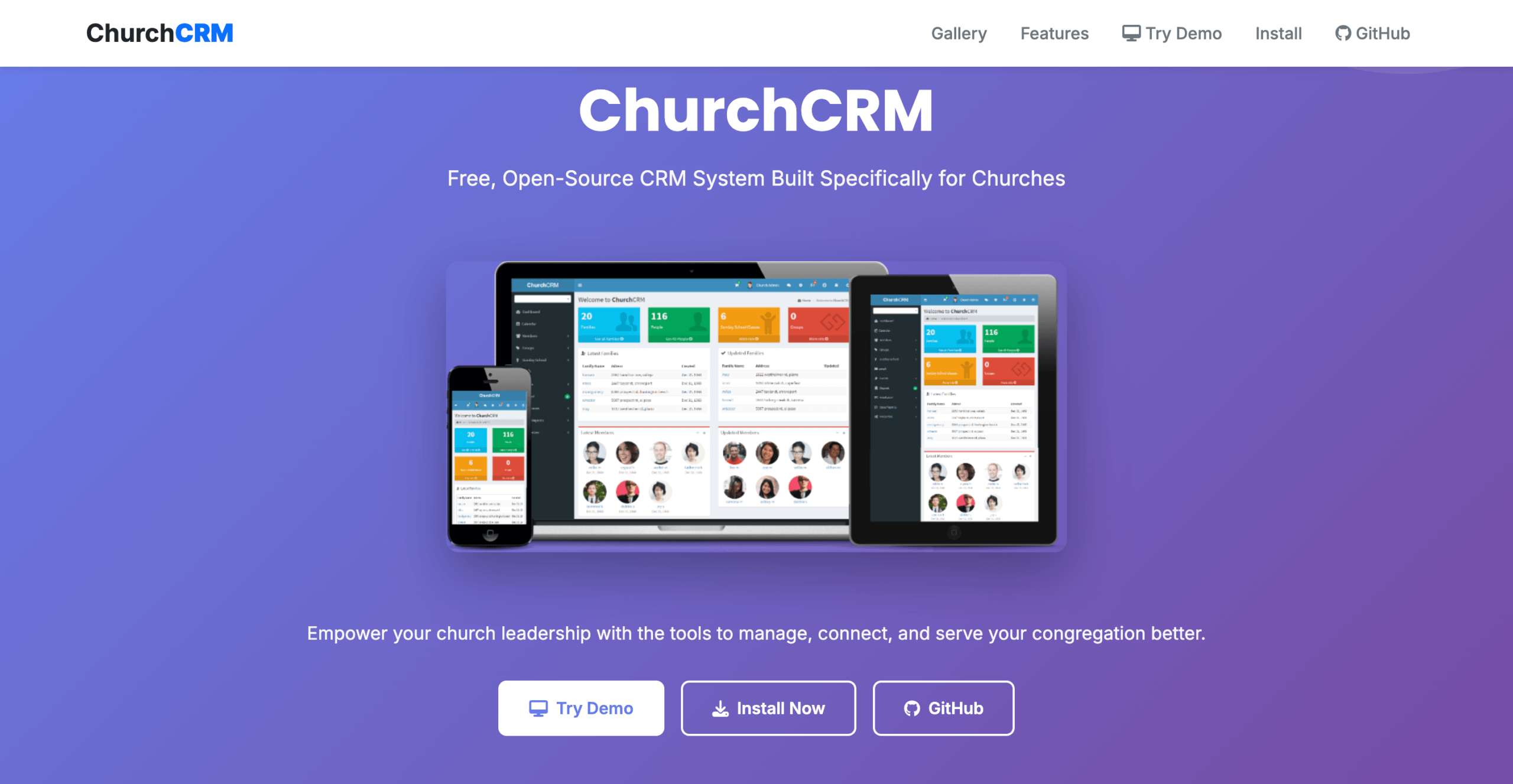
ChurchCRM stands apart because it is fully open source, with no licensing cost at all. It includes a membership directory, contribution tracking, group and ministry organization, event management, and messaging, along with a permissions system that lets leaders control who can access what. The tradeoff is that ChurchCRM has to be installed and maintained on a church’s own server or hosting environment, which requires a bit more technical comfort than a cloud-based tool. For churches with someone capable of handling updates and backups, it tends to be a stable, highly customizable option for years.
Planning Center: Free Core Database, Paid Modules
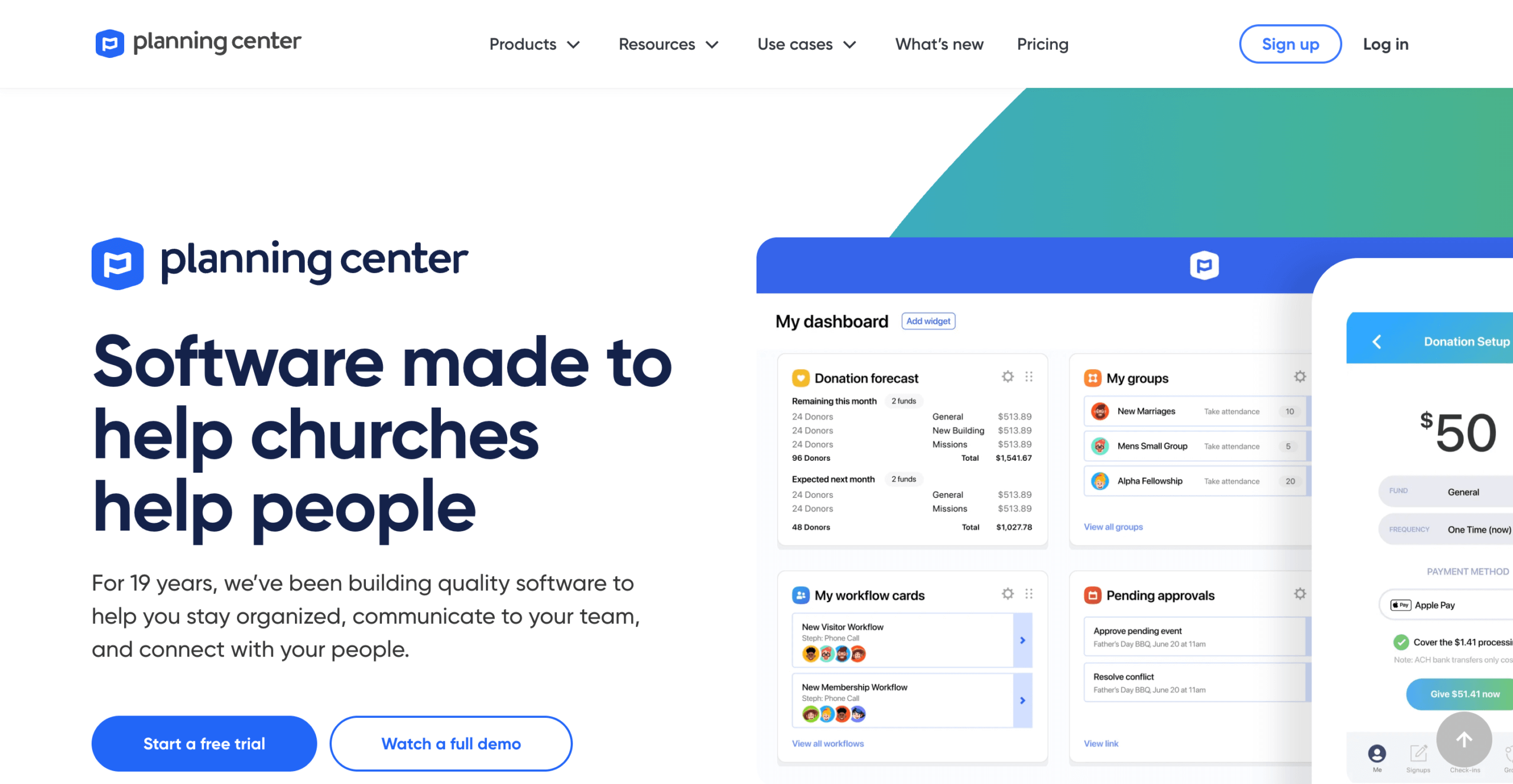
Planning Center’s People module, its central member database, is free and gives smaller churches a way to get started without cost. The interface is clean and well regarded, and churches can later add paid modules for check-in, giving, or service planning as needs grow. The catch is that anything beyond the core People database requires a paid add-on, so churches wanting check-in or giving tools for free will not find them here.
Comparison Table: Free Church Management Software
| Software | Best For | Notable Strength | Free Plan Limitation |
|---|---|---|---|
| ChMeetings | All-in-one management | Attendance, follow-up, and mobile apps in one platform | Caps active profiles |
| ChurchTrac | Budget-conscious small churches | Simple, affordable core features | Fewer advanced tools |
| Tithe.ly | Giving and donations | Strong donation tracking | Limited outside of giving |
| B1 Church | Mission-aligned nonprofits | Built by a nonprofit, ministry-first focus | Smaller feature set overall |
| Gracely | Lightweight people management | Simple member directory | Limited event/giving depth |
| ChurchCRM | Self-hosted control | Fully open source, highly customizable | Requires technical setup |
| Planning Center | Free core database | Well-designed People module | Paid add-ons for most other tools |
User Experiences: Testimonials and Use Cases
Real Feedback from Users
Users of these platforms tend to echo similar themes: simplicity and time savings. One ChurchTrac user, Lynn L, a ministry assistant, described how switching to the platform cut down on the kind of communication errors her team ran into with their previous system. Planning Center users often point to fast, helpful support as a reason they stick with the platform, with one user noting that support “takes minutes” and that they would never go back to their old system. ChMeetings users most consistently mention the platform’s all-in-one design, specifically how having attendance, giving, and follow-up in a single place cuts down on the kind of double-entry and dropped communication that happens when a church runs three or four disconnected tools side by side. Volunteer feedback tends to focus on how quickly new team members get comfortable with the interface, which matters most for churches that rely on rotating volunteer staff rather than dedicated admin employees.
Success Stories
Churches that move from spreadsheets and paper sign-in sheets to a unified platform like ChMeetings typically report the same shift: less time spent on manual data entry and more time actually available for follow-up and ministry work, since attendance, giving, and communication no longer live in three separate places.
Common Issues and Solutions
The most common complaint across free tiers, regardless of provider, is hitting the profile or feature cap as a church grows. The practical solution is simply to evaluate paid tiers early, before a church outgrows the free plan mid-year, so the transition does not catch anyone off guard.
Cost and Pricing Structure of Free Tools
Understanding “Free” Software
“Free” typically means free access to core features with a cap on member count, while more advanced tools, deeper reporting, or higher usage limits sit behind a paid upgrade. This is a reasonable model, but it is worth understanding upfront rather than discovering it later.
Potential Fees and Costs
Giving and donation processing is where hidden costs tend to show up most. Transaction fees in the range of 2.9% plus $0.30 per transaction are common across the industry, and for a church processing $200,000 in annual donations, that can add up to more than $6,000 a year in fees alone, according to Charity Charge. That is a significant number worth factoring in when comparing “free” platforms that still charge for giving processing.
Comparing Costs Across Providers
The real cost comparison should not stop at the software’s sticker price. A church needs to weigh the software’s monthly cost, if any, against transaction fees, the cost of any paid add-on modules required to get full functionality, and the staff time saved or lost based on how well the platform actually works day to day.
Trends in Church Management Software for 2026
Emerging Technologies
Church management platforms are increasingly building in AI-assisted features and deeper analytics, moving beyond basic record-keeping toward tools that help churches understand engagement patterns, not just log attendance.
Security Priorities
Data security and ownership have become a growing priority for churches adopting digital tools, and that focus is likely to keep shaping which platforms churches trust with sensitive member and giving information.
Data Ownership Trends
Features in this space evolve quickly year over year, with newer tools increasingly focused on reducing administrative burden and strengthening engagement rather than simply digitizing paper processes. Churches evaluating new software in 2026 should weigh how actively a platform is being updated, not just its current feature list.
FAQs About Free Church Management Software
What is church management software?
Church management software is an integrated system that helps churches manage administrative tasks like member information, attendance tracking, donation management, and event scheduling, all in one platform.
Is free church management software really free?
Many platforms genuinely offer free core functionality, but it is worth checking whether premium features, higher member limits, or advanced tools require a paid upgrade before assuming a plan will stay free indefinitely as your church grows.
What features should I look for in church management software?
Prioritize member and attendance tracking, donation processing, communication tools, and a genuinely user-friendly interface, since a platform your volunteers cannot navigate easily will not get used consistently regardless of its feature list.
How secure is my data with these tools?
Reputable providers use encryption and regular backups to protect member and giving data, but it is worth reviewing each platform’s specific security practices directly rather than assuming all providers handle this the same way.
Can I integrate my software with existing tools?
Most free church management platforms offer at least some integration options with popular giving, email, or website tools, though the depth of integration varies significantly, so it is worth confirming this upfront if it matters for your setup.