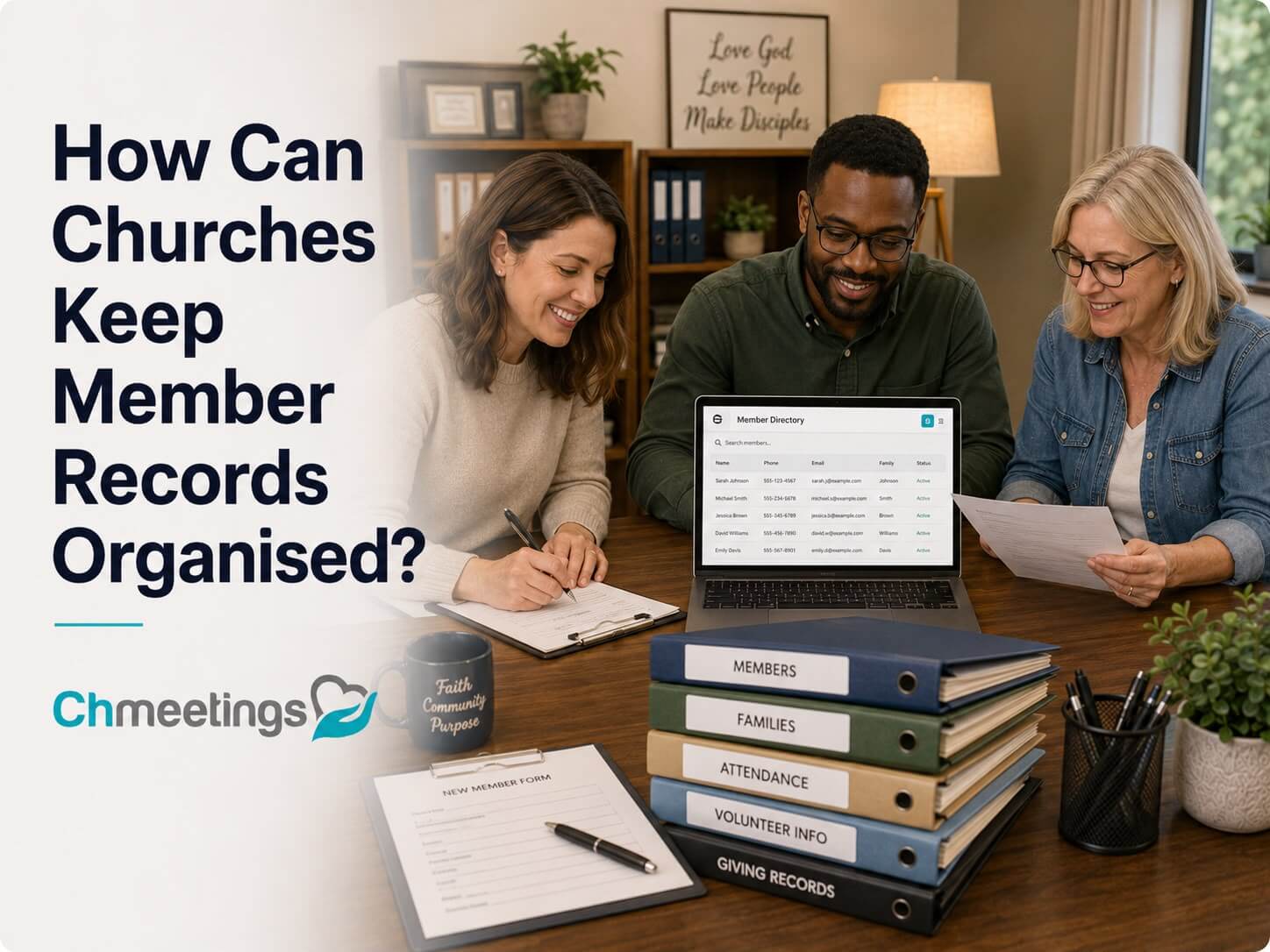

I have sat in more than one church office where the “record keeping system” was a filing cabinet with three different labeling systems layered on top of each other, plus a spreadsheet nobody remembered to update. If you are asking how can churches keep member records organized, the honest answer is that it takes a mix of the right tools, a written process, and a team that actually follows it. This guide walks through both the traditional and digital sides of the problem, with the practical detail I wish someone had handed me the first time I inherited a records mess.
- Understanding the Importance of Organized Records
- Traditional Methods for Organizing Church Records
- Leveraging Technology for Record Management
- Tips for Digitizing Church Records
- Best Practices for Maintaining Accurate Records
- Integrating Communication and Record Management
- Addressing Common Challenges in Record Keeping
- Evaluating Your Current Record-Keeping System
- Future Trends in Church Record Management
- Conclusion and Immediate Next Steps
-
FAQs
- What are the best practices for maintaining church records?
- How often should church member records be updated?
- What tools can help with church record organization?
- How can churches digitize their records?
- What legal considerations are involved in record management?
- What are the common challenges in church record management?
- Why is maintaining accurate member records important?
- Understanding the Importance of Organized Records
- Traditional Methods for Organizing Church Records
- Leveraging Technology for Record Management
- Tips for Digitizing Church Records
- Best Practices for Maintaining Accurate Records
- Integrating Communication and Record Management
- Addressing Common Challenges in Record Keeping
- Evaluating Your Current Record-Keeping System
- Future Trends in Church Record Management
- Conclusion and Immediate Next Steps
-
FAQs
- What are the best practices for maintaining church records?
- How often should church member records be updated?
- What tools can help with church record organization?
- How can churches digitize their records?
- What legal considerations are involved in record management?
- What are the common challenges in church record management?
- Why is maintaining accurate member records important?
Understanding the Importance of Organized Records
The Role of Records in Church Administration
Member records are the backbone of everything a church does administratively. Attendance tracking, giving statements, small group assignments, pastoral care follow-up, and event planning all depend on accurate data. When records are scattered or outdated, every one of those functions gets harder.
As Proverbs 27:23 puts it:
Be sure you know the condition of your flocks, give careful attention to your herds.
That verse is often applied to leadership and stewardship, and it fits record keeping almost literally. You cannot care well for a congregation you cannot see clearly.
Legal Implications of Poor Record Management
Churches carry real legal obligations around member data, from safeguarding sensitive information about minors to maintaining financial and giving records for tax purposes. Poor record management is not just an inconvenience, it can create liability. A missing background check record for a volunteer working with children, for example, is a serious gap, not a paperwork inconvenience.
Cultural and Historical Heritage Preservation
Beyond the administrative and legal reasons, church records carry historical weight. Baptism registers, membership rolls, and meeting minutes document the life of a congregation across generations. Losing that history because of disorganized storage is a loss that cannot be undone.
The Southern Baptist Historical Library and Archives put it simply:
The entire program of the church can benefit by improving its control of the records it maintains and creates.
That is a good way to frame the stakes. Organized records are not a side project, they support the entire operation.
Traditional Methods for Organizing Church Records
Creating a Filing System that Works
Even in a digital-first church, some records stay physical, especially historical documents, signed forms, and original certificates. A working filing system usually separates records into a few clear categories: membership, financial, governance, and historical or archival material. Color coding folders by category and keeping a master index of what is stored where saves enormous time later.
1 Corinthians 14:40 offers a fitting principle here:
But everything should be done in a fitting and orderly way.
That is really the goal of any filing system, physical or digital. Order is not bureaucracy for its own sake, it is what allows people to actually find what they need.
Developing a Comprehensive Retention Schedule
Not every document needs to be kept forever, and not every document can be discarded quickly either. According to guidance from the Minnesota Conference of the United Methodist Church, records used in everyday business of the church should generally be retained for three to five years, while historically or legally significant records need much longer retention, sometimes permanently.
A basic retention schedule should specify:
- How long financial records are kept before disposal
- Which documents are permanent (baptism, membership, ordination records)
- Who is responsible for reviewing and purging outdated records
- How disposal is documented, especially for sensitive material
Archiving Important Records Effectively
Archival storage is different from active filing. Archived records should be stored in acid-free folders and boxes when possible, kept away from moisture and direct light, and logged in an inventory so future staff know what exists without having to dig through every box. If your church has decades of history, consider consulting a local historical society or an archivist for guidance on preservation standards, particularly for fragile documents.
Leveraging Technology for Record Management
Top Church Management Tools Reviewed
Modern church management software has largely replaced the need for standalone spreadsheets and filing cabinets for day-to-day administration. Most platforms handle membership records, attendance, giving, groups, and communication in one place. The table below compares general feature categories to consider when evaluating options.
| Feature | Why It Matters |
|---|---|
| Centralized member database | Eliminates duplicate spreadsheets and outdated contact lists |
| Attendance and check-in tracking | Provides accurate engagement history over time |
| Custom fields and tagging | Allows churches to track ministry-specific data |
| Communication tools | Keeps outreach tied directly to member records |
| Access controls | Restricts sensitive data to appropriate staff roles |
| Data export and backup | Protects against vendor lock-in and data loss |
Platforms like ChMeetings are built specifically around these needs, combining member records, attendance, and communication in a single system so churches are not maintaining the same information in three different places.
The Shift to Digital Record-Keeping
The move from paper to digital is less about replacing every physical document and more about making information searchable and centralized. A digital system means a pastor preparing for a hospital visit can pull up a member’s household information in seconds instead of flipping through a card file.
Integrating Software with Traditional Records
Digital and physical systems do not have to compete. Many churches keep original signed documents, like membership covenants or baptism certificates, in physical archives while entering the relevant data into their management software. The physical document becomes the legal record of truth, while the digital entry makes the information usable day to day.
Try ChMeetings Today if your church is still juggling spreadsheets and paper forms across multiple ministries. Centralizing records is usually the single biggest improvement a church can make to its administrative workflow.
Tips for Digitizing Church Records
Preparing for the Digitization Process
Before scanning a single document, take inventory. Decide which records are priorities, historical registers, current membership files, financial documents, and which formats you will use for storage. Skipping this planning step is the most common reason digitization projects stall halfway through.
Scanning and Data Entry Techniques
Scanning is the easy part. Data entry is where most churches struggle, particularly when old records do not fit neatly into modern categories. Archivists who have worked through this exact problem describe building a schema and then hitting a record that is part administrative and part financial, forcing a decision about which category it belongs in. That kind of ambiguity is normal. The solution is to define your categories clearly up front and accept that some judgment calls will still be needed on individual records.
Practical steps for scanning and entry:
- Use consistent file naming conventions from day one
- Scan at a resolution that preserves legibility for historical documents (300 DPI is a common standard)
- Enter data using standardized fields rather than free text where possible
- Have a second person review a sample of entries for accuracy
Ensuring Security and Accessibility of Digital Records
Digital records need the same care as physical ones, arguably more, since a data breach can expose far more information at once than a stolen filing cabinet. Use role-based access controls so only staff who need specific data can see it, enable two-factor authentication on your management software, and maintain regular backups stored separately from your primary system.
Best Practices for Maintaining Accurate Records
Scheduling Regular Record Audits
Set a recurring schedule, ideally every six months, to review member records for accuracy. Check for outdated contact information, duplicate entries, and members who have moved on but are still listed as active. An audit does not need to be a massive project if it happens consistently rather than only when something breaks.
Training Your Team on Best Practices
Record accuracy depends heavily on the people entering the data. Staff and volunteers who handle records should be trained on your church’s specific data standards, from how names are formatted to what counts as an “active” member. A short onboarding checklist for anyone touching the database prevents small inconsistencies from becoming systemic problems.
Engaging Members to Ensure Data Accuracy
The most reliable source of accurate data is the member themselves. Periodic “update your information” campaigns, whether through an online form, a connection card, or a portal in your church management software, keep records current without placing the entire burden on staff.
Integrating Communication and Record Management
Utilizing Member Data for Targeted Communication
Organized records make communication far more effective. A church that knows which families have young children, which members serve in specific ministries, or which small group someone belongs to can send relevant updates instead of blasting the same generic email to everyone.
Best Tools for Church Communication
Most church management platforms include built-in communication tools, email, text messaging, and group messaging, that pull directly from member records. This keeps contact information and communication history tied together instead of managing a separate mailing list that inevitably falls out of sync with your database.
Gathering Member Feedback Effectively
Communication should flow both directions. Short surveys after events, feedback forms tied to specific ministries, or simple check-in questions during small groups all feed useful information back into member records, especially around engagement and interests.
Addressing Common Challenges in Record Keeping
Retention Issues with Staff Changes
Staff and volunteer turnover is one of the most common reasons record systems break down. When the one person who understood the filing system leaves, institutional knowledge often leaves with them. Written documentation of your record-keeping process, stored somewhere accessible to incoming staff, prevents this from happening.
Updating Old Records: Strategies and Tools
Old or outdated records accumulate over years of neglect. Rather than trying to fix everything at once, tackle updates in batches, starting with the records most actively used, like current member contact information, before moving to less urgent historical cleanup.
Fostering Acceptance of New Record Management Techniques
Resistance to new systems is common, especially among longtime volunteers comfortable with paper processes. Involving them early in choosing or testing a new system, rather than simply announcing a change, tends to reduce pushback significantly.
Evaluating Your Current Record-Keeping System
Key Indicators of System Efficiency
A healthy record system should let staff find any member’s information within seconds, avoid duplicate entries, and support reporting without manual data compilation. If any of those things are consistently difficult, that is a sign of underlying inefficiency.
Identifying Weaknesses in Current Processes
Common weak points include multiple disconnected spreadsheets, records that only one staff member understands, and no clear process for updating information after events like baptisms or membership changes.
Engaging Your Team in Evaluations
The people who use your record system daily are the best source of insight into where it breaks down. A short survey or discussion with staff and key volunteers usually surfaces problems faster than an outside audit.
Future Trends in Church Record Management
How Automation is Changing Record Management
Automation is increasingly handling repetitive tasks like updating attendance records after check-in, flagging incomplete member profiles, or triggering follow-up communication after a first-time visit. This reduces the manual workload that used to fall entirely on office staff.
Predictive Analytics Explained
Some church management platforms are beginning to incorporate basic predictive analytics, using attendance and giving patterns to flag members who may be disengaging before they stop attending altogether. This is still an emerging area, and churches should treat these insights as a starting point for pastoral outreach, not a replacement for it.
Preparing for Future Technologies in Churches
Staying current does not mean adopting every new tool immediately. It means building a record system flexible enough to integrate new technology as it becomes genuinely useful, rather than locking your church into a rigid, hard-to-update process.
Conclusion and Immediate Next Steps
Organized church records are not a one-time project, they are an ongoing discipline. Proverbs 24:3-4 captures why this work matters beyond the practical:
By wisdom a house is built, and through understanding it is established; through knowledge its rooms are filled with rare and beautiful treasures.
A well-kept record system is one of those quiet, unglamorous forms of wisdom that ends up supporting nearly everything else a church does.
If your church is still working from scattered spreadsheets or paper files, start small. Pick one category, whether that is current membership data or financial retention, and build a clear process around it before expanding. For churches ready to centralize everything in one place, ChMeetings offers a practical starting point for combining member records, attendance, and communication into a single, manageable system.
For further reading, this comprehensive guide to church records management covers additional methodology, and the records management guidance from the Southern Baptist Historical Library and Archives offers a deeper look at policy development. Churches earlier in the digitization process may also find the Minnesota Conference’s church records guidelines useful, alongside this overview of digitization challenges and solutions and this piece on avoiding disorganized record keeping.
FAQs
What are the best practices for maintaining church records?
Establish a clear retention policy, audit records regularly for accuracy, and train staff and volunteers on consistent data standards. Together these keep records both current and compliant.
How often should church member records be updated?
Aim for a review every six months, along with updates triggered by specific events like membership changes, baptisms, or deaths.
What tools can help with church record organization?
Church management software that combines member data, attendance, and communication in one system removes the need for scattered spreadsheets and separate mailing lists.
How can churches digitize their records?
Start by inventorying which documents need digitizing, then build a plan covering scanning standards, resolution, and consistent data entry fields before beginning the actual scanning process.
What legal considerations are involved in record management?
Churches need to consider data protection for sensitive member information, confidentiality practices, and retention requirements that vary by document type, particularly financial and child-safety records.
What are the common challenges in church record management?
Staff turnover, outdated information, and resistance to new systems are the most frequent obstacles. Documenting processes and involving staff early in system changes helps address all three.
Why is maintaining accurate member records important?
Accurate records directly support communication, legal compliance, and the church’s ability to track engagement and respond to pastoral needs, making it foundational rather than optional administrative work.