This is our first update for 2026, so we hope this post finds you well. The start of the year brings meaningful upgrades designed to save time, give your team better tools for coordination and financial management, and to improve your overall experience with ChMeetings.
Below, we’re highlighting the most impactful improvements, followed by a summary of additional enhancements you can start using right away.
Volunteer Scheduling & Worship Planning
As your church grows, volunteer coordination becomes more complex. Rotations, multiple service teams, and ministry-specific roles require structure, which you can now achieve with the latest ChMeetings updates.
Team-Based Volunteer Scheduling
Volunteer Scheduling now includes Team Organization within role configuration. You can now create teams and assign roles and volunteers at the team level. This is especially valuable for any activity that requires teamwork.

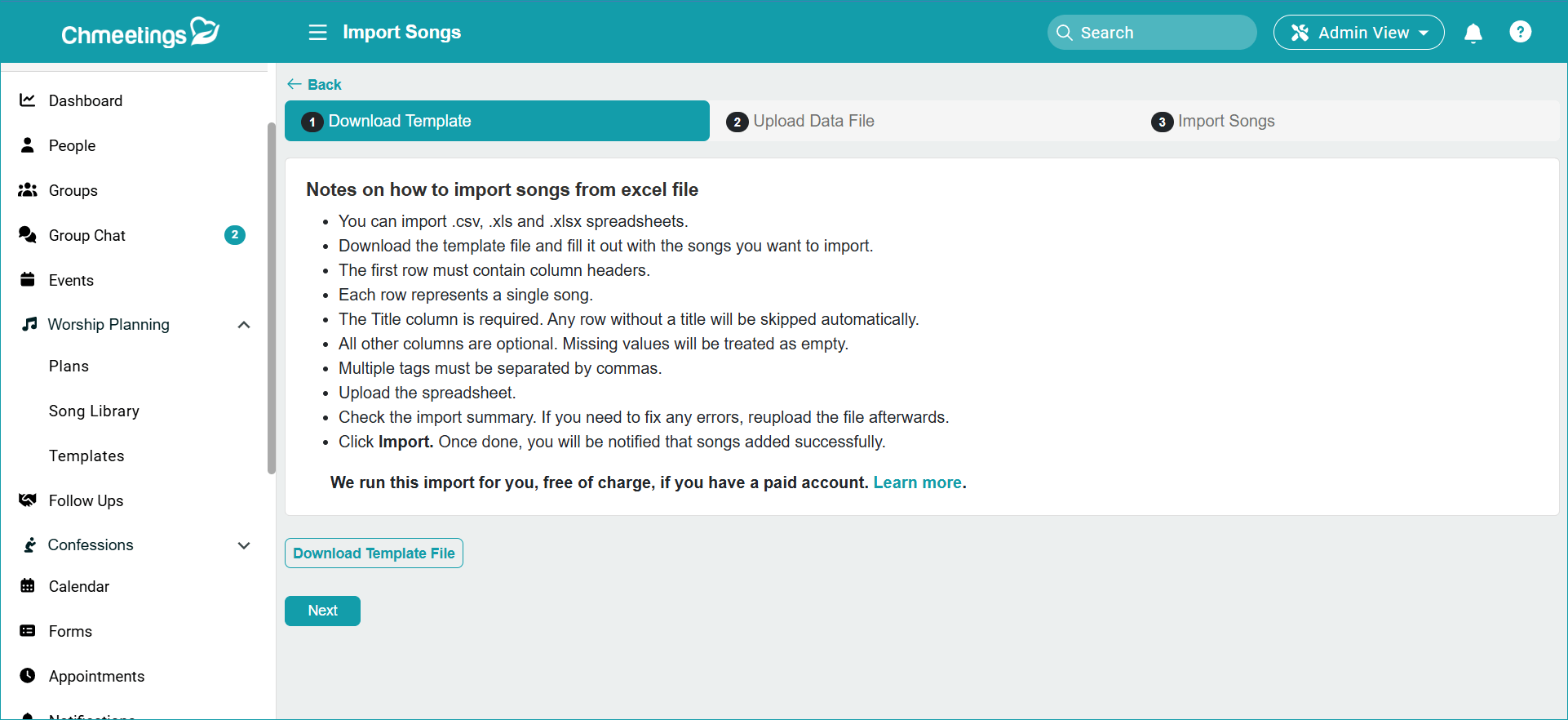
Song Import via Excel
You can now import songs using an Excel file that includes song details and a retrieval link. This simplifies building or migrating your Song Library, especially if you have a large catalogs.
Member Management
People Profiles
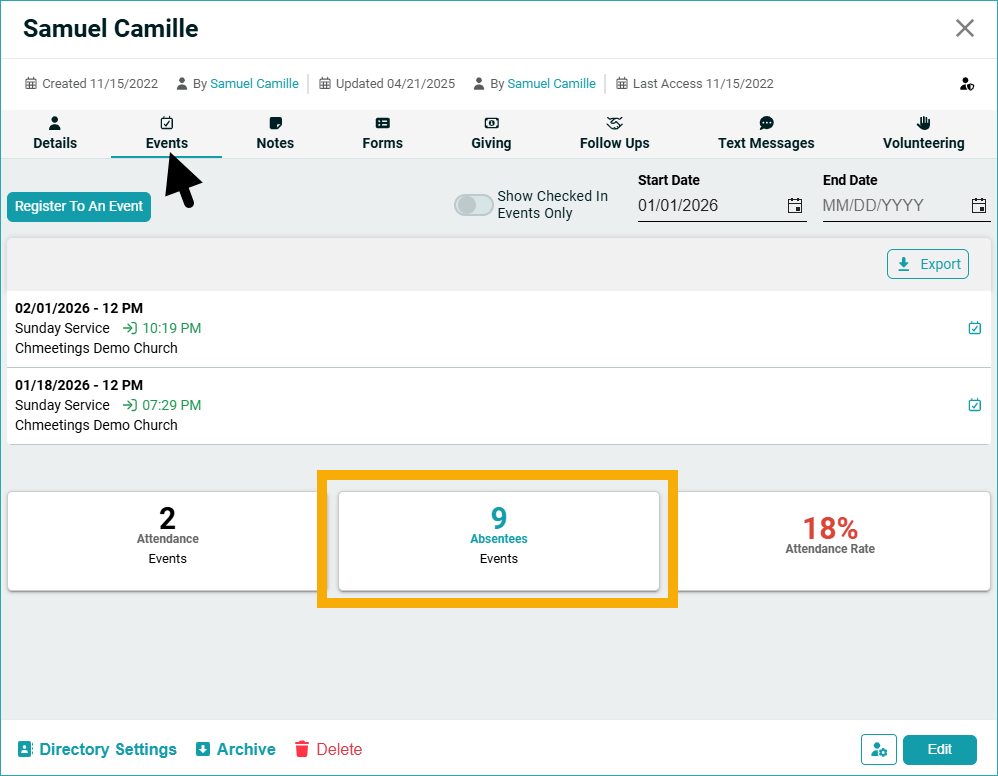
People profiles have been enhanced with the ability to view someone’s list of unattended events by going to their profile > Events > Absentee tile. The forms someone filled out are also accessible across ministries, as long as the user viewing the profile has access to that ministry. Another improvement creates clickable links from URLs entered in custom text fields, as long as they include “http://” or “https://”.
People List
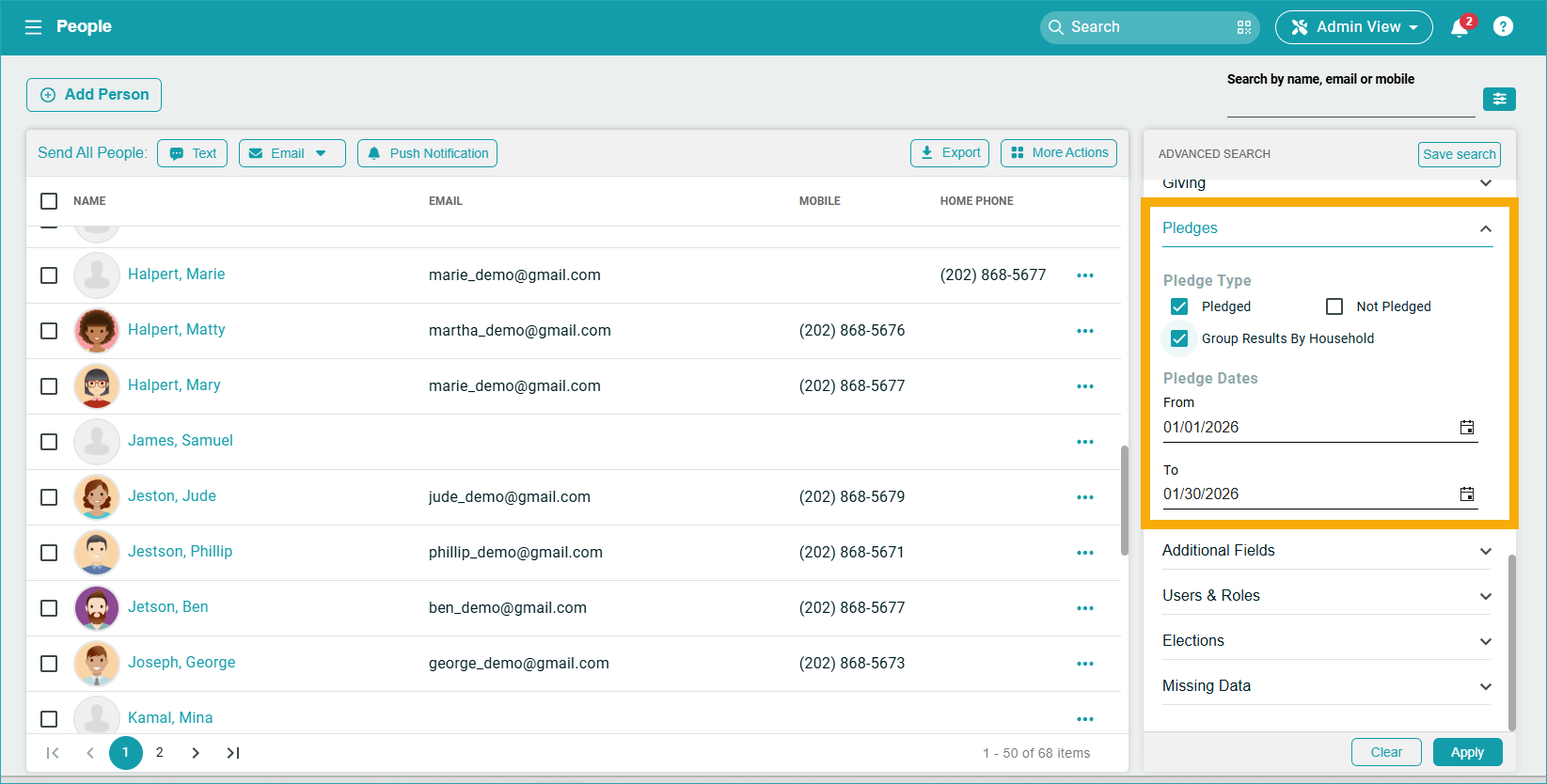
Additionally, when you filter people based on pledges, you can now group them by household. If one family member pledges, the household is marked as pledged, and the Primary member is returned in search results.
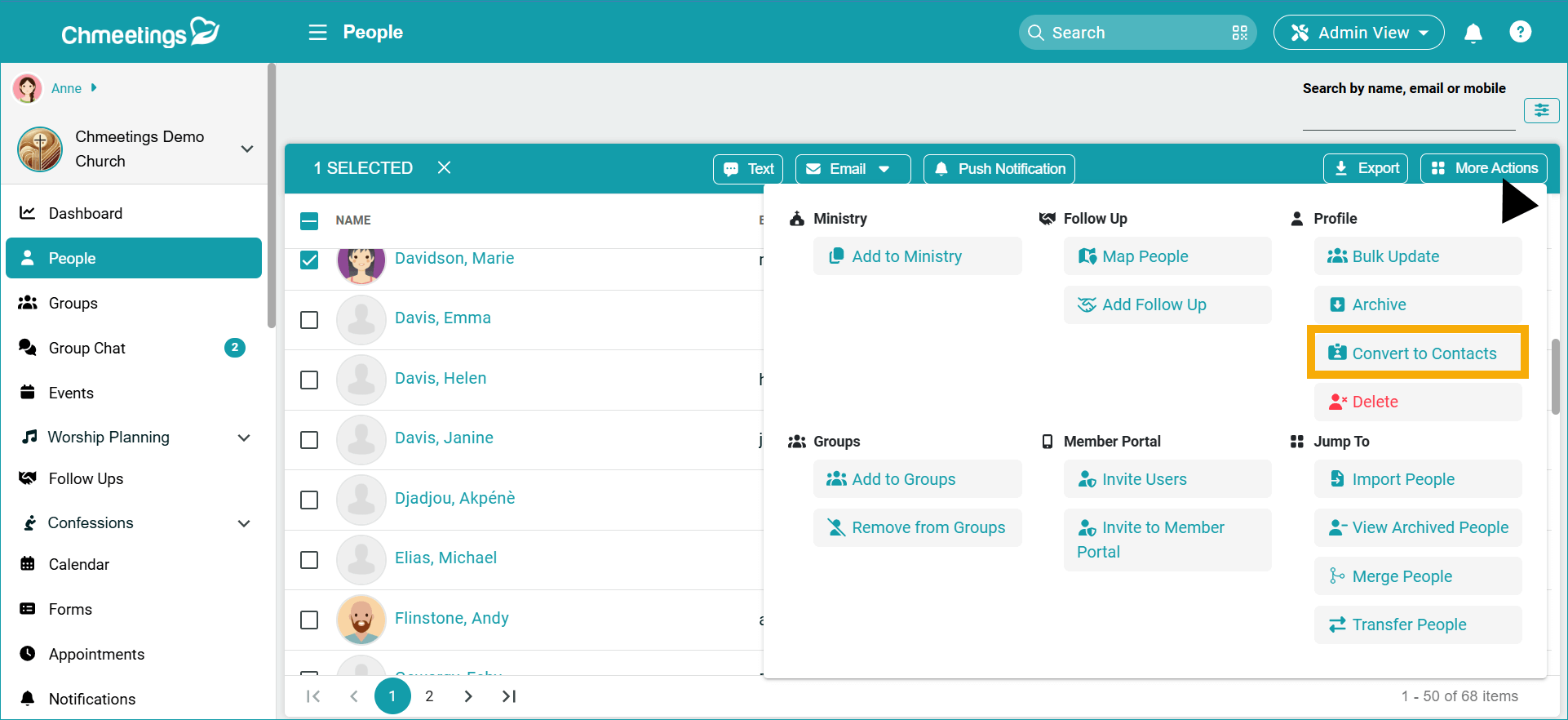
Moreover, you can now easily convert members to contact contributors, right from within the People list. This is particularly useful if someone stops being a member but continues to contribute.
Contributions
Several enhancements were made to improve flexibility and data accuracy in contribution management.
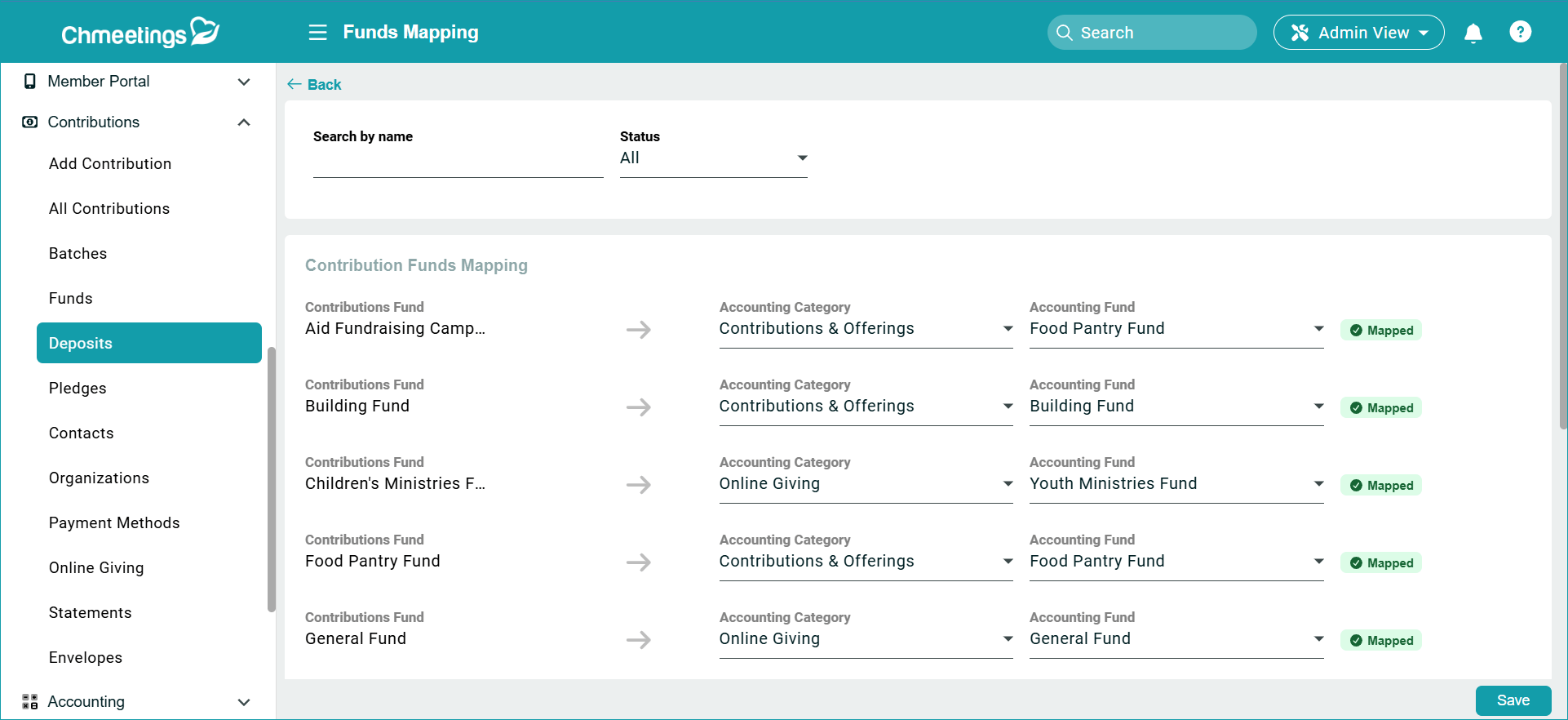
- A new Fund Mapping section in the Deposits page allows you to review and edit how contribution funds map to accounting funds at any time. All funds, whether mapped or unmapped, are displayed together for easier oversight.
.

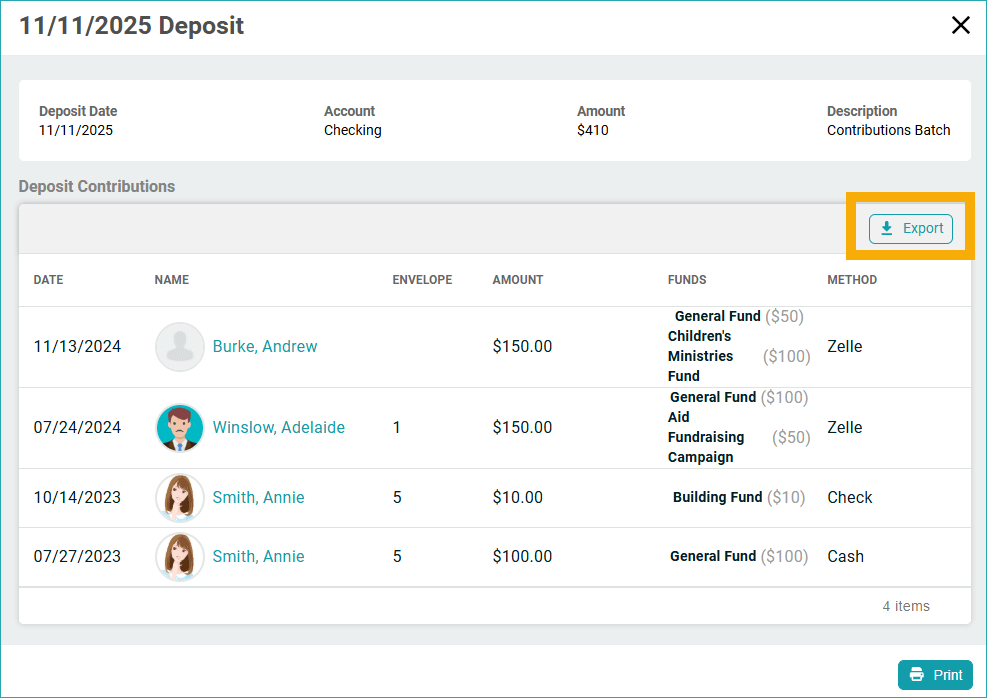
. - Deposits can now be edited after creation, as well as exported. You may update the date, account, and description, and all related transactions will automatically reflect the changes. Now you can also export deposit details for external use.

.
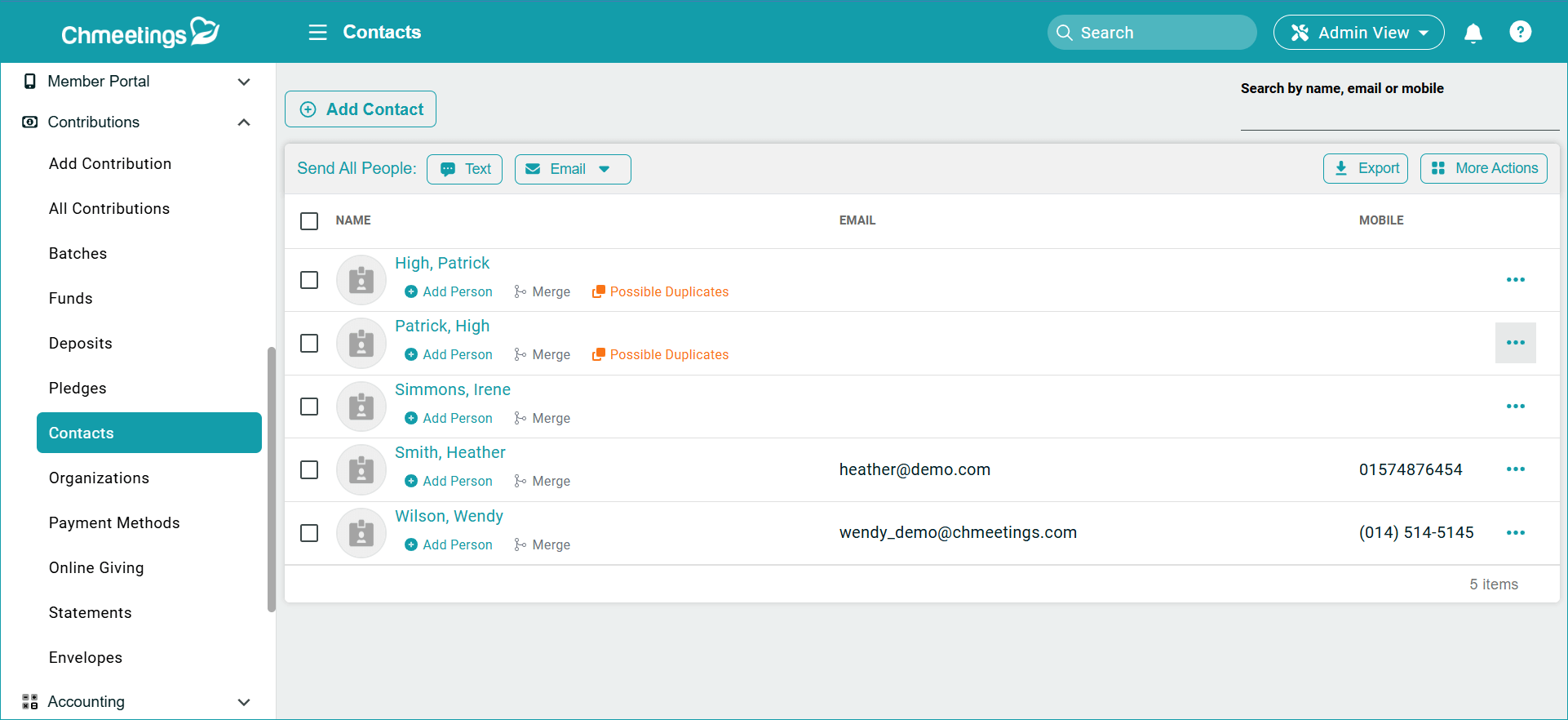
- The Contribution Contacts section has been improved with options to merge duplicate contacts, merge contacts into member profiles, and identify possible duplicates more easily.
.
.
Additional improvements include:
- Filtering contributors by fund using Advanced Search
- Viewing the “Deposited On” date directly in the Batches page
- Converting a former member profile into a Contact while maintaining contribution history
Accounting
Updates in Accounting focus on clarity and better transaction management that provide clearer insight into current and year-to-date performance against targets..
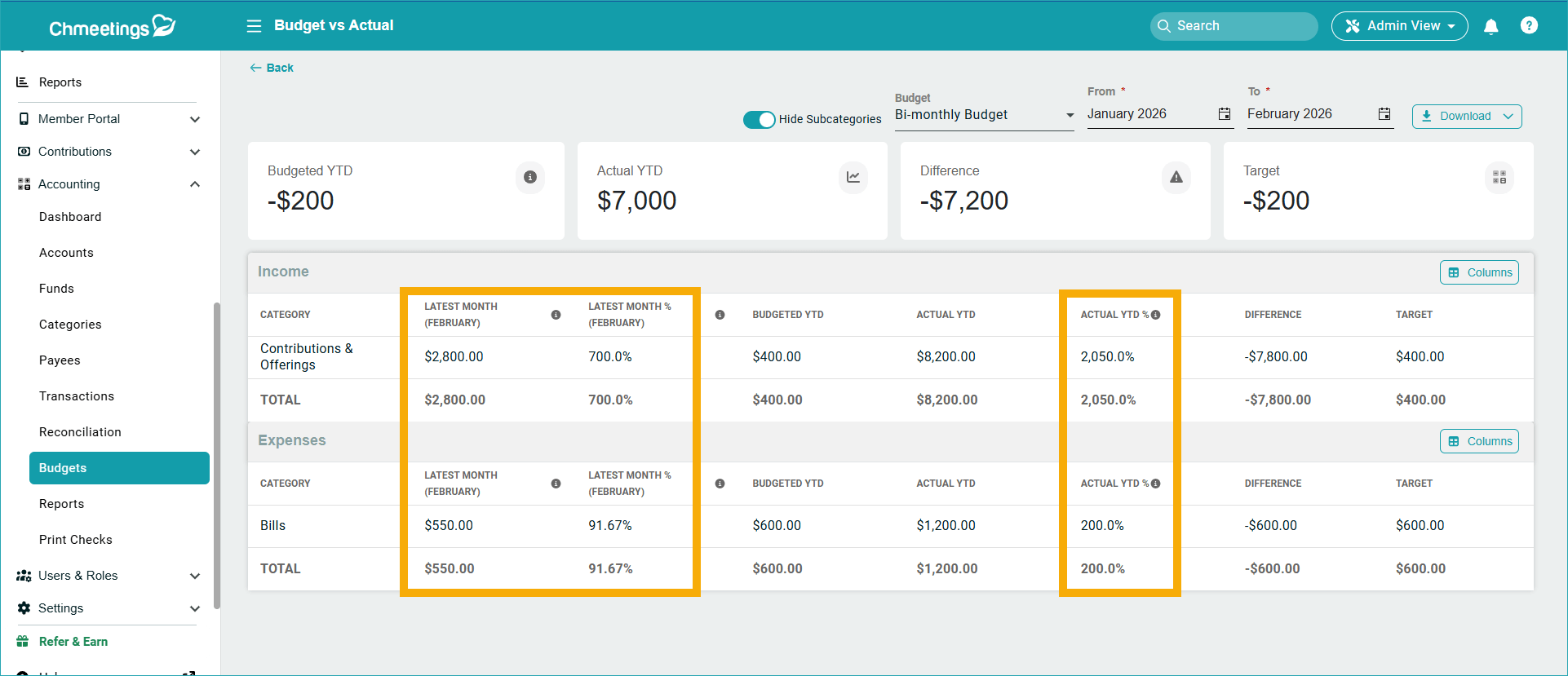
- The Budget vs Actual Report now includes three additional columns: Latest Month, Latest Month %, and Actual YTD %.
.

.
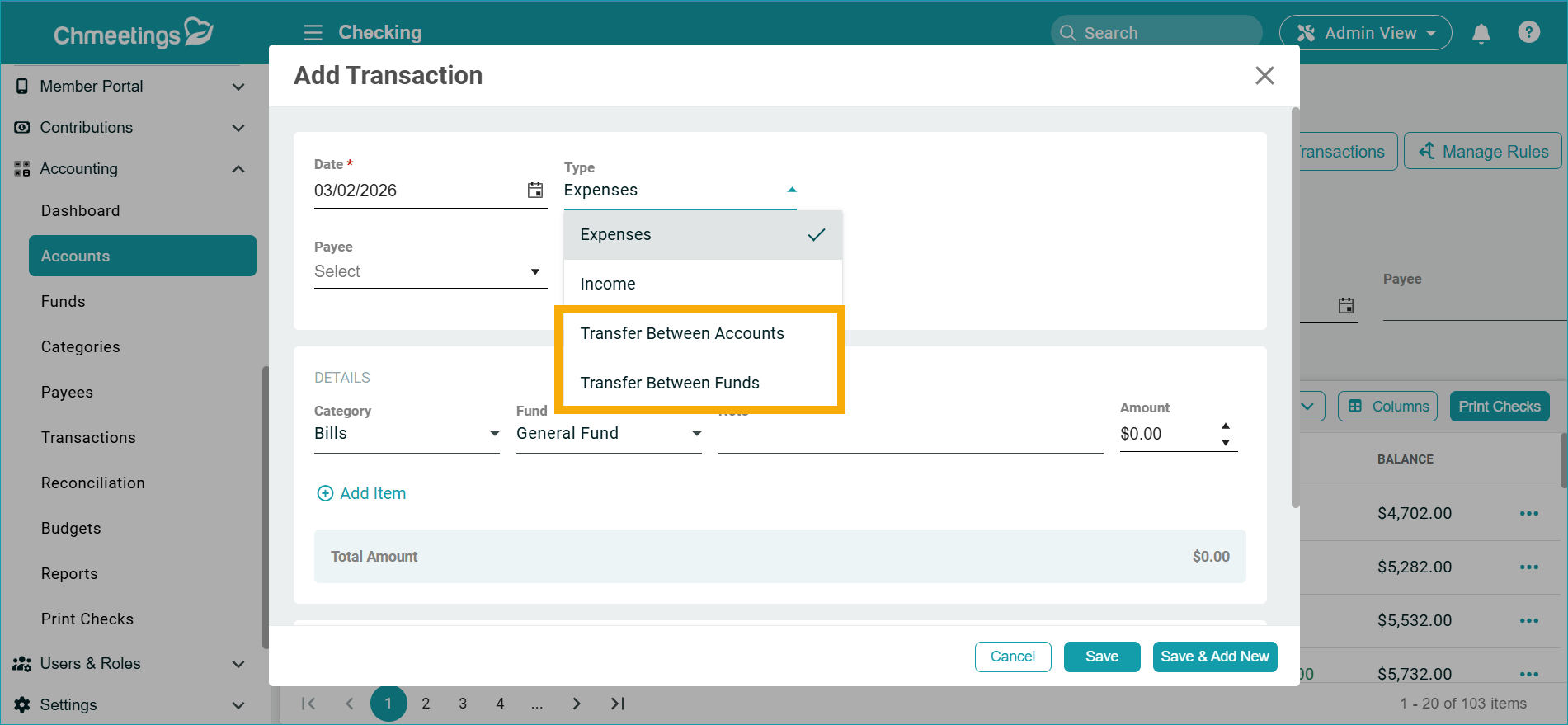
- Transfers between funds or accounts have been simplified through a reconfiguration of the Transfer transaction type.
.

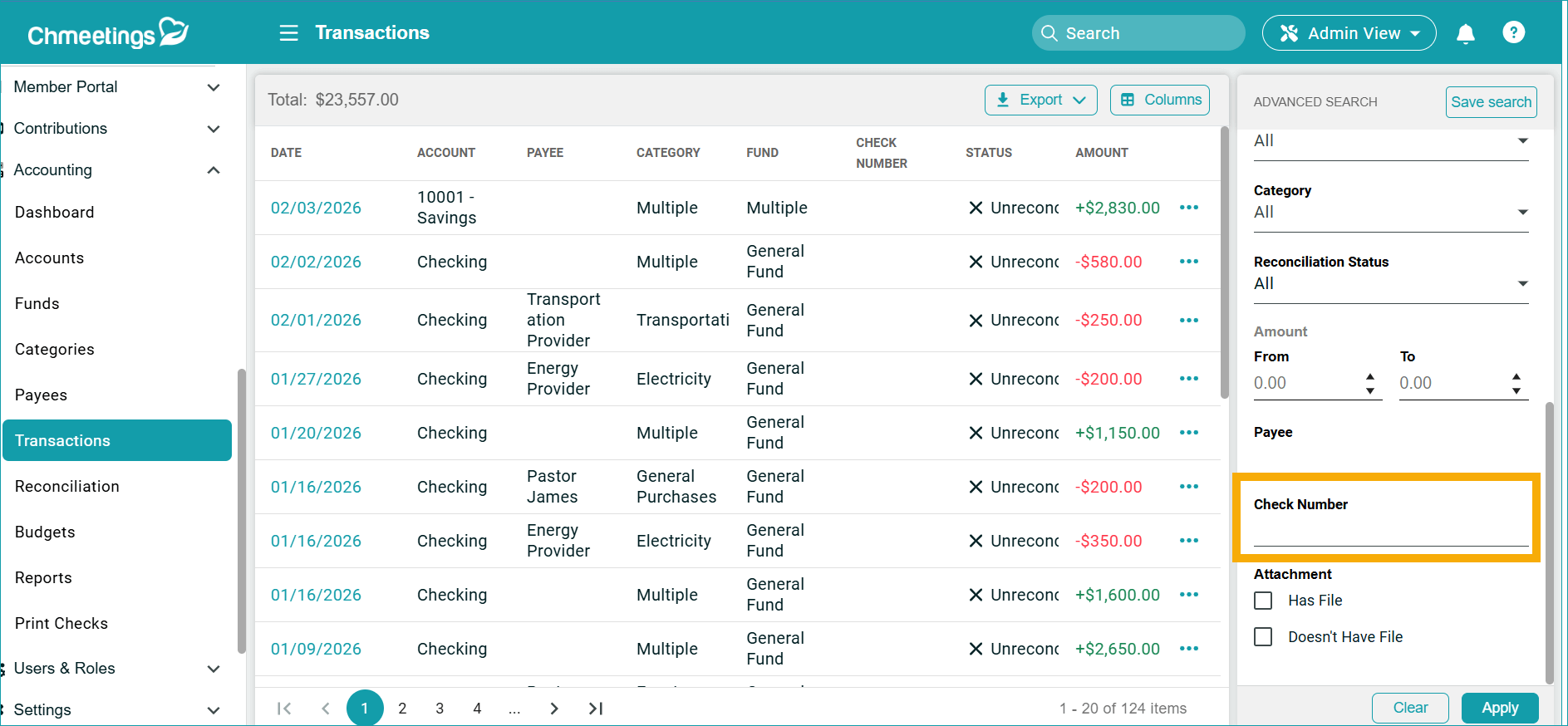
. - Other updates include filtering transactions by Check Number and adding an Email field to Payee records.
.
Communication, Automation & Integrations
Communication features were expanded to support wider outreach:
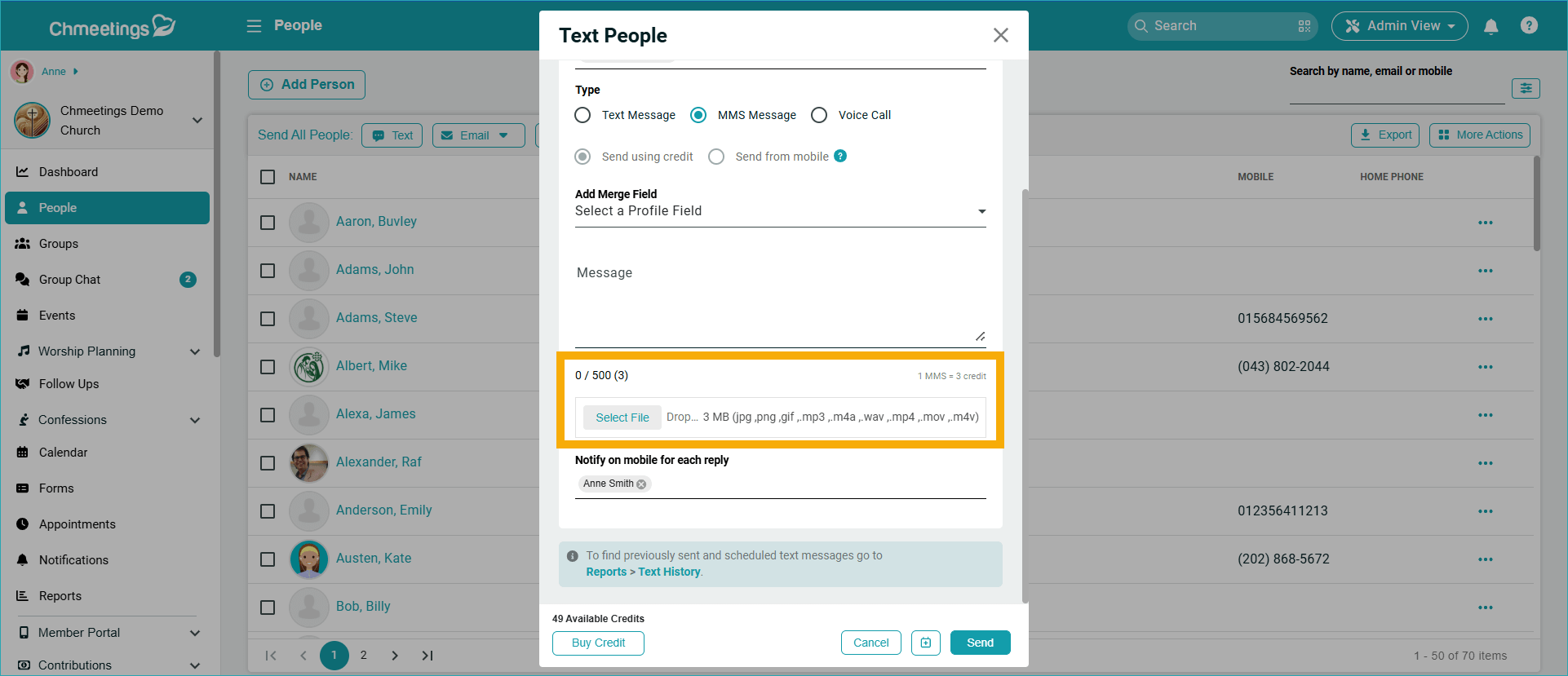
- MMS messaging now supports audio and video attachments, allowing for more engaging content delivery.
.
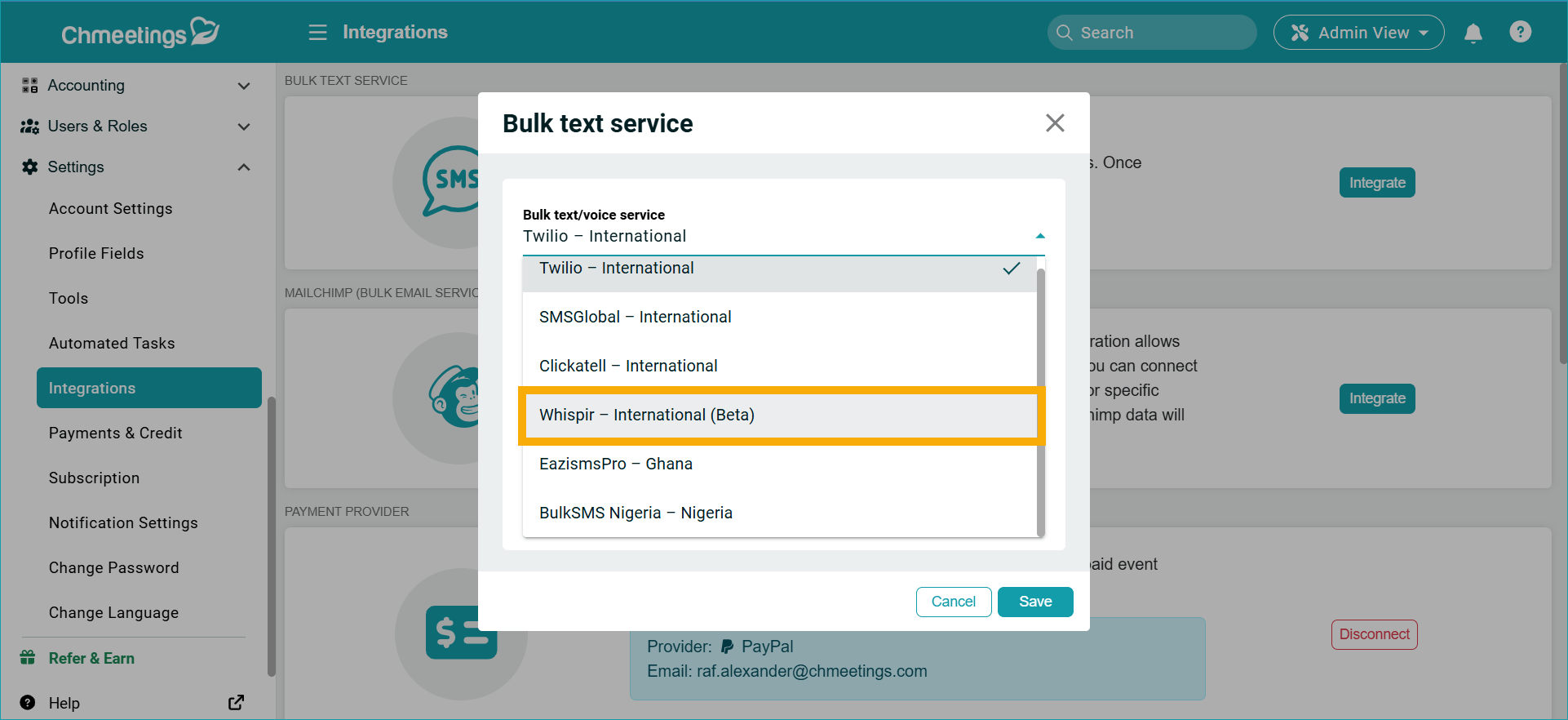
. - A new integration with Telstra Whispir (Beta), primarily used in Australia, provides additional text communication options.
.
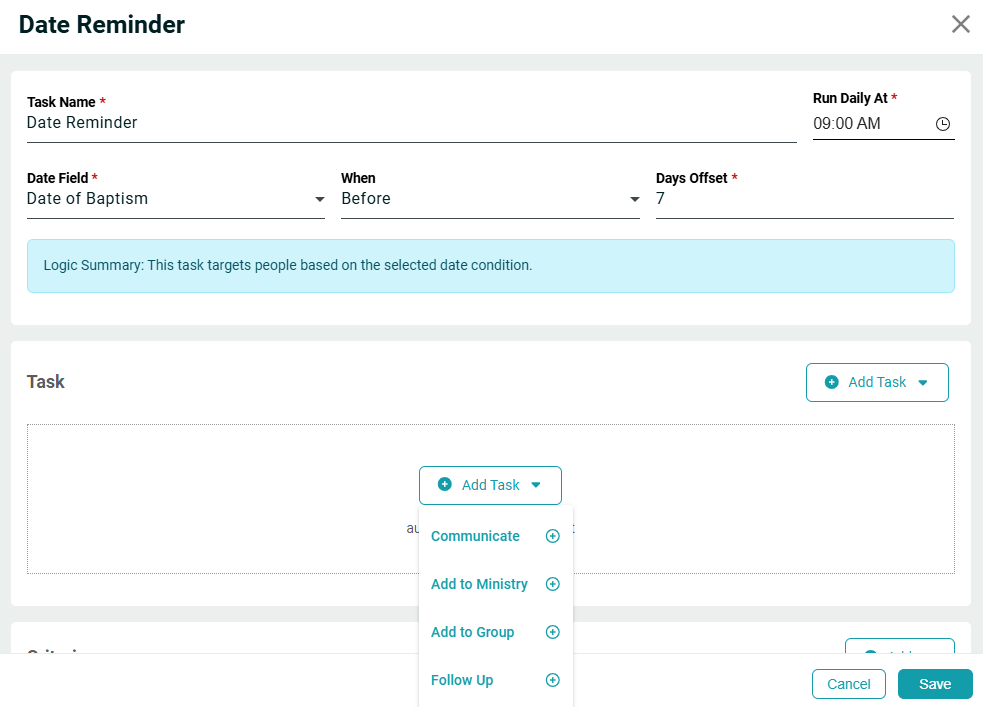
. - A new Date Reminder Automated Task allows you to choose any date field in a profile and automatically notify selected recipients before or after that date. This is useful for background checks, certifications, anniversaries, and other membership-related milestones.
.

API & Developer Tools
We made several enhancements to our developer API and Webhooks feature:
- There are new APIs available for: Churches, Ministries, Groups, and Funds,
- The People API now allows filtering by full name, mobile number, and email. Additionally,
.
.
- Fund-based webhooks can be created to trigger when funds are created, updated, or deleted.
.