Church giving has changed. People still want to give generously, but they expect it to be simple, transparent, and consistent across online, mobile, and in person moments.
At the same time, church staff are expected to manage donations, track donor history, prepare tax statements, and report accurately without drowning in admin work.
That’s where donor management software comes in.
The right tool doesn’t just process gifts. It helps churches steward generosity, build trust with their congregation, and make smarter financial decisions.
The wrong one creates confusion, extra work, and missed opportunities to engage donors well.
This guide breaks down the best donor and donor management software for churches. You’ll learn what these tools actually do, how they differ from basic giving platforms, which features matter most, and which solutions fit churches of different sizes and needs. No fluff.
Just clear answers to help you choose confidently.
What Is Donor Management Software for Churches?

Church giving isn’t just about collecting money.
It’s about stewardship, trust, and accountability.
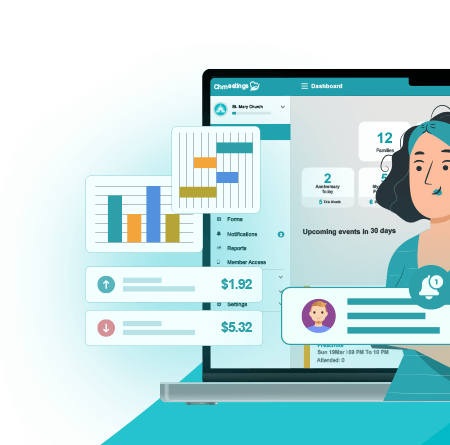
Donor management software is the system that keeps all of that organized behind the scenes. It tracks who gives, how often they give, where funds are designated, and how generosity grows over time.
Instead of juggling spreadsheets, envelopes, and disconnected apps, churches use donor management software to keep everything in one place.
Clean records.
Clear reports.
Less stress when leadership or donors need answers.
Difference Between Donation Tools and Donor Management Systems
A lot of churches confuse these two, and it causes problems later.
Donation tools are built for one job. They help people give.
A member clicks a link, sends a gift, and gets a receipt. That’s the end of the story.
Donor management systems go further.
They organize donor profiles, track giving history across funds, manage recurring gifts, and show long term patterns. You’re not just seeing transactions. You’re seeing relationships.
This matters when you need year end statements, want to thank faithful givers properly, or notice changes in giving trends.
Donation tools alone can’t handle that well.
Why Churches Need Specialized Donor Software
Churches don’t operate like businesses or even typical nonprofits.
Giving is often tied to tithes, offerings, missions, and special campaigns. Families may give together. Some members give weekly. Others give sporadically but generously.
Church specific donor software understands these realities.
It supports:
• Household giving
• Multiple fund designations
• Recurring tithes
• Compliant tax receipts
It also respects the pastoral side of generosity. Leaders can see insights without turning giving into pressure or sales.
Generic donor tools usually miss these details. That leads to workarounds, manual fixes, and frustration.
Donor Management vs Full Church Management Systems (ChMS)
Donor management software focuses on giving and donors.
A church management system handles much more.
A full ChMS typically includes:
• Member records
• Attendance tracking
• Small groups and ministries
• Communication tools
• Giving and donor management
For many churches, keeping everything under one roof saves time and reduces errors.
Smaller churches may only need donor management at first. Growing churches often benefit from an all in one system as staff roles expand and data needs increase.
The key is flexibility.
Whether you choose standalone donor software or a full ChMS, it should fit how your church operates today without limiting where you’re headed next
Key Features to Look for in Church Donor Management Software
Not all donor software is built the same. Some tools look good on the surface but fall apart once you start using them week after week.
The features below are the ones that actually matter in real church operations. Skip these, and you’ll feel it fast.
Online, Mobile, and Text Giving Options
People give in different ways. Some give during service. Others give from their phone midweek. A growing number prefer text giving because it’s fast and familiar.
Strong donor software supports all three without friction.
Online giving should be easy to access and simple to complete. Mobile giving should feel native, not like a squeezed desktop form. Text giving should be intuitive enough that first time givers don’t need instructions.
If giving feels awkward, people hesitate. If it feels natural, generosity flows.
Donor Profiles and Giving History
This is the heart of donor management.
Every giver should have a clear profile that shows:
• Contact information
• Household connections
• Giving history across funds
• Recurring gifts and pledges
Good software makes this information easy to find and easy to understand. You shouldn’t need three clicks and a filter just to answer a basic question.
When donor data is clean, staff can respond faster and leadership can make better decisions.
Recurring Donations and Pledge Tracking
Recurring giving is the backbone of financial stability for most churches.
Your software should make it easy for members to set up recurring tithes and just as easy for staff to manage them. That includes edits, pauses, failed payments, and clear notifications.
Pledge tracking matters too, especially for building campaigns or missions. You want to see what’s been pledged, what’s been fulfilled, and what’s still outstanding without manual math.
Fund Designations and Campaign Management
Churches don’t operate with a single bucket.
There are general offerings, missions, benevolence, building funds, events, and seasonal campaigns. Your donor software should handle multiple designations without confusion.
Even better if it lets you:
• Create custom funds quickly
• Track campaign progress visually
• Restrict or archive old funds
Clear fund management builds trust and prevents misreporting.
Reporting, Statements, and Tax Receipts
Reporting is where weak tools get exposed.
You need reports that are accurate, flexible, and easy to generate. Weekly summaries, monthly giving trends, and year end statements should never feel like a fire drill.
Tax receipts are non negotiable. The software should generate compliant statements automatically and let donors access them without calling the office.
When reporting works, confidence goes up across the board.
Integration With Church Management and Accounting
Disconnected systems create extra work.
If donor software doesn’t integrate with your church management system or accounting platform, someone ends up re entering data. That’s where errors creep in.
Look for tools that sync donations with member records and push financial data where it needs to go. Fewer manual steps means fewer mistakes and less burnout.
Security, Compliance, and Data Privacy
Churches handle sensitive financial and personal data. Security can’t be an afterthought.
At minimum, the software should offer:
• Secure payment processing
• Data encryption
• Permission based access for staff
• Compliance with financial and privacy standards
Trust is fragile. Protecting donor data protects your church’s reputation.
Ease of Use for Staff and Congregants
A powerful tool that’s hard to use won’t get used well.
Staff should be able to learn the system without weeks of training. Volunteers shouldn’t feel intimidated. Congregants should never struggle to give or access their records.
Ease of use isn’t a bonus feature. It’s a requirement.
The best donor management software feels invisible. It just works.
Best Donor & Donor-Management Software for Churches (Ranked)
Every church gives differently. The best software isn’t just about features. It’s about fit, clarity, and long term usability.
Below is a ranked breakdown with clear pros and cons so you can see where each tool shines and where it may fall short.
ChMeetings — Best All in One Church Management and Donor Solution

ChMeetings is the best donor management solution for churches that want giving, donors, members, and reporting fully connected in one system. Instead of treating donor management as an add on, it’s built into the core of how the church operates.
This makes it the strongest overall solution for churches that want clean donor management without juggling multiple platforms.
Core Donor and Giving Features
ChMeetings supports online giving, mobile giving, recurring donations, and fund designations tied directly to donor and household profiles.
Giving history is clear. Statements are easy to generate. Donors can access their own records, which reduces admin work for staff.
Everything feels intentional, not bolted on.
Church Management Tools Included
ChMeetings goes beyond donor management.
It includes:
• Member and household management
• Attendance tracking
• Groups and events
• Communication tools
• Centralized reporting
Giving data connects directly to people and ministries, not just transactions. That unified data is the biggest advantage here.
Why ChMeetings Is the Best Choice for This Topic
The core USP is simple.
ChMeetings combines true donor management with full church management in one system that’s easy to use and priced for real churches.
Most tools either:
• Handle giving well but lack management
• Or manage donors well but ignore church workflows
ChMeetings does both without forcing churches into enterprise level complexity.
Pros
• All in one donor and church management platform
• Clean donor profiles tied to members and households
• Strong reporting and tax statements
• Scales well for growing churches
• No need for multiple disconnected tools
Cons
• More features than very small churches may need on day one
• Requires initial setup to fully leverage all tools
Tithe.ly — Popular Digital Giving Platform

Tithe.ly is often a church’s first step into digital giving. It focuses on speed, accessibility, and ease of launch.
Giving Channels and Donor Tracking
It supports online, mobile, and text giving with recurring donation options. Donors can manage their own gifts easily.
Donor tracking is available but stays fairly surface level.
Strengths and Limitations
Tithe.ly works well for churches prioritizing fast adoption, but it isn’t designed as a deep donor management system.
Pros
• Easy to set up and use
• Strong mobile and text giving
• Familiar to many congregations
Cons
• Limited donor management depth
• Reporting can feel basic as churches grow
• Often requires additional tools for full management
Pushpay — Advanced Giving and Donor Engagement

Pushpay focuses on digital engagement at scale.
Analytics and Donor Behavior Insights
It offers detailed analytics and integrates well with church apps and communication platforms.
Ideal Church Size and Use Cases
Pushpay is best for large churches with dedicated staff and engagement strategies.
Pros
• Strong analytics and engagement insights
• Excellent mobile giving experience
• Built for scale
Cons
• Higher cost
• Overpowered for small or mid sized churches
• Requires staff capacity to manage fully
Givelify — Mobile First Church Giving

Givelify prioritizes convenience and speed, especially on mobile devices.
Donor Experience and Accessibility
The app makes giving quick and intuitive, which lowers friction for donors.
Reporting and Management Capabilities
Management features exist but are not the platform’s main strength.
Pros
• Excellent mobile donor experience
• Fast and familiar giving flow
• Good for first time givers
Cons
• Limited donor management depth
• Basic reporting
• Often paired with other systems
Donorbox — Flexible Donation Forms and CRM Tools

Donorbox is known for flexibility rather than church specific design.
Customization and Integrations
It offers customizable forms and integrations with payment processors and CRMs.
Best Use Scenarios for Churches
Works well for campaigns or churches with technical support.
Pros
• Highly customizable donation forms
• Flexible integrations
• Good for campaigns
Cons
• Not church focused by default
• Requires setup to fit ministry needs
• Limited built in church workflows
ChurchTrac — Budget Friendly Church Software With Giving

ChurchTrac focuses on affordability and simplicity.
Donation Tracking and Member Management
It covers core giving and member tracking needs without excess features.
Ideal for Smaller Churches
Best suited for churches with tight budgets and straightforward needs.
Pros
• Affordable pricing
• Includes basic church management
• Easy to learn
Cons
• Limited automation
• Less scalable for complex needs
• Basic reporting compared to larger systems
DonorPerfect — Full Donor CRM for Churches and Ministries

DonorPerfect is a powerful donor CRM often used by nonprofits.
Fundraising and Campaign Management
Strong tools for campaigns, segmentation, and donor strategy.
Reporting and Automation Tools
Advanced reporting comes with added complexity.
Pros
• Robust donor CRM features
• Strong fundraising tools
• Advanced reporting
Cons
• Steeper learning curve
• Less church workflow focused
• Often more than churches need
Virtuous — Donor Stewardship and Relationship Management

Virtuous emphasizes donor relationships over transactions.
Personalized Donor Journeys
It helps churches tailor communication based on donor behavior.
Automation and Communication Features
Automation reduces manual follow ups.
Pros
• Excellent donor stewardship focus
• Strong automation
• Relationship driven insights
Cons
• Not a full church management system
• Requires strategy to use effectively
• Higher complexity
One Church Software — Church Operations and Giving Combined

This platform connects church operations with accounting and giving.
Accounting and Donation Tracking
Its accounting integration is a major strength.
Best for Churches Wanting an All in One System
Best for churches where financial workflows are the priority.
Pros
• Strong accounting integration
• Unified operations and giving
• Good financial visibility
Cons
• Interface can feel dated
• Learning curve for non financial staff
Planning Center — Modular Church Management With Giving

Planning Center allows churches to build their system module by module.
Giving Module Overview
Handles online and recurring giving with a clean interface.
Integration With Other Church Functions
Works best inside the Planning Center ecosystem.
Pros
• Clean user experience
• Strong ecosystem of tools
• Flexible modular approach
Cons
• Giving module is not a full donor CRM
• Costs increase as modules add up
Faith Teams — Simple Church Administration and Giving

Faith Teams focuses on ease of use.
Core Donation Management Features
Includes basic giving and reporting without complexity.
Best Fit for Small to Mid Sized Churches
A good option for churches that value simplicity over depth.
Pros
• Easy to use
• Affordable
• Straightforward setup
Cons
• Limited advanced features
• Not ideal for complex donor management
Comparing Church Donor Software by Church Size and Needs
Not every church needs the same setup. Size, staffing, budget, and ministry complexity all change what “best” actually means.
This breakdown helps match the right type of donor software to the reality on the ground.
Best Options for Small Churches
Small churches usually need simplicity first.
That means:
• Easy setup
• Low monthly cost
• Clear donation tracking
• Minimal training
Tools like ChurchTrac, Faith Teams, and Givelify work well here. They cover the basics without overwhelming staff or volunteers.
That said, small churches that plan to grow should be careful. Choosing something too limited can lead to switching systems sooner than expected.
For small churches that want to future proof early, ChMeetings is a strong option because it stays manageable now but scales later.
Best Options for Growing Churches
Growing churches feel the pressure first.
More donors.
More funds.
More reporting requests.
This is where donor management stops being optional.
ChMeetings, Tithe.ly paired with a ChMS, and Planning Center tend to fit well at this stage. These tools help connect giving data with people, households, and ministries.
Growing churches benefit most from:
• Unified donor and member records
• Recurring giving management
• Strong reporting without manual work
This is also where all in one platforms start saving serious time.
Best Options for Large or Multi Campus Churches
Large churches have different needs.
They care about:
• Advanced analytics
• Multiple campuses or funds
• Staff roles and permissions
• Deep engagement insights
Platforms like Pushpay, Virtuous, and DonorPerfect shine here. They’re built for scale and strategy, not just transactions.
The tradeoff is complexity and cost. These tools work best when there’s staff capacity to manage them well.
Best All in One Church Management Platforms
All in one systems are ideal for churches that want fewer tools and cleaner data.
ChMeetings, One Church Software, and Planning Center fall into this category, though with different strengths.
ChMeetings stands out for churches that want donor management tightly connected to church operations without enterprise level complexity. One Church Software leans more toward accounting integration. Planning Center excels when churches already use its modular ecosystem.
The common advantage is clarity.
One login.
One source of truth.
Fewer errors.
How to Choose the Right Donor Management Software for Your Church
Choosing donor software isn’t about chasing features. It’s about reducing friction for your staff and making generosity easier for your congregation.
Here’s how to make the decision without regret later.
Assessing Your Church’s Giving and Reporting Needs
Start with what you actually need today.
How many people give regularly?
Do you track multiple funds or campaigns?
How complex are your reports?
If year end statements already feel stressful, that’s a signal. If leadership often asks for giving insights you can’t easily pull, that’s another one.
Map out your current pain points before looking at shiny features.
Budget, Fees, and Long Term Costs
Transaction fees get most of the attention, but they’re only part of the cost.
Look at:
• Monthly or annual subscription fees
• Add ons for reporting or integrations
• Costs that increase as your church grows
A cheaper tool can cost more long term if it forces workarounds or future migrations.
The goal isn’t the lowest price. It’s predictable value.
Staff Training and Ease of Adoption
Even the best software fails if no one uses it well.
Ask how long it takes to train staff and volunteers. Look for clear dashboards and simple workflows. If basic tasks feel confusing during a demo, they won’t get easier later.
Software should reduce mental load, not add to it.
Scalability as Your Church Grows
Growth changes everything.
More donors.
More funds.
More expectations around reporting and transparency.
Choose a system that can grow without forcing a full replacement. Platforms like ChMeetings work well here because they support both small teams and expanding churches without changing systems midstream.
Future proofing saves time, money, and sanity.
Common Mistakes Churches Make When Choosing Donor Software
Most problems with donor software don’t show up in the first month. They surface later, when giving grows and expectations rise.
These are the mistakes that cause the most frustration over time.
Focusing Only on Transaction Fees
Low transaction fees look attractive at first.
But fees are only one part of the equation. A tool with slightly higher fees but better reporting and automation can save dozens of staff hours every month.
Time has a cost too.
When churches choose based only on fees, they often end up paying for it in manual work, errors, and stress.
Overlooking Reporting and Tax Compliance
Reporting isn’t exciting until it’s urgent.
Year end statements, audits, and donor questions require accurate records. If your software makes this difficult, it creates risk and erodes trust.
Churches often assume all tools handle tax receipts well. Many don’t.
Strong donor software treats compliance as a core feature, not an afterthought.
Choosing Tools That Don’t Integrate With Church Systems
Disconnected tools create hidden work.
If giving doesn’t connect to member records, attendance, or accounting, someone has to bridge the gap manually. That’s where mistakes happen.
Integrated systems reduce duplication and improve accuracy. Over time, they also make transitions smoother as staff roles change.
Benefits of Using an All in One Church Management System

When donor management lives in isolation, churches feel it. Data gets duplicated. Context gets lost. Staff spend time reconciling information instead of serving people.
An all in one church management system changes that.
Unified Member and Donor Data
In an all in one system, donors aren’t just names tied to transactions.
They’re members. Families. Volunteers. Leaders.
Giving history connects directly to member profiles and households. That means fewer duplicates, fewer errors, and a clearer understanding of generosity across the church.
This is where platforms like ChMeetings stand out. Everything lives in one place, so nothing gets lost between systems.
Improved Stewardship and Communication
When data is unified, communication gets smarter.
Churches can follow up thoughtfully, thank donors appropriately, and plan campaigns with real insight. You’re not guessing who to contact or when.
Stewardship becomes personal again, not transactional.
Better Financial Transparency and Planning
Clear data leads to better decisions.
All in one systems make it easier to track fund health, monitor trends, and plan budgets with confidence. Leadership sees the full picture without waiting for manual reports
FAQ
What Is the Difference Between Donor Management Software and Church Giving Software?
Church giving software focuses on collecting donations. Donor management software focuses on managing relationships and contribution data over time. Giving tools handle the transaction. Donor management systems handle the history, reporting, statements, and insight that come after the gift.
Do Small Churches Really Need Donor Management Software?
Yes, but the depth matters. Small churches don’t need complex systems, but they do benefit from accurate records, clean statements, and simple reporting. Even basic donor management reduces manual work and prevents problems as the church grows.
Can Donor Management Tools Handle Cash and Check Donations?
Yes. Most church focused platforms support cash and check entry through contribution batches. This allows all giving, digital or physical, to live in one record with consistent reporting and statements.
How Important Are Automated Contribution Statements?
They’re critical. Automated statements save time, reduce errors, and build trust with donors. Late or inaccurate statements create frustration and damage confidence, even when everything else is done well.
Can We Switch Giving Tools Without Losing Donor History?
In most cases, yes. Reputable platforms support data imports for donors, contributions, and funds. The key is planning the migration carefully and validating data before going live.
How Long Does It Take to Implement Donor Management Software?
Implementation time varies. Simple setups can take days. More complex migrations with historical data may take a few weeks. Preparation and training usually matter more than the software itself.
What Questions Should We Ask Vendors Before Choosing a Platform?
Ask how donor data is structured, how reporting works, what integrations are available, and how pricing scales over time. Also ask about support, security practices, and what implementation help is included.