Small churches carry a unique kind of energy. People know each other by name, volunteers often juggle three different roles, and the pastor is usually part leader, part organizer, part everything else. That closeness is wonderful, but it also creates pressure behind the scenes. When attendance lists, giving records, event planning, and volunteer schedules all live in scattered notes or old spreadsheets, things slip. And once they slip, it’s tough to catch up.
A solid church management system gives small churches room to breathe. It keeps information in one place, clears up communication, and frees leaders to focus on people instead of paperwork. The right tool doesn’t make a church feel corporate. It makes it feel calm and steady, which is what most small congregations need to grow in a healthy way.
Why Small Churches Need a Church Management System (ChMS)
Administrative burdens of managing members, events, giving, and volunteers manually
Running a small church by hand sounds simple until the details start piling up. Every member has different needs, every event has moving parts, and every giving record must be accurate. When all of this lives inside notebooks, sticky notes, or scattered files, leaders spend more time hunting for information than using it. Volunteers get confused about schedules. Important details fall through the cracks. Even a church of fifty people can feel like a hundred once the admin load grows.
How a ChMS saves time, reduces errors, and improves communication
A ChMS turns scattered information into a single, steady system. You type something once and everyone who needs it can find it. That alone saves hours each week. Mistakes drop because you’re not copying data into five different places. Communication also becomes smoother. The right people get the right messages, whether it’s an email to the whole church or a quick text to a volunteer team. Leaders stop reacting to problems and start planning ahead with confidence.
When spreadsheets or paper stop scaling and trigger the need for a ChMS
Spreadsheets work at first. So does a notebook. Then one day you try to track attendance for small groups or manage a growing volunteer list, and the system you rely on starts slowing you down. You spend more time updating cells than connecting with people. You forget which version of a file is the newest. That moment is usually the turning point. When the tools you use create more work instead of supporting you, it’s time to move to a ChMS built for church life.
Essential and Helpful Features for Small Church ChMS

Core Features (Must Haves)
Membership and contact database
A good ChMS keeps every person and family in one clean place. You can see relationships, history, involvement, and contact details without digging. It becomes the heartbeat of your church records.
Attendance tracking for services, events, and small groups
Attendance tells a quiet story about engagement. When you track it well, you notice trends early. You see who might need a check in and which gatherings are growing or slowing down.
Giving and donation management
Small churches rely on clear giving records. A ChMS makes it simple to record cash, checks, online giving, and text giving. It also keeps pledge tracking organized so financial reports stop being a monthly headache.
Event and calendar management with RSVPs
Events run smoother when people know what is happening and when. A ChMS lets you build a shared calendar, collect RSVPs, and handle reminders. No more guessing who plans to show up.
Volunteer, small group, and ministry team scheduling
When volunteers feel supported, they stick around. A ChMS makes scheduling clear and fair. Everyone sees when they serve, and leaders stop chasing confirmations.
Communication tools like email, SMS, and group messaging
Good communication keeps a church connected. Built in tools let you send updates, reminders, and announcements to the right groups without copying numbers or hunting for old email lists.
Advanced Features (Good as You Grow)
Child and youth check in with security badges
Families feel safer when check in is quick and organized. Security badges help volunteers match the right child with the right adult every time.
Reporting and analytics
Reports show patterns that are easy to miss in the day to day flow. Whether it is giving trends or attendance over time, numbers help leaders make steady decisions.
Accounting and basic financial management
Some ChMS platforms include or integrate with accounting tools. This keeps your books, giving records, and operational expenses aligned. It helps treasurers avoid juggling separate software and reduces mistakes from double entry. For small churches where one person handles both finance and admin, this pairing can be a game changer.
Integrations with accounting, giving platforms, and communication tools
Integrations cut out double entry and reduce mistakes. When systems talk to each other, your admin work becomes lighter.
User roles and permissions
Not everyone needs access to everything. Permissions let you control who can view, edit, or manage different parts of the system.
Mobile app or mobile friendly access
Small churches often rely on volunteers who are on the move. A mobile friendly system lets leaders handle tasks without sitting down at a desk.
Data import and export for easy migration
Moving from spreadsheets to a ChMS should not feel painful. Import and export tools smooth out the transition.
What Small Church Friendly Means
Small churches need tools that feel light, not overwhelming. A friendly ChMS focuses on simplicity instead of long menus. Pricing stays within reach. Setup should take hours, not weeks. When the system respects limited time and limited budgets, it becomes a real partner instead of another burden.
Best Church Management Software for Small Churches
ChMeetings

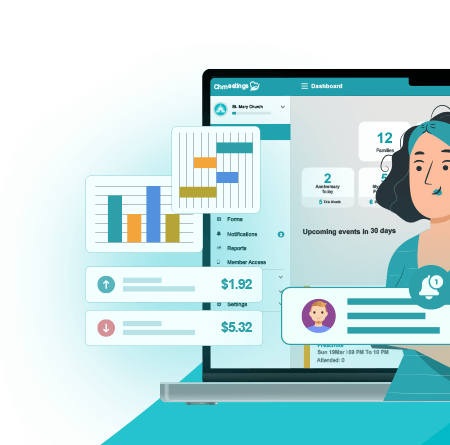
ChMeetings is the best choice for small churches that want a simple and dependable system without a heavy learning curve. It gives leaders an easy way to manage people and ministries while keeping stress off the admin team. It covers the weekly tasks every church handles. You can store member information, build groups, schedule events, track attendance with check in, and record giving. It also includes forms for sign ups or prayer requests, along with follow up tools that keep your team connected to visitors or members who need extra care. Everything stays inside one platform, which keeps your workflow steady and organized.
Key features that serve most churches
ChMeetings includes the core essentials you expect in a solid church management system. You can track people, manage groups, organize events, run check in, follow up with guests, collect registrations through forms, and track giving. Each part connects smoothly to the next, so you never feel like you are juggling separate apps just to complete a simple task.
The giving tools help maintain accurate contribution records that your finance team can trust. Follow up features allow leaders to stay aware of newcomers or members who need support. Forms make sign ups, prayer requests, and event registrations easy for both the church office and the congregation.
Mobile access for staff and members
ChMeetings offers mobile apps that work well for pastors, volunteers, and members. Leaders can enter attendance, review schedules, view profiles, or send messages from their phone. Members can update their own information, browse upcoming events, or register without waiting for someone in the office to do it for them. When everyone can access the system on the go, communication becomes steady and clear.
Ease of use
The interface feels calm and modern. Nothing jumps out in a confusing way. Volunteers who are not tech savvy can explore the system without a long training session. Screens are simple to read and the main tools sit right where you expect them. Most people understand the basics within minutes, which makes a big difference for small churches that rely on part time or volunteer help.
What the free plan includes
The free plan is built for small churches and limits the number of active profiles. It still covers the essentials like people management, attendance, events, groups, forms, and basic communication. Some advanced tools such as deeper reporting, more complex automation, or expanded messaging may require a paid plan. Even so, the free tier gives many smaller congregations everything they need to stay organized week after week.
Pros
Clean and intuitive layout
Strong core features even on lower tier plans
Mobile access for both leaders and members
Great fit for churches with mixed tech skill levels
Designed to grow as your church grows
Cons
Free plan limits the number of active profiles
Some advanced features require a paid upgrade
Cloud based only, with no self hosting option
Best suited for
ChMeetings works best for small to medium churches that want a modern cloud system that stays simple to use. It fits ministries that value a clean interface, mobile access, and an all in one approach without heavy startup costs. Churches that rely on volunteers or have limited admin time usually find it easy to adopt and maintain.
Breeze ChMS

Breeze gives small churches a clear and simple way to stay organized without overwhelming volunteers. The layout feels familiar the moment you log in, which helps leaders move through tasks quickly. You can store member information, track attendance, manage groups, record giving, and send messages to the right people. Everything flows in a way that keeps weekly administration steady and predictable.
Key features that support small churches
Breeze handles the core areas most churches rely on. You can manage people, run attendance reports, record contributions, track groups, and create tags that keep your database organized. The giving tools produce helpful summaries for finance teams, and attendance tracking takes only a few clicks.
Breeze also includes simple communication features. You can email or text groups directly from the system, which keeps your updates consistent and easy to send.
Mobile access
Leaders can check information, send messages, or log attendance from their phone. It keeps things flexible for pastors or volunteers who are often on the move.
Ease of use
Breeze feels friendly and light. The screens avoid clutter, which helps new users feel comfortable right away. Most churches can begin using it within the same day they set it up.
Pros
Easy to learn for volunteers
Clear and organized layout
Smooth giving and attendance tools
Strong onboarding experience
Cons
Fewer advanced features than larger systems
Limited customization options
Mobile access is functional but not as deep as more complex platforms
Best suited for
Breeze fits small churches that value simplicity and do not need detailed automation or heavy customization. It works well for volunteer run ministries that want clean tools without complexity.
ChurchTrac

ChurchTrac focuses on keeping church administration simple and affordable. It covers people management, giving, attendance, groups, and volunteer organization without adding unnecessary steps. Even smaller teams can maintain a steady workflow with it.
Key features that support basic church needs
ChurchTrac handles membership records, giving history, attendance, and volunteer scheduling. It also includes basic worship planning features, which some churches find helpful for Sunday preparation.
The system keeps tasks streamlined. You can move between people records, events, groups, and reports without digging for hidden menus.
Mobile access
ChurchTrac offers tools that work well on phones and tablets, so volunteers can log attendance or view schedules when they are not at a computer.
Ease of use
The interface keeps things tidy. It avoids clutter and focuses on the essentials, making it friendly for teams that do not want to spend time in training.
Pros
Affordable for small churches
Simple layout that supports quick adoption
Includes core features without added complexity
Helpful worship planning tools
Cons
Some features feel lighter than larger platforms
Limited flexibility compared to modular systems
The design is simple but not as modern as others
Best suited for
ChurchTrac works well for small churches that want an affordable and steady system with simple menus and essential features. It fits ministries that want structure but not a heavy or technical platform.
Planning Center

Planning Center gives churches a flexible system that grows with them. Each feature lives in its own module, so you choose only what you need. Many churches start with giving, groups, or check in, then add other modules as ministries expand.
Key features that support scalable growth
Planning Center offers tools for people management, events, groups, giving, check in, worship planning, and more. Each module stays focused on its purpose. Small churches appreciate starting small, while larger churches enjoy the deeper features that become available over time.
The Services module is especially popular with worship teams. It keeps schedules, song lists, and service outlines organized in a way that reduces last minute stress.
Mobile access
Planning Center offers strong mobile apps across its modules. Volunteers can see schedules, check in children, or access plans directly from their phone.
Ease of use
The system feels modern and steady. Even though it includes many tools, each module stays clean and focused, which helps volunteers learn at their own pace.
Pros
Modular structure lets churches add features as they grow
Modern and reliable interface
Strong worship planning tools
High quality mobile apps
Cons
Costs rise as you add more modules
Some modules include features that smaller churches may never use
Initial setup can take time because of the number of options
Best suited for
Planning Center works well for churches that want long term scalability. It fits ministries with active teams, worship planning needs, or multiple events throughout the week.
Tithely Church Management

Tithely brings together giving and church management in one ecosystem. Many churches already use Tithely for online giving, so having people management and communication in the same place creates a smoother workflow.
Key features that support weekly ministry
Tithely includes tools for people management, attendance tracking, event registration, giving, and volunteer communication. The integration with Tithely Giving creates a clear flow for finance teams who want accurate contribution tracking without switching between different systems.
The event tools make it easy to build sign ups, collect registrations, and send reminders.
Mobile access
Tithely offers mobile friendly tools that help leaders manage people and events wherever they are. Members can also use the mobile app for giving and event sign ups.
Ease of use
The interface feels practical. Most volunteers can learn the basics quickly, and the giving tools are familiar to churches already using Tithely.
Pros
Strong giving ecosystem
Simple setup for churches already using Tithely Giving
Good communication and event features
Stable mobile experience
Cons
Some features require upgrading to higher tier plans
Less depth in reporting compared to analytic focused platforms
Can feel centered on giving rather than full ministry management
Best suited for
Tithely ChMS works well for churches that already rely on Tithely for giving and want to connect that experience with people management and communication in one place.
One Church Software

One Church offers a wide range of features that support growing ministries. It covers people management, events, giving, volunteers, check in, resources, and communication in a single system.
Key features that support growing ministries
The platform brings together attendance, donations, event planning, room scheduling, volunteer management, and child check in. Churches with active weekly ministries often appreciate how these features support complex schedules and multiple teams.
Reporting tools help leaders track trends across attendance, giving, and ministry involvement. The system feels ready for churches planning for steady growth.
Mobile access
Leaders and volunteers can access schedules, check in tools, and people records from their phone. This keeps ministry teams in sync even when they are not at the office.
Ease of use
The interface has depth but stays organized. New users may take a little time to adjust, but once they do, the workflow becomes smooth and predictable.
Pros
Wide range of features for active ministries
Strong event and volunteer management
Good reporting tools
Designed to support growth
Cons
More complex than basic systems
May include features small churches do not need
Requires a bit more training for new users
Best suited for
One Church Software works well for churches with active ministries, multiple events each week, or plans for expansion. It fits teams that want a feature rich platform and expect their needs to grow over time.
|
Tool |
What It Does |
Best For |
|
ChMeetings |
Simple all in one system with people, groups, events, attendance, giving, forms, follow up, mobile apps, and free migration if switching from another software. |
Small to medium churches that want an easy system with mobile access and smooth onboarding. |
|
Breeze ChMS |
Very simple people, attendance, giving, groups, tags, and basic messaging. Friendly layout for volunteers. |
Small churches that want something light and easy with zero complexity. |
|
ChurchTrac |
Affordable people records, giving, attendance, groups, volunteers, plus basic worship planning. |
Churches wanting low cost tools without heavy features. |
|
Planning Center |
Modular system. Choose only the modules needed. Strong worship planning and excellent apps. |
Churches with active teams or long term growth plans. |
|
Tithely ChMS |
People, attendance, events, giving, volunteer tools. Works seamlessly with Tithely Giving. |
Churches already using Tithely who want everything in one ecosystem. |
|
One Church Software |
Wide feature set for growing churches: events, volunteers, check in, rooms, reporting, giving. |
Churches with multiple ministries and events each week. |
Comparing Key Aspects: Pricing, Ease of Use, Scalability
Pricing and cost structure
Small churches often work with tight budgets, so the way each platform prices its tools matters. Some offer free or low cost plans that cover the essentials. Others use a flat fee that includes everything at once. Modular systems break features into separate parts, which lets you pay only for what you need. This becomes important when accounting enters the picture, since some platforms include it while others treat it as a paid add on. Costs can rise as ministries grow, so the right structure depends on how quickly your church expects to expand and how many tools you want from the start.
Ease of use
A church with volunteers or part time staff needs software that feels natural from the first click. Simple systems help everyone stay consistent because no one feels overwhelmed when they log in. Training looks different across platforms. Some offer step by step walkthroughs that get you moving in minutes. Others need a little more time to understand but reward you with deeper tools, including accounting features. A smooth user experience keeps your team focused on ministry rather than troubleshooting software.
Scalability
A system that fits today might feel tight a year from now if your congregation grows or new ministries form. Modular platforms expand easily since you can add new tools when needed. Feature heavy systems can support growth right away but may feel larger than necessary at the beginning. This matters for accounting too. Some churches begin with simple giving records, then later decide to track budgets, expenses, or fund accounting within the same system. A scalable platform makes that transition steady instead of stressful.
Feature completeness vs real needs
It is tempting to chase long feature lists, especially when advanced tools like accounting, detailed reporting, or automation are available. The truth is most churches use only a small number of features consistently. Paying for things you will not touch can strain a small budget. A better approach is to start with the essentials and add more only when your team is ready. A good match gives you the weekly tools you rely on without extra cost or clutter.
Decision Matrix: Matching Church Needs to the Right ChMS
|
Church Profile |
Recommended Approach |
|
Very small churches with up to one hundred people, volunteer run, and basic weekly needs |
ChMeetings, ChurchTrac |
|
Small churches with one hundred to two hundred fifty people, steady services, and growing volunteer teams |
ChMeetings, Breeze, Tithely |
|
Small to mid sized churches with two hundred to five hundred people and plans for growth |
ChMeetings, Planning Center |
|
Churches with active ministries, regular events, and child or youth programs |
ChMeetings, One Church Software |
|
Churches that want a full feature suite from the beginning |
ChMeetings, Planning Center with selected modules, One Church Software |
Pitfalls and Tradeoffs to Consider
Feature overload that lowers adoption
A system with too many tools can slow a church down. When volunteers open the software and face menus they never use, they often avoid the system altogether. A smaller church does better with features that match real weekly tasks instead of a long list that looks impressive but rarely gets used.
Price increases as you add modules or people
Some platforms start affordable but grow more expensive as your church adds modules, members, or advanced features. This becomes noticeable when you introduce new ministries, expand child check in, or add accounting. Planning ahead helps you avoid surprises and keeps the software within your budget over time.
Data migration challenges
Moving information from spreadsheets or old systems can take time. If the data was kept in different formats or scattered files, the transition may need cleanup before import. A stable ChMS can support this process, but it still requires patience and clear organization from your team.
Privacy and security concerns
Churches handle personal information, giving records, and sometimes sensitive notes. A ChMS must protect that data. Permissions, secure logins, and steady backups are essential. Without them, the church risks exposure or lost information.
Complex systems may require ongoing training
Some platforms offer deep features, but depth often comes with a learning curve. Teams may need repeated training, especially when volunteers change. If a church does not have the time to maintain that training, a simpler system may fit better.
How to Evaluate and Choose the Right ChMS
Identify current and near term needs
A clear picture of what your church actually needs makes the decision easier. Start with the tasks you already handle every week. Attendance, giving, events, communication, and follow up usually sit at the top of the list. Then think about what might change in the next year. A church planning to add small groups or child check in will want a system that can support those steps.
Set a budget
Decide how much you can spend each month before you start comparing platforms. Some churches can begin with a free or low cost plan. Others prefer a paid tier that includes more reporting, automation, or accounting integrations. A steady budget keeps you focused and prevents you from choosing tools you do not actually need.
Determine who will manage the system
Every ChMS requires someone to keep it organized. It might be a pastor, an admin assistant, or a volunteer who enjoys working with details. Knowing who will maintain the system helps you choose a platform that matches their skill level and available time.
Shortlist two to four systems and test them
Most ChMS platforms offer demos or free trials. Testing a small group of options gives you a real sense of how they feel. The right system should make common tasks easy within the first few minutes. If the team struggles during the trial, it will not get better after setup.
Evaluate long term scalability
A good system supports your church today and still fits years from now. Look at how each platform handles growth. Some expand through add on modules. Others include everything from the start. If you expect more ministries, volunteers, or events, choose a system that can grow without forcing a full migration later.
Verify data security, permissions, and backup features
Churches handle personal information that needs steady protection. Make sure the platform uses secure logins, offers clear permission levels, and runs regular data backups. If multiple staff or volunteers will access the system, strong permissions become even more important.
Choose the option that balances ease, cost, and future readiness
The right ChMS should feel natural to your team, fit your budget, and support your next steps without adding stress. When a system matches all three, the church gains a tool that strengthens ministry instead of creating extra work.
Frequently Asked Questions (FAQ)
Do small churches really need a ChMS
A ChMS becomes helpful once manual processes start slowing the church down. When attendance, giving, events, and follow up take too much time or lead to mistakes, a structured system brings order back into the weekly routine. Many small churches turn to ChMeetings for this reason because it keeps the essentials simple without adding pressure to the admin team.
What features are essential for a small church
Most small churches lean on a solid people database, attendance tracking, giving tools, event management, and communication. ChMeetings, Breeze, and similar platforms all cover these needs. The key is choosing a tool your team can learn quickly and use consistently.
How much does ChMS software cost
Some platforms offer free plans that work for smaller congregations. ChMeetings is one example since its free tier includes many essential features. Costs increase as you add more people or advanced tools such as deeper reporting, automation, or accounting integrations.
Can a ChMS grow with our church
Yes. Many systems scale by adding features or expanding plan limits. ChMeetings, Planning Center, and One Church Software all support growth in different ways. ChMeetings in particular works for churches of every size because its feature set and pricing tiers expand smoothly as attendance and ministry activity grow.
What if our church has multiple ministries or campuses
A church with several ministries needs dependable event management, child check in, volunteer scheduling, and reporting. ChMeetings handles these needs well and adapts easily when churches add new ministries or locations. Systems like One Church Software or Planning Center also support multi ministry structures, but the flexible layout in ChMeetings works for both simple and complex setups.
Are these systems suitable for large churches
Yes. ChMeetings can support churches of all sizes, including large congregations with high attendance, multiple ministries, and busy weekly schedules. It offers strong people management tools, volunteer coordination, event structures, check in, giving, and reporting that scale without becoming overwhelming. Some churches choose Planning Center or One Church Software for specific workflows, but ChMeetings remains fully capable of serving large churches that want a unified and easy to manage system.