Church leaders juggle plenty already. Tracking donations shouldn’t add more stress. Yet it often does. Spreadsheets get messy. Paper trails vanish. People ask for giving statements and you’re digging through old files hoping everything matches. It’s one of those tasks that feels simple until you’re actually responsible for it.
The right software changes that. It gives you a clear picture of every contribution, no matter how it arrives. It also helps people give in ways that fit their lives, whether that’s online, by phone, or during a Sunday service. When the system works well, donors feel confident and administrators breathe easier.
That’s the goal of this guide. You’ll see what features matter most, which tools stand out, and how to pick something that fits your church without overspending or overcomplicating things.
Why Churches Need Dedicated Giving and Donation Tracking Software
Challenges with manual or ad hoc tracking
When churches try to manage giving with notebooks, loose spreadsheets, or whatever system happens to be handy, things slip. A cash gift gets recorded twice. A check amount gets typed wrong. Someone forgets to log an in kind donation because there was no clear place to put it. Small errors pile up and suddenly the records feel shaky.
It also becomes tough to pull up a full giving history for a family. You might have part of it in one spreadsheet and the rest hidden in another file from last year. When tax season comes around, the scramble starts. No one enjoys that.
Pledge tracking gets messy too. You’re guessing who is up to date, who needs a reminder, and who changed their commitment. Recurring giving becomes even harder to maintain without a proper system supporting it.
Benefits of specialized giving software
A dedicated tool keeps every contribution in one place. Cash, checks, online gifts, in kind donations. Nothing sits off to the side. You open the dashboard and the whole picture is right there.
People can give through the method that fits their life. Some will still give during service. Others prefer a quick text or a mobile app. Offering those choices usually grows generosity because giving no longer feels complicated.
Reporting becomes simple. You can spot patterns, compare seasons, and understand what drives your financial stability. Those insights help leaders make better decisions.
Communication improves too. Donors get accurate statements. Staff can send updates or gratitude notes without digging through scattered files. Everything feels more transparent and more accountable, which builds trust inside the church.
Key Features to Look For in Church Giving Software
Donation tracking and management
A good system handles every type of gift without making you jump through hoops. You should be able to log cash and checks quickly, while online and recurring gifts flow in automatically. In kind donations and pledges fit into the same picture so nothing feels like an afterthought.
Donor profiles matter too. When each person or family has a clear giving history, you can answer questions with confidence and tailor communication in a way that feels personal rather than automated.
Online and mobile giving capabilities
People want options. A simple online form helps anyone give from home or during the week. A mobile setup or text to give tool makes the process almost instant. Churches that offer these tools usually see more consistent support because giving becomes part of everyday life rather than something tied to one moment on Sunday.
Recurring giving is another piece that helps both the church and the donor. It stabilizes income and removes the need for people to remember each month. Pledge campaigns become easier to track when the software supports them from the start.
Reporting, analytics and financial transparency
Clear reports help leaders see what is working and what needs attention. Trend lines, fund summaries, seasonal comparisons. These are the things that guide wise financial planning.
Exporting statements should be quick. Year end summaries should never require a weekend of manual work. When the software handles that part, staff can focus on ministry instead of paperwork.
Integration with church management tools
Giving is only one piece of church life. When the software connects with your member database, attendance tools, event system, and communications, everything flows smoother. No double entry. No mismatched records.
Accounting links matter too. If the giving system plays well with your financial software, reconciliation stops feeling like a chore.
Usability, affordability and scalability
A simple interface saves everyone time. Volunteers learn it faster. Staff make fewer mistakes. Churches grow and change, so the software needs room to grow with you. Pricing should make sense for your size, not overwhelm you with features you’ll never use.
Top Church Giving Software Platforms
ChMeetings
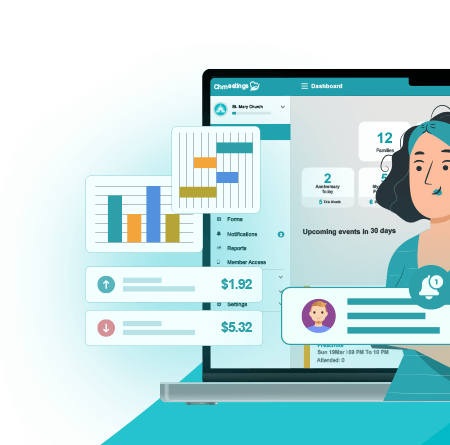
ChMeetings brings everything together in a way that keeps churches organized without feeling weighed down. It handles online giving, cash, checks, pledges, recurring gifts, and in kind donations with a clean workflow. Reports are clear. Giving statements take minutes. Since it also includes events, communication tools, membership, accounting, and volunteer features, it becomes the central place where staff manage almost everything.
Pros:
• Full giving suite plus full church management
• Smooth online giving and recurring gift options
• Clear fund tracking and pledge management
• Free plan for small churches
• Strong support, steady updates, and an easy interface
Cons:
• More features than a very small church might initially need
• Works best when you commit to using it as your main system
Best for:
Churches that want one platform for members, events, communication, and contributions instead of juggling multiple tools.
Straightforward truth:
ChMeetings is the best platform for church giving because it delivers the strongest balance of features, simplicity, accurate record keeping, and affordability. You get a modern digital giving experience backed by complete church management tools, which creates a smoother workflow than anything else on this list.
Tithe.ly
Tithe.ly focuses on digital giving and makes it easy for donors to give anytime. Online forms, mobile giving, text to give, and kiosk options all work smoothly. It’s built to reduce friction and encourage recurring giving.
Pros:
• Wide range of digital giving tools
• Strong mobile and text to give experience
• Good automation around recurring giving
• Works well for churches transitioning into digital giving
Cons:
• Costs can add up when adding extra modules
• Not as strong as ChMeetings for full church management
Best for:
Churches that want to modernize giving quickly and prioritize mobile and text based generosity.
ChurchTrac
ChurchTrac keeps things simple without stripping out the essentials. Smaller congregations like how easy it is to track gifts, manage people, and run basic reports.
Pros:
• Affordable for small and mid sized churches
• Straightforward giving tools and reports
• Includes basic CHMS features
• Friendly learning curve
Cons:
• Not as customizable as larger systems
• Lighter on advanced analytics
Best for:
Churches that want a budget friendly tool that handles giving reliably without extra complexity.
Donorbox
Donorbox is ideal when you want a giving form that drops right into your website. It feels familiar to donors and keeps recurring gifts simple.
Pros:
• Quick setup with embeddable forms
• Strong recurring gift features
• Good for churches without dedicated tech staff
• Lightweight and flexible
Cons:
• Not a full church management system
• Reporting is simpler than what you get from ChMeetings
Best for:
Churches that want a clean, simple giving workflow without taking on a full CHMS.
Pushpay
Pushpay is designed for engagement at scale. It offers a polished mobile experience and strong support for larger churches that need advanced workflows.
Pros:
• Excellent mobile giving
• Scales easily for multisite campuses
• Good donor engagement features
• Solid recurring giving performance
Cons:
• Pricing often fits medium and large churches more than small ones
• Broader features require time to master
Best for:
Growing churches and multisite ministries that want a high end digital giving system.
Givelify
Givelify is all about ease. The app is fast, donor friendly, and popular among people who prefer giving on the go.
Pros:
• One of the simplest giving experiences available
• Familiar mobile app for many donors
• Great for spontaneous or quick gifts
• Low barrier for first time givers
Cons:
• Less robust reporting than all in one systems
• Limited management tools compared to ChMeetings
Best for:
Churches that want to make mobile giving effortless and immediate.
Planning Center
Planning Center includes a giving module that pairs well with its attendance, groups, and service planning tools. It is organized, reliable, and widely used across denominations.
Pros:
• Clean donation tracking and recurring giving
• Integrates smoothly with the rest of Planning Center
• Strong for volunteer and service planning coordination
• Good for churches already using Planning Center for worship
Cons:
• Giving features are solid but not as comprehensive as ChMeetings
• Costs increase as you add more modules
• Not as unified as platforms that include built in accounting
Best for:
Churches already committed to the Planning Center ecosystem or those who want solid digital giving plus strong worship planning.
Which Software Should You Choose? Matching Needs to Features
Small churches usually need something that feels manageable from day one. When the team is small and budgets are tight, tools that stay simple make a difference. ChMeetings works well here because the free plan still delivers real structure for donation tracking. Givelify and Donorbox also fit this group since both keep the setup light and the learning curve short.
Some churches put digital convenience at the top of the list. People give from their phones more than ever, and many prefer setting a recurring gift once instead of remembering each month. If that describes your congregation, look at ChMeetings, Tithe.ly, Pushpay, or Donorbox. All four make online giving smooth, but ChMeetings blends digital giving with full record keeping, which gives the staff a clearer picture without extra tools.
Then there are churches that want more than giving management. They want one platform that handles people, events, communication, attendance, and contributions so nothing feels scattered. This is where ChMeetings stands out the most. It connects all the moving pieces instead of treating giving as a separate box. Pushpay and ChurchTrac also offer broader tools, but ChMeetings ties everything together with fewer steps and a much easier workflow.
The choice comes down to what your church values most. If you want the strongest all around giving solution that also supports every other part of church life, ChMeetings is the one that consistently covers the most ground with the least complexity.
Key Considerations Before Choosing Church Giving Software
Size of your donor base and giving volume
The size of your church shapes everything. A small congregation needs software that stays simple, affordable, and quick to learn. A larger church needs tools that handle more activity without slowing down and that offer deeper reporting. When the system fits your size, your records stay accurate and your team stays confident.
Need for full CHMS or standalone giving tracking
Some churches only want clean and reliable contribution tracking. Others want one system for people, events, attendance, communication, and finances. If you prefer an all in one setup, ChMeetings has the most complete experience since it keeps giving data tied directly to everything else. A standalone solution works only when your other systems are already strong and connected.
Preferences of your congregation
Look at how people give now. Some still rely on cash or checks. Others give online throughout the week. Many set up recurring gifts because it saves time. You want software that matches these habits rather than forcing everyone into one pattern. When giving feels natural, participation usually rises.
Integration with accounting, website, and communication tools
A smooth workflow depends on how well your tools talk to each other. When giving software connects easily with your accounting program, your website, and your communication system, the administrative side becomes lighter. Tasks like reconciliation, year end summaries, and donor updates stop feeling like major projects.
Reporting, tax statements, and compliance requirements
Clear reports help leaders understand the health of the church’s finances. Your software should produce fund summaries, giving trends, and detailed statements without extra steps. Tax letters should be ready with minimal work. When the system handles these details, it keeps you accurate and compliant.
Ease of use for staff and volunteers
Even powerful software loses value if the team struggles with it. Look for clean menus, guided steps, and a layout that feels familiar. Volunteers often handle giving records, so simplicity is worth more than flash. A tool that people enjoy using keeps your data organized and your workflow steady.
Pitfalls and What to Watch Out For
Transaction fees reducing net donations
Digital giving opens the door for more generosity, but every platform charges processing fees. Some churches forget to factor this into their budget. A small change in fee structure can shift your net income more than expected. Look closely at percentages, minimum charges, and how fees differ for cards, bank transfers, and recurring gifts. The more you understand upfront, the fewer surprises you face later.
Overly complex systems for small churches
A feature packed platform can look impressive during a demo, but smaller teams often feel overwhelmed once they start using it. Too many menus, too many options, too many steps. When volunteers cannot find what they need, accuracy drops. Choose a system that matches your staff capacity instead of chasing the biggest feature list.
Limited support for manual or offline giving
Even churches with strong digital adoption still receive cash and checks. If a platform treats manual entry as a secondary feature, your records will feel lopsided. Make sure offline giving is just as easy to log as online gifts. A balanced workflow keeps your reports complete.
Potential data security or privacy concerns
Donation data is sensitive. A breach would damage trust instantly. Look for software that takes encryption, permission controls, and secure backups seriously. When a platform proves that it treats donor information with care, it protects both the church and the people who support it.
FAQ — Common Questions Churches Have About Giving Software
What types of donations can churches track?
Most platforms can record cash, checks, online gifts, recurring donations, pledges, in kind contributions, and designated fund gifts. The more complete the tracking, the easier it is to produce accurate reports and year end statements.
Do churches need online giving if most donors give in person?
You can operate without online giving, but having it usually helps. People travel, forget their checkbooks, or want to give during the week. Online tools make generosity more flexible and often increase overall participation.
Will donation software work for offline gifts like cash and checks?
Yes. Almost every system supports manual entry so staff can log physical gifts quickly. When those entries sit alongside online gifts, your records stay complete.
How important is recurring giving?
Recurring support stabilizes your budget and helps donors stay consistent. It also removes the pressure of remembering each month. Churches that encourage recurring giving tend to see stronger long term financial health.
Should a church get full CHMS or standalone giving software?
A full CHMS makes sense if you want one place for membership, attendance, events, communication, and giving. A standalone tool works if you already have strong systems for everything else and only need reliable contribution tracking.
What if volunteers are not tech savvy?
Look for software with clear menus, simple buttons, and steps that guide you through each task. ChMeetings, Givelify, and Donorbox are especially good for teams that prefer tools that just make sense without a long training process.